Welcome to Trident Information Systems!
Write us to - info@tridentinfo.com
Let's Socialize

Microsoft Azure Cloud Services

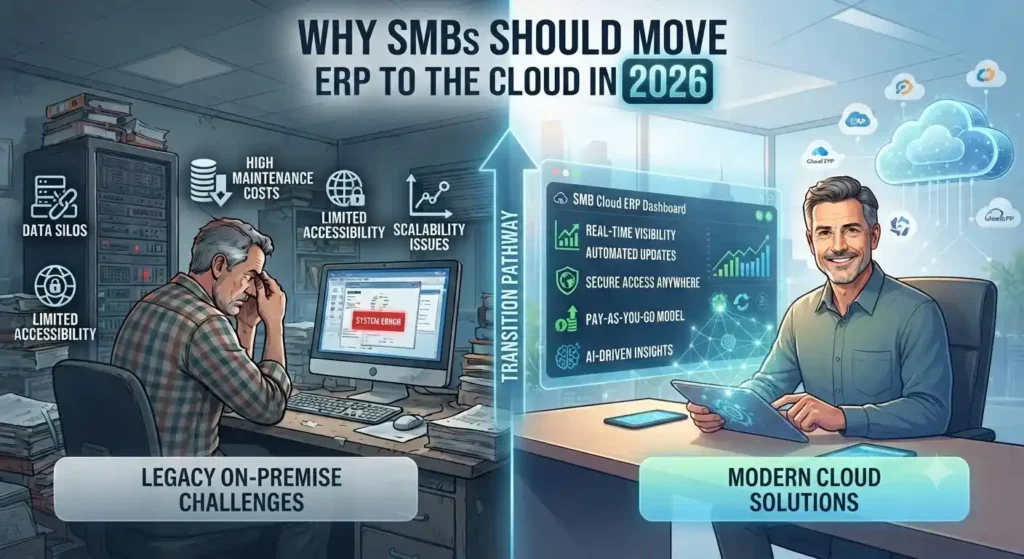
Cloud ERP dashboard helping SMBs manage finance, inventory, operations, and business performance.

Why SMBs Should Move ERP to the Cloud in 2026

Why SMBs Should Move ERP to the Cloud in 2026 Roughly 44% of small businesses now run meaningful cloud infrastructure, and that number keeps climbing. But most of that adoption is email and productivity tools — not the ERP system running finance, inventory, and operations. That gap is where SMBs quietly lose money every year. The Real Cost of Staying on Legacy ERP Companies spent 40% of their IT budgets in 2025 just keeping legacy systems running — patching, maintaining, and working around software that was outdated the day it was installed. That’s not investment; it’s maintenance debt with no return. Every year an SMB delays ERP migration, that wasted spend tends to grow, not shrink, because the gap between legacy capability and modern cloud ERP keeps widening. Global public cloud spending is projected to hit $723.4 billion in 2025, up from $595.7 billion the year before — a jump driven largely by core workloads shifting into the cloud, not just email. ERP is where legacy costs compound fastest, which is exactly why it’s driving so much of that growth. Predictable Costs Instead of Capital Surprises The CapEx-to-OpEx shift is the change SMBs feel first. Instead of a large upfront hardware and licensing spend followed by unpredictable maintenance bills, cloud ERP runs on subscription pricing tied to actual usage. For Microsoft-centric SMBs, this gets stronger. Azure Hybrid Benefit lets businesses that already own Windows Server or SQL Server licenses apply them toward cloud costs, cutting Azure VM costs by up to 40-55% compared to standard pay-as-you-go pricing. If your SMB already runs Microsoft 365 or Windows Server, that discount alone changes the ROI math on a Dynamics 365 migration. Security Concerns Are Backwards Now The instinct to keep ERP on-premises for “control” doesn’t hold up anymore. Modern cloud platforms often deliver stronger security, better uptime, and greater scalability than most SMBs can achieve running their own infrastructure. Built-in compliance frameworks and dedicated provider security teams cover ground most SMB IT teams can’t staff for — a real constraint for a five-person IT department juggling help desk tickets and server patching at the same time. Scalability Without the Hardware Gamble Legacy ERP forces a bet: buy enough server capacity for growth you haven’t hit yet, or underprovision and hit a wall mid-quarter. Cloud ERP removes that bet. Resources scale with actual transaction volume, seasonal demand, or headcount growth, with no hardware refresh cycle every three to five years. What This Means for a Dynamics 365 Decision For SMBs already in the Microsoft ecosystem, this isn’t a “should we move to the cloud” question anymore — it’s a “why are we still running Dynamics NAV or an on-prem F&O instance in 2026” question. The path to Dynamics 365 Business Central or Finance & Operations keeps the interface logic staff already know, while shifting cost structure, security posture, and scalability all at once. Still running ERP on-premises or on an older Dynamics NAV instance? Talk to Trident’s Dynamics 365 team about what a cloud migration looks like for your cost structure and timeline. FAQ Q: Is cloud ERP more secure than on-premises ERP for SMBs?A: Often yes — cloud providers invest in dedicated security teams and compliance frameworks most SMB IT departments can’t match in-house. Q: How much can SMBs save moving ERP to Azure?A: Businesses with existing Windows Server or SQL Server licenses can save 40-55% on Azure costs through Azure Hybrid Benefit. Q: What’s the cost of staying on legacy ERP systems?A: Organizations spent roughly 40% of their 2025 IT budgets just maintaining legacy systems — spend that delivers no new capability, only upkeep.

Why SMBs Should Move ERP to the Cloud in 2026 Read More »

Plan migration of physical servers using Azure Migrate

[vc_row][vc_column][vc_column_text]Previously, Azure Migrate: Server Assessment only supported VMware and Hyper-V virtual machine assessments for migration to Azure. At Ignite 2019, we added physical server support for assessment features like Azure suitability analysis, migration cost planning, performance-based rightsizing, and application dependency analysis. You can now plan at-scale, assessing up to 35K physical servers in one Azure Migrate project. If you use VMware or Hyper-V as well, you can discover and assess both physical and virtual servers in the same project. You can create groups of servers, assess by group and refine the groups further using application dependency information. While this feature is in preview, the preview is covered by customer support and can be used for production workloads. Let us look at how the assessment helps you plan migration. Azure suitability analysis The assessment checks Azure support for each server discovered and determines whether the server can be migrated as-is to Azure. If incompatibilities are found, remediation guidance is automatically provided. You can customize your assessment by changing its properties, and recomputing the assessment. Among other customizations, you can choose a virtual machine series of your choice and specify the uptime of the workloads you will run in Azure. Cost estimation and sizing Assessment also provides detailed cost estimates. Performance-based rightsizing assessments can be used to optimize on cost; the performance data of your on-premise server is used to recommend a suitable Azure Virtual Machine and disk SKU. This helps to optimize on cost and right-size as you migrate servers that might be over-provisioned in your on-premise data center. You can apply subscription offers and Reserved Instance pricing on the cost estimates. Dependency analysis Once you have established cost estimates and migration readiness, you can plan your migration phases. Using the dependency analysis feature, you can understand which workloads are interdependent and need to be migrated together. This also helps ensure you do not leave critical elements behind on-premise. You can visualize the dependencies in a map or extract the dependency data in a tabular format. You can divide your servers into groups and refine the groups for migration by reviewing the dependencies. Assess your physical servers in four simple steps Create an Azure Migrate project and add the Server Assessment solution to the project. Set up the Azure Migrate appliance and start discovery of your server. To set up discovery, the server names or IP addresses are required. Each appliance supports discovery of 250 servers. You can set up more than one appliance if required. Once you have successfully set up discovery, create assessments and review the assessment reports. Use the application dependency analysis features to create and refine server groups to phase your migration. When you are ready to migrate the servers to Azure, you can use Server Migration to carry out the migration, get in touch with us our team will help you.[/vc_column_text][/vc_column][/vc_row]

Plan migration of physical servers using Azure Migrate Read More »

The Real Decision in Healthcare IoT Isn’t Which Sensor — It’s Build or Buy

INTRO A hospital piloting a patient-monitoring device rarely fails on the hardware. It fails when the pilot tries to scale — and the team discovers they’ve quietly taken on a cloud security, compliance, and DevOps project they never budgeted for. That’s the real fork in the road for Azure IoT healthcare solutions: build the infrastructure from scratch, or buy a managed platform built for exactly this. Healthcare organizations are moving fast toward IoT regardless of which path they pick — the vast majority now consider it critical to their operations, with most planning to increase investment further. Why IoT Matters Differently Across the Healthcare Ecosystem IoT doesn’t solve one problem in healthcare — it solves a different problem for each part of the chain: The Build Option — Full Control, Full Complexity Building from Azure IoT Hub gives a solution builder maximum flexibility to design, customize, and own every layer of the architecture, including device-to-cloud security through Azure Sphere. The tradeoff shows up later, not at the pilot stage: scaling a working pilot into a globally deployable solution demands deep expertise in cloud security, device security, DevOps, and healthcare compliance simultaneously — expertise most healthcare organizations don’t have in-house and don’t want to hire for a single project. The Buy Option — Azure IoT Central for Healthcare Azure IoT Central is Microsoft’s managed IoT platform, built specifically to remove the infrastructure questions — data ingestion, disaster recovery, ongoing security patching — that consume most of a build-from-scratch timeline. For healthcare specifically, it includes healthcare application templates, predictable pricing, and white-labeling, letting a solution builder focus on what the device data actually reveals about patient outcomes rather than on keeping the underlying platform running. Interoperability: The IoMT FHIR Connector Healthcare data interoperability remains one of the hardest problems in the industry — most systems still don’t speak the same format. The IoMT FHIR Connector for Azure addresses this directly, ingesting IoT-generated protected health information and converting it into FHIR-compatible format automatically, which is what makes device data usable across otherwise siloed clinical systems. How This Plays Out in Practice Two examples from Microsoft’s healthcare IoT ecosystem illustrate the difference between the two approaches: Schneider Electric partnered with operations-management specialist ThoughtWire to unify facilities management and clinical operations data — systems that are traditionally run by entirely separate teams — into Azure’s IoT platform. The result connects how patients and clinical staff interact with hospital infrastructure to facility performance, an integration point that’s historically been invisible to hospital operations teams. Sensoria Health took the buy path, building its Motus Smart diabetic foot ulcer monitoring solution on the Azure IoT Central Continuous Patient Monitoring template. Diabetic foot ulcers carry a treatment failure rate over 75%, and remote compliance tracking — knowing whether a patient is actually wearing their offloading device as prescribed — is central to improving that number. Using a managed platform let Sensoria launch an enterprise-grade, HIPAA-compliant application for both clinicians and patients in a fraction of the time a from-scratch build would have required. What This Means for Your IoT Roadmap The build-versus-buy decision isn’t really about technical capability — most healthcare organizations could build from scratch given enough time and budget. It’s about where that time and budget are best spent: on infrastructure plumbing, or on the clinical insight the data is supposed to generate in the first place. Weighing build vs. buy for a healthcare IoT initiative? Talk to Trident about your Azure IoT options. FAQ Should a healthcare organization build or buy an IoT solution?It depends on scale and in-house expertise: building offers full customization but requires deep cloud security and DevOps capability to scale; buying via a managed platform like Azure IoT Central trades some flexibility for faster deployment and built-in compliance. What is the IoMT FHIR Connector for Azure?It’s a connector that ingests IoT-generated patient health data and converts it into FHIR-compatible format, solving a major interoperability barrier between IoT devices and clinical systems. Is Azure IoT Central HIPAA-compliant?Azure IoT Central is built with healthcare compliance requirements in mind, including secure, compliant storage and sharing of patient data — organizations should confirm specific compliance requirements for their use case during implementation.

The Real Decision in Healthcare IoT Isn’t Which Sensor — It’s Build or Buy Read More »

Microsoft Azure Cloud Security: The Real Reason Fortune 500 Firms Don't Switch

Microsoft Azure Cloud Security: The Real Reason Fortune 500 Firms Don’t Switch

Cost gets the headlines. Security is why 85% of Fortune 500 companies actually stay on Azure once they’ve moved. For CFOs and IT heads evaluating cloud platforms, that distinction matters more than any feature list. Microsoft Azure cloud security isn’t a bolt-on. It’s built into how Azure stores, replicates, and monitors data — which is exactly what makes it a defensible choice for regulated industries, not just a cheaper one. Where Your Data Actually Lives Azure doesn’t store data on a single server somewhere abstract. It runs across 100+ Microsoft data centers globally, and you choose the region — a decision that affects both latency for your customers and, increasingly, data-residency compliance requirements in markets like the UAE and India. Azure also replicates data automatically, and you control how: multiple copies in one region, or copies spread across regions for disaster resilience. That choice is a security decision as much as a performance one. Microsoft Defender for Cloud Does the Watching You Can’t Staff For Most mid-size IT teams don’t have a 24/7 security operations center. Microsoft Defender for Cloud (formerly Azure Security Center) is effectively Microsoft’s answer to that gap — it continuously scans hybrid cloud workloads, flags anomalous behavior using built-in analytics, and recommends remediation steps before a flagged issue becomes a breach. Paired with encryption at rest — data is cryptographically encoded the moment it’s stored, not just in transit — this gives a business without a dedicated security team something close to enterprise-grade monitoring by default. Disaster Recovery Without the Traditional Price Tag Azure Site Recovery replicates critical workloads to a secondary location automatically, so an outage at one site doesn’t take down the business. Azure Traffic Manager then reroutes traffic around a regional failure without manual intervention. Combined with the default of triple data replication, this is disaster recovery infrastructure that used to require a second physical data center — now available as a configuration choice, not a capital expense. What This Means for a Mid-Size IT Budget The financial case is straightforward: no upfront hardware spend, no hardware refresh cycle every two to three years, no warranty renewals or emergency service calls. You provision compute as needed and scale down when you don’t — Azure’s usage tracking tools make it visible exactly where that flexibility is saving money, rather than a vague promise of “efficiency.” For development teams specifically, Azure removes the cost barrier to testing at scale. Azure DevOps (including Visual Studio Team Services, free for up to five users) plus native integration with tools like Jenkins, Terraform, and Ansible means teams test in realistic conditions without provisioning permanent infrastructure for it. The Strategic Layer: AI and Automation Access Beyond infrastructure, Azure Machine Learning Services and the Azure AI Platform give mid-size firms access to the same automation and analytics capabilities that used to be exclusive to enterprises with dedicated data science teams. That’s less about cloud hosting and more about what a business can build once security and infrastructure stop being the constraint. Considering a move to Azure, or already on it and unsure if it’s configured for your risk profile? Talk to Trident about an Azure security and infrastructure assessment. FAQ Is Microsoft Azure secure enough for regulated industries?Yes — Azure combines encryption at rest, continuous threat monitoring through Microsoft Defender for Cloud, and regional data residency controls, which is why it’s widely adopted in finance, healthcare, and government sectors. What is Microsoft Defender for Cloud?It’s Azure’s built-in security monitoring service (formerly Azure Security Center) that scans hybrid cloud workloads for suspicious activity and recommends remediation steps automatically. How does Azure handle disaster recovery?Azure replicates data across multiple data centers by default, and services like Azure Site Recovery and Traffic Manager automatically fail over to a secondary location if one region goes down.

Microsoft Azure Cloud Security: The Real Reason Fortune 500 Firms Don’t Switch Read More »

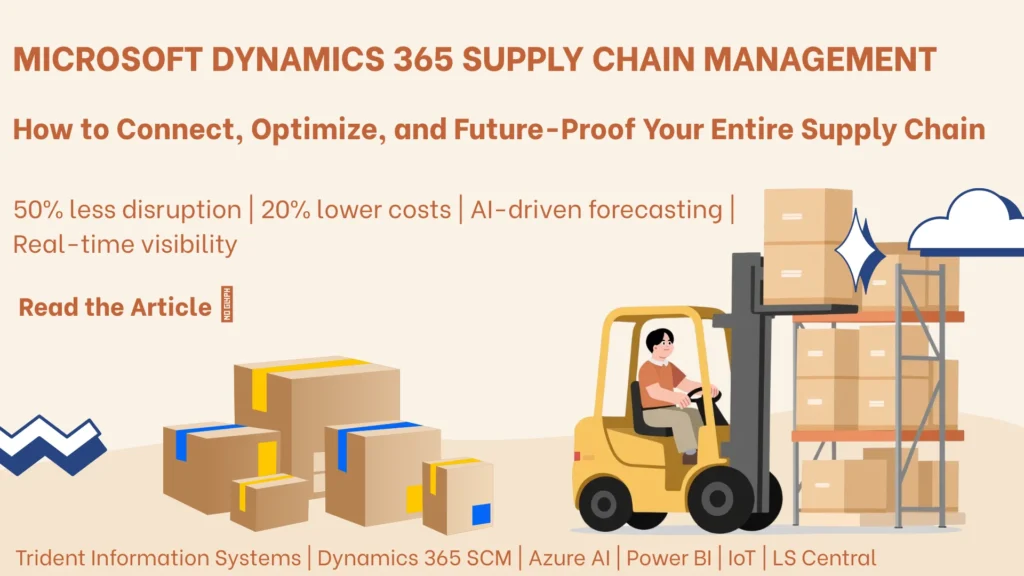
Microsoft Dynamics 365 Supply Chain Management dashboard tracking inventory, logistics, and operations.

Microsoft Dynamics 365 Supply Chain Management: How to Connect, Optimize, and Future-Proof Your Entire Supply Chain

Think about how your supply chain works today. Raw materials arrive — hopefully on time, hopefully in the right quantities. Production is planned — hopefully matching actual demand. Finished goods move to warehouses — hopefully with accurate inventory records. Orders are fulfilled and delivered — hopefully within the window your customers expect. The problem with a supply chain built on “hopefully” is that it becomes visible in the worst possible moments: the stockout that loses you a major order, the warehouse error that sends the wrong product to the wrong customer, the demand spike that catches you under-prepared, or the supplier failure that creates a production shutdown nobody saw coming. Microsoft Dynamics 365 Supply Chain Management replaces “hopefully” with certainty — connecting every function in your supply chain on a single intelligent platform, powered by real-time data, AI-driven forecasting, and automated processes that respond to change faster than any manual system can. From inventory management and demand forecasting through warehouse operations, transportation, procurement, and quality control — Dynamics 365 Supply Chain Management gives organizations the unified visibility and operational control to run a supply chain that is not just efficient today, but resilient and adaptable for whatever tomorrow brings. This guide covers the full scope of what Dynamics 365 Supply Chain Management delivers — the core capabilities, the business benefits, and how Trident Information Systems implements it for organizations across India. What Is Supply Chain Management and Why Does It Need Modernizing? Supply chain management encompasses every process involved in getting a product from raw material to customer — procurement, production planning, inventory management, warehousing, transportation, and order fulfilment. When these processes work together seamlessly, organizations can deliver products faster, at lower cost, with higher quality and greater customer satisfaction. When they do not — when each function operates on its own system, its own data, and its own timeline — the gaps between functions become the primary source of supply chain cost, delay, and risk. The Real Cost of an Outdated Supply Chain in 2026 Supply chain inefficiency is not abstract. It shows up in measurable, bottom-line costs that compound over time: Post-pandemic supply chain disruption has made these vulnerabilities more visible and more costly than ever before. Organizations that invested in supply chain technology before the disruptions were significantly better positioned to adapt — and those that did not are catching up under pressure. What a Modern, Connected Supply Chain Actually Looks Like A modern supply chain does not just move goods from A to B more efficiently. It anticipates, adapts, and learns. It uses AI to predict demand before it becomes obvious. It uses IoT to monitor assets and inventory in real time. It uses automation to execute routine decisions instantly, freeing human judgment for the decisions that actually require it. Microsoft Dynamics 365 Supply Chain Management is the platform that makes this possible — connecting every supply chain function on a single system, with real-time data and embedded intelligence that transforms reactive operations into proactive, resilient ones. How Microsoft Dynamics 365 Supply Chain Management Works A Single Platform Connecting Every Supply Chain Function The foundational design principle of Dynamics 365 Supply Chain Management is unification. Rather than operating inventory management, warehouse management, transportation, and procurement on separate systems that exchange data through scheduled integrations — Dynamics 365 connects all of these functions on a single platform and a single data model. This means: When every function operates from the same data, the decisions made in each function are automatically informed by the context of every other function. That alignment — which manual systems and siloed applications can never reliably achieve — is the foundation of supply chain competitive advantage. Built on Microsoft Azure: Cloud-Native Supply Chain Intelligence Microsoft Dynamics 365 Supply Chain Management is built on Microsoft Azure — providing the cloud infrastructure, data processing, and AI capabilities that modern supply chain intelligence requires: Core Capabilities of Microsoft Dynamics 365 Supply Chain Management 1. Intelligent Inventory Management Inventory management is the function where supply chain technology delivers some of its most immediate and visible business impact — because inventory is both a major cost driver and a direct enabler of customer satisfaction. Microsoft Dynamics 365 Supply Chain Management transforms inventory management from a reactive, manual process into an intelligent, automated one: The business impact of intelligent inventory management is direct and measurable: lower safety stock requirements, fewer stockouts, reduced carrying costs, and better cash flow — all without sacrificing service levels. 2. Advanced Warehouse Management Your warehouse is the operational heartbeat of your supply chain — and how efficiently it operates directly determines your ability to fulfil orders accurately, quickly, and cost-effectively. Microsoft Dynamics 365 Supply Chain Management includes a comprehensive advanced warehouse management system (WMS) that gives operations teams the tools to optimize every movement of goods through the facility: 3. End-to-End Tracking and Traceability In industries where product quality, safety, and regulatory compliance are critical — pharmaceuticals, food and beverage, medical devices, chemicals, electronics — the ability to trace every product through every stage of the supply chain is not a nice-to-have. It is a legal and commercial requirement. Microsoft Dynamics 365 Supply Chain Management provides comprehensive end-to-end tracking and traceability: 4. AI-Powered Demand Forecasting The most expensive supply chain decisions are made in response to demand — how much to produce, how much to stock, what to order from suppliers. When those decisions are based on accurate demand forecasts, costs are minimized and service levels are maximized. When they are based on inaccurate forecasts or gut instinct, the result is either costly overstock or damaging stockouts. Microsoft Dynamics 365 Supply Chain Management integrates with Azure Machine Learning to deliver AI-powered demand forecasting that goes far beyond traditional historical averaging: The business impact of accurate demand forecasting compounds across the supply chain: lower safety stock requirements, better supplier order timing, more efficient production scheduling, and higher service levels — all simultaneously. 5. Warehouse and Material Handling Automation As warehouse operations scale, the efficiency

Microsoft Dynamics 365 Supply Chain Management: How to Connect, Optimize, and Future-Proof Your Entire Supply Chain Read More »

Microsoft Azure cloud services dashboard managing business applications, security, and infrastructure.

5 Reasons Your Business Needs Microsoft Azure Cloud Services in 2026

If your business is still running its data, applications, and operations on local servers — you are carrying a competitive disadvantage that compounds every year you wait to address it. The gap between what cloud-based businesses can do and what on-premises operations can do is not shrinking. It is widening. Cloud businesses spin up new capabilities in hours. They scale resources to match demand without capital investment. Their teams access everything they need from any location, on any device, without IT bottlenecks. And when something goes wrong — a server failure, a natural disaster, a cyberattack — they recover in minutes rather than days. Microsoft Azure cloud services deliver all of this — through the world’s most widely trusted enterprise cloud platform, covering infrastructure, data, security, analytics, AI, and seamless integration with Microsoft Dynamics 365, Microsoft 365, and Power Platform. Trident Information Systems is a certified Microsoft Azure partner — helping businesses across India plan, migrate, and maximize the value of Azure cloud services. Whether you are moving your first workload to the cloud or building a comprehensive cloud-first strategy, this guide covers the five business benefits that make the case for Azure — and the additional capabilities that deliver compounding value over time. Why Cloud Services Are No Longer Optional for Growing Businesses The Real Business Cost of Staying on Local Servers Running your business on local servers made sense in a world where everyone worked from the same office, data volumes were manageable, and IT infrastructure had a predictable lifespan. That world no longer exists — and local server infrastructure is now a source of risk as much as a source of capability. The costs of staying on-premises accumulate in ways that are easy to underestimate: What Microsoft Azure Cloud Services Give You That On-Premises Cannot Microsoft Azure is the enterprise cloud platform that addresses every one of these constraints — delivering infrastructure, data, security, and application capabilities that are physically impossible to replicate on local servers at comparable cost. Azure operates through a global network of data centers — including data centers in India — providing the geographic redundancy, compliance infrastructure, and connectivity that enterprise workloads require. With 99.9%+ uptime SLAs across core services, Azure delivers a reliability standard that most on-premises infrastructure cannot match. 5 Business Benefits of Microsoft Azure Cloud Services Reason 1: Access Your Business Data From Anywhere, Anytime This is the benefit that most businesses feel first — and most viscerally — after moving to the cloud. The shift from “I need to be in the office to access that file” to “I can access everything I need from my phone in a coffee shop in Chennai” is a transformation in how work actually happens. With Microsoft Azure cloud services: The practical impact on daily operations is immediate. Sales teams access customer data from client locations. Field engineers retrieve technical documentation from job sites. Finance managers approve transactions from wherever they happen to be. The business keeps moving because the data moves with the people who need it. Reason 2: Empower a Mobile, Distributed Workforce The shift to hybrid and remote work models has accelerated dramatically — and businesses that cannot support their teams working effectively from any location are at a real competitive disadvantage when it comes to attracting and retaining talent, as well as operational continuity. Microsoft Azure cloud services are the infrastructure foundation for genuine workforce mobility: The mobility benefit compounds over time. As your business grows — adding locations, expanding field teams, or extending to new geographies — cloud infrastructure scales instantly, without the capital investment and deployment delay that on-premises expansion requires. Reason 3: Dramatically Increase Team Productivity When your team is not spending time fighting their own technology — hunting for files, waiting for slow VPN connections, dealing with server downtime, or making unnecessary trips to the office to access data — they spend that time doing the work that actually moves your business forward. Microsoft Azure cloud services eliminate the technology friction that silently consumes organizational productivity: The productivity improvement from cloud migration is not just about individual efficiency. It is about organizational velocity — the ability to move faster as a business because your technology infrastructure supports speed rather than constraining it. Reason 4: Get the Reports and Insights You Need in Real Time In a business running on local servers with siloed applications and manual reporting processes, getting the information needed to make a strategic decision can take days. By the time a report is compiled, the opportunity — or the problem — it describes has already moved on. Microsoft Azure changes the data-to-decision timeline entirely: The shift from retrospective reporting to real-time intelligence changes how businesses are managed — from reacting to what happened last month to responding to what is happening right now. Reason 5: Go Paperless and Eliminate Manual Data Entry Every paper-based business process is a source of three compounding costs: the time it takes to complete the physical process, the errors introduced by manual data transcription, and the filing and retrieval overhead that physical document management requires. Microsoft Azure cloud services provide the infrastructure for eliminating paper from every business process: The operational improvement from going paperless is immediately visible — less administration overhead, fewer errors, faster processes, and better compliance documentation. The environmental benefit is an added bonus. Beyond the Basics: Additional Azure Cloud Benefits for Business The five reasons above address the most immediate and tangible benefits of cloud migration. But Microsoft Azure delivers a broader set of capabilities that create compounding value over time. H3: Enterprise-Grade Security and Compliance Microsoft Azure is one of the most secure cloud platforms in the world — with security capabilities that most businesses cannot replicate with their own on-premises infrastructure: Scalability That Grows With Your Business One of the most commercially significant advantages of Azure cloud services is the ability to scale resources — up or down — in response to actual business demand rather than anticipated maximum demand.

5 Reasons Your Business Needs Microsoft Azure Cloud Services in 2026 Read More »