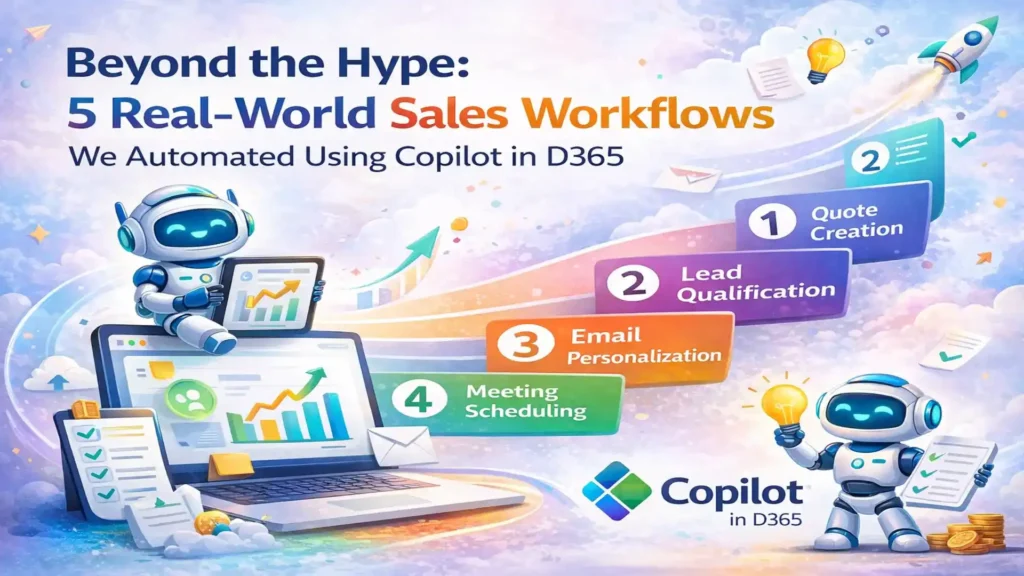
Beyond the Hype: 5 Real-World Sales Workflows We Automated Using Copilot in D365
Actual automation use cases from our clients – complete with before/after metrics, implementation steps, and honest assessments of what Copilot does well (and where it still needs help). Every vendor is talking about AI. Microsoft’s pitching Copilot as a revolution in sales productivity. Your LinkedIn feed is full of posts about “AI-powered everything.” But when you ask sales leaders what they’ve actually automated with Copilot, you get vague answers about “email summaries” and “meeting notes.” Here’s the truth: Copilot in Dynamics 365 Sales is powerful, but it’s not magic. It won’t transform your sales process overnight. It won’t fix bad data or broken workflows. And it definitely won’t replace the need for good salespeople who understand their customers. What it will do – when implemented thoughtfully – is eliminate hours of administrative busywork, surface insights your reps would have missed, and help your team sell faster without working harder. This article shares five specific workflows we’ve automated for clients using Copilot in Dynamics 365 Sales. These aren’t theoretical use cases from Microsoft’s marketing materials. They’re real implementations with actual before/after metrics, honest assessments of what worked (and what didn’t), and step-by-step breakdowns you can replicate. 1. Automated Lead Qualification & Scoring The Problem A B2B software company was generating 400-500 inbound leads per month from multiple sources (website forms, trade shows, webinars, paid ads). Their SDR team of 4 people was spending 6-8 hours per day manually researching leads, reading company websites, checking LinkedIn, and trying to determine which leads were worth calling first. Result: High-value leads sat in the queue for 2-3 days before anyone reached out. By the time they got a call, 30% had already engaged with a competitor. Before Copilot Manual process: SDR receives lead → Googles company → Checks LinkedIn → Reads “About Us” page → Estimates company size and budget → Manually scores lead in spreadsheet → Enters score into D365 → Finally calls lead (24-72 hours later) With Copilot Automated process: Lead enters D365 → Copilot enriches with firmographic data (revenue, employee count, industry, tech stack) → Analyzes fit against ideal customer profile → Auto-assigns lead score → Routes to appropriate SDR → SDR calls within 2 hours with context already loaded How We Implemented It The Results Measured Impact (90 Days Post-Implementation) 87% Reduction in lead research time 2 hrsAverage lead response time (vs. 48 hrs before) 42 %Increase in lead-to-opportunity conversion $180K Additional pipeline value in first quarter What Didn’t Work Initially Copilot’s auto-scoring was too aggressive at first — it scored leads based on company size alone, ignoring buying signals. We had to refine the criteria twice before it matched our SDRs’ judgment. Also, data enrichment only works if the lead provides a company email (not Gmail/Yahoo). We now route personal email leads to a separate qualification flow. 2. Intelligent Email Follow-Up & Next-Best-Action Recommendations The Problem A manufacturing equipment distributor’s sales reps were managing 40-60 active opportunities each. They’d send a proposal, schedule a demo, or have a discovery call — then forget to follow up. Opportunities would go stale for 2-3 weeks before anyone noticed. The sales manager was manually reviewing pipeline every Monday and sending “you need to follow up on X” reminders to reps. Reps complained they couldn’t remember the context of every conversation when they did follow up weeks later. How We Automated It Before Copilot Rep sends proposal → Gets busy with other deals → Forgets to follow up → Customer goes silent → Two weeks later, sales manager asks “What happened with ABC Corp?” → Rep scrambles to piece together what happened → Customer already bought from competitor With Copilot Rep sends proposal → Copilot reminds rep to follow up in 3 days → Suggests email: “Hi [Name], following up on the proposal we discussed for [specific pain point]” → Rep reviews, edits slightly, sends → Customer responds with questions → Copilot flags as “hot opportunity” and moves to top of rep’s queue The Results Measured Impact (6 Months Post-Implementation) 73% Reduction in stale opportunities (no activity 14+ days) 3.2x More follow-up touches per opportunity 18% Improvement in win rate 4.5 hrs Saved per rep per week (no more manual pipeline review) Unexpected Benefit Reps started using Copilot-generated email summaries to brief their managers before pipeline reviews. Instead of the manager asking “What’s the status of this deal?”, reps could instantly share a 3-sentence AI summary. This cut pipeline review meetings from 90 minutes to 30 minutes and made them far more strategic. 3. Automated Meeting Prep & Post-Meeting Follow-Up The Problem An enterprise software company’s AEs were running 8-12 customer meetings per week. They’d show up to calls without reviewing the customer’s history, previous conversations, or open issues. Customers would say “I mentioned this on our last call” and the AE would have to ask them to repeat it. Post-meeting, reps were supposed to send recap emails and update D365, but often forgot or did it days later when details were fuzzy. How We Automated It Implementation Steps Enable Copilot for Sales in D365 + Teams Integration Connected Copilot to Microsoft Teams for call transcription and recording access. Configured permissions so Copilot can read calendar events and D365 records. Define Meeting Brief Template Worked with sales team to determine what information they actually want to see before calls. Created template that pulls: customer industry, previous meeting notes (last 3 meetings), open opportunities, outstanding quotes, support ticket summary. Train Copilot on Recap Email Format Provided examples of good recap emails. Copilot learned the structure: brief thank you, summary of what was discussed, clear next steps, timeline/deadline if applicable. Set Up Competitive Intelligence Triggers Created list of competitor names and product names. When mentioned in meetings, Copilot tags the opportunity and pulls battlecard information from SharePoint. The Results Measured Impact (4 Months Post-Implementation) 92% Of reps now review meeting brief before every call 3.5 hrs Saved per rep per week (meeting prep + recap writing) 68% Increase in same-day meeting recaps (vs. 22% before) 34% Reduction in “Can you remind me what we
Beyond the Hype: 5 Real-World Sales Workflows We Automated Using Copilot in D365 Read More »