Welcome to Trident Information Systems!
Write us to - info@tridentinfo.com
Let's Socialize

AX to D365 Upgrade

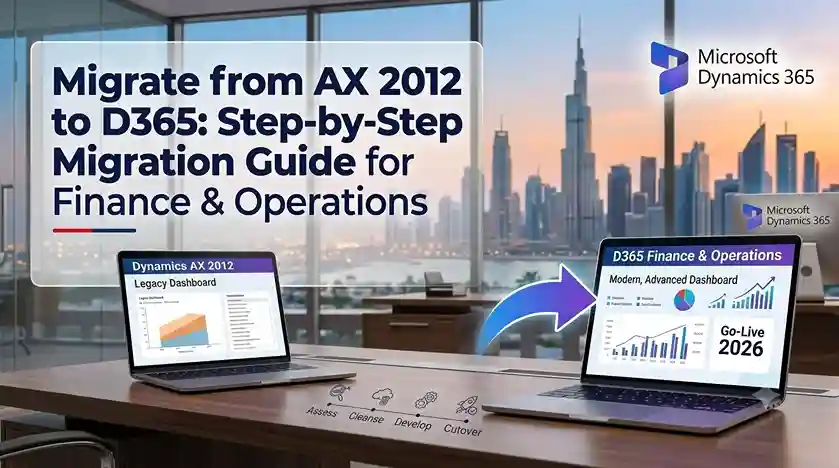
Migrate from AX 2012 to Dynamics 365 Finance and Operations with a step-by-step ERP migration plan

Migrate from AX 2012 to D365: Step-by-Step Migration Guide for Finance & Operations

Microsoft ended mainstream support for Dynamics AX 2012 in 2021, and extended support ends in 2026. If your organization still runs AX 2012, the window to migrate on your own terms is closing fast. Unlike AX 2009, AX 2012 has a defined upgrade path to Dynamics 365 Finance & Operations. This guide walks through the migration process step by step, so you can plan with confidence. Why Migrate from AX 2012 to D365 Now AX 2012 was a powerful ERP for its time, but it cannot support modern business demands: Migrating to D365 Finance & Operations delivers continuous updates, cloud scalability, embedded analytics, and a platform Microsoft will support for years. Understanding the AX 2012 to D365 Migration Path This is not a simple version upgrade. Microsoft provides tools and a defined process, but the migration requires careful planning. Key point: The official path is AX 2012 → AX 2012 R3 → D365 Finance & Operations. If you run an earlier AX 2012 version (RTM, Feature Pack, R2), you must first upgrade to R3 before migrating to D365. The process is best understood as a data migration and reimplementation rather than a technical upgrade. Your data moves; your customizations largely do not. Step-by-Step Migration Guide Step 1: Assess Your Current AX 2012 Environment Document everything: This assessment determines your migration scope and effort. Step 2: Build the Business Case Compare the cost of migrating against the cost of staying on AX 2012. Include: Most organizations find migration pays back within 2–3 years. Step 3: Decide What to Migrate Not everything should move. Classify your data: Migrating clean, relevant data reduces effort and improves post-go-live performance. Step 4: Review Customizations This is where AX 2012 migrations succeed or fail. D365 Finance & Operations supports extensions instead of over-layering — a fundamental architectural change. For each customization, ask: Typically, 60–70% of AX 2012 customizations can be eliminated. Step 5: Choose Your Migration Approach Three options exist: Full reimplementation — rebuild everything in D365 cleanly. Highest effort, best long-term result. Data-only migration — migrate data and adopt D365 standard processes. Balanced approach for most businesses. Phased migration — go live with core finance first, then add supply chain and other modules. Reduces risk and spreads cost. Most mid-market organizations choose data-only migration or a phased approach. Step 6: Design the D365 Solution Map your AX 2012 processes to D365 Finance & Operations capabilities. Configure the chart of accounts, financial dimensions, tax setup, and reporting structure. Design integrations using Dataverse, dual-write, and Azure services. Step 7: Migrate Data Use Microsoft’s Data Management Framework (DMF) and Data Entities to extract AX 2012 data, cleanse it, and load into D365. Test migration repeatedly in a sandbox before production cutover. Step 8: Test and Validate Conduct: Document and resolve every issue before go-live. Step 9: Train Users and Cut Over Train users by role on D365 workflows. Prepare a detailed cutover plan covering data freeze, final migration, and validation. Schedule go-live during a low-activity business period. Step 10: Hypercare and Optimization Provide 4–12 weeks of intensive post-go-live support. Monitor system performance, resolve issues quickly, and gather user feedback for continuous improvement. How Long Does the Migration Take? Company Size Typical Timeline Small (1 entity, core finance) 6–9 months Mid-market (multi-module) 9–15 months Enterprise (multi-entity, global) 15–24 months Timeline depends on module scope, customization complexity, data volume, and integration requirements. Choosing a Migration Partner Your partner determines whether your AX 2012 migration finishes on time and on budget. Look for: Final Thoughts Migrating from AX 2012 to D365 Finance & Operations is a significant project, but it is also an opportunity to modernize processes, eliminate legacy customizations, and build a foundation for future growth. With support ending in 2026, the businesses that plan now will migrate calmly; those that wait will migrate under pressure. Start with an assessment. Build the business case. Choose an experienced partner. Then execute methodically. Ready to migrate from AX 2012 to D365? Contact a certified Microsoft partner for a migration assessment and roadmap.

Migrate from AX 2012 to D365: Step-by-Step Migration Guide for Finance & Operations Read More »
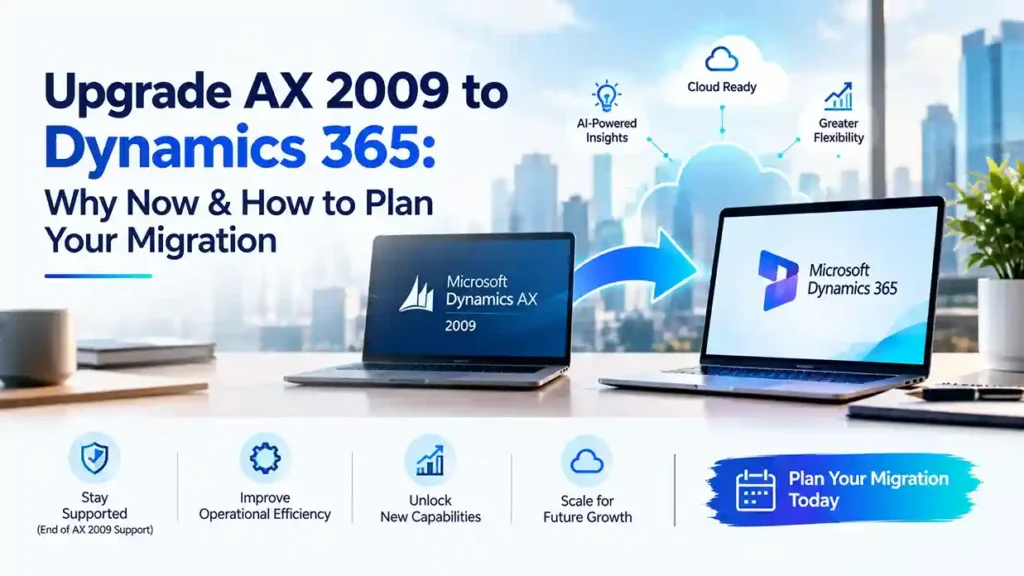
Upgrade AX 2009 to Dynamics 365 with a planned ERP migration strategy, modern cloud capabilities, and improved business operations

Upgrade AX 2009 to Dynamics 365: Why Now & How to Plan Your Migration

If your organization still runs Microsoft Dynamics AX 2009, you are operating on a platform that Microsoft ended mainstream support for years ago. Every month you delay migration increases security risk, maintenance cost, and the difficulty of finding skilled resources. Upgrading AX 2009 to Dynamics 365 is not simply a software refresh—it is a strategic move that determines whether your ERP can support the next decade of growth. This guide explains why the time to act is now and how to plan a migration that succeeds. Why AX 2009 Is Now a Business Risk AX 2009 served businesses well, but its limitations have become liabilities: End of SupportMicrosoft ended mainstream support for AX 2009 in 2026 and extended support has concluded. There are no security patches, no compliance updates, and no bug fixes. Any vulnerability discovered remains permanently unpatched. Rising Maintenance CostsKeeping aging infrastructure alive requires custom workarounds, legacy hardware, and expensive specialist consultants. These costs rise every year while delivering zero business value. Talent ScarcityThe pool of AX 2009 developers shrinks annually. Companies that still run it often pay premium rates for contractors who are retiring from the market entirely. No Cloud, No Mobility, No AIAX 2009 was built for on-premise, desktop-based operations. It cannot deliver the real-time analytics, mobile access, and AI-driven automation that modern businesses depend on. Compliance ExposureTax regulations, e-invoicing mandates, and data protection laws have changed dramatically since 2009. AX 2009 cannot natively support many current requirements. What You Gain by Moving to Dynamics 365 Upgrading to Dynamics 365 Finance & Operations—the direct successor to AX—delivers measurable advantages: For businesses comparing migration to D365 against maintaining AX 2009, the financial case increasingly favors migration. The Critical Difference: AX 2009 vs. AX 2012 Migration Paths It is important to understand that migrating from AX 2009 to Dynamics 365 is not a standard upgrade—it is a reimplementation. Unlike AX 2012, which has a defined upgrade toolset to D365 Finance & Operations, AX 2009 has no direct technical upgrade path. Microsoft provides no automated migration utility for AX 2009 to D365. This means your project will involve: Organizations that understand this upfront plan better and avoid the shock of discovering it mid-project. How to Plan Your AX 2009 to D365 Migration Phase 1: Assessment and Business Case Document your current AX 2009 footprint: modules in use, customizations, integrations, data volume, and user count. Identify which customizations deliver genuine competitive value versus those that compensate for AX 2009 limitations. Build a business case comparing migration cost against continued AX 2009 maintenance. Phase 2: Solution Design Map your current processes to D365 Finance & Operations standard capabilities. Identify gaps and decide whether to close them through configuration, Power Platform extensions, or custom development. A certified partner experienced in migrating Dynamics AX to Dynamics 365 can accelerate this phase significantly. Phase 3: Data Strategy Data migration is typically the highest-risk workstream. Define what data must move, what can be archived, and what should be discarded entirely. Establish cleansing rules before extraction—migrating dirty data simply transfers old problems to a new system. Phase 4: Build, Test, and Validate Configure D365, build necessary extensions, and migrate data into a test environment. Conduct conference room pilots with actual users performing real tasks. Test integrations with your banking, tax, and third-party systems. Phase 5: Cutover and Go-Live Plan a cutover window that accounts for data volume and business cycles. Many organizations choose a phased approach—going live with core finance first, then adding supply chain, manufacturing, or retail modules. Phase 6: Support and Optimization Post-go-live support is essential for the first 90 days. Partner with a team that provides hypercare, rapid issue resolution, and ongoing optimization as users mature. Choosing the Right D365 Migration Partner Your partner determines your migration outcome. When evaluating partners for D365 migration from AX 2009, verify: Partners who have completed AX 2009 migrations understand the pitfalls: scope creep in customization decisions, underestimated data complexity, and user resistance to new workflows. Common Mistakes to Avoid Treating it as a technical upgrade. AX 2009 to D365 is a business transformation. Plan change management from day one. Migrating every customization. Challenge each one. Many existed only because AX 2009 lacked standard features that D365 already provides. Underestimating data quality. Budget significant time for cleansing. Poor data will undermine user confidence immediately after go-live. Delaying the decision. Every year of delay increases cost and risk while competitors modernize. Why Now Is the Right Time The case for migrating from AX 2009 to Dynamics 365 has never been stronger. Microsoft’s investment in D365 continues to accelerate, cloud economics favor subscription models, and the talent gap for AX 2009 grows wider each year. Businesses that migrate now gain access to AI capabilities, continuous innovation, and a platform that will remain supported for the foreseeable future. Those that wait will eventually migrate under pressure—with less planning time, higher costs, and greater disruption. Final Thoughts Upgrading AX 2009 to Dynamics 365 is a significant undertaking, but it is also one of the highest-value technology decisions available to legacy Microsoft ERP users. With proper assessment, a clear data strategy, and an experienced migration partner, the transition can be executed smoothly and deliver returns for years. The question is no longer whether to migrate—it is how soon you can start. Ready to plan your AX 2009 migration? Contact a certified Microsoft Dynamics 365 partner for an assessment and roadmap.

Upgrade AX 2009 to Dynamics 365: Why Now & How to Plan Your Migration Read More »

CFO reviewing financial dashboards while planning migration from Dynamics AX to D365 Finance and Operations to protect cash flow.

The CFO’s Guide: Moving from Dynamics AX to D365 F&O Without Disrupting Cash Flow

A financial executive’s roadmap to migrating from legacy Dynamics AX to D365 Finance & Operations — managing costs, timelines, and operational continuity without risking your quarter. Why CFOs Can’t Delay the AX to D365 Migration Let’s address the question every CFO asks: “Can we push this migration to 2027 or 2028?” Technically, yes. Microsoft extended support for Dynamics AX 2012 runs through October 2027. But waiting until the deadline is a financial mistake for three reasons: 1. Implementation Partners Are Already Booked Solid The best Dynamics 365 implementation partners are scheduling projects 9-12 months out. If you wait until 2026, you’ll be competing with hundreds of other companies for limited partner capacity. The result? Higher costs, longer wait times, and settling for second-tier partners. 2. Your Competitors Are Gaining Operational Advantages Now Companies that migrated to D365 F&O in 2023-2024 are already seeing benefits: faster financial close (30-40% reduction), automated cash flow forecasting, real-time reporting, and AI-powered insights. Every quarter you delay is a quarter they’re pulling ahead operationally. 3. Running Unsupported Software Is a Compliance and Security Risk After October 2027, Microsoft will no longer provide security patches or compliance updates for AX 2012. For publicly traded companies or those in regulated industries (finance, healthcare, government contracting), running unsupported ERP software creates audit failures, regulatory violations, and cybersecurity exposure that can’t be insured away. Real Cost of Waiting A mid-market manufacturer delayed their AX migration until 2026. By the time they started procurement, their preferred implementation partner was fully booked. They settled for a less experienced firm, the project ran 4 months over schedule, and the budget overrun was 42%. The CFO later admitted: “We saved nothing by waiting. We just made it more expensive and more painful.” The Window Is Closing If you start planning now (Q1-Q2 2025), you can execute a controlled migration in 2025-2026 with your choice of partners, negotiated pricing, and phased implementation that protects cash flow. If you wait until 2026, you’re at the mercy of whoever has capacity and whatever they charge. The Financial Risks of Poor Migration Planning ERP migrations fail not because of technology, but because of poor financial planning and unrealistic expectations. Here are the hidden costs that blindside CFOs who treat this as an IT project instead of a business transformation: 35% Average budget overrun on poorly planned ERP migrations 4-6 Months of reduced productivity during cutover (if poorly managed) $250K+ Hidden costs (training, data cleanup, process redesign) Where Migrations Blow Up Financially 1. Underestimating Data Migration Complexity Your AX database has 10-15 years of transactional data, custom fields, and integrations that won’t migrate cleanly. Data cleanup, mapping, and validation typically accounts for 25-35% of total project cost — but most initial budgets allocate only 10-15%. 2. Ignoring Change Management & Training Your finance team has muscle memory built around AX 2012. D365 F&O workflows are different — not just an upgrade, but a new way of working. Without proper training, you’ll see: data entry errors, missed closing deadlines, and team frustration that leads to turnover. Budget 15-20% of total project cost for training and change management. 3. Customizations That Don’t Transfer Every custom report, workflow, or integration in AX needs to be rebuilt or replaced in D365. Some can be replaced with out-of-the-box D365 features (good). Others require custom development (expensive). A thorough customization audit before migration prevents budget surprises. 4. Not Planning for Dual-System Operations During migration, you’ll run AX and D365 in parallel for 1-3 months. This means: double data entry, reconciliation between systems, and extra staff hours. Factor this into both budget and resource planning. CFO Pro Tip Add a 20-25% contingency to your initial migration budget. This isn’t pessimism — it’s reality. The projects that come in on budget are the ones that planned for the unexpected from day one. The ones that blow up are the ones where the CFO insisted on an “aggressive” budget to impress the board. Real-World Migration Costs: What You’ll Actually Pay Every CFO wants a number. Here it is — with the caveat that your actual costs depend on company size, complexity, and how much custom work you’ve done in AX. Migration Cost Breakdown (Mid-Market Company, $50M-$500M Revenue) Total Migration Budget D365 F&O Licensing (annual) $100K – $300K Implementation Services $250K – $750K Data Migration & Cleanup $75K – $150K Customizations & Integrations $100K – $300K Training & Change Management $50K – $100K Project Management (Internal) $75K – $125K Contingency (20%) $130K – $345K Total First-Year Cost $780K – $2.07M Cost Variables That Move the Needle Benchmark Reality Check According to Panorama Consulting’s 2024 ERP Report, the average mid-market D365 F&O implementation costs $850K and takes 10 months. Companies that budget below $500K or plan for under 6 months are setting themselves up for failure. Price competitively, but don’t chase the lowest bid — it always costs more in the end. Protecting Cash Flow: Phasing & Payment Structures The worst financial mistake CFOs make is treating ERP migration as a single, massive capital expenditure. Instead, structure it as a phased investment that aligns payments with deliverables and minimizes cash flow impact. Payment Structure Strategy Option 1: Milestone-Based Payments (Recommended) Tie payments to project milestones, not calendar dates. This protects you if the project runs late and aligns vendor incentives with your success. Milestone Payment % When Contract Signing 10-15% Upfront deposit Design Approval 20-25% After solution design sign-off UAT Completion 25-30% After user acceptance testing Go-Live 20-25% Day 1 of production use Post-Go-Live (30 days) 15-20% After stabilization period Option 2: Quarterly Phasing (For Budget Predictability) Spread payments across fiscal quarters to smooth cash flow impact. Negotiate fixed quarterly payments regardless of project progress — this shifts schedule risk to the vendor but requires careful SOW definition. Licensing: Annual vs. Monthly Payment Microsoft offers both annual and monthly D365 F&O licensing. CFOs often default to annual payments for the discount (typically 10-12%), but monthly payments provide flexibility during migration: This approach costs slightly more in Year 1 but provides optionality if

The CFO’s Guide: Moving from Dynamics AX to D365 F&O Without Disrupting Cash Flow Read More »

Affordable Support Services for Your D365 F&O Development, Implementation & Migration

In today’s business world, Microsoft Dynamics 365 Finance and Operations (D365 F&O) has become an essential tool for companies looking to streamline their financial and operational processes. However, implementing and managing D365 F&O can be complex and time-consuming, which is why many businesses are turning to offshore support services for their development, implementation, and migration needs. In this blog, we’ll explore seven reasons why you should consider using Trident’s offshore support services for your D365 F&O needs. Cost savings Trident’s offshore support services offer significant cost savings for businesses. With offshore locations in India and the Philippines, Trident can provide cost-effective solutions without sacrificing quality. By choosing Trident’s offshore development services, businesses can reduce their operating costs and achieve their goals within their budget. Access to a wider talent pool Trident’s offshore support services offer access to a wider talent pool of experienced D365 F&O developers, implementation experts, and migration specialists. This can be especially beneficial for businesses that require specialized skills or have complex needs. With a wider talent pool, businesses can find the right experts to help them achieve their goals. Flexibility Trident’s offshore support services provide flexibility in terms of project scope, timelines, and resource allocation. Businesses can scale up or down as needed, ensuring that they have the support they need when they need it. This can be especially useful for businesses with fluctuating demands or those that need to meet tight deadlines. 24/7 support Trident’s offshore support services provide 24/7 support, which means that businesses can get the help they need at any time. This reduces downtime and ensures that their systems are always running smoothly. With 24/7 support, businesses can quickly resolve issues and get back to their core functions. Quality assurance Trident’s offshore support services have rigorous quality assurance processes in place, ensuring that the work is completed to the highest standards. This ensures that businesses receive high-quality work and can be confident that their systems are running smoothly. Quality assurance can help businesses avoid costly mistakes and ensure that their systems meet their needs. Experience with D365 F&O Trident is an experienced D365 F&O implementation partner and has extensive experience with development, implementation, and migration. This means that they can offer expert guidance and support to businesses, helping them to achieve their goals. With experience in D365 F&O, Trident’s offshore support services can quickly identify issues and offer solutions to ensure that businesses get the most out of their ERP system. Focus on core business functions By outsourcing their D365 F&O needs to Trident’s offshore support services, businesses can focus on their core functions, such as sales and marketing, while leaving the technical work to the experts. This can help businesses be more productive and focus on growth. Outsourcing technical work can also free up internal resources, allowing businesses to allocate their resources where they are most needed. In conclusion, Trident’s offshore support services can provide businesses with a range of benefits, including cost savings, access to a wider talent pool, flexibility, 24/7 support, quality assurance, experience with D365 F&O, and the ability to focus on core business functions. By outsourcing their D365 F&O needs to Trident’s offshore development services, businesses can streamline their operations, reduce costs, and ensure that they have the support they need to succeed. If you’re looking for a reliable D365 F&O implementation partner with offshore support services, Trident is the right choice. With a proven track record and a commitment to quality, Trident can help businesses achieve their goals and stay ahead of the competition. FAQ Q-1: What are offshore support services for D365 F&O development, implementation, and migration? A: Offshore support services are a form of outsourcing where businesses engage with a third-party company, usually located in a different country, to provide support and expertise for their D365 F&O development, implementation, and migration needs. Q-2: What are the benefits of using offshore support services for D365 F&O? A: Offshore support services offer a range of benefits, including cost savings, access to a wider talent pool, flexibility, 24/7 support, quality assurance, experience with D365 F&O, and the ability to focus on core business functions. Q-3: How can offshore support services save businesses money? A: Offshore support services can provide cost-effective solutions without sacrificing quality. With offshore locations in countries like India and the Philippines, businesses can reduce their operating costs and achieve their goals within their budget. Q-4: How can offshore support services provide access to a wider talent pool? A: Offshore support services offer access to a wider talent pool of experienced D365 F&O developers, implementation experts, and migration specialists. This can be especially beneficial for businesses that require specialized skills or have complex needs. Q-5: How does offshore support services provide flexibility? A: Offshore support services provide flexibility in terms of project scope, timelines, and resource allocation. Businesses can scale up or down as needed, ensuring that they have the support they need when they need it. Q-6: Why is 24/7 support important for businesses using offshore support services? A: 24/7 support ensures that businesses can get the help they need at any time, reducing downtime and ensuring that their systems are always running smoothly. With 24/7 support, businesses can quickly resolve issues and get back to their core functions. Q-7: How does quality assurance work with offshore support services? A: Offshore support services have rigorous quality assurance processes in place, ensuring that the work is completed to the highest standards. This ensures that businesses receive high-quality work and can be confident that their systems are running smoothly. Q-8: What experience does Trident have with D365 F&O? A: Trident is an experienced D365 F&O implementation partner and has extensive experience with development, implementation, and migration. This means that they can offer expert guidance and support to businesses, helping them to achieve their goals. Q-9: What should businesses look for in an offshore support services provider? A: When selecting an offshore support services provider, businesses should look for a provider with experience in D365 F&O,

Affordable Support Services for Your D365 F&O Development, Implementation & Migration Read More »