A comprehensive guide to choosing AI-powered video analytics software for your existing CCTV infrastructure — covering features, pricing models, integration requirements, and ROI expectations. If you’ve invested in CCTV cameras for your business, warehouse, retail store, or facility, you already have the hardware foundation for something much more powerful: AI-powered video analytics.
Traditional CCTV systems simply record footage. Video analytics software transforms those cameras into intelligent sensors that can detect events, count people, recognize faces, monitor safety compliance, and alert you to security threats — all in real time, without human monitoring.
The challenge? There are dozens of video analytics solutions on the market, each with different capabilities, pricing structures, and integration requirements. Some work seamlessly with your existing cameras. Others require expensive hardware replacements. Some offer basic motion detection. Others provide advanced AI-powered analytics like heat mapping, crowd density analysis, and behavioral anomaly detection.
This guide will help you navigate the options, understand what features matter for your use case, and choose the right video analytics software without overpaying or getting locked into the wrong system.
What Is Video Analytics Software for CCTV?
Video analytics software — also called surveillance camera analytics, AI video analytics, or intelligent video analytics — is software that analyzes live or recorded video feeds from your CCTV cameras and automatically detects specific events, objects, or behaviors.
Instead of requiring human operators to watch hours of footage, video analytics software uses computer vision and artificial intelligence to understand what’s happening in the video feed and trigger alerts or actions based on predefined rules.
How It Works
Video analytics software sits between your CCTV cameras and your monitoring system. It processes the video stream in real time, identifying:
- Motion detection — Movement in specific zones or across predefined boundaries
- Object detection — People, vehicles, packages, weapons, PPE equipment
- Behavior analysis — Loitering, crowd formation, unusual patterns
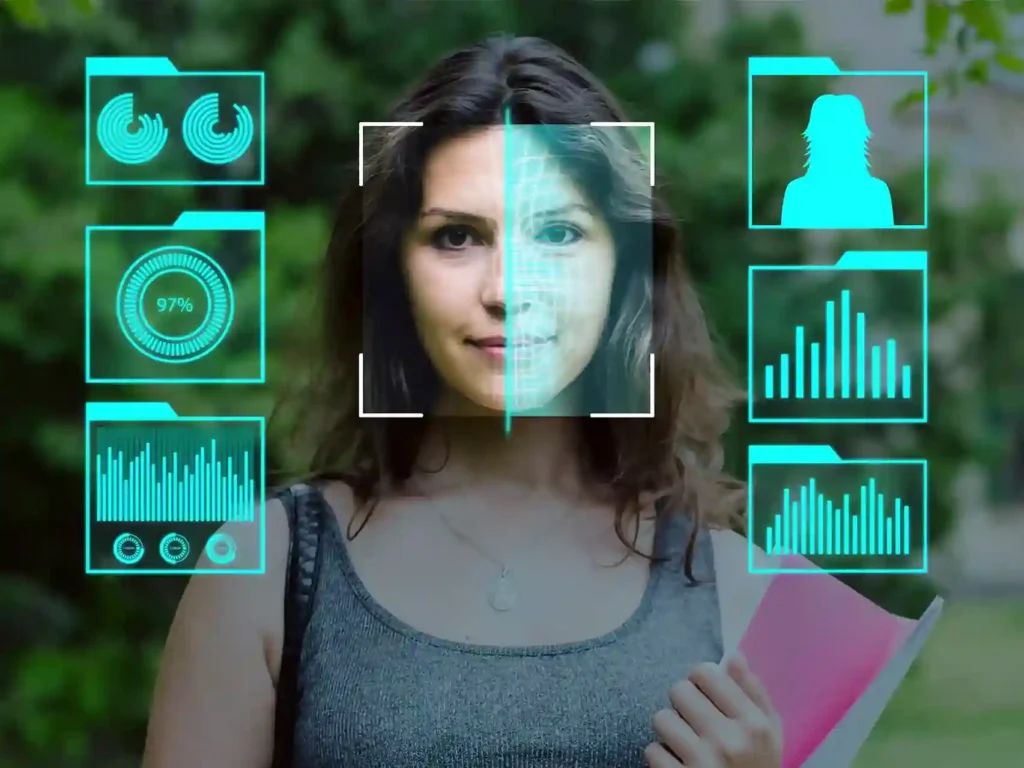
- Facial recognition — Identifying known individuals or flagging unknown faces
- License plate recognition (LPR) — Reading and logging vehicle plates
- Heat mapping — Tracking movement patterns and high-traffic zones
When the software detects something significant, it triggers an alert (email, SMS, push notification) or initiates an automated response (locking doors, sounding alarms, recording specific camera feeds).
Key Difference: Edge vs. Server-Based Analytics
Edge analytics runs on the camera itself or a local device, processing video at the source. Server-based analytics processes video on a centralized server or cloud platform. Edge is faster and more privacy-friendly; server-based is more flexible and scalable for large deployments.
Why Upgrade from Basic CCTV to AI-Powered Analytics?
Traditional CCTV systems are passive. They record footage, and if something goes wrong, you review the recordings after the fact. By the time you see the incident, the damage is done.
AI-powered video analytics turns your cameras into proactive monitoring systems. Here’s what changes:
Real-Time Alerts
Get notified the moment something happens — not hours later when you review footage. Stop incidents before they escalate.
Reduce Labor Costs
Eliminate the need for 24/7 human monitoring. AI watches your cameras and only alerts you when something requires attention.
Actionable Insights
Understand traffic patterns, peak hours, customer behavior, and operational bottlenecks — data you can’t get from passive recording.
Enhanced Security
Detect intrusions, abandoned objects, perimeter breaches, and suspicious behavior automatically — even in low-light conditions.
Real-World ROI Examples
- Retail stores reduce shrinkage (theft) by 30–50% with AI-powered theft detection and POS exception reporting
- Manufacturing facilities improve safety compliance by 40% with automated PPE detection and restricted area monitoring
- Warehouses cut security labor costs by 60% by replacing 24/7 guards with AI monitoring + on-call response
- Office buildings streamline access control and reduce tailgating incidents by 70% with facial recognition
Core Features to Look For in Video Analytics Software
Not all video analytics platforms are created equal. Here are the must-have features and nice-to-have advanced capabilities you should evaluate:
Essential Features (Must-Have)
Security & Surveillance
- Motion detection with zone masking — Define specific areas to monitor and ignore irrelevant motion (trees, flags)
- Intrusion detection — Alert when someone crosses a virtual boundary (perimeter fence, restricted door)
- Loitering detection — Flag individuals staying in one area for too long
- Object left behind / object removed alerts — Detect abandoned bags or stolen equipment
- Tamper detection — Alert if a camera is covered, moved, or vandalized
People & Vehicle Analytics
- People counting — Track foot traffic, occupancy levels, and crowd density
- Vehicle detection & counting — Monitor parking lots, traffic flow, delivery zones
- License plate recognition (LPR/ANPR) — Automatically read and log vehicle plates
- Facial recognition — Identify known individuals or flag unknown faces (with privacy controls)
- Heat mapping — Visualize movement patterns and high-traffic zones over time
Advanced Features (Nice-to-Have)
- Behavior anomaly detection — Flag unusual patterns like fights, falls, or erratic movement
- Crowd density monitoring — Alert when an area becomes dangerously overcrowded
- PPE compliance detection — Verify workers are wearing hard hats, safety vests, masks
- Fire and smoke detection — Early warning system for fire hazards
- Queue management — Monitor checkout lines and alert staff when queues get too long (retail)
- Integration with access control / alarm systems — Unified security ecosystem
Beware of Feature Bloat
Many vendors advertise 50+ features, but you’ll realistically use 5–7. Focus on what solves YOUR problems — don’t pay for capabilities you won’t use. Start simple and scale up as needed.
1. Security & Surveillance (All Industries)
- Perimeter intrusion detection for facilities and warehouses
- Unauthorized access alerts for restricted areas
- After-hours monitoring without 24/7 guards
- Integration with alarm systems for automated lockdowns
2. Retail Stores
- Theft detection at entrances, exits, and high-value product areas
- POS exception reporting (cashier scanning errors or fraud)
- Foot traffic analysis to optimize store layout and staffing
- Queue monitoring to reduce checkout wait times
- Heat mapping to understand customer browsing behavior
3. Manufacturing & Warehouses
- PPE compliance monitoring (hard hats, safety vests, gloves)
- Restricted area access control
- Vehicle and forklift tracking in loading zones
- Accident detection (falls, collisions)
- Productivity monitoring (cycle times, bottleneck identification)
4. Healthcare Facilities
- Patient fall detection in hospital rooms and corridors
- Restricted area monitoring (medication storage, ICU)
- Visitor tracking and compliance with visiting hours
- Crowd control in waiting areas
5. Office Buildings & Corporate Campuses
- Facial recognition for touchless access control
- Tailgating detection at secure entry points
- Occupancy tracking for conference rooms and hot desks
- After-hours security monitoring
Integration Guide: Will It Work With Your Existing Cameras?
This is the #1 question businesses ask: “Can I use my existing CCTV cameras, or do I need to replace everything?”
The good news: Most modern video analytics software works with existing IP cameras, as long as they meet basic technical requirements.
Camera Compatibility Checklist
Requirements for Analytics Compatibility
- IP-based cameras (not analog unless you have an encoder/NVR that converts to IP)
- Minimum resolution: 1080p (Full HD) for basic analytics; 4K for facial recognition and LPR
- Frame rate: At least 15 FPS (frames per second); 25–30 FPS recommended
- ONVIF or RTSP support — Standard protocols that allow third-party software to connect
- Sufficient lighting or IR (infrared) night vision for 24/7 monitoring
Common Integration Scenarios
Scenario 1: Modern IP Cameras (2018+)
Compatibility: Excellent. Most analytics software will work out of the box.
Action: Verify ONVIF compliance and check vendor compatibility list.
Scenario 2: Older IP Cameras (2015–2018)
Compatibility: Likely compatible, but may have limitations (lower resolution, slower processing).
Action: Test with a pilot deployment before full rollout.
Scenario 3: Analog Cameras
Compatibility: Not directly compatible.
Action: Use a video encoder or hybrid NVR to convert analog signals to IP, OR upgrade cameras.
Scenario 4: Mix of Camera Types
Compatibility: Partial compatibility.
Action: Deploy analytics on compatible IP cameras first; upgrade analog cameras as budget allows.
What About NVR/DVR Integration?
Many analytics platforms integrate with your existing NVR (Network Video Recorder) or VMS (Video Management System). The software pulls video streams from the NVR rather than connecting directly to each camera. This simplifies deployment and centralizes management.
Pricing Models: What You’ll Actually Pay
Video analytics pricing varies widely based on deployment model, features, and scale. Here’s a breakdown of common pricing structures:
Per Camera / Month
$15–$50 per camera/month
- Cloud-based SaaS model
- No upfront hardware costs
- Automatic updates included
- Best for: 5–50 cameras
- Example: Retail stores, offices
Per Server License
$5K–$25K one-time + annual support
- On-premise deployment
- Unlimited cameras per server
- Full control over data
- Best for: 50–500 cameras
- Example: Manufacturing, warehouses
Enterprise Custom
Custom
negotiated pricing
- Multi-site deployments
- Hybrid cloud + on-premise
- Custom integrations & features
- Best for: 500+ cameras
- Example: Corporate campuses, chains
Hidden Costs to Account For
- Camera upgrades: If your cameras aren’t compatible, budget $200–$800 per camera replacement
- Network infrastructure: Analytics requires bandwidth — you may need network upgrades ($2K–$10K)
- Storage: AI analytics generates more data. Cloud storage can add $5–$15/camera/month
- Professional installation: $500–$2,000 per site for setup and configuration
- Training: $1,000–$5,000 for staff training on the new system
Total Cost of Ownership (TCO)
Don’t just compare software licensing costs. Calculate TCO over 3–5 years, including hardware upgrades, storage, bandwidth, support, and training. A cheaper solution upfront can be more expensive long-term if it requires proprietary cameras or lacks scalability.
Top Video Analytics Software Solutions Compared
Here’s a high-level comparison of leading video analytics platforms. Note that this is not exhaustive — there are dozens of solutions, but these represent the most established and widely deployed options.
| Platform | Deployment | Key Strengths | Best For | Pricing |
|---|---|---|---|---|
| Milestone XProtect | On-Premise | Open platform, wide camera compatibility | Mid-large enterprises | Per server license |
| Genetec Security Center | On-Prem / Cloud | Unified security (access control + video) | Corporate campuses | Custom enterprise |
| Eagle Eye Networks | Cloud | Easy deployment, no servers needed | Small-mid businesses | Per camera/month |
| Verkada | Cloud (Hybrid) | Plug-and-play, modern UI, built-in cameras | Offices, retail chains | Per camera/year |
| OpenALPR | On-Prem / Cloud | License plate recognition specialist | Parking, logistics | Per camera/month |
| Custom AI Solutions | On-Premise | Tailored to specific use cases | Niche industries | Custom project-based |
How to Choose
Don’t pick based on brand recognition alone. Define your use case, test 2–3 vendors with a pilot deployment (5–10 cameras), and evaluate accuracy, ease of use, and support quality. The “best” solution is the one that solves YOUR specific problem most effectively.
Implementation: Timeline, Requirements & Best Practices
Deploying video analytics software isn’t as simple as installing an app. Here’s what a typical implementation looks like:
Assessment & Planning (1–2 weeks)
Audit your existing cameras, network infrastructure, and storage capacity. Define use cases and success metrics. Select vendor and finalize contract.
Pilot Deployment (2–4 weeks)
Deploy analytics on 5–10 cameras in a limited area. Test accuracy, fine-tune detection rules, and validate that it solves your problem before scaling.
Full Rollout (4–8 weeks)
Extend analytics to all cameras. Configure zone masking, alert rules, and integrations. Train staff on how to use dashboards and respond to alerts.
Optimization & Fine-Tuning (Ongoing)
Adjust sensitivity settings to reduce false positives. Add new detection rules as needs evolve. Review analytics reports monthly to measure ROI.
Common Implementation Mistakes to Avoid
- Skipping the pilot phase — Always test before full deployment. You’ll discover issues early and save money.
- Poor camera placement — Analytics accuracy depends on camera angle, height, and lighting. Work with the vendor to optimize placement.
- Insufficient bandwidth — AI analytics consumes more network bandwidth than basic recording. Upgrade your network if needed.
- No training plan — If your team doesn’t know how to use the system, it won’t deliver value. Budget for proper training.
- Setting unrealistic expectations — AI isn’t perfect. Expect 85–95% accuracy, not 100%. Plan for occasional false positives.
ROI & Business Case: Is It Worth the Investment?
Video analytics software is an investment. Here’s how to build the business case and calculate ROI:
Cost Savings
- Reduce security labor: Replace 24/7 monitoring staff with AI + on-call response (savings: $50K–$150K/year per guard position)
- Theft prevention: Retail shrinkage averages 1.5–2% of revenue. Reducing theft by 30% = significant savings
- Safety incident reduction: Fewer workplace accidents = lower insurance premiums and workers’ comp claims
- Operational efficiency: Heat mapping and traffic analysis optimize staffing and layout (10–15% efficiency gains)
Revenue Gains
- Improved customer experience (retail): Shorter queues and better service = higher sales conversion
- Better space utilization: Occupancy tracking optimizes use of conference rooms, parking, warehouses
- Compliance advantages: Automated safety monitoring helps pass audits and avoid fines
Sample ROI Calculation: Mid-Sized Retail Chain
Scenario: 20-store retail chain, 200 cameras total
- Investment: $40K software + $20K implementation = $60K upfront, $12K/year licensing
- Annual savings: 30% theft reduction ($150K) + 1 eliminated monitoring position ($60K) = $210K/year
- Payback period: 4–5 months
- 3-year ROI: ($210K × 3) – ($60K + $36K) = $534K net benefit
Measure What Matters
Track metrics BEFORE and AFTER deployment to prove ROI: theft incidents, safety violations, customer wait times, security staff hours, insurance claims. Hard data makes the business case undeniable.
FAQs
Can I use video analytics with my existing CCTV cameras?
Yes, in most cases. As long as your cameras are IP-based (not analog), support ONVIF/RTSP protocols, and have at least 1080p resolution, most video analytics software will work with them. Older analog cameras require a video encoder or NVR to convert the signal to IP first.
What’s the difference between cloud-based and on-premise video analytics?
Cloud-based analytics process video on remote servers (lower upfront cost, easier scalability, subscription pricing). On-premise analytics run on local servers you own (more control, better for data privacy, higher upfront cost). Hybrid models combine both approaches.
How accurate is AI-powered video analytics?
Modern AI analytics typically achieve 85–95% accuracy for most use cases (motion detection, people counting, vehicle detection). Accuracy depends on camera quality, lighting conditions, and proper configuration. Expect occasional false positives — the key is tuning sensitivity to balance accuracy vs. alert fatigue.
Do I need to upgrade my network for video analytics?
Possibly. AI analytics consumes more bandwidth than basic recording, especially if video is sent to the cloud for processing. For on-premise edge analytics, bandwidth impact is minimal. For cloud-based systems with 50+ cameras, you may need to upgrade your internet connection or add local bandwidth.
What’s the typical payback period for video analytics software?
Most businesses see payback in 6–18 months, depending on use case. Retail theft prevention and security labor reduction deliver the fastest ROI (often 6–12 months). Operational efficiency improvements take longer to quantify but deliver ongoing value.
Is facial recognition legal for business use?
It depends on your location and how you use it. In most countries, facial recognition for access control (employees) is legal with proper notice. Using it to track customers without consent may violate privacy laws in regions like the EU (GDPR) or certain US states. Always consult legal counsel before deploying facial recognition.
Ready to Upgrade Your CCTV System?
Discover how our AI-powered video analytics software integrates seamlessly with your existing cameras to deliver real-time security, operational insights, and measurable ROI. Schedule a Free Demo → Lastly, if you are looking for a reliable implementation partner, you may as well contact Trident VIS empowers industries like retail, manufacturing, healthcare, and smart city infrastructure with AI-Powered advanced video analytics solutions designed to meet their specific needs. Transform your safety, security, and operational efficiency with Vision Intelligence Systems. For more insights, follow our LinkedIn page and stay updated on the latest innovations!