Welcome to Trident Information Systems!
Write us to - info@tridentinfo.com
Let's Socialize

Uncategorized

Building AI-Powered Agents with Power Platform and Azure OpenAI – A Practical Guide

Introduction Artificial Intelligence is rapidly changing how businesses operate, and AI-powered agents are becoming a key part of digital transformation strategies. Organizations are using intelligent agents to automate repetitive tasks, answer customer queries, streamline workflows, and improve decision-making. By combining Microsoft Power Platform with Azure OpenAI, businesses can create powerful AI agents without building complex solutions from scratch. This practical guide explains how Power Platform and Azure OpenAI work together to help organizations build intelligent, scalable, and business-ready AI agents. Why Businesses Are Investing in AI Agents in 2026 AI-powered agents are no longer limited to customer support chatbots. Organizations across manufacturing, retail, healthcare, pharmaceuticals, logistics, and professional services are deploying AI agents to automate workflows, reduce operational costs, and improve decision-making. With the rise of Generative AI, businesses now expect intelligent systems that can understand context, analyze information, and provide actionable recommendations in real time. According to industry reports, enterprises are increasingly prioritizing AI-driven automation initiatives to improve productivity and enhance customer experiences. By combining Microsoft Power Platform with Azure OpenAI, organizations can build secure, scalable, and enterprise-ready AI agents that integrate directly with their existing business applications. Why Use Power Platform and Azure OpenAI? Microsoft Power Platform provides low-code tools that enable organizations to build applications, automate processes, and analyze data quickly. Azure OpenAI brings advanced AI capabilities, including natural language understanding, content generation, summarization, and conversational intelligence. When combined, these technologies allow businesses to: The result is a secure, scalable, and enterprise-grade AI solution that integrates seamlessly with existing Microsoft ecosystems. Key Components of the Solution Power Platform Power Platform consists of several tools that help organizations create AI-driven experiences: These tools enable businesses to create AI solutions with minimal coding effort. Azure OpenAI Service Azure OpenAI provides access to advanced language models capable of: The service operates within Microsoft’s enterprise-grade security and compliance framework, making it suitable for business-critical applications. Benefits of AI-Powered Agents for Enterprises Organizations implementing AI-powered agents can achieve measurable business benefits, including: Unlike traditional automation tools that follow predefined rules, AI agents can understand intent, learn from interactions, and provide contextual responses, making them significantly more valuable for modern businesses. Steps to Build an AI-Powered Agent Step 1: Define the Business Use Case Start by identifying the problem your AI agent will solve. Common examples include customer support automation, HR assistance, knowledge management, and sales inquiry handling. A clearly defined objective helps ensure the agent delivers measurable business value. Step 2: Prepare Your Data AI agents perform best when connected to relevant business data. Organizations can use Dataverse, SharePoint, Dynamics 365, SQL databases, or other enterprise systems as knowledge sources. Clean, structured, and accurate data improves response quality and overall performance. Step 3: Connect Azure OpenAI Create an Azure OpenAI resource within your Azure environment and deploy the required language model. Configure API connections so Power Platform components can securely interact with Azure OpenAI services. This connection enables the agent to process user questions and generate intelligent responses. Step 4: Build the Agent Using Power Virtual Agents or Microsoft Copilot Studio, design conversation flows and define user interactions. The agent can receive questions, process requests, retrieve information, and generate responses through Azure OpenAI. You can also add decision logic and workflow automation using Power Automate. Step 5: Test and Optimize Testing is critical before deployment. Evaluate: Gather feedback and continuously refine prompts, workflows, and data sources to improve outcomes. Integrating AI Agents with Microsoft Dynamics 365 One of the biggest advantages of using Power Platform and Azure OpenAI is seamless integration with Microsoft Dynamics 365 applications. AI agents can access business data from Dynamics 365 Finance, Supply Chain Management, Sales, Customer Service, Business Central, and Customer Insights. For example, a finance team can use an AI agent to retrieve financial reports, summarize outstanding invoices, or answer policy-related questions. Similarly, a sales representative can ask the AI agent for customer history, product recommendations, and sales insights without manually searching through multiple systems. This integration helps organizations create a connected digital ecosystem where AI becomes a natural extension of everyday business operations. Real-World Use Cases Organizations across industries are adopting AI-powered agents for various purposes: Customer Service AI agents can handle FAQs, resolve common issues, and provide 24/7 support, reducing workload for support teams. Human Resources Employees can receive instant answers related to policies, leave requests, onboarding procedures, and benefits information. Sales and Marketing AI agents help qualify leads, recommend products, generate personalized responses, and support customer engagement efforts. Internal Knowledge Management Employees can quickly access company information, documents, procedures, and best practices through conversational interactions. Security and Governance Considerations As AI adoption grows, security and compliance remain critical concerns for enterprises. Azure OpenAI provides enterprise-grade security controls, data privacy protections, role-based access management, and compliance capabilities. Organizations should establish governance policies covering: A well-governed AI implementation ensures that business users can leverage AI capabilities while maintaining data integrity and regulatory compliance. Best Practices for Success To maximize the value of AI-powered agents: A well-governed AI strategy ensures reliability, compliance, and long-term success. How Trident Information Systems Can Help Successfully implementing AI-powered agents requires more than just technology. Organizations need the right strategy, architecture, integration expertise, and ongoing support to maximize value. Trident Information Systems helps businesses leverage Microsoft technologies, including Dynamics 365, Power Platform, Azure, and AI solutions, to accelerate digital transformation initiatives. Our team assists organizations with AI strategy, solution design, implementation, integration, customization, and support services. Whether you’re looking to build an intelligent customer service assistant, automate internal workflows, or create AI-driven business applications, Trident can help you develop scalable and secure AI solutions tailored to your business needs. The Future of AI Agents AI agents are evolving rapidly from simple conversational tools into intelligent digital assistants capable of executing tasks, analyzing business data, and supporting decision-making processes. As Microsoft continues to expand AI capabilities across Power Platform, Dynamics 365, and Azure OpenAI, organizations will gain even greater opportunities to automate complex business processes and drive innovation. Businesses that begin

Building AI-Powered Agents with Power Platform and Azure OpenAI – A Practical Guide Read More »

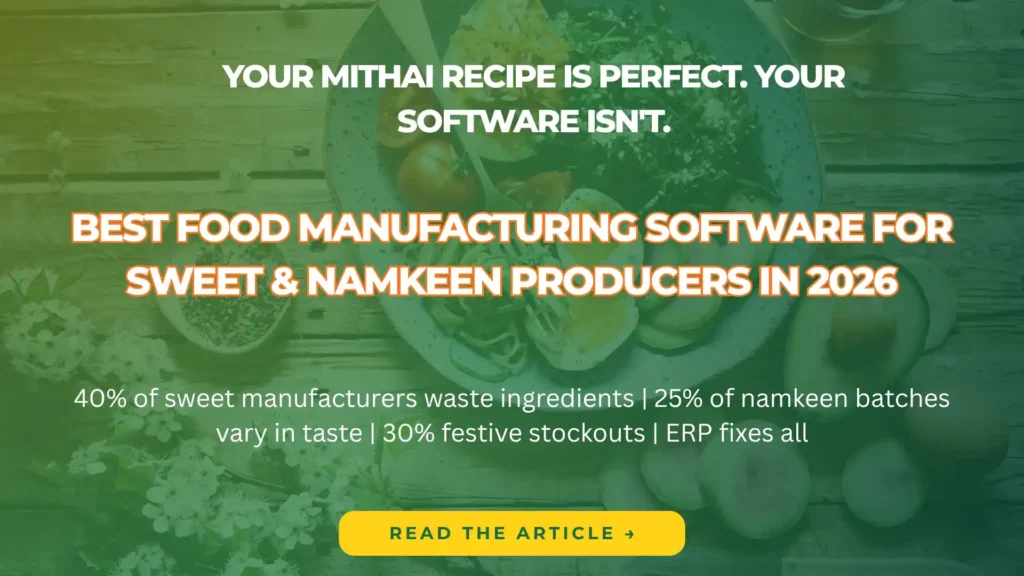
Food manufacturing software managing sweet and namkeen production, inventory, and batch tracking.

Best Food Manufacturing Software for Sweet & Namkeen Producers in 2026

If you’re still managing your sweet shop or namkeen production unit with notebooks and Excel sheets, you’re leaving money on the table. In 2026, food manufacturing software isn’t just for big FMCG brands — it’s the smartest investment a mithai or namkeen business can make. Whether you run a local halwai shop, a regional sweet brand, or a large-scale namkeen manufacturing unit, the right software helps you produce more, waste less, and sell smarter. Let’s break it all down. What Is Food Manufacturing Software? Food manufacturing software is a dedicated management platform that handles everything from raw material procurement and batch production to packaging, inventory, quality control, and sales — all under one digital roof. For sweet and namkeen producers specifically, it solves everyday headaches like: The right software answers all of these — instantly. Why Sweet & Namkeen Businesses Need Dedicated Software The food manufacturing industry is unique. You deal with perishable raw materials, variable recipes, seasonal demand spikes (think Diwali, Holi, Eid), and strict FSSAI compliance — all at once. Generic accounting or inventory tools weren’t built for this. You need software that understands: Key Features to Look for in Food Manufacturing Software 1. Recipe & Batch Management The foundation of any sweet or namkeen business is the recipe. Good software lets you: This alone can save significant cost by identifying where ingredients are being overused. 2. Raw Material & Inventory Management From ghee and sugar to refined oil and spices — your raw material costs directly impact profitability. The right software helps you: 3. Production Planning & Scheduling During festival seasons, production demand can triple overnight. Smart production planning features let you: 4. Quality Control & FSSAI Compliance Food safety is non-negotiable. Your software should support: 5. Sales, Distribution & Billing Whether you’re selling wholesale to distributors or retail from your own counter, integrated sales features give you: 6. Cost & Profitability Analysis This is where smart producers separate themselves from the competition: Benefits at a Glance Feature Business Impact Recipe management Consistent quality, reduced ingredient waste Batch tracking Full traceability, easy recall management Expiry alerts Less dead stock, better food safety Production planning Meet demand without overproducing FSSAI compliance tools Audit-ready at all times Profitability reports Data-driven pricing decisions Who Should Use Food Manufacturing Software? This software is a perfect fit for: What to Ask Before Buying Before you sign up, ask the vendor: Why Trident Is the Trusted Dynamics 365 Partner for Sweet & Namkeen Producers Implementing the right software is only half the battle — choosing the right partner to implement it is what truly determines success. When it comes to food manufacturing software built on Microsoft Dynamics 365, Trident Information Systems stands out as the partner sweet and namkeen producers trust most. Trident Information Systems is a globally recognized technology and consulting partner with proven expertise across Manufacturing, Food Production, Retail, and Supply Chain industries. With a presence in the U.S., UK, UAE, Africa, and Southeast Asia and over 250+ successful customer engagements, Trident has the scale, experience, and industry depth that food manufacturers demand. But numbers only tell part of the story. With over a decade of hands-on experience implementing Microsoft Dynamics 365 for food and manufacturing businesses, Trident understands the unique challenges sweet and namkeen producers face — seasonal demand surges, recipe-based costing, perishable raw material management, batch traceability, and FSSAI compliance — and builds solutions that address all of it, not just the basics. Here’s what food manufacturers get when they partner with Trident: Dedicated post-go-live support through Trident’s Managed Talent Services unit Industry-specific D365 configuration built around sweet and namkeen production workflows Recipe and batch management tailored to your actual production processes GST-compliant billing and financial integration from day one FSSAI audit-ready documentation built into the system Real-time inventory and expiry tracking across raw materials and finished goods Power BI dashboards for live production cost and profitability visibility Final Thoughts The sweet and namkeen industry in India is growing fast — and so is the competition. Producers who embrace food manufacturing software in 2026 will have a clear edge: lower wastage, better quality consistency, faster fulfilment, and stronger profit margins. Stop running your production on guesswork. The right software gives you control — over every ingredient, every batch, and every rupee. Ready to find the best food manufacturing software for your sweet or namkeen business? Start with a free demo and see the difference data-driven production makes. Follow our LinkedIn page for insightful updates on Retail ERP and the future of the retail industry.

Best Food Manufacturing Software for Sweet & Namkeen Producers in 2026 Read More »
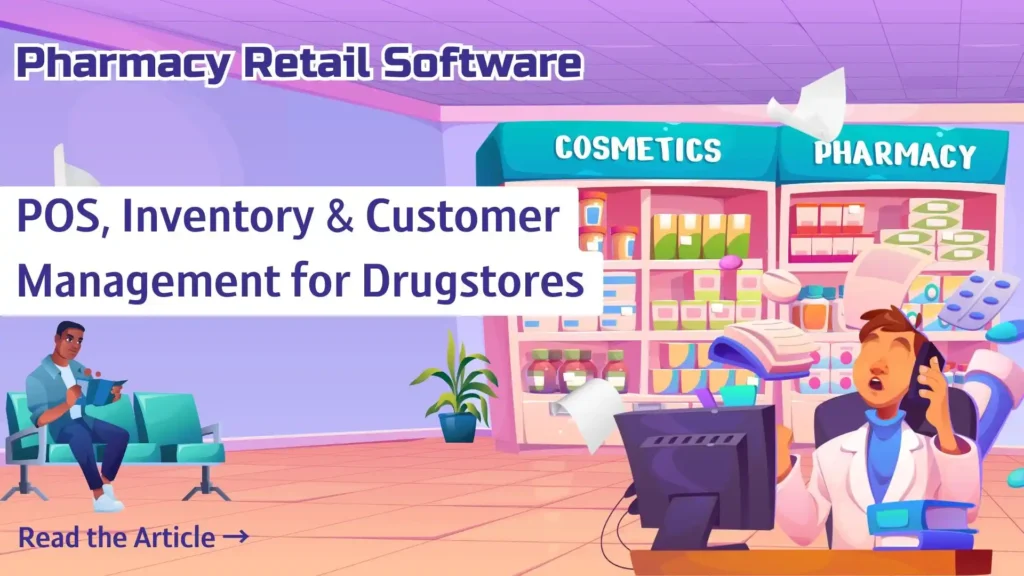
Pharmacy retail software dashboard managing POS billing, inventory, and customer records.

Pharmacy Retail Software: POS, Inventory & Customer Management for Drugstores

Running a pharmacy without the right software is like dispensing medicine without a prescription — risky, slow, and full of errors. Whether you own a standalone drugstore or manage a chain of pharmacies, the right pharmacy retail software can transform how you operate, serve customers, and grow your business. In this guide, we break down everything you need to know about pharmacy retail software — from POS systems and inventory control to customer management — so you can make the best choice for your store. What Is Pharmacy Retail Software? Pharmacy retail software is an all-in-one digital solution built specifically for drugstores and medical retail outlets. It combines a Point of Sale (POS) system, inventory management, and customer relationship tools into a single platform — replacing manual processes with smart automation. Unlike generic retail software, pharmacy-specific platforms understand the unique needs of the industry: prescription tracking, drug interaction alerts, regulatory compliance, and insurance billing. Key Features to Look for in Pharmacy Retail Software 1. Pharmacy POS System A powerful POS system is the heartbeat of any drugstore. The best pharmacy POS goes far beyond just billing. Here’s what it should do: A smart pharmacy POS reduces queue times, eliminates billing errors, and keeps your customers happy — especially during peak hours. 2. Inventory Management for Drugstores Poor inventory management is one of the biggest reasons pharmacies lose money. Overstocking ties up your capital. Understocking means missed sales and frustrated patients. Good pharmacy inventory software helps you: With smart inventory control, you stop guessing and start making data-driven decisions. You’ll always have the right medicines in stock — and never waste money on expired products. 3. Customer Management (CRM) for Pharmacies Your customers aren’t just transactions — they’re patients who trust you. A built-in CRM helps you build that trust and turn first-time buyers into loyal, repeat customers. Here’s what great customer management looks like in pharmacy software: When customers feel remembered and cared for, they don’t shop elsewhere. A strong CRM is your most powerful retention tool. Why Generic POS Software Isn’t Enough for Pharmacies Many drugstore owners try to manage with generic billing software or even spreadsheets. This works — until it doesn’t. The moment you deal with a drug recall, an expired batch, a prescription dispute, or an insurance claim, generic software leaves you exposed. Pharmacy retail software is purpose-built to handle these situations without breaking a sweat. It also keeps you compliant with drug regulations and helps you maintain records required by health authorities — something generic tools simply can’t do. Benefits of Using Dedicated Pharmacy Retail Software Here’s the real impact you’ll see after implementing the right software: Benefit Result Faster billing Shorter queues, happier customers Auto stock alerts Zero stockouts on critical medicines Expiry tracking Less wastage, more profitability Loyalty programs Higher repeat footfall Prescription records Better patient care and compliance Sales analytics Smarter buying and pricing decisions Who Should Use Pharmacy Retail Software? This software is ideal for: No matter the size of your store, the right software pays for itself quickly through reduced wastage, better efficiency, and improved customer retention. What to Check Before Buying Pharmacy Software Before you invest, ask these questions: Final Thoughts Pharmacy retail software isn’t a luxury anymore — it’s a necessity. In a competitive market where customers expect speed, accuracy, and personalized care, the right POS, inventory, and customer management tools give you a real edge. The best pharmacy software doesn’t just help you run your store. It helps you grow it — by cutting costs, retaining customers, and keeping you compliant and competitive. Invest in the right pharmacy retail software today, and watch your drugstore operate smarter, not harder. Looking for the best pharmacy software for your store? Compare features, pricing, and demos to find the perfect fit for your business needs. For more insightful content and industry updates, follow our LinkedIn page.

Pharmacy Retail Software: POS, Inventory & Customer Management for Drugstores Read More »

Business Central for Steel Manufacturing: Master Business Central for precise Demand Forecasting & Sales Order Management.

Mastering Business Central for Demand Forecasting and Sales Order Management in Steel Manufacturing

Optimize Steel Manufacturing: Master Business Central for precise Demand Forecasting & Sales Order Management. Elevate efficiency and profitability with expert strategies. Transform your steel business with Business Central expertise. Read more Now !

Mastering Business Central for Demand Forecasting and Sales Order Management in Steel Manufacturing Read More »

How Companies are saving up-to 35% of Project Cost using Trident’s Resource Augmentation Services for Microsoft ERP & LS Retail ERP

What is Resource Augmentation? Resource augmentation is an essential concept for businesses that require temporary or long-term staffing. It involves hiring outside resources to supplement the existing team with specialized skills and knowledge. When it comes to Microsoft ERP (Enterprise Resource Planning) systems like Business Central and Dynamics 365 F&O, resource augmentation can help companies reduce project costs significantly. Resource augmentation is the process of outsourcing skilled professionals to complement your existing team, thereby increasing your capacity without the added expense of hiring new employees. This model has become increasingly popular in recent years as companies strive to reduce costs while maintaining the quality of their work. Why Trident for Resource Augmentation Services for Microsoft ERP (Business Central / D365 F&O) and LS Retail. Trident – Microsoft Dynamics 365 Gold Partner & LS Retail Diamond Partner Trident is a Microsoft Dynamics 365 Gold Partner that offers a wide range of services, including implementation, customization, support, and maintenance. With over 170 technical and functional resources, Trident is well-equipped to provide resource augmentation services for Microsoft ERP systems like Business Central and Dynamics 365 F&O. By leveraging Trident’s extensive network of resources, clients can quickly and easily scale their teams up or down as needed, without the long lead times and costs associated with traditional hiring practices. This approach allows businesses to remain flexible and responsive to changing market conditions, ensuring that they can adapt quickly to meet their customers’ needs. Trident’s resource augmentation services are particularly effective for Microsoft ERP, such as Business Central / D365 F&O and LS Retail ERP. These systems are complex and require specialized skills and expertise to implement and maintain effectively. By leveraging Trident’s pool of resources, clients can access a wide range of skills and expertise, including developers, architects, project managers, and functional consultants. Trident’s team of experts can provide support across the entire project lifecycle, from initial scoping and planning through to implementation, testing, and ongoing support and maintenance. This ensures that clients have access to the skills and resources they need, when they need them, without incurring the costs associated with hiring and training new staff. Benefits of Resource Augmentation: Resource augmentation offers several benefits to organizations, such as: Cost savings Resource augmentation can help organizations save up to 35% of project costs by reducing the need to hire full-time employees with specialized skills. Increased flexibility Resource augmentation provides organizations with greater flexibility in terms of staffing. They can hire resources on a temporary or long-term basis as per their requirements. Improved productivity With resource augmentation, organizations can access a pool of specialized talent, which can help them complete projects more efficiently and effectively. Reduced risk Resource augmentation can help organizations mitigate the risk associated with staffing. They can hire resources on a temporary basis and avoid the cost and commitment of full-time employees. How Trident’s Resource Augmentation Model Saves Project Cost: Trident’s resource augmentation model can help organizations save up to 35% of project costs in the following ways: Reduced overhead costs: By leveraging Trident’s resource augmentation services, organizations can reduce the overhead costs associated with hiring full-time employees. They can save on expenses like salaries, benefits, and training. Access to specialized talent: Trident’s resource augmentation services provide organizations with access to a pool of specialized talent. They can hire resources with the exact skills and knowledge required for their projects, which can help them complete projects more efficiently and effectively. Scalability: Trident’s resource augmentation model allows organizations to scale up or down their staffing requirements as per their project needs. They can hire resources on a temporary or long-term basis as per their requirements. Reduced risk: With Trident’s resource augmentation services, organizations can mitigate the risk associated with staffing. They can hire resources on a temporary basis and avoid the cost and commitment of full-time employees. Improved Project Management: Trident’s offshore support services often have dedicated project managers who oversee the entire project, ensuring that it is completed on time and within budget. This can help businesses save costs by avoiding delays, rework, and other project-related expenses. Flexibility: The Resource Augmentation Model provides businesses with the flexibility to scale their operations up or down, depending on their needs. This can be especially beneficial for SMEs that may not have the resources to hire and train a full-time team of experts to implement and maintain Microsoft ERP systems. Conclusion: If you are looking for a reliable and experienced partner for Microsoft ERP systems like Business Central and Dynamics 365 F&O, Trident is the right choice. With over 170 technical and functional resources, Trident can provide you with the best resource augmentation services and help you complete your projects more efficiently and effectively.

How Companies are saving up-to 35% of Project Cost using Trident’s Resource Augmentation Services for Microsoft ERP & LS Retail ERP Read More »

The Power of Integration: Microsoft D365 F&O and Power Platform for Enhanced Business Efficiency and Agility

Integrating Microsoft D365 F&O and Power Platform can boost business efficiency and drive innovation. Benefits include streamlined data and processes, enhanced analytics, increased agility, and reduced costs. Follow these steps: define goals, choose approach, build custom apps, connect systems, and test and deploy. Optimize your business with Microsoft’s integrated solutions.

The Power of Integration: Microsoft D365 F&O and Power Platform for Enhanced Business Efficiency and Agility Read More »