
Welcome to Trident Information Systems!
Write us to - info@tridentinfo.com
Let's Socialize

restaurant pos software south africa

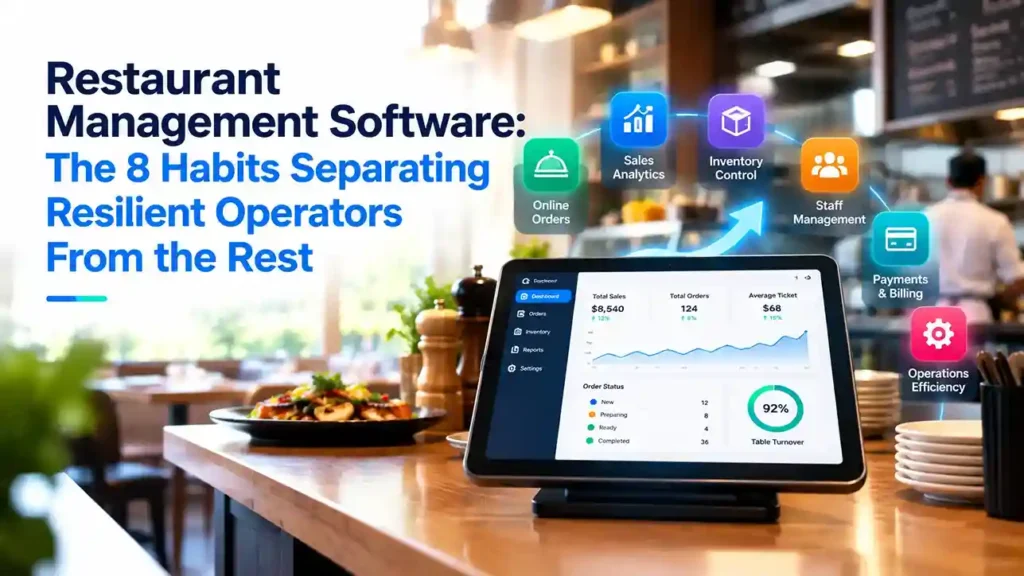
Restaurant management software dashboard showing sales, inventory, food costs, staffing, orders, and real-time restaurant performance.

Restaurant Management Software: The 8 Habits Separating Resilient Operators From the Rest

INTRODUCTION Contactless payments, curbside pickup, QR code menus—none of these options were commonplace in restaurants just a few years ago. Today, they are standard expectations. The restaurants that adapted most successfully weren’t necessarily the ones that adopted the most technology, but rather those that managed it through a single, integrated platform instead of a disjointed array of tools. This distinction separates operators who achieved lasting resilience from those who implemented stopgap solutions that didn’t stand the test of time. Design the entire experience, not just a stopgap solution A payment terminal wrapped in plastic is a patch, not a solution; in fact, it often negates the very contactless functionality it was meant to protect. The shift toward contactless payments, delivery, drive-thru service, and curbside pickup is here to stay; therefore, it pays to build a robust infrastructure around these practices rather than relying on makeshift fixes. QR code menus are a prime example: they are useful right now for hygiene reasons, but they offer long-term value by allowing restaurants to instantly update prices or menu items without incurring reprinting costs. Table management software follows the same logic: it is useful today for maintaining social distancing and facilitating contact tracing, and it will remain valuable indefinitely for optimizing occupancy and speeding up table turnover. Take your POS system mobile When a server relies on a fixed terminal, customers are kept waiting, staff waste time walking back and forth, and lines form at the register. A mobile POS system allows servers to take orders, process payments, and close out checks without leaving the dining area; this results in faster service, less unnecessary movement, and the elimination of shared terminals among staff. The greatest advantage arises when the mobile POS connects directly to kitchen display systems: an order taken at the table is automatically sent to the appropriate kitchen station, eliminating the back-and-forth between the dining area and the kitchen that slows down service and leads to order errors. Opt for a single platform rather than multiple disconnected solutions Fragmented systems—standalone tools for point-of-sale (POS), inventory management, and reporting—entail higher integration and maintenance costs while offering managers only a partial view of the business. A unified platform provides a comprehensive, real-time view of operations and customer data, enables faster access to actionable reports, and lowers total costs by eliminating the need for ongoing integration work. Cloud-based implementation proved crucial during times of rapid change: restaurants without legacy on-premise infrastructure could quickly roll out delivery, pickup, and curbside services, whereas those reliant on local systems moved much more slowly. Furthermore, software-hardware compatibility is just as important as the individual components themselves; a system that looks good on paper but fails to integrate properly with existing hardware will fail in practice, regardless of its features. Analyze how customer behavior is actually changing Consumption patterns shift—new customers arrive, and regulars visit at different times or with different needs—and a restaurant that fails to collect this data lacks a solid foundation for designing a loyalty strategy. Reliable, up-to-date data enables actionable decisions, such as creating predictive cost models to set menu prices when ingredient sourcing becomes difficult, or redistributing inventory among locations based on foot traffic. Rethink which metrics truly matter A metric like table turnover rate is meaningless if there aren’t enough customers to fill the tables. Traditional key performance indicators (KPIs) should be reviewed periodically—not just once—since current customer behavior cannot reliably predict what the situation will look like a few months down the line. The goal is not to discard metrics, but to ensure that the ones being monitored continue to reflect the reality of the business. Use predictive analytics, not just historical reports Most restaurant analytics still look to the past: what happened and why. The real value lies in predictive analytics—finding correlations across large, disparate datasets that reveal where the business is heading before it gets there. Combining internal data with external context—local events, weather patterns, general market trends—refines that insight; even a small process adjustment based on this type of information can yield disproportionately large results. Technology is no substitute for the human touch Social distancing and digital ordering changed the dining-out experience, but customers still seek warm, personal service—and it is empowered staff with decision-making authority who truly deliver that. Genuine loyalty stems from a real connection, not just a points program: knowing a customer well enough to offer something relevant is what keeps them coming back, and that starts with how the restaurant treats its own staff. View technology as infrastructure, not a reaction Curbside delivery wasn’t the industry norm until, suddenly, it was. Investing in restaurant management technology requires the same long-term vision as investing in essential kitchen equipment: it is infrastructure that should be implemented before demand forces action, not after. A feature that doesn’t offer an immediate return on investment (ROI) can still be valuable simply because it prepares the business to respond quickly when conditions shift again—and conditions will keep changing. Are you ready to move beyond fragmented systems and adopt a unified platform? Contact Trident to discuss what this transition would look like for your restaurant.
Restaurant Management Software: The 8 Habits Separating Resilient Operators From the Rest Read More »

Why it makes sense to move your retail management software to the cloud

As a successful retailer, chances are you are already running some of your IT functions in the cloud. That’s smart. The next logical step is to move your entire retail management system to the cloud, and go from the on-premises version to its software as a service (SaaS) one. But even if you know that the cloud is experiencing exponential growth, and that you will, one day, take the leap, you may be hesitant to do it now. Perhaps you are afraid you’re not ready for the change. Perhaps you have security concerns. Maybe you can’t clearly identify which practical, day-to-day benefits you’d get from moving to the cloud. Whichever your reasons, you want the best for your business, and you care about staying competitive. You want to make the right decision, and employ technology that will propel you forward today and tomorrow. While you are debating whether the cloud is for you, here are 8 good reasons why you should consider migrating your system. 1. Stay up to date, automatically With traditional on-premises software, businesses are responsible of keeping their hardware and software up to date. In order to stay current (and safe), they’d need to purchase new hardware every few years, and to update their software every few months. But in reality, retailers usually have more pressing concerns than keeping track of the latest software patch or upgrade. And if the company is using multiple software solutions and there are integrations in place, a system upgrade can become a costly and lengthy project. As a result, many companies end up with outdated IT environments that work, but don’t really support the business, and may even hinder it. In the worst cases, this old tech might reduce the company’s ability to grow and take on new projects, or stay on top of consumer demands. When you are using SaaS in the cloud, all these concerns belong to the past. You don’t need to worry about periodic maintenance, or to budget for expensive and complicated software upgrades. Instead, your supplier takes care of updating your software regularly. And if you have configured your add-ons correctly, you can maintain all your extensions, and even your configurations. SaaS software guarantees that you are always, automatically, on the latest version, and can use all the new functionality that comes with it. 2. Enhance productivity with intelligence One of the biggest advantages of the cloud is the advanced computational power it offers. Tasks that until yesterday were too complex for even the most powerful computer, for example predicting future sales patterns, are now within reach of any retailer. Businesses can run their data into Artificial Intelligence (AI) and machine learning (ML) powered tools available in the cloud, and without having to pay for extra servers or data scientists, they can get the answers they need, with minimal effort, very rapidly, and at a fraction of the cost than comparable on-prem technology. There is a wide variety of AI tools available in the cloud, giving businesses infinite possibilities to improve their effectiveness and productivity. AI can also help make smarter decisions, and deliver more personalized, to the point customer service. Would you like to send personalized promotions and special deals to your customers based on their shopping history and specific tastes? Are you thinking about adding a chatbot or virtual agent as a first-line customer support? Or perhaps you’d like to offer intelligent search on your e-commerce site? When you run your software in the cloud, all these initiatives are accessible to you, and can be started within a very short timeframe. But AI can do much more than help deliver bespoke customer experiences. You can use optimize your inventory with advanced forecasting that can factor seasonality, promotions, trends, and product substitutes and complements into your forecasts. You can refine your hiring practices with intelligent talent acquisition solutions. You can simplify searches across your catalog for both staff and customers using AI-powered accurate product tagging applied to images. When you infuse your business with intelligence, you also make it more proactive, agile, and profitable. 3. Guarantee business continuity with a reliable infrastructure With traditional in-house IT setups, businesses are at constant risk of downtimes and failures. On-site servers can’t usually guarantee a consistent performance, and if a key piece of your hardware breaks down, you may be left unable to serve customers or close sales – and could even risk losing your business data. As regards reliability, a traditional infrastructure usually necessitates a disaster recovery plan, requiring you to build redundancy, carefully monitor conditions, having dual firewalls and more – in short, you need to budget for time-consuming, expensive, complex monitoring. Switch to SaaS software, and you can step away from all of these problems. Even if you experience a hardware failure – say your computers or servers break down – you won’t lose your data, as it is safely stored in the cloud and can be accessed when and as you need to. The cloud also guarantees higher reliability. Large cloud services like Microsoft Azure, with expansive resources and entire dedicated teams, have already built in redundancy, from failover hardware to datacenters located across the world. As a result, Azure, the service where the cloud-based version of LS Central resides, can guarantee 99,995% uptime, and top security features. 4. Respond quickly to changing market conditions You know how important speed of action is in the retail industry. Yet, traditional IT environments are all but agile: even a project as simple as adding new servers or applications can be very time consuming. First, your IT staff needs time to procure the hardware or software that will fit within the current infrastructure. Then they have to set it up and test it, and finally, they’ll have to go through implementing it. In the past, this process was the only way to implement change. Today, this is an outdated and ineffective way of operating – especially when the businesses you are competing against are agile and unburdened by traditional infrastructure, such as e-commerce players. To stay

Why it makes sense to move your retail management software to the cloud Read More »

Why organizational change projects fail and how to prevent implementation disaster

New IT installations often fail. At least that’s the widespread belief surrounding organizational change initiatives today. One frequently cited study from the 1993 book Reengineering the Corporation goes as far as saying that as many as 70% of the organizations that undertake a reengineering effort do not achieve the dramatic results they intended. A more recent McKinsey survey of more than 1,500 executives who had undertaken a significant change effort in the past five years found that only 38% of respondents said “the transformation was ‘completely’ or ‘mostly’ successful at improving performance. After two decades of hearing about high failure rates related to change, it’s unsurprising that business leaders are wary of organizational change projects. Organizational psychologist Nick Tasler explained that these negative biases can create a toxic self-fulfilling prophecy. “When a change project falls a day behind schedule, if leaders and employees believe that successful change is an unlikely outcome, they will regard this momentary setback as the dead canary in the coalmine of their change initiative. (Never mind the fact that three other initiatives are still on time or ahead of schedule),” he wrote in an article for Harvard Business Review. “Suddenly, employees disengage en masse and then the change engine begins to sputter in both perception and reality.” Yes, change is hard, and complex IT implementation projects, particularly ERP installations, can be particularly challenging. But it doesn’t mean they are doomed to failure. So where do you start? How can you choose the right technology for your retail business, and ensure that the implementation project runs as smoothly as possible and you get the most from your investment? Here are some of the main causes for failure in any organizational change initiative, and how can you prevent them from happening: Mistake #1: Failure to plan Issue: An outdated legacy system is impacting business performance, and it needs replacing quickly. In their rush to get the project going, business management jump straight into the implementation without taking the time to develop a well thought-out organizational change management plan. Solution: Don’t be tempted to cut corners in your planning. Analyze your business, decide what should be prioritized, and understand all the different ways the project will impact your routines at every stage of the process. “Companies should start by analyzing their current and future requirements and processes,” says Gunnar Ingimundarson, Chief Consulting Officer at LS Retail. “How many software solutions are they currently using, and what are they used for? Map out the disparate solutions in the stack, alongside their dependencies and interconnections. The next step is to figure out where they can draw the biggest – or quickest – benefits. Is your POS system not generating the information you need on stock levels and product visibility? Or, are there integrations that repeatedly cause problems or break down? Do you experience missing data? Identify the area(s) where a new system would bring immediate value in terms of savings or returns. That’s where you should start, and that should determine your priorities.” Once the priorities are set, break the project down into manageable chunks, from pilot phase to initial implementation to company-wide rollout. Consider when it’s most appropriate to start each phase of the installation so you won’t place unnecessary strain on your business during busy times. Mistake #2: Key stakeholders aren’t onboard, or have unrealistic expectations Issue: Management want the new technology in place quickly and only focus on the end goals. They get frustrated by how long the project is taking and threaten to pull the plug. Or they wonder why the new software isn’t being adopted widely and successfully when they failed to communicate the changes to everybody in the business and get company-wide buy in. Solution: All stakeholders need to be committed to the project’s success right from the beginning, and to clearly understand the project’s scope and goals. “Internal resistance can kill even the best implementation project,” says Eric Miller, Regional Director for the Americas at LS Retail, building on his 13 years of experience in software implementations. “Get the buy-in from all stakeholders from the start, and make sure that the goals, objectives and expected end results of the project are clear and communicated from you to the stakeholders, and from the stakeholders to all the customer parties involved. It never pays off to sell a dream you can’t deliver on.” Bring together personnel from different departments to understand their requirements and what outcomes they hope to achieve from the implementation. Similarly, they need to understand how much time should be devoted to a project like this and ensure project teams are given sufficient time to carry out the work. Set realistic timeframes from the start, and ensure everyone knows exactly what’s required of them. Mistake #3: Unforeseen changes throw the project off track Issue: Even the best prepared projects encounter hurdles along the way, but if unforeseen issues arise and major milestones are missed, it can be tempting to throw in the towel and deem the entire project a failure. Solution: Know that when you’re dealing with a large-scale IT implementation, it’s hard to plan for every eventuality. Be willing to adapt and take a different approach if it ultimately means the project will be a success. “What was deemed to be the best approach initially may need to change – this might even happen after the pilot is completed. I have seen companies that went through multiple pilots before finding the right balance. It’s a learning process, and it’s never over,” says Miller. It’s worth learning everything you can from the pilot implementation. Instead of rushing on to roll out store #2, take a moment to see how the system is working and to identify any issues that you couldn’t have planned for in your testing environment. Success comes to those who take a considered approach. Mistake #4: Picking the wrong technology partner Issue: It may be tempting to go for the cheapest technology provider, but cheapest upfront may not necessarily deliver the long-term business value you hoped for. You quickly realize they can’t help you achieve your outcomes, because they lack drive,

Why organizational change projects fail and how to prevent implementation disaster Read More »

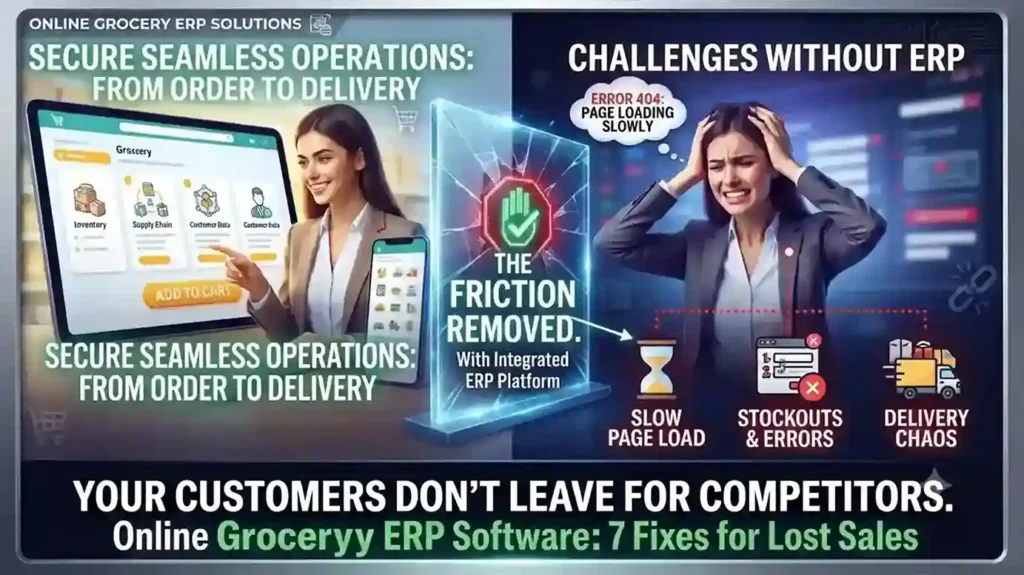
Your Online Grocery Store Isn’t Losing Customers to Competitors — It’s Losing Them to Friction

INTRO Online grocery sales are growing at roughly 28% a year — more than ten times the rate of total grocery sales. That growth is also exposing which retailers built their online grocery ERP software around real shopping behavior, and which bolted e-commerce onto a system that was never designed for it. The seven gaps below are the ones costing retailers carts, not competitors. Each one is a system problem before it’s a customer-experience problem. Slow Search Costs You the Sale Before Checkout A shopper hunting through a hundred-item bread category for one product doesn’t file a complaint — they just leave. Category filtering, predictive search (“did you mean coriander?”), and complete product data — pack size, allergens, expiry — aren’t UX polish. They’re inventory data problems, and they trace back to whether your ERP actually feeds structured product data to your storefront or leaves your web team entering it by hand. Hidden Delivery Restrictions Kill Orders After the Cart Is Full Nothing costs a sale faster than a shopper spending 20 minutes filling a cart, then discovering their postcode isn’t serviceable. Delivery zones, pricing, and timing need to be visible before checkout starts — which means your delivery logic needs to be connected to your commerce platform in real time, not a static page someone forgot to update last quarter. Fix This With a Clear Checkout FlowLabel every step (Details → Shipping → Payment → Review), show a progress bar, and confirm the order with a summary — items, delivery window, and what happens next. Ambiguity at checkout is where carts get abandoned. Mobile Is Already Majority Traffic — Is Your Platform Built for It? Mobile drives the majority of e-commerce traffic and sales for most retailers now. If your site isn’t fully responsive — large tap targets, zoomable product images, a cart that persists across devices — you’re optimizing for the smaller slice of your audience. Cart persistence in particular matters: a shopper who starts on their phone and finishes on a laptop shouldn’t have to rebuild their order. “Endless Aisle” Only Works With Real Navigation Online stores can carry far more SKUs than a physical location — but only if customers can actually find them. Top-level categories, sort-and-filter by price or brand, and a visibly confirmed “add to cart” action are baseline. Without them, a bigger catalog just means a worse search experience. Delivery Precision Drives Conversion More Than Delivery Speed Nielsen’s Global Connected Commerce research points to 30-minute delivery windows as the benchmark shoppers respond to — not same-day delivery in the abstract, but a specific window they can plan around. Whether you deliver direct, via locker pickup, curbside, or through a partner like Instacart depends on your infrastructure. What matters is picking one you can reliably hit. Freshness Anxiety Is a Solvable Data Problem Spoilage risk is one of the top reasons shoppers hesitate to buy fresh groceries online. Freshness labels showing remaining shelf life after delivery, visible customer reviews per product, and a clear return or refund policy for produce that doesn’t meet expectations all directly address that hesitation — but only if your system tracks expiry data at the SKU level to begin with. One Broken Link in the Chain Becomes the Whole Brand’s Problem A late delivery, a wrong product description, or a broken cold-storage locker doesn’t read to the customer as “a vendor issue” — it reads as your failure. This is why online grocery ERP software has to unify inventory, POS, delivery logistics, and product data on one system. Disconnected point solutions are where these failures start. Running your online grocery operation on disconnected systems? Talk to Trident about an ERP assessment built for grocery retail. FAQ What ERP features matter most for online grocery retailers?Real-time inventory sync, SKU-level expiry tracking, and integration between POS, e-commerce, and delivery logistics matter most — these directly address the stockout, freshness, and delivery-accuracy issues that cause cart abandonment. Why do online grocery shoppers abandon their carts?The most common causes are hidden delivery restrictions discovered late in checkout, slow or unclear search, and lack of trust in product freshness — all of which trace back to system-level data gaps, not just website design. What delivery window works best for online grocery?Research from Nielsen points to 30-minute delivery windows as the standard shoppers respond to best, provided the retailer can consistently meet that window.

Your Online Grocery Store Isn’t Losing Customers to Competitors — It’s Losing Them to Friction Read More »