Welcome to Trident Information Systems!
Write us to - info@tridentinfo.com
Let's Socialize

Trident Information Systems

Business dashboard visualizing data insights using Microsoft Power BI for strategic decision-making and growth

How Microsoft Power BI Consulting & Development Solutions Can Transform Your Business

Introduction Ever felt like your business is sitting on a mountain of data but still making decisions in the dark? You’re not alone. In today’s digital age, data is everywhere — but turning that data into actionable insights? That’s where the magic of Microsoft Power BI happens. Enter Microsoft Power BI — a powerful, intuitive, and scalable business intelligence platform that can completely transform how you understand, analyze, and act on your data. Whether you’re a startup or an enterprise, Microsoft Power BI consulting and development services can help you tap into this potential with precision. Understanding Microsoft Power BI What Does Power BI Do? At its core, Microsoft Power BI is a suite of tools that turns raw data into rich visuals and interactive dashboards. It helps you understand what’s happening in your business and why. Key Components of Power BI Data Visualization Made Easy Even if you’re not a data geek, Microsoft Power BI makes complex data digestible. Bar charts, KPIs, scatter plots, maps — you name it. The platform is designed to be user-friendly, yet powerful under the hood. The Role of Power BI Consulting What Power BI Consultants Actually Do A Power BI consultant isn’t just a report-builder. They analyze your business goals, data sources, and user needs to design a solution that delivers insight — not just information. Benefits of Hiring a Power BI Consultant Power BI Development Services Explained Custom Dashboards & Reports Need a dashboard to track regional sales performance or inventory turnover? Developers can create exactly what you need — with automation and drill-down capabilities built-in. Integration With Existing Systems Power BI can seamlessly connect to: Data Modeling & Transformation Before data can be visualized, it must be cleaned, structured, and made usable. Developers use Power Query and DAX to make your messy data work for you. Transforming Raw Data Into Smart Decisions From Chaos to Clarity Imagine turning your spreadsheets, CRM entries, and emails into one cohesive view. That’s what Power BI does — unify your data into something actually usable. Predictive Analytics and Forecasting Why guess what will happen next quarter when Power BI can show you? By integrating AI and machine learning, Power BI helps forecast trends and outcomes with confidence. Real-Time Data Access and Insights Why Real-Time Data Matters Static reports are old news. With Power BI, you get live dashboards that update as your data changes — helping you make timely decisions that matter. Dashboards That Talk Back Power BI dashboards aren’t just pretty pictures. You can filter, drill down, and interact with the visuals to uncover hidden insights. Better Collaboration Through Power BI Interactive Dashboards for Teams Tired of sending reports back and forth over email? With Power BI, your whole team sees the same version — always up-to-date. Power BI + Microsoft Teams When combined with Teams, your dashboards live where your collaboration happens. One click, and everyone’s on the same page. Scalability and Flexibility for Growing Businesses Start Small, Scale Fast Power BI works whether you have 100 records or 10 million. You can start with a small dashboard and scale as your needs grow. Tailoring Power BI to Your Business Needs With custom development, your Power BI solution fits like a glove. Custom visuals, connectors, and DAX formulas ensure you get exactly what you need. Security and Compliance Enterprise-Grade Security Worried about data breaches? Don’t be. Power BI follows Microsoft’s strict security protocols, including encryption and authentication. Role-Based Access and GDPR Compliance Control who sees what — from executives to interns. Plus, Power BI helps ensure compliance with global data laws like GDPR. Common Business Use Cases Sales & Marketing Performance Track your funnel, conversions, ad spend, and ROI — all from a single view. Financial Planning & Budgeting From P&L statements to cash flow projections, Power BI makes finance smarter. Operations & Supply Chain Analytics Monitor logistics, delivery times, and inventory levels — in real-time. Industry-Specific Applications Power BI for Healthcare Track patient metrics, reduce wait times, and improve resource planning. Power BI for Retail and eCommerce Understand customer behavior, optimize stock levels, and forecast trends. Power BI for Manufacturing Monitor equipment efficiency, reduce downtime, and boost productivity. Choosing the Right Power BI Partner What to Look For Questions to Ask Before Signing a Contract ROI of Power BI Implementation Tangible and Intangible Benefits Cost vs. Long-Term Value Yes, there’s an upfront cost — but the long-term savings and growth? Game-changing. Future of Business Intelligence With Power BI AI and Machine Learning Integration Microsoft is infusing Power BI with more AI every day — expect smarter dashboards and automated insights soon. What to Expect in the Next 5 Years Conclusion If you’re still relying on spreadsheets and gut instinct, it’s time for an upgrade. Microsoft Power BI — when paired with the right consulting and development team — can truly revolutionize how your business operates. It doesn’t matter whether you’re in retail, healthcare, finance, or manufacturing — Power BI makes data work for you, not the other way around. Lastly, if you are looking for a expert Implementation Partner ? you may as well contact Trident Information Systems. We are the Top Dynamics 365 Partners Being Gold D365 Implementation Partner and LS Retail Diamond Partner, we have a massive team of dedicated professionals. Our team is looking forward to serving your business and helping you grow. Contact Us for further information. For more insightful content and industry updates, follow our LinkedIn page. FAQs 1. What’s the difference between Power BI consulting and development? Consulting focuses on strategy and planning, while development involves building reports, dashboards, and custom solutions. 2. Can Power BI integrate with my existing ERP system? Yes! Power BI integrates with most modern ERP systems like Microsoft Dynamics 365, SAP, and Oracle. 3. Is Power BI suitable for small businesses? Absolutely. It’s scalable and affordable, making it a great fit for businesses of all sizes. 4. How long does it take to implement Power BI? It depends on your needs — simple setups take days; complex enterprise implementations may take

How Microsoft Power BI Consulting & Development Solutions Can Transform Your Business Read More »

Trident team receiving LS Retail Diamond Partner Award 2025

Press Release: Trident Honored with LS Retail Diamond Partnership Award for Fourth Consecutive Year,

Trident, a leading IT consulting organization , has once again been awarded the prestigious LS Retail Diamond Partnership Award—marking its fourth consecutive win. This remarkable achievement reinforces Trident’s position as a trusted leader in delivering advanced retail technology solutions worldwide. The award was presented to Trident’s CEO, Anita Jain, by the LS Retail team at the annual conneXion conference, where global leaders in retail and technology gathered to celebrate innovation and excellence. Jain’s presence and leadership at the event underscore Trident’s ongoing commitment to empowering businesses through strategic technology partnerships. “This award is a testament to the dedication of our team and the trust our customers place in us,” said Anita Jain. “We’re proud to lead the way in retail innovation, and we’re just getting started.” As retail businesses continue to navigate digital transformation, Trident is doubling down on its investment in cutting-edge technologies such as Artificial Intelligence and real-time analytics. These solutions are designed to enable clients to accelerate growth, optimize operations, and enhance profitability in a rapidly evolving marketplace. “This fourth consecutive award reflects not just our consistency, but our continuous innovation,” said Jain. “We are committed to helping retailers embrace the future with confidence.” The LS Retail Diamond Partnership Award is given annually to top-performing partners who demonstrate outstanding customer service, deep industry expertise, and successful implementation of LS Retail solutions based on Microsoft Dynamics 365. With this recognition, Trident reaffirms its leadership in the global retail technology landscape—and looks forward to enabling the next generation of digital-first businesses.

Press Release: Trident Honored with LS Retail Diamond Partnership Award for Fourth Consecutive Year, Read More »

Illustration showing AI and Microsoft Dynamics 365 working together to drive business growth and success.

AI + Microsoft Dynamics 365 = Business Growth Booster

In today’s fast-paced, data-driven economy, businesses need more than just traditional ERP and CRM systems—they need intelligent systems that not only manage operations but also anticipate needs, streamline decisions, and unlock new opportunities. This is where the powerful combination of Artificial Intelligence (AI) and Microsoft Dynamics 365 steps in, acting as a true business growth booster. The Power of Microsoft Dynamics 365 Microsoft Dynamics 365 is a suite of integrated, cloud-based applications that bring together ERP, CRM, and industry-specific solutions under one umbrella. From finance, operations, sales, and customer service to supply chain, retail, and human resources, D365 enables organizations to manage every aspect of their business with agility and insight. But the game changes when you add AI capabilities to the mix. AI: The Intelligence Layer That Transforms Dynamics 365 AI brings predictive insights, automation, and cognitive capabilities that make Dynamics 365 more powerful, intuitive, and future-ready. Whether it’s analyzing customer behavior, forecasting demand, or detecting anomalies in financial reports, AI acts as a silent growth engine working in the background. Let’s explore how AI + Dynamics 365 boosts business growth: 1. Smarter Decision Making AI-driven insights enable proactive decision-making. With tools like Dynamics 365 Copilot and Power BI AI capabilities, business users get contextual recommendations, intelligent summaries, and real-time insights to make faster, data-backed decisions. Example: A sales manager receives AI-generated lead prioritization suggestions based on likelihood to convert, allowing the team to focus efforts effectively. 2. Enhanced Customer Experiences AI in Dynamics 365 Customer Insights and Customer Service apps analyzes historical data, sentiment, and behavior to offer personalized interactions and faster resolutions. Example: AI-powered chatbots provide 24/7 support, while sentiment analysis helps agents tailor conversations with empathy and precision. 3. Predictive Sales and Marketing AI helps forecast sales trends, optimize pricing, and suggest next-best actions in Dynamics 365 Sales and Marketing modules. Example: Marketing teams can automate campaign segmentation and predict which content will resonate best with different audience clusters. 4. Optimized Supply Chain and Inventory AI-enhanced Dynamics 365 Supply Chain Management predicts demand, reduces stock-outs, and suggests optimal reorder points, ensuring smooth operations and cost savings. Example: A retailer can automatically adjust inventory levels across locations based on predicted consumer demand and seasonal trends. 5. Streamlined Finance Operations With AI and machine learning, Dynamics 365 Finance automates invoice processing, detects anomalies, and improves forecasting accuracy. Example: AI flags unusual spending patterns or duplicate vendor payments—minimizing fraud and human error. 6. Workforce Productivity & Talent Insights Dynamics 365 Human Resources, when empowered with AI, offers insights on employee engagement, skill gaps, and retention risks—enabling proactive HR strategies. Example: AI predicts potential attrition and recommends personalized career paths to retain top talent. 7. Accelerated Innovation with Low-Code AI Thanks to Microsoft Power Platform’s integration with Dynamics 365, businesses can build AI-infused apps and automate workflows using low-code tools. Example: Operations teams can use AI Builder to create image recognition models that identify product defects without writing a single line of code. 8. Continuous Learning and Adaptability AI enables Dynamics 365 to learn from every interaction, adapting processes and improving accuracy over time. Example: An AI model used in finance forecasting becomes more accurate with each fiscal quarter, providing better long-term insights. Real-World Impact Businesses that have embraced AI in their Dynamics 365 environment report: Conclusion: Unlocking the Next Level of Business Growth AI is not just a futuristic add-on—it’s the new standard for smart businesses. By combining the robust capabilities of Microsoft Dynamics 365 with the intelligence of AI, companies can anticipate market changes, deliver exceptional experiences, and scale with confidence. If you’re looking to future-proof your business and supercharge growth, the equation is simple: AI + Microsoft Dynamics 365 = Business Growth Booster Lastly, if you are looking for a reliable implementation partner, you may as well contact Trident Information Systems. We are the Top Dynamics 365 Partners Being Gold D365 Implementation Partner and LS Retail Diamond Partner, we have a massive team of dedicated professionals. Our team is looking forward to serving your business and helping you grow. Contact Us for further information. For more insightful content and industry updates, follow our LinkedIn page.

AI + Microsoft Dynamics 365 = Business Growth Booster Read More »

AI and IoT technology transforming sustainable manufacturing processes

How AI & IoT Are Powering the Future of Sustainable Manufacturing

In an era where climate concerns and regulatory pressures are reshaping global industries, sustainability has become a business-critical agenda—especially in manufacturing. To remain competitive and responsible, manufacturers are turning to advanced technologies like Artificial Intelligence (AI) and the Internet of Things (IoT) to drive smarter, greener operations. At Trident, we’re helping manufacturers lead this transformation—leveraging smart factory solutions, predictive maintenance, and energy intelligence to unlock long-term sustainability and profitability. Smart Factories: The Foundation of Green Manufacturing Smart factories use connected machines, sensors, and AI-powered analytics to give manufacturers complete visibility into their operations. These systems track everything—from machine performance and resource consumption to production line efficiency—helping leaders make real-time, data-driven decisions. With Trident’s solutions, manufacturers can: Integrate IoT sensors and Microsoft Dynamics 365 for real-time monitoring Identify waste, inefficiencies, and downtime through advanced dashboards Streamline workflows to minimize resource usage and environmental impact Result? A factory that not only produces more efficiently—but does so responsibly. Predictive Maintenance: Reduce Downtime, Reduce Waste Traditional maintenance models often lead to over-servicing or unexpected breakdowns—both of which consume unnecessary energy, materials, and time. Using AI and machine learning algorithms, predictive maintenance forecasts equipment failures before they happen. With Trident’s AI-powered models integrated into ERP platforms, manufacturers can: Monitor equipment health in real-time Schedule maintenance only when truly needed Extend machinery lifespan and reduce spare part consumption This not only enhances uptime and productivity but also slashes emissions and costs tied to unscheduled repairs. Energy Monitoring: Measure, Optimize, Sustain Energy efficiency is a cornerstone of sustainable manufacturing. Through IoT-enabled energy monitoring, manufacturers gain granular insights into how power is used across their operations. Trident helps companies: Track energy usage by zone, machine, or time Set consumption benchmarks and alerts Integrate data into Microsoft Power BI dashboards for actionable insights By pinpointing inefficiencies and automating power-saving strategies, manufacturers can dramatically reduce energy costs and carbon emissions. The Trident Edge in Sustainable Manufacturing Trident brings a comprehensive approach to sustainability, powered by deep domain knowledge and cutting-edge Microsoft technologies. Our offerings include: ✅ Smart Factory Implementation (IoT, AI, Cloud & Edge Computing)✅ Predictive Maintenance Solutions integrated with D365✅ Energy Intelligence Dashboards✅ Green Supply Chain Optimization✅ Digital Twin Simulations✅ End-to-end ERP & CRM for manufacturing (Microsoft Dynamics 365) We don’t just provide tools—we co-create solutions tailored to your processes, challenges, and sustainability goals. Sustainability is a Journey. Start Yours with Trident. AI and IoT are no longer futuristic ideas—they’re today’s solutions to tomorrow’s challenges. As manufacturers evolve to meet sustainability targets and stakeholder expectations, partnering with the right digital transformation expert is key. At Trident, we’re committed to helping you build factories that are not just smarter—but greener. 📩 Ready to make sustainability a competitive advantage? Let’s talk. Explore more at www.tridentinfo.comOr reach out to our Smart Manufacturing team today!

How AI & IoT Are Powering the Future of Sustainable Manufacturing Read More »

Business team optimizing Microsoft Dynamics 365 project with dedicated staff augmentation to cut costs by up to 35%.

Cut Project Costs by Up to 35% with Dedicated Staff Augmentation for Microsoft Dynamics 365 Implementation & Support

Introduction Let’s face it—dedicated staff augmentation for Microsoft Dynamics 365 projects can help you avoid burning a hole in your budget faster than you think. Between licensing fees, consultant charges, and full-time hiring costs, expenses rack up quickly. But what if you could reduce your project costs by up to 35%—without compromising on quality? Enter dedicated staff augmentation —a modern, flexible, and cost-effective approach to resource management that’s gaining major traction in the D365 world. Why Microsoft Dynamics 365 Projects Are Costly Whether you’re implementing a fresh D365 ERP or upgrading from an older version, the financial investment is steep. Why? Because these projects are: The Growing Pressure on IT Budgets With inflation, economic uncertainty, and rapid digital transformation, CIOs and project managers are under pressure to “do more with less.” Staff augmentation becomes a smart lever to pull when you need cost control without losing agility. What Is Staff Augmentation? Definition and Concept Staff augmentation is a flexible hiring model where you temporarily bring in external experts to fill specific roles within your internal teams. You retain control, assign tasks, and manage timelines—just like in-house staff. Staff Augmentation vs Traditional Hiring Aspect Traditional Hiring Staff Augmentation Time to onboard Weeks to Months 2–5 Days Cost High (benefits, onboarding) Pay-per-resource Flexibility Low High Commitment Long-Term Short-Term or Long-Term Onsite vs Offshore Augmented Teams Best of both? Go hybrid—combine onsite leads with offshore execution teams. Benefits of Staff Augmentation for D365 Projects Cost Optimization (Save Up to 35%) With no overheads, reduced hiring cycles, and competitive offshore pricing, you can save up to 35% of your total project costs. That’s money you can reinvest in enhancements, training, or support. Flexibility in Scaling Teams Need a technical developer this month and a tester next month? No problem. Staff augmentation lets you scale up or down as needed, without layoffs or idle payrolls. Faster Time to Deployment You skip lengthy recruitment processes and onboard skilled consultants in days, not weeks. This accelerates your project timelines, giving you quicker ROI. Access to Certified D365 Experts You gain access to niche experts—from finance functional consultants to Power Platform developers—with real-world experience in your industry. Key Roles You Can Augment for Dynamics 365 Functional Consultants Translate business needs into system configurations. Domain expertise is key here. Technical Developers Customize workflows, build integrations, and create reports tailored to your processes. Solution Architects Design scalable, future-ready D365 solutions that fit your infrastructure. Project Managers and Testers Keep everything on track while ensuring quality control and user acceptance. Real-World Scenarios Where Staff Augmentation Saves Costs Mid-Sized Businesses with Limited IT Teams You don’t need a full team on payroll. Just bring in what’s needed—when it’s needed. Enterprises Expanding Across Regions You can set up localized support teams in new geographies, without full-time hires. Time-Sensitive Upgrade Projects Augment with a strike team of specialists to hit tight deadlines or compliance mandates. How Dedicated Resources Deliver Long-Term Value Continuity and Domain Knowledge Retention Working with dedicated resources—even on a contract—builds institutional memory and consistency across multiple phases. Customization and Process Alignment These experts don’t just implement—they align the solution to your business DNA. That’s a game-changer. How to Choose the Right Augmentation Partner Things to Look For in a D365 Resource Provider Questions to Ask Before Signing the Contract Reducing Risk While Outsourcing Ensuring Data Security and Compliance Choose a provider that adheres to GDPR, ISO standards, and Microsoft’s cloud security protocols. Clear SLAs and Performance Benchmarks Your contract should include: Why Choose Trident for Dedicated Staff Augmentation? When it comes to Microsoft Dynamics 365, not all augmentation partners are created equal. Trident stands out for all the right reasons—and here’s why: Microsoft-Certified Talent Pool Trident gives you access to a pool of certified D365 experts—from functional consultants to solution architects—who’ve worked on end-to-end implementations across industries. Quick Onboarding, Zero Delays Need to hit the ground running? Trident can onboard resources in as little as 48–72 hours, ensuring no delays in your project timelines. Flexible Engagement Models Whether you need onsite consultants, offshore teams, or a hybrid model, Trident offers custom engagement models tailored to your budget and business needs. Proven Track Record in D365 Projects With dozens of successful Microsoft Dynamics 365 projects under its belt, Trident has built a reputation for delivering results, even under complex and high-pressure scenarios. Transparent Processes & SLAs Trident believes in complete transparency—you get detailed SLAs, milestone tracking, and regular performance reviews, so you’re always in control. By partnering with Trident, you’re not just hiring a resource—you’re gaining a strategic partner committed to your D365 success. Future of Staff Augmentation in ERP Projects Hybrid Models Gaining Popularity Many companies are adopting hybrid models—keeping core team members in-house and outsourcing project work to trusted vendors. AI & Automation Meeting Human Expertise Automation tools like Power Automate and Copilot don’t replace consultants—they amplify their impact. Staff augmentation ensures you have the right mix of human and machine intelligence. Conclusion Microsoft Dynamics 365 implementation and support doesn’t have to break the bank. With dedicated staff augmentation, you unlock world-class expertise, stay agile, and cut costs—up to 35% cheaper than traditional routes. Lastly, if you are looking for a expert Offsite Resources augmentation services, you may as well contact Trident Information Systems. We are the Top Dynamics 365 Partners Being Gold D365 Implementation Partner and LS Retail Diamond Partner, we have a massive team of dedicated professionals. Our team is looking forward to serving your business and helping you grow. Contact Us for further information. For more insightful content and industry updates, follow our LinkedIn page. So why pay more when you can scale smart? FAQs 1. How does staff augmentation differ from outsourcing? Staff augmentation gives you full control over the resource and project management, unlike outsourcing where a third-party manages the entire deliverable. 2. Can I hire a Dynamics 365 expert for just a few weeks? Absolutely. That’s the beauty of this model—hire for days, weeks, or months, depending on your project needs. 3. How do I ensure quality from an augmented team? Look for certified

Cut Project Costs by Up to 35% with Dedicated Staff Augmentation for Microsoft Dynamics 365 Implementation & Support Read More »

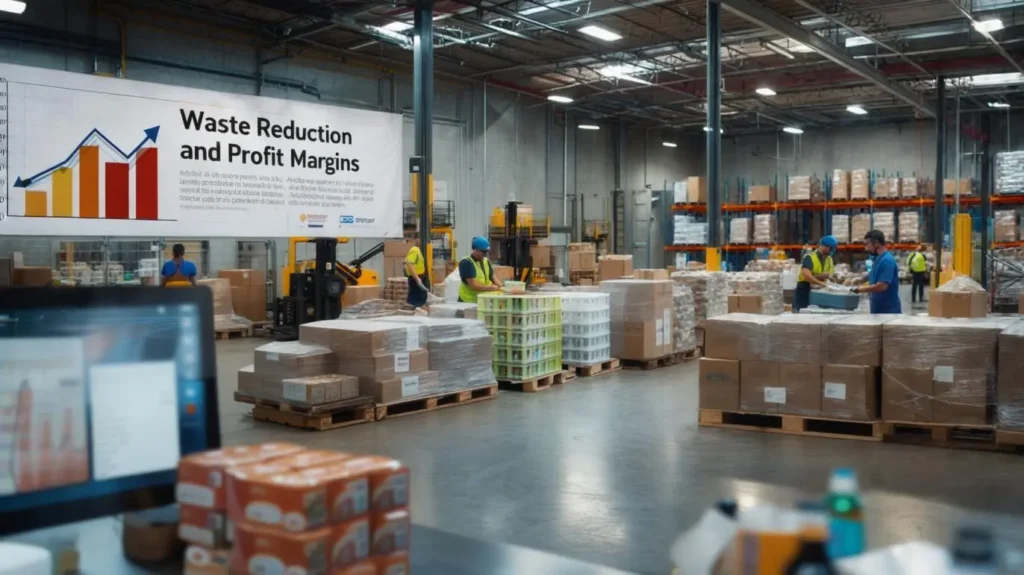
Dashboard of LS Central software showing waste control metrics and profit analysis

Top 5 Reasons to Use LS Central to Manage Waste Control and Increase Profit Margins

Introduction In today’s competitive retail environment, efficiency is everything. Every wasted item, every inaccurate order, and every bit of mismanaged inventory directly impacts your bottom line. That’s where LS Central steps in—not just as a retail software solution, but as a full-fledged business partner that helps cut waste, optimize operations, and boost your profit margins. Let’s break down exactly how LS Central becomes a game-changer. Why Waste Control is the Silent Profit Killer Ever wondered where your profits are going? Spoiler alert: a huge chunk might be slipping away through waste. Whether it’s unsold stock, expired goods, or operational inefficiencies, waste silently chips away at your bottom line. The scary part? Most retailers don’t even realize the magnitude of it—until it’s too late. The Role of Technology in Retail Efficiency The good news? Technology has evolved. And platforms like LS Central are stepping up as powerful tools to control waste and supercharge profit margins. It’s not just about managing your store anymore—it’s about mastering every inch of your retail universe with smart, connected solutions. What is LS Central? Quick Overview of LS Central LS Central is an all-in-one business management software built on Microsoft Dynamics 365. It’s tailored for retailers, restaurants, pharmacies, and more. Everything—from POS to inventory, financials, and customer experience—lives in one unified platform. Key Features That Make It Stand Out Seamless integration with Microsoft tools End-to-end visibility across operations Real-time data analytics Centralized management of multiple stores Integrated POS and back-office functions 1. Real-Time Inventory Management Reduces Waste One of the top contributors to financial loss in retail and food service industries is inventory waste. Products expire, get damaged, or become outdated. With LS Central’s real-time inventory management, you can monitor stock across all locations, track shelf life, and get alerts before items go bad. No more over-ordering. No more forgotten stock sitting in the backroom. Just accurate, up-to-date data at your fingertips. Imagine running a grocery store. You no longer need to guess how much produce to order. LS Central tells you exactly what’s needed based on live sales data, reducing spoilage and saving thousands in waste-related costs. 2. Enhanced Demand Forecasting for Smart Purchasing Forecasting demand accurately is one of the hardest parts of retail. Overestimate, and you waste money. Underestimate, and you lose sales. LS Central uses historical sales data, seasonal trends, and AI-driven analysis to help you predict future demand with impressive precision. Whether you run a fashion outlet or a restaurant chain, this functionality keeps you ahead of the curve. It eliminates panic purchases, prevents shelf overflows, and ensures that your procurement team always knows what—and how much—to buy. The result? Less excess, more sales, and far better profit margins. 3. Integrated Waste Tracking for Clear Accountability LS Central doesn’t just help you avoid waste; it actively tracks it. Through integrated dashboards and detailed reporting, the system identifies where waste is occurring—whether it’s overproduction in a bakery or unnecessary markdowns in apparel. You can even break down waste by department, store, or item. That kind of insight allows you to set goals, implement strategies, and hold departments accountable. It transforms waste management from a guessing game into a targeted improvement plan. 4. Streamlined Operations Across All Locations Running multiple locations often leads to inconsistencies in pricing, stock levels, and even operational procedures. LS Central centralizes all your data and operations, creating a single source of truth for your business. Let’s say you own 10 retail outlets. Without a unified system, each manager might do things differently—leading to inefficiencies, mistakes, and waste. With LS Central, everything from promotions to purchase orders is standardized. Everyone is on the same page, leading to smoother operations, faster service, and higher profitability. 5. Higher Profit Margins Through Better Control When you reduce waste, buy smarter, and streamline operations, your profits naturally grow. LS Central empowers your team to focus on what matters—selling the right products, at the right time, with minimal waste. You’re not just saving costs—you’re reinvesting that savings into growing your business. The compounding effect of all these features means you’re constantly improving: less waste each month, more accurate stock, better staff performance, and happier customers. That’s how margins increase—not through big cuts, but through small, smart optimizations across the board. How to Get Started with LS Central Choosing the Right Partner or Provider Look for a Microsoft Gold Partner or a certified LS Retail provider. They’ll guide you through everything—from licensing to customization. Tips for Smooth Implementation Conclusion If you’re looking for a powerful way to control waste and boost profits, LS Central offers a compelling solution. It’s more than just software—it’s a strategy. With real-time data, smart forecasting, and centralized operations, LS Central helps you run a leaner, more profitable business. No more blind spots. No more guesswork. Just better control, better decisions, and better results. If you are looking for an LS Retail Implementation Partner, you can contact Trident Information Systems. We are a Gold D365 Implementation Partner and LS Retail Diamond Partner. With years of experience, we have managed to help various businesses thrive in the market with powerful insights and customized solutions. For further information, Contact Us Today. Follow our LinkedIn page for insightful updates on Retail ERP and the future of the retail industry. FAQs 1. Is LS Central suitable for small or medium-sized businesses? Absolutely. LS Central is highly scalable and works just as well for a single-location shop as it does for a large chain. 2. What industries benefit most from LS Central? Retail, hospitality, restaurants, grocery, pharmacy, and fashion are some of the top industries that gain the most from LS Central’s features. 3. How quickly can I see ROI after implementation? Many businesses begin to see significant ROI within 3–6 months, particularly in reduced waste and more accurate forecasting. 4. Is LS Central cloud-based? Yes, LS Central offers both on-premise and cloud-based deployment options, depending on your business needs. 5. Can LS Central integrate with other systems? Definitely. LS Central integrates smoothly with Microsoft products and many third-party apps, providing a connected and efficient tech ecosystem.

Top 5 Reasons to Use LS Central to Manage Waste Control and Increase Profit Margins Read More »

A modern food and beverage manufacturing facility using ERP software to streamline brewing and bottling operations.

From Brewing to Bottling: Enhancing Efficiency with Food and Beverage Manufacturing ERP Software

Introduction The food and beverage manufacturing industry is one of the most demanding sectors, requiring precision, efficiency, and compliance with strict safety regulations. From brewing craft beer to bottling juices and soft drinks, every step of the production process must be optimized to ensure product quality and cost-effectiveness. However, managing these operations efficiently can be overwhelming, especially with challenges such as supply chain disruptions, waste management, and regulatory requirements. This is where Enterprise Resource Planning (ERP) software plays a crucial role. By integrating various business functions into a centralized system, ERP software helps manufacturers streamline operations, reduce waste, and ensure product consistency. But how exactly does an ERP system improve efficiency in food and beverage manufacturing? Let’s explore the key aspects. Understanding ERP Software in Food and Beverage Manufacturing What is ERP Software? ERP software is a comprehensive system that integrates multiple business processes into a single platform. It covers areas such as procurement, production planning, inventory management, compliance, and financial tracking. In the food and beverage industry, an ERP system ensures smooth operations by automating workflows, providing real-time data access, and improving decision-making. Why Traditional Management Systems Fall Short Many food and beverage companies rely on outdated or disconnected systems to manage production, inventory, and quality control. These traditional systems often result in data silos, inefficiencies, and errors. An ERP system eliminates these issues by providing a unified platform where all departments can access real-time, accurate information. Key Challenges in Food and Beverage Manufacturing Regulatory Compliance and Food Safety Manufacturers must adhere to strict food safety regulations such as FDA, HACCP, FSMA, and GMP. Ensuring compliance requires robust tracking and reporting mechanisms, which can be difficult without an automated system. Supply Chain Complexities Managing a supply chain that involves perishable ingredients, fluctuating demand, and global suppliers can be overwhelming. Without proper planning, companies may face stock shortages, expired raw materials, or excessive inventory costs. Inventory and Waste Management Food waste is a major concern in the industry. Expired raw materials, overproduction, and inefficient storage contribute to unnecessary costs. An ERP system helps by optimizing inventory levels and reducing waste through smart tracking and forecasting. Production Planning and Scheduling Balancing demand with production capacity is challenging, especially for manufacturers producing multiple product lines. Manual scheduling often leads to inefficiencies and bottlenecks, slowing down operations. How ERP Software Addresses These Challenges Automated Compliance and Traceability With an ERP system, manufacturers can track ingredients from sourcing to final distribution, ensuring full traceability. Automated compliance reporting also reduces the risk of regulatory violations and recalls. Real-Time Supply Chain Visibility ERP solutions provide real-time data on inventory levels, supplier performance, and order tracking, helping businesses manage their supply chain more efficiently. By automating procurement and vendor management, companies can avoid supply shortages and excess stock. Smart Inventory and Waste Reduction By integrating expiration tracking and demand forecasting, ERP software ensures that raw materials are used efficiently, reducing food waste and minimizing costs. Optimized Production Scheduling ERP systems use demand-driven production planning to schedule manufacturing processes based on real-time market trends, helping businesses reduce downtime and improve efficiency. Essential Features of a Food and Beverage ERP System Recipe and Formula Management ERP software ensures recipe standardization, allowing manufacturers to maintain product consistency while managing ingredient substitutions when necessary. Batch and Lot Tracking Tracking batches from raw material sourcing to finished product distribution is essential for traceability and quick recall management. ERP software provides automated batch tracking to meet regulatory requirements. Quality Control Automation Built-in quality control modules allow manufacturers to conduct automated product inspections, ensuring compliance with food safety standards and preventing defective products from reaching the market. Integrated Financial Management ERP systems also include cost analysis, pricing optimization, and financial reporting tools, helping manufacturers manage budgets and improve profitability. Benefits of Implementing an ERP System Enhanced Efficiency and Productivity By automating manual tasks, ERP software allows employees to focus on strategic operations, increasing overall productivity. Improved Compliance and Safety ERP ensures that businesses stay compliant with industry regulations, reducing the risk of fines and recalls. Cost Reduction and Waste Minimization Optimized inventory management prevents overstocking and waste, cutting unnecessary costs. Better Decision-Making with Real-Time Data Access to accurate, real-time data helps business leaders make informed decisions regarding production, inventory, and market demand. Choosing the Right ERP Solution for Your Business When selecting an ERP system, consider the following factors: Future Trends in Food and Beverage ERP AI and Machine Learning Integration AI-powered ERP systems can analyze historical data and predict future demand, helping manufacturers optimize production and reduce waste. IoT and Smart Sensors Integration with IoT devices allows real-time monitoring of equipment performance, improving maintenance and reducing downtime. Cloud-Based ERP Solutions Cloud ERP adoption is on the rise, offering businesses real-time access to data from anywhere, improving collaboration across departments. Conclusion In today’s competitive food and beverage industry, implementing an ERP system is no longer optional—it’s a necessity. From ensuring regulatory compliance to optimizing production and reducing waste, an ERP system provides manufacturers with the tools needed to operate efficiently. By investing in the right ERP solution, businesses can enhance productivity, improve profitability, and stay ahead in a dynamic market. Lastly, if you are looking for a reliable implementation partner, you may as well contact Trident Information Systems. We are the Top Microsoft Dynamics 365 Partners Being Gold D365 Implementation Partner and LS Retail Diamond Partner, we have a massive team of dedicated professionals. Our team is looking forward to serving your business and helping you grow. Contact Us for further information. For more insightful content and industry updates, follow our LinkedIn page. FAQs 1. What are the best ERP solutions for food and beverage manufacturing?Some top choices include SAP, Microsoft Dynamics 365, Infor M3, and NetSuite. 2. How long does ERP implementation take?Depending on the complexity, it can take 6 to 12 months. 3. Can ERP software help with sustainability?Yes, ERP optimizes resource use, reduces waste, and improves energy efficiency. 4. Is cloud-based ERP better than on-premise ERP?Cloud ERP provides better accessibility and lower upfront costs, while on-premise ERP offers greater control over

From Brewing to Bottling: Enhancing Efficiency with Food and Beverage Manufacturing ERP Software Read More »

A team of expert Power BI consultants analyzing data insights for business growth.

Top Reasons to Hire Our Power BI Consultants for Data-Driven Growth

Introduction In today’s fast-paced digital world, businesses rely on data to drive decisions and stay ahead of the competition. But raw data alone isn’t enough. To truly leverage its potential, you need a robust business intelligence tool like Microsoft Power BI. However, navigating Power BI’s capabilities requires expertise. That’s where our Power BI consultants come in. What is Power BI? Power BI is a powerful business analytics tool by Microsoft that enables organizations to visualize their data, generate insights, and make data-driven decisions. It offers interactive dashboards, real-time reporting, AI-powered analytics, and seamless data integration, making it a go-to solution for enterprises of all sizes. Why Your Business Needs Power BI Consultants Implementing Power BI effectively requires in-depth knowledge of data modeling, integration, and visualization techniques. Many businesses struggle with complex datasets, inefficient reporting, and data inaccuracies. Our consultants bridge this gap, ensuring smooth implementation, high performance, and insightful data-driven strategies. Key Benefits of Hiring Our Power BI Consultants Expertise in Data Visualization Our consultants transform raw data into intuitive and interactive dashboards, making complex insights easy to understand. Custom Dashboard Creation Every business has unique data needs. We tailor Power BI dashboards to match specific KPIs and objectives. Seamless Data Integration We integrate Power BI with multiple data sources, including Excel, SQL databases, cloud platforms, and third-party applications. Advanced Analytics and AI-Driven Insights Our consultants leverage AI capabilities to provide predictive analytics, trend analysis, and automation. Performance Optimization We fine-tune your Power BI environment to ensure faster report generation and optimal data processing speeds. Industries That Benefit from Power BI Consulting Power BI is a game-changer across various industries: How Our Power BI Consultants Enhance Your Business We help businesses transition from intuition-based decisions to data-backed strategies, improving efficiency and profitability. Our Power BI solutions reduce manual reporting, enhance forecasting accuracy, and lower operational costs. Custom Power BI Solutions for Your Business We provide tailor-made Power BI solutions that ensure: Steps to Hiring Our Power BI Consultants Common Challenges and How We Overcome Them Cost vs. ROI: Why Investing in Power BI Consulting Makes Sense While hiring a Power BI consultant may seem like an expense, the long-term benefits far outweigh the costs. Improved efficiency, better insights, and reduced errors lead to substantial ROI. Why Choose Our Power BI Consultants? Lastly, if you are looking for a expert Implementation Partner ? you may as well contact Trident Information Systems. We are the Top Dynamics 365 Partners Being Gold D365 Implementation Partner and LS Retail Diamond Partner, we have a massive team of dedicated professionals. Our team is looking forward to serving your business and helping you grow. Contact Us for further information. For more insightful content and industry updates, follow our LinkedIn page. FAQs

Top Reasons to Hire Our Power BI Consultants for Data-Driven Growth Read More »

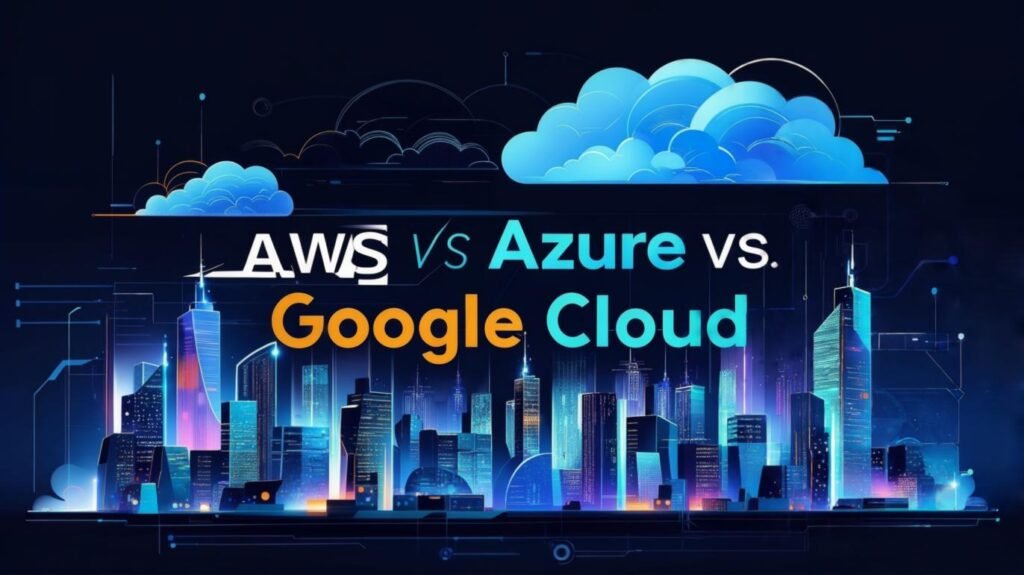
A comparison of AWS, Azure, and Google Cloud for DevOps, highlighting features, pricing, and performance

AWS vs. Azure vs. Google Cloud: Which DevOps Platform is Best?

Introduction In today’s fast-paced digital landscape, DevOps has become a critical part of software development. Organizations rely on cloud platforms to automate processes, ensure scalability, and optimize deployment strategies. The three leading cloud providers—Amazon Web Services (AWS), Microsoft Azure, and Google Cloud Platform (GCP)—offer powerful DevOps tools. However, choosing the right one depends on specific business needs, budget, and infrastructure. This article provides a detailed comparison of AWS, Azure, and Google Cloud based on key DevOps features such as CI/CD pipelines, Infrastructure as Code (IaC), monitoring, security, scalability, and pricing. Let’s explore which platform best suits your DevOps needs. Key Factors for Choosing a DevOps Platform When selecting a cloud provider for DevOps, organizations should evaluate the following factors: Now, let’s break down each aspect and compare AWS, Azure, and Google Cloud. Continuous Integration & Continuous Deployment (CI/CD) AWS AWS provides a complete DevOps suite for CI/CD, including: Azure Azure DevOps is a strong competitor in the CI/CD space with: Google Cloud GCP provides DevOps automation tools focused on Kubernetes, including: Winner: AWS and Azure are enterprise-ready, but Google Cloud excels in Kubernetes-native DevOps. Infrastructure as Code (IaC) AWS AWS supports: Azure Azure offers: Google Cloud GCP’s IaC solutions include: Winner: AWS leads in native IaC capabilities, but Azure and GCP have strong Terraform support. Monitoring & Logging AWS Azure Google Cloud Winner: Azure and AWS lead in comprehensive monitoring, but GCP’s AI-driven insights stand out. Security & Compliance AWS Azure Google Cloud Winner: AWS and Azure offer broad compliance, while Google Cloud is best for zero-trust security. Scalability & Performance AWS Azure Google Cloud Winner: AWS has the most extensive global infrastructure, but Google Cloud leads in container scalability. Cost & Pricing AWS Azure Google Cloud Winner: Google Cloud often provides the best cost-efficiency. DevOps Tools & Services Feature AWS Azure Google Cloud (GCP) CI/CD AWS CodePipeline, CodeBuild Azure DevOps, GitHub Actions Cloud Build, Tekton Infra as Code (IaC) AWS CloudFormation, CDK Azure Resource Manager, Bicep Google Deployment Manager, Terraform support Container Services ECS, EKS, Fargate AKS (Azure Kubernetes) GKE (Best-in-class Kubernetes) Serverless AWS Lambda Azure Functions Cloud Functions Monitoring CloudWatch, X-Ray Azure Monitor, App Insights Cloud Operations Suite Security IAM, KMS, Secrets Manager Azure Active Directory, Key Vault IAM, Secret Manager Best for DevOps? GCP – Best for Kubernetes-native DevOps (GKE, Anthos). AWS – Most comprehensive DevOps services. Azure – Best for Microsoft-centric teams (TFS, GitHub integration). Conclusion: Which Cloud Platform is Best for DevOps? The best choice depends on your business needs: Each platform has its strengths, so the right choice aligns with your DevOps strategy and infrastructure. If you’re looking for a trusted partner in Microsoft Azure and DevOps services, Trident is your go-to expert. As a Gold Microsoft Partner, LS Central Diamond Partner, and IBM Gold Partner, we have a proven track record of delivering seamless cloud solutions and DevOps strategies. Our expertise ensures efficient deployment, automation, and optimization of your IT infrastructure. Connect Us for tailored solutions, and stay updated on the latest trends in Azure and DevOps by following our LinkedIn page! FAQs 1. What is Microsoft Cloud Service? Microsoft Cloud Service (Azure) is a cloud computing platform by Microsoft, offering services like virtual machines, AI, databases, and DevOps-tools. It integrates seamlessly with Microsoft products like Windows Server, Active Directory, and Office 365. Azure supports hybrid cloud, enterprise solutions, and scalable app development 2. When should I choose Azure over AWS? Pick Azure for Microsoft-centric environments (Office 365, SQL Server) or hybrid cloud setups; AWS for broader DevOps and global scalability. 3. Which cloud has better AI tools? Azure (Cognitive Services, OpenAI integration) vs. AWS (SageMaker, broader ML services). 4. Is Azure AI easier to use than AWS? Yes, for Microsoft shops—tight integration with Power BI and Dynamics 365. 5. Can I use Terraform with AWS, Azure, and Google Cloud? Yes, Terraform is widely supported across all three cloud platforms.

AWS vs. Azure vs. Google Cloud: Which DevOps Platform is Best? Read More »

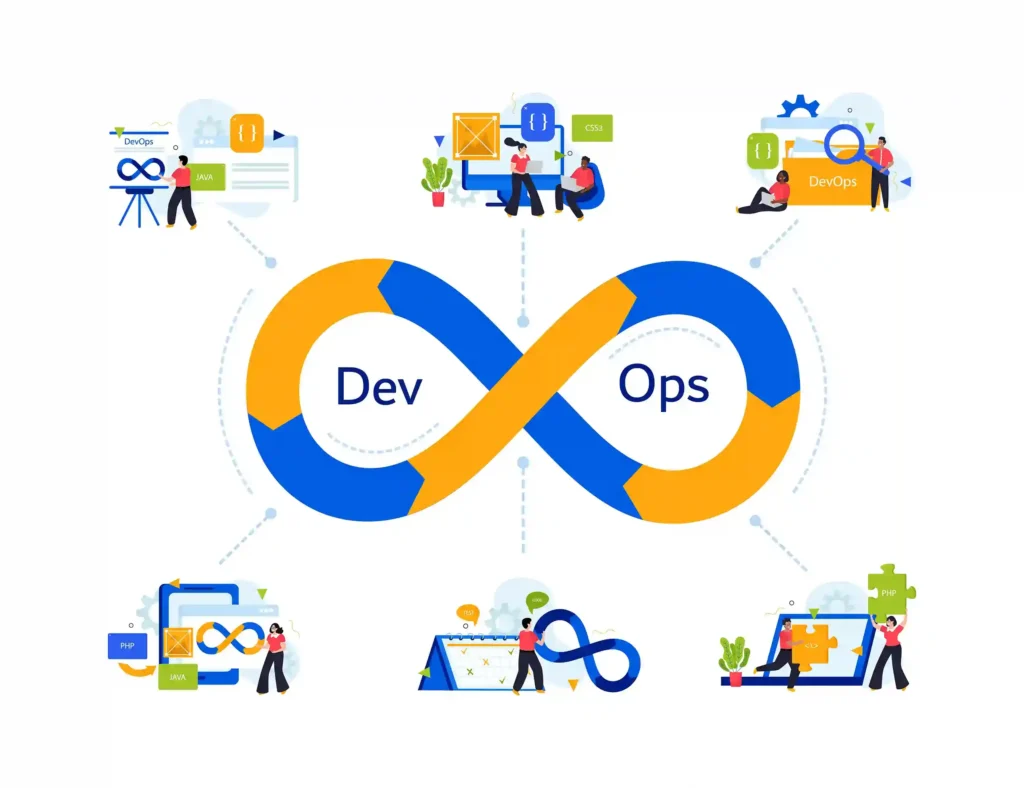
A business team discussing DevOps tools and strategies for efficiency and growth

Why Choosing the Right DevOps Tools Can Make or Break Your Business

Introduction In today’s fast-paced digital world, businesses must adapt quickly to remain competitive. DevOps has emerged as a game-changer, enabling seamless collaboration between development and operations teams. But here’s the catch—choosing the right DevOps tools can make or break your business. The right tools streamline workflows, reduce errors, and improve efficiency. The wrong ones? They can slow you down, drain resources, and introduce security risks. Understanding DevOps Tools What Are DevOps Tools? DevOps tools are software solutions designed to automate, manage, and enhance various stages of software development and deployment. They help teams integrate, test, deploy, and monitor applications efficiently. These tools facilitate continuous delivery and operational efficiency, allowing businesses to scale their IT processes effectively. Key Functions of DevOps Tools DevOps tools serve various functions, including automating repetitive tasks, improving collaboration, and ensuring security compliance. They streamline software development by enabling version control, continuous integration, and infrastructure management. These tools also help monitor system performance, ensuring that applications run smoothly and efficiently. The Impact of the Right DevOps Tools on Business Success Increased Efficiency and Automation The right DevOps tools eliminate manual processes, allowing teams to focus on innovation rather than repetitive tasks. Automation reduces human errors, speeds up development cycles, and enhances overall productivity. Businesses can optimize their resources, reducing operational costs while maintaining high performance. Faster Software Delivery and Deployment With CI/CD pipelines, businesses can release updates quickly, ensuring a competitive edge. Faster deployments mean businesses can respond to market changes promptly and improve customer satisfaction. Automated testing ensures that software releases are stable and reliable, reducing downtime and security risks. Improved Collaboration Between Teams DevOps tools break down silos, fostering better communication and teamwork between developers and IT operations. These tools provide a unified platform where teams can track progress, manage workflows, and resolve issues in real-time. This collaboration leads to more efficient problem-solving and a culture of shared responsibility. Consequences of Choosing the Wrong DevOps Tools Poor Performance and Slow Development Cycles If tools are not well-integrated, teams face delays, leading to slower time-to-market. Poorly chosen tools can create bottlenecks, increasing development times and frustrating both developers and end-users. This inefficiency can lead to lost revenue and missed business opportunities. Increased Costs and Wasted Resources Wrong tools can lead to inefficiencies, increasing operational costs. Companies may end up spending more on maintenance, troubleshooting, and additional tools to compensate for the deficiencies. Investing in the wrong tools also leads to wasted manpower, as employees struggle to work around limitations. Security Vulnerabilities Using the wrong security tools can expose systems to cyber threats and compliance risks. Inadequate security measures can result in data breaches, loss of customer trust, and regulatory penalties. A well-chosen security tool ensures continuous monitoring, threat detection, and proactive risk mitigation. Key Factors to Consider When Choosing DevOps Tools Compatibility with Existing Infrastructure Ensure the tools integrate seamlessly with your current systems. Compatibility issues can lead to inefficiencies and additional costs for integration. A well-integrated toolset enhances workflow consistency and reduces migration challenges. Scalability and Flexibility Select tools that grow with your business needs. Scalable tools adapt to changing workloads, preventing performance degradation as your company expands. Flexibility ensures that tools can be customized to fit specific operational requirements. Security Features Opt for tools with robust security and compliance measures. Look for features such as access control, encryption, and automated compliance checks. Security-focused DevOps tools help protect sensitive data and ensure adherence to industry regulations. Ease of Use and Integration User-friendly tools minimize the learning curve and boost productivity. A well-designed interface and intuitive controls allow teams to maximize efficiency. Integration with existing tools ensures a smooth transition and minimizes disruptions in operations. Types of DevOps Tools and Their Roles Version Control Tools CI/CD Tools Configuration Management Tools Monitoring and Logging Tools Containerization and Orchestration Tools Security and Compliance Tools How to Successfully Implement DevOps Tools Real-World Examples of Businesses Benefiting from DevOps Tools Companies like Netflix and Amazon leverage DevOps tools to achieve faster deployments, enhanced security, and seamless user experiences. Their success demonstrates the power of the right tools in driving innovation and operational efficiency. Conclusion Choosing the right DevOps tools is a critical decision that can determine business success or failure. The right tools enhance efficiency, security, and collaboration, while the wrong ones can cause delays and security risks. Invest wisely to drive innovation and growth. Lastly, if you’re seeking a trusted partner in the realm of DevOps & IoT solutions, look no further than Trident Information Systems. As a distinguished Gold Microsoft Partner, LS Central Diamond Partner, and an IBM Gold Partner, we have a proven track record of successfully serving diverse and thriving businesses. Our commitment extends to the seamless integration of DevOps practices, ensuring the highest efficiency in your software development lifecycle. Feel free to reach out to us with any inquiries! Stay abreast of the latest trends and advancements in IoT and DevOps Tools by following our LinkedIn page. FAQs 1. What is the most important DevOps tool for beginners? Git and Jenkins are great starting points as they cover version control and CI/CD. 2. How do DevOps tools improve security? They automate compliance checks, detect vulnerabilities, and enforce security best practices. 3. Can small businesses benefit from DevOps tools? Absolutely! Many tools offer scalable solutions suitable for startups and small businesses. 4. What are the biggest challenges in choosing DevOps tools? Compatibility, cost, and ease of integration are common challenges. 5. How often should DevOps tools be updated? Regular updates are essential to ensure security, efficiency, and compatibility.

Why Choosing the Right DevOps Tools Can Make or Break Your Business Read More »