Welcome to Trident Information Systems!
Write us to - info@tridentinfo.com
Let's Socialize

LS Retail POS Software

LS Retail POS Software

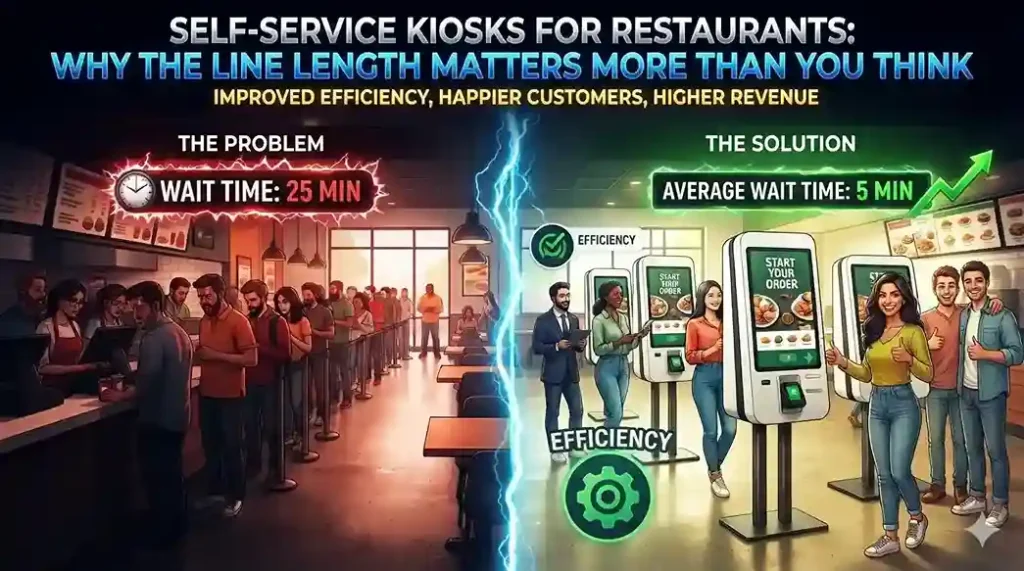
Self-service kiosks for restaurants helping customers place orders faster and reduce queues during busy periods.

Self-Service Kiosks for Restaurants: Why the Line Length Matters More Than You Think

INTRODUCTION Almost three out of four customers at quick-service establishments say they would leave the line if seven people were waiting ahead of them; that figure rises to more than nine out of ten when the queue reaches ten people. This is not merely a minor loss of conversions, but actual revenue vanishing before an order is even placed. Restaurant self-service kiosks exist precisely to eliminate this friction point, and adoption data confirms their effectiveness: McDonald’s rolled out kiosks across its 14,000 U.S. locations and has recorded measurable sales increases directly linked to their use. Kiosks do more than reduce wait times—they also change order size The most interesting effect of self-service ordering isn’t speed. What really matters is that customers order differently when they don’t have someone standing behind them or a cashier waiting for them to make a decision. Concession stands at Dodger Stadium saw a 20% increase in average order size after introducing self-service kiosks; meanwhile, Subway has reported that customers using kiosks are more likely to add extras and spend more per visit than those ordering at the counter. The key lies in removing social pressure from the ordering process: customers can explore options at their own pace, notice add-on items, try new combinations, and avoid rushing to choose their usual or “safe” order simply to avoid holding up the line. The integration choice that determines whether the system truly works Many restaurants add kiosks as a standalone system running its own software, linked to their existing point-of-sale (POS) system. This approach entails managing two systems that require constant integration, updates, and maintenance: every menu change, price update, and new promotion must be implemented twice. A unified restaurant management platform, such as LS Central, avoids this issue by running kiosks on the same POS system already used by cashiers. This is crucial, as most restaurant management systems are too complex to implement on a self-service kiosk without specific staff training—which would defeat the very purpose of self-service. Menu customization becomes a sales tool, not just a display option Since kiosk menus operate on the same system as the POS, changes are applied instantly across all locations, eliminating the need to configure each kiosk individually. This opens up real tactical possibilities: A/B testing menu item presentations to see what actually drives upselling, highlighting high-margin items at the top of the screen, or simplifying options during peak hours to speed up ordering when time is of the essence. It also solves a practical inventory issue. If stock for a specific product runs low, the kiosk menu can update in real time to promote what is actually available—prioritizing chicken over beef or offering milkshakes when the smoothie machine goes down—instead of having to manually cross out items on a physical menu board. The kitchen benefits just as much as the front counter Orders placed at kiosks are automatically sent to a kitchen display system and organized by preparation station, ensuring that items from the same order are ready simultaneously rather than arriving piecemeal. The system can alert staff to orders that have been pending for too long, and front-of-house staff can view order status in real time; this allows customers to know exactly when they will receive their food, so they don’t have to linger near the counter. Is it a passing fad or a permanent shift? Self-service kiosks in quick-service restaurants are not a new idea; For over a decade, the industry has questioned the slow pace of its adoption. What has changed is that the technology has matured enough for major brands to commit to it on a large scale, and customer expectations have evolved accordingly: diners increasingly expect self-service as a standard option, and a significant number clearly prefer it over ordering with a cashier. Are you considering installing self-service kiosks in your restaurant? Talk to Trident about implementing LS Central at your locations.

Self-Service Kiosks for Restaurants: Why the Line Length Matters More Than You Think Read More »

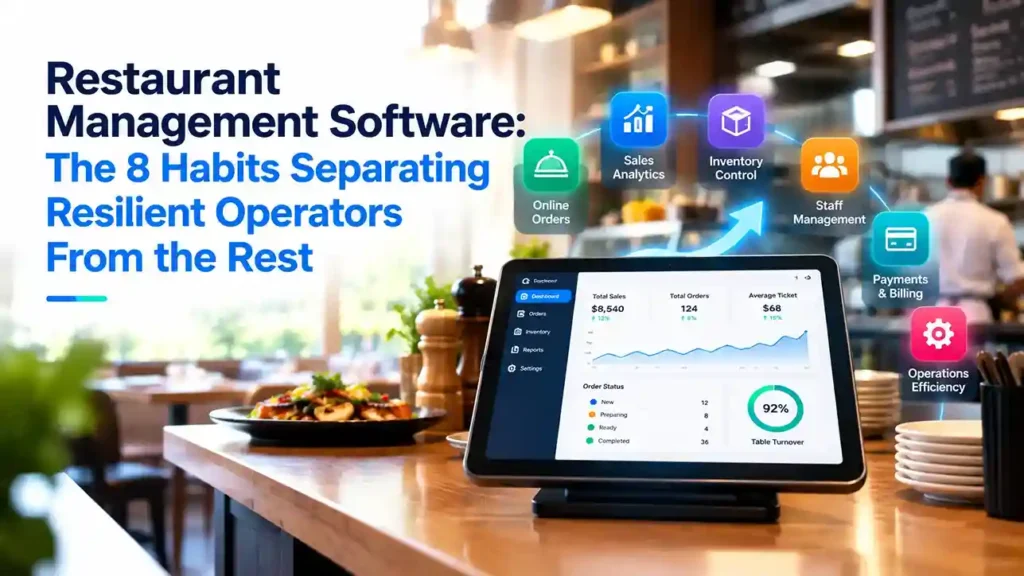
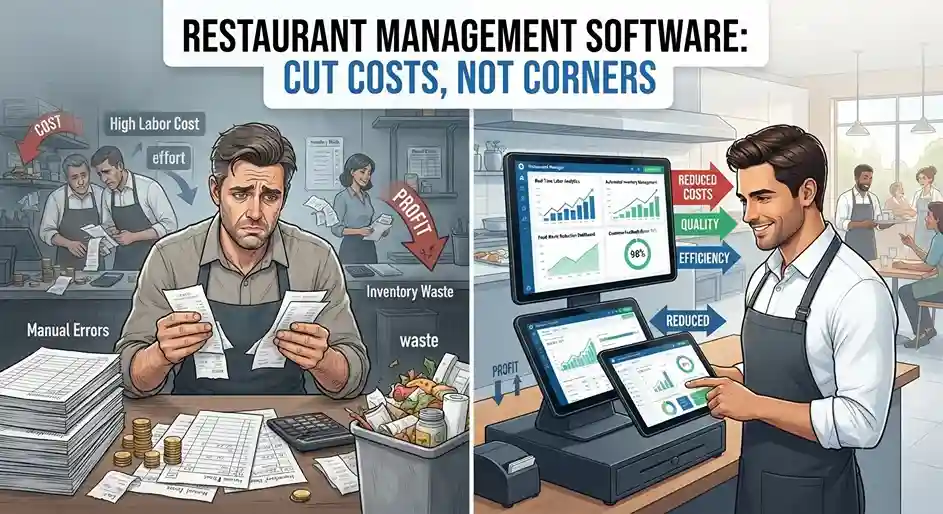
Restaurant management software dashboard displaying POS, inventory, sales, kitchen operations, and business analytics.

Restaurant Management Software: Cut Costs, Not Corners

Restaurant Management Software That Cuts Real Costs A Delhi-NCR QSR chain running five outlets recently found it was losing nearly 8% of monthly food cost to over-portioning alone — not theft, just kitchen staff eyeballing quantities instead of following recipe cards. That’s the kind of leak most restaurant owners never see, because it’s buried across five different systems: one for POS, one for payroll, one for inventory, and a notebook for the kitchen. Margins in food service rarely exceed 6-9% even in a good year. GST compliance, rising delivery aggregator commissions (Zomato and Swiggy alone can take 18-30% per order), and unpredictable footfall make every rupee of operational waste expensive. The fix isn’t cutting staff or portions — it’s removing the blind spots between front-of-house, kitchen, and back office. Fix Staff Scheduling With Real Sales Data, Not Guesswork Most independent restaurants still build rosters in Excel, based on gut feel about which days are busy. A unified restaurant management system instead pulls historical POS data — by hour, day, and even weather pattern — so you schedule five servers on a rainy Tuesday instead of eight. It also closes the gap between planned and actual hours. Biometric or POS-linked clock-ins compare scheduled shifts against worked shifts automatically, flagging overtime before it hits payroll. For a 40-employee outlet, this alone typically recovers 3-5% of monthly labor cost that would otherwise disappear into unapproved overtime. Cut Onboarding Time in a High-Turnover Industry Restaurant staff attrition in India regularly exceeds 40-50% annually, especially among floor staff and delivery-adjacent roles. Every new hire on a clunky, unfamiliar POS costs you order errors and slow service in week one. LS Central, built on Microsoft Dynamics 365 Business Central, mirrors your actual menu layout on the POS screen and runs on the same interface logic as Microsoft Office — meaning staff already familiar with Windows-based tools adapt within a shift, not a week. One platform for POS, inventory, and back office also means training happens once, not three times across disconnected tools. Speed Up Table Turnover Without Rushing Diners Mobile POS devices that connect directly to the kitchen display system (KDS) let servers fire orders the moment they’re taken — no walking back to a terminal. Kitchen staff see tickets prioritized by prep time and urgency, not order sequence, and floor staff get a screen alert when food is ready instead of returning to check. The same device handles conversational ordering — “extra cheese, no mayo, large fries” — cutting mis-entered orders that generate to complaints and free replacements. Faster table turns during peak hours directly increase covers served per shift without adding headcount. Reduce Food Waste With Recipe-Level Tracking A unified platform tracks stock against actual recipes and portions, not just raw purchase-to-sale ratios. If the bin is full of half-used vegetables or over-fried portions, the system flags the pattern before it becomes a monthly loss line. For multi-outlet operators, this data rolls up centrally, so a head office team can spot which location is over-ordering perishables and correct it — instead of discovering it three months later in a P&L review. One Platform, One IT Bill Running separate systems for POS, payroll, inventory, and reporting means separate licenses, separate integrations, and separate support contracts — and none of them talk to each other cleanly. A single Microsoft-based platform like LS Central consolidates this into one system, one vendor relationship, and one implementation partner who understands both the restaurant floor and the Business Central backend. For multi-city chains across India and the UAE managing GST or VAT compliance across states and emirates, this consolidation also simplifies statutory reporting — instead of reconciling data from four disconnected tools every filing cycle. Ready to see what a unified restaurant management system saves in your operation? Talk to Trident’s Dynamics 365 team for an LS Central assessment specific to your outlet count and market. FAQ Q: What is restaurant management software?A: It’s a unified platform combining POS, inventory, staff scheduling, and kitchen operations into one system, replacing multiple disconnected tools. Q: How does restaurant management software reduce food costs?A: It tracks stock against actual recipes and portions in real time, flagging over-usage and waste patterns before they show up in monthly losses. Q: Is LS Central suitable for multi-outlet restaurant chains in India and UAE?A: Yes — it’s built on Microsoft Dynamics 365 Business Central, supporting centralized reporting across outlets alongside GST and VAT compliance requirements.

Restaurant Management Software: Cut Costs, Not Corners Read More »

Small restaurant using management software to track orders, inventory, and daily operations.

5 Reasons Every Small Restaurant Needs Management Software in 2026 — Not Spreadsheets

If your restaurant is still managing inventory on a spreadsheet, tracking supplier orders on paper, and reconciling food costs at month-end — you are not just working harder than you need to. You are operating with a structural disadvantage that restaurant management software eliminates entirely. The restaurant industry operates on notoriously thin margins — typically between 3 and 9 percent — where every percentage point of food waste, every supplier order error, and every hour of manual administrative work directly impacts profitability. In this environment, the restaurants that grow consistently are not necessarily the ones with the best chefs or the best locations. They are the ones that operate with the most efficiency, the most accurate data, and the tightest cost control. Restaurant management software brings all of this — inventory automation, supplier order management, food cost tracking, multi-location visibility, and integrated accounting — into a single, connected platform that replaces the manual processes consuming your team’s time and your business’s margin. Despite the clear business case, a significant proportion of small restaurants, bars, and food trucks still operate without dedicated management software — relying on spreadsheets, paper records, and manual processes that were outdated a decade ago. For every restaurant operator still managing this way, there are five concrete, immediately actionable reasons to reconsider. Why Most Small Restaurants Are Still Running on Manual Systems The Hidden Cost of Spreadsheets and Paper in Restaurant Operations The decision to continue managing a restaurant manually is usually not a deliberate strategic choice — it is an inertia problem. The spreadsheet that worked when you had one location and 20 covers a night becomes progressively less adequate as the business grows, but the pain builds gradually rather than arriving as a single obvious crisis. The hidden costs accumulate in ways that are easy to miss because they are distributed across dozens of daily processes: What Changes When You Switch to Restaurant Management Software Restaurant management software does not just make existing processes faster — it fundamentally changes the operational model. Manual processes that required human attention at every step become automated. Data that previously required compilation becomes available in real time. Decisions that were previously made on instinct become supported by accurate, current information. The result is a restaurant that operates with the efficiency, accuracy, and cost discipline of a much larger operation — regardless of size. 5 Reasons Your Restaurant Needs Management Software Now Reason 1: Simplify Inventory Management and Eliminate Stockouts Inventory management is the operational function most immediately transformed by restaurant management software — and the one where the ROI is most immediately visible. Manual inventory management in a restaurant is a constant battle against imprecision. Count sheets completed at the beginning of the shift do not reflect what was actually used during service. Waste goes unrecorded. Deliveries are received without proper checking. By the end of the week, the theoretical inventory and the actual inventory have diverged — and nobody knows by how much until it becomes a problem. How restaurant management software transforms inventory: For a small restaurant operator spending hours every week on manual stock counts, this single capability alone typically justifies the investment in management software. Reason 2: Reduce Human Error in Supply Orders and Purchasing Every restaurant that places supplier orders manually — by phone, email, handwritten form, or fax — is exposed to a category of error that is entirely preventable with the right technology. Supplier order errors are more costly than they appear. A decimal point in the wrong place can result in a delivery ten times larger than intended. An illegible handwritten order can arrive as the wrong product entirely. A verbal order communicated under pressure during a busy service can be misheard and misprocessed. Each of these errors has direct cost implications — either the cost of the unwanted delivery or the cost of being without a critical ingredient during service. How restaurant management software reduces ordering errors: The simple shift from paper-based to digital ordering consistently reduces supplier order errors by a significant margin — protecting both your costs and your service quality. Reason 3: Simplify Accounting and Invoice Management Restaurant accounting is notoriously paper-intensive — invoices arriving from dozens of suppliers across multiple delivery frequencies, requiring manual data entry, filing, and reconciliation before payment. For small restaurant operators without dedicated accounting staff, this administrative burden consumes hours that could be spent more productively. Restaurant management software transforms the invoice management process: For a restaurant operator currently managing accounting with a box of paper invoices and a spreadsheet, this transformation is one of the most immediately impactful changes that management software delivers. Reason 4: Gain Real-Time Insight Into Food Costs and Margins Restaurant profitability lives and dies in the detail of food costs — and most small restaurant operators do not have accurate, current visibility into what each dish on their menu is actually costing them. Ingredient prices change constantly. Supplier costs fluctuate with season and demand. Portion sizes vary between kitchen staff. Waste levels affect effective cost. Without a system that tracks all of these variables in real time and calculates dish-level profitability continuously, menu pricing decisions are made on outdated assumptions — with profit margins eroding silently. How restaurant management software delivers food cost visibility: For a restaurant operator making menu pricing decisions without this data, the difference in profitability can be significant — multiple percentage points of margin that are currently invisible and unmanaged. Reason 5: Manage Multiple Locations From a Single Dashboard For restaurant operators managing two or more locations, the manual management challenge does not scale linearly — it multiplies. Separate systems, separate data, separate reporting, and no reliable way to compare performance or consolidate purchasing across locations creates an administrative overhead that grows faster than the revenue that justifies it. Restaurant management software built for multi-location operations transforms this challenge: For any operator managing more than one location, centralized restaurant management software is not a luxury — it is an operational necessity. Additional

5 Reasons Every Small Restaurant Needs Management Software in 2026 — Not Spreadsheets Read More »

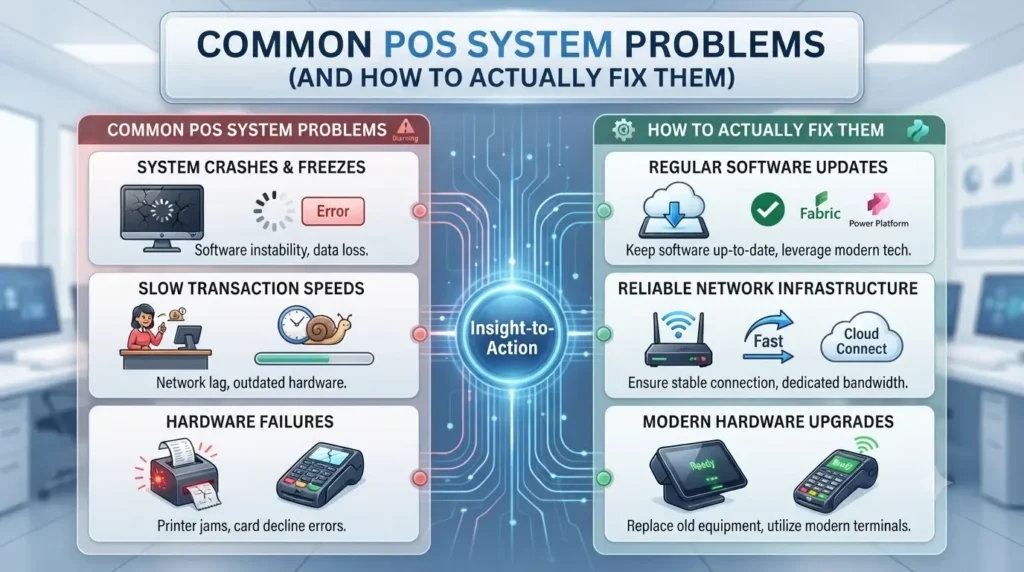
Retail POS system displaying sales, inventory management, payment processing, and troubleshooting alerts.

Common POS System Problems (And How to Actually Fix Them)

POS System Problems and Solutions for Retail A single unencrypted Wi-Fi network shared between your POS terminals and customer guest access is one of the most common ways retail payment data gets exposed — and it’s still standard setup in a lot of small and mid-size stores. Most POS problems aren’t software failures. They’re implementation gaps that show up months after go-live, when nobody’s watching for them anymore. Here are the five that come up most often, and what actually fixes each one. 1. Security Gaps That Go Unnoticed Until It’s Too Late A single data breach can undo years of customer trust — and PCI-DSS non-compliance carries real financial penalties on top of the reputational damage. The fix isn’t a single tool; it’s a checklist most retailers skip at implementation: A POS platform with built-in breach detection catches anomalies — like a terminal suddenly processing transactions outside normal hours — before they become a full incident. 2. Choosing a POS System That Can’t Scale With You Retailers often pick POS software based on sticker price alone, then discover it can’t handle multi-location reporting or real-time inventory sync once they open a second store. Reporting inaccuracy at that point isn’t a bug — it’s the system reaching its architectural limit. Treat POS selection as infrastructure, not a one-time purchase. A platform built to handle your business at 3x its current size costs more upfront but avoids a forced, disruptive migration in 18 months. 3. No Fallback When the Internet Drops If your POS is fully cloud-dependent and your internet connection fails, you can’t process a single transaction — not ideal during a Saturday afternoon rush. This is a design flaw many retailers only discover during their first outage. Two fixes, not mutually exclusive: a backup hotspot connection as a stopgap, and a POS platform with offline transaction mode that queues sales locally and syncs once connectivity returns. LS Central, built on Microsoft Dynamics 365 Business Central, supports offline resilience so a dropped connection doesn’t mean a dropped sale. 4. Paying for Features You Never Turn On Sales reporting, email marketing integration, e-commerce sync, employee management — most modern POS platforms include all of it, and most retailers use a fraction of it. That’s not a software problem; it’s an onboarding problem. Nobody walked the team through what the platform can actually do beyond ringing up sales. An implementation partner should include a features audit 60-90 days post go-live, not just at launch, since usage patterns and business needs shift once the system is live. 5. Staff Who Never Got Properly Trained A new POS rollout without structured training turns every shift into a slowdown — staff second-guessing screens, mis-keyed transactions, frustrated customers in line. High retail staff turnover makes this worse: every new hire restarts the same friction if training isn’t systematized. Platforms built on familiar Microsoft interface logic — Business Central, Windows, Office — cut this ramp-up time meaningfully, because staff already know the underlying navigation patterns. Pair that with a standard onboarding checklist your team follows for every new hire, not ad hoc shadowing. Choosing a Partner, Not Just a Platform A POS rollout isn’t a one-time transaction — it’s the start of a long-term relationship with whoever implements and supports it. Trident Information Systems is a Microsoft Solutions Partner delivering LS Central, an end-to-end retail solution built on Dynamics 365 Business Central covering POS, inventory, merchandising, demand planning, and back-office operations in a single platform — no stitching together separate systems for headquarters and store-level reporting. Facing one of these problems in your current POS setup? Talk to Trident’s retail solutions team about an LS Central assessment for your store or chain. FAQ Q: What are the most common POS system problems?A: Security gaps from shared Wi-Fi networks, systems that can’t scale to multiple locations, no offline fallback during outages, underused features, and insufficient staff training. Q: What happens if a POS system loses internet connection?A: Fully cloud-dependent systems can’t process transactions during an outage; platforms with offline mode queue sales locally and sync once connectivity returns. Q: Is LS Central suitable for multi-location retail chains?A: Yes — built on Dynamics 365 Business Central, it unifies POS, inventory, and back-office operations across store locations from a single platform.

Common POS System Problems (And How to Actually Fix Them) Read More »

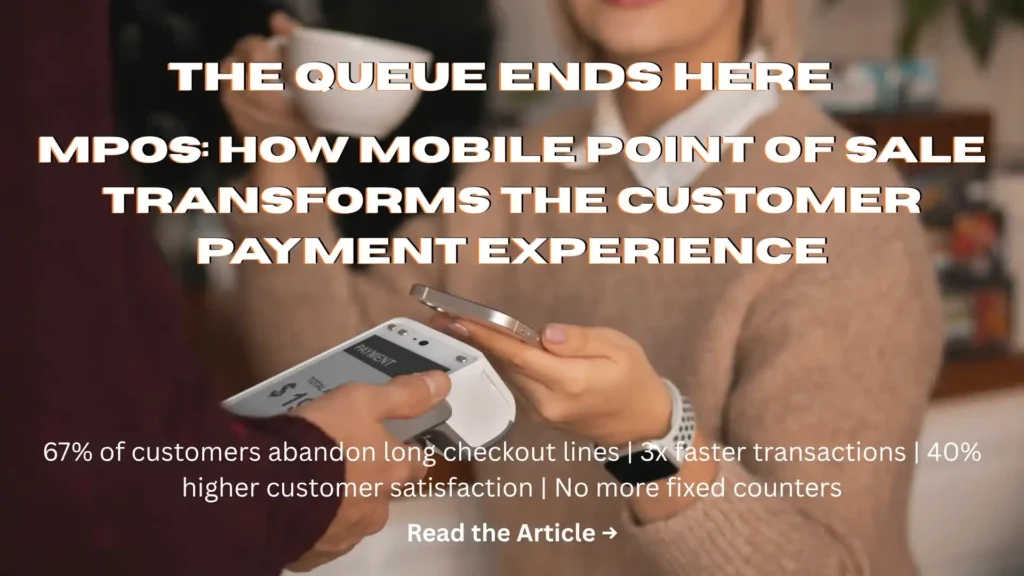
Retail associate using a mobile point of sale device to process a customer payment.

mPOS: How Mobile Point of Sale Transforms the Customer Payment Experience

A customer walks up to your counter, picks up exactly what they want — and then puts it back down and walks out because you do not accept card payments. That lost sale happens thousands of times every day across India. And with the explosion of UPI, digital wallets, and contactless payments, it is happening more frequently — not less. The solution is not complicated. It is mPOS — mobile Point of Sale — and it is changing the way retailers and merchants across India do business. What Is mPOS and Why Does It Matter? mPOS (Mobile Point of Sale) is a compact payment acceptance solution that turns a smartphone or tablet into a fully functional payment terminal. Using a small card reader connected to your device, you can accept credit cards, debit cards, UPI payments, digital wallets, and contactless transactions — anywhere, instantly. For small and mid-size retailers, restaurants, delivery businesses, and service providers, mPOS removes the biggest barrier to completing a sale: payment inflexibility. India’s payment landscape is uniquely diverse. Different customers prefer different payment modes — and those preferences vary by region, age group, and transaction size. Some customers only carry cards. Others exclusively use UPI. Many prefer digital wallets like Paytm or PhonePe. A traditional cash-only or single-mode payment setup means turning away every customer whose preferred method you do not support. mPOS accepts them all. That single capability alone justifies the investment. mPOS vs Traditional POS: The Key Difference Traditional POS systems are fixed, expensive, and require significant infrastructure. You need a dedicated terminal, a broadband connection, and a fixed checkout counter. They work well for established retail locations — but they offer zero flexibility for businesses that operate on the move, across multiple locations, or in environments where a fixed terminal is impractical. mPOS is the opposite: For growing businesses that need payment flexibility before they are ready for a full POS infrastructure, mPOS is the practical, cost-effective bridge. 5 Reasons Your Business Needs mPOS Right Now 1. Grow Your Sales by Accepting Every Payment Mode The most direct benefit of mPOS is also the most commercially significant: you stop turning away customers. Today’s Indian consumer is comfortable with multiple payment modes — UPI via BHIM, Google Pay, or PhonePe; contactless card payments; digital wallets; EMI options; and cash. Their preference at any given moment depends on the transaction size, their current balance, and simply what is most convenient. When you can accept every mode, you remove friction from the purchase decision. Research consistently shows that payment flexibility increases both the frequency of purchase and the average transaction value. Customers who are not limited to cash tend to spend more freely — because digital payment feels less immediate than handing over physical notes. Fewer payment declines. Fewer abandoned purchases. Higher revenue per customer visit. 2. Track Customer Data and Drive Repeat Business Every mPOS transaction is a data point. And those data points — when captured and used well — are the foundation of customer retention. A connected mPOS solution captures customer mobile numbers and transaction histories, which you can use to: This is marketing intelligence that traditional cash-only businesses simply do not have. Every digital transaction your customer makes builds a profile you can use to serve them better — and bring them back more often. 3. Go Digital With Instant, Automated Receipts Paper receipts are slow, unreliable, and increasingly unwanted. Digital receipts — sent instantly to a customer’s phone or email — are faster, more professional, and more convenient for everyone. With mPOS, the moment a payment is processed: No manual entry. No reconciliation errors. No paper trail to manage. It is faster for your staff, cleaner for your records, and better for your customer experience. 4. Accept Payments Anywhere, Anytime The traditional payment counter creates a bottleneck. Customers queue. Service slows. The experience deteriorates — particularly during peak periods. mPOS eliminates the bottleneck entirely. Your team can accept payment at the table in a restaurant, at the customer’s doorstep for a delivery, on the shop floor during a sale event, or at an outdoor market stall. Payment happens where the customer is — not where your fixed terminal is. This flexibility is transformative for: Convenience at the point of payment directly improves the customer experience — and a better experience drives better reviews, referrals, and repeat visits. 5. A Complete, Hassle-Free Payment Solution The best mPOS solutions do not just process payments. They connect payment acceptance to your broader business operations — inventory, customer management, sales reporting, and financial reconciliation. When your mPOS is integrated with your retail management or ERP platform, every transaction updates your records automatically. Stock levels adjust. Revenue is captured. Customer data is stored. End-of-day reconciliation takes minutes instead of hours. This end-to-end connectivity is what separates a true business solution from a simple payment tool — and it is what makes mPOS genuinely transformative rather than merely convenient. How Trident’s Retail Technology Supports mPOS Integration Trident Information Systems provides retail and hospitality management solutions — including LS Central on Microsoft Dynamics 365 Business Central — that integrate mPOS capabilities with full inventory management, customer loyalty, financial reporting, and multi-location management. Whether you operate a single outlet or a growing retail chain, our solutions connect your payment acceptance directly to your business operations — giving you the complete picture of performance in real time. Ready to upgrade your payment experience and grow your business? Book a free retail technology assessment with Trident today. For more insightful content and industry updates, follow our LinkedIn page.

mPOS: How Mobile Point of Sale Transforms the Customer Payment Experience Read More »

Customer using a retail mobile app for shopping, rewards, and personalized offers.

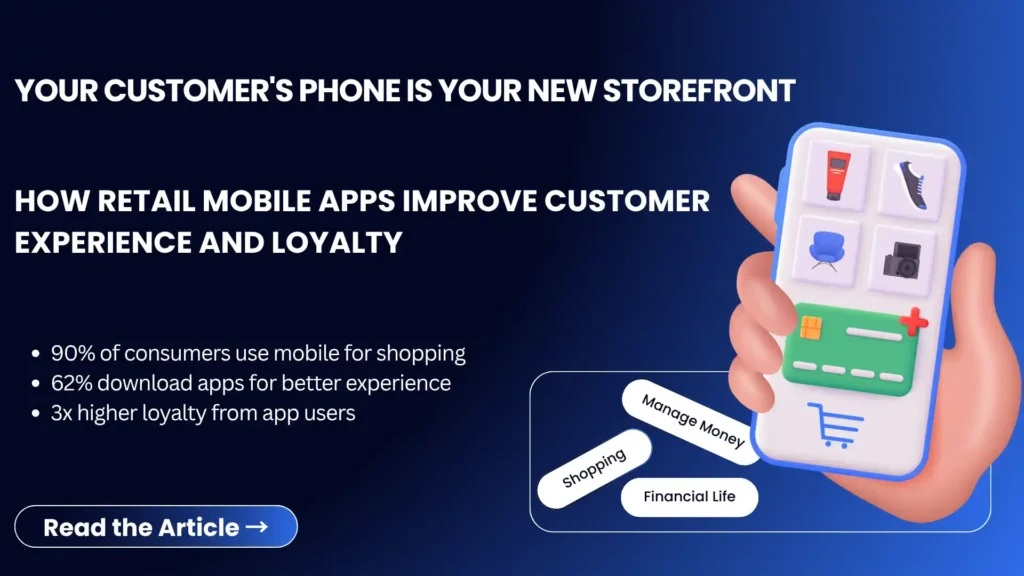
How Retail Mobile Apps Improve Customer Experience and Loyalty

In today’s digital-first world, customers expect convenience, speed, and personalized experiences whenever they shop. With smartphones becoming an essential part of everyday life, retailers are rapidly adopting mobile applications to stay connected with customers and meet their evolving expectations. Retail mobile apps are no longer just an additional sales channel—they have become a powerful tool for enhancing customer experience, increasing engagement, and building long-term customer loyalty. From personalized recommendations to seamless shopping journeys, mobile apps are transforming the way retailers interact with their customers. In this article, we’ll explore how retail mobile apps are reshaping customer experiences and why investing in a retail app can help businesses gain a competitive advantage. The Rise of Mobile Commerce in Retail Mobile commerce, often referred to as m-commerce, has witnessed tremendous growth over the last few years. Consumers increasingly rely on their smartphones to browse products, compare prices, read reviews, and make purchases. The convenience of shopping anytime and anywhere has made mobile devices the preferred shopping platform for millions of consumers worldwide. As mobile commerce continues to expand, retailers must embrace digital technologies that simplify shopping experiences and create stronger customer relationships. Retail mobile apps play a crucial role in this transformation by providing customers with quick access to products, services, offers, and loyalty rewards directly from their smartphones. Why Retail Mobile Apps Matter More Than Ever Modern customers demand seamless shopping experiences across both online and offline channels. They want personalized interactions, faster checkout processes, and instant access to information. A well-designed retail mobile app helps businesses meet these expectations by offering: By delivering convenience and value, retailers can encourage repeat purchases and strengthen customer loyalty. 1. Enhanced Customer Experience Through Personalization Personalization has become one of the most important factors influencing purchasing decisions. Customers are more likely to engage with brands that understand their preferences and provide relevant recommendations. Retail mobile apps collect valuable customer insights such as browsing history, purchase behavior, and shopping preferences. This information enables retailers to deliver personalized experiences that make customers feel valued. Examples of personalization include: When customers receive relevant content and offers, they are more likely to remain engaged with the brand and make repeat purchases. 2. Loyalty Programs Become More Effective Traditional loyalty cards are rapidly being replaced by digital loyalty programs integrated within mobile apps. Retail mobile apps make it easier for customers to: A digital loyalty program encourages customers to shop more frequently because rewards are always accessible through their smartphones. Retailers also gain valuable data that helps them understand customer behavior and improve future loyalty initiatives. 3. Improved Customer Engagement Customer engagement is critical for long-term business success. Retail mobile apps provide direct communication channels that keep customers connected with the brand. Features such as push notifications, in-app messages, and personalized alerts help businesses maintain regular interaction with their customers. Retailers can use mobile apps to notify customers about: Unlike email marketing, mobile notifications often achieve higher engagement rates because they reach customers instantly. 4. Faster and More Convenient Shopping Convenience is one of the biggest reasons customers prefer mobile shopping. Retail mobile apps simplify the purchasing process by offering: Customers can browse products, place orders, and make payments within minutes without visiting a physical store. This convenience significantly improves customer satisfaction and increases the likelihood of repeat purchases. 5. Omnichannel Shopping Experience Today’s consumers interact with brands through multiple touchpoints, including websites, social media platforms, physical stores, and mobile applications. Retail mobile apps help create a seamless omnichannel experience by connecting all customer interactions into a single ecosystem. Customers can: This consistency creates a more satisfying customer journey and strengthens brand loyalty. 6. Real-Time Customer Insights and Analytics One of the biggest advantages of retail mobile apps is access to real-time customer data. Retailers can track: These insights help businesses make data-driven decisions that improve customer experiences and maximize revenue opportunities. By understanding what customers want, retailers can continuously optimize their offerings and marketing strategies. 7. Competitive Advantage in a Digital Marketplace The retail industry is becoming increasingly competitive. Businesses that fail to embrace mobile technology risk losing customers to competitors who offer more convenient shopping experiences. A feature-rich retail mobile app allows businesses to differentiate themselves by providing: Investing in retail app development helps businesses stay relevant and meet the expectations of today’s digitally empowered consumers. Key Features Every Retail Mobile App Should Include To maximize customer engagement and loyalty, retailers should consider incorporating the following features: User-Friendly Interface A simple and intuitive design ensures customers can easily navigate the app. Personalized Recommendations AI-driven recommendations improve customer satisfaction and increase sales. Digital Loyalty Programs Integrated rewards systems encourage repeat purchases. Secure Mobile Payments Multiple payment options improve convenience and trust. Push Notifications Real-time updates keep customers informed and engaged. Order Tracking Customers appreciate transparency throughout the purchasing journey. Customer Support Integration Instant assistance enhances the overall customer experience. Future Trends in Retail Mobile Apps As technology continues to evolve, retail mobile apps are becoming smarter and more sophisticated. Emerging trends include: Retailers that embrace these innovations will be better positioned to meet future customer expectations and drive long-term growth. Conclusion Retail mobile apps have become an essential tool for businesses seeking to improve customer experience, strengthen customer loyalty, and increase sales. By providing personalized experiences, convenient shopping journeys, and effective loyalty programs, mobile apps help retailers build stronger relationships with their customers. As mobile commerce continues to grow, businesses that invest in retail app development will gain a significant competitive advantage. Whether your goal is to improve customer engagement, increase retention, or drive revenue growth, a well-designed retail mobile app can play a vital role in achieving success. At Trident Information Systems, we help retailers leverage innovative technology solutions to create powerful mobile applications that enhance customer experiences and support long-term business growth. Want to build a customer-focused retail mobile app? Speak with Trident’s retail technology experts and discover how mobile commerce can increase loyalty, engagement, and revenue. For more insightful content and industry updates, follow

How Retail Mobile Apps Improve Customer Experience and Loyalty Read More »

AI-powered visual inspection system detecting product defects on a manufacturing production line.

The Retail Customer Experience Gap Is Costing You Sales — Here’s Exactly How to Close It

Let me ask you something honestly: when did you last have a genuinely great shopping experience in a physical store? Not just a transaction that went smoothly. A genuinely great experience — where a staff member knew their products inside out, where the item you wanted online was available in-store without drama, where the offer you received felt like it was actually meant for you. If you are struggling to remember one, you are not alone. And if you are a retailer, that memory gap is a commercial problem — because it is exactly what your customers are experiencing when they shop in your store. The retail customer experience gap — the distance between what shoppers expect and what most retailers actually deliver — is widening. Not because customers are becoming harder to please, but because the standard has been reset by the best digital experiences, and physical retail has not kept up. The good news? The technology to close this gap is available, proven, and more accessible than most retailers realize. You do not need virtual reality fitting rooms or AI-powered holograms. You need to get three fundamentals right — and this guide covers exactly how. The Uncomfortable Truth About Retail Customer Experience Today Brick-and-Mortar’s Hidden Advantage — and Why Most Retailers Are Wasting It Here is the thing that keeps getting lost in all the “retail is dying” conversation: physical stores have an advantage that no e-commerce operation can fully replicate. Real human connection. The ability to touch, feel, and try a product. The spontaneous discovery of something you did not know you needed. Immediate gratification — you pay, you take it home. These are genuinely powerful experiences. They are the reason that, despite the relentless growth of online retail, physical stores still account for the majority of retail transactions globally. But that advantage only exists if you actually deliver on it. And right now, too many retailers are squandering it — offering an in-store experience that is worse than shopping online, not better. What the Research Actually Says About How Shoppers Feel The statistics on retail customer experience are sobering for anyone running a physical retail operation: These are not statistics about the occasional bad day. They are consistent patterns — describing an industry-wide gap between what customers expect and what most retailers deliver. The question is not whether your retail experience has gaps. The question is which gaps are hurting you most — and what you are going to do about them. The 3 Experience Gaps That Are Driving Your Customers Away Every frustrating retail experience can be traced back to one of three root causes. Get these three things right, and you will deliver an in-store experience that genuinely competes with the convenience of online shopping. Get them wrong, and you will continue losing customers to retailers who have figured them out. Gap 1: Unhelpful Sales Associates — The Trust Problem on Your Shop Floor Picture this: a customer walks into your store looking for running shoes. They find two pairs they like and want to understand the difference — which sole is better for trail running, which has better arch support for high-mileage training. They look around for help. A sales associate approaches. What happens next determines whether you make the sale, earn a loyal customer, and get a five-star Google review — or lose all three. Why Your Staff Think They’re Doing Great (And Why Customers Disagree) Here is a striking disconnect that Forrester research has consistently uncovered: 61% of retailers are confident their store associates deliver great service. But 51% of shoppers disagree — saying that sales associates simply are not knowledgeable enough about the products they sell. That gap between retailer confidence and customer reality is not a training failure in isolation. It is a systems failure. Staff who want to be helpful cannot be helpful if they do not have the information they need — about products, stock levels, specifications, and availability — at the moment the customer needs it. Training: Build the Product Knowledge That Earns Customer Trust Great customer service starts with genuine product knowledge — and genuine product knowledge requires ongoing investment in staff training, not just an onboarding day. Think about what actually earns a customer’s trust in a retail interaction. It is not enthusiasm. It is not a well-memorized sales script. It is the ability to answer specific questions accurately — to say “the trail shoe has a Vibram outsole that grips loose terrain, but if you’re mostly running on tarmac, this one has significantly better cushioning” — and to mean it. Building that level of knowledge takes consistent investment: The retailers whose staff genuinely know their products are the ones whose customers come back — because trust, once earned, is sticky. Mobile POS: The Technology That Turns Every Associate Into an Expert Training builds the foundation. Technology fills the gaps — in real time, on the shop floor, in front of the customer. A mobile Point of Sale system puts a complete product database, live stock visibility, and customer history into the hands of every associate on your shop floor. Instead of retreating to a back-office terminal — or worse, saying “I’ll have to check” and never coming back — your staff can: The mobile POS is not just a technology upgrade. It is a fundamental shift in the service model — from reactive assistance to proactive, informed, personalized engagement. Gap 2: Inconsistent Cross-Channel Experiences — The Biggest Retail Frustration Here is how a customer’s day can go wrong without a single person making a deliberate mistake. They see a product on your Instagram and save it for later. They check your website that evening — it shows as available. They drive to your store on Saturday morning to buy it. The store says it is out of stock. Your website still shows it as available. Nobody can explain the discrepancy. The customer drives home empty-handed, buys it from a competitor online, and

The Retail Customer Experience Gap Is Costing You Sales — Here’s Exactly How to Close It Read More »

LS Retail software dashboard managing POS, inventory, sales, and retail operations in real time.

LS Retail Software Solution: The All-in-One Retail ERP and POS Platform That Sharpens Your Competitive Edge

The retailers growing fastest right now are not the ones with the most stores or the biggest marketing budgets. They are the ones with the best technology — and specifically, the best-connected technology. When your POS system, inventory management, loyalty program, e-commerce platform, and head office operations run on separate, loosely integrated systems, you are not just managing inefficiency. You are making every strategic decision with incomplete, delayed, or conflicting data. You are losing sales to stockouts that a connected inventory system would have prevented. You are losing customers to competitors whose personalized offers are powered by data you are collecting but cannot use. LS Retail — the industry-leading end-to-end retail management solution built on Microsoft Dynamics 365 Business Central — solves this at the architectural level. Rather than patching together multiple applications, LS Retail gives retailers a single platform that covers every aspect of the retail operation: from the POS terminal on the shop floor to the head office dashboard, from online store management to supplier replenishment, from loyalty program management to loss prevention. One application. One database. One unified view of your entire retail business — in real time. Trident Information Systems is a certified LS Retail and Microsoft Dynamics 365 implementation partner, helping retail businesses across India implement, configure, and maximize the competitive value of LS Retail. Why Retail Competition Demands a Smarter Technology Platform The Real Cost of Running Retail on Disconnected Systems Most retail businesses grow into their technology problems gradually. A standalone POS system here. An inventory management tool there. An e-commerce platform that syncs to the ERP once a night. A loyalty program that does not talk to the in-store system. By the time the fragmentation becomes visible, it is deeply embedded in daily operations. The cost of this disconnection is significant — and largely invisible until you try to measure it: Every one of these costs is preventable — with the right unified retail platform. What Today’s Shoppers Expect — and What Legacy Systems Cannot Deliver The modern retail customer moves fluidly between channels. They browse online, check in-store availability on their phone, visit the store, and expect the sales associate to know their purchase history and loyalty status instantly. They want personalized offers based on what they actually buy. They want flexible fulfillment — buy online, collect in-store, or return anywhere. Legacy retail systems — designed when online and offline were separate channels — cannot deliver this experience. Only a platform that unifies every channel on a single application can give customers the seamless, personalized experience that earns loyalty and repeat business in today’s market. What Is LS Retail? The End-to-End Retail Management Solution LS Retail is an internationally deployed, end-to-end retail software solution designed for independent stores, retail chains, and multi-format retail operations of every size. It is one of the world’s most widely used retail management platforms — covering POS, store management, inventory, merchandising, demand planning, loyalty, and all head office functions within a single, unified application. Single Application From POS Terminal to Head Office The defining characteristic of LS Retail is its single-application architecture. Unlike retail technology stacks built from multiple integrated products, LS Retail operates on a single database and a single application framework — meaning: This architecture is what makes true omnichannel retail — and true real-time retail management — operationally achievable. LS Retail on Microsoft Dynamics 365 Business Central LS Retail is built on and powered by Microsoft Dynamics 365 Business Central — giving retailers the combined benefit of LS Retail’s deep retail-specific functionality and the enterprise-grade financial management, supply chain, and analytics capabilities of Business Central. This means your retail operation runs on a platform that: Why Retailers Choose LS Retail Software Solutions Fully Integrated All-in-One Software: No More Disconnected Systems LS Retail eliminates the technology fragmentation that plagues most retail operations by delivering every retail management function within a single, centrally managed platform: Omnichannel Retail Strategy: One Experience Across Every Channel Consumer behavior changes faster than most retail systems can adapt. LS Retail’s omnichannel capabilities ensure your business can deliver a consistent, personalized customer experience across every touchpoint — without rebuilding your technology for each new channel: Superior Customer Experience That Builds Loyalty and Repeat Business The competitive advantage in retail increasingly comes down to the quality of the customer experience — and that experience is only as good as the data and technology powering it. LS Retail gives your team the tools to deliver outstanding service at every touchpoint: LS Retail Head Office Capabilities The head office module is the operational brain of the LS Retail platform — giving merchandising, buying, marketing, and operations teams centralized control over every aspect of the retail business. Product Lifecycle and Item Management Pricing, Promotions, Campaigns, and Loyalty Pricing and promotional management is one of the most operationally demanding functions in retail — particularly for chains managing multiple price zones, complex promotional mechanics, and loyalty reward structures simultaneously. LS Retail delivers: Replenishment, Vendor Performance, and Loss Prevention LS Retail Back Office Capabilities The back office module gives store managers and operations teams the tools to run their specific location efficiently — with full visibility into store performance, inventory, and cash position. Store Operations Dashboard and POS Management Cash Management, Stock Control, and End-of-Day Processing LS Retail Store Front Office and POS Capabilities The POS module is where LS Retail’s integration advantage is most immediately visible to customers — and most commercially valuable to retailers. A fast, reliable, feature-rich POS that is connected to real-time inventory, loyalty, and product data transforms the checkout experience from a transaction into a service touchpoint. Fast Checkout and Flexible Payment Options Loyalty Programs, Cross-Selling, and Special Orders at POS LS Retail Mobile Device Capabilities Mobile capability in LS Retail extends the power of the platform beyond fixed POS terminals and back office workstations — giving store staff the tools they need anywhere on the shop floor or in the stockroom: LS Retail for Retail Chain Management: Multi-Site Control From One

LS Retail Software Solution: The All-in-One Retail ERP and POS Platform That Sharpens Your Competitive Edge Read More »

Retail customer using a loyalty program at checkout for a personalized shopping experience.

How to Use Your Loyalty Program to Create a Standout In-Store Customer Experience

Loyalty programs are one of the most powerful — and most underused — tools in retail. The data is unambiguous: 81 percent of consumers say loyalty programs make them more likely to continue doing business with a brand, and 66 percent actively adjust their spending habits to maximize loyalty benefits. These are not passive participants — they are your most engaged, highest-value customers. And yet, despite that enormous goodwill, only 22 percent of loyalty program members currently feel they receive a better experience than non-members. That means nearly eight out of ten of your most loyal customers — the people who have opted in, shared their data, and demonstrated their commitment to your brand — cannot tell the difference between being a member and not being one. That gap is not just a missed opportunity. It is a competitive vulnerability. Because the retailers who are closing it — who are using loyalty program data to create genuinely personalized, memorable in-store customer experiences — are building the kind of deep brand affinity that no promotional discount can replicate. This guide covers three proven strategies for using your loyalty program to create an in-store experience that makes your best customers feel exactly what they are: truly valued. Why Your Loyalty Program Is Your Most Underused In-Store Asset The Loyalty Gap: Why 78% of Members Feel No Different From Regular Shoppers Most retail loyalty programs are built around a simple value exchange: spend money, earn points, redeem rewards. And while that model generates enrollment numbers, it rarely generates the deeper emotional connection that drives genuine long-term loyalty. The problem is that points and discounts are table stakes — not differentiators. When every retailer in your category offers a similar earn-and-burn structure, membership in your program stops feeling special. Customers collect points, but they do not feel seen, recognized, or valued in any way that a non-member would not experience. The loyalty program members who stay loyal longest — who spend more, visit more frequently, and refer others — are those who feel a genuine personal connection to the brand. And that connection is built through personalized experiences, exclusive privileges, and meaningful recognition — not just through reward points. What Closing the Loyalty Experience Gap Is Worth to Your Business The business case for investing in loyalty experience is compelling. Research consistently shows that increasing customer retention by just 5 percent can increase profits by 25 to 95 percent. Loyalty program members who feel genuinely valued spend more per visit, respond more positively to new product launches, and are significantly less likely to defect to a competitor — even when that competitor offers a lower price. Your loyalty program already gives you everything you need to close the gap: the data, the permission, and the direct communication channel. What most retailers are missing is the strategy and the technology to activate it effectively in-store. 3 Proven Strategies to Use Your Loyalty Program In-Store 1: Deliver Personalized Rewards That Feel Made for Each Customer Personalization is the single most powerful driver of in-store loyalty experience — and it starts with the data your loyalty program already collects. Every purchase, every browse, every interaction your customer has across your touchpoints is a signal that, when analyzed correctly, tells you exactly what that customer values, what they are likely to want next, and how to make them feel understood. How to implement personalized in-store loyalty rewards: The key ingredient that makes all of this possible at scale is artificial intelligence. AI-powered loyalty platforms can analyze thousands of data points per customer in real time — surfacing the right offer, for the right person, at the right moment — without requiring your team to manually configure individual customer journeys. 2: Make Loyalty Members Feel Genuinely Privileged The most effective loyalty programs do more than reward spending — they confer status. When loyalty membership feels like belonging to an exclusive group — not just enrolling in a discount scheme — the emotional bond between customer and brand deepens significantly. How to make loyalty program members feel privileged in-store: 3: Create Exclusive In-Store Events That Loyal Customers Remember Nothing creates an emotional connection to a brand faster than a genuinely memorable shared experience. Exclusive in-store events for loyalty program members transform a transactional relationship into a social one — and social connections to a brand are among the most durable forms of loyalty that exist. How to create in-store loyalty events that members talk about: The Technology That Makes In-Store Loyalty Personalization Possible AI-Powered Loyalty Apps: From Data to Real-Time Personalization The strategies above are only achievable at scale with the right technology. Manually creating personalized offers for thousands of loyalty members is not operationally viable — but AI-powered loyalty platforms make it not just viable, but automatic. An AI-enabled loyalty system continuously analyzes each member’s purchase history, browsing behavior, redemption patterns, and cross-channel interactions — and uses that analysis to generate personalized offers, product recommendations, and engagement triggers in real time. The result is a loyalty experience that feels genuinely individual to each customer, delivered consistently across thousands of members simultaneously. GPS and Mobile Loyalty: Reaching Customers Before They Walk Through the Door Location-based loyalty technology is one of the most underutilized capabilities in retail. When a customer has your loyalty app installed and location permissions enabled, you have the ability to engage them at the precise moment when a visit to your store is most likely — when they are physically nearby. GPS-triggered loyalty notifications that surface personalized, time-sensitive in-store offers create a sense of immediacy and relevance that generic email campaigns cannot match. And when your staff are briefed in advance with a customer’s preferences and loyalty status before they arrive, the in-store greeting feels less like a sales interaction and more like being welcomed by someone who genuinely knows you. Tying It All Together: The Unified Platform Behind a Great Loyalty Experience Delivering a consistently excellent in-store loyalty experience is not possible when your loyalty

How to Use Your Loyalty Program to Create a Standout In-Store Customer Experience Read More »