Welcome to Trident Information Systems!
Write us to - info@tridentinfo.com
Let's Socialize

Search Results for: NAV TO BUSINESS CENTRAL

AI-powered CCTV video analytics with real-time alerts and reporting.

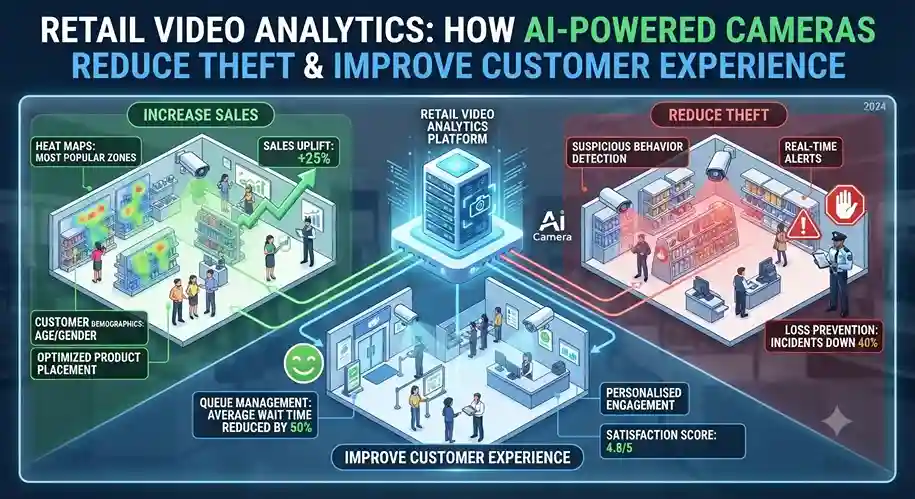
Best Video Analytics Software for CCTV: Features, Pricing & Integration

A comprehensive guide to choosing AI-powered video analytics software for your existing CCTV infrastructure — covering features, pricing models, integration requirements, and ROI expectations. If you’ve invested in CCTV cameras for your business, warehouse, retail store, or facility, you already have the hardware foundation for something much more powerful: AI-powered video analytics. Traditional CCTV systems simply record footage. Video analytics software transforms those cameras into intelligent sensors that can detect events, count people, recognize faces, monitor safety compliance, and alert you to security threats — all in real time, without human monitoring. The challenge? There are dozens of video analytics solutions on the market, each with different capabilities, pricing structures, and integration requirements. Some work seamlessly with your existing cameras. Others require expensive hardware replacements. Some offer basic motion detection. Others provide advanced AI-powered analytics like heat mapping, crowd density analysis, and behavioral anomaly detection. This guide will help you navigate the options, understand what features matter for your use case, and choose the right video analytics software without overpaying or getting locked into the wrong system. What Is Video Analytics Software for CCTV? Video analytics software — also called surveillance camera analytics, AI video analytics, or intelligent video analytics — is software that analyzes live or recorded video feeds from your CCTV cameras and automatically detects specific events, objects, or behaviors. Instead of requiring human operators to watch hours of footage, video analytics software uses computer vision and artificial intelligence to understand what’s happening in the video feed and trigger alerts or actions based on predefined rules. How It Works Video analytics software sits between your CCTV cameras and your monitoring system. It processes the video stream in real time, identifying: When the software detects something significant, it triggers an alert (email, SMS, push notification) or initiates an automated response (locking doors, sounding alarms, recording specific camera feeds). Key Difference: Edge vs. Server-Based Analytics Edge analytics runs on the camera itself or a local device, processing video at the source. Server-based analytics processes video on a centralized server or cloud platform. Edge is faster and more privacy-friendly; server-based is more flexible and scalable for large deployments. Why Upgrade from Basic CCTV to AI-Powered Analytics? Traditional CCTV systems are passive. They record footage, and if something goes wrong, you review the recordings after the fact. By the time you see the incident, the damage is done. AI-powered video analytics turns your cameras into proactive monitoring systems. Here’s what changes: Real-Time Alerts Get notified the moment something happens — not hours later when you review footage. Stop incidents before they escalate. Reduce Labor Costs Eliminate the need for 24/7 human monitoring. AI watches your cameras and only alerts you when something requires attention. Actionable Insights Understand traffic patterns, peak hours, customer behavior, and operational bottlenecks — data you can’t get from passive recording. Enhanced Security Detect intrusions, abandoned objects, perimeter breaches, and suspicious behavior automatically — even in low-light conditions. Real-World ROI Examples Core Features to Look For in Video Analytics Software Not all video analytics platforms are created equal. Here are the must-have features and nice-to-have advanced capabilities you should evaluate: Essential Features (Must-Have) Security & Surveillance People & Vehicle Analytics Advanced Features (Nice-to-Have) Beware of Feature Bloat Many vendors advertise 50+ features, but you’ll realistically use 5–7. Focus on what solves YOUR problems — don’t pay for capabilities you won’t use. Start simple and scale up as needed. 1. Security & Surveillance (All Industries) 2. Retail Stores 3. Manufacturing & Warehouses 4. Healthcare Facilities 5. Office Buildings & Corporate Campuses Integration Guide: Will It Work With Your Existing Cameras? This is the #1 question businesses ask: “Can I use my existing CCTV cameras, or do I need to replace everything?” The good news: Most modern video analytics software works with existing IP cameras, as long as they meet basic technical requirements. Camera Compatibility Checklist Requirements for Analytics Compatibility Common Integration Scenarios Scenario 1: Modern IP Cameras (2018+) Compatibility: Excellent. Most analytics software will work out of the box.Action: Verify ONVIF compliance and check vendor compatibility list. Scenario 2: Older IP Cameras (2015–2018) Compatibility: Likely compatible, but may have limitations (lower resolution, slower processing).Action: Test with a pilot deployment before full rollout. Scenario 3: Analog Cameras Compatibility: Not directly compatible.Action: Use a video encoder or hybrid NVR to convert analog signals to IP, OR upgrade cameras. Scenario 4: Mix of Camera Types Compatibility: Partial compatibility.Action: Deploy analytics on compatible IP cameras first; upgrade analog cameras as budget allows. What About NVR/DVR Integration? Many analytics platforms integrate with your existing NVR (Network Video Recorder) or VMS (Video Management System). The software pulls video streams from the NVR rather than connecting directly to each camera. This simplifies deployment and centralizes management. Pricing Models: What You’ll Actually Pay Video analytics pricing varies widely based on deployment model, features, and scale. Here’s a breakdown of common pricing structures: Per Camera / Month $15–$50 per camera/month Per Server License $5K–$25K one-time + annual support Enterprise Custom Custom negotiated pricing Hidden Costs to Account For Total Cost of Ownership (TCO) Don’t just compare software licensing costs. Calculate TCO over 3–5 years, including hardware upgrades, storage, bandwidth, support, and training. A cheaper solution upfront can be more expensive long-term if it requires proprietary cameras or lacks scalability. Top Video Analytics Software Solutions Compared Here’s a high-level comparison of leading video analytics platforms. Note that this is not exhaustive — there are dozens of solutions, but these represent the most established and widely deployed options. Platform Deployment Key Strengths Best For Pricing Milestone XProtect On-Premise Open platform, wide camera compatibility Mid-large enterprises Per server license Genetec Security Center On-Prem / Cloud Unified security (access control + video) Corporate campuses Custom enterprise Eagle Eye Networks Cloud Easy deployment, no servers needed Small-mid businesses Per camera/month Verkada Cloud (Hybrid) Plug-and-play, modern UI, built-in cameras Offices, retail chains Per camera/year OpenALPR On-Prem / Cloud License plate recognition specialist Parking, logistics Per camera/month Custom AI Solutions On-Premise Tailored to specific use cases Niche industries Custom project-based How to Choose Don’t pick based on brand recognition alone. Define your use case,

Best Video Analytics Software for CCTV: Features, Pricing & Integration Read More »

Modern ERP optimizing inventory and production in sweet manufacturing.

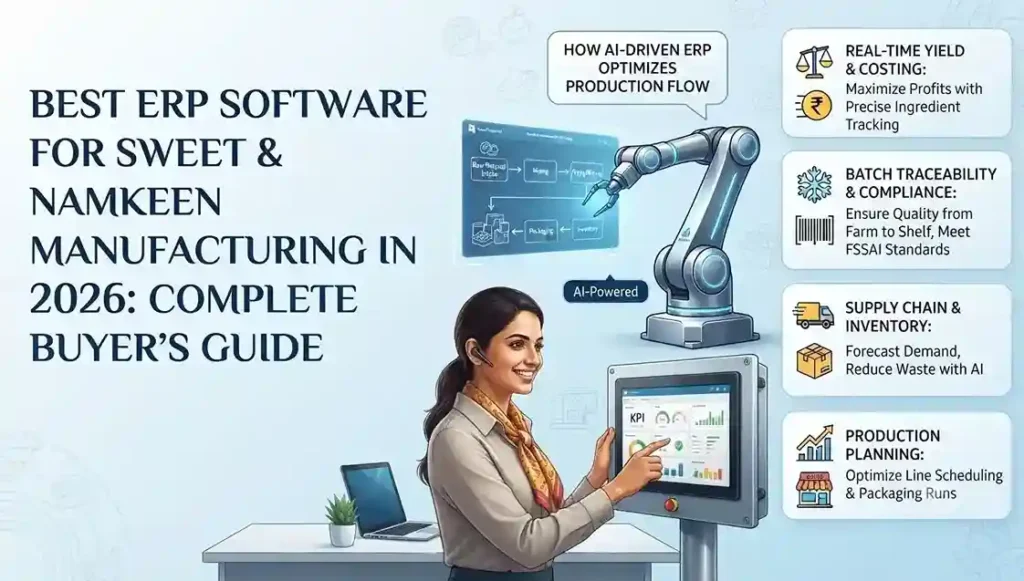
7 Biggest Challenges in Sweet Manufacturing (And How Modern ERP Solves Them)

From recipe consistency to seasonal demand spikes — here’s what every halwai, mithai shop, and namkeen manufacturer struggles with, and the technology that’s changing the game. If you run a sweet shop, halwai business, or namkeen manufacturing unit, you already know this: the sweet industry is unlike any other. You’re not just managing inventory or sales — you’re juggling perishable ingredients, complex recipes, seasonal demand swings, and quality standards that can make or break your reputation. A single batch that tastes different from the last can cost you loyal customers. Overproduction during slow months leads to waste. Underproduction during Diwali or Eid means lost revenue and disappointed buyers. And all of this has to happen while meeting food safety regulations, managing multiple retail outlets, and keeping costs under control. These aren’t small operational hiccups — they’re challenges that directly impact your bottom line, your brand, and your ability to scale. The good news? Modern ERP systems — specifically designed for food manufacturing and retail — are solving these problems for sweet businesses across India and beyond. In this article, we’ll break down the 7 biggest challenges sweet manufacturers and retailers face, and show you exactly how technology is transforming traditional mithai businesses into efficient, profitable operations. Recipe Consistency Across Every Batch This is the number one challenge every sweet manufacturer faces. Your gulab jamun, barfi, or namkeen needs to taste exactly the same whether it’s made on Monday or Friday, by your head chef or a new team member, in your flagship outlet or a branch location. But traditional sweet businesses rely on master halwais who carry recipes in their heads — or worse, on handwritten notebooks that get lost, stained, or misinterpreted. When that expert takes a day off or leaves the company, the recipe knowledge leaves with them. The Real Problem Inconsistent recipes lead to complaints, returns, and lost customers. A customer who buys your ladoo expecting a specific taste and texture will go elsewhere if the next batch is different. In the sweet business, consistency IS your brand. Why this happens: How ERP Solves This Modern ERP systems include recipe management modules that digitize every formulation. You define exact ingredient quantities, preparation steps, and quality checkpoints. When a batch is produced, the system ensures the correct ratios are used — every single time. If you need to substitute an ingredient, the system recalculates quantities automatically and tracks the change. No guesswork. No inconsistency. Managing Perishable Inventory Without Waste Unlike most manufacturing industries, sweet businesses deal with ingredients and finished products that have extremely short shelf lives. Milk, khoya, fresh fruits, nuts — these expire fast. Finished sweets can’t sit on shelves for weeks. Every day that passes reduces quality and increases the risk of spoilage. The challenge gets worse when you operate multiple outlets. How do you ensure each location has enough stock to meet demand without overproducing? How do you track expiry dates across warehouses and retail counters? The Real Problem Inventory wastage directly eats into your profit margins. If you throw away 10% of your daily production due to expiry or overstock, you’re essentially giving away 10% of your revenue. For most sweet shops, this can mean lakhs of rupees lost every year. Common inventory nightmares: How ERP Solves This ERP systems track inventory in real-time across all locations. You get automatic alerts when ingredients are approaching expiry dates. The system uses FIFO (First In, First Out) logic to ensure older stock is used first. Demand forecasting — based on historical sales data — helps you produce the right quantities. You can see exactly what’s in each outlet, what’s in transit, and what needs to be ordered — all from a single dashboard. Seasonal Demand Planning (Diwali, Eid, Weddings) The sweet industry is intensely seasonal. During Diwali, your sales might spike by 400%. During Eid or wedding season, you’re operating at maximum capacity. But for most of the year, demand is steady and predictable. This creates a planning nightmare. How much raw material should you stock before the festive rush? How many extra workers do you need? Which products will sell the most? If you under-prepare, you lose sales. If you over-prepare, you’re stuck with excess inventory that goes to waste. The Real Problem Missing the festive season rush is catastrophic for sweet businesses. Diwali alone can account for 30–40% of annual revenue for many shops. Stockouts during this period don’t just lose immediate sales — they push customers to competitors, potentially losing them forever. Why seasonal planning fails: How ERP Solves This ERP systems use historical data and demand forecasting to predict seasonal spikes accurately. You can see which products sold best last Diwali, how much raw material you needed, and when orders peaked. The production scheduling module helps you ramp up capacity ahead of time. Inventory is pre-ordered based on forecasts. Labor planning is optimized. Instead of reacting to chaos, you’re prepared weeks in advance. Food Safety Compliance & Batch Traceability Food safety isn’t optional — it’s the law. FSSAI regulations in India (and similar laws globally) require sweet manufacturers to maintain full traceability from raw materials to finished products. If there’s a quality issue or a customer complaint, you need to be able to trace which batch it came from, which ingredients were used, and when it was produced. For traditional sweet businesses operating on paper records or memory, this is almost impossible. When an inspector shows up, or a customer reports a problem, can you instantly pull up the production history? The Real Problem Non-compliance with food safety regulations can result in heavy fines, license suspension, or even business closure. Beyond legal risks, a single contamination incident — if not handled with proper traceability — can destroy your brand reputation overnight. Compliance challenges: How ERP Solves This ERP systems automate batch tracking and compliance. Every ingredient lot is logged when it arrives. During production, the system records which ingredients went into which batch. If a quality issue arises, you can instantly trace the entire supply chain — which supplier, which production date, which retail outlets received it. Quality control

7 Biggest Challenges in Sweet Manufacturing (And How Modern ERP Solves Them) Read More »

Cloud ERP migration checklist ensuring data integrity for SMBs.

Cloud ERP Migration Checklist: 10 Steps to Ensure Data Integrity for SMBs

Introduction: Why Data Integrity Is the Backbone of Cloud ERP Migration Moving to a cloud ERP system feels a bit like relocating your entire business to a new city. You’re excited about better infrastructure, lower costs, and room to grow—but there’s also anxiety. What if something important gets lost during the move? For small and medium-sized businesses (SMBs), that “something” is usually data. Customer records, financial transactions, inventory details, supplier contracts—this information is the lifeblood of daily operations. If data integrity breaks during migration, everything downstream suffers. Data integrity isn’t just about preventing data loss. It’s about ensuring that information remains accurate, consistent, complete, and trustworthy throughout the migration process and beyond. A single duplicated invoice or mismatched customer record can ripple through accounting, reporting, and decision-making. SMBs often operate with lean teams and tight margins, so even small data errors can become expensive problems. Cloud ERP migration adds another layer of complexity. Unlike traditional on-premise systems, cloud platforms involve data transfers over networks, integrations with third-party tools, and new security models. Without a structured checklist, migrations can quickly turn chaotic. That’s why a step-by-step approach is critical. Think of it as a flight checklist—pilots don’t skip steps, no matter how experienced they are. This guide walks you through a practical, SMB-friendly cloud ERP migration checklist with a sharp focus on data integrity. These ten steps are designed to help you move confidently, avoid common pitfalls, and come out the other side with clean, reliable data that actually supports growth rather than slowing it down. Step 1: Define Clear Migration Goals and Data Integrity Standards Before touching a single database or exporting any files, you need clarity. Many ERP migrations fail not because of technology, but because of fuzzy goals. SMBs often jump into migration driven by urgency—legacy systems are slow, expensive, or unsupported. But urgency without direction is risky. Start by defining why you’re migrating to a cloud ERP. Are you aiming for real-time reporting? Better inventory accuracy? Easier scalability? Lower IT overhead? Each goal influences how data should be handled. For example, if real-time analytics is a priority, historical data accuracy becomes non-negotiable. Once goals are clear, translate them into data integrity standards. This means defining what “good data” looks like for your business. Accuracy ensures data reflects reality. Consistency means the same data tells the same story across modules. Completeness ensures no critical fields are missing. Timeliness ensures data is up to date. These standards act like guardrails throughout the migration. Document these expectations and share them with stakeholders, vendors, and internal teams. When everyone agrees on what success looks like, decisions become easier. You’ll know which data is worth migrating, which needs cleaning, and which can be archived. This upfront alignment saves time, money, and frustration later in the process. Step 2: Conduct a Comprehensive Data Audit Before Migration A cloud ERP migration is not the time to carry digital clutter into a shiny new system. Yet many SMBs do exactly that, migrating years of unused, outdated, or incorrect data simply because “it’s always been there.” A data audit helps you avoid this trap. Begin by identifying all data sources feeding into your current ERP environment. These may include accounting systems, CRM platforms, inventory tools, spreadsheets, and even manual databases maintained by departments. You might be surprised how much shadow data exists outside the core system. Next, categorize data into what’s essential, what’s useful, and what’s unnecessary. Redundant, obsolete, and trivial (ROT) data adds risk without value. Old vendor records, inactive customers, or discontinued product lines often don’t need to make the journey. Removing them reduces migration complexity and improves performance in the new system. A thorough audit also uncovers data quality issues—duplicates, missing fields, inconsistent formats, and outdated values. Treat this step like a health check. The goal isn’t perfection, but awareness. When you know what you’re working with, you can plan cleaning, mapping, and validation more effectively. This audit sets the foundation for a successful, integrity-driven migration. Step 3: Cleanse and Standardize Data for Cloud Readiness If your data were a house, cleansing would be the deep clean before moving day. It’s not glamorous, but it’s essential. Dirty data migrated into a cloud ERP doesn’t magically improve—it usually becomes more visible and more damaging. Start with deduplication. Duplicate customer records, suppliers, or SKUs can distort reports and confuse users. Use automated tools where possible, but don’t underestimate the value of human review for critical records. Accuracy matters more than speed here. Next, correct errors and fill in missing values. Inconsistent addresses, incorrect tax codes, or incomplete product descriptions can break workflows in the new system. Standardization is equally important. Decide on naming conventions, date formats, units of measure, and currency representations. Cloud ERP systems thrive on uniformity, and standardized data ensures smoother automation and reporting. This step can feel time-consuming, especially for SMBs with limited resources. But think of it as an investment. Clean, standardized data improves user adoption, system performance, and decision-making from day one. Skipping this step is like pouring clean water into a dirty glass—you’ll never get the clarity you expect. Step 4: Choose the Right Cloud ERP Platform for SMB Needs Not all cloud ERP platforms are created equal, especially when it comes to data integrity. SMBs need solutions that balance robustness with simplicity. Choosing the wrong platform can introduce unnecessary complexity and risk. Evaluate vendors based on their data security measures, compliance certifications, and track record with SMBs. Look for built-in validation rules, audit trails, and data governance features. These tools act as safety nets, preventing bad data from entering or spreading within the system. Scalability and integration capabilities also matter. Your cloud ERP should integrate smoothly with CRM, e-commerce, payroll, and analytics tools. Poor integrations often lead to manual workarounds, which increase the risk of data errors. Finally, consider vendor support and migration assistance. A provider experienced in SMB migrations understands common pitfalls and can guide you through best practices. The right platform doesn’t just store your

Cloud ERP Migration Checklist: 10 Steps to Ensure Data Integrity for SMBs Read More »

Cloud vs. Edge AI visual inspection workflow showing data processing at the edge and in the cloud for faster quality control decisions.

Cloud vs. Edge AI: Where Should Your Visual Inspection Data Actually Live?

Introduction to Visual Inspection Data in the Age of AI Visual inspection has quietly become the backbone of modern quality control. From detecting microscopic defects on a pharmaceutical blister pack to spotting cracks in automotive components, visual data decides whether products pass or fail. But here’s the real question most businesses struggle with—where should all this inspection data actually live? With AI stepping into the picture, companies are now choosing between Cloud AI and Edge AI. Think of it like deciding whether to store your valuables in a central bank vault or keep them in a safe right next to you. Both options sound good, but the right choice depends on what you’re protecting and how fast you need access. What Is Visual Inspection Data? Visual inspection data includes images, videos, and metadata captured by cameras, sensors, and machine vision systems. This data is analyzed to detect defects, deviations, or inconsistencies in products or processes. In high-speed production lines, this data is generated continuously and in massive volumes. Because this data directly impacts product quality and compliance, where it is processed and stored matters more than ever. A delay of even milliseconds can mean defective products slipping through the line. Why AI Is Transforming Visual Inspection Traditional rule-based inspection systems were rigid and error-prone. AI-powered visual inspection systems learn patterns, improve over time, and adapt to new defect types. They don’t just “see”; they understand context. AI turns raw visual data into actionable intelligence. But AI models need computing power, fast decision-making, and reliable data access. That’s where the Cloud vs. Edge debate begins. Understanding Cloud AI What Is Cloud AI? Cloud AI refers to AI models and data processing hosted on centralized cloud servers. Visual inspection data is sent from cameras or machines to the cloud, where powerful algorithms analyze it and send results back. How Cloud AI Processes Visual Data In cloud-based setups, images and videos are uploaded to remote servers. These servers run advanced AI models, often using GPUs, to analyze defects, patterns, and trends. Results are stored centrally and accessed by teams across locations. This approach is like sending your raw materials to a massive factory that can process anything—but it’s not always nearby. Key Benefits of Cloud AI Cloud AI shines when it comes to scalability. You can process huge volumes of visual data without worrying about hardware limits. It also makes centralized monitoring easier, especially for multi-plant operations. Another big advantage is advanced analytics. Cloud platforms are ideal for training AI models, running historical analysis, and generating insights that improve long-term quality strategies. Limitations of Cloud AI for Visual Inspection Latency is the biggest concern. Sending data to the cloud and waiting for a response may be too slow for real-time inspection. Even a small delay can disrupt fast-moving production lines. There’s also the issue of data security and compliance. Transmitting sensitive inspection data over networks can raise red flags, especially in regulated industries. Understanding Edge AI What Is Edge AI? Edge AI processes data locally, right where it is generated—on cameras, industrial PCs, or edge devices. Instead of sending images to the cloud, the AI model runs on-site and makes instant decisions. How Edge AI Handles Visual Inspection Data With Edge AI, cameras capture images and immediately analyze them using embedded AI models. Defects are detected in real time, and actions—like rejecting a product—happen instantly. It’s like having a quality expert standing next to every machine, making decisions on the spot. Key Benefits of Edge AI Speed is the biggest win. Edge AI delivers ultra-low latency, making it perfect for real-time inspection. There’s no dependency on internet connectivity, which means fewer disruptions. Edge AI also enhances data security. Since data stays on-site, the risk of exposure is significantly reduced, making compliance easier. Limitations of Edge AI Edge devices have limited computing power compared to cloud servers. This can restrict complex analytics and large-scale AI model training. Managing and updating AI models across multiple edge devices can also be challenging without a centralized strategy. Cloud vs. Edge AI: Core Differences Data Latency and Speed Edge AI wins hands down when milliseconds matter. Real-time defect detection simply works better at the edge. Cloud AI, while powerful, introduces unavoidable delays. If your production line runs at high speed, edge processing isn’t optional—it’s essential. Data Security and Compliance Keeping sensitive visual inspection data on-site reduces compliance risks. Industries like pharmaceuticals and food manufacturing often prefer Edge AI for this reason. Cloud AI can still be secure, but it requires strict governance, encryption, and compliance controls. Scalability and Infrastructure Costs Cloud AI scales effortlessly. You pay for what you use and expand as needed. Edge AI requires upfront investment in hardware and ongoing maintenance. However, edge solutions can reduce long-term data transfer costs, especially with high-volume visual data. Reliability and Downtime Risks Edge AI continues working even if the network goes down. Cloud AI depends on stable connectivity, which can be a single point of failure. For mission-critical inspection, reliability often tips the scale toward edge computing. Where Should Your Visual Inspection Data Live? Real-Time Manufacturing Environments In fast-paced manufacturing, decisions must happen instantly. Edge AI is the clear choice here, ensuring defective products are caught before they move further down the line. Latency is the enemy of quality in such environments. High-Volume, Multi-Site Operations Cloud AI works well when you need centralized visibility across multiple plants. It enables standardization, benchmarking, and performance comparisons at scale. Many global manufacturers rely on cloud platforms for strategic oversight. Regulated Industries Like Pharma and Food Compliance requirements often dictate where data lives. Edge AI helps maintain data sovereignty and reduces audit complexities. Cloud AI still plays a role in reporting and compliance documentation. AI Model Training vs. AI Model Execution A smart approach is training AI models in the cloud and deploying them at the edge. This balances performance with scalability. Think of the cloud as the brain gym and the edge as the athlete in action. The Hybrid Approach:

Cloud vs. Edge AI: Where Should Your Visual Inspection Data Actually Live? Read More »

Dynamics AX to F&O migration guide for CFOs focusing on no-surprise budgeting.

Dynamics AX to F&O Migration: The “No-Surprise” Budgeting Guide for CFOs

Introduction The shift from Microsoft Dynamics AX to Dynamics 365 Finance & Operations (F&O) is more than just an upgrade—it’s a business transformation that impacts financial planning, operational workflows, compliance readiness, data architecture, and long-term growth strategies. For CFOs, budgeting for a Dynamics AX to F&O Migration can feel like navigating a maze filled with hidden costs, unclear timelines, and complex decision points. The goal is simple: migrate without financial surprises. But achieving that requires a clear roadmap, accurate cost forecasting, strong governance, and an understanding of the true scope behind this cloud-driven move. This guide breaks down the financial blueprint needed to ensure your migration is predictable, transparent, and fully aligned with organizational goals. Understanding the True Scope of AX to F&O Migration What Makes AX to F&O Different? Migrating from Dynamics AX to Dynamics 365 Finance & Operations ( AX to F&O Migration ) is not just a technical upgrade—it’s a full digital transformation. The platform moves from on-premise architecture to a cloud-native system, completely changing licensing models, database handling, integrations, and customization frameworks. This shift means the migration process touches nearly every department, workflow, and financial model within the organization. Why CFOs Need a No-Surprise Budgeting Approach CFOs face increasing pressure to allocate budgets precisely, with minimal tolerance for overruns. AX to F&O migrations often exceed budgets due to overlooked complexities, hidden customizations, or underestimated data issues. A no-surprise budgeting approach ensures financial visibility from day one and prevents unexpected spikes during execution. Key Financial Risks Hidden in Migration Projects Migration projects often hide financial risks such as underestimated data cleanup costs, redevelopment of custom functionalities, integration rework, and performance testing challenges. These may not surface until the mid-project stage, leading to sudden budget shocks. Identifying them upfront is key to maintaining financial control. Core Budget Influencers Every CFO Must Know Several elements shape the true migration cost—data volume, number of integrations, industry-specific processes, compliance requirements, user adoption levels, and partner capabilities. Each of these should be evaluated early, as they determine 70–80% of overall expenses. Pre-Migration Assessment: The Foundation of a Predictable Budget Existing System Audit and Data Complexity A thorough system audit identifies how many AX modules are actively used, how much historical data must be moved, and what level of cleansing is required. Without this assessment, CFOs risk approving budgets that are thousands of dollars off target. Customizations, ISVs, and Integrations Audit AX environments often carry years of custom code and third-party ISVs. Not all of these carry forward to F&O. A detailed technical analysis helps determine which components need redevelopment, replacement, or retirement—directly influencing cost structures. Infrastructure Readiness and Cloud Requirements Shifting to cloud means rethinking security layers, compliance requirements, and performance scaling. CFOs must account for Azure subscription costs, sandbox environments, disaster recovery configurations, and multi-region deployments. GAP Analysis and Budget Alignment After reviewing the current AX environment, a GAP analysis highlights what is missing compared to F&O’s standard features. This helps CFOs decide where to invest—custom rebuilds, standard adoption, or process redesign—ensuring the budget reflects real needs. Cost Breakdown: What Really Drives Migration Expenses Licensing and Subscription Costs The subscription model for D365 F&O varies based on modules, user types, and organizational size. CFOs should plan multi-year licensing budgets and forecast future cost increments. Dynamics 365 pricing shifts frequently, making forward-planning essential. Data Migration and Cleanup Costs Data migration is often the single most underestimated cost area. Companies with large AX databases or poor data hygiene face more hours of cleansing, validation, and transformation. Customization Rebuild Costs Customizations built in X++ on AX may need redevelopment due to F&O’s extension-based model. Each customization must be reviewed, rewritten, and tested—adding to overall costs. Integration Redevelopment Costs Legacy integrations using direct SQL calls no longer work in F&O. Rebuilding them using the new OData, DMF, or custom API structures requires development effort, impacting budgets significantly. User Training, Testing, and Change Management Costs A modern ERP requires behavior shifts from employees. Training sessions, user acceptance testing, and process documentation cost both time and money but are essential for a smooth transition. Partner Costs and Project Governance Costs A significant portion of the cost comes from consulting fees, project oversight, and functional + technical resources. Transparent partner costing prevents future disputes and surprise charges. Building a No-Surprise Budgeting Framework Fixed vs Variable Cost Planning Separating fixed and variable cost blocks helps CFOs create forecasting models. Fixed components include licensing, cloud subscription, and some partner fees, while variable costs cover customizations, data challenges, and integration scope. Cost Buffers and Contingencies Every migration contains uncertainties. Adding a contingency buffer—typically 10–20%—ensures financial safety without affecting the project timeline. Timeline-Based Budgeting Mapping costs along the project timeline gives CFOs better visibility into when peak financial activity will occur. This helps with cash flow planning and approvals. Prioritization Model for CFOs A prioritization matrix allows CFOs to categorize items into must-have, good-to-have, and optional features. Budget-responsible decision-making depends on controlling customization sprawl. Strategies to Prevent Scope Creep and Overruns Strong Project Governance A governance board ensures that decisions are controlled, risks are reviewed, and budgets remain intact. Without this, every stakeholder may add requests, spiraling cost and time. Change Request Management CFOs must insist on a structured change request process where every new requirement demands justification, cost estimation, and approval. Stakeholder Alignment and Communication Clear communication prevents misunderstanding and scope misalignment. Regular updates also allow CFOs to catch issues early. Avoiding Customization Inflation The biggest source of budget overrun is unnecessary custom development. Adopting standard F&O processes where possible saves significant money. Selecting the Right Migration Partner What CFOs Should Look for in a Partner The right partner understands industry specifics, brings proven templates, and maintains transparent costing models. Their role directly determines the accuracy of your budget. Red Flags to Avoid Beware of partners who offer vague cost sheets, unrealistic timelines, or underpriced proposals. These are early signs of future budget surprises. Ensuring Transparent Cost Reporting Weekly or monthly financial dashboards help the CFO track burn rates and

Dynamics AX to F&O Migration: The “No-Surprise” Budgeting Guide for CFOs Read More »

Aptean ERP optimizing distillery workflows including aging, bottling, and batch blending.

Aptean ERP for Distillers: Master Aging, Bottling, and Batch Blending—All in Real Time

Introduction to Aptean ERP for Distillers In the distillery business, success depends on delivering consistent quality while managing complex processes like aging, bottling, and batch blending. Yet these operations often rely on manual tracking, disconnected systems, and guesswork that slow down production and affect product consistency. Aptean ERP changes the game by giving distillers real-time visibility, automation, and precision at every stage. With this powerful ERP solution, distilleries can improve efficiency, maintain compliance, and ensure every bottle reflects the brand’s perfect craftsmanship. What Makes Distillery Operations Complex? Distilleries manage long production cycles, aging timelines, and strict regulations. Each stage, from fermentation to bottling, has its own challenges that can impact product consistency. Without proper systems, it becomes difficult to maintain control and quality across batches. Why Distillers Need Real-Time Visibility Real-time visibility helps distillers understand what’s happening at every moment—whether it’s aging progress, inventory levels, or bottling schedules. This reduces delays and improves decision-making. It ensures that production stays aligned with demand. The Rise of Industry-Specific ERP Solutions Traditional ERPs often fail to address the unique needs of distilleries. This led to the growth of specialized ERPs built specifically for beverage alcohol production. These systems offer targeted features for aging, compliance, and blending. How Aptean ERP Stands Out Aptean ERP offers real-time intelligence tailored to distilleries. It centralizes production, quality, and compliance into one platform. Teams can manage operations with precision, reducing errors and improving efficiency. Understanding the Distillery Workflow From Fermentation to Aging Distillers work through multiple steps, each requiring careful monitoring. Fermentation must stay within set conditions, distillation needs controlled processes, and aging demands patience. Aptean helps ensure every stage stays aligned. Bottling and Packaging Challenges Bottling operations often face issues such as stock shortages, line delays, and labeling errors. Without automation, these problems become frequent and costly. Aptean ERP streamlines bottling workflows to prevent disruptions. Importance of Batch Blending Accuracy Batch blending determines flavor, strength, and quality. Even small deviations can change the final product. Aptean automates blend management so every batch stays consistent with brand standards. Compliance, Taxation & Reporting Burdens Distilleries deal with strict excise duties, labeling laws, and regulatory audits. Aptean ensures compliance by automating documentation and traceability. It simplifies government reporting and reduces compliance risks. Key Features of Aptean ERP for Distillers Real-Time Batch Tracking Aptean tracks each batch from raw materials to final bottling. This improves traceability and makes quality issues easier to manage. It also allows rapid recall if needed. Barrel Management for Aging The system monitors barrel locations, fill dates, and maturation data. This eliminates spreadsheets and reduces manual effort. Distillers gain full visibility into aging performance. Automated Bottling Line Management Aptean schedules bottling lines and synchronizes material availability. It prevents downtime caused by missing supplies or workforce misalignment. Production becomes smoother and more predictable. Quality Control Automation Quality checks are automated and recorded in real time. Any deviation triggers alerts so teams can respond quickly. This helps maintain high product standards. Master Aging With Aptean ERP Complete Visibility Into Barrel Inventory Barrel aging involves thousands of data points. Aptean centralizes barrel status, location, and specifications. This saves time and improves decision-making. Monitoring Maturation Data Aging performance varies based on temperature, humidity, and barrel type. Aptean records these factors and provides insights for optimal flavor development. It makes maturation more predictable. Reducing Losses and Angel’s Share Angel’s share is unavoidable, but excess losses are preventable. Aptean identifies unusual evaporation trends. Early detection helps distillers take quick action. Forecasting Barrel Readiness Aptean uses real-time data to predict when barrels will reach peak readiness. This helps teams plan bottling and blending schedules. It ensures timely product releases. Streamlining Bottling Operations Real-Time Bottling Line Scheduling The system automates line schedules and adjusts for capacity. It helps prevent bottlenecks and ensures smooth production flow. Teams work more efficiently with clear timelines. Managing Packaging Inventory Bottling requires labels, caps, cartons, and glass. Aptean tracks these materials and alerts when stocks are low. This prevents costly production delays. Labeling, Compliance & Certification Label accuracy is critical for regulatory and branding compliance. Aptean automates labeling details based on batch data. It ensures products meet legal and market standards. Preventing Production Line Delays Production delays can occur due to machine issues or missing materials. Aptean offers real-time alerts to avoid interruptions. This improves overall production reliability. Achieving Perfect Batch Blending Recipe Management Automation Aptean stores blending formulas digitally and enforces accurate measurement. This ensures each batch follows the correct recipe. It reduces human error. Consistency Across Every Blend Consistency is the foundation of brand loyalty. Aptean maintains blend parameters across all batches. It ensures flavor profiles remain uniform. Real-Time Strength, Flavor & Quality Checks Alcohol content and flavor must stay within acceptable ranges. Aptean records these values instantly during blending. Teams can fix issues before bottling. Batch Costing and Profitability Knowing batch costs helps distillers price products correctly. Aptean breaks down ingredient, labor, and overhead expenses. This improves financial clarity. Real-Time Intelligence Across the Distillery Centralized Data for Faster Decisions All departments access a single source of truth. This eliminates information silos and improves collaboration. Decision-making becomes quicker and more accurate. Real-Time Alerts and Notifications The system alerts users about deviations, shortages, or quality concerns. This helps avoid unexpected issues. Teams can act quickly to fix problems. Mobile & Cloud Access Aptean works on mobile devices, allowing teams to access data anywhere. This increases flexibility on the shop floor. Cloud access also improves remote management. Role-Based Dashboards for Teams Supervisors, managers, and operators see dashboards relevant to their responsibilities. This makes navigation easier and speeds up daily tasks. Everyone stays focused on what matters. Inventory & Supply Chain Optimization Managing Raw Ingredients The system tracks grain, yeast, and other materials with precision. It ensures availability for production. This prevents unexpected shortages. Predictive Demand Planning Aptean uses AI to forecast future demand. This helps distillers plan production more accurately. It also reduces excess inventory. Warehouse Process Automation Barcode scanning and automated tracking improve warehouse accuracy. Errors decrease, and

Aptean ERP for Distillers: Master Aging, Bottling, and Batch Blending—All in Real Time Read More »

One platform. Total control. 🍷 Manage seasons, storage & SKUs seamlessly with Aptean Food & Beverages ERP for wineries.

Aptean Food & Beverages ERP: Manage Seasons, Storage, and SKUs—All in One Platform for Wineries

In the intricate world of winemaking, where tradition meets technology, the pursuit of perfection extends beyond the vineyard and into every facet of operations. From the capricious dance of the seasons to the delicate art of fermentation, and from meticulous inventory management to navigating complex distribution channels, wineries face a unique blend of challenges. In this landscape, the ability to manage every variable with precision and foresight is not just an advantage—it’s a necessity. This is where Aptean Food & Beverages ERP emerges as the quintessential solution, offering a singular, robust platform meticulously designed to cater to the specific needs of the wine industry. The modern winery is a multifaceted enterprise, balancing agricultural stewardship with sophisticated manufacturing, rigorous quality control with dynamic sales and marketing. This complexity demands an integrated approach, moving beyond disparate spreadsheets and siloed systems. Aptean Food & Beverages ERP is not merely software; it is a strategic partner, enabling wineries to orchestrate their entire operation with unprecedented efficiency, insight, and agility. By consolidating critical functions into one comprehensive system, it empowers winemakers to focus on their craft, confident that their business operations are optimized for growth and profitability. The Rhythmic Dance of Seasons: Mastering Agricultural and Production Cycles Winemaking is inherently seasonal, dictated by the rhythm of nature. The success of each vintage hinges on critical decisions made throughout the year, from vineyard management and harvest planning to fermentation and aging. Traditional methods often struggle to provide the real-time insights needed to respond effectively to environmental shifts or market demands. Aptean Food & Beverages ERP revolutionizes this process by integrating vineyard data with production planning. Imagine having immediate access to yield forecasts based on current weather patterns, soil conditions, and historical data. This level of insight allows wineries to: Optimize Harvest Scheduling Precisely plan harvest dates, allocate resources (labor, equipment), and coordinate grape delivery to the crush pad, minimizing spoilage and maximizing grape quality. Enhance Fermentation Management Monitor and control fermentation processes with granular detail, tracking variables like temperature, brix levels, and yeast activity. The ERP can alert winemakers to deviations, allowing for timely intervention to maintain desired flavor profiles and quality. Streamline Vintage Tracking Every bottle tells a story, and the ERP ensures that story is complete and accurate. From grape origin and varietal blends to barrel aging regimens and bottling dates, comprehensive vintage tracking becomes effortless, crucial for quality control and compliance. Forecast and Plan for the Future By analyzing historical data on yield, quality, and market reception, wineries can make more informed decisions about future planting, production volumes, and resource allocation, fostering sustainable growth. This holistic approach to seasonal management transforms unpredictability into strategic foresight, allowing wineries to produce consistently high-quality wines year after year. The Sanctity of Storage: Preserving Quality and Maximizing Space After the grapes have been harvested and the wine has been made, the journey is far from over. Storage, whether in tanks, barrels, or bottles, is a critical phase where the wine matures and develops its character. Efficient storage management is not just about finding space; it’s about optimizing conditions, tracking inventory, and ensuring product integrity. Aptean Food & Beverages ERP provides sophisticated tools to manage every aspect of storage, from the moment wine enters the cellar to its final departure. Granular Inventory Tracking Know the exact location and status of every barrel, tank, and pallet of bottled wine. The ERP can track multiple attributes like vintage, varietal, block, barrel type, ullage, and aging progress. This level of detail is invaluable for blending decisions, quality control, and customer-specific orders. Optimized Space Utilization With real-time visibility into inventory levels and locations, wineries can maximize the use of their cellar space, minimizing bottlenecks and improving operational flow. This is particularly important for wineries with limited or premium storage facilities. Temperature and Humidity Monitoring Integration For many wines, precise environmental control is paramount. The ERP can integrate with environmental monitoring systems, alerting staff to any deviations that could compromise wine quality, safeguarding valuable inventory. Lot and Batch Traceability In an industry increasingly focused on provenance and safety, full backward and forward traceability is non-negotiable. Aptean Food & Beverages ERP provides end-to-end lot tracking, allowing wineries to pinpoint the origin of every ingredient and every process step, crucial for regulatory compliance and rapid recall management if necessary. Aging Management The ERP can manage complex aging schedules for different wines and vintages, tracking the duration in barrel or bottle, facilitating blending decisions, and ensuring wines are released at their peak. By bringing intelligence to the cellar, the ERP transforms storage from a logistical challenge into a strategic asset, ensuring optimal conditions for wine maturation and streamlined inventory flow. The Spectrum of SKUs: Simplifying Product Complexity Wineries often manage a vast array of SKUs (Stock Keeping Units). Different vintages, varietals, bottle sizes, packaging formats, and distribution channels create a complex web of products. Manually tracking and managing this diversity can lead to errors, inefficiencies, and missed sales opportunities. Aptean Food & Beverages ERP is built to handle this complexity with ease, providing a centralized repository for all product data and streamlining SKU management across the entire business: Master Data Management A single source of truth for all product information, including ingredients, recipes, packaging specifications, pricing, and regulatory data. This eliminates data inconsistencies and ensures everyone is working with the most up-to-date information. Recipe and Formulation Management Wineries can meticulously manage their blending recipes and formulations within the ERP, ensuring consistency across vintages and providing the flexibility to create new blends or adjust existing ones based on available inventory or market trends. Packaging and Labeling Compliance The ERP can manage various packaging configurations (e.g., 6-packs, 12-packs, gift boxes) and integrate with labeling systems to ensure compliance with regional and international labeling regulations (e.g., alcohol content, allergens, government warnings). Pricing and Promotions Easily manage complex pricing structures, discounts, and promotional campaigns tailored to different sales channels (e.g., direct-to-consumer, wholesale, export), all from within the same platform. New Product Introduction (NPI) Streamline the process of introducing new

Aptean Food & Beverages ERP: Manage Seasons, Storage, and SKUs—All in One Platform for Wineries Read More »

A brewery production line using Aptean ERP for streamlined brewing from raw grain to bottled beer.

From Grain to Glass—Brew With Confidence Using Aptean ERP

Introduction The craft of brewing is as much an art as it is a science. Whether you’re producing small-batch IPAs or managing a large-scale brewing operation, the journey from grain to glass involves numerous stages, precise timing, and unwavering attention to detail. Yet, passion and creativity aren’t enough to succeed in today’s competitive brewing market. Behind every great brew lies a strong operational backbone—and that’s where Aptean ERP steps in. Purpose-built for the food and beverage industry, Aptean ERP helps brewers streamline operations, ensure consistency, and scale with confidence. The Brewing Industry’s Operational Challenges Managing Ingredients and Inventory Brewers rely on a wide variety of raw materials—malts, hops, yeast, and water—to create consistent flavors. Managing the sourcing, storage, and usage of these ingredients is a logistical challenge. Without real-time visibility into inventory, breweries risk overstocking perishables or running short on key components, both of which can halt production and impact quality. Quality Control and Consistency In the brewing world, consistency is key. Customers expect every pint to taste just like the last. However, even small variations in ingredients, temperatures, or timing can lead to major flavor shifts. Maintaining tight control over each batch, from the mash tun to the bottle, is critical. Manual tracking systems simply aren’t built for this level of precision. Regulatory Compliance and Traceability From alcohol content declarations to allergen labeling, brewers face increasing scrutiny from food safety and alcohol regulatory bodies. Being able to trace every ingredient from supplier to shelf isn’t just smart—it’s a legal requirement in many regions. Non-compliance can lead to costly fines or even forced recalls. What is Aptean ERP? Industry-Specific ERP for Food and Beverage Aptean ERP is not a generic, one-size-fits-all software. It is purpose-built for the food and beverage industry, with specialized modules that support brewing operations at every level. From fermentation timelines to packaging lines, Aptean ERP understands your world because it was designed for it. Custom-Built for Brewing Operations Unlike traditional ERP systems that require heavy customization, Aptean ERP comes with features tailored for brewers out of the box. This includes recipe control, batch management, and lot traceability. You’ll spend less time trying to “make it fit” and more time brewing. Cloud-Based, Scalable, and Secure Hosted in the cloud, Aptean ERP offers real-time access from anywhere, enhanced security, and automatic updates. It scales easily with your business—whether you’re operating a single brewery or multiple locations globally. No hardware headaches, no downtime—just reliable performance that grows with you. From Silo to System—Unifying Brewing Operations Centralized Inventory Management Aptean ERP provides a single source of truth for your raw materials, finished goods, and everything in between. With centralized inventory data, you can track what’s on hand, what’s in transit, and what’s being used in real time. This prevents waste, reduces spoilage, and ensures your team always knows what’s available. Real-Time Production Monitoring Monitor brewing activities as they happen—from mash-in to bottling. Aptean ERP offers dashboards that give production managers instant insight into timelines, temperature controls, and workflow bottlenecks. Real-time data helps teams respond proactively, not reactively. Connecting Procurement to Packaging Aptean ERP ties procurement, production, and packaging together in a seamless flow. This end-to-end visibility ensures materials arrive on time, production stays on schedule, and packaging lines are never idle. That means fewer delays, better planning, and a smoother brew-to-market cycle. Boosting Quality and Consistency Batch Tracking and Recipe Management With Aptean ERP, you can standardize recipes and apply them across batches without deviation. Each batch is automatically tracked, ensuring adherence to process parameters and ingredient specifications. This removes guesswork and ensures every beer tastes exactly as it should. Automated Quality Assurance Workflows Set quality checkpoints throughout the production process—pH testing, gravity measurements, sensory evaluations—and let Aptean ERP handle the rest. The system automates documentation and alerts you to any deviations, reducing the risk of subpar batches reaching your customers. Maintaining Flavor Integrity Across Batches By tracking temperature profiles, timing, and ingredient sourcing, Aptean ERP helps maintain flavor profiles over time. Brewers can compare performance across batches, isolate trends, and fine-tune processes to keep the flavor true to brand standards. Ensuring Compliance and Traceability Meeting Global and Local Standards Whether you distribute locally or internationally, Aptean ERP helps you stay compliant with all relevant regulations—FDA, FSMA, EU standards, and more. Automated compliance reporting reduces the paperwork burden and ensures you’re always audit-ready. Full Ingredient and Batch Traceability Track every ingredient back to its supplier and forward to the final packaged product. Aptean’s lot traceability tools ensure full transparency. In the event of a recall or audit, you can respond within minutes—not days. Responding Quickly to Recalls or Audits If an issue arises, Aptean ERP allows you to identify and isolate affected batches quickly. You’ll know exactly which ingredients were used, where they were stored, and which products were affected. This reduces liability, protects your brand, and builds trust with customers and regulators. Aptean ERP Features Built for Brewers Brewing-Specific Dashboards Monitor fermentation status, tank availability, and packaging schedules from one intuitive dashboard. Each view is customized to provide meaningful, actionable insights. It’s like mission control for your entire brewery—accessible from anywhere. Scheduling and Forecasting Tools Balance demand with capacity using Aptean’s smart scheduling and forecasting modules. These tools take sales trends, lead times, and production capacity into account. No more guesswork—just data-driven planning that helps prevent bottlenecks. Integrated Lab and Sensory Data Management Aptean ERP enables you to log, store, and analyze lab and sensory data alongside production metrics. From IBUs to aroma profiles, everything is recorded in context. This comprehensive view supports both scientific and sensory quality assurance efforts. Supporting Growth and Expansion Scalable for Small Breweries and Global Brands Whether you’re a boutique craft brewery or a multi-site global operation, Aptean ERP can scale with your business. It grows with you, offering the same performance whether you’re producing 500 or 5 million barrels a year. Managing Multi-Site Operations Centralize control while enabling flexibility across multiple brewing facilities. Aptean ERP supports multi-location setups with standardized processes and

From Grain to Glass—Brew With Confidence Using Aptean ERP Read More »

Smart supermarket with IoT-enabled shelves, automated checkout, and real-time inventory management, enhancing the shopping experience

IoT in Supermarkets: Enhancing the Retail Experience with Smart Technology

Introduction IoT in Supermarkets is at the heart of the retail industry’s digital transformation. Supermarkets are leveraging smart technology to improve efficiency, enhance customer experience, and optimize inventory management. But how exactly is IoT shaping the supermarket experience? Let’s explore. Understanding IoT in Retail IoT refers to a network of interconnected devices that collect and exchange data. In supermarkets, this means smart shelves, automated checkouts, real-time inventory tracking, and even AI-driven customer interactions. The goal? A seamless and personalized shopping experience. How IoT is Transforming Supermarkets Smart Shelves Smart shelves use RFID (Radio Frequency Identification) and weight sensors to detect when an item is running low. They can alert store staff for restocking and even adjust pricing dynamically. Automated Checkout Systems IoT-enabled self-checkout kiosks and cashier-less stores (like Amazon Go) streamline the shopping process. Cameras, sensors, and AI track purchases, allowing customers to walk out with their items and get billed automatically. Real-Time Inventory Management With IoT, supermarkets can monitor stock levels in real time. This reduces waste, prevents stockouts, and ensures customers always find what they need. Enhancing Customer Experience with IoT Personalized Shopping Assistance IoT-enabled mobile apps guide customers to their desired products, offer real-time discounts, and even suggest recipes based on shopping history. Smart Shopping Carts Smart carts with built-in scanners and screens help shoppers track their spending, find products easily, and check out without waiting in line. AI-Powered Recommendations By analyzing shopping habits, IoT devices provide personalized product suggestions, creating a tailored shopping experience. Operational Benefits of IoT in Supermarkets Energy Efficiency Smart refrigeration systems and lighting control reduce energy consumption, leading to significant cost savings. Supply Chain Optimization IoT devices track shipments, monitor storage conditions, and predict demand, ensuring a smooth supply chain process. Security Enhancements IoT-powered security cameras, smart alarms, and theft detection systems help protect both customers and inventory. Data Analytics and Insights for Retailers With IoT-generated data, retailers gain insights into customer behavior, peak shopping times, and product preferences. This information enables better decision-making and marketing strategies. Challenges of Implementing IoT in Supermarkets Despite its benefits, IoT adoption comes with challenges such as high initial costs, cybersecurity risks, and the need for staff training. However, the long-term advantages far outweigh these obstacles. High Initial Investment – Setting up IoT infrastructure requires significant costs for sensors, software, and integration with existing systems. Data Security & Privacy Concerns – IoT devices collect vast amounts of customer and operational data, making supermarkets vulnerable to cyber threats. Integration with Legacy Systems – Many supermarkets use outdated POS and inventory systems that may not seamlessly connect with modern IoT solutions. Maintenance & Downtime Issues – IoT devices require regular maintenance, and system failures can disrupt operations, leading to lost sales and inefficiencies. Staff Training & Adaptation – Employees need proper training to operate and manage IoT systems effectively, which can be time-consuming and costly. Future Trends in IoT for Retail Conclusion IoT is revolutionizing supermarkets, making shopping more efficient, personalized, and data-driven. As technology evolves, we can expect even more innovations that will redefine the retail experience. Supermarkets that embrace IoT now will be the leaders of tomorrow. In conclusion, for those in search of a reliable partner in the realm of IoT solutions, look no further than Trident Information Systems. As a distinguished Gold Microsoft Partner, LS Central Diamond Partner, and an IBM Gold Partner, we boast a proven track record of successfully serving diverse and thriving businesses. Don’t hesitate to reach out to us with any inquiries! Stay abreast of the latest trends and advancements in IoT by following our LinkedIn page. FAQs 1. How does IoT help in reducing supermarket losses?IoT prevents losses by monitoring inventory, reducing theft through smart security systems, and optimizing supply chain management. 2. Are IoT-enabled supermarkets more expensive to operate?Initially, implementation costs can be high, but long-term savings in energy efficiency, reduced waste, and improved sales make it cost-effective. 3. Can IoT improve customer loyalty?Yes! Personalized recommendations, seamless shopping experiences, and targeted discounts help improve customer satisfaction and retention. 4. What are the security concerns with IoT in supermarkets?Cybersecurity threats like data breaches can be a concern, but strong encryption and secure networks mitigate these risks. 5. How soon will all supermarkets adopt IoT?Many large retailers are already implementing IoT, and adoption will continue to grow as technology becomes more affordable.

IoT in Supermarkets: Enhancing the Retail Experience with Smart Technology Read More »

The Benefits of Real-Time Data Integration in Pharma Manufacturing with ERP Systems

Introduction The pharmaceutical manufacturing industry is characterized by its stringent regulations and the critical need for precision. As the demand for medications continues to grow globally, pharmaceutical manufacturers are increasingly turning to technology to enhance their operations. A significant advancement in this realm is the integration of real-time data into Enterprise Resource Planning ERP systems. This article explores the benefits of real-time data integration in pharma manufacturing and its pivotal role in modernizing production processes. What is Real-Time Data Integration? Definition and Key Concepts Real-time data integration refers to the process of continuously updating and synchronizing data across various systems and departments as soon as new information is generated. Unlike traditional methods, which rely on batch processing and scheduled updates, real-time integration ensures that data is always current and accessible. Differences Between Traditional and Real-Time Data Integration Traditional data integration methods often lag, leading to outdated information that can hinder decision-making. In contrast, real-time integration provides immediate access to live data, allowing pharmaceutical companies to respond promptly to changes, streamline operations, and improve efficiency. ERP Systems in Pharma Manufacturing Explanation of ERP Systems ERP systems are comprehensive software platforms designed to integrate and manage essential business processes, such as production, inventory, procurement, and supply chain management. They serve as a centralized hub for data and workflows, enhancing collaboration across departments. The Growing Need for ERP Systems in Pharma As the pharmaceutical industry faces increasing complexity due to regulatory requirements and market demands, the need for robust ERP systems has become more pronounced. These systems help manufacturers maintain compliance, improve production efficiency, and manage costs effectively. Benefits of Integrating ERP Systems with Real-Time Data When ERP systems are integrated with real-time data, manufacturers gain a competitive edge. This integration enables timely decision-making, enhances operational efficiency, and ensures that every department has access to the most current information. How Real-Time Data Integration Works in ERP Systems Data Flow in ERP Systems In a pharma manufacturing environment, data flows seamlessly between departments—production, quality control, supply chain, and compliance. Real-time integration ensures that every piece of data, from inventory levels to production metrics, is updated instantaneously. The Real-Time Integration Process The process involves capturing data from various sources, synchronizing it with the ERP system, and making it accessible to authorized personnel. This constant update creates a comprehensive view of operations, enabling informed decision-making. Key Components of Real-Time Data Integration Key components include: Improved Operational Efficiency How Real-Time Data Boosts Efficiency Real-time data integration enhances operational efficiency by allowing manufacturers to optimize production schedules, streamline workflows, and minimize downtime. With instant access to data, teams can quickly adjust their plans in response to changes. Real-Life Examples of Increased Productivity For instance, if a delay in raw material supply is detected, the ERP system immediately informs the production team, enabling them to make adjustments to mitigate impacts on output. Reducing Downtime with Real-Time Updates Continuous monitoring of equipment and production processes helps identify potential issues before they escalate, reducing unexpected downtime and maintaining a smooth production flow. Enhanced Decision-Making Data-Driven Decisions in Pharma Manufacturing Timely access to real-time data empowers decision-makers to make informed choices based on the most recent information. This capability is crucial in an industry where rapid responses can affect patient safety and product quality. The Role of Real-Time Data in Rapid Response With real-time insights, managers can quickly adapt to fluctuations in demand, adjust production rates, and respond to quality issues as they arise. Example Scenarios of Better Decision-Making For instance, if a quality control test shows a potential issue, real-time data allows for immediate investigation and corrective actions, minimizing risk to product quality. Increased Compliance and Traceability Regulatory Demands in the Pharmaceutical Industry Pharmaceutical companies must adhere to strict regulatory standards. Real-time data integration provides continuous documentation and tracking of all manufacturing processes. How Real-Time Data Helps Meet Compliance Standards By ensuring that every step of production is recorded and easily accessible, real-time integration simplifies compliance reporting and auditing. Benefits of Enhanced Traceability for Audits With real-time data, manufacturers can quickly provide evidence of compliance during audits, ensuring that they meet regulatory requirements and avoid penalties. Better Inventory Management Real-Time Tracking of Materials and Products Real-time data integration enables precise tracking of inventory levels, allowing manufacturers to know exactly what materials and products are available at any given moment. Reducing Inventory Costs with Real-Time Data By optimizing stock levels, manufacturers can reduce holding costs and ensure that production runs smoothly without interruptions due to shortages. Preventing Stockouts and Overstocking Real-time insights allow for better demand forecasting, preventing both stockouts and overstock situations that can lead to increased costs and waste. Cost Savings Lowering Operational Costs with Real-Time Data Integration Integrating real-time data within ERP systems can significantly reduce operational inefficiencies, leading to lower production costs. Minimizing Waste and Inefficiencies By identifying and addressing inefficiencies early, manufacturers can minimize waste in both materials and processes, contributing to more sustainable operations. ROI of ERP Systems with Real-Time Data Integration The return on investment from implementing ERP systems with real-time data integration is often substantial, with companies reporting improved productivity and reduced costs. Improved Quality Control The Importance of Real-Time Quality Monitoring Quality control is paramount in pharma manufacturing. Real-time data integration enhances the ability to monitor production quality continuously. Reducing Errors in Production By catching deviations in quality metrics as they occur, manufacturers can take corrective actions quickly, reducing the likelihood of defects. Case Studies of Improved Quality Control Several pharmaceutical companies have reported improved quality outcomes and reduced recall rates due to the implementation of real-time data integration in their quality control processes. Predictive Maintenance and Reduced Downtime How Real-Time Data Supports Predictive Maintenance Real-time data allows manufacturers to track the performance of machinery and equipment continuously, enabling predictive maintenance strategies. Reducing Unexpected Equipment Failure By identifying potential equipment issues before they occur, manufacturers can schedule maintenance proactively, reducing unexpected failures and costly downtime. Examples of Reduced Downtime in Pharma Many companies have successfully implemented predictive maintenance strategies, leading to significant

The Benefits of Real-Time Data Integration in Pharma Manufacturing with ERP Systems Read More »