Welcome to Trident Information Systems!
Write us to - info@tridentinfo.com
Let's Socialize

Search Results for: NAV TO BUSINESS CENTRAL

Upgrade NAV to BC

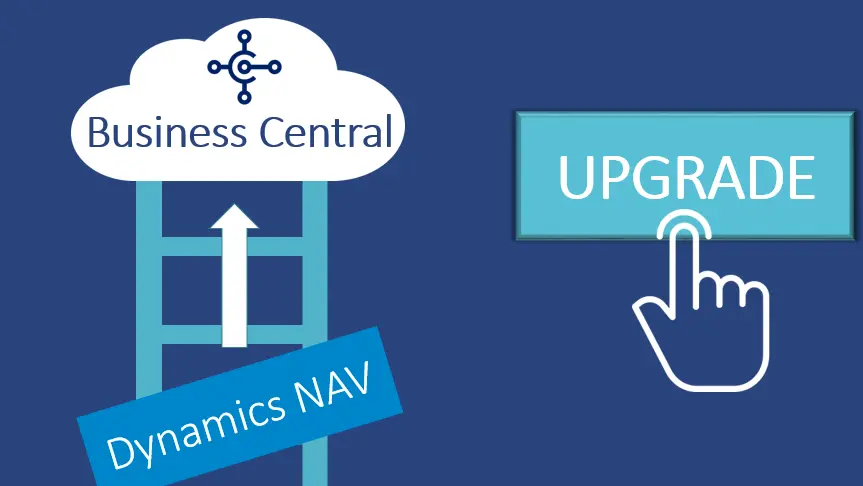
Upgrade NAV to Business Central for NAV-Like and More Advanced Features!

If you are on NAV, you would have probably planned to Upgrade NAV to BC in the near future. However, for some, NAV to Dynamics 365 Business Central Upgrade may seem uncomfortable, but it is interesting to note that Microsoft Dynamics 365 Business Central supports the same features as Dynamics NAV. D365 Business Central offers way more advanced tools to the users. From an easy-to-use interface to cloud-driven features, to flexible customization, D365 BC offers everything a business needs. Microsoft constantly improves and upgrades its ERP and CRM to provide the best possible services to the user. There is a specific category of NAV users who must Upgrade NAV to Dynamics Business Central.   Who Must Upgrade NAV to Dynamics 365 ASAP  The user of Dynamics NAV 2015 and lower versions as their mainstream support ended a while ago.   NAV 2016 users as their mainstream support ended in April 2021.   Businesses working on NAV 2017. Their mainstream support expired in Jan 2022.   Even Though NAV 2018 versions still have extended mainstream support till 2023, it’s still safe to Upgrade NAV to BC.   How Has Navision Become Outdated?  One of the major disadvantages of having NAV is its limited mainstream support, which leaves its users on their own after it ends. However, there are other reasons it is becoming outdated, and users need an instant shift.   NAV is user-friendly software. However, it still doesn’t support consumer technology. Moreover, Enterprise 2.0 and business tools are limited, and mobile access is also restricted to cross-browser support.   The total cost of ownership is way higher in this management system than in the packaging of business essentials.   Dynamics NAV too can be extended to get a Customized ERP Solution, however, at a higher maintenance cost, ownership cost, and software upgradation costs. Not to mention, the process consumes more time as well.   There are different third-party add-ons available for D365 NAV. However, they overlap, and it gets hard, tiring, and time-consuming to differentiate one from another.  Even though D365 NAV offers advanced features to support the manufacturing process, it does not support automation easily. It is very time-consuming and challenging for the entire ERP System.   This system does not come with automation tools or integrated business management tools. However, using .NET is possible to get a different platform for development but the entire process is still difficult.   Upgrade NAV to BC to Get More Pace, Agility, and Robust Features  Dynamics NAV is extensive and provides a variety of services, including financial management, accounting, marketing, supply chain, services, BI, sales, reporting, and project management. Apart from training employees for the new solution, the users also fear losing historic data. However, the NAV to Dynamics 365 Business Central move ensures your data is safely transferred.   Here are other reasons why you should Upgrade NAV to Business Central:   You never have to worry about updating your software, as Microsoft updates the software automatically for you. It launches new minor updates regularly without disrupting your operations. For major updates, it happens twice a year, and you will be notified two days prior.   Dynamics Business Central is hosted on Azure Cloud, which means it is accessible on any device, anywhere, anytime. The best part is that you do not have to invest further in hardware, servers, and maintenance agreements.   Upgrade NAV to BC for high-end security. Microsoft engages 3,500 IT experts’ day and night to detect, protect, and respond to cyber threats.  D365 BC integrates with other Microsoft tools such as Office 365, Azure, and other D365 suites.  Business Central produces fast, flexible, and accurate business reports with Jet Reports and Power BI, Excel add-ins. AI and machine learning support equipment monitoring, forecasting, and more accurate data on time ensuring decision making.   Improved search capabilities with cleaner and more organized data in Microsoft Dynamics 365 Business Central.   The users can manage costs better with pay per use and pay-per-month model in D365 BC instead of annual enhancements.    How can Sticking with Dynamics NAV Push you Back in the Competition?  Upgrade NAV to BC to implement better flexibility and agility into your business. NAV doesn’t support automation, and customization can also become time-consuming. However, another main reason behind NAV to BC Upgrade is that Microsoft will stop upgrading it and the users will have to manage with outdated products. Not to mention, without any mainstream support, the users are on their own when there is a bug or an error. This will push them 10 steps back into the competition.   If you are looking ahead to Upgrade NAV to BC, you can contact Trident Information Systems. We are a Microsoft Dynamics 365 Gold Implementation Partner, and LS Central Diamond Partner. We have upgraded NAV to BC in various SMBs and enterprises. Our dedicated team of professionals is happy to help you anytime, any day. Contact Us Today.  

Upgrade NAV to Business Central for NAV-Like and More Advanced Features! Read More »

NAV to Dynamics 365 Business Central

Surprising Benefits of Dynamics NAV to Business Central Upgrade for Your Business!   

Microsoft Dynamics 365 has conquered the market’s throne. Microsoft team works day and night so you can operate your business using smooth, agile, and flexible services. It plays a massive role in a business growth journey. It keeps launching new updates every now and then to keep its users with the latest technology. It launched a new upgrade in 2018; NAV to Dynamics 365 Business Central. The new technology provides more robust features, tailored tools, and agile services. It didn’t even take long to become SMBs’ top Enterprise Resource Planning choice. Apart from its features, one of the major reasons why it is mandatory to get a NAV to Dynamics 365 Business Central upgrade is the end of Dynamics NAV Support.  While the most recent NAV versions are still in mainstream support for a while, older versions are already out of support. Furthermore, the currently available versions’ support will soon end by January 2023. Plus, all upgrades will no longer include general advancements and new technologies.   Despite this, many businesses still prefer to use the NAV version, they fear inconvenience. However, after NAV to Business Central Upgrade, it should not even be the last thing you should worry about. Dynamics Business Central is way more convenient than its former version. It supports:   Custom Adaptability.   Advanced Mobile Access.   App Integration.   Smooth upgrades.   Reporting Capacities.   Affordability.    Let’s discuss in detail how Dynamics NAV is Different from Business Central.  Dynamics NAV v/s Business Central   Microsoft Dynamics developed NAV under the ERP (Enterprise Resource Planning) suite to provide a complete management ecosystem to SMBs, and it benefited them. This product could be operated on premises.    The main difference between Dynamics NAV and Business Central is not in the main body or its tools, but in the platform that both uses. Dynamics NAV could be operated on-site and be hosted on the local servers, whereas Business Central is Hosted on Microsoft Azure Cloud. Business Central enabled all the tools present in its NAV version which have been redesigned to provide more fluidity in the operations.   NAV to Dynamics 365 Business Central is an upgrade that comes with:   No Silos: You can unify your operations and simplify your workload. Apart from automating tasks, and integrating tools such as Office 365, Business Central improves the overall efficiency of your business.   Evolution: Having ERP on the cloud opens tremendous opportunities to test its flexibility. With Azure, you can extend its features to suit your business benefits.   Includes Crucial Data: You can access crucial data anytime and get real-time analysis to help you form critical decisions, such as improving the overall efficiency of your business.   Exactly What Benefits does NAV to Dynamics 365 Business Central Upgrade Offers?  Business Central has proven itself to be a worthy upgrade by Microsoft. Given below are the benefits of NAV to Dynamics Business Central Upgrade:   #1 You Are Always on the Latest Version, with the latest tools   Upgrade NAV to Dynamics Business Central as it offers a modern interface with the latest products, hence making the system easy to use. All the upcoming developments by Microsoft Dynamics 365 platforms, so a NAV to BC Upgrade will ensure you have all the latest features. Running your Microsoft Dynamics Business Central also ensures you have the latest security features and capabilities which could protect your data from external threats such as viruses, data thefts, malware, etc.   #2 You can be on-premises or on the Cloud; Whatever You Prefer.    NAV to Dynamics 365 Business Central comes with a choice of running your business on-premises or on the cloud. Our consultants can help you determine the best solution for your business. In addition, you may even find the monthly subscription model working the best for you.   #3 Industry-specific Applications at Your Service   With NAV to Dynamics 365 Business Central upgrade, you can claim various add-on industry-specific features. This will make your system tailored to industry needs. Apart from providing additional benefits to a business, it also takes care of its future needs.   #4 Seamless Integration with Microsoft 365  Business Central offers seamless integration with tools that you are already using, such as Office, Teams, and Outlook. Having complete integration of your workflow ensures better coordination and streamlines operations. The chances of errors become null, and you immediately see a boost in your business efficiency.   No doubt, Dynamics NAV has helped various businesses achieve doubled business efficiency, but it is time to go to a better version. NAV to Dynamics 365 Business Central upgrade ensures you automatically have the latest tools, enough flexibility, and agility to claim threefold efficiency at low costs. If you are looking forward to Upgrade Navision to Business Central, you can Contact Trident Information Systems, a Gold Microsoft Dynamics 365, and LS Retail Diamond Implementation Partners. You can rest assured with a brand existing for more than 20 years. 

Surprising Benefits of Dynamics NAV to Business Central Upgrade for Your Business!    Read More »

Why Should you Upgrade Dynamics NAV to Business Central?

It has been almost three years since Microsoft Business Central debuted. It was formerly known as Microsoft Dynamics NAV (NAV). The Business Central Upgrade offers modern technology, a more agile interface, tailored features, and so on. Hence, it is better to Upgrade NAV to Dynamics 365.   It did not take too long to establish itself as one of the best Enterprise Resource Planning in the market for Small to medium businesses. Still, many businesses prefer to use legacy solutions such as Dynamics NAV or Dynamics GP. However, there are strong reasons for Business Central Upgrade. Some of its benefits include but are not limited to:   Custom adaptability.   Advanced mobile access.   App integration.   Reporting capabilities.   Seamless upgrades.   Affordability  Those organizations that have been slow in moving from NAV to Dynamics 365 BC have to worry about implementation delays, associated costs, and other business disruptions. There is misinformation about the whole thing out in the market and this article aims to eliminate the noise.   What is the Difference Between Dynamics NAV and Microsoft Dynamics Business Central?  Microsoft Dynamic NAV and Microsoft Dynamics Business Central have similar functionalities. However, one of the major differences is that D365 BC is a browser-based software.  365 BC provides all the capabilities that NAV offers like Sales, Services, Operation Management, etc. but with a wider reach and more flexibility.   The last difference has to do with licensing. Where Business Central is licensed for name-based users, Business Central is licensed for concurrent users.   Why should you upgrade from NAV to Business Central?   NAV’s functionalities are extensive and include supply chain management, financial management, service, marketing, sales, reporting, business intelligence, and a lot more. One of the biggest fears of current NAV users would be training their employees for the upgraded version and transitioning a great deal of data from NAV to Microsoft Dynamics Business Central.  However, not many people know that the data structure of 365 BC is similar to that of NAV. Therefore, as long as your data is well organized and far away from corruption, the transition will be seamless.   Apart from transition concerns, what about NAV updates? While most recent NAV versions are still mainstream, the older versions are not entitled to support. And those supported currently will be out of support by January 2023, with just security updates available for an additional five years. In addition, all updates will no longer include general advancements and modern technologies.   Here are five reasons why you would want to upgrade NAV to Business Central:   Microsoft Business Central Upgrade happens twice a year and therefore, letting you enjoy the latest and secure version.   Since Microsoft Dynamics Business Central is cloud-based software, the user can access it anytime, anywhere at any device. They do not have to make further investments in hardware, maintenance agreements, and servers. Furthermore, security is the topmost concern of any organization and thankfully, Microsoft’s 3,500 cyber security professionals are working 24/7 to protect you from any cyber threat.  D365 also integrates with other Microsoft Dynamics tools, including Office 365, Azure, and other D365 products.   It also improves search capabilities due to data being cleaner and better organized in D365b BC.   Instead of certain licensing fees and annual enhancements, you can pay per user every month. Therefore, letting you manage costs more efficiently.   Updated Features of Dynamics 365 Business Central   Application Update: Within the application, some of the most requested areas have been centralized that include supply chain and finance. Given below are some of the features included in this release:   The user can add additional columns through personalization in various pages to get more insights.   Add non-inventory items on requisition and planning worksheets.   Bank and payment reconciliation.   Couple reorders between Business Central and Dataverse in bulk.   Modern Web Client: the primary focus on the update revolves around accessibility, usability, and stability. Given below are the latest updates:   Seamless data entry throughout rows.   Performance and usability improvement to the BC web client.   Discovering reports and administration areas in Role explorer.   Support for localized decimal separators on numeric keypads.   Better Microsoft Dynamics 365 integration: It provides enhancements to the Microsoft team’s integration.   New users who do not have a subscription can redirect and sign-up for a trial subscription.   Multiple word search and special characters for looking up contacts while presenting improved search term capabilities.   What is the Downside of Sticking to NAV?  From a technical point of view, it is an upgrade. However, note that Microsoft Constantly invests its resources and time on Dynamics365 Business Central development. As mentioned already, it will not introduce future updates for NAV. Thus, for this reason alone, we recommend migrating your system to Business Central and remaining ahead of the curve to promote future growth.   Conclusion  When you Upgrade NAV to Dynamics 365, you avail your organization of exactly what it needs to operate more effectively and efficiently. Highly flexible, feature-rich, and adaptable, Business Central Upgrade is one of the best end-to-end business solutions a small to medium-size business can invest in. If you are looking for an implementation partner, you may contact Trident Information Systems.  

Why Should you Upgrade Dynamics NAV to Business Central? Read More »

Upgrade NAV to Business Central

Upgrade NAV to Business Central Are you ready to Upgrade from Dynamics NAV to Dynamics 365 Business Central? The launch of BC has posed this question to all the users of Navision as ERP what is the future?  Should they upgrade or stay on the current version? Upgrading brings up thoughts of cost, pain, business disruption, and maybe even limited reward for all the effort. But it’s still something that one will have to evaluate as currently  NAV solution might be still meeting the needs now, however eventually support for the version will end, there will be more challenges around integrating with other applications and systems as they advance, and one can  fall behind the competition because they’re taking advantage of the latest technology has to offer. There are five main areas of focus to take into consideration when researching the upgrade from Dynamics NAV to Dynamics 365 Business Central. Stability, Performance and Security Data security is top-of-mind for most IT professionals. The Microsoft Cloud is synonymous with security and stability. With over 3,500 cyber-security professionals on staff, Microsoft is an industry leader when it comes to protecting, detecting, and responding to cyber threats. With so many IT experts in your corner, your IT staff can become more productive without having to worry about managing servers and ever-changing security regulations.  Cost Effective Essentially, moving to the cloud is a financial shift that reallocates ERP spend from infrastructure, costly servers, and upgrades to licensing fees. In fact, transitioning from Dynamics NAV to Dynamics 365 is the final ‘upgrade’ you’ll ever have to pay for. Once you have implemented Dynamics 365, updates happen frequently, and at no cost, ensuring you’re always on the most recent version.  Integrated Modern Platform Dynamics 365 Business Central features an intuitive look and feel that will help reduce training and ramp-up time for users because it’s easy to use and similar to other Microsoft solutions. Additionally, Business Central can be accessed anywhere, at any time – giving users the flexibility to work no matter where they are. The deep integration with the Business Central Cloud solution and O365 is the best starting point on your journey to consider the move from NAV to Business Central Cloud creating best work from Home Solution.  Digital Transformation With Dynamics 365, businesses can easily embrace the benefits of Machine Learning and Artificial Intelligence to become more efficient and reduce manual processes. Machine Learning can help with equipment monitoring, spam filtering, ad targeting, image detection, forecasting, and much more. Microsoft’s Power Platform, made up of Power BI, Flow, and Power Apps, gives you better data that is more accurate and timely to help you make better business decisions.  Microsoft AppSource Microsoft AppSource helps business users find and try software-as-a-service (SaaS) apps from Microsoft and its partners. Microsoft AppSource apps include Web Apps and apps that are built on top of Microsoft Dynamics, Office 365, and PowerApps including Power BI.  An industry specific assessment, completed by Trident experts, to help your company define and achieve your goals through the implementation and customization of Dynamics 365. Agenda Meet with Trident experts to define your company’s enterprise goals, objectives, and opportunities to leverage new technical and functional capabilities within Dynamics 365 Define scope by specifying processes and business functions to be covered by Dynamics 365 Review of Trident’s proven BLUEPRINT methodology for successful implementation within your industry Discuss potential resources, teams, roles, and responsibilities for technical tasks Define rollout and risk migration strategy Deployment preferences and options around cloud, hosted, and on premises—production/stage/QA/test Users and licensing Deliverables Estimation of the hour requirements to complete the upgrade project Future-state application/integration map Estimate of hours and scope for any additional or new phase functionality not previously implemented; for example, implementing new WMS for pre-AX2012 R3 users Recommended upgrade rollout plan and phasing Recommended customization and ISV product migration or replacement strategy Recommended data migration strategy and scope, including converting legacy WMS warehouses and items to post AX2012 R3 WMS Recommended license mapping to new user roles  READY TO TAKE THE NEXT STEPS WITH TRIDENT’S FREE ASSESSMENT Contact us today to schedule a quick chat about your project, or sign up for one of our monthly demos! Request For Demo

Upgrade NAV to Business Central Read More »

Microsoft Dynamics 365 Business Central partner guide for choosing the right NAV migration, ERP implementation, and support expert

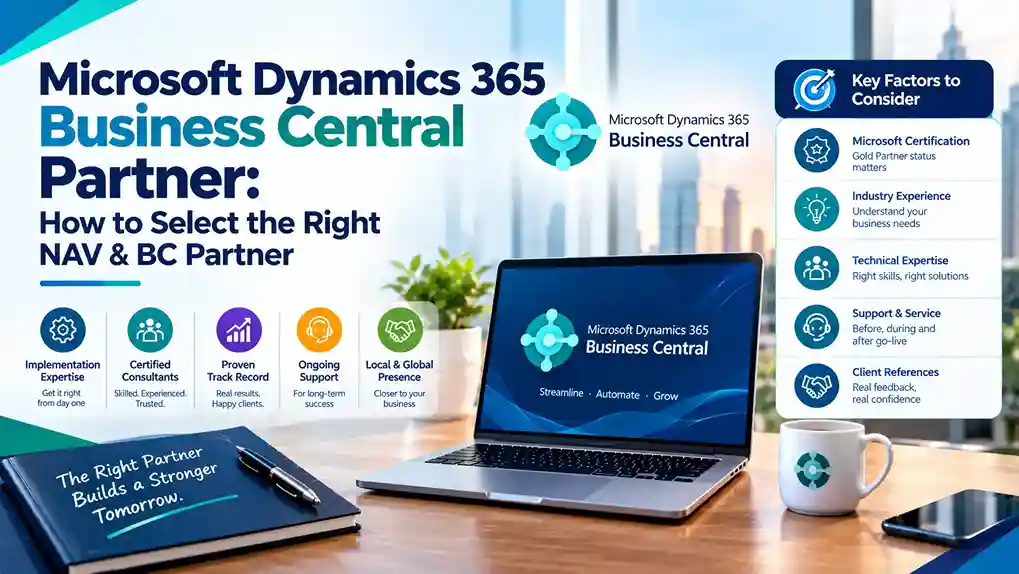
Microsoft Dynamics 365 Business Central Partner: How to Select the Right NAV & BC Partner

Microsoft Dynamics 365 Business Central is the fastest-growing ERP in Microsoft’s portfolio. It serves small and mid-sized businesses with cloud-native financials, supply chain, project management, and manufacturing capabilities. But Business Central’s accessibility creates a problem: almost every Microsoft partner now claims BC expertise. The reality is more nuanced. Many partners offering Business Central services lack genuine depth. Some have never completed a full implementation. Others are former Microsoft NAV Partner organizations that have not properly transitioned their practices. This guide explains how to select a Microsoft Dynamics 365 Business Central Partner that delivers real value—whether you are starting fresh on BC or migrating from NAV. Why Business Central Partner Selection Is Critical Business Central is deceptively powerful. Its standard functionality covers a broad range of business scenarios, and its configuration options are extensive. This breadth creates two failure modes: Failure Mode 1: Under-implementation. A partner configures only the basics, leaving the business running a glorified accounting system while paying for full ERP licensing. Failure Mode 2: Over-customization. A partner builds extensive customizations for requirements that standard BC already handles, creating technical debt that complicates every future update. The right partner avoids both—deploying standard functionality where it fits and extending only where genuine business value justifies it. NAV to Business Central: Understanding the Transition Many organizations evaluating Business Central partners are current NAV users. Understanding this transition is essential to selecting the right partner. What Changed from NAV to BC Business Central is the successor to Microsoft Dynamics NAV (originally Navision). The transition involved: The underlying data model and core functionality evolved directly from NAV, which is why many Dynamics Navision Partner organizations transitioned to Business Central practices. Why Not All NAV Partners Transitioned Successfully Not every Microsoft Navision Partner made the transition effectively. Some continued supporting on-premise NAV without building cloud BC capability. Others attempted BC implementations without proper training. When evaluating Dynamics Business Central Partners, ask directly about their NAV-to-BC transition experience—not just BC implementation experience. What to Look For in a Microsoft Dynamics 365 Business Central Partner 1. Current Microsoft Solutions Partner Designation Verify the partner holds current Business Applications designation from Microsoft. This confirms audited customer success, certified staff, and verified performance. Legacy Gold Partner status alone is insufficient—Microsoft’s program has evolved and designations must be current. 2. Certified Business Central Consultants Ask specifically: Partners with thin BC benches will delay your project when other clients escalate. 3. NAV Migration Experience For NAV users, migration experience is non-negotiable. Ask: Microsoft provides migration tools, but successful migrations require experienced hands. 4. Business Central AppSource Knowledge Business Central’s ecosystem relies on AppSource apps for extended functionality. The right partner knows: Partners unfamiliar with AppSource will either over-customize or miss solutions that already exist. 5. Industry-Specific BC Experience Business Central serves diverse industries—manufacturing, distribution, professional services, retail, and more. Each has distinct requirements. Choose a partner with demonstrated experience in your sector, with references to prove it. 6. Implementation Methodology Ask to see the partner’s methodology documentation. A mature approach includes: 7. Ongoing Support Model Business Central receives two major updates per year. Your partner must manage: Partners without structured update management leave you exposed to disruption. Evaluating Dynamics Business Central Partners: A Practical Process Step 1: Define your requirements precisely.Document modules needed, user count, entity structure, integrations, and data volume. Include your NAV version if migrating. Step 2: Screen for current designations.Use Microsoft’s Solutions Partner directory to verify Business Applications designation. Step 3: Request BC-specific references.Ask for at least three references—including NAV migrations if applicable—and contact them independently. Step 4: Assess AppSource familiarity.Ask how they approach requirement gaps: AppSource first, configuration second, custom development last. Step 5: Review methodology and support terms.Confirm implementation approach and post-go-live support SLAs before signing. Common Mistakes When Selecting a Business Central Partner Assuming all Microsoft partners are equal. Designations and certified consultant depth vary enormously. Choosing on price alone. Low-cost BC implementations often mean minimal configuration and thin support. Ignoring the NAV migration dimension. If you run NAV, a partner without migration experience adds risk. Skipping reference checks. Partner marketing claims should be verified with actual clients. Overlooking update management. Business Central’s twice-yearly release cycle requires active partner management. Business Central vs. Finance & Operations: Getting the Fit Right Some partners push Business Central for organizations that need Finance & Operations, or vice versa. The distinction matters: Business Central suits organizations with straightforward multi-entity needs, standard manufacturing or distribution, and budgets under $300K for implementation. Finance & Operations suits complex global organizations with advanced manufacturing, multi-country consolidation, and budgets exceeding $300K. A trustworthy partner will recommend the right platform even if it means a smaller project for them. Questions to Ask Every Business Central Partner Final Thoughts Microsoft Dynamics 365 Business Central is an excellent platform for growing businesses—but only when implemented by a partner with genuine expertise. The right partner combines current Microsoft designations, certified consultant depth, NAV migration experience, AppSource knowledge, and structured support. Whether you are evaluating Business Central for the first time or migrating from Microsoft NAV, apply rigorous selection criteria. The partner you choose shapes your ERP experience for years. Ready to select a Business Central partner? Verify designations, request NAV migration references, and compare methodology before committing.

Microsoft Dynamics 365 Business Central Partner: How to Select the Right NAV & BC Partner Read More »

NAV to Dynamics 365 Business Central Upgrade

Top 5 Reasons to Get NAV to Dynamics 365 Business Central Upgrade!

It takes more than merely moving your data from Dynamics NAV to D365 BC when you decide to get a NAV to Dynamics 365 Business Central Upgrade. It requires strategic planning and preparation before you start it, even if it is less time-consuming and difficult than other Dynamics NAV upgrades.  Dynamics NAV users have been gradually switching to Dynamics 365 Business Central. More NAV users switch to Business Central, while an increasing number of users are debating whether the switch is worthwhile.  Why Should You Get a NAV to Dynamics 365 Business Central Upgrade?  There is no doubt that Dynamics 365 Business Central is a more elevated version of NAV while holding all the functionalities that its former version had. It comes with various benefits that businesses of different sizes can enjoy and boost their productivity. Some of the benefits include:  Get More Agility and Security with Microsoft Cloud Azure  The majority of IT professionals prioritize data security. Microsoft Cloud Azure is a byword for reliability and security. With over 3,500 on-staff cyber-security experts, Microsoft is the market leader in terms of preventing, identifying, and countering online attacks. Your IT employees can work more productively without having to worry about managing servers or constantly evolving security standards when you have so many IT specialists on your side.  Ensures Greater ROI  Once you Upgrade NAV to Dynamics Business Central, it allows you to more effectively manage monthly expenses and plan your budget. Spending money on infrastructure, pricey servers, and upgrades to licensing fees are all eliminated when you move to the cloud. Simply said, switching to BC from NAV is the last upgrade you will ever have to pay for. Once installed, updates on D365 BC happen automatically and are free.  Latest Features and modern platform   Since Dynamics 365 Business Central is simple to use and resembles other Microsoft products, it will take users less time to learn and get up to speed. After the Business Central Upgrade, you can access the software from any location at any time, providing users the freedom to work from anywhere.  With NAV to Dynamics 365 Business Central Upgrade, machine learning and artificial intelligence can help combat annual errors and inefficiencies. You may use it to filter spam, analyze data, and forecast. It also helps you keep an eye on equipment. Microsoft’s Power Platform, which consists of Power BI, Flow, and Power Apps, enables you to make better decisions based on precise insights.  Modern Functionality and Applications  By adding additional features like focus mode, late payment prediction, fuzzy search, and many more, Business Central expands upon the fundamental functionality that was already included in Dynamics NAV. The capability of Business Central is being increased every day by the addition of new apps and add-ons to AppSource.   Get Deep Business Insights   Businesses can quickly benefit from machine learning and artificial intelligence with NAV to Dynamics 365 Business Central Upgrade by increasing productivity and reducing manual tasks. Equipment monitoring, spam filtering, ad targeting, picture detection, forecasting, and many more tasks can be aided by computer science. You may get better data that is more accurate and timelier with Microsoft’s Power Platform, which consists of Power BI, Flow, and Power Apps, to assist you in making better business decisions.  Saying that D365 BC is less expensive than Dynamics NAV on-premises is untrue. D365 BC is less expensive than NAV overall since, once installed, it allows you to manage monthly expenses and plan your budget. Spending money on infrastructure, pricey servers, and upgrades to licensing fees are all eliminated when you move to the cloud. Simply said, switching to BC from NAV is the last upgrade you will ever have to pay for. Once installed, updates on D365 BC happen automatically and are free.   Contact Trident Information Systems for an Upgrade!  You might be searching for a suitable D365 Business Central Support Partner if you’re thinking about NAV to Dynamics 365 Business Central Upgrade. Many companies now explore all their choices, particularly if they are dissatisfied with the amount of assistance they now receive from their Microsoft Partner. We have assisted numerous businesses that were dissatisfied with their support. Since Trident is a D365 Gold Partner, it provides different tiers of qualified Dynamics assistance that are adapted to your company’s requirements. 

Top 5 Reasons to Get NAV to Dynamics 365 Business Central Upgrade! Read More »