Welcome to Trident Information Systems!
Write us to - info@tridentinfo.com
Let's Socialize

Search Results for: NAV TO BUSINESS CENTRAL

NAV to Dynamics 365 Business Central

Upgrade NAV to Dynamics 365 Business Central if you Haven’t Already!

Microsoft Dynamics NAV, an on-premises ERP that assists businesses in managing enterprise-wide systems and procedures, is being phased out. Microsoft advises NAV to Dynamics 365 Business Central upgrade for current Dynamics NAV users.  Dynamics 365 Business Central, being a modern company management tool, enables organizations to integrate all their processes into one platform. It integrates activities across the departments of production, supply chain, customer service, sales and marketing, and finance. The Business Central on-premises or cloud-based versions are available to businesses.  End of Dynamics NAV Support!  Microsoft has announced the discontinuation of support for various NAV versions, which means that there will NAV to Dynamics 365 Business Central not be any further NAV ERP updates. Additionally, it will stop offering any kind of extended support, which means that the NAV versions will not receive any security patches.  The system will become more open to external threats due to Microsoft’s lack of support. Additionally, the system will age over time and be unable to keep up with technological advancements. Finding IT workers who are knowledgeable about NAV will get harder over time.  Why Would You Get a NAV to Dynamics 365 Business Central Upgrade?  Since Business Central is a new system and many businesses are unfamiliar with it, several businesses using MS Navision are delaying their choice to upgrade. Although it is a modern ERP, it is built on the Microsoft Dynamics NAV platform and has many advantages over NAV. There are various reasons to choose NAV to Dynamics 365 Business Central upgrade such as:  It is Economical  Any business can afford the on-cloud edition of Business Central. Depending on the number of users, the company must pay a licensing cost either monthly or annually. Microsoft Azure is used for hosting. The business pays less money on hardware like servers, security measures, installing software, etc. Microsoft also upgrades Business Central twice a year, which lowers the cost of maintenance.  A Safe Solution with Modern Features and Capabilities  Microsoft offers better features and functionality than NAV, a 99.9% uptime guarantee, is mobile-friendly, and gives around-the-clock access through a web browser from any location.  Users can automate repetitive operations, which will save them a ton of time and increase their productivity. According to their needs and the role-based rights provided to them, users can quickly create reports and share them with others.  Microsoft employs a group of professionals to oversee the solution’s security and provide routine backups.  Improved third-party and native integration capabilities  Power BI, Microsoft Office 365, Microsoft Azure, and other Microsoft products are all effortlessly integrated with Dynamics 365 Business Central. Additionally, it offers consumers a single sign-on option for the complete Microsoft product line. To expand its functionality, it can also integrate with apps developed by third parties.  Enhanced Interface  A user-friendly, contemporary interface is offered by Business Central. The design is consistent with that of other Microsoft products. Across all devices, it offers a consistent user experience.  Numerous possibilities for deployment and adaptable licensing  It comes in two varieties, as was already established. The business can pay the on-cloud version’s monthly licensing fees. The business can instantly expand and add new users with ease. For an upfront cost, a business can purchase perpetual licenses for the on-premises version.  How can Trident Information Systems Assist?  The most recent versions of Microsoft Dynamics NAV deployments can be upgraded by a team of experts at Trident. We have tested the method to deliver the upgrading projects, from advising to going live. To prepare an upgrading plan, you must first figure out your necessary budget.  Trident Information Systems is a D365 Gold Partner and LS Retail Diamond Partner. With our technical professions and robust record of accomplishment, we have managed to gain a massive clientele. Let our professionals guide you through the Microsoft Dynamics NAV to Dynamics 365 Business Central upgrade process. Book an appointment for a free demonstration. Contact us right now. 

Upgrade NAV to Dynamics 365 Business Central if you Haven’t Already! Read More »

NAV to Business Central Upgrade

Top 5 Reasons to Upgrade Dynamics NAV to D365 Business Central You Can’t Ignore

While it can be difficult for firms to change ingrained operational procedures, doing so is imperative to stay up with the quick pace of technology development. Agility is crucial for survival in the fast-paced corporate world of today. Thus, invest in NAV to Business Central Upgrade so you can earn a massive competitive advantage.  For small and mid-sized enterprises looking to automate, improve, and manage their operations more efficiently, Dynamics NAV is an excellent ERP (Enterprise Resource Planning) solution. The most recent version of Microsoft Dynamics NAV is called Dynamics 365 Business Central. It is a complete business management solution that makes it easy to combine several systems into one. Office 365 and other Microsoft products, including Business Central, are compatible.  Business Central is available both on-site and cloud. Therefore, migrating to the cloud can bring about the most significant changes. Microsoft Dynamics Business Central (BC) has enhanced and rebranded Dynamics NAV. When you choose NAV to Business Central Upgrade, you can expect a combination of old and new capabilities.  5 Reasons to Choose NAV to Business Central Upgrade  Many companies are still using outdated programs like Dynamics GP or NAV. You should opt for NAV to Business Central Upgrade for several reasons, including:  Some businesses have been reluctant to get a NAV to Business Central Upgrade as they are concerned about implementation delays, related expenses, and business interruptions. There is a lot of false information concerning switching from Dynamics NAV to BC. Given below are the top 5 reasons to Upgrade from NAV to Business Central:   Choose between On-Premises and Cloud as per Your Comfort  Dynamics Business Central, which is based on Microsoft Dynamics NAV code, gives companies the option of on-premises or cloud deployments. Additionally, Microsoft has improved its user interface so that organizations can host their ERP Solution either in the cloud or on-premises. This improvement made it more user-friendly and oriented toward end users. Both choices are easily managed. Therefore, with NAV to Business Central Upgrade, you can decide whether you want to work on-premises or on the Cloud.   A Unified Platform   You can control all corporate services, apps, data, processes, teams, and people in one place with Microsoft Dynamics Business Central. It offers a smooth transfer of information throughout the entire company. Organizations can utilize it to get a consolidated view of many business touchpoints and get rid of data silo-related obstacles.   Customize as Per Requirement   Users of Dynamics NAV frequently modify the software to their specifications. However, it can be too expensive to switch to a different solution because customizations are fairly expensive. However, with a NAV to Business Central Upgrade, you can customize the software at your own pace. Again, thanks to Dynamics Business Central’s improved flexibility, you may even be able to do without some customizations. Upgrading from NAV to Dynamics 365 Business Central can open multiple doors of multiple opportunities.   Integrate with Third-Party Application   Business Central offers a variety of native integration capabilities that let you connect to well-liked outside programs. The development environment fosters adaptability and the capacity to create user integrations. By connecting to the Microsoft App Source business apps marketplace, you can also obtain programs suited to your company’s requirements.   Seamlessly Integrate with Other Microsoft Tools   Microsoft Dynamics Business Central integrates Office 365 suite, Power BI, Microsoft Outlook, and SharePoint without any issues. Additionally, users of mobile devices, web browsers, and Outlook can utilize the data simply by navigating between applications. Employee training costs have decreased due to the range of operational commonalities across many applications.  It is high time for NAV to Business Central Upgrade if you haven’t already. Keep up with the competition using Microsoft Dynamics 365 Business Central’s most advanced and reliable tools. If you wish for a NAV to BC Upgrade, you can Contact Trident Information Systems. We are a Gold Microsoft Dynamics 365 Implementation Partner and Diamond LS Retail Partner. For any inquiry, you can Contact Us anytime. Our executives will be happy to help you. 

Top 5 Reasons to Upgrade Dynamics NAV to D365 Business Central You Can’t Ignore Read More »

What is the Difference between Microsoft Dynamics Business Central and Dynamics NAV? 

  You must be aware of the significant functional changes and new features of Dynamics 365 Business Central when comparing it with Dynamics NAV. D365 BC is the upgraded version of Nav. With NAV to Dynamics Business Central Upgrade, you can get a whole new set of advanced features. We will explore some key distinctions between Dynamics NAV and Dynamics 365 Business Central in this blog post.  40% of Business Central clients are in the United States, 12% are in the United Kingdom, and 6% are in Canada, according to enlyft.com. Small businesses make up 41% of all consumers, medium-sized businesses make up 44%, and large enterprises make up 14%.  For small and mid-sized organizations, Business Central is a cloud-based ERP solution that automates finance, sales, operations, and customer care to increase customer interactions, streamline business processes, and make smarter decisions. To take advantage of the improved features and capabilities that Dynamics 365 Business Central has to offer, many Fortune 500 organizations prefer NAV to Business Central Upgrade.  Difference Between Dynamics NAV and Dynamics 365 Business Central    Despite the many similarities between Microsoft Dynamics NAV and Microsoft Dynamics 365 Business Central, there are also significant distinctions that encourage many users to switch from NAV to Business Central  While Dynamics NAV is an on-premises ERP solution, D365 Business Central is a cloud-based ERP solution.  You may access your data and applications using Dynamics 365 Business Central from any location and on any device.  While Dynamics NAV needs some customization and third-party add-ons to obtain the same degree of functionality, D365 Business Central comes with a comprehensive collection of features and functionality.  While Dynamics NAV is licensed on a per-server basis, Business Central is licensed per user. When utilizing Dynamics NAV, you must pay for the server regardless of how many people are accessing the system, whereas, with Business Central, you only need to pay for the users who will be using the system.  Other major differences include:  User Interface   The user interface is where there are the biggest differences. With its simple navigation and cloud-based ERP solution design, Dynamics 365 Business Central increases efficiency. In contrast to Microsoft Dynamics NAV, which uses C/AL (Client Application Language), the new Business Central interface uses AL language code.  In Microsoft Dynamics 365 Business Central, the usage of AL language code allows for additional customization and aids in managing, upgrading, and creating extensions.  All the programs, including Office 365’s Outlook and Excel and Microsoft Dynamics 365 Sales, and Power BI Services are included in Microsoft Dynamics 365 Business Central (CRM). Automating processes avoid silos and raise productivity. End-users may build robust workflows and connectors without learning sophisticated coding.  Hosting   Dynamics 365 Business Central was first introduced to bring Dynamics NAV functionality to the cloud. Extensions and updates are significantly simpler to do with Microsoft Azure Cloud hosting. It makes it unnecessary for you to purchase and maintain your internal servers and allows you to expand or decrease capacity with a simple click. The main advantages of SaaS systems include improved security, lower risk of data loss, and better accessibility.  Upgrades  To prevent the systems from being out of date, important upgrades are automatically released twice a year. With constant enhancements, businesses are an optimal version of Business Central, unlike Microsoft Dynamics NAV. Updates enhance security and user experience. You can even delay it for 90 days. Users are forced to Upgrade NAV to Business Central by this function.  User License   The monthly subscription-based Microsoft Dynamics 365 Business Central software is offered in “Essentials” and “Premium”. Users can gain from usability on numerous platforms, Single Sign-On, iOS, Android, and PC. Remote work is convenient thanks to the cloud-based ERP solution, which also makes it incredibly flexible and affordable for enterprises. As opposed to Dynamics NAV, which comes in Starter and Extended Packs.    How Can You Move from NAV to Business Central    Dynamics NAV has been used by most businesses for years. Consequently, switching from NAV to Business Central update could be a little challenging. However, if users receive greater usability and more functionality than the NAV solution, it will be worthwhile.  It is challenging to transition Navision to contemporary platforms like Business Central because it is an extremely ancient program with a sophisticated code base. The transition is pricey, difficult, and time-consuming. However, there are several actions you must take if you want to get better over time.  NAV has been replaced by Business Central. Unlike the previous Navision, which required customization, it is a robust, adaptable application with capabilities that are ready to use. Although it costs money, it is the quickest way to pick up new skills and shorten the time to market. Any reputable and authorized Microsoft partner, such as Trident Information Systems, a gold partner of Microsoft, can sell Microsoft Dynamics 365 Business Central.  During the relocation, we will adopt the following procedures:  Step 1: Assessing your current NAV offering  Step2: Testing/Migration.   Step 3: Appropriate training and evaluation  Step 4: Properly start the migration  Step 5 is to keep supporting your company continuously.  If you are looking for a Business Central Upgrade Partner, you can Contact Trident Information Systems. We are a Gold Microsoft Partner and LS Retail Diamond Partner/ LS Central Diamond Partner. 

What is the Difference between Microsoft Dynamics Business Central and Dynamics NAV?  Read More »

Upgrade NAV to Business Central

Upgrade NAV to Tap into the Benefits of Business Central  

Are you still working for Navision? Did you know its mainstream support is about to end? If you are only comfortable with Navision, no issues. You can Upgrade NAV to Business Central, its cloud version which comes with the same upgraded functionalities as Navision.   The cost, pain, and inconveniences are in your mind when you think of NAV to BC Upgrade. However, you will still have to consider it. Its mainstream support is ending soon whereas it has already ended for some versions.   Still doesn’t sound like a big deal? Have you planned a way to run your business with software without a support system? Not having a support system means that no matter what the problem is, you will be on your own. No technician will be allotted to fix issues in your NAV Version.   What is the Difference Between NAV and Business Central?   Both NAV and Business Central possess the same functionalities, but one thing that gets Business Central one step ahead is that it is browser-based. You can access a wider reach and more flexibility with BC, which provides all the capabilities used in Dynamics NAV such as Sales and service, operation management, etc. at its core.  The second difference between both is licensing, Dynamics NAV issue license for concurrent users whereas Business Central issues them based on named users.   Overall, Business Central is more advanced and flexible. Upgrade NAV to Business Central to Avail the Following Benefits:  Performance, Stability, and Security  IT professionals put special emphasis on data security. With Microsoft Cloud, you get more than 3500 cyber security professionals at your service who protect, detect, and respond to a cyber threat in the blink of an eye. Moreover, by having Microsoft-trained IT professionals at your disposal, your IT staff can spend some time becoming more productive.   Cost-Effective Processing   If you are terrified of moving to the cloud due to the financial shift it comes with, you do not have to worry about it because it is a one-time investment. Relocating ERP spending from infrastructure upgrades, expensive servers, and licensing may seem daunting, however, as soon as you Upgrade NAV to Business Central, you will never have to pay again. This ultimate upgrade ensures automatic updates frequently so you can leverage the best and the most advanced technology for your business.   Low Training Time   Dynamics 365 comes with an intuitive look and feel which reduces training time. The staff will be familiar with the features that are used, hence processing the software won’t be a tough job. After NAV to Dynamics Business Central Upgrade, you can access it anywhere, at any time, and work efficiently even remotely. The deep integration with O365 and Business Central Cloud Solution is the best point to start your journey.   Digital Transformation  Once you Upgrade NAV to Business Central, you can easily leverage the machine learning and AI (Artificial Intelligence) capabilities. Machine learning reinforces you to monitor, filter spam, target ads, detect images, forecast, and a lot more. Microsoft Power Platform comprises Power BI (Business Intelligence), Flow, and PowerApps that ensure accurate data and better insights into your business.   Microsoft AppSource   Microsoft AppSource allows users to locate and try SaaS (Software-as-a-Service) applications developed by Microsoft and its partners. Microsoft AppSource contains apps that are developed at the top of Microsoft Dynamics, PowerApps such as Power BI, and Office 365.   Upgrade NAV to Business Central and Embrace its Out-of-the-Box Features   Being a Microsoft Product, Business Central integrates with other Microsoft Products seamlessly such as Dynamics 365 Sales and other applications such as PowerApps, Microsoft Teams, Power BI, and so on. Standard APIs will also be available to you to develop Connected Apps which you can later publish in the App Store and integrate with Business Central.   It is especially useful that a point-to-point connection is required to connect a third-party service with business central. You can find several third-party applications at Microsoft AppStore to enhance the functionality of your business.   Upgrading NAV to Business Central to benefit from better functionalities and more opportunities. It doesn’t even have recurring expenditure; you only pay once, and you are guaranteed to stay on the latest, most agile, and most flexible solution in the market. If you are thinking of a NAV to Dynamics 365 Business Central Upgrade, you can Contact Trident Information Systems. A Gold Microsoft Dynamics 365 Implementation Partner, and Diamond LS Retail Implementation Partner.  opportunities

Upgrade NAV to Tap into the Benefits of Business Central   Read More »

Why Should You Upgrade your NAV Version to Microsoft Business Central?

Debuted in 1987, then acquired by Microsoft in 2002, NAV is now called Microsoft Business Central Dynamics NAV. Being one of the most profuse software packages, it offers more than 110,00 installations globally.  What began as an on-premise software solution orienting SMEs, now has various deployment options ranging from private to public cloud. Each one is designed to seamlessly comply with other Microsoft applications such as Dynamics 365 for sales, Power BI, and Office 365.   Outshining Dynamics NAV, Business Central offers:   A more compact integration with other Microsoft applications, avoiding traditional silos sourcing hindrances.   Embedded Power BI which avails real-time data and business analytics for more actionable insights.   Seamless upgrades with bi-annual release cadence.   An automatic workflow creation with Microsoft Flow to enhance efficiency.  Smooth data transmission with Microsoft CRM platform, Dynamics 365 for sales.   How does Dynamics NAV differ from Business Central?  Business Central Implementation delivers all the standard Functionalities that Microsoft NAV has. Thus, there emerges an interesting question; Why do you need to opt for NAV to Business Central Upgrade then?   Microsoft is on an enhancement spree where they commit to streamlining business operations, enhance customer interactions and stimulate growth. However, it should be noted that businesses using Dynamics NAV have stopped getting new version releases after December 31, 2018. Therefore, there is no customer support available for Dynamics NAV users and it becomes necessary to upgrade to Microsoft Dynamics Business Central.   The new version proffers various exciting features such as:   Licensing Options: You have the flexibility to choose your subscription package; you can either pick a monthly subscription or perpetual. It is up to you whether you want your operational expense or capital.   Hosting Option: Avail Business Central as both a Cloud-based SaaS solution and perpetual hosting solution. While you can use the solution on a private data center or your server but a cloud with NAV.   Seamless Upgrades: With Business Central you can witness automatic upgrades taking place in the background on a bi-annual release cadence. Even if you decide to get a few add-Ons or any customizations, this process will still get going seamlessly. It is a faster and smoother process with Business Central than that of NAV.   What Benefits does NAV To Business Central Upgrade Offer?  Since Dynamics NAV stopped releasing its new versions after 31st December 2018, there is no other customer support but Support for Business Central.   Tighter integration with other Microsoft applications, real-time data availability, and bi-annual release cadence upgrades ensure smoother business operations and productivity boost. You can get numerous benefits from this upgrade such as:   Microsoft Cloud Security  Cost benefits   Modern Equipment  Alternative for Hardware  Business Expansion   Technical Support   Microsoft Cloud Security  Data security and safety has always been the top concern of IT professions. However, with Microsoft’s robust security system they no longer have to stress on it. There are more than 3,500 IT experts in Microsoft making it an industry leader when it comes to safety, threat detection, and system protection. By having a massive security-focused IT team collaborating with yours, you never have to worry about any malware or security threat. Instead, your IT technicians can seamlessly carry out tasks they are assigned to.   Better Budgeting   Microsoft Dynamics Business Central is no less expensive than Dynamics NAV itself. However, you do get a better understanding of your finances, allowing your experts to make better budget plans more carefully. Cloud upgrade is a financial shift that reallocates ERP (Enterprise Resource Planning) spend from infrastructure, expensive servers, integration costs, and licensing fees. Business central upgrade is the ultimate upgrade you will ever have to pay for, after that, upgrades happen automatically at no cost, ensuring you are on the latest version.   Modern Equipment   Business Central displays an intuitive interface, which is easy to use and cuts training time. Its features resemble those of other Microsoft applications you have already been using. Additionally, it is elastic enough to be used anytime, anywhere. It does not matter wherever you are, you can still use it and get your work going.   Alternative for Hardware   This is a great solution for businesses that do not wish to invest in a hardware-oriented environment but wish for smooth business operations. Many on-premise businesses spend a fortune on hardware set-up and software configuration ensuring high availability, reduced uptime, security, and backup.   Business Expansion  Microsoft Business Central is designed to manage your finance, customer, and supply chain more effectively. Moreover, smart reporting and real-time visibility are at your fingertips complementing smart management and project optimization. Therefore, simplified business operations and output-centric technology drive deeper market penetration and greater scalability.   Business Central streamlines business operations and ensures free flow of data transmission with no place and time limitation. From small businesses to startups, there is a scope of business expansion for all entrepreneurs. You can freely focus on major productive aspects of your business with Microsoft’s automation.   Technical Support   You are automatically entitled to Microsoft’s support system once you avail their cloud-based versions. According to your time-to-time customization requirements, you can also integrate with other Microsoft applications. If you require more personalized capacity in your plan, use API (you cannot use it with Microsoft NAV)   Why Trident as an Implementation Partner?   Trident offers an industry-specific assessment by certified experts to help you define and accomplish your business goals through Dynamics 365 implementation and customization.    Trident Delivers   Hour requirement estimation to finish upgrading.   Future-state application/integration map  Recommendation on license mapping to new user roles.   Recommendation on rollout plan and phasing.   Data migration recommendation strategies and scope.   Trident Information Systems has been serving its customers since 1999. Backed up with experience of more than two decades and 150+ technical resource strength, it became Microsoft D365 and LS Retail Gold Partners. With 250+ client engagements across India, SE Asia, Middle East, and Africa, Trident claimed several awards benchmarking their achievements.  For further information or a demonstration contact us.  

Why Should You Upgrade your NAV Version to Microsoft Business Central? Read More »

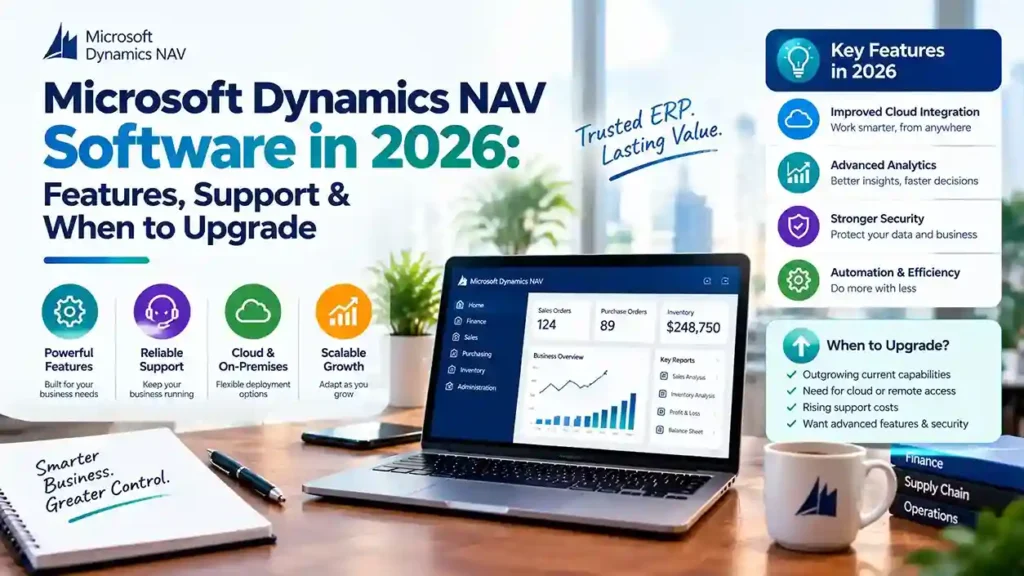
Microsoft Dynamics NAV software in 2026 covering ERP features, support options, and upgrade paths to Dynamics 365 Business Central

Microsoft Dynamics NAV Software in 2026: Features, Support & When to Upgrade

Microsoft Dynamics NAV Software enters 2026 at a critical juncture. The platform still powers thousands of businesses reliably, but Microsoft’s direction is unmistakable: NAV is a legacy system being maintained, not improved. New license sales have ended, support windows are closing, and the innovation roadmap belongs entirely to Business Central. This guide covers what NAV still delivers in 2026, the support realities you must plan around, and how to decide when migration makes sense for your organization. What Microsoft Dynamics NAV Software Still Does Well in 2026 NAV’s core capabilities remain functional and familiar. For businesses with stable requirements, the system continues to handle: The platform’s flexibility—built on its C/AL development environment—allowed partners to tailor NAV deeply for specific industries. That tailoring is why many businesses still find NAV fits their operations better than a standard cloud ERP would. But familiarity is not a strategy. The ecosystem around NAV is contracting, and 2026 brings concrete deadlines that demand attention. The Support Reality for NAV in 2026 Version-by-Version Support Status Support depends entirely on which NAV version you run: NAV Version Extended Support Status NAV 2015 Ended January 2025 NAV 2016 Ended April 2026 NAV 2017 Ends January 2027 NAV 2018 Ends January 2028 Anything older than NAV 2015 is already outside every support window. Once support ends, Microsoft provides no security patches or compliance updates—a serious exposure for systems handling financial data. The End-of-Sale Deadline Microsoft has announced that April 30, 2031 is the end-of-sale date for Dynamics NAV. After that date, customers cannot renew service plans, renew subscriptions, purchase additional perpetual licenses, or use NAV through a Service Provider License Agreement. This gives you a firm planning horizon. The deadline is not imminent, but it is definitive—and migration projects take time. The Talent and Innovation Gap Microsoft’s ERP development is concentrated entirely on Business Central. NAV receives maintenance-level support but no new features. The pool of experienced NAV developers shrinks annually as consultants reskill. Third-party add-on vendors are shifting focus to AppSource for Business Central. Staying on NAV means rising costs for scarcer expertise and gradual loss of integration capability with modern systems. When to Upgrade from NAV to Business Central Migration is not mandatory immediately. But certain conditions make it the right decision: Security and compliance pressure. Your industry requires current patches, data protection compliance, or regulatory reporting that aging NAV versions cannot support. Integration needs. You need native connection to Power BI, Power Platform, Microsoft 365, or Azure AI—capabilities Business Central delivers out of the box. Remote and mobile access. Your workforce needs browser-based or mobile ERP access. NAV’s classic client is desktop-bound. Customization debt. Your NAV customizations are increasingly difficult to maintain, and finding developers who understand them is becoming impossible. Growth plans. You plan new entities, countries, or business models that require modern ERP capabilities. Rising total cost. Infrastructure, licensing, support, and scarce talent costs are approaching or exceeding Business Central subscription pricing. The Migration Path: What Microsoft Supports Microsoft provides defined upgrade routes, but no direct jump from older NAV versions to Business Central online. Supported Upgrade Paths For NAV 2015 through 2018, the path is: For NAV 2013 and 2013 R2: Upgrade to NAV 2018 first, then follow the path above. For NAV 2009: Upgrade to NAV 2013 or 2015, then NAV 2018, then proceed. Two Migration Approaches Full migration carries all data and customizations forward. It requires converting C/AL customizations to AL extensions and upgrading through supported versions. This preserves history and custom functionality but demands significant effort. Reimplementation migrates only essential data—master data, opening balances, setup—without converting legacy customizations. Microsoft provides a Business Central 14 reimplementation tool for this route. This suits organizations with heavy customization debt or processes that should change during migration. The Customization Reality This is where most migration effort goes. Current Business Central versions are AL- and extension-based only. NAV’s C/AL code cannot run in them. Every custom table or codeunit must be converted to an AL extension before cloud migration—unless you choose the reimplementation path. Microsoft’s tooling assists with conversion, but it is not a one-click process. Triage every customization: Does Business Central standard functionality already cover this? Can an AppSource app replace it? Is the customization still delivering value? Typically, 50–70% of NAV customizations can be eliminated rather than rebuilt. Choosing a Microsoft Dynamics NAV Partner in 2026 Your partner determines whether migration succeeds or stalls. Verify these capabilities: Active NAV support. Which versions do you support? How many certified NAV consultants do you employ? Proven migration experience. How many NAV to Business Central migrations have you completed? Request references from projects with similar customizations. Add-on migration knowledge. Which third-party add-ons have Business Central equivalents? Which AppSource apps replace legacy functionality? Honest roadmap guidance. A trustworthy partner discusses the NAV roadmap candidly—neither dismissing migration urgency nor pushing it prematurely. When You Can Reasonably Stay on NAV Migration is not the only valid choice. Staying on NAV may make sense if: The key distinction is having a plan versus drifting by default. Organizations without a roadmap will eventually migrate under pressure—with less time, higher costs, and greater disruption. Final Thoughts Microsoft Dynamics NAV Software remains a capable ERP for businesses with stable needs. But 2026 marks a clear inflection point: support windows are closing, talent is shrinking, and Business Central is where Microsoft invests. Whether you continue on NAV with a reliable partner or begin planning migration, the essential step is acting deliberately. Assess your version, evaluate your customizations, and build a timeline that respects the 2031 end-of-sale deadline. Running NAV and unsure about your next step? Contact a certified Microsoft partner for an environment assessment and migration roadmap.

Microsoft Dynamics NAV Software in 2026: Features, Support & When to Upgrade Read More »

Business Central Partner in Saudi Arabia

How to Choose a Business Central Partner in Saudi Arabia (2026 Guide)

This guide is for CFOs, CIOs and operations heads shortlisting a Business Central partner in Saudi Arabia. It covers what the partner must deliver, how to score candidates, realistic timelines and cost drivers, and the questions worth asking before you sign. Microsoft Dynamics 365 Business Central runs well in Saudi Arabia, but Microsoft does not ship a Saudi edition of it. ZATCA e-invoicing, Arabic tax invoices, Hijri dates and local tax setup all come from the partner you hire. In Saudi Arabia, choosing the partner matters as much as choosing the software. Is Business Central available in Saudi Arabia? Yes, as a partner-localized market. Saudi companies run the global (W1) version of Microsoft Dynamics 365 Business Central. Saudi requirements are added through partner-built apps, many published on Microsoft AppSource, and through configuration. Microsoft builds local functionality only for the countries it localizes itself and relies on partners everywhere else. Why “partner-localized” changes your shortlist Two Saudi companies on Business Central can have very different compliance setups, depending on which apps their partners installed. When you evaluate a partner, you are really evaluating their localization stack. Ask three questions early: A partner who cannot answer these clearly is asking you to fund their learning curve. What a Saudi Business Central partner must deliver Standard ERP skills are the entry ticket. The items below are what separate a capable Saudi delivery from a generic one. ZATCA Phase 2 e-invoicing integration The Zakat, Tax and Customs Authority (ZATCA) made e-invoice generation mandatory in December 2021 and has been rolling out Phase 2, the Integration Phase, in waves since January 2023. Each wave is defined by VAT-subject revenue. Wave 24 covered businesses above SAR 375,000 and closed on 30 June 2026. On 24 July 2026, ZATCA announced Wave 25: any taxpayer whose VAT-subject revenue exceeded SAR 187,500 in any year from 2022 to 2025 must integrate with the FATOORA platform by 1 February 2027. ZATCA notifies targeted taxpayers at least six months ahead, so many smaller Business Central users are in scope right now. A licensed Business Central environment is not ZATCA-compliant on its own. Your partner should deliver and demonstrate: Insist on a sandbox test that covers your awkward cases, not only a happy-path sales invoice. VAT, Zakat and withholding tax configuration Saudi VAT is 15%. Posting groups in Business Central should map cleanly to ZATCA’s tax categories: standard-rated, zero-rated, exempt and out of scope. Ask the partner to show you the VAT return output, not just the setup screens. Withholding tax on payments to non-resident suppliers and year-end Zakat reporting are frequently missed in scope documents. Confirm whether they are handled by the localization app, by reports the partner builds, or outside the ERP. Arabic documents and the Hijri calendar Tax invoices must carry Arabic text, and most Saudi customers expect bilingual documents. That means Arabic report layouts with right-to-left text, Arabic item and customer names where needed, and, for some documents, Hijri dates alongside Gregorian ones. An Arabic user interface is also available through translation apps. Ask for a printed sample: a bilingual tax invoice and a credit note generated from the partner’s own Business Central environment. Data residency and hosting Business Central online environments for Saudi Arabia are currently hosted in Microsoft’s UAE Azure geography. Microsoft’s new Saudi Arabia East region, in the Eastern Province with three availability zones, opens to customers in November 2026. Whether and when Business Central environments can be hosted in the Saudi region is something to confirm with your partner and Microsoft, not assume. If you operate in a regulated sector or handle significant personal data under Saudi Arabia’s Personal Data Protection Law (PDPL), review hosting with your legal team. A capable partner will also explain on-premises or private Azure options where they fit. Payroll and HR: know the scope gap Business Central has no Saudi payroll in its core application. GOSI contributions, end-of-service benefits and iqama or visa tracking normally come from a third-party HR and payroll app or a separate HR system integrated with Business Central. Make sure the proposal says which, and who supports it. Industry depth beyond finance Finance is the easy part. The partner’s value shows in operations: Ask for references in your industry, ideally from companies of a similar size. A scorecard for evaluating Business Central partners Score each shortlisted partner from 1 to 5 on the criteria below, then apply the weights. The weights are a starting point; adjust them to your priorities. Criterion What good looks like How to verify Suggested weight Saudi compliance stack Named ZATCA app; clients already live on FATOORA Phase 2 Live demo: post an invoice and show the cleared XML and QR code 25% Business Central depth Certified functional consultants and in-house AL developers Microsoft partner designation; consultant CVs 20% Industry fit Comparable projects in your sector Two reference calls 15% Method and data migration Documented phases, migration rehearsals, cutover plan Sample project plan and migration checklist 15% Support model SLA covering the Sunday–Thursday working week; escalation path Read the SLA, not the brochure 15% Commercial clarity Line-item quote; licensing through CSP explained Compare quotes line by line 10% Red flags to watch for More warning signs are covered in red flags in your D365 implementation partner. What implementation looks like in Saudi Arabia Typical phases and timelines The durations below are indicative for a single-entity finance and distribution scope. Several phases run in parallel. Phase Key activities Indicative duration Discovery and fit-gap Process workshops, compliance mapping, ZATCA wave and deadline check 2–4 weeks Design and configuration Chart of accounts, VAT setup, approvals, localization apps 3–6 weeks Integrations and ZATCA onboarding FATOORA sandbox, banks, POS, e-commerce 2–6 weeks, in parallel Data migration Masters, opening balances, open documents, rehearsals 2–4 weeks, in parallel Testing and training UAT with bilingual documents, end-user training 2–3 weeks Go-live and hypercare Cutover, first month-end and VAT return support About 4 weeks A focused scope often lands in three to six months. Multi-entity groups, manufacturing, or retail

How to Choose a Business Central Partner in Saudi Arabia (2026 Guide) Read More »

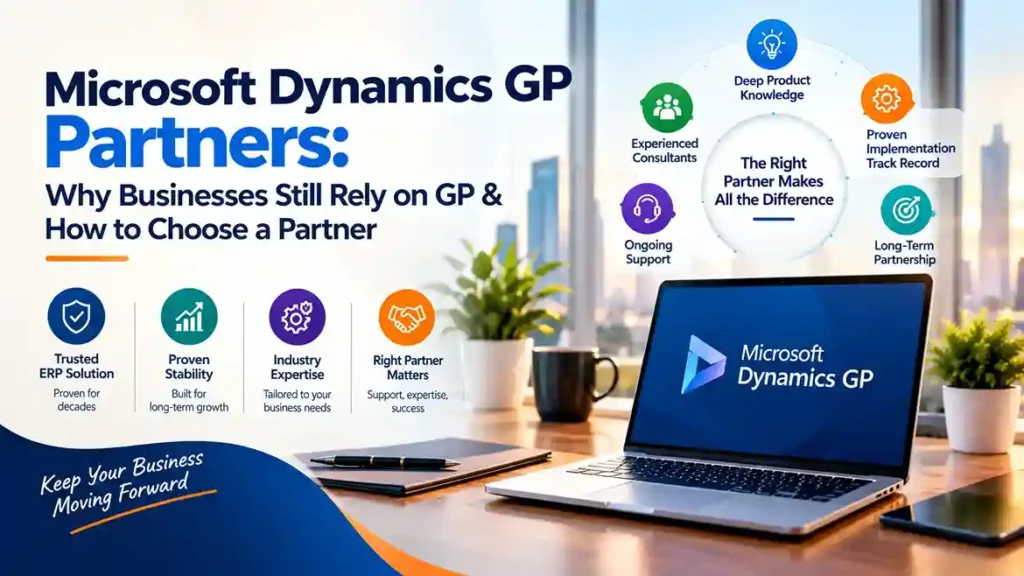
Microsoft Dynamics GP partners providing ERP support, system maintenance, and migration guidance for businesses using Dynamics GP

Microsoft Dynamics GP Partners: Why Businesses Still Rely on GP & How to Choose a Partner

Microsoft Dynamics GP—formerly Great Plains—has been part of the Microsoft ERP family for over two decades. Despite Microsoft’s clear strategic focus on Dynamics 365 Business Central, thousands of organizations worldwide continue to run their businesses on GP. The reason is straightforward: GP works. It handles core financials, distribution, payroll, and project accounting with reliability that businesses depend on. But the ecosystem around GP is changing, and choosing the right Microsoft Dynamics GP partners has never been more important. This guide explains why businesses still rely on GP, what to look for in a partner, and how to plan for the future. Why Businesses Still Rely on Microsoft Dynamics GP Proven, Stable Functionality Dynamics GP delivers core financial management—general ledger, accounts payable and receivable, bank reconciliation, fixed assets, and financial reporting—with maturity that comes from decades of refinement. For many mid-market businesses, GP’s functionality remains sufficient and familiar. Deep Investment in Customization Many GP customers have invested heavily in customizations, integrations, and third-party add-ons tailored to their operations. Replacing GP means replacing all of that—a cost that is hard to justify without a compelling business case. Familiarity and Low Disruption Staff know GP. Processes are built around it. Reports are designed for it. Migration carries disruption risk that many organizations are reluctant to accept without clear ROI. Ongoing Third-Party Ecosystem A robust community of ISVs continues to support GP with payroll, distribution, manufacturing, and industry-specific solutions. This ecosystem extends GP’s useful life for many businesses. Continued Microsoft Support Microsoft continues to support Dynamics GP with updates and patches, though the roadmap has narrowed. GP remains a supported product—but it is no longer receiving major functional investment. The Reality of GP’s Roadmap Honest guidance requires acknowledging the direction of travel. Microsoft’s ERP investment is concentrated in Dynamics 365 Business Central and Finance & Operations. Dynamics GP receives maintenance support but not new feature development. For many businesses, GP will continue to function well for years. But the strategic question is unavoidable: what is your long-term plan? A skilled Dynamics GP Partner helps answer that question honestly—supporting current operations while planning a sensible transition timeline. What to Look For in Microsoft Dynamics GP Partners 1. Deep GP Product Knowledge GP is a mature product with a long history of versions, add-ons, and customizations. Partners who have worked with GP for years understand its quirks, common integration points, and upgrade paths in ways newer partners cannot replicate. Ask: 2. Migration and Upgrade Experience Whether you are upgrading your existing GP environment or planning a move to Business Central, your partner needs proven migration experience. This includes: Partners with dedicated migration practices reduce risk and timeline uncertainty. 3. Third-Party Add-On Expertise Most GP environments depend on ISV add-ons for payroll, distribution, manufacturing, or industry functionality. Your partner should understand these add-ons, their vendors, and how they translate (or do not) to cloud ERP. Some add-ons have Business Central equivalents; others do not. Knowing the difference before migration prevents surprises. 4. Microsoft ERP Software Breadth A partner focused only on GP may not be the best partner for your future. Look for partners with demonstrated expertise across Microsoft Dynamics ERP Software—including Business Central and Finance & Operations. This breadth means your partner can support your current GP environment and guide a confident transition when the time is right. 5. Support Responsiveness and SLAs For businesses running critical financial operations on GP, support responsiveness matters. Confirm: 6. Understanding of Microsoft Dynamics NAV Software Migration Patterns Many GP customers also operate or have historically operated Microsoft Dynamics NAV Software in other divisions or through acquisitions. Partners who understand both GP and NAV migration paths to Business Central offer valuable perspective on consolidation opportunities. Why GP Partners Matter More Than Ever As Microsoft’s investment shifts, the pool of experienced GP consultants is gradually shrinking. Partners who remain committed to GP support are increasingly valuable—and increasingly selective about which clients they take on. This makes partner selection more consequential. The right partner provides: The wrong partner may underinvest in GP expertise while pushing an early migration that does not fit your business timeline. How to Choose a Dynamics GP Partner: Practical Steps Step 1: Document your GP environment.Inventory your GP version, modules in use, customizations, add-ons, integrations, and reporting dependencies. This documentation is essential for evaluating any partner. Step 2: Request GP-specific references.Ask for clients using GP with similar customizations and add-ons. Speak with them about support quality and upgrade experiences. Step 3: Assess migration capability.Even if you are not migrating now, understand your partner’s migration experience. Their readiness determines your future options. Step 4: Confirm support terms.Review SLAs, escalation paths, and coverage during critical periods like month-end and year-end. Step 5: Discuss the roadmap openly.Ask directly: What is your recommendation for our GP environment over the next three to five years? Partners who avoid this conversation are not serving your interests. When Should You Consider Migrating from GP? Migration makes sense when: Migration does not make sense purely because GP is older. It makes sense when business needs outgrow the platform. Final Thoughts Microsoft Dynamics GP remains a reliable ERP for thousands of businesses, and skilled Microsoft Dynamics GP partners continue to deliver value supporting it. The key is choosing a partner who combines deep GP expertise with broader Microsoft ERP software knowledge and credible migration capability. Whether you stay on GP for years or plan a move to Business Central, the right partner provides honest guidance, dependable support, and a clear path forward. Looking for experienced Dynamics GP support or migration planning? Contact a certified Microsoft partner to review your GP environment and discuss your options.

Microsoft Dynamics GP Partners: Why Businesses Still Rely on GP & How to Choose a Partner Read More »

Top 10 Microsoft Dynamics 365 Business Central Partners in the USA (2026)

Top 10 Microsoft Dynamics 365 Business Central Partners in the USA (2026)

The top Microsoft Dynamics 365 Business Central partners in the USA in 2026 are Trident Information Systems, ArcherPoint by Cherry Bekaert, Cargas, Innovia Consulting, JourneyTeam, RSM US, Sikich, Stoneridge Software, Velosio and Western Computer. Each brings a different mix of size, industry focus and delivery model, so the right choice depends on your processes, budget and location. Picking a Business Central partner shapes cost, timeline and how well the system runs years after go-live. This guide profiles ten US partners with verified facts on headquarters, focus and Microsoft recognition, so you can build a shortlist quickly. Disclosure: this list is published by Trident Information Systems, which appears first. Partners 2 to 10 are listed alphabetically, not ranked, and their details come from their own published materials and Microsoft partner records. How the partners were selected: active Dynamics 365 Business Central implementation practice in the US; current Microsoft Solutions Partner status or equivalent recognition; published Business Central services such as implementation, NAV or GP migration and support; and a clear industry or delivery-model strength. Top 10 Business Central partners in the USA at a glance # Partner US headquarters Known for Best fit 1 Trident Information Systems Austin, Texas Business Central and LS Central with blended US and offshore delivery Mid-market firms wanting senior expertise at a lower total cost; retail and hospitality 2 ArcherPoint by Cherry Bekaert Lawrenceville, Georgia Business Central specialist since 2002; NAV upgrades; LS Retail NAV customers, distribution, retail 3 Cargas Lancaster, Pennsylvania Employee-owned; Solutions Partner for Business Applications (SMB) Small and mid-sized firms in the Mid-Atlantic 4 Innovia Consulting Onalaska, Wisconsin Exclusively Business Central and NAV; US-based developers Manufacturers wanting a BC-only specialist 5 JourneyTeam Draper, Utah Business Central Partner of the Year honours; Sherpa guided-learning programme Cost-conscious teams willing to self-configure 6 RSM US Chicago, Illinois Audit, tax and consulting firm with industry apps on Business Central Larger mid-market firms wanting advisory alongside ERP 7 Sikich Naperville, Illinois Top 1% Microsoft partner; 150+ Dynamics consultants GP-to-Business Central migrations 8 Stoneridge Software Fargo, North Dakota Microsoft Inner Circle; founded by former Microsoft staff Midwest manufacturers, distributors, agribusiness 9 Velosio Columbus, Ohio One of the largest North American Dynamics partners; 40+ offices Multi-location mid-market firms 10 Western Computer Oxnard, California Business Central Partner of the Year finalist 2022–2024; industry editions Distribution-led verticals 1. Trident Information Systems US office: 5900 Balcones Drive, Suite 100, Austin, Texas Business Central services: implementation, NAV and GP migration, AL development, integration, LS Central, managed support and staff augmentation Trident Information Systems is a Microsoft Dynamics partner with more than 26 years in ERP consulting and over 200 consultants serving customers across the USA, UK, UAE, India and Africa. Its US clients work with a US-facing project lead backed by a large offshore development, testing and support team, a blended model that gives mid-market companies senior Business Central expertise at a lower total cost than an onshore-only team. Why it stands out Best for: mid-market US companies that want deep Business Central and LS Central skills, extra development capacity, and a support model that scales without onshore-only pricing. Consider: if your project depends on frequent on-site workshops across many US locations, confirm the size of the US-based team for your region. 2. ArcherPoint by Cherry Bekaert Headquarters: Lawrenceville, Georgia Founded in 2002, ArcherPoint is a Business Central-focused Microsoft Solutions Partner with long roots in Dynamics NAV. It was acquired by top-25 accounting firm Cherry Bekaert in October 2024, was named a 2025 LS Retail Diamond Partner, and ranked 41st in ERP Global Insights’ Top 100 VARs for 2026. It also resells Insight Works apps for warehouse and shipping. Best for: NAV customers upgrading to Business Central, distributors and retailers. 3. Cargas Headquarters: Lancaster, Pennsylvania Cargas, founded in 1988, is an employee-owned software company. In June 2025 it earned the Microsoft Solutions Partner for Business Applications designation in the small and mid-sized business category, plus the Small and Midsize Business Management specialisation. Alongside Business Central it sells Dynamics GP, Sage Intacct, Acumatica and CRM products. Best for: small and mid-sized businesses in the Mid-Atlantic, including construction, distribution and nonprofit organisations. 4. Innovia Consulting Headquarters: Onalaska, Wisconsin Innovia focuses exclusively on Business Central and Dynamics NAV, which it has implemented since 1999, with dedicated US-based developers and remote staff across the country. It has received five Microsoft Dynamics Customer Excellence Awards since 2008 and is an authorised Insight Works reseller. Best for: manufacturers that want a Business Central-only specialist with an onshore development team. 5. JourneyTeam Headquarters: Draper, Utah Founded in 1993, JourneyTeam implements Business Central alongside Dynamics 365 CRM, Microsoft 365 and Azure. It was named Microsoft US Partner of the Year for Dynamics 365 Business Central in 2019 and is a Microsoft Business Applications Inner Circle member. Its Sherpa Program uses guided, cohort-based learning to shift configuration work to the customer’s own team. Best for: cost-conscious mid-market teams willing to take on part of the configuration themselves. 6. RSM US Headquarters: Chicago, Illinois RSM is an audit, tax and consulting firm with a large Microsoft Dynamics practice. It builds its own industry-focused software on Business Central, including a Shopify accelerator, and holds Microsoft Solutions Partner designations for Microsoft Cloud and Security. Best for: larger mid-market companies that want ERP delivery alongside audit, tax and advisory services. 7. Sikich Headquarters: Naperville, Illinois Sikich describes itself as a top 1% Microsoft partner with more than 25 years in Microsoft Dynamics and a team of 150+ Dynamics consultants. It is one of a select group of partners with access to Microsoft’s GP to Business Central Assessment Tool, and offers Business Central industry solutions including construction. Best for: Dynamics GP customers planning a move to Business Central, and firms wanting accounting advisory from the same provider. 8. Stoneridge Software Headquarters: Fargo, North Dakota (offices in Minneapolis and Winnipeg) Founded in 2012 by former Microsoft employees, Stoneridge is a Microsoft Inner Circle member for Business Applications 2025/2026. It expanded its Business Central practice by acquiring Advanced Business

Top 10 Microsoft Dynamics 365 Business Central Partners in the USA (2026) Read More »

BC implementation Partner in the UK

How to Choose a Business Central Implementation Partner in the UK (2026 Guide)

The best Business Central implementation partner in the UK is the one that can prove three things: current Microsoft credentials, experience with processes like yours, and a clear plan for running the system after go-live. Price matters, but scope control and post-go-live support decide whether the project succeeds. This guide is for IT leaders at UK SMEs and mid-market firms who have chosen Microsoft Dynamics 365 Business Central and now need a partner to deliver it. Key takeaways What is a Business Central implementation partner? Short answer: A Business Central implementation partner is a Microsoft partner that designs, configures, extends, migrates data into and supports Microsoft Dynamics 365 Business Central for its customers. Most also resell licences through Microsoft’s Cloud Solution Provider (CSP) programme, so one firm often handles both your project and your subscription. In practice the work covers five streams: Do you need a partner at all? Short answer: Usually, yes. A micro-business with simple bookkeeping can sometimes self-implement, but once you have several companies, stock, manufacturing, integrations or legacy data to migrate, a partner avoids costly rework. Business Central is also sold and supported mainly through Microsoft’s partner channel. How do you choose a Business Central partner in the UK? Short answer: Judge partners on six things: current Microsoft designation and certified staff, comparable customer references, a scope-controlling method, data migration depth, an update-testing routine, and contract terms that protect you. Ask every shortlisted partner to price the same written scope so the quotes are comparable. 1. Current Microsoft credentials Microsoft retired the Gold and Silver competencies in 2022. The relevant designation is now Solutions Partner for Business Applications, based on a partner capability score that measures performance, skilling and customer success. Ask for the partner’s current designation and how many people on your project hold the Business Central Functional Consultant or Developer certification. A partner that publishes its own apps on Microsoft AppSource also shows release discipline beyond configuration. 2. Experience with processes like yours “Manufacturing experience” can mean simple assembly or batch-tracked process manufacturing. Ask for two references you can phone whose operations resemble yours: number of companies and currencies, stock locations, lot or serial tracking and key integrations. 3. A method that controls scope Ask to see real deliverables: a fit-gap analysis, a signed-off solution design before build, a test plan, and a cutover plan with rollback criteria. Then ask how a mid-project change request is handled and who decides whether it waits for phase two. Good partners push back on customisation, because every extension must be retested against each Microsoft update. 4. Data migration and integration depth Data migration is where timelines most often slip. Confirm who cleanses the data (usually you), how many trial migrations are included, and how balances are reconciled before sign-off. For each integration, ask what technology it uses and who supports it after go-live. 5. A routine for the twice-yearly updates Business Central online receives two major updates a year, in April and October, plus minor updates in other months. Administrators can reschedule an update only to a date within its update period, so your partner needs a sandbox testing routine before each release lands. Ask whether this is in the support contract. 6. Contract terms that protect you How much does Business Central implementation cost in the UK? Short answer: UK SME implementations typically cost about £15,000 to £100,000 in partner services, on top of per-user monthly licences. Some UK partners treat roughly £25,000 as a realistic starting point. Process gaps, entities, integrations and data migration drive most of the difference. Licences Business Central Essentials and Premium are licensed per user, and Team Members licences give read-only access to certain data with limited functionality. Premium adds manufacturing and service management. Microsoft raised prices from 1 October 2025, its first Business Central increase in more than five years: Licence (USD, per month) Before 1 Oct 2025 From 1 Oct 2025 Essentials (per user) $70 $80 Premium (per user) $100 $110 Device (per device) $40 $45 GBP prices are set in Microsoft’s UK price list, so confirm them with your partner. Essentials and Premium can be deployed in separate environments on the same tenant, not mixed in one environment. What moves the implementation quote Driver Keeps cost down Pushes cost up Process fit Standard processes adopted Many gaps needing extensions Legal entities One company, one currency Several companies and consolidation Data migration Opening balances and masters Years of history, poor data quality Integrations None, or ready-made AppSource apps Custom e-commerce, EDI, WMS or POS links Manufacturing Not required Production orders, routings, MRP Reporting Standard reports and Power BI apps Bespoke dashboards How long does a Business Central implementation take? Short answer: A standard single-company project commonly takes 8 to 16 weeks. Multi-entity, manufacturing or heavily integrated projects often take six months or more and are usually delivered in phases. Indicative phases for a mid-sized project: Schedule go-live away from your financial year-end and VAT quarter-end. What UK requirements should your Business Central partner handle? Short answer: At minimum, Making Tax Digital for VAT, a payroll integration, bank feeds, FRS 102 or IFRS reporting, and UK data residency. Business Central’s UK localisation covers MTD VAT, VAT reports, reverse charges and VAT groups out of the box, but your partner still has to configure and test each one. UK requirement What the source says What to confirm with your partner Making Tax Digital for VAT All VAT-registered businesses must use MTD for VAT for their first return starting on or after 1 April 2022. Business Central can retrieve VAT obligations and submit VAT returns to HMRC. VAT posting setup, HMRC authorisation and a test before the first live return. Payroll UK payroll is not included natively; organisations use third-party payroll products. Which payroll product, and how its journals post to the ledger. Data residency An environment’s localisation determines the Azure geography where its database resides. UK environments run in UK South and UK West, and Copilot processes UK prompts within

How to Choose a Business Central Implementation Partner in the UK (2026 Guide) Read More »