Welcome to Trident Information Systems!
Write us to - info@tridentinfo.com
Let's Socialize

GP to BC Upgrade

Dynamics GP to Business Central upgrade guide covering migration planning, data transfer, ERP modernization, and Dynamics 365 implementation

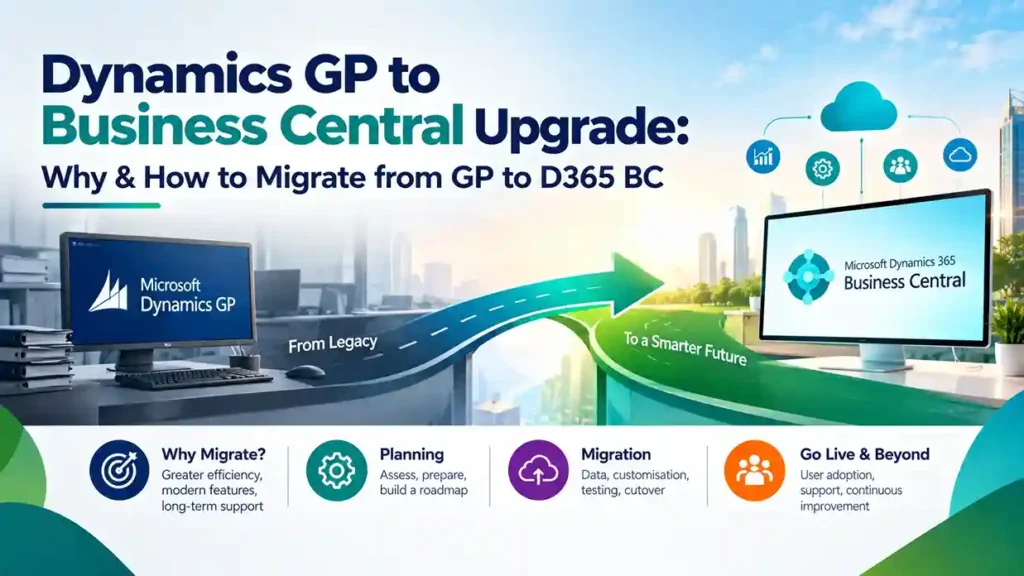
Dynamics GP to Business Central Upgrade: Why & How to Migrate from GP to D365 BC

Microsoft has drawn a firm line under Dynamics GP’s future. Mainstream support ends December 31, 2029, and security updates stop April 30, 2031 . After those dates, there are no tax table updates, no regulatory fixes, and no technical support. For finance teams running critical operations on GP, the question is no longer whether to migrate—it is how to do it without disrupting the business. This guide explains why the GP to Business Central upgrade matters now, what the migration actually involves, and how to plan a transition that protects your data and your team. Why Migrate from GP to Business Central Now The end-of-life timeline creates a hard planning constraint, but the practical reasons to move extend beyond dates. Compliance risk after 2029. GP’s primary job is compliant financial reporting and accurate tax handling. Once regulatory and tax updates stop, every change becomes a manual workaround or a custom fix—each carrying audit risk . Rising cost to stand still. GP specialists are becoming scarcer and more expensive. Server maintenance, database upkeep, and aging integrations demand increasing budget while delivering zero innovation . Cloud and AI capabilities GP cannot match. Business Central includes Copilot at no additional license cost. The 2026 release wave adds AI agents that process invoices and validate sales orders—features unavailable to GP users . The runway is shrinking. A typical mid-market ERP migration takes six to eighteen months. Working backward from 2029 means complex projects should be in active implementation well before 2028. Waiting until 2028 or 2029 means competing for the same finite pool of experienced consultants at the worst possible negotiating position . What Actually Migrates Microsoft’s cloud migration tool moves GP data to Business Central online table by table. The following data is included : The migration runs first in a sandbox environment, then in production when ready. Data volume and SQL configuration affect timing . A critical decision: what to leave behind. Migrating all historical data inflates cost, slows the system, and is rarely used operationally. Many organizations archive legacy detail to Azure Data Lake or Power BI instead of importing it into Business Central . How the GP to BC Migration Works: Step by Step Step 1: Assessment and Migration Strategy Before touching data, evaluate your GP environment: modules in use, customizations, integrations, data quality, and reporting needs. Decide whether to pursue a full data migration (preserving history and rebuilding necessary customizations) or a reimplementation (migrating only essential data—master records, opening balances, setup—while adopting standard BC processes). Microsoft offers a free migration assessment tool that maps your GP structure and identifies potential issues . Step 2: Data Cleanup and Mapping This is where migration success is determined. Clean duplicate records, resolve inconsistencies, and map GP segments to Business Central dimensions. The most common regret is copying the GP chart of accounts verbatim—it imports GP’s rigidity into a platform built to escape it . Customizations require triage. Each GP customization or ISV add-on must be assessed: rebuild as a Business Central extension, replace with standard functionality or an AppSource app, or retire entirely. Many “must-have” GP customizations are standard features in Business Central . Step 3: Test Migration Run the cloud migration tool to move GP data into a test Business Central environment. Users review converted data, catch issues, and confirm the approach before production cutover . This phase typically runs in a sandbox first to validate schema alignment and data integrity . Step 4: User Acceptance Testing and Training Users test key workflows in Business Central while completing role-based training. Configuration and data conversion are adjusted based on testing feedback. HCL, a Colorado-based laundry services company, reported that structured training helped their finance team navigate new terminology and processes during their GP to BC transition . Step 5: Final Migration and Go-Live The production cutover is completed with a support safety net. For most mid-market organizations, a phased approach works best: migrate core financials (and distribution if applicable) first, then schedule custom development and third-party integrations as Phase 2 after go-live . Step 6: Hypercare and Optimization Post-go-live support for the first 90 days is critical. Address issues quickly, gather user feedback, and optimize workflows as teams mature on the new system. Realistic Timeline and Cost Drivers Timeline brackets (directional, not fixed quotes) : Cost drivers you can control : Bridge to Cloud 3 offers a 30% discount on Dynamics 365 licenses for eligible GP customers, materially reducing first-three-year costs. Organizations that plan early can lock in discounted licensing and secure experienced partner capacity before demand peaks . Common Mistakes That Inflate Cost and Risk Copying the GP chart of accounts verbatim. This is the number-one regret. Business Central’s dimension-based model requires deliberate design, not replication of GP’s segmented structure . Migrating all historical data “just in case.” Archive it instead. Migrating years of unused detail slows the system and adds cost without operational value . Rebuilding customizations no one uses. Audit first. Business Central likely handles the requirement natively or through an AppSource app . Over-licensing users. Approvers and viewers often fit Team Member licenses, not Essentials or Premium . Starting too late. Waiting until 2028 shrinks options, inflates prices, and reduces partner availability when capacity is scarcest . What Business Central Delivers That GP Cannot For finance leaders evaluating the move, three outcomes consistently matter : Real-time visibility. Cash position, margin, and outstanding receivables are visible immediately—not after month-end reporting cycles. Decisions happen before problems escalate. AI without extra cost. Copilot is included with Business Central online licenses. Routine finance work—matching, categorizing, drafting—gets faster, with human review before anything posts. No more upgrade treadmill. Business Central updates automatically in the cloud. You leave behind the cycle of major version upgrades, server maintenance, and end-of-support anxiety that defined the GP years. Final Thoughts The Dynamics GP to Business Central upgrade is a defined project with a clear timeline, proven tooling, and measurable business benefits. The organizations that start now—with assessment, data cleanup, and partner selection—will migrate calmly before the

Dynamics GP to Business Central Upgrade: Why & How to Migrate from GP to D365 BC Read More »
Microsoft Dynamics GP partners providing ERP support, system maintenance, and migration guidance for businesses using Dynamics GP

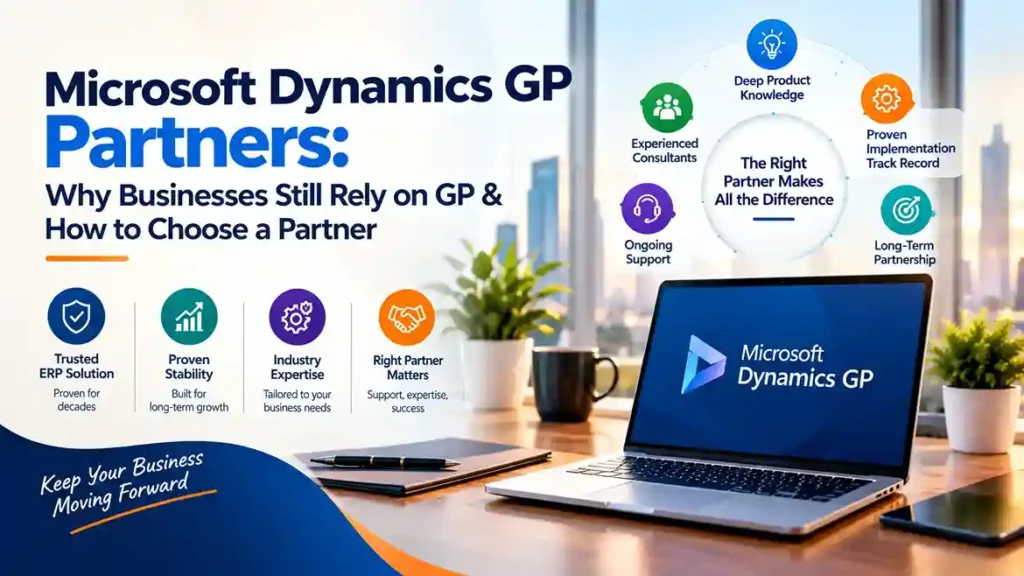
Microsoft Dynamics GP Partners: Why Businesses Still Rely on GP & How to Choose a Partner

Microsoft Dynamics GP—formerly Great Plains—has been part of the Microsoft ERP family for over two decades. Despite Microsoft’s clear strategic focus on Dynamics 365 Business Central, thousands of organizations worldwide continue to run their businesses on GP. The reason is straightforward: GP works. It handles core financials, distribution, payroll, and project accounting with reliability that businesses depend on. But the ecosystem around GP is changing, and choosing the right Microsoft Dynamics GP partners has never been more important. This guide explains why businesses still rely on GP, what to look for in a partner, and how to plan for the future. Why Businesses Still Rely on Microsoft Dynamics GP Proven, Stable Functionality Dynamics GP delivers core financial management—general ledger, accounts payable and receivable, bank reconciliation, fixed assets, and financial reporting—with maturity that comes from decades of refinement. For many mid-market businesses, GP’s functionality remains sufficient and familiar. Deep Investment in Customization Many GP customers have invested heavily in customizations, integrations, and third-party add-ons tailored to their operations. Replacing GP means replacing all of that—a cost that is hard to justify without a compelling business case. Familiarity and Low Disruption Staff know GP. Processes are built around it. Reports are designed for it. Migration carries disruption risk that many organizations are reluctant to accept without clear ROI. Ongoing Third-Party Ecosystem A robust community of ISVs continues to support GP with payroll, distribution, manufacturing, and industry-specific solutions. This ecosystem extends GP’s useful life for many businesses. Continued Microsoft Support Microsoft continues to support Dynamics GP with updates and patches, though the roadmap has narrowed. GP remains a supported product—but it is no longer receiving major functional investment. The Reality of GP’s Roadmap Honest guidance requires acknowledging the direction of travel. Microsoft’s ERP investment is concentrated in Dynamics 365 Business Central and Finance & Operations. Dynamics GP receives maintenance support but not new feature development. For many businesses, GP will continue to function well for years. But the strategic question is unavoidable: what is your long-term plan? A skilled Dynamics GP Partner helps answer that question honestly—supporting current operations while planning a sensible transition timeline. What to Look For in Microsoft Dynamics GP Partners 1. Deep GP Product Knowledge GP is a mature product with a long history of versions, add-ons, and customizations. Partners who have worked with GP for years understand its quirks, common integration points, and upgrade paths in ways newer partners cannot replicate. Ask: 2. Migration and Upgrade Experience Whether you are upgrading your existing GP environment or planning a move to Business Central, your partner needs proven migration experience. This includes: Partners with dedicated migration practices reduce risk and timeline uncertainty. 3. Third-Party Add-On Expertise Most GP environments depend on ISV add-ons for payroll, distribution, manufacturing, or industry functionality. Your partner should understand these add-ons, their vendors, and how they translate (or do not) to cloud ERP. Some add-ons have Business Central equivalents; others do not. Knowing the difference before migration prevents surprises. 4. Microsoft ERP Software Breadth A partner focused only on GP may not be the best partner for your future. Look for partners with demonstrated expertise across Microsoft Dynamics ERP Software—including Business Central and Finance & Operations. This breadth means your partner can support your current GP environment and guide a confident transition when the time is right. 5. Support Responsiveness and SLAs For businesses running critical financial operations on GP, support responsiveness matters. Confirm: 6. Understanding of Microsoft Dynamics NAV Software Migration Patterns Many GP customers also operate or have historically operated Microsoft Dynamics NAV Software in other divisions or through acquisitions. Partners who understand both GP and NAV migration paths to Business Central offer valuable perspective on consolidation opportunities. Why GP Partners Matter More Than Ever As Microsoft’s investment shifts, the pool of experienced GP consultants is gradually shrinking. Partners who remain committed to GP support are increasingly valuable—and increasingly selective about which clients they take on. This makes partner selection more consequential. The right partner provides: The wrong partner may underinvest in GP expertise while pushing an early migration that does not fit your business timeline. How to Choose a Dynamics GP Partner: Practical Steps Step 1: Document your GP environment.Inventory your GP version, modules in use, customizations, add-ons, integrations, and reporting dependencies. This documentation is essential for evaluating any partner. Step 2: Request GP-specific references.Ask for clients using GP with similar customizations and add-ons. Speak with them about support quality and upgrade experiences. Step 3: Assess migration capability.Even if you are not migrating now, understand your partner’s migration experience. Their readiness determines your future options. Step 4: Confirm support terms.Review SLAs, escalation paths, and coverage during critical periods like month-end and year-end. Step 5: Discuss the roadmap openly.Ask directly: What is your recommendation for our GP environment over the next three to five years? Partners who avoid this conversation are not serving your interests. When Should You Consider Migrating from GP? Migration makes sense when: Migration does not make sense purely because GP is older. It makes sense when business needs outgrow the platform. Final Thoughts Microsoft Dynamics GP remains a reliable ERP for thousands of businesses, and skilled Microsoft Dynamics GP partners continue to deliver value supporting it. The key is choosing a partner who combines deep GP expertise with broader Microsoft ERP software knowledge and credible migration capability. Whether you stay on GP for years or plan a move to Business Central, the right partner provides honest guidance, dependable support, and a clear path forward. Looking for experienced Dynamics GP support or migration planning? Contact a certified Microsoft partner to review your GP environment and discuss your options.

Microsoft Dynamics GP Partners: Why Businesses Still Rely on GP & How to Choose a Partner Read More »

Business professionals comparing Dynamics GP and Business Central on a digital dashboard.

Curious Why Businesses Are Upgrading from Dynamics GP to Business Central? Here’s Why!

Introduction In today’s rapidly evolving digital world, businesses need ERP systems that are not just robust—but future-ready. That’s why many companies are leaving behind Microsoft Dynamics GP and moving to Dynamics 365 Business Central. But what’s causing this shift? Let’s dig into it. The Evolution of ERP Systems Remember the days when software came in CDs, and your IT guy had to install updates manually? ERP systems have come a long way. The shift to the cloud, AI integration, and mobile access are changing how we run businesses. It’s not just about managing operations—it’s about empowering growth. A Quick Look at Dynamics GP and Business Central Both are Microsoft ERP solutions. But while Dynamics GP was a pioneer in its time, Business Central is the modern, cloud-based solution businesses are now turning to. What is Microsoft Dynamics GP? Dynamics GP (Great Plains) has been a trusted ERP system for decades. It offers finance, inventory, and HR capabilities and is traditionally hosted on-premises. Key Features and Capabilities Pros and Cons of Dynamics GP Pros Cons What is Microsoft Dynamics 365 Business Central? This is Microsoft’s cloud-native ERP solution built for small to medium-sized businesses, designed to grow and scale alongside your business. Features Built for the Modern Business Cloud-Native and Scalable Forget server rooms and backups—Business Central lives in the cloud. It’s built to grow with your company and adapt to changing business needs. Why the Shift from GP to Business Central? End of Support for Dynamics GP Microsoft has made it clear—support for GP will continue only for a limited time. Eventually, businesses will be left with an outdated system. Lack of Modern Features in GP No AI. No automation. No mobile app. GP can’t keep up with the expectations of today’s fast-moving businesses. Rising Maintenance and Infrastructure Costs Maintaining on-prem servers and outdated systems isn’t just annoying—it’s expensive. Business Central cuts these costs significantly. Benefits of Upgrading to Business Central Cloud Flexibility and Mobility Work from anywhere, access your ERP from any device, and manage your business on the go. That’s the freedom Business Central offers. Seamless Integrations with Microsoft 365 and Power Platform Business Central works effortlessly with Microsoft Teams, Excel, Power BI, and even Outlook—boosting productivity instantly. Enhanced Security and Compliance Built on Microsoft’s Azure platform, you get top-tier security, backups, and compliance features out of the box. Real-Time Reporting and Business Intelligence Forget waiting days for reports. With Business Central, you get instant insights into cash flow, sales trends, and more. Financial and Operational Gains Reduced Total Cost of Ownership (TCO) No more expensive servers, surprise hardware failures, or lengthy upgrade cycles. Business Central saves money long-term. Improved Cash Flow and Forecasting With real-time data and AI predictions, you can manage cash flow smarter and make proactive business decisions. Optimized Operations and Workflow Automation Automate routine tasks like invoicing, approvals, and payroll—freeing up your team to focus on what matters. Migration Strategy and Considerations Assessing Your Readiness Is your current system slowing you down? Are users frustrated? That’s a sign you’re ready to migrate. Partnering with the Right Implementation Expert A smooth transition depends on working with a certified Microsoft partner who understands both GP and Business Central. Data Migration and Customization Migrating data doesn’t have to be scary. With the right plan, you can bring over historical data, customizations, and third-party apps. Common Challenges and How to Overcome Them Training and User Adoption New software means a learning curve. Offer training and assign champions to help others adapt quickly. Managing Downtime and Business Disruption Plan your go-live carefully and consider phased rollouts to minimize disruption. Integration of Third-Party Add-Ons Not all your GP add-ons will work in Business Central. You’ll need to find new extensions or native solutions. When Should You Plan the Upgrade? Indicators You’re Outgrowing Dynamics GP Timing It Right for Your Business Plan your migration during a low-sales season or off-cycle period. That gives your team time to adjust and test. Future-Proofing Your Business with Business Central AI-Driven Forecasting and Automation From predicting inventory needs to suggesting pricing strategies—AI in Business Central is a game-changer. Staying Ahead in a Competitive Market With real-time insights and faster decision-making, Business Central helps you stay one step ahead of competitors. Final Thoughts If you’re still using Dynamics GP, you’re not alone—but you’re also not ahead. Business Central isn’t just a new ERP; it’s a leap into the future. It’s faster, smarter, more integrated, and designed to keep up with the pace of modern business. The upgrade may seem like a big move, but in reality, it’s the smartest step you can take today to secure tomorrow. Conclusion Upgrading from Dynamics GP to Business Central is more than a software decision—it’s a strategic business move. Whether it’s about saving money, improving agility, or enabling innovation, the reasons are clear. The sooner you make the switch, the sooner you’ll reap the rewards. Lastly, If you are looking forward to Dynamics GP to Business Central Upgrade, you may as well contact Trident Information Systems. We are the Top Dynamics 365 Partners Being Gold D365 Implementation Partner and LS Retail Diamond Partner, we have a massive team of dedicated professionals. Our team is looking forward to serving your business and helping you grow. Contact Us for further information. For more insightful content and industry updates, follow our LinkedIn page. FAQs 1. Is Business Central more expensive than GP?Not necessarily. While the subscription model changes how you pay, the total cost of ownership is often lower thanks to reduced IT and hardware costs. 2. How long does it take to migrate from GP to Business Central?Depending on complexity, it can take anywhere from a few weeks to several months. Working with a qualified partner can speed things up. 3. Can I customize Business Central like I did with GP?Yes, Business Central supports extensions and low-code customizations through Power Platform—often more easily than GP. 4. Is Dynamics GP being discontinued?While not officially discontinued yet, Microsoft has significantly reduced its investment and is steering users toward Business Central. 5. What industries benefit

Curious Why Businesses Are Upgrading from Dynamics GP to Business Central? Here’s Why! Read More »

Dynamics 365 Business Central

Top 12 Reasons to Switch from Microsoft Dynamics GP to Dynamics 365 Business Central Before Support Ends

Introduction Is your business still relying on Microsoft Dynamics GP? With the end of support looming, it’s time to look toward the future. Transitioning to Dynamics 365 Business Central isn’t just about staying updated; it’s about unlocking opportunities for growth and efficiency. In this article, we’ll explore why making the switch now is crucial and how it can future-proof your business. What Is Microsoft Dynamics GP? An Overview of Dynamics GP Microsoft Dynamics GP has been a trusted ERP solution for decades. It offered robust financial management, supply chain capabilities, and operational tools that met the needs of many businesses. Why Dynamics GP Is Reaching Its End Microsoft is shifting its focus toward cloud-based solutions that better align with modern business demands. As a result, Dynamics GP support is being phased out, making it critical for businesses to adapt. What Makes Dynamics 365 Business Central Unique? Introducing Business Central Dynamics 365 Business Central is a comprehensive cloud ERP solution that integrates seamlessly with the Microsoft ecosystem. It’s designed to help businesses streamline operations, enhance productivity, and adapt to changing market conditions. Key Features of Business Central Why Switching Before Support Ends Is Critical Risks of Unsupported Software Continuing with Dynamics GP after support ends exposes your business to security vulnerabilities and compliance risks. Outdated systems can also hinder operational efficiency. The Cost of Delaying Postponing the switch could result in higher migration costs, lost data, and disruptions to your business processes. Avoid Security Vulnerabilities Once support ends, Microsoft will no longer provide security updates for Dynamics GP, leaving your system exposed to potential cyber threats. Upgrading ensures your data stays protected with the latest security protocols. Stay Compliant with Regulations Outdated systems may fail to meet evolving compliance standards, putting your business at risk of penalties. Dynamics 365 Business Central offers tools to help you stay compliant effortlessly. Enhance Operational Efficiency Legacy systems can be slow and inflexible, limiting your productivity. Business Central provides modern, scalable features that streamline processes and adapt to your growing needs. Top 12 Reasons to Switch to Dynamics 365 Business Central Modern Cloud-Based Solution Dynamics 365 Business Central operates entirely in the cloud, eliminating the need for on-premises servers. This reduces IT infrastructure costs and ensures your data is always accessible, no matter where you are. Seamless Integration with Microsoft Tools Dynamics 365 Business Central integrates effortlessly with Microsoft 365, Teams, and Power Apps, creating a unified platform for all your business operations. Say goodbye to juggling multiple disconnected systems. Advanced Reporting and Analytics Harness the power of AI and real-time analytics with tools like Power BI. Make smarter decisions by transforming raw data into actionable insights. Scalability to Grow with Your Business Whether you’re a startup or a growing enterprise, Business Central scales with your needs. Add users, expand operations, or introduce new modules without overhauling your system. Enhanced User Experience The intuitive interface of Dynamics 365 Business Central minimizes the learning curve, making it easier for your team to adapt. This improved usability boosts productivity and reduces errors. Regular Updates and Innovations Stay ahead with Microsoft’s continuous updates, which bring new features and ensure compliance with the latest regulations. No more worrying about outdated software. Reduced IT Overhead By moving to the cloud, your IT team can focus on strategic initiatives instead of managing hardware and software updates. It’s a win-win for efficiency. Enhanced Security Features Business Central’s cloud infrastructure is built with security in mind. Enjoy peace of mind with advanced encryption, multi-factor authentication, and compliance with global standards. Mobility and Remote Work Enablement Access your ERP system anytime, anywhere. This mobility supports remote work and ensures business continuity during disruptions. Flexible Licensing Models Dynamics 365 Business Central offers subscription-based licensing, allowing you to pay for what you need. This flexibility is perfect for businesses of all sizes. Improved Customer Support Microsoft provides comprehensive support for Dynamics 365 Business Central, including training resources and access to a vast partner network. Future-Proofing Your Business Dynamics 365 Business Central’s modern architecture ensures your business stays competitive in an ever-changing digital landscape. It’s built to evolve alongside your needs. Additional Topics to Consider Cost Comparison: Dynamics GP vs. Business Central Industry-Specific Benefits How to Choose the Right Partner for Migration Selecting the right migration partner is vital for a smooth transition from Microsoft Dynamics GP to Dynamics 365 Business Central. Start by evaluating their experience in similar migrations, industry expertise, and technical capabilities. Check for customer testimonials and case studies to assess their track record. Ensure they offer a tailored migration plan, strong post-migration support, and a commitment to minimizing disruptions to your business operations. How to Plan a Smooth Migration Assess Your Current System Start by evaluating your existing Dynamics GP setup. Identify pain points and prioritize features you need in Business Central. Define Clear Objectives Set measurable goals for your migration, such as improving efficiency, enhancing reporting, or enabling remote work. Partner with Experts Engage a trusted Microsoft partner to guide you through the migration process. Their expertise can help minimize disruptions and ensure data integrity. Overcoming Migration Challenges Data Migration Complexities Moving data from Dynamics GP to Business Central can be daunting. Ensure proper data mapping and cleaning to avoid errors. Training Your Team Invest in training to familiarize your team with Business Central. This reduces resistance to change and speeds up adoption. Conclusion The end of support for Microsoft Dynamics GP is a pivotal moment for businesses. Transitioning to Dynamics 365 Business Central isn’t just an upgrade—it’s a strategic move toward efficiency, growth, and innovation. Don’t wait until it’s too late. Start planning your migration today and set your business up for success. Lastly, If you are looking forward to Dynamics GP to Business Central Upgrade, you may as well contact Trident Information Systems. We are the Top Dynamics 365 Partners Being Gold D365 Implementation Partner and LS Retail Diamond Partner, we have a massive team of dedicated professionals. Our team is looking forward to serving your business and helping you grow. Contact Us for further information. For more insightful

Top 12 Reasons to Switch from Microsoft Dynamics GP to Dynamics 365 Business Central Before Support Ends Read More »

Dynamics GP to Dynamics 365 Business Central

Why Transition from Dynamics GP to Dynamics 365 Business Central?

Introduction: The Business Need for Modern ERP In today’s rapidly evolving business environment, relying on outdated systems like Dynamics GP can limit growth and efficiency. The move from Dynamics GP to Dynamics 365 Business Central provides businesses with a scalable, cloud-based solution designed for the modern enterprise. This article explores why transitioning to Business Central is a smart choice for businesses looking to stay competitive in the digital era. Dynamics GP: The Legacy ERP Solution Overview of Dynamics GP Dynamics GP (Great Plains) is an established ERP solution known for its financial management, payroll, and accounting features. For years, it has been a trusted system for small and medium-sized businesses looking for reliable and basic ERP functionality. Limitations of Dynamics GP While Dynamics GP served businesses well in the past, it now struggles to keep up with the demands of modern enterprises. Its reliance on on-premises infrastructure, infrequent updates, and limited integration options make it less adaptable to the needs of today’s fast-moving, data-driven businesses. Why Businesses Are Moving On As businesses grow, their needs change. Dynamics GP, with its outdated technology and limited scalability, can no longer support the complexities of larger, more dynamic organizations. Cloud-based solutions like Business Central provide the flexibility and scalability businesses need to grow and thrive. What is Dynamics 365 Business Central? Introduction to Business Central Dynamics 365 Business Central is a cloud-based ERP solution that provides comprehensive tools for finance, operations, and customer relationships. Built to scale with your business, it integrates seamlessly with other Microsoft products and third-party applications, making it an ideal choice for organizations looking for flexibility and efficiency. Core Features of Business Central Business Central includes powerful features like real-time analytics, customizable workflows, and a unified interface for all business processes. It also allows businesses to automate key tasks, improve visibility, and drive productivity across the organization. Why Business Central is the Future Business Central’s cloud-first architecture ensures businesses can access their data from anywhere, at any time. The solution is continuously updated with new features and improvements, which means your business stays ahead of the curve without the need for major upgrades or downtime. Benefits of Transitioning from Dynamics GP to Dynamics 365 Business Central Improved Efficiency and Automation With Business Central, businesses can automate manual processes, freeing up valuable resources to focus on strategic tasks. Automation eliminates human error and ensures that business operations run smoothly, leading to improved efficiency and reduced costs. Advanced Analytics and Insights Business Central’s real-time data analytics and AI-driven insights provide a deeper understanding of your business. This allows managers to make informed decisions quickly, optimize operations, and identify new growth opportunities. Scalability for Growing Businesses As businesses expand, they need systems that can scale with them. Business Central’s cloud-based nature means it can easily handle growing data and complexity, allowing businesses to add new functionalities and users as needed. Cost Savings Switching to Business Central can lead to significant cost savings. By eliminating the need for on-premises infrastructure and the associated maintenance costs, businesses can focus their resources on core operations. The subscription-based pricing model also makes it easier to predict costs and avoid large upfront investments. Dynamics GP vs. Dynamics 365 Business Central: A Comparison Feature Dynamics GP Dynamics 365 Business Central Deployment On-premises Cloud-based or hybrid Updates Infrequent Regular and automatic Accessibility Local network only Accessible globally in real-time Integrations Limited Seamless with Microsoft ecosystem Scalability Restricted Highly scalable The table highlights key differences between Dynamics GP and Dynamics 365 Business Central, showcasing Business Central’s modern, cloud-based approach. With regular updates, global accessibility, and seamless integrations, Business Central offers clear advantages for businesses looking for a future-proof solution. Steps to Transition from Dynamics GP to Dynamics 365 Business Central Assess Your Business Needs Before making the switch, take time to assess your business’s unique requirements. Understanding what you need from an ERP system will help you configure Business Central effectively and ensure it aligns with your operational goals. Choose a Trusted Implementation Partner Choosing the right partner to implement Business Central is essential for a smooth transition. A Microsoft-certified partner can help guide the migration process, ensuring all your data is transferred accurately and that your team is properly trained on the new system. Data Migration and Testing A crucial part of the transition process is data migration. Ensuring that your current data is accurately moved to Business Central and thoroughly tested for consistency is critical to a successful deployment. Train Your Team Providing your employees with the proper training on how to use Business Central will ensure they can take full advantage of its features. Well-trained employees are more likely to embrace the system and improve overall business efficiency. Challenges of Staying with Dynamics GP Rising Maintenance Costs Maintaining an on-premises system like Dynamics GP requires significant investment in hardware, software, and IT staff. These costs increase over time, putting a strain on your company’s budget. Security Risks As security threats evolve, maintaining a secure on-premises system becomes more difficult. Dynamics GP’s outdated security features make it more vulnerable to cyberattacks, which can lead to significant business disruptions. Limited Functionality The limitations of Dynamics GP are becoming more apparent as businesses seek greater flexibility and real-time insights. Staying with Dynamics GP may hold back your company from embracing more advanced technologies that can improve productivity and customer satisfaction. Why the Transition Is Worth It Future-Proof Your Business The transition to Dynamics GP to Dynamics 365 Business Central isn’t just about solving immediate pain points; it’s about preparing your business for future success. By adopting a cloud-based solution that evolves with technology, you ensure that your organization remains competitive for years to come. Unlock New Opportunities With Business Central’s extensive functionality and integrations, your business can unlock new opportunities for growth. Whether it’s expanding into new markets, improving customer service, or optimizing operations, Business Central provides the tools to drive business success. Conclusion: Take the Leap to Business Central The transition from Dynamics GP to Dynamics 365 Business

Why Transition from Dynamics GP to Dynamics 365 Business Central? Read More »

You are Running Out of Time! Quickly Upgrade Dynamics GP to BC!

The world is changing, and so is technology. Every year, in one way or another, some new technology pops up and outshines the old one. Have you ever thought that the technology you work with for more than a decade may become obsolete soon? Microsoft GP is a robust ERP system ideal for businesses that have outgrown their legacy software. Despite providing robust tools, scalability of SaaS, and the most reliable brand name, it still cannot beat its upgraded version i.e., Microsoft Dynamics365 Business Central. Therefore, it has now become more of a necessity to leave the old behind and embrace Dynamics GP to Business Central Upgrade.   Why Can’t Dynamics GP be as Efficient as You Need?  Many businesses are still skeptical about moving to the Cloud. They don’t trust the security and efficiency it brings. Moreover, many have moved from using QuickBooks to GP due to its better financial management capabilities. Its users appreciate how it can record multiple transactions, at least one-time thanks to GAAP capabilities. However, they need to understand that this technology will soon become outdated. Furthermore, being an on-premises technology is costing you a lot more than it would if you were on the cloud. You must employ a dedicated team of IT experts for its maintenance and upgrades.   Another reason for Dynamics GP to Business Central Upgrade is that it is not compatible with all small businesses. It depends on where you are in your business cycle. It typically overwhelms the users with various reporting options. You can indeed find the best one for you but that becomes challenging when you have a ton of options available that are too much to take for a small business. In addition, it doesn’t even have an intuitive interface which results in more training time.   But one of the major reasons for GP to Dynamics 365 Business Central Upgrade is the end of its support in 2023: mainstream support for many versions has already ended and the latest version is about to end in 2023. Therefore, you can no longer get upgrades, patches, and statutory compliances.   To avoid any issues, it’s best to Upgrade Dynamics GP to Business Central ASAP!  What Can Dynamics GP to Business Central Upgrade Provide for Your Business?  Dynamics GP to Business Central Upgrade can give you access to all the latest features you need to thrive in the market. Reinforced with Microsoft Azure Cloud itself, it provides security and agility to your business operations. Microsoft Dynamics 365 Business Central is a CRM and ERP on the same platform hosted on and by Azure. It is suitable for SMEs and Enterprise level businesses as well. Furthermore, it guarantees the following features:  Robust Integrations to Ease Your Operations  As soon as you get a Dynamics GP to Business Central Upgrade, you can integrate your system with third-party solutions, Office 365, Power Platforms, and so on. If you don’t need these integrations, you can instead create a solution for yourself using its development environment. It can further integrate with other D365 solutions like sales, HR, and customer service. Whereas in GP, you can still integrate Power BI and CRM features, but only after paying extra for it.   High-end Maintenance and Security  After upgrading GP to Dynamics 365, you no longer have to employ a dedicated team for its maintenance and upgrading. You can rest assured about its security: Microsoft engages a full-fledged team of IT experts to take care of it. Since all your data is stored in a single data center, you can access the information needed anytime you want. Your business data becomes hack-proof and is backed up on the secured cloud.   Excellent Reporting Options   Microsoft Dynamics 365 Business Central provides the best reporting options than any of the previous versions. It supports Power BI, which increases the horizon of efficient reporting. It extracts data from different sources and provides insightful reports necessary for making crucial decisions. Dynamics GP to Business Central Upgrade allows you to customize dashboards, analyze data and generate reports.  Upgrades  With Dynamics GP to Business Central Upgrade, you will automatically get updates. Since D365 BC is a cloud-based platform, you can get fixes, enhancements, and updates automatically. The best part is you do not have to engage a dedicated team to manage them. Microsoft will take care of it instead. The same thing becomes tough with on-premises solutions; it costs more money and time.  Flexible Subscription  Moving from an on-premises to the cloud can be quite challenging for some people, due to various reasons. It changes how your ERP is priced and both Business Central and Great Plains follow a certain pricing system. When you are on a D365 GP, you will have to pay an upfront cost. Whereas, in Microsoft Business Central, you can pay in monthly subscriptions. This further means, you can add or remove users as per your need.  Businesses need to walk hand in hand with technology. Not doing so, can push them back in the row. There is a reason why Dynamics GP to Business Central Upgrade is encouraged so much. You can get better financial management, ERP, reporting, customer relationship management, and so on with Business Central. If you are looking for an implementation partner, you can contact Trident Information Systems, a Microsoft Dynamics 365 Gold Implementation Partner, and LS Central Diamond Partner.   

You are Running Out of Time! Quickly Upgrade Dynamics GP to BC! Read More »

Dynamics GP to Business Central Upgrade

Upgrade From GP to Business Central to Get Faster and Streamlined Business Operations!

Your company is determined for Dynamics GP to Business Central Upgrade, correct? GP’s end of support is ending in January 2023 anyway. If you are bothered about the inconveniences that this migration will bring you, don’t worry. Every Migration is not complicated. Moreover, most companies must progress toward digital transformation since it will enable you to boost your company efficiency.  Microsoft puts a lot of effort into enhancing the functionality and features of its products. Most of the time, you’re on-premises GP to Dynamics 365 Business Central Upgrade may increase productivity throughout your whole company. You will also be able to improve the efficiency of your business operations, services, and procedures.  Why Would You Upgrade from D365 GP to Business Central?  Dynamics Business Central is a cloud-based solution that offers more flexible features and agile tools. You can get more speedy operations while streamlining every process. It is suitable for businesses of all sizes. It provides other benefits such as:   Business Intelligence Fosters More Logical Decisions  After Dynamics GP to Business Central Upgrade, it supports business intelligence tools. You can use them to get insights into your business. You can also understand customers better as it stores, scans, filters, and presents customer data into dashboards allowing you to see how each customer spends in your business. You can then provide customized offers and services, deals, offers, and discounts. It becomes easier to segregate them into groups and individually. Moreover, Business Intelligence helps you spot your business’s KPIs, potential threats, gaps, and hidden earning opportunities.   Helps You Save Costs   After Dynamics GP to Business Central Upgrade, you will shift to cloud-based software which helps you save costs on maintenance and upgrading. You do not have to engage your entire IT team in maintaining and upgrading your software. You can instead use them to develop more useful tools to streamline your operations. D365 is an Saas as a Service Platform that helps you develop new software as per your need easily.   You Are Always on the Latest Version   Once you decide on the Dynamics GP to Business Central Upgrade, you will be hosted by and on Azure, you can always be on the latest version. Microsoft provides minor updates now and then without disturbing your business ecosystem. And twice a year, Microsoft provides major updates about which you are notified in advance. You can even reschedule these updates if you feel like it. D365 provides sandboxing allowing you to test changes and patch upgrades, even for those that Microsoft itself upgrades.   Get a suite of Cloud-based Software   With Business Central, you can access the complete set of applications provided by Microsoft such as SharePoint, Outlook, Teams, Power BI (Business Intelligence), and a lot more. These tools help you collaborate freely with one another and streamline operations more easily within the business.   Remote Access   One of the best qualities of Microsoft Dynamics Business Central is its remote access facility. You can access it from any device. In this period where everyone demands remote work, you need technology to support the same. Due to COVID-19, businesses were forced to shut down and demanded remote work. Businesses that couldn’t comply with the same either shut down or implemented technology to support remote work. This technology ensures work is done even if you are not available at the office.  High-end Security   With Dynamics GP to Business Central Upgrade, businesses especially SMEs don’t have to worry about their security as Microsoft Dynamics 365 ensures bank-level security. Microsoft has assigned more than 3000 experts to detect and defeat threats. There are thousands of other experts working day and night on the well-being of your software and data safety. Teams are assigned to create possible threats and other teams find ways to defeat them. Microsoft can be the most secure data you can have. Your data is stored and backed up on a single server. Therefore, you will get everything on a single server.   If you are looking forward to Dynamics GP to Business Central Upgrade, you can contact Trident Information Systems. We are a Microsoft Dynamics 365 Gold Implementation Partner and LS Central Diamond Implementation Partner. Our team of 200+ experts’ workday and night to ensure seamless and consistent operations in the organization. Contact us for further details.  

Upgrade From GP to Business Central to Get Faster and Streamlined Business Operations! Read More »

How Business Central Outshines Dynamics 365 GP? 

There is a pretty good reason to Upgrade GP to Business Central; the product’s life cycle has come to an end. Therefore, making it an obvious replacement. Dynamics GP 2015 and GP 2015 R2 mainstream support ended on April 14, 2020, and the extended support is valid up to April 8, 2025. Dynamics GP 2016 and GP 2016 R2 mainstream support terminated on July 13, 2021, and the extended support was extended to July 14, 2026. Dynamics GP 2018 and GP 2018 R2 mainstream support will end on January 10, 2023, while extended support till January 11, 2028.   Moreover, even though Dynamics GP was designed for the cloud as well, it worked best on-premises. It is less flexible than its successor: Microsoft Dynamics Business Central.   Microsoft Dynamics GP is complex software that may not suit small businesses. Its tools can often overwhelm its users. For instance, there are numerous options for reporting, but the user may not be able to spot the required information due to so many options available.  Dynamics GP does not have an intuitive interface hence staff training on the software becomes mandatory in most cases. This software comes with a learning curve in most parts. Therefore, giving you another reason to consider GP to Business Central Upgrade.   Upgrade GP to Business Central Because:  Microsoft Business Central is exceptionally adaptable and feature-rich software. It helps businesses manage their manufacturing, sales, finance, shipping, services, project management, and customers. Upgrade GP to Business Central and enjoy its features:   Enhancement Capabilities: Besides the user interface, you can add new rules, processing, and fields to enrich Business Central. After GP to Dynamics 365 Business Central Upgrade, you no longer need legacy development skills, which you earlier needed for GP to accomplish the same.    Customized Business Processing: After upgrading to GP to Dynamics 365 Business Central, if you are unable to address your unique business processing requirements by base business central or a companion solution, you can still customize the application without disturbing the solution updates.   Arranging Deployment Options: Most of the competing ERP (Enterprise Resource Planning) solution providers allow just one deployment method straight to the cloud. However, this is not the case with Business Central. Upgrade GP to Business Central and access a few more options and decide when you wish to deploy.   Intuitive Interface: Microsoft Business Central delivers advanced features and an intuitive interface. MS Office 365 delivers the same user interface that your staff would already be familiar with i.e., Word, Excel, Outlook. It also includes Teams, Power BI (Business Intelligence), and Flow.   Latest User Experience: GP has not changed its interface for the past 2 decades. However, when you Upgrade GP to Business Central, you can access the latest and updated interface as BC (Business Central) is based on cloud access. Even your non-technical internal sources can modify the windows as they please.   Benefits of Microsoft Business Central   Dynamics GP to Business Central Upgrade delivers ERP and CRM (Customer Relationship Manager) on the same platform and delivers more robust features to your business such as:   Reporting and Analytics: Data availability on the cloud allows reporting and analytical tools. It leverages Power BI with Microsoft Azure and manages huge data. Power BI extracts data from multiple sources and turns it into intuitive and actionable reports. It is a key feature that supports more logical decisions.   Centralized Control: Having all the necessities from finance to customer data to supply chain on the same platform. Gives centralized control of your business your access to data from all your retail chains or different branches of any business on the same platform. A centralized view endorses better decisions and more impactful strategies.  Impressive ROI (Return on Investment): Better control of your business, better decisions, and robust business-boosting strategies contribute to a greater ROI. Automation replaces manual tasks, hence freeing up staff to focus on more productive activities.   Staff Empowerment: With the Business Central Upgrade, your staff can leverage automation to ease their burden. For instance, in a factory, the staff can access real-time inventory available and plan orders accordingly while avoiding overstocking and understocking.   Happier Customers: Microsoft Power BI extracts customer data from different touchpoints, analyzes them, and turns them into insightful plus actionable reports. Having customer data at hand helps segregate them into groups with the same or similar preferences followed by allocating suitable offers to each group.  Upgrade GP to Business Central for enhanced and more robust features. Embrace a better ROI and empower staff. With Microsoft Business Central, get ERP and CRM on the same platform. If you are looking for BC implementation, you can contact Trident Information Systems. We are Gold Microsoft Dynamics 365 and Diamond LS Retail Implementation Partner. 

How Business Central Outshines Dynamics 365 GP?  Read More »

All You Need to Know About Dynamics GP to BC Upgrade 

Microsoft Dynamics GP, previously known as Great Plain Software, has come to the end of its lifecycle. Hence many users are into GP to BC Upgrade. Being its natural replacement, which provides additional functionality, it is flexible enough to grow with business.  Advocates of the old Great Plains Software complain that when Microsoft bought it, they messed this great tool up. However, statements advocating for the new Microsoft Dynamics GP are that there have been consistent improvements to the software. Therefore, turning it into a mid-level accounting solution associated with a full-fledged suit of productive tools.   Just like any other software, this one too has pros and cons that we will discuss in this blog. In addition, there will be facts supporting why and how you should Upgrade GP to Business Central ASAP.   Microsoft Dynamics GP – Pros   Microsoft Dynamics GP is ERP software specifically designed to manage almost every business process:   Inventory management and operations.   Accounting and financial management.   Payroll and human resources.   Reporting and Business intelligence.  Customer Service and Sales.   For businesses who have outgrown their legacy accounting software, Microsoft GP can be their next choice. This Cloud-based software enables all the scalability of SaaS (Software as a Service).   One of the major benefits of Microsoft Dynamics GP is that it includes high volume transactions in an extremely safe environment. Companies shift from QuickBooks to Dynamics GP as soon as they cross their small business category. ERP stretches throughout all the business areas, which is a winning aspect. You can also run role-based reports using data visualization and tack on documents such as contracts or invoice copies. Furthermore, you can automate basic tasks including document routing and approval processes. Also, you can automate too much time-consuming workflows.   Further, you can easily monitor inventory stock levels, costs, and pricing in such a way that drives communication between back-end warehousing and front-end sales. Moreover, it links with the SQL server database and other Microsoft productivity tools.   Microsoft Dynamics GP is the solution for SMEs that are growing. However, there are certain practical factors that add to its drawbacks.   Microsoft Dynamics GP – Cons   When we discuss the drawbacks of this software, note that many businesses do not consider implementing ERP software. Microsoft Dynamics GP indeed is useful software but is way more complex and robust that small businesses are simply not ready for. Considering where a particular business is in its lifecycle. Microsoft Dynamics GP may become overwhelming.   Its robust tools add to its drawbacks. For instance, its reporting capacity is massive but may not be useful for a small business. The user may feel overwhelmed due to the many choices available for him. Users also suggest that the interface is not intuitive, and most of the time it demands staff training. Hence, this software comes with a learning curve.    The other drawback we may consider is that it can never be the choice for businesses who cannot comprehend the need for clouds. It is recommended to Dynamics GP to Business Central, as it has more flexible features suiting your business needs.   Why Would You Consider GP to BC Upgrade?  GP to BC Upgrade has become mandatory due to the end of Dynamics GP lifecycle. Dynamics 365 Business Central on the other hand opens doors to numerous flexible options that fit your business. Here are some of the factors depicting how GP to Dynamics Business Central Upgrade can benefit your business.   Business Central is a Cloud-driven Software  One of the key features of Business Central that outraces Dynamics GP is its cloud-driven ERP. Dynamics BC uses the most up-to-date, cloud-driven functionalities to fulfill its users evolving management needs. GP on the other hand is a legacy on-premises system which may feel bogged down in upgrading, integration, and maintenance.   BC Offers an Enhanced Role-tailored User Interface  As soon as you log into Business Central for the first time, you will notice how easy, clean, and modern its web enabled user interface is. Once you continue using it, you will again notice how intuitive the user interface is. Users can enjoy free movement across the system, and dive into the necessary details of independent transactions, reports, accounts, and graphs within a few clicks.   Business Central is a Complete Online Data Processing Solution   Another benefit of GP to BC Upgrade is that BC is a complete online data processing solution. Whereas GP is merely a batch processing system. Therefore, BC transactions can automatically integrate to GL without the need for series posting. Which further means GP to Dynamics Business Central Upgrade is embraced, you will face no issues caused by interrupted posting or hung-up batch. Also, the need to run check links whereas, reconciliations will be left behind.   Dimensions  With GP to Dynamics 365 Business Central upgrade, you can use the power of Dimensions. You can filter your charts of accounts by applying dimensions to your transactions, thus reporting, and analyzing your business. Having no limitations on the number of dimensions you can use; you can easily dice your transactions the way it suits you while saving a lot of time.   Don’t Need to Edit Master Records   When you encounter a mistake in GP such as incorrect customer name, or ID in GP, you have to run a utility to correct the master records. Whereas, in BC, making corrections was a lot easier. All you have to do is update the record on the customer card to make corrections.   How to Upgrade GP to BC?  There are two ways for GP to BC Upgrade:   Implement Business Central from scratch – opting this way, you will merely import your master records and open transactions with import tools.   Update Master Record in GP then migrate to BC. This is usually the most preferred option which allows you to optimize Microsoft’s cloud migration tool to bring your master records, open historical data and transactions in business central   One of the things you need to take care of is choosing the right Business Central Implementation Partner.

All You Need to Know About Dynamics GP to BC Upgrade  Read More »