Welcome to Trident Information Systems!
Write us to - info@tridentinfo.com
Let's Socialize

Dynamics 365 Support

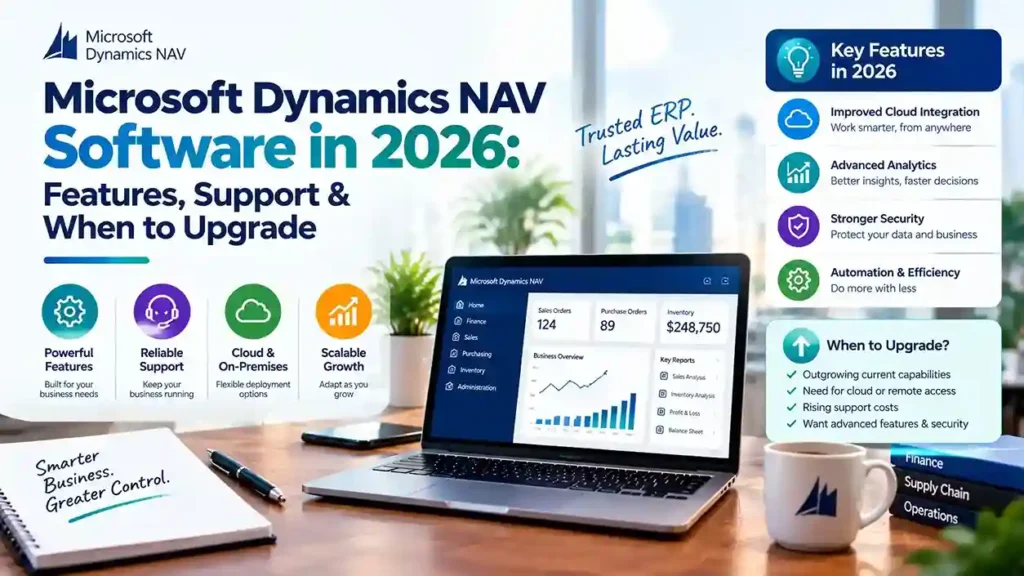
Microsoft Dynamics NAV software in 2026 covering ERP features, support options, and upgrade paths to Dynamics 365 Business Central

Microsoft Dynamics NAV Software in 2026: Features, Support & When to Upgrade

Microsoft Dynamics NAV Software enters 2026 at a critical juncture. The platform still powers thousands of businesses reliably, but Microsoft’s direction is unmistakable: NAV is a legacy system being maintained, not improved. New license sales have ended, support windows are closing, and the innovation roadmap belongs entirely to Business Central. This guide covers what NAV still delivers in 2026, the support realities you must plan around, and how to decide when migration makes sense for your organization. What Microsoft Dynamics NAV Software Still Does Well in 2026 NAV’s core capabilities remain functional and familiar. For businesses with stable requirements, the system continues to handle: The platform’s flexibility—built on its C/AL development environment—allowed partners to tailor NAV deeply for specific industries. That tailoring is why many businesses still find NAV fits their operations better than a standard cloud ERP would. But familiarity is not a strategy. The ecosystem around NAV is contracting, and 2026 brings concrete deadlines that demand attention. The Support Reality for NAV in 2026 Version-by-Version Support Status Support depends entirely on which NAV version you run: NAV Version Extended Support Status NAV 2015 Ended January 2025 NAV 2016 Ended April 2026 NAV 2017 Ends January 2027 NAV 2018 Ends January 2028 Anything older than NAV 2015 is already outside every support window. Once support ends, Microsoft provides no security patches or compliance updates—a serious exposure for systems handling financial data. The End-of-Sale Deadline Microsoft has announced that April 30, 2031 is the end-of-sale date for Dynamics NAV. After that date, customers cannot renew service plans, renew subscriptions, purchase additional perpetual licenses, or use NAV through a Service Provider License Agreement. This gives you a firm planning horizon. The deadline is not imminent, but it is definitive—and migration projects take time. The Talent and Innovation Gap Microsoft’s ERP development is concentrated entirely on Business Central. NAV receives maintenance-level support but no new features. The pool of experienced NAV developers shrinks annually as consultants reskill. Third-party add-on vendors are shifting focus to AppSource for Business Central. Staying on NAV means rising costs for scarcer expertise and gradual loss of integration capability with modern systems. When to Upgrade from NAV to Business Central Migration is not mandatory immediately. But certain conditions make it the right decision: Security and compliance pressure. Your industry requires current patches, data protection compliance, or regulatory reporting that aging NAV versions cannot support. Integration needs. You need native connection to Power BI, Power Platform, Microsoft 365, or Azure AI—capabilities Business Central delivers out of the box. Remote and mobile access. Your workforce needs browser-based or mobile ERP access. NAV’s classic client is desktop-bound. Customization debt. Your NAV customizations are increasingly difficult to maintain, and finding developers who understand them is becoming impossible. Growth plans. You plan new entities, countries, or business models that require modern ERP capabilities. Rising total cost. Infrastructure, licensing, support, and scarce talent costs are approaching or exceeding Business Central subscription pricing. The Migration Path: What Microsoft Supports Microsoft provides defined upgrade routes, but no direct jump from older NAV versions to Business Central online. Supported Upgrade Paths For NAV 2015 through 2018, the path is: For NAV 2013 and 2013 R2: Upgrade to NAV 2018 first, then follow the path above. For NAV 2009: Upgrade to NAV 2013 or 2015, then NAV 2018, then proceed. Two Migration Approaches Full migration carries all data and customizations forward. It requires converting C/AL customizations to AL extensions and upgrading through supported versions. This preserves history and custom functionality but demands significant effort. Reimplementation migrates only essential data—master data, opening balances, setup—without converting legacy customizations. Microsoft provides a Business Central 14 reimplementation tool for this route. This suits organizations with heavy customization debt or processes that should change during migration. The Customization Reality This is where most migration effort goes. Current Business Central versions are AL- and extension-based only. NAV’s C/AL code cannot run in them. Every custom table or codeunit must be converted to an AL extension before cloud migration—unless you choose the reimplementation path. Microsoft’s tooling assists with conversion, but it is not a one-click process. Triage every customization: Does Business Central standard functionality already cover this? Can an AppSource app replace it? Is the customization still delivering value? Typically, 50–70% of NAV customizations can be eliminated rather than rebuilt. Choosing a Microsoft Dynamics NAV Partner in 2026 Your partner determines whether migration succeeds or stalls. Verify these capabilities: Active NAV support. Which versions do you support? How many certified NAV consultants do you employ? Proven migration experience. How many NAV to Business Central migrations have you completed? Request references from projects with similar customizations. Add-on migration knowledge. Which third-party add-ons have Business Central equivalents? Which AppSource apps replace legacy functionality? Honest roadmap guidance. A trustworthy partner discusses the NAV roadmap candidly—neither dismissing migration urgency nor pushing it prematurely. When You Can Reasonably Stay on NAV Migration is not the only valid choice. Staying on NAV may make sense if: The key distinction is having a plan versus drifting by default. Organizations without a roadmap will eventually migrate under pressure—with less time, higher costs, and greater disruption. Final Thoughts Microsoft Dynamics NAV Software remains a capable ERP for businesses with stable needs. But 2026 marks a clear inflection point: support windows are closing, talent is shrinking, and Business Central is where Microsoft invests. Whether you continue on NAV with a reliable partner or begin planning migration, the essential step is acting deliberately. Assess your version, evaluate your customizations, and build a timeline that respects the 2031 end-of-sale deadline. Running NAV and unsure about your next step? Contact a certified Microsoft partner for an environment assessment and migration roadmap.

Microsoft Dynamics NAV Software in 2026: Features, Support & When to Upgrade Read More »
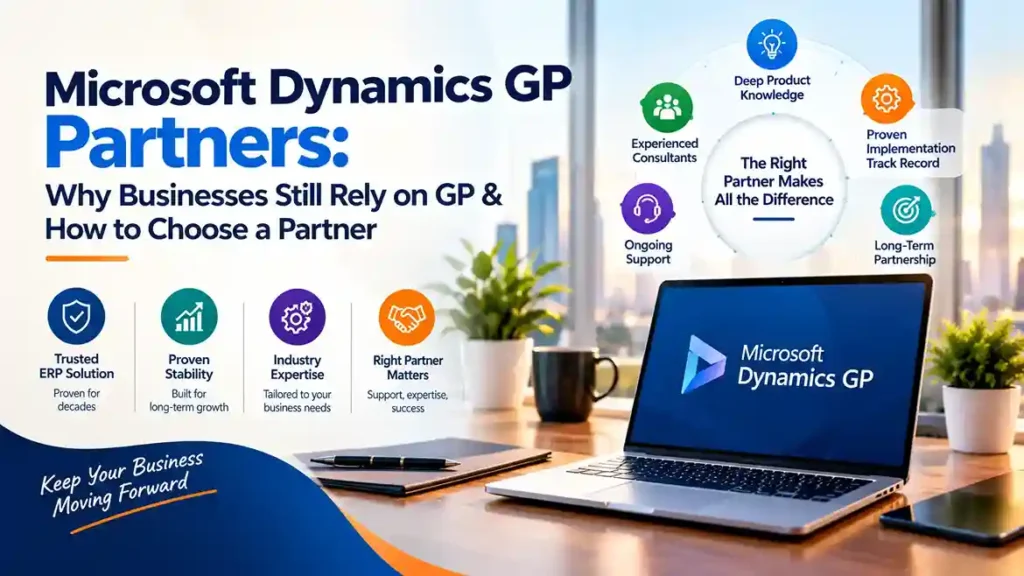
Microsoft Dynamics GP partners providing ERP support, system maintenance, and migration guidance for businesses using Dynamics GP

Microsoft Dynamics GP Partners: Why Businesses Still Rely on GP & How to Choose a Partner

Microsoft Dynamics GP—formerly Great Plains—has been part of the Microsoft ERP family for over two decades. Despite Microsoft’s clear strategic focus on Dynamics 365 Business Central, thousands of organizations worldwide continue to run their businesses on GP. The reason is straightforward: GP works. It handles core financials, distribution, payroll, and project accounting with reliability that businesses depend on. But the ecosystem around GP is changing, and choosing the right Microsoft Dynamics GP partners has never been more important. This guide explains why businesses still rely on GP, what to look for in a partner, and how to plan for the future. Why Businesses Still Rely on Microsoft Dynamics GP Proven, Stable Functionality Dynamics GP delivers core financial management—general ledger, accounts payable and receivable, bank reconciliation, fixed assets, and financial reporting—with maturity that comes from decades of refinement. For many mid-market businesses, GP’s functionality remains sufficient and familiar. Deep Investment in Customization Many GP customers have invested heavily in customizations, integrations, and third-party add-ons tailored to their operations. Replacing GP means replacing all of that—a cost that is hard to justify without a compelling business case. Familiarity and Low Disruption Staff know GP. Processes are built around it. Reports are designed for it. Migration carries disruption risk that many organizations are reluctant to accept without clear ROI. Ongoing Third-Party Ecosystem A robust community of ISVs continues to support GP with payroll, distribution, manufacturing, and industry-specific solutions. This ecosystem extends GP’s useful life for many businesses. Continued Microsoft Support Microsoft continues to support Dynamics GP with updates and patches, though the roadmap has narrowed. GP remains a supported product—but it is no longer receiving major functional investment. The Reality of GP’s Roadmap Honest guidance requires acknowledging the direction of travel. Microsoft’s ERP investment is concentrated in Dynamics 365 Business Central and Finance & Operations. Dynamics GP receives maintenance support but not new feature development. For many businesses, GP will continue to function well for years. But the strategic question is unavoidable: what is your long-term plan? A skilled Dynamics GP Partner helps answer that question honestly—supporting current operations while planning a sensible transition timeline. What to Look For in Microsoft Dynamics GP Partners 1. Deep GP Product Knowledge GP is a mature product with a long history of versions, add-ons, and customizations. Partners who have worked with GP for years understand its quirks, common integration points, and upgrade paths in ways newer partners cannot replicate. Ask: 2. Migration and Upgrade Experience Whether you are upgrading your existing GP environment or planning a move to Business Central, your partner needs proven migration experience. This includes: Partners with dedicated migration practices reduce risk and timeline uncertainty. 3. Third-Party Add-On Expertise Most GP environments depend on ISV add-ons for payroll, distribution, manufacturing, or industry functionality. Your partner should understand these add-ons, their vendors, and how they translate (or do not) to cloud ERP. Some add-ons have Business Central equivalents; others do not. Knowing the difference before migration prevents surprises. 4. Microsoft ERP Software Breadth A partner focused only on GP may not be the best partner for your future. Look for partners with demonstrated expertise across Microsoft Dynamics ERP Software—including Business Central and Finance & Operations. This breadth means your partner can support your current GP environment and guide a confident transition when the time is right. 5. Support Responsiveness and SLAs For businesses running critical financial operations on GP, support responsiveness matters. Confirm: 6. Understanding of Microsoft Dynamics NAV Software Migration Patterns Many GP customers also operate or have historically operated Microsoft Dynamics NAV Software in other divisions or through acquisitions. Partners who understand both GP and NAV migration paths to Business Central offer valuable perspective on consolidation opportunities. Why GP Partners Matter More Than Ever As Microsoft’s investment shifts, the pool of experienced GP consultants is gradually shrinking. Partners who remain committed to GP support are increasingly valuable—and increasingly selective about which clients they take on. This makes partner selection more consequential. The right partner provides: The wrong partner may underinvest in GP expertise while pushing an early migration that does not fit your business timeline. How to Choose a Dynamics GP Partner: Practical Steps Step 1: Document your GP environment.Inventory your GP version, modules in use, customizations, add-ons, integrations, and reporting dependencies. This documentation is essential for evaluating any partner. Step 2: Request GP-specific references.Ask for clients using GP with similar customizations and add-ons. Speak with them about support quality and upgrade experiences. Step 3: Assess migration capability.Even if you are not migrating now, understand your partner’s migration experience. Their readiness determines your future options. Step 4: Confirm support terms.Review SLAs, escalation paths, and coverage during critical periods like month-end and year-end. Step 5: Discuss the roadmap openly.Ask directly: What is your recommendation for our GP environment over the next three to five years? Partners who avoid this conversation are not serving your interests. When Should You Consider Migrating from GP? Migration makes sense when: Migration does not make sense purely because GP is older. It makes sense when business needs outgrow the platform. Final Thoughts Microsoft Dynamics GP remains a reliable ERP for thousands of businesses, and skilled Microsoft Dynamics GP partners continue to deliver value supporting it. The key is choosing a partner who combines deep GP expertise with broader Microsoft ERP software knowledge and credible migration capability. Whether you stay on GP for years or plan a move to Business Central, the right partner provides honest guidance, dependable support, and a clear path forward. Looking for experienced Dynamics GP support or migration planning? Contact a certified Microsoft partner to review your GP environment and discuss your options.

Microsoft Dynamics GP Partners: Why Businesses Still Rely on GP & How to Choose a Partner Read More »

Microsoft Dynamics 365 technical support guide covering ERP and CRM troubleshooting, system maintenance, and expert assistance

Microsoft Dynamics 365 Technical Support: Your Complete Guide to D365 Support & Resources

Every Microsoft Dynamics 365 deployment eventually encounters issues—a failed batch job, a broken integration, a performance slowdown, or a user who cannot complete a critical task. How quickly those issues are resolved determines whether your ERP supports your business or holds it hostage. This guide explains the Microsoft Dynamics technical support landscape, the resources available to D365 customers, and how to build a support model that keeps your system running smoothly. Understanding the D365 Support Landscape Microsoft Dynamics 365 support operates on multiple levels. Understanding who handles what prevents frustration when issues arise. Level 1: Microsoft’s Own Support Microsoft provides technical support for the D365 platform itself—infrastructure, core application bugs, licensing questions, and service availability. Depending on your licensing agreement, you may have access to: Microsoft’s support covers the product. It does not cover your customizations, your integrations, or how your specific business processes were configured. Level 2: Your Implementation Partner Your Microsoft partner typically provides functional and technical support for the solution they built—customizations, integrations, configurations, and user training. This is where most day-to-day issues are resolved. Level 3: Internal Super-Users Organizations that invest in internal capability resolve simple issues faster and rely less on external support. Super-users handle password resets, report questions, and basic navigation problems. What Microsoft Support for D365 Covers Microsoft’s direct support handles: Microsoft does not provide: This boundary is important. Many organizations assume Microsoft support will solve any problem; in reality, most operational issues fall to your partner. Resources for Microsoft Dynamics 365 Several official resources help teams self-serve and stay informed. Microsoft Learn Free, structured learning paths covering every D365 application. Includes hands-on exercises and certification preparation. Essential for onboarding new users and building internal expertise. Lifecycle Services (LCS) The control center for D365 Finance & Operations environments. Use LCS to: Release Wave Plans Microsoft publishes twice-yearly release plans detailing upcoming features. Reviewing these helps you plan training, testing, and change management before updates arrive. Microsoft Dynamics Community Peer forums where users and partners discuss issues, workarounds, and best practices. Often faster than official support for common problems. FastTrack for Dynamics 365 Microsoft’s complimentary guidance program for qualifying deployments. Provides best practices, workshops, and technical reviews during implementation and go-live. Support for Supply Chain and Finance Management Supply chain and finance modules carry the highest business risk when issues arise. A stalled invoice posting or broken inventory valuation can halt operations. Support for supply chain and finance management should include: Functional ExpertiseConsultants who understand both the D365 module and the underlying business process—not generalist help desk staff reading from scripts. Period-End SupportAdditional coverage during month-end and year-end close, when finance teams face tight deadlines and any issue becomes critical. Integration MonitoringProactive monitoring of connections to banking, tax engines, EDI, and warehouse systems that feed supply chain and finance data. Regulatory Update SupportAssistance applying Microsoft’s compliance updates for tax rules, e-invoicing mandates, and statutory reporting. Data Integrity ReviewsPeriodic checks on inventory valuation, cost accounting, and ledger balances to catch drift before it affects reporting. Businesses that treat supply chain and finance support as an afterthought often discover problems during audits—when correction is expensive. Building the Right Support Model Option 1: Break-Fix Support Pay hourly when issues arise. Suitable for stable, low-complexity environments. Risk: unpredictable costs and no guaranteed response times. Option 2: Retainer or Managed Support Fixed monthly fee for defined support hours and response times. Provides predictability and priority access. Most common model for mid-market organizations. Option 3: Full Managed Services Partner takes responsibility for system health, monitoring, updates, and continuous improvement. Best for organizations without internal D365 expertise. Option 4: Hybrid Model Internal super-users handle level 1, partner handles level 2 and 3, Microsoft handles platform issues. Most cost-effective for organizations with capable IT teams. Questions to Ask Your Support Provider Before signing any support agreement, clarify: Vague answers to these questions signal future problems. Common D365 Support Issues and Their Causes Issue Typical Cause Slow performance Data volume growth, poorly designed queries, missing indexes Integration failures API changes, credential expiry, network issues Batch job failures Locking conflicts, data errors, sequence problems Report errors Custom report changes, data model updates User access problems Role configuration, license assignment, security policy changes Most recurring issues trace back to configuration decisions or missing monitoring—both preventable with the right support partner. Reducing Support Dependency Over Time The best support strategy reduces reliance on external help. Practical steps: Organizations that invest in these practices consistently report lower support volumes and higher user satisfaction. Final Thoughts Microsoft Dynamics technical support works best as a layered model: Microsoft for the platform, a certified partner for your solution, and trained internal users for daily operations. Understanding what Microsoft support for D365 covers—and what it does not—prevents wasted time and misdirected tickets. For mission-critical areas like support for supply chain and finance management, choose a partner with genuine module expertise and proactive monitoring capability, not just a ticket queue. Need reliable Microsoft Dynamics 365 support? Contact a certified partner to discuss a support model tailored to your modules, users, and business criticality.

Microsoft Dynamics 365 Technical Support: Your Complete Guide to D365 Support & Resources Read More »

Dynamics 365 Support

Why Should You Hire Remote Dynamics 365 Support?

Having Dynamics 365 Support is necessary for the smooth functioning of your business running over Dynamics 365 ERP and CRM. One of the biggest problems is that there aren’t many network engineers and other IT specialists, which makes infrastructure maintenance less effective.  By providing everyone with remote access to support for technological challenges, Microsoft ERP Support promises to put an end to these problems.  In this article, we will examine some of the key benefits of hiring Dynamics 365 Support help for your company, so let’s get started.  The Pace of Remote Dynamics 365 Support Services  The ability of remote Dynamics service and Support to respond to problems significantly faster than traditional IT specialists is one of the main benefits of using them as a help desk or service technician. They can handle problems right away, if they are awake, without needing to physically visit your company to do it.  Your Remote IT Support staff will be able to maintain hardware and software without even requiring a call from you if your company has network monitoring in place. Being an on-demand service, your remote assistance specialist might be available right away depending on how much you pay them.  If your in-house IT team is otherwise unavailable, you can hire a remote expert to handle issues even if you don’t have a full-time remote support team. You can always enlist remote tech support, whether your team is preoccupied with another task or just lacks the knowledge to resolve the problem.  Receive remote assistance from the entire team  You won’t always deal with a single specialist when working remotely with an IT company. Depending on how much you’re prepared to spend, you might be able to engage a whole staff of Dynamics 365 Support specialists to examine your software and hardware and make sure that your services continue to operate as expected.  One of the best things about using a team to manage your IT requirements is that you can give them desktop access and let them handle a different area of IT. This indicates that they can manage your company’s computer system as well as developing network solutions.  If a recent outbreak has infected your servers or cloud, you can even seek the assistance of anti-virus experts. Having a team to rely on can frequently be advantageous because it can be challenging to safeguard and regulate things if you lack Windows troubleshooting skills.  Remote Access Monitoring Tools for Advanced Technical Support  While most of the time your remote support won’t be as effective as an on-site IT team, there are a few instances where the outcomes will be strikingly similar. This is because remote teams frequently utilize the same tools as on-site specialists to find fixes for network and computer issues.  How many times, for instance, have you seen your neighborhood IT expert use remote access to identify a problem with a Windows installation on one of your employees? The same capabilities are available to remote IT support workers, and they frequently respond even faster.   As there are more trustworthy cloud service providers, more and more companies are switching their entire operations to Microsoft Azure Cloud. As a result, remote support personnel will have a better chance of getting access to all the necessary files for maintenance or repair.  Get a Tech Anytime of the Day  Regardless of time zones, Dynamics 365 Support Services can also offer you a specialist anytime you need one. Even in the wee hours of the morning, you cannot afford to have any downtime if your company is global. You will therefore need to have access to some technological solutions.  Software and server support is available everywhere, so if your local IT professional is out of the office, you may ask someone who lives on the other side of the globe for assistance. You may remotely secure your company with this.  Cost-effective Compared to a Traditional Help Desk  The final benefit of using remote IT support services is that they are frequently less expensive than hiring traditional IT staff. Along with not needing to hire these support workers full-time, they frequently start with lower base salaries.  Despite charging much less for their services, remote Dynamics 365 Support companies will deliver high-quality outcomes to your company. Remote IT Support Services will do the job whether you require help with a gadget or bolster your network security. If you need IT Support Services for D365, you can Contact Trident Information System. Being Microsoft Dynamics 365 Gold Partner and LS Retail Diamond Partner, we have highly trained IT professionals who provide excellent D365 Support Services.  

Why Should You Hire Remote Dynamics 365 Support? Read More »

Microsoft Dynamics 365 support dashboard helping businesses manage ERP support and issue resolution.

Microsoft Dynamics 365 Support Plans in India: Find the Right Plan for Your Business

Your Microsoft Dynamics 365 system is only as valuable as the support structure behind it. Whether you have just completed a Dynamics 365 implementation, are managing a complex multi-module environment that requires ongoing optimization, or are running a business-critical operation where system downtime is simply not an option — having the right support partner in place is not a secondary consideration. It is a fundamental business requirement. Trident Information Systems offers a comprehensive range of Microsoft Dynamics 365 support plans for Indian organizations — from fully dedicated on-site resources for large, complex deployments to flexible incident-based packages for businesses with occasional support needs. Our support services extend beyond break-fix assistance to include training, change request management, system migration, implementation support, and version upgrades — giving your organization a single trusted partner for every phase of your Dynamics 365 journey. This page covers all six of Trident’s Dynamics 365 support plans — what each includes, who it is best suited for, and how to choose the right option for your organization’s size, complexity, and support frequency. Why Choose Trident for Microsoft Dynamics 365 Support in India A Decade of Dynamics 365 Implementation and Support Experience Trident Information Systems has been implementing and supporting Microsoft Dynamics 365 — and its predecessor, Dynamics AX — for over a decade. That depth of platform experience means our support consultants are not learning your system while you wait for a resolution. They arrive with the diagnostic knowledge, platform expertise, and business process understanding to identify root causes quickly and resolve issues effectively. Trident Information Systems is a trusted consulting and technology services partner with deep expertise in driving digital transformation across Manufacturing, Retail, Hospitality, Logistics, Services, and more. With a strong presence in India, the U.S., UK, UAE, Africa, and a rapidly expanding footprint in Southeast Asia, Trident has successfully delivered over 250 customer engagements. These include smart manufacturing with intelligent shop floor automation, retail digitalization spanning 3,000+ stores, and IoT-driven asset management covering 400+ assets across 150+ locations. Beyond infrastructure and operations, Trident excels in business applications ( Microsoft Dynamics 365 ERP, CRM, O365, Azure, Power BI, Power Platform, Salesforce ) and Data & AI services in collaboration with Microsoft and IBM. What truly sets them apart is their exclusive Managed Talent Services unit, designed to help organizations jumpstart digital transformation engagements quickly and effectively—bridging the gap between strategy and execution with the right skills at the right time. Support, Training, Migration and Implementation — All Under One Roof Many organizations manage multiple vendor relationships for their Dynamics 365 environment — one partner for support, another for training, a third for customization and change requests. This fragmentation creates communication gaps, accountability gaps, and unnecessary cost. Trident provides the complete spectrum of Dynamics 365 services from a single point of accountability: Our 6 Microsoft Dynamics 365 Support Plans for Indian Organizations Trident’s support plans are designed for Indian organizations managing their Indian operations on Microsoft Dynamics 365. Every plan is structured to provide clear scope, predictable cost, and transparent commitment — so you know exactly what you are getting and exactly what it will cost. Plan A — Full-Time Dedicated Resource: Maximum Support Coverage Best for: Large organizations with high-volume, continuous support needs or complex Dynamics 365 environments requiring frequent change requests. Plan A allocates a dedicated Trident consultant exclusively to your organization — available 100 percent of their working time to provide support and manage change requests. This is the highest-coverage support arrangement Trident offers, and it is designed for organizations where Dynamics 365 is mission-critical and support needs are frequent. Key features of Plan A: Plan B — Shared Resource: Flexible Monthly Support Commitment Best for: Mid-size organizations with regular but not continuous support needs, where a predictable monthly commitment is more cost-effective than a full-time dedicated resource. Plan B provides a minimum commitment of 5 support days per month — drawn from a shared Trident resource pool. Support needs can arise at any point during the month, in single or multiple instances, giving your organization flexibility in how and when the support days are consumed. Key features of Plan B: Plan C — Time Package: 200 Hours Over 12 Months Best for: Organizations with moderate, unpredictable support needs that want a pre-purchased block of hours they can draw on throughout the year — without committing to a monthly minimum. Plan C provides 200 hours of support over a 12-month contract period — giving your organization a substantial support bank to draw on whenever needs arise, with the flexibility of a shared resource model. Key features of Plan C: Plan D — Incident-Based Priority Support: Next Business Day Response Best for: Organizations with occasional, unpredictable support needs who require a guaranteed fast response time when issues do arise — without committing to hours or days in advance. Plan D provides 50 support incidents with a guaranteed next business day response commitment — ensuring that when you log an issue, you receive a response within one business day without exception. Key features of Plan D: Plan E — Incident-Based Normal Support: Cost-Effective Coverage Best for: Organizations with occasional, low-urgency support needs where response time is less critical than cost efficiency — the most cost-effective entry point in Trident’s support portfolio. Plan E provides 50 support incidents with a 2 business day response commitment — offering solid coverage for organizations whose support needs are infrequent and non-time-critical. Key features of Plan E: Plan F — On-Site Dedicated Resource: Hands-On, In-Person Support Best for: Organizations that require a physical Trident presence at their offices — for user hand-holding, day-to-day coordination, and on-site operational support — in addition to one of the specialist support plans above. Plan F is an add-on plan designed to work alongside any of Plans A through E. Under Plan F, Trident deploys a full-time consultant physically at the client’s site — providing continuous in-person presence for operational support activities. Key features of Plan F: Comparing Trident’s Dynamics 365 Support Plans Plan

Microsoft Dynamics 365 Support Plans in India: Find the Right Plan for Your Business Read More »