Welcome to Trident Information Systems!
Write us to - info@tridentinfo.com
Let's Socialize

D365 Customer Support

Sales team using Copilot in Dynamics 365 to automate CRM workflows and analyze customer data.

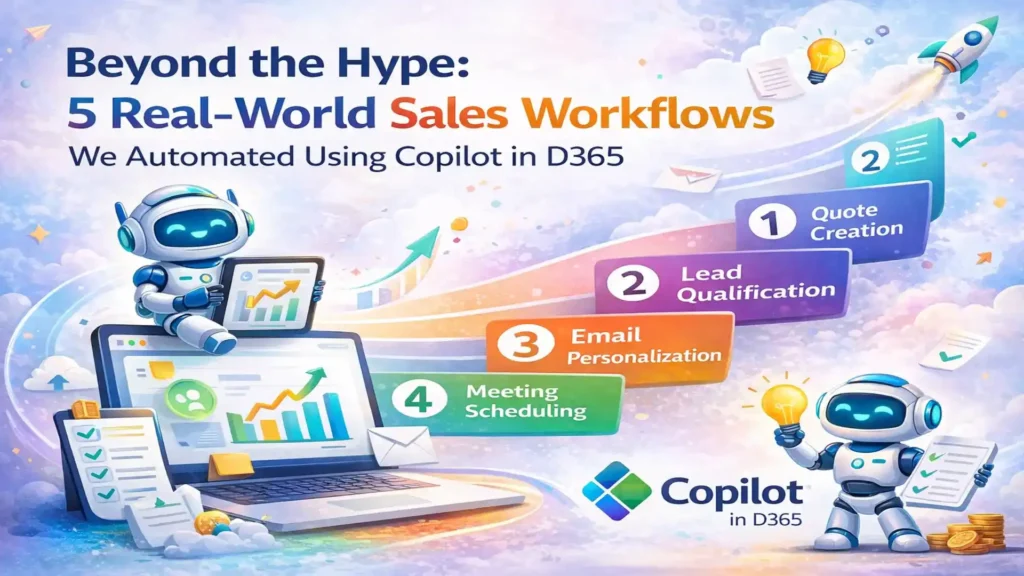
Beyond the Hype: 5 Real-World Sales Workflows We Automated Using Copilot in D365

Actual automation use cases from our clients – complete with before/after metrics, implementation steps, and honest assessments of what Copilot does well (and where it still needs help). Every vendor is talking about AI. Microsoft’s pitching Copilot as a revolution in sales productivity. Your LinkedIn feed is full of posts about “AI-powered everything.” But when you ask sales leaders what they’ve actually automated with Copilot, you get vague answers about “email summaries” and “meeting notes.” Here’s the truth: Copilot in Dynamics 365 Sales is powerful, but it’s not magic. It won’t transform your sales process overnight. It won’t fix bad data or broken workflows. And it definitely won’t replace the need for good salespeople who understand their customers. What it will do – when implemented thoughtfully – is eliminate hours of administrative busywork, surface insights your reps would have missed, and help your team sell faster without working harder. This article shares five specific workflows we’ve automated for clients using Copilot in Dynamics 365 Sales. These aren’t theoretical use cases from Microsoft’s marketing materials. They’re real implementations with actual before/after metrics, honest assessments of what worked (and what didn’t), and step-by-step breakdowns you can replicate. 1. Automated Lead Qualification & Scoring The Problem A B2B software company was generating 400-500 inbound leads per month from multiple sources (website forms, trade shows, webinars, paid ads). Their SDR team of 4 people was spending 6-8 hours per day manually researching leads, reading company websites, checking LinkedIn, and trying to determine which leads were worth calling first. Result: High-value leads sat in the queue for 2-3 days before anyone reached out. By the time they got a call, 30% had already engaged with a competitor. Before Copilot Manual process: SDR receives lead → Googles company → Checks LinkedIn → Reads “About Us” page → Estimates company size and budget → Manually scores lead in spreadsheet → Enters score into D365 → Finally calls lead (24-72 hours later) With Copilot Automated process: Lead enters D365 → Copilot enriches with firmographic data (revenue, employee count, industry, tech stack) → Analyzes fit against ideal customer profile → Auto-assigns lead score → Routes to appropriate SDR → SDR calls within 2 hours with context already loaded How We Implemented It The Results Measured Impact (90 Days Post-Implementation) 87% Reduction in lead research time 2 hrsAverage lead response time (vs. 48 hrs before) 42 %Increase in lead-to-opportunity conversion $180K Additional pipeline value in first quarter What Didn’t Work Initially Copilot’s auto-scoring was too aggressive at first — it scored leads based on company size alone, ignoring buying signals. We had to refine the criteria twice before it matched our SDRs’ judgment. Also, data enrichment only works if the lead provides a company email (not Gmail/Yahoo). We now route personal email leads to a separate qualification flow. 2. Intelligent Email Follow-Up & Next-Best-Action Recommendations The Problem A manufacturing equipment distributor’s sales reps were managing 40-60 active opportunities each. They’d send a proposal, schedule a demo, or have a discovery call — then forget to follow up. Opportunities would go stale for 2-3 weeks before anyone noticed. The sales manager was manually reviewing pipeline every Monday and sending “you need to follow up on X” reminders to reps. Reps complained they couldn’t remember the context of every conversation when they did follow up weeks later. How We Automated It Before Copilot Rep sends proposal → Gets busy with other deals → Forgets to follow up → Customer goes silent → Two weeks later, sales manager asks “What happened with ABC Corp?” → Rep scrambles to piece together what happened → Customer already bought from competitor With Copilot Rep sends proposal → Copilot reminds rep to follow up in 3 days → Suggests email: “Hi [Name], following up on the proposal we discussed for [specific pain point]” → Rep reviews, edits slightly, sends → Customer responds with questions → Copilot flags as “hot opportunity” and moves to top of rep’s queue The Results Measured Impact (6 Months Post-Implementation) 73% Reduction in stale opportunities (no activity 14+ days) 3.2x More follow-up touches per opportunity 18% Improvement in win rate 4.5 hrs Saved per rep per week (no more manual pipeline review) Unexpected Benefit Reps started using Copilot-generated email summaries to brief their managers before pipeline reviews. Instead of the manager asking “What’s the status of this deal?”, reps could instantly share a 3-sentence AI summary. This cut pipeline review meetings from 90 minutes to 30 minutes and made them far more strategic. 3. Automated Meeting Prep & Post-Meeting Follow-Up The Problem An enterprise software company’s AEs were running 8-12 customer meetings per week. They’d show up to calls without reviewing the customer’s history, previous conversations, or open issues. Customers would say “I mentioned this on our last call” and the AE would have to ask them to repeat it. Post-meeting, reps were supposed to send recap emails and update D365, but often forgot or did it days later when details were fuzzy. How We Automated It Implementation Steps Enable Copilot for Sales in D365 + Teams Integration Connected Copilot to Microsoft Teams for call transcription and recording access. Configured permissions so Copilot can read calendar events and D365 records. Define Meeting Brief Template Worked with sales team to determine what information they actually want to see before calls. Created template that pulls: customer industry, previous meeting notes (last 3 meetings), open opportunities, outstanding quotes, support ticket summary. Train Copilot on Recap Email Format Provided examples of good recap emails. Copilot learned the structure: brief thank you, summary of what was discussed, clear next steps, timeline/deadline if applicable. Set Up Competitive Intelligence Triggers Created list of competitor names and product names. When mentioned in meetings, Copilot tags the opportunity and pulls battlecard information from SharePoint. The Results Measured Impact (4 Months Post-Implementation) 92% Of reps now review meeting brief before every call 3.5 hrs Saved per rep per week (meeting prep + recap writing) 68% Increase in same-day meeting recaps (vs. 22% before) 34% Reduction in “Can you remind me what we

Beyond the Hype: 5 Real-World Sales Workflows We Automated Using Copilot in D365 Read More »

Dynamics 365 for Customer Services

Unlocking Excellence with Dynamics 365 for Customer Services :Revealed Best Strategies

Elevate your brand with Dynamics 365 for Customer Services! Unleash unmatched excellence using proven strategies for customer service magic. Master the art with our best practices and soar above the competition. Your journey to customer service greatness begins now!

Unlocking Excellence with Dynamics 365 for Customer Services :Revealed Best Strategies Read More »

D365 Customer Support

Why is D365 Customer Support so Important for your Business?

Customers now expect businesses to provide outstanding service round-the-clock. Therefore making service quality has become a crucial competitive differentiator for businesses, and the right technology can assist them in resolving consistent issues. D365 Customer Support is one of the Top Cloud CRM options if you are looking for an integrated customer service solution.   Microsoft Dynamics 365 Customer Service is a module for customer service automation that streamlines knowledge and case management. Further, it personalized service with a 360-degree customer view and provides visibility into service agents’ dashboards, reports, and performance. In this blog, we will further discuss how Dynamics CRM Support plays such a vital role.    Why to Choose D365 Customer Support? The cloud-based Microsoft Dynamics 365 Customer Service Solution provides all the features your company needs to provide great customer service. Here is how it can benefit your business:  Use virtual agents and knowledge base portals to automate self-service assistance.  Customize experiences for Individual customers.   Agents can resolve cases with on-time and accurate information.  Improve your customer service operations.   Benefits of Dynamics 365 Customer Service  D365 Customer Support can tremendously help your business where you can Automate self-service support with knowledge-based portals and virtual agents. Therefore, with Microsoft Support for D365, you can expect the given benefits:    Get a 360-Degree View of your Customers  Those who still rely on siloed systems and different software to manage their customers often face too many difficulties. Therefore, with multiple software around and data all over the place makes everything go overwhelming. However, Dynamics 365 Support can get you a 360-degree view of customers as everything is managed on the same platform. Furthermore, Dynamics CRM customer service ensures you provide customized services to your customers, and they get their issues resolved ASAP. Thus, they can easily provide highly personalized and high-quality customer service fast.   Simplified case management with a unified interface   Saving time and boosting productivity is one of the primary benefits of D365 Customer Support. Hence, your team can leverage the easy user interface to manage and handle customers’ queries more efficiently. Further, the interactive dashboards act as a one-stop solution where agents can look through their caseloads. Therefore, quickly acting without having to look through different parts of the application. Thanks to the easy interface, your customer service executives can easily manage their caseloads.    Easily manage community portals and knowledge bases  Once you start working with MS Dynamics Customer Service, you can access a plethora of self-help options. In addition to, this helps in reducing call time and allows your customer service executive to focus more on high-value services. Thus, the knowledge management module will always help you create, publish, and manage your knowledge articles. Furthermore, you can use the rich text editor to add images, texts, and videos. Further, you can track how your content is performing with analytics. And also, you can check how many people viewed your articles, how they performed, and how they helped your customers. You can also build a form in the community portal where people can share tips, insights, and some useful information.   Attend Customers with AI Capabilities   AI capabilities can ensure you give the best D365 Customer Support. AI can assign the best-suited agent for a particular task to get the fastest and highest-quality results. Therefore, your team can answer your customers faster with AI-based suggestions. It recommends similar knowledge related to the question that has been asked. Furthermore, you can even set up the system to understand the tone of the customer and his emotions. Also, you can activate virtual bots to automate routine conversations. Therefore, allowing your agents to provide high-value interactions.    Integrate other Microsoft Apps for Excellent Customer Service  You can integrate other D365 products with Microsoft Dynamics CRM Support such as Excel, Power BI, and Teams. Thus, helping you manage and act upon your customer requests accordingly. With the Enterprise Package, the agent will get Microsoft Teams embedded into his system. And then, he can connect with other experts from your company. If you enable AI, you can even get suggested contacts who have earlier worked on the same case. Consequently, you can get their help and provide customer support in the best way possible.    Access Cloud-Capabilities   Being hosted on Microsoft Azure Cloud, D365 Customer Support allows you to access various cloud benefits. For instance, being able to work remotely is one of the major benefits. What’s more, your agents can work from anywhere in the world fully functionally via their desktops, tablets, or laptops. Further, cloud solutions ensure more cost-effective, efficient, and secure operations.   Your customer support can either make or break your business’s reputation. Therefore, Using AI-based tools ensures your customers are always attended to while allowing your customer care agents to provide high-value services. D365 Customer Support can help you with streamlining your processes, providing analysis, centralizing client information, and enabling responsive customer services. For further information, you can Contact Trident Information Systems. We are a Gold Microsoft Dynamics 365 Implementation Partner and LS Retail Diamond Partner. 

Why is D365 Customer Support so Important for your Business? Read More »

Microsoft Dynamics 365 support dashboard helping businesses manage ERP support and issue resolution.

Microsoft Dynamics 365 Support Plans in India: Find the Right Plan for Your Business

Your Microsoft Dynamics 365 system is only as valuable as the support structure behind it. Whether you have just completed a Dynamics 365 implementation, are managing a complex multi-module environment that requires ongoing optimization, or are running a business-critical operation where system downtime is simply not an option — having the right support partner in place is not a secondary consideration. It is a fundamental business requirement. Trident Information Systems offers a comprehensive range of Microsoft Dynamics 365 support plans for Indian organizations — from fully dedicated on-site resources for large, complex deployments to flexible incident-based packages for businesses with occasional support needs. Our support services extend beyond break-fix assistance to include training, change request management, system migration, implementation support, and version upgrades — giving your organization a single trusted partner for every phase of your Dynamics 365 journey. This page covers all six of Trident’s Dynamics 365 support plans — what each includes, who it is best suited for, and how to choose the right option for your organization’s size, complexity, and support frequency. Why Choose Trident for Microsoft Dynamics 365 Support in India A Decade of Dynamics 365 Implementation and Support Experience Trident Information Systems has been implementing and supporting Microsoft Dynamics 365 — and its predecessor, Dynamics AX — for over a decade. That depth of platform experience means our support consultants are not learning your system while you wait for a resolution. They arrive with the diagnostic knowledge, platform expertise, and business process understanding to identify root causes quickly and resolve issues effectively. Trident Information Systems is a trusted consulting and technology services partner with deep expertise in driving digital transformation across Manufacturing, Retail, Hospitality, Logistics, Services, and more. With a strong presence in India, the U.S., UK, UAE, Africa, and a rapidly expanding footprint in Southeast Asia, Trident has successfully delivered over 250 customer engagements. These include smart manufacturing with intelligent shop floor automation, retail digitalization spanning 3,000+ stores, and IoT-driven asset management covering 400+ assets across 150+ locations. Beyond infrastructure and operations, Trident excels in business applications ( Microsoft Dynamics 365 ERP, CRM, O365, Azure, Power BI, Power Platform, Salesforce ) and Data & AI services in collaboration with Microsoft and IBM. What truly sets them apart is their exclusive Managed Talent Services unit, designed to help organizations jumpstart digital transformation engagements quickly and effectively—bridging the gap between strategy and execution with the right skills at the right time. Support, Training, Migration and Implementation — All Under One Roof Many organizations manage multiple vendor relationships for their Dynamics 365 environment — one partner for support, another for training, a third for customization and change requests. This fragmentation creates communication gaps, accountability gaps, and unnecessary cost. Trident provides the complete spectrum of Dynamics 365 services from a single point of accountability: Our 6 Microsoft Dynamics 365 Support Plans for Indian Organizations Trident’s support plans are designed for Indian organizations managing their Indian operations on Microsoft Dynamics 365. Every plan is structured to provide clear scope, predictable cost, and transparent commitment — so you know exactly what you are getting and exactly what it will cost. Plan A — Full-Time Dedicated Resource: Maximum Support Coverage Best for: Large organizations with high-volume, continuous support needs or complex Dynamics 365 environments requiring frequent change requests. Plan A allocates a dedicated Trident consultant exclusively to your organization — available 100 percent of their working time to provide support and manage change requests. This is the highest-coverage support arrangement Trident offers, and it is designed for organizations where Dynamics 365 is mission-critical and support needs are frequent. Key features of Plan A: Plan B — Shared Resource: Flexible Monthly Support Commitment Best for: Mid-size organizations with regular but not continuous support needs, where a predictable monthly commitment is more cost-effective than a full-time dedicated resource. Plan B provides a minimum commitment of 5 support days per month — drawn from a shared Trident resource pool. Support needs can arise at any point during the month, in single or multiple instances, giving your organization flexibility in how and when the support days are consumed. Key features of Plan B: Plan C — Time Package: 200 Hours Over 12 Months Best for: Organizations with moderate, unpredictable support needs that want a pre-purchased block of hours they can draw on throughout the year — without committing to a monthly minimum. Plan C provides 200 hours of support over a 12-month contract period — giving your organization a substantial support bank to draw on whenever needs arise, with the flexibility of a shared resource model. Key features of Plan C: Plan D — Incident-Based Priority Support: Next Business Day Response Best for: Organizations with occasional, unpredictable support needs who require a guaranteed fast response time when issues do arise — without committing to hours or days in advance. Plan D provides 50 support incidents with a guaranteed next business day response commitment — ensuring that when you log an issue, you receive a response within one business day without exception. Key features of Plan D: Plan E — Incident-Based Normal Support: Cost-Effective Coverage Best for: Organizations with occasional, low-urgency support needs where response time is less critical than cost efficiency — the most cost-effective entry point in Trident’s support portfolio. Plan E provides 50 support incidents with a 2 business day response commitment — offering solid coverage for organizations whose support needs are infrequent and non-time-critical. Key features of Plan E: Plan F — On-Site Dedicated Resource: Hands-On, In-Person Support Best for: Organizations that require a physical Trident presence at their offices — for user hand-holding, day-to-day coordination, and on-site operational support — in addition to one of the specialist support plans above. Plan F is an add-on plan designed to work alongside any of Plans A through E. Under Plan F, Trident deploys a full-time consultant physically at the client’s site — providing continuous in-person presence for operational support activities. Key features of Plan F: Comparing Trident’s Dynamics 365 Support Plans Plan

Microsoft Dynamics 365 Support Plans in India: Find the Right Plan for Your Business Read More »

Microsoft Dynamics 365 Customer Service dashboard managing support tickets and customer interactions.

Microsoft Dynamics 365 Customer Service: Deliver Effortless Experiences That Build Lasting Loyalty

Every customer interaction is either building loyalty or destroying it. There is no neutral ground. And in a world where customers have infinite alternatives and a global audience for their complaints, the brands that win are those that make service feel effortless — every time, on every channel. Microsoft Dynamics 365 Customer Service gives organizations the tools, intelligence, and agility to deliver exactly that. Whether your customers reach out via phone, live chat, email, social media, or self-service portal — Dynamics 365 ensures every interaction is personalized, consistent, and resolved with minimal customer effort. For businesses still running disconnected CRM tools, reactive support queues, and knowledge bases that nobody trusts, the gap between where your customer service is today and where it needs to be is costing you — in churn, in reputation, and in revenue. Trident helps brands close that gap, fast. Why Customer Service Is Now Your Strongest Competitive Advantage The Real Cost of Poor Customer Service in 2026 Poor customer service is not just a satisfaction problem — it is a revenue problem. Research consistently shows that customers who have a negative service experience are significantly more likely to switch to a competitor, leave a public review, and never return. Meanwhile, customers who receive fast, personalized, effortless service are more likely to spend more, refer others, and remain loyal for years. The numbers are stark: acquiring a new customer costs five times more than retaining an existing one. Every unresolved ticket, every long hold time, and every agent who cannot access the right information is a direct threat to your bottom line. What Modern Customers Actually Expect From Support Teams Today’s customers do not want to repeat themselves. They do not want to be transferred three times. They do not want to wait 48 hours for an email response. They want fast, accurate, personalized support — on whatever channel they choose — from an agent who already knows their history. Meeting that expectation consistently, at scale, is impossible without the right technology platform powering your service operation. That is precisely what Microsoft Dynamics 365 Customer Service is built to deliver. Key Benefits of Microsoft Dynamics 365 Customer Service Earn Customer Loyalty Through Personalized Service Experiences Loyalty is no longer earned through products alone — it is earned through experiences. Microsoft Dynamics 365 Customer Service enables brands to deliver personalized, contextual interactions across every device and every channel, whether the customer chooses self-service or assisted support. By surfacing the right customer data at the right moment, Dynamics 365 empowers your team to treat every customer as an individual — not a ticket number. The result is a service experience that feels effortless for the customer and builds the kind of advocacy that drives long-term business growth. Empower Agents to Resolve Issues Faster With Unified Tools Agent performance is directly tied to the tools they have access to. When agents are toggling between five different systems to find customer history, product information, and resolution guidance, response times suffer — and so does the customer experience. Microsoft Dynamics 365 consolidates everything an agent needs into a single, unified interface — customer history, knowledge base articles, case management tools, and escalation workflows — all contextually surfaced based on the live interaction. The outcome is faster resolution, reduced handle time, and a significantly better experience for both the agent and the customer. Stay Agile With Real-Time Insights and Actionable Analytics Customer expectations change fast. New channels emerge. Support volumes spike without warning. The organizations that adapt quickest are those with real-time visibility into what is happening across their service operation — and the ability to act on it immediately. Dynamics 365’s built-in service intelligence tools give managers and executives actionable insights into case trends, agent performance, customer satisfaction scores, and emerging issues — before they escalate into crises. Core Capabilities of Dynamics 365 Customer Service Omnichannel Engagement: Meet Customers Where They Are Modern customers do not think in channels — they think in problems that need solving. Microsoft Dynamics 365 Customer Service enables seamless, end-to-end service engagements across every channel your customers use: Live chat, email, phone, and social media — all managed from one unified platform Field service integration — when issues require onsite resolution, Dynamics connects your remote teams to the same customer context Context continuity — customers never have to repeat themselves when switching between channels A unified platform ensures consistent, personalized service with minimal customer effort at every touchpoint Self-Service and Community Portals That Reduce Agent Workload The majority of customers today prefer to find answers on their own before contacting support. Microsoft Dynamics 365 enables branded self-service portals that deliver: Consistent, up-to-date answers without requiring agent involvement Personalized information based on the customer’s account history and preferences Community forums where customers can connect with peers and subject matter experts Reduced inbound ticket volume — freeing agents to focus on complex, high-value interactions When self-service works well, everybody wins: customers get instant answers, agents handle fewer repetitive queries, and your cost-per-resolution drops significantly. Agent Enablement: One Interface, Every Tool They Need Dynamics 365 delivers a role-tailored agent experience through a single dynamic interface that contextually surfaces the tools, guidance, and data each agent needs — based on the live case in front of them. No switching between applications. No hunting for information. Just fast, focused, effective service delivery. Unified case management with full customer history visible at a glance Guided resolution workflows that reduce errors and training time Real-time supervisor visibility for coaching and quality management Differentiated support tiers — ensuring your most complex cases reach your most capable agents HUnified Knowledge Management: One Source of Truth Inconsistent answers destroy customer trust. When one agent says one thing and another says something different, confidence in your brand erodes fast. Dynamics 365’s unified knowledge management system ensures that every agent and every self-service portal draws from the same verified, up-to-date source of truth. Capture, publish, and maintain knowledge across all content channels from one place Measure knowledge article

Microsoft Dynamics 365 Customer Service: Deliver Effortless Experiences That Build Lasting Loyalty Read More »