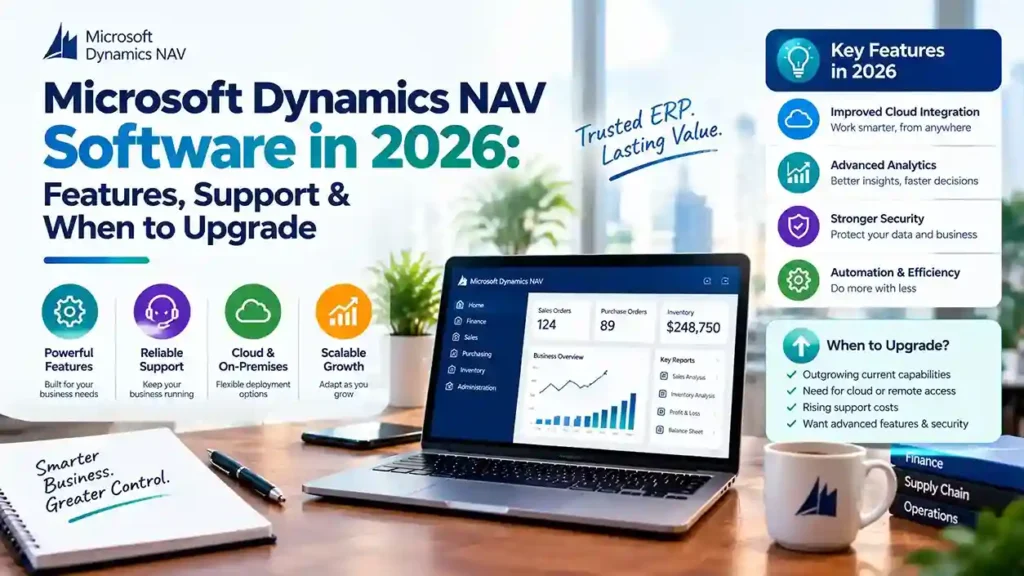
Microsoft Dynamics NAV Software enters 2026 at a critical juncture. The platform still powers thousands of businesses reliably, but Microsoft’s direction is unmistakable: NAV is a legacy system being maintained, not improved. New license sales have ended, support windows are closing, and the innovation roadmap belongs entirely to Business Central.
This guide covers what NAV still delivers in 2026, the support realities you must plan around, and how to decide when migration makes sense for your organization.
What Microsoft Dynamics NAV Software Still Does Well in 2026
NAV’s core capabilities remain functional and familiar. For businesses with stable requirements, the system continues to handle:
- Financial management — general ledger, AP/AR, fixed assets, bank reconciliation
- Supply chain — inventory, purchasing, sales, warehousing
- Manufacturing — production orders, bills of material, capacity planning
- Project management — job costing, budgeting, resource tracking
The platform’s flexibility—built on its C/AL development environment—allowed partners to tailor NAV deeply for specific industries. That tailoring is why many businesses still find NAV fits their operations better than a standard cloud ERP would.
But familiarity is not a strategy. The ecosystem around NAV is contracting, and 2026 brings concrete deadlines that demand attention.
The Support Reality for NAV in 2026
Version-by-Version Support Status
Support depends entirely on which NAV version you run:
| NAV Version | Extended Support Status |
|---|---|
| NAV 2015 | Ended January 2025 |
| NAV 2016 | Ended April 2026 |
| NAV 2017 | Ends January 2027 |
| NAV 2018 | Ends January 2028 |
Anything older than NAV 2015 is already outside every support window. Once support ends, Microsoft provides no security patches or compliance updates—a serious exposure for systems handling financial data.
The End-of-Sale Deadline
Microsoft has announced that April 30, 2031 is the end-of-sale date for Dynamics NAV. After that date, customers cannot renew service plans, renew subscriptions, purchase additional perpetual licenses, or use NAV through a Service Provider License Agreement.
This gives you a firm planning horizon. The deadline is not imminent, but it is definitive—and migration projects take time.
The Talent and Innovation Gap
Microsoft’s ERP development is concentrated entirely on Business Central. NAV receives maintenance-level support but no new features. The pool of experienced NAV developers shrinks annually as consultants reskill. Third-party add-on vendors are shifting focus to AppSource for Business Central.
Staying on NAV means rising costs for scarcer expertise and gradual loss of integration capability with modern systems.
When to Upgrade from NAV to Business Central
Migration is not mandatory immediately. But certain conditions make it the right decision:
Security and compliance pressure. Your industry requires current patches, data protection compliance, or regulatory reporting that aging NAV versions cannot support.
Integration needs. You need native connection to Power BI, Power Platform, Microsoft 365, or Azure AI—capabilities Business Central delivers out of the box.
Remote and mobile access. Your workforce needs browser-based or mobile ERP access. NAV’s classic client is desktop-bound.
Customization debt. Your NAV customizations are increasingly difficult to maintain, and finding developers who understand them is becoming impossible.
Growth plans. You plan new entities, countries, or business models that require modern ERP capabilities.
Rising total cost. Infrastructure, licensing, support, and scarce talent costs are approaching or exceeding Business Central subscription pricing.
The Migration Path: What Microsoft Supports
Microsoft provides defined upgrade routes, but no direct jump from older NAV versions to Business Central online.
Supported Upgrade Paths
For NAV 2015 through 2018, the path is:
- Upgrade to Business Central version 14 on-premises
- Upgrade to Business Central on-premises version 25 or later
- Migrate to Business Central online
For NAV 2013 and 2013 R2: Upgrade to NAV 2018 first, then follow the path above.
For NAV 2009: Upgrade to NAV 2013 or 2015, then NAV 2018, then proceed.
Two Migration Approaches
Full migration carries all data and customizations forward. It requires converting C/AL customizations to AL extensions and upgrading through supported versions. This preserves history and custom functionality but demands significant effort.
Reimplementation migrates only essential data—master data, opening balances, setup—without converting legacy customizations. Microsoft provides a Business Central 14 reimplementation tool for this route. This suits organizations with heavy customization debt or processes that should change during migration.
The Customization Reality
This is where most migration effort goes. Current Business Central versions are AL- and extension-based only. NAV’s C/AL code cannot run in them. Every custom table or codeunit must be converted to an AL extension before cloud migration—unless you choose the reimplementation path.
Microsoft’s tooling assists with conversion, but it is not a one-click process. Triage every customization: Does Business Central standard functionality already cover this? Can an AppSource app replace it? Is the customization still delivering value?
Typically, 50–70% of NAV customizations can be eliminated rather than rebuilt.
Choosing a Microsoft Dynamics NAV Partner in 2026
Your partner determines whether migration succeeds or stalls. Verify these capabilities:
Active NAV support. Which versions do you support? How many certified NAV consultants do you employ?
Proven migration experience. How many NAV to Business Central migrations have you completed? Request references from projects with similar customizations.
Add-on migration knowledge. Which third-party add-ons have Business Central equivalents? Which AppSource apps replace legacy functionality?
Honest roadmap guidance. A trustworthy partner discusses the NAV roadmap candidly—neither dismissing migration urgency nor pushing it prematurely.
When You Can Reasonably Stay on NAV
Migration is not the only valid choice. Staying on NAV may make sense if:
- Your requirements are stable and fully met by current functionality
- Customizations are essential and prohibitively expensive to replicate
- Your IT team can support the environment internally
- Your planning horizon aligns with remaining extended support
- You have a documented migration plan for the future
The key distinction is having a plan versus drifting by default. Organizations without a roadmap will eventually migrate under pressure—with less time, higher costs, and greater disruption.
Final Thoughts
Microsoft Dynamics NAV Software remains a capable ERP for businesses with stable needs. But 2026 marks a clear inflection point: support windows are closing, talent is shrinking, and Business Central is where Microsoft invests.
Whether you continue on NAV with a reliable partner or begin planning migration, the essential step is acting deliberately. Assess your version, evaluate your customizations, and build a timeline that respects the 2031 end-of-sale deadline.
Running NAV and unsure about your next step? Contact a certified Microsoft partner for an environment assessment and migration roadmap.