Welcome to Trident Information Systems!
Write us to - info@tridentinfo.com
Let's Socialize

Search Results for: Supply chain

Fashion inventory management software dashboard tracking stock levels, demand, and real-time inventory performance.

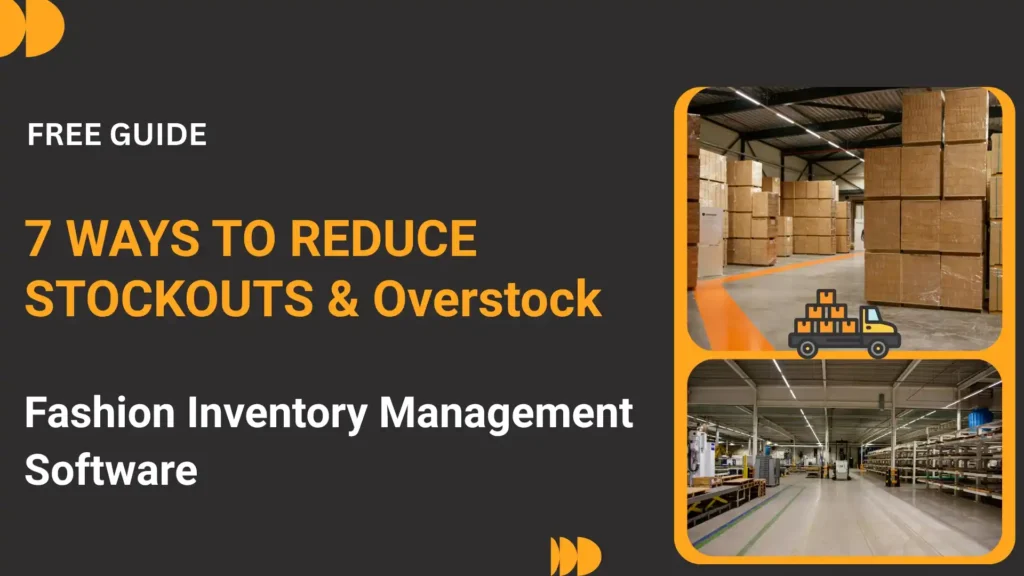
Fashion Inventory Management Software: 7 Ways to Reduce Stockouts & Overstock (2026)

Nothing frustrates a fashion customer like seeing “Out of Stock” on the product they want. And nothing frustrates a business owner like clearing out last season’s unsold inventory at 70% discount. Stockouts and overstock are two sides of the same costly problem – poor inventory visibility. The right inventory management software eliminates both by giving you real-time control across every location, season, and SKU. This 2026 guide reveals 7 proven ways fashion inventory management software keeps customers happy and cash flow healthy. The fashion industry’s biggest profit killers – stockouts and excess inventory – cost retailers 20-30% of potential revenue. Discover 7 proven strategies using Microsoft Dynamics 365 and LS Central to optimize inventory, reduce markdowns by 30%, and improve sell-through rates by 40%. A customer walks into your flagship store asking for a medium-size black dress from your new collection. “We’re sold out in medium, but we have it in small and large,” your sales associate says. The customer leaves. Sale lost. Meanwhile, in your warehouse, 47 extra-large versions of the same dress sit gathering dust – destined for a 50% markdown in three months. This scenario plays out thousands of times daily across fashion retail. Stockouts cost you full-price sales. Overstock costs you margin through markdowns. Together, they’re destroying 20-30% of your potential profit. But it doesn’t have to be this way. Fashion retailers using Microsoft Dynamics 365 Commerce and LS Central for Fashion are achieving 30% reduction in markdowns, 40% improvement in inventory turns, and 25% fewer stockouts – all while maintaining the agility that fashion demands. Here are the 7 proven strategies they’re using. 1. Size & Color Matrix Demand Forecasting Predict demand at the size-color-style level, not just aggregate SKU level The Problem: Aggregate Forecasting Fails in Fashion Traditional inventory systems forecast at the “style” level: “We’ll sell 500 units of the Spring Floral Dress.” But they ignore the matrix reality: The result? You buy 500 units distributed equally across all combinations. But demand isn’t equal: The LS Central Solution: Matrix-Level Demand Planning LS Central for Fashion uses historical sales data to forecast demand at the size-color-style combination level: How Microsoft Dynamics 365 Powers This Dynamics 365 Commerce integrates with LS Central to provide: Real Business Impact A pan-India women’s fashion chain with 45 stores implemented matrix-level forecasting and achieved: Pro Tip Start with your top 20% of styles (by revenue). Get matrix forecasting working accurately for these hero items first. Once proven, expand to mid-tier and basic items. This “crawl, walk, run” approach builds confidence and shows ROI fast. 2. Real-Time Inventory Visibility Across All Channels Enable “see now, buy now” with unified inventory across stores, e-commerce, and warehouses The Omnichannel Inventory Challenge Modern fashion retail operates across multiple channels: The problem: Each channel often has its own inventory system. Result = overselling, stockouts, customer frustration, and operational chaos. LS Central’s Unified Inventory Solution LS Central provides a single, real-time inventory pool visible across all channels: Store Inventory Visibility Every store sees real-time stock at all other stores. “This dress is sold out here, but our Indiranagar store has it in your size. Shall we ship it to you?” E-Commerce Integration Website shows accurate availability. If only 2 units left across entire chain, it shows “Only 2 left!” urgency message. Order Promising System intelligently sources orders from optimal location (nearest store, warehouse with excess stock, etc.) Auto-Replenishment When flagship store runs low on bestsellers, system automatically triggers transfer from warehouse or slow-moving stores Microsoft Dynamics 365 Commerce Capabilities Dynamics 365 Commerce orchestrates omnichannel fulfillment: 18% Increase in conversion rate when customers can see real-time stock availability (source: Microsoft Dynamics 365 Fashion Retail Study 2025) Microsoft Integration Advantage LS Central + Dynamics 365 Commerce + Power BI creates a complete ecosystem: Real-time inventory updates flow from POS to e-commerce in under 5 seconds. Store associates use mobile devices to check stock anywhere. Executives see live inventory dashboards showing velocity, aging, and stockout risk by SKU. 3. Dynamic Allocation Based on Store Performance Send the right inventory to the right stores, not equal distribution The Equal Distribution Trap Many fashion retailers distribute new inventory equally across all stores: Why this fails: LS Central’s Smart Allocation Engine LS Central allocates inventory based on predicted sell-through, not equal distribution: Allocation Factors: Example: Dynamic Allocation in Action New summer dress collection: 1,000 units across 25 stores Traditional equal allocation: 40 units per store LS Central smart allocation: Result: Flagship stores don’t run out in week 1. Small stores don’t get stuck with excess. Total sell-through improves by 25-35%. Microsoft Dynamics 365 AI Allocation Dynamics 365 Supply Chain Management adds intelligence: Pro Tip: Tiered Store Grading Classify stores into A/B/C tiers based on sales volume and strategic importance. A-tier stores get first access to new inventory and larger allocations. C-tier stores get basics and proven bestsellers. This maximizes sell-through while maintaining coverage across network. 4. Automated Replenishment for Core & Fashion-Basic Items Never run out of your bread-and-butter items while chasing trends The Fashion Product Lifecycle Not all fashion inventory behaves the same way: Fashion/Seasonal Items (60% of SKUs, 40% of revenue) Fashion-Basic Items (30% of SKUs, 40% of revenue) Core/Never-Out-of-Stock (10% of SKUs, 20% of revenue) LS Central’s Multi-Speed Replenishment LS Central manages each category differently: Auto-Replenishment for Core System monitors sales velocity and automatically triggers purchase orders or warehouse transfers when stock drops below min threshold. Example: Black skinny jeans reordered every 2 weeks. Performance-Based for Fashion-Basic After 2-4 weeks of sales data, system recommends reorder quantities for items selling above forecast. Poor performers get no replenishment – natural phase-out. One-Time Buy for Fashion Seasonal/trendy items purchased once based on forecast. System alerts when sell-through exceeds plan (reorder opportunity) or lags (markdown trigger). Microsoft Dynamics 365 Intelligent Replenishment Dynamics 365 Supply Chain Management adds sophistication: Case Study: Ethnic Wear Retailer A 32-store ethnic fashion chain implemented tiered replenishment strategy: 5. Intelligent Markdown Optimization Maximize recovery on slow-movers while protecting brand and margin The Markdown Dilemma Fashion retailers face a constant trade-off: LS Central Markdown Intelligence LS Central uses AI-powered markdown optimization to recommend: When to Mark Down How

Fashion Inventory Management Software: 7 Ways to Reduce Stockouts & Overstock (2026) Read More »

7 advanced demand forecasting capabilities in D365 F&O for automotive leaders. Supply chain dashboard with listicle graphic.

7 Advanced Demand Forecasting Capabilities in D365 F&O Every Automotive Leader Should Know

Discover how Microsoft Dynamics 365 Finance & Operations transforms automotive demand planning with AI-driven forecasting, real-time analytics, and supply chain optimization – achieving 85%+ forecast accuracy and 25% inventory cost reduction. Demand forecasting in automotive is broken. Most manufacturers still rely on spreadsheets, historical sales data, and gut instinct to predict what customers will buy next quarter. The result? High-demand models sit on waiting lists for weeks while slow-moving variants pile up on dealer lots, crushing margins. Microsoft Dynamics 365 Finance & Operations (D365 F&O) offers seven advanced demand forecasting capabilities that are transforming how automotive OEMs and multi-location dealers plan inventory, production, and allocation. Companies using these features report 60% to 85%+ forecast accuracy improvements and 20-30% reductions in inventory carrying costs. This guide breaks down each capability, explains when to use it, and shows you exactly how automotive leaders are achieving measurable ROI. 1. AI-Powered Baseline Forecast Generation Let machine learning do the heavy lifting – automatically generate statistically accurate baseline forecasts from historical data What It Is D365 F&O’s demand forecasting module uses Azure Machine Learning to automatically generate baseline forecasts by analyzing historical sales data, seasonal patterns, trends, and cyclical behavior. Instead of manually building forecasting models in Excel, the system applies proven statistical algorithms (ARIMA, exponential smoothing, regression) to your data and selects the best-fit model. How It Works in Automotive The system ingests historical sales data at multiple levels: The AI automatically detects: Automotive Use Case: Monthly Sales Forecasting by Model A major automotive OEM generates baseline forecasts for 40+ models across 250+ dealerships. The AI model analyzes 36 months of historical sales, detects seasonal patterns (festival buying, year-end), and produces variant-level forecasts with 75% accuracy before any manual adjustments. Key Benefits Speed Generate forecasts for thousands of SKUs in minutes, not weeks Consistency Eliminate subjective bias and regional planner variability Scalability Forecast at model, variant, dealer, region, and time-period levels simultaneously Continuous Learning Models retrain automatically as new sales data arrives Best Practice Use AI-generated baseline forecasts as your starting point, then layer in human expertise (upcoming product launches, competitive intelligence, market shifts) for final forecasts. This hybrid approach typically achieves 10-20% better accuracy than pure AI or pure manual methods. 2. Demand Sensing with Real-Time Signal Integration Stop forecasting from the rearview mirror — capture demand signals before they become sales What It Is Demand sensing goes beyond historical sales data to capture leading indicators of future demand — customer inquiries, test drive bookings, website configurator interactions, social media sentiment, and competitor activity. D365 F&O integrates these signals into forecasting models to detect demand shifts weeks or months before they appear in sales numbers. Real-Time Signals D365 F&O Can Integrate Internal Signals (CRM & DMS Integration) External Signals (API Integration) Automotive Use Case: Pre-Festival Demand Spike Detection An automotive dealer network noticed test drive bookings for premium SUVs increasing 40% in September (pre-Diwali season). D365 F&O’s demand sensing flagged this signal and automatically adjusted October-November forecasts upward by 25%. Result: Adequate stock allocation to high-demand dealers, zero lost sales, 15% higher revenue vs. previous year. How It Differs from Traditional Forecasting Traditional Approach D365 F&O Demand Sensing Uses only historical sales (lagging indicator) Uses leading indicators (inquiries, bookings, social sentiment) Detects demand shifts after they happen Predicts demand shifts 4-8 weeks in advance Updates monthly/quarterly Updates daily or real-time Ignores external factors (competitors, macro) Incorporates external signals via API integration Implementation Tip Start with 3-5 high-impact signals (test drive conversion, waitlist length, competitor pricing) rather than trying to integrate 20+ signals at once. Validate signal strength by backtesting: “If we had used this signal last year, would forecasts have improved?” Add more signals incrementally. 4-8 WeeksAverage lead time improvement with demand sensing — detect demand shifts before they hit sales numbers 3. Multi-Dimensional Forecast Modeling (Variant, Dealer, Region) Forecast at the granularity that matters — not just aggregate national demand What It Is Automotive demand isn’t uniform. A compact sedan might sell well in urban metros but struggle in rural markets. Blue is popular in the North, white dominates the South. Premium variants thrive at flagship dealerships but sit unsold at tier-2 locations. D365 F&O’s multi-dimensional forecasting generates predictions across multiple hierarchies simultaneously: Product Dimension Location Dimension Time Dimension Automotive Use Case: Color Preference by Region A manufacturer analyzed D365 F&O forecasts and discovered: Northern dealers sold 40% white vehicles, Southern dealers sold 55% silver, and Western dealers preferred black (35%). Previous “one-size-fits-all” allocation led to 20% regional stock imbalances. New region-specific forecasts reduced dead stock by 18% and stockouts by 25%. Why This Matters for Automotive Aggregate forecasts hide the truth. You might forecast 10,000 units nationally and hit it perfectly – but if you allocated wrong variants to wrong dealers, you still end up with stockouts and excess inventory simultaneously. Multi-dimensional forecasting solves this by answering: Best Practice Start with 2-3 dimensions (model + region + month), validate accuracy, then add more dimensions (color, trim level) incrementally. Too many dimensions too fast creates data sparsity issues. D365 F&O’s hierarchical forecasting handles this by forecasting at aggregate levels and intelligently disaggregating to granular levels. 4. Scenario Planning & What-If Simulation Model the future before it happens — test scenarios and optimize decisions What It Is Automotive leaders face constant “what if” questions: D365 F&O’s scenario planning lets you model these situations before committing resources, simulating how demand, inventory, and profitability change under different conditions. Types of Scenarios You Can Simulate 1. Competitive Response Scenarios 2. Pricing & Promotion Scenarios 3. Supply Chain Disruption Scenarios 4. Macro Economic Scenarios Automotive Use Case: Festival Season Promotion Optimization An OEM used D365 F&O scenario planning to test 5 different Diwali promotion strategies. Simulations showed that a “10% discount + free accessories” bundle generated 22% higher demand lift than “12% straight discount” at the same margin cost. They implemented the winning strategy and achieved 18% YoY sales growth vs. 12% industry average. How to Use Scenario Planning Effectively Common Pitfall Don’t create scenarios in isolation. Involve cross-functional teams (sales, marketing, finance, supply chain) to validate assumptions. A scenario built by planners alone often

7 Advanced Demand Forecasting Capabilities in D365 F&O Every Automotive Leader Should Know Read More »

Automotive manufacturer improving forecast accuracy using D365 Finance and Operations dashboard.

Case Study : Why Automotive Demand Forecasting Fails: How Trident’s Solution Fixed It

How AI-driven demand planning powered by Microsoft Dynamics 365 F&O transformed forecast accuracy from 60% to 85%+ and reduced inventory costs by 25% for a leading automotive manufacturer 60% → 85%+ Forecast Accuracy Improvement 25% Inventory Cost Reduction Days → HoursPlanning Cycle Time The Challenge: When “Good Enough” Isn’t Good Enough Anymore A leading automotive manufacturer with a network of 200+ dealerships across multiple states came to Trident Information Systems with a problem they couldn’t ignore any longer. On paper, everything looked fine. Production lines were running at capacityDealerships were stocked with inventoryPlanning systems were in placeSales targets were being set quarterly But reality told a completely different story… Chronic Stockouts Fast-moving models were constantly out of stock at high-demand dealerships, resulting in lost sales and frustrated customers going to competitors Excess Dead Stock Slow-moving variants were piling up across dealerships, tying up working capital and requiring aggressive discounting to clear Poor Forecast Accuracy Forecast accuracy was hovering below 60% at the variant level, making production planning a guessing game Constant Firefighting Planning teams spent every week reactively adjusting allocations, reallocating stock between dealers, and managing crisis after crisis The Breaking Point Last quarter was the wake-up call. Many automotive companies missed delivery targets – not because demand was low, but because demand was wrongly predicted: The result? Lost sales, frustrated customers, and rising inventory carrying costs that were crushing margins. The Root Cause: Legacy Planning Systems Can’t Handle Modern Complexity Digging deeper, Trident’s team uncovered four fundamental failures in the manufacturer’s demand forecasting approach: 1. Excel Sheets Disconnected from Reality Demand forecasting was built on static Excel models maintained by regional planners. Each region had its own spreadsheet, formulas varied by person, and updates happened weekly (or whenever someone remembered). There was zero connection to real-time dealer demand signals — actual customer inquiries, test drives, bookings, and waitlists. 2. No Visibility into Dealer-Level Trends Headquarters could see aggregate national demand, but had no granular visibility into what was happening at individual dealerships. Was the Mumbai dealer seeing a surge in SUV interest? Was the Delhi showroom getting inquiries for electric variants? Nobody knew until it was too late. 3. Forecasts Based on History, Not Behavior The planning models relied almost exclusively on historical sales data — essentially assuming “next quarter will look like last quarter.” They completely ignored: 4. Zero Alignment Between Sales, Supply Chain, and Production Sales forecasted one thing, supply chain planned for another, and production built based on manufacturing efficiency rather than market demand. The three departments were literally working from different numbers with zero real-time alignment. “We were managing a multi-billion dollar automotive operation with the same tools we used 15 years ago. Excel, email, and phone calls. Meanwhile, customer expectations, market volatility, and competitive pressure had all multiplied 10x.” – VP of Supply Chain Planning The Solution: AI-Driven Demand Planning on Microsoft Dynamics 365 F&O Trident designed and implemented an intelligent demand forecasting framework powered by Microsoft Dynamics 365 Finance & Operations (D365 F&O), integrating AI/ML models with real-time data sources across the entire automotive value chain. How It Works: The Four-Layer Architecture Layer 1: Unified Demand Signal Aggregation Instead of relying on spreadsheets, the system now captures real-time demand signals from multiple sources: Layer 2: AI-Driven Forecasting Models Trident deployed multiple AI models optimized for different demand volatility scenarios: Layer 3: Feature Engineering & External Data Integration The models are enriched with 150+ engineered features including: Layer 4: Scenario Planning & Risk Buffering Rather than producing a single forecast number, the system generates probabilistic forecasts with confidence intervals (P50, P80, P95) allowing planners to: Real-Time Integration Across the Value Chain The D365 F&O platform unified previously siloed systems: Technology Stack The Impact: Measurable Results Within Months The transformation didn’t take years – it took months. Here’s what changed: 60% → 85%+ Forecast Accuracy (Variant-Level) 25% Inventory Holding Cost Reduction 40% ↓Stockouts for High-Demand Models Days → HoursPlanning Cycle Time 18% Reduction in Aged Inventory (90+ Days) $7.8M Annualized Cost Savings (Inventory + Lost Sales) What This Means in Practice “For the first time in a decade, our production schedule actually reflects what customers want to buy. We’ve moved from allocation-push (forcing dealers to take what we build) to market-pull (building what dealers need). The ROI has been extraordinary.” – Chief Operating Officer Key Lessons: What Makes AI-Driven Demand Planning Work 1. You Can’t Fix Forecasting with Better Spreadsheets The problem wasn’t calculation errors in Excel — it was the fundamental approach. AI models don’t just extrapolate history; they identify relationships between demand drivers that humans can’t spot across thousands of data points. 2. Real-Time Data Is Non-Negotiable Weekly batch updates are too slow. Customer preferences shift daily (influenced by competitor offers, macro news, viral social media). Real-time demand sensing captures these signals before they show up in sales numbers. 3. Integration Beats Best-of-Breed (for Demand Planning) Trying to connect CRM + DMS + Production + Finance across four separate systems creates data lag, inconsistency, and reconciliation nightmares. D365 F&O’s unified platform eliminated these issues. 4. Probabilistic Forecasts > Point Estimates Saying “we’ll sell 1,247 units next month” creates false precision. Saying “we’ll sell 1,100-1,400 units (P80 confidence)” allows planners to manage risk intelligently with safety stock and scenario planning. 5. AI Augments Planners, It Doesn’t Replace Them The system provides recommendations, but human planners make final decisions — especially when qualitative factors (upcoming regulatory changes, geopolitical events) aren’t captured in historical data. Transform Your Automotive Demand Planning Is your automotive business struggling with forecast accuracy, inventory imbalances, or misaligned production? Trident’s AI-driven demand planning solutions powered by Microsoft Dynamics 365 can help you achieve 80%+ forecast accuracy and reduce inventory costs by 20-30%. Schedule a Free Consultation → Lastly, if you’re looking to transform demand forecasting with D365 F&O, you must get a suitable partner first. It is suggested to choose from a Microsoft Dynamics 365 Implementation Partner. It’s perfect if they are old enough in the market, such as Trident Information Systems. We are a Microsoft Dynamics 365 Implementation Partner and LS Central Diamond Implementation Partner. With a robust track of accomplishments, we have gathered impressive clientage and

Case Study : Why Automotive Demand Forecasting Fails: How Trident’s Solution Fixed It Read More »

Best Pharmacy Management Software in 2026: Complete Comparison & Pricing Guide

Compare the top pharmacy management software, including Microsoft Dynamics 365, LS Central, Business Central, and industry-leading solutions. Find the perfect platform for prescription management, insurance billing, compliance, and retail operations. Your pharmacy management software isn’t just technology – it’s the operational backbone that processes every prescription, manages every insurance claim, tracks every expiry date, and handles every customer interaction. Choose the wrong system, and you’ll fight it daily: rejected claims, compliance violations, inventory errors, and frustrated staff. Choose the right one, and it becomes your competitive advantage. The pharmacy management software market in 2026 offers dozens of solutions: legacy on-premise systems (PioneerRx, Liberty, QS/1), modern cloud platforms (RxVantage, BestRx), and Microsoft-powered enterprise solutions (Dynamics 365, Business Central, LS Central) that unify pharmacy operations with back-office management, retail POS, and business intelligence. This guide focuses on helping you understand: which platforms dominate the market, why Microsoft solutions are increasingly preferred for pharmacy chains and growing businesses, what features are non-negotiable, how pricing actually works, and which system fits your specific pharmacy type and size. What Is Pharmacy Management Software? Pharmacy management software is a specialized ERP system designed to handle the unique complexities of pharmacy operations — from prescription processing and insurance billing to inventory management, regulatory compliance, and retail sales. Why Generic POS or ERP Systems Fail in Pharmacies Pharmacies have requirements that generic retail or healthcare systems simply can’t handle: Prescription Management E-prescribing, refill automation, drug interaction checking, sig code translation, and clinical decision support. Insurance Billing Real-time adjudication, NCPDP D.0 claims, rejection resolution, Medicare Part D, Medicaid, PBM integration. Regulatory Compliance HIPAA, DEA controlled substance tracking, DSCSA drug traceability, state board reporting, expiry management. Inventory Control Lot and serial tracking, automated reordering from wholesalers (Cardinal, McKesson, ABC), expiry alerts, FEFO/FIFO. Retail Operations Point of sale for OTC products, loyalty programs, omnichannel (in-store, online, mobile), customer management. Analytics & Reporting DIR fee tracking, margin analysis by drug, prescription volume trends, payor mix, inventory turnover, profitability by location. Platform vs. Best-of-Breed Approach Some pharmacies use separate systems for dispensing, POS, and back-office (best-of-breed). Others prefer unified platforms like LS Central or Dynamics 365 that handle everything in one database. Unified platforms eliminate integration headaches but may have fewer specialized features. Choose based on your IT resources and complexity tolerance. Must-Have Features Every Pharmacy Needs in 2026 Not all pharmacy management software is created equal. Here are the non-negotiable features any modern system must include: ✓ Core Features Checklist Advanced Features (Competitive Differentiators) Microsoft Solutions: Dynamics 365, Business Central & LS Central for Pharmacy Microsoft offers three pharmacy-capable platforms, each designed for different business sizes and operational complexity: LS Central for Pharmacy (Recommended for Most) Best for: Independent pharmacies, regional chains (2-50 locations), and pharmacies that also run retail stores What It Is: LS Central is a unified retail and pharmacy platform built on Microsoft Dynamics 365 Business Central. It’s specifically designed for pharmacies and includes pharmacy-specific features out-of-the-box. Pricing: $50,000-$200,000 implementation + $200-$500/user/month licensing (typically 5-15 users) Timeline: 3-6 months implementation for standard deployment Microsoft Dynamics 365 Finance & Operations (Enterprise ERP) Best for: Large pharmacy chains (50+ locations), pharmaceutical distributors, hospital pharmacy systems When to Choose D365 F&O Over LS Central: Key Capabilities: Note: Dynamics 365 F&O requires pharmacy-specific add-ons or customization for prescription processing, insurance billing, and clinical features. It’s overkill for most pharmacies unless you’re enterprise-scale. Pricing: $150,000-$500,000+ implementation + $300-$500/user/month Microsoft Dynamics 365 Business Central (SMB ERP) Best for: Small independent pharmacies that need basic accounting/inventory but use separate pharmacy-specific software for dispensing Business Central is the ERP foundation that LS Central is built on. If you use a standalone pharmacy system (like PioneerRx or Liberty) but need better financial management, Business Central can handle: Pricing: $70-$120/user/month + $10,000-$50,000 implementation Why Choose Microsoft Over Competitors? Microsoft platforms integrate seamlessly with tools your staff already uses (Excel, Outlook, Teams, OneDrive). You get enterprise-grade security, HIPAA compliance out-of-the-box, and the ability to add modules (HR, advanced analytics, customer insights) without replacing your core system. Plus, Microsoft’s cloud infrastructure (Azure) offers 99.9% uptime and disaster recovery capabilities that standalone pharmacy vendors can’t match. Top 10 Pharmacy Management Software Systems Compared Here are the leading pharmacy management platforms in 2026, ranked by market share, features, and customer satisfaction: LS Central for Pharmacy Best All-in-One Platform Custom enterprise pricing PioneerRx Best for Independent Pharmacies $650 per month (single location) Liberty Software Best for Small Chains $799 per month (single location) QS/1 Best Legacy System $599 per month (single location) Dynamics 365 F&O Best Enterprise ERP $300+ per user/month BestRx Best Cloud Platform $499 per month RxVantage Best for Compounding $899 per month Cerner PharmNet Best for Hospital Pharmacies Custom enterprise pricing ComputerRx Best Budget Option $399 per month Business Central Best Back-Office ERP $70 per user/month Feature Comparison: Microsoft vs. Competitors Here’s how LS Central and Microsoft solutions stack up against leading pharmacy systems: Feature LS Central PioneerRx Liberty D365 F&O Prescription Processing ✓ Built-in ✓ Excellent ✓ Strong ✗ Requires add-on E-Prescribing (EPCS) ✓ Surescripts ✓ Surescripts ✓ Surescripts △ Custom integration Insurance Billing (NCPDP) ✓ Native ✓ Excellent ✓ Strong △ Custom Multi-Location Management ✓ Unlimited △ Limited (5-10) ✓ Good (20+) ✓ Enterprise scale Retail POS Integration ✓ Unified platform △ Basic POS ✓ Integrated ✓ D365 Commerce Financial Management (ERP) ✓ Full ERP ✗ Basic accounting △ Limited ✓ Advanced Omnichannel (Online/Mobile) ✓ Native △ Mobile app only △ Third-party ✓ D365 Commerce Business Intelligence ✓ Power BI △ Basic reports △ Standard reports ✓ Power BI Microsoft 365 Integration ✓ Seamless ✗ None ✗ None ✓ Native Cloud Hosting (Azure) ✓ HIPAA-compliant △ Third-party △ Optional ✓ Azure native Typical Implementation 4-6 months 4-8 weeks 6-12 weeks 12-18 months Best For Growing chains (5-50 stores) Single location independents Small chains (2-10 stores) Enterprise (100+ locations) Pricing Models: What You’ll Actually Pay Pharmacy software pricing varies dramatically. Here’s the realistic breakdown: Monthly Software Licensing Implementation Costs (One-Time) Hidden Costs to Budget For Total Cost of Ownership (TCO) Examples Single Independent Pharmacy (1 location): PioneerRx: $650/month × 36 months + $10K implementation

Best Pharmacy Management Software in 2026: Complete Comparison & Pricing Guide Read More »

Apparel manufacturing software dashboard managing production, inventory, and orders with size and color variants.

Best Apparel Manufacturing Software in 2026: Features, Pricing & Comparison

Compare the top apparel manufacturing software solutions including LS Central, Microsoft Dynamics 365, and industry-specific platforms. Find the perfect ERP system for your fashion, garment, or textile business. Managing an apparel manufacturing business without modern software is like trying to coordinate a fashion show in the dark. You’re juggling size and color matrices, seasonal buying cycles, production scheduling, quality control, multi-channel retail, and complex supply chains — all while fighting razor-thin margins and fast-changing trends. The apparel manufacturing software market offers dozens of solutions: legacy ERP systems, industry-specific platforms, PLM (product lifecycle management) tools, and unified retail-manufacturing platforms. Pricing ranges from $200/month for basic inventory systems to $500,000+ for enterprise implementations. Features vary wildly. And every vendor claims their solution is “built for fashion.” This guide focuses on the best comprehensive solutions for apparel manufacturers — with special emphasis on Microsoft-powered platforms (LS Central and Dynamics 365) that unify manufacturing, retail, and back-office operations. Whether you’re a contract manufacturer, fashion brand, or vertically integrated apparel business, you’ll learn exactly what to look for and which platform fits your needs. What Is Apparel Manufacturing Software? Apparel manufacturing software is a specialized ERP (Enterprise Resource Planning) system designed to manage the unique complexities of fashion, garment, and textile production — from design and sourcing to production planning, quality control, inventory management, and retail distribution. Why Generic ERP Doesn’t Work for Apparel Apparel manufacturing has unique requirements that generic ERP systems can’t handle: What Modern Apparel Manufacturing Software Actually Does Product Development Style management, tech packs, sample tracking, design-to-production workflow, CAD integration. Inventory Management Size/color matrix tracking, lot and serial numbers, warehouse management, multi-location inventory. Production Planning Cutting plans, production orders, capacity planning, shop floor control, work-in-progress tracking. Quality Control AQL sampling, defect tracking, inspection workflows, compliance documentation, traceability. Retail POS & E-commerce Point of sale, omnichannel inventory, online ordering, loyalty programs, customer management. Analytics & Reporting Cost analysis, margin tracking, demand forecasting, production efficiency, sales performance. Integrated vs. Best-of-Breed Approach Some companies use separate systems for PLM (product lifecycle), ERP (manufacturing), and retail (POS). Others prefer a unified platform like LS Central that handles all three. Integrated platforms eliminate integration headaches but may have fewer bells and whistles. Choose based on your complexity and IT resources. Must-Have Features for Apparel Manufacturers in 2026 Not all apparel software is created equal. Here are the non-negotiable features any modern solution must include: ✓ Core Features Checklist Advanced Features (Competitive Differentiators) Top 8 Apparel Manufacturing Software Solutions Compared Here are the leading apparel manufacturing platforms in 2026, with special focus on Microsoft-powered solutions: LS Central for Fashion Best All-in-One: Retail + Manufacturing Custom enterprise pricing Microsoft Dynamics 365 Best Enterprise ERP for Manufacturers $210 per user/month BlueCherry ERP Best Fashion-Specific ERP Custom per user pricing ApparelMagic Best Cloud Platform for SMBs $449 per month (unlimited users) AIMS360 Best for Wholesale Fashion $799 per month (5 users) Infor CloudSuite Fashion Best Enterprise Suite Custom enterprise licensing Backbone PLM Best PLM for Design Teams $125 per user/month Odoo Manufacturing Best Open-Source Option $24.90 per user/month LS Central for Apparel: The Complete Platform LS Central for Fashion is a unified platform built on Microsoft Dynamics 365 Business Central that combines retail POS, manufacturing ERP, and inventory management into one seamless system. It’s the best choice for vertically integrated apparel businesses that both manufacture and sell their products. LS Central for Fashion & Apparel Perfect for: Fashion brands with retail stores, apparel manufacturers selling direct-to-consumer, multi-location apparel chains Key Capabilities: Pricing: Implementation $50,000-$200,000+ (depends on locations, users, customization). Licensing $200-$500/user/month (typically 10-30 users). Implementation Timeline: 3-6 months for standard deployment, 6-12 months for complex multi-location rollouts. Best For: Mid-market to enterprise fashion brands ($10M-$500M revenue), 2-50 retail locations, manufacturing or hybrid manufacturer-retailer model. LS Central vs. Generic ERP for Apparel Requirement LS Central Generic ERP + Customization Size/Color Matrix Built-in, native support Requires custom development Retail POS Integration Unified platform Separate system + integration Omnichannel (Online + Store) Native omnichannel Third-party integration needed Fashion-Specific Workflows Pre-configured for apparel Extensive customization required Implementation Time 3-6 months 6-12+ months (custom development) Total Cost of Ownership Lower (less customization) Higher (ongoing custom maintenance) Why LS Central for Vertically Integrated Brands If you manufacture clothing AND sell it in your own stores or online, LS Central eliminates the need for separate systems. One platform handles production, warehouse, retail POS, e-commerce, and back-office — with zero integration headaches. Your inventory is always accurate across all channels because it’s literally one database. Microsoft Dynamics 365 for Fashion Manufacturing Microsoft Dynamics 365 Supply Chain Management is a comprehensive enterprise ERP platform that can be configured for apparel manufacturing with the right add-ons and customizations. Dynamics 365 for Apparel Manufacturers Best for: Large-scale apparel manufacturers, global operations, complex supply chains, companies already using Microsoft ecosystem Core Capabilities: Fashion-Specific Considerations: Pricing: Licensing: $210-$350/user/month depending on modules Implementation: $150,000-$500,000+ for enterprise deployments Ongoing: 15-20% of license cost annually for support/maintenance Implementation Timeline: 6-12 months for core ERP, 12-18 months for full deployment including customizations When to Choose Dynamics 365 Over LS Central Choose Dynamics 365 if: (1) You’re a pure manufacturer (no retail operations), (2) You need extremely advanced supply chain capabilities, (3) You’re a $500M+ revenue enterprise, (4) You already use Dynamics 365 for finance/operations. For manufacturer-retailers or mid-market brands, LS Central’s out-of-the-box fashion features make it faster and cheaper to implement. Pricing Models: What You’ll Actually Pay Apparel manufacturing software pricing varies dramatically. Here’s the realistic breakdown: Software Licensing (Monthly/Annual) Implementation Costs (One-Time) Hidden Costs to Budget For Total 3-Year Cost of Ownership Examples Small Brand (Startup – 5 users): ApparelMagic: $449/month × 36 months + $10K implementation = $26,164 Mid-Market Brand (50 employees, 5-10 stores): LS Central: $5K/month × 36 months + $100K implementation = $280,000 Enterprise Manufacturer (500+ employees): Dynamics 365: $25K/month × 36 months + $300K implementation = $1,200,000 How to Choose: 10-Step Evaluation Framework Step 1: Define Your Business Model Pure manufacturer? Manufacturer-retailer? Wholesale distributor? Your model determines which features matter most. Step 2: Calculate Your Budget (3-Year TCO) Include implementation, licenses, customization, training, support over 3 years. Don’t just look at monthly fees.

Best Apparel Manufacturing Software in 2026: Features, Pricing & Comparison Read More »

Restaurant POS system dashboard managing orders, payments, and inventory in real time.

Best POS System for Restaurants: Top Solutions & Pricing Guide 2026

Compare the top restaurant POS systems in 2026 – features, pricing, integrations, and real-world performance from fine dining to quick service. Find the perfect solution for your restaurant type and budget. Your restaurant POS system isn’t just a cash register – it’s the operational backbone of your entire business. It processes every order, tracks every dollar, manages your staff, controls your inventory, and shapes your customer experience. Choose the wrong one, and you’ll fight it every day. Choose the right one, and it becomes your competitive advantage. The restaurant POS market in 2026 is crowded with options: cloud-based tablets, legacy on-premise systems, industry-specific platforms, and everything in between. Pricing ranges from $0/month (Square, Toast free plans) to $10,000+ for enterprise installations. Features vary wildly. And every vendor claims to be “the best.” This guide cuts through the noise. Whether you’re running a quick-service restaurant, full-service dining, food truck, bar, café, or multi-location chain, you’ll learn exactly what to look for, which systems dominate each category, and how to choose the solution that fits your operation and budget. 1. What Is a Restaurant POS System? (And Why It Matters) A restaurant point-of-sale (POS) system is the technology hub where orders are taken, payments are processed, and operational data is collected. Modern restaurant POS systems do far more than just ring up sales – they’re comprehensive management platforms that run your entire operation. What Modern Restaurant POS Systems Actually Do Order Management Take orders on tablets, handhelds, or stationary terminals. Send orders directly to kitchen display systems (KDS) or printers by station. Payment Processing Accept credit cards, mobile wallets, contactless payments, and split bills. Handle tips, gift cards, and loyalty rewards. Inventory Tracking Monitor stock levels in real-time, set reorder alerts, track ingredient costs, and integrate with purchasing systems. Staff Management Time clock, shift scheduling, tip pooling, performance tracking, and labor cost optimization. Menu Management Update pricing, add seasonal items, manage modifiers, create combo meals, and sync across all ordering channels. Analytics & Reporting Sales reports, labor costs, food cost percentages, bestsellers, peak hours, and profitability analysis. Table Management Floor plans, reservations, waitlists, table status tracking, and server section assignment. Online Ordering Integrate with delivery platforms (DoorDash, Uber Eats) or run your own online ordering website. Why Your POS Choice Matters Your POS system touches every transaction, employee, and customer. A slow, unreliable, or feature-poor POS creates: longer wait times (customer frustration), order errors (kitchen chaos), payment processing delays (lost revenue), poor reporting (bad decisions), and staff frustration (turnover). Choose wisely – you’ll live with this decision for 3-5+ years. 2. Must-Have Features Every Restaurant POS Needs in 2026 Not all POS systems are created equal. Here are the non-negotiable features any modern restaurant POS must include: ✓ Core Features Checklist Advanced Features (Nice to Have) 3. Top 10 Restaurant POS Systems: Detailed Comparison Here are the leading restaurant POS systems in 2026, ranked by market share and customer satisfaction: Toast POS Best for Full-Service & QSR $69 per terminal/month Square for Restaurants Best for Small Cafés & Casual $60 per terminal/month Clover Best for Quick Service $14.95 per terminal/month Lightspeed Restaurant Best for Multi-Location $69 per terminal/month LS Central Hospitality Best for Enterprise & Chains Custom enterprise pricing Revel Systems Best for QSR Franchises $99 per terminal/month Other Notable Systems 4. Best POS by Restaurant Type Different restaurant types have different needs. Here’s what works best for each: Quick Service Restaurant (QSR) / Fast Casual Best Choice: Toast POS, Square, Clover Why: Need fast order entry, kitchen routing, self-service kiosks, and high transaction volume support. Mobile ordering and delivery integration critical. Full-Service / Fine Dining Best Choice: Toast, TouchBistro, Lightspeed, LS Central Why: Need tableside ordering, complex menu modifiers, split checks, course timing, and sommelier/wine list management. Bar / Nightclub Best Choice: Toast, Square, Lightspeed Why: Need fast bartender workflow, tab management, age verification, and inventory tracking for high-cost liquor. Café / Coffee Shop / Bakery Best Choice: Square, Clover, Toast Why: Need simple, fast checkout, tip prompts, loyalty programs, and low monthly costs. Multi-Location Chain (10+ Locations) Best Choice: LS Central, Toast, Lightspeed, Revel Why: Need centralized reporting, menu management across locations, franchisee portals, and enterprise-grade support. Food Truck / Pop-Up Best Choice: Square, Clover Why: Need mobile hardware, cellular connectivity, battery operation, and low upfront cost. 5. Pricing Models: What You’ll Actually Pay Restaurant POS pricing varies by deployment model, feature set, and processing. Here’s the real breakdown: Monthly Software Costs Payment Processing Fees (The Real Cost) This is where vendors make their money. Don’t just look at software fees – factor in processing: Example: $100,000/month in credit card sales at 2.5% = $2,500/month in processing fees. A 0.3% difference in rates = $300/month = $3,600/year. Processing fees dwarf software costs. Hardware Costs (One-Time) Total hardware for a single POS station: $1,500-$4,000 Hidden Costs to Budget For Total Cost of Ownership (TCO) Example Single-location restaurant (average $50K/month sales): Software $70/month, Processing $1,250/month (2.5% of sales), Hardware $3,000 one-time = $18,840 first year, $15,840 annually thereafter. Always calculate TCO over 3 years, not just monthly software fees. 6. Microsoft Solutions: LS Central for Hospitality & Dynamics 365 For enterprise restaurant operations, Microsoft-powered solutions offer unmatched integration with business systems: LS Central for Hospitality (Recommended for Chains) Best for: Multi-location restaurant chains, hotel restaurants, QSR franchises, central kitchen operations Key Capabilities: Pricing: Implementation: $50,000-$200,000+ (varies by size and complexity) Licensing: $200-$500/user/month (typically 5-20 users per location) Best for: 10+ location chains with $10M+ annual revenue When to Choose LS Central Over Traditional POS Why Choose Microsoft Over Competitors? LS Central integrates seamlessly with tools your corporate team already uses – Excel, Teams, Power BI, Outlook. No learning curve for back-office staff. Plus, it’s built on a unified platform (Dynamics 365 Business Central), so you can add finance, HR, or supply chain modules later without replacing your system. 7. How to Choose: 8-Step Evaluation Framework Step 1: Define Your Restaurant Type & Requirements QSR, full-service, bar, café, multi-location? List must-have features vs. nice-to-haves. Step 2: Calculate Your Budget (TCO, Not Just Monthly Fees) Include software, processing fees, hardware, setup, and 3-year total cost. Step 3:

Best POS System for Restaurants: Top Solutions & Pricing Guide 2026 Read More »

Retail store manager using retail management software dashboard to track inventory, sales, and store performance.

Retail Management Software: Complete Guide to Choosing the Right Solution

Everything you need to know about selecting retail management software in 2026 — from core features and pricing to Microsoft Dynamics 365 solutions, LS Central, and implementation best practices. Running a retail business in 2026 without modern software is like trying to compete in Formula 1 with a bicycle. Your competitors have real-time inventory visibility, omnichannel integration, AI-powered demand forecasting, and automated reordering. Meanwhile, you’re still counting stock manually, reconciling spreadsheets, and wondering why customers are buying online instead of in your store. The retail management software market is crowded with options: cloud-based platforms, legacy on-premise systems, industry-specific solutions, and everything in between. Pricing ranges from $50/month for basic POS systems to $500,000+ for enterprise implementations. Features vary wildly. And every vendor claims to be “the best.” This guide cuts through the noise. Whether you’re a single-store boutique, a multi-location chain, or a retail-manufacturing hybrid, you’ll learn exactly what to look for, which solutions dominate the market, and how Microsoft-powered retail solutions (Dynamics 365 Commerce and LS Central) stack up against the competition. 1. What Is Retail Management Software? (And What It Actually Does) Retail management software is a unified platform that connects all aspects of retail operations — from point of sale (POS) and inventory management to customer relationship management (CRM), e-commerce, and financial reporting — into a single system. Think of it as the operating system for your retail business. Instead of using separate tools for sales, stock tracking, customer data, accounting, and online orders, retail management software consolidates everything into one integrated solution. What Modern Retail Software Actually Does Point of Sale (POS) Process transactions, accept payments, manage discounts, print receipts, handle returns — all from in-store terminals, mobile devices, or web-based interfaces. Inventory Management Real-time stock tracking across all locations, automated reordering, transfer management, barcode scanning, lot/serial tracking, and stock level alerts. Customer Management (CRM) Customer profiles, purchase history, loyalty programs, personalized promotions, email marketing integration, and behavior analytics. Omnichannel Commerce Unify online and offline sales — buy online pick up in store (BOPIS), endless aisle, unified inventory, consistent pricing across all channels. Reporting & Analytics Sales dashboards, inventory reports, customer insights, profit margins, employee performance tracking, and predictive analytics. Financial Integration Automatic accounting sync, tax calculation, expense tracking, financial close automation, and compliance reporting. Why “Retail Management Software” vs. Just “POS”? A POS system handles transactions. Retail management software handles your entire business — sales, inventory, customers, employees, finances, and online/offline integration. If you’re running multiple stores or selling online, a basic POS won’t cut it. You need full retail management. 2. Why Your Retail Business Needs Modern Software in 2026 If you’re still using spreadsheets, legacy software from 2010, or disconnected point solutions for different parts of your business, you’re bleeding money and losing customers. Here’s why: 1. Customers Expect Omnichannel Experiences 72% of consumers shop across multiple channels before making a purchase (Google, 2024). They want to: Without integrated retail software, you can’t deliver this. You lose sales to competitors who can. 2. Manual Inventory Management Costs You 20-30% in Lost Sales Running out of popular items while overstocking slow-movers is expensive. Modern retail software uses AI-powered demand forecasting to predict what you’ll sell and when, automatically generating purchase orders before you run out. 3. Data-Driven Decisions Beat Gut Feel Every Time Which products are most profitable? Which promotions actually drive sales? Which employees convert best? Which store locations outperform? Modern software answers these questions with real-time dashboards and analytics — no more guessing. 4. Labor Costs Are Rising — Automation Is Essential Retail labor costs have increased 15-20% since 2020. Automating repetitive tasks (inventory counts, reordering, customer email campaigns, financial reporting) lets you do more with fewer staff hours. 5. Compliance & Security Requirements Are Stricter PCI-DSS for payment security, GDPR/data privacy regulations, tax compliance, and audit trails are mandatory. Modern retail software handles these automatically — legacy systems don’t. The Cost of Doing Nothing A mid-sized retailer (5-10 stores, $10M revenue) using outdated systems typically loses $150K-$300K annually in: stockouts and overstocking ($80K-$150K), manual labor inefficiency ($40K-$80K), customer churn from poor experience ($20K-$50K), and missed online sales opportunities ($10K-$20K). The software pays for itself in year one. 3. Core Features Every Retail Management System Must Have Not all retail software is created equal. Here are the non-negotiable features any modern solution must include: ✓ Essential Features Checklist Advanced Features (Nice to Have) 4. Cloud vs. On-Premise: Which Deployment Model Is Right for You? This is one of the first decisions you’ll face. Here’s the honest breakdown: Factor Cloud-Based On-Premise Upfront Cost Low ($0-$5K) High ($20K-$100K+) Monthly Cost $50-$500/month per location $0 (after purchase) Implementation Time 1-4 weeks 2-6 months Updates & Maintenance Automatic, free Manual, $5K-$20K/year Accessibility Anywhere with internet Only on-site or via VPN Scalability Add stores instantly Requires hardware/licenses Internet Dependency Required (offline mode limited) Works offline Data Control Vendor-hosted Full control on your servers Customization Limited to vendor options Unlimited (with developers) Our Recommendation For 95% of retailers, cloud-based is the right choice. Lower upfront cost, faster implementation, automatic updates, and no IT infrastructure to maintain. The only exceptions: 5. Microsoft Retail Solutions: Dynamics 365 Commerce & LS Central Microsoft offers two primary retail solutions built on the Dynamics 365 platform. Here’s how they differ and which one is right for you: Microsoft Dynamics 365 Commerce Best for: Mid-market to enterprise retailers with complex omnichannel operations, especially those already using other Dynamics 365 modules (Finance, Supply Chain, Customer Service). Key Capabilities: Ideal Customer Profile: Enterprise retailers (50+ stores or $100M+ revenue), omnichannel brands, B2C companies needing sophisticated digital commerce. Pricing: Custom enterprise pricing (typically $150K-$500K+ implementation, $5K-$20K/month ongoing licensing). LS Central (by LS Retail, built on Dynamics 365 Business Central) Best for: Small to mid-market retailers in specialized verticals (fashion, grocery, hospitality, fuel/convenience) who need industry-specific functionality out of the box. Key Capabilities: Ideal Customer Profile: Growing retailers (1-50 stores), fashion/apparel brands, grocery chains, specialty retail, hospitality businesses. Pricing: $50K-$150K implementation, $200-$500/user/month (typically 5-20 users). Which Microsoft Solution Should You Choose? Your Situation Recommended Solution 1-20 stores, fashion/apparel vertical LS Central Grocery,

Retail Management Software: Complete Guide to Choosing the Right Solution Read More »

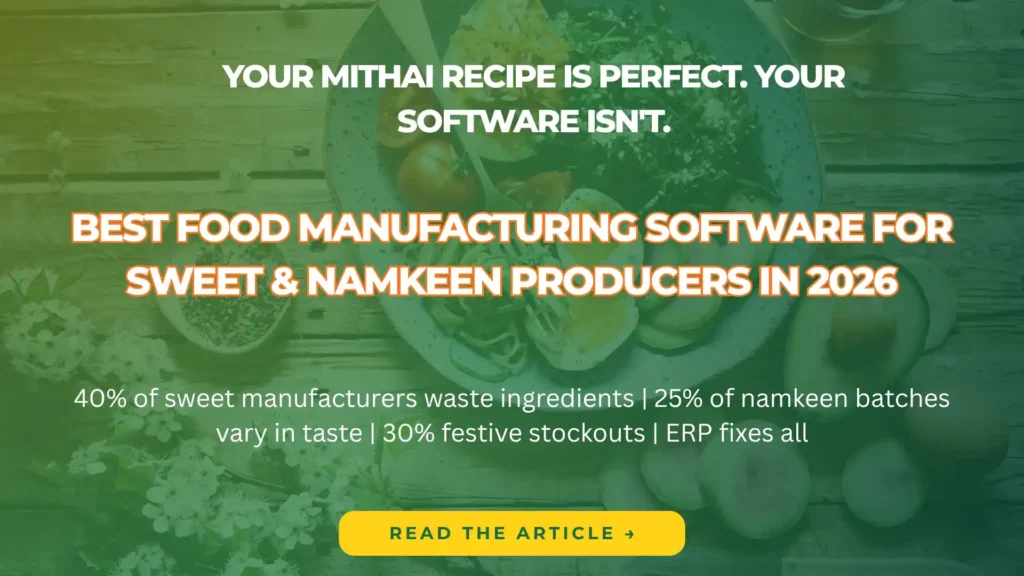
Modern ERP optimizing inventory and production in sweet manufacturing.

7 Biggest Challenges in Sweet Manufacturing (And How Modern ERP Solves Them)

From recipe consistency to seasonal demand spikes — here’s what every halwai, mithai shop, and namkeen manufacturer struggles with, and the technology that’s changing the game. If you run a sweet shop, halwai business, or namkeen manufacturing unit, you already know this: the sweet industry is unlike any other. You’re not just managing inventory or sales — you’re juggling perishable ingredients, complex recipes, seasonal demand swings, and quality standards that can make or break your reputation. A single batch that tastes different from the last can cost you loyal customers. Overproduction during slow months leads to waste. Underproduction during Diwali or Eid means lost revenue and disappointed buyers. And all of this has to happen while meeting food safety regulations, managing multiple retail outlets, and keeping costs under control. These aren’t small operational hiccups — they’re challenges that directly impact your bottom line, your brand, and your ability to scale. The good news? Modern ERP systems — specifically designed for food manufacturing and retail — are solving these problems for sweet businesses across India and beyond. In this article, we’ll break down the 7 biggest challenges sweet manufacturers and retailers face, and show you exactly how technology is transforming traditional mithai businesses into efficient, profitable operations. Recipe Consistency Across Every Batch This is the number one challenge every sweet manufacturer faces. Your gulab jamun, barfi, or namkeen needs to taste exactly the same whether it’s made on Monday or Friday, by your head chef or a new team member, in your flagship outlet or a branch location. But traditional sweet businesses rely on master halwais who carry recipes in their heads — or worse, on handwritten notebooks that get lost, stained, or misinterpreted. When that expert takes a day off or leaves the company, the recipe knowledge leaves with them. The Real Problem Inconsistent recipes lead to complaints, returns, and lost customers. A customer who buys your ladoo expecting a specific taste and texture will go elsewhere if the next batch is different. In the sweet business, consistency IS your brand. Why this happens: How ERP Solves This Modern ERP systems include recipe management modules that digitize every formulation. You define exact ingredient quantities, preparation steps, and quality checkpoints. When a batch is produced, the system ensures the correct ratios are used — every single time. If you need to substitute an ingredient, the system recalculates quantities automatically and tracks the change. No guesswork. No inconsistency. Managing Perishable Inventory Without Waste Unlike most manufacturing industries, sweet businesses deal with ingredients and finished products that have extremely short shelf lives. Milk, khoya, fresh fruits, nuts — these expire fast. Finished sweets can’t sit on shelves for weeks. Every day that passes reduces quality and increases the risk of spoilage. The challenge gets worse when you operate multiple outlets. How do you ensure each location has enough stock to meet demand without overproducing? How do you track expiry dates across warehouses and retail counters? The Real Problem Inventory wastage directly eats into your profit margins. If you throw away 10% of your daily production due to expiry or overstock, you’re essentially giving away 10% of your revenue. For most sweet shops, this can mean lakhs of rupees lost every year. Common inventory nightmares: How ERP Solves This ERP systems track inventory in real-time across all locations. You get automatic alerts when ingredients are approaching expiry dates. The system uses FIFO (First In, First Out) logic to ensure older stock is used first. Demand forecasting — based on historical sales data — helps you produce the right quantities. You can see exactly what’s in each outlet, what’s in transit, and what needs to be ordered — all from a single dashboard. Seasonal Demand Planning (Diwali, Eid, Weddings) The sweet industry is intensely seasonal. During Diwali, your sales might spike by 400%. During Eid or wedding season, you’re operating at maximum capacity. But for most of the year, demand is steady and predictable. This creates a planning nightmare. How much raw material should you stock before the festive rush? How many extra workers do you need? Which products will sell the most? If you under-prepare, you lose sales. If you over-prepare, you’re stuck with excess inventory that goes to waste. The Real Problem Missing the festive season rush is catastrophic for sweet businesses. Diwali alone can account for 30–40% of annual revenue for many shops. Stockouts during this period don’t just lose immediate sales — they push customers to competitors, potentially losing them forever. Why seasonal planning fails: How ERP Solves This ERP systems use historical data and demand forecasting to predict seasonal spikes accurately. You can see which products sold best last Diwali, how much raw material you needed, and when orders peaked. The production scheduling module helps you ramp up capacity ahead of time. Inventory is pre-ordered based on forecasts. Labor planning is optimized. Instead of reacting to chaos, you’re prepared weeks in advance. Food Safety Compliance & Batch Traceability Food safety isn’t optional — it’s the law. FSSAI regulations in India (and similar laws globally) require sweet manufacturers to maintain full traceability from raw materials to finished products. If there’s a quality issue or a customer complaint, you need to be able to trace which batch it came from, which ingredients were used, and when it was produced. For traditional sweet businesses operating on paper records or memory, this is almost impossible. When an inspector shows up, or a customer reports a problem, can you instantly pull up the production history? The Real Problem Non-compliance with food safety regulations can result in heavy fines, license suspension, or even business closure. Beyond legal risks, a single contamination incident — if not handled with proper traceability — can destroy your brand reputation overnight. Compliance challenges: How ERP Solves This ERP systems automate batch tracking and compliance. Every ingredient lot is logged when it arrives. During production, the system records which ingredients went into which batch. If a quality issue arises, you can instantly trace the entire supply chain — which supplier, which production date, which retail outlets received it. Quality control

7 Biggest Challenges in Sweet Manufacturing (And How Modern ERP Solves Them) Read More »

Cloud ERP migration from AX/NAV to D365 F&O with cost and timeline insights.

Dynamics 365 Finance & Operations (F&O):Everything You Need to Know Before Switching from AX or NAV

What Is Dynamics 365 Finance & Operations? Dynamics 365 Finance & Operations (F&O) — often referred to as D365 F&O or simply Dynamics 365 for Finance & Operation — is Microsoft’s flagship cloud-based enterprise resource planning (ERP) platform. It’s the modern successor to Microsoft Dynamics AX and represents a complete reimagining of how ERP systems should work in the cloud-first era. At its core, D365 F&O is designed to handle the full spectrum of financial management, supply chain operations, manufacturing, retail, and business intelligence for mid-market and enterprise organisations. Unlike its predecessors, it’s built entirely on Microsoft Azure, which means automatic updates, global scalability, and seamless integration with the broader Microsoft ecosystem — including Office 365, Power BI, and other Dynamics 365 modules like CRM. The platform is modular. You can deploy just Finance (financial management and accounting) or just Supply Chain Management (inventory, procurement, warehousing) — or combine both for a complete ERP solution. This flexibility is one of its biggest strengths, especially for businesses transitioning from older systems. Quick Definition Dynamics 365 F&O is Microsoft’s cloud-native ERP solution that replaces legacy on-premise systems like Dynamics AX and Dynamics NAV. It unifies financial management, supply chain operations, and manufacturing into a single, continuously updated platform. For businesses currently running Microsoft Dynamics AX (2009, 2012, or AX 7) or Microsoft Dynamics NAV, D365 F&O isn’t just an upgrade — it’s a strategic platform shift that brings AI, automation, and real-time analytics into every corner of your operations. The Legacy: Understanding AX, NAV & Their Limitations Before diving into why you should migrate, it’s important to understand what Dynamics AX and Dynamics NAV were — and why Microsoft built D365 F&O to replace them. Microsoft Dynamics AX (Axapta) Originally released in 1998 as Axapta, Microsoft Dynamics AX became one of the most widely deployed ERP systems for mid-to-large enterprises. It was particularly strong in manufacturing, distribution, and financial services. The most recent on-premise version, AX 2012, is still in use by thousands of companies globally — but its days are numbered. AX 2012’s limitations: Microsoft Dynamics NAV (Navision) Dynamics NAV was Microsoft’s ERP solution for small-to-midsize businesses. It offered solid financial management, inventory control, and light manufacturing capabilities. Like AX, NAV was on-premise and required significant IT resources to maintain. NAV’s limitations: Support Timeline Alert AX 2012 extended support ends in October 2027. After this date, you will no longer receive security updates, compliance fixes, or technical support from Microsoft. Running unsupported software exposes your business to significant operational and security risks. Why Businesses Are Migrating to D365 F&O Now The migration from Dynamics AX or NAV to D365 F&O isn’t just about keeping up with technology trends. There are concrete, measurable business reasons why thousands of companies are making the move — and why waiting is becoming increasingly risky. 1. End of Support = End of Security When Microsoft stops supporting AX 2012 in 2027, you’ll no longer receive security patches. This makes your ERP system — which contains your most sensitive financial and operational data — a sitting target for cyberattacks. For regulated industries (finance, healthcare, government), running unsupported software can result in compliance violations and hefty fines. 2. The Cloud Delivers Real Cost Savings On-premise ERP systems are expensive to run. You need physical servers, backup systems, IT staff to maintain them, and costly upgrade cycles every few years. D365 F&O eliminates most of this. Microsoft handles infrastructure, security, updates, and scaling. Your IT team can focus on strategy instead of server maintenance. 3. AI & Automation Are Built In D365 F&O includes AI-powered features that weren’t even possible in AX or NAV — things like intelligent cash flow forecasting, predictive maintenance for equipment, and automated expense categorisation. These aren’t add-ons; they’re woven into the platform and get better with every update. 4. Continuous Innovation Without Disruption Unlike AX, where you had to plan (and budget) for major upgrades every 3–5 years, D365 F&O receives continuous updates from Microsoft — new features, security enhancements, and performance improvements roll out automatically, twice a year. You stay current without the pain of traditional ERP upgrades. 5. Real-Time Insights, Anywhere AX and NAV were designed for desktop users sitting in an office. D365 F&O is cloud-native, which means your finance team, warehouse managers, and executives can access live data from anywhere — on their phone, tablet, or laptop. Power BI dashboards provide real-time visibility into cash flow, inventory levels, and operational performance. Key Differences: AX vs. NAV vs. D365 F&O If you’re evaluating whether to migrate, understanding the core differences between the legacy platforms and D365 F&O is critical. Here’s a side-by-side comparison to make the decision clearer. Capability Dynamics AX 2012 Dynamics NAV D365 F&O Deployment On-premise On-premise Cloud (Azure) Updates & Upgrades Manual (every 3-5 yrs) Manual Automatic (2x per year) AI & Machine Learning Not available Not available Built-in (Copilot, forecasting) Mobile Access Limited Limited Full native support Power BI Integration Via add-ons Via add-ons Native Multi-currency / Multi-entity Supported Basic Advanced Real-time Analytics No No Yes Total Cost of Ownership High (infrastructure + IT) Medium-high Lower (SaaS model) Support Status (2025) Extended only (ends 2027) Ended Active & ongoing As the table shows, D365 F&O isn’t just a newer version of AX — it’s a fundamentally different platform built for the cloud era. The shift from on-premise to cloud changes how you deploy, maintain, and evolve your ERP system. Core Capabilities of Dynamics 365 F&O D365 F&O is a comprehensive ERP platform that covers virtually every aspect of enterprise operations. Here’s what it brings to the table — and why it matters for businesses migrating from AX or NAV. Financial Management General ledger, accounts payable/receivable, budgeting, fixed assets, cash flow forecasting, multi-currency support, and real-time financial reporting. Supply Chain Management Procurement, inventory management, warehouse operations, demand forecasting, order fulfillment, and vendor collaboration — all in real time. Manufacturing Production planning, shop floor control, lean manufacturing, quality management, and IoT-connected equipment monitoring. Business Intelligence Native Power BI dashboards, embedded analytics, KPI tracking, and AI-driven insights — accessible from any device, anywhere. Retail & Commerce Point-of-sale, e-commerce integration, omnichannel customer experience, and unified inventory across physical and digital channels.

Dynamics 365 Finance & Operations (F&O):Everything You Need to Know Before Switching from AX or NAV Read More »

LS Central transforming traditional sweet production into digital workflows.

From Traditional to Digital: Modernizing Sweet Production with LS Central

India’s sweet industry, valued at over $8 billion in 2025, thrives on festive demand but grapples with outdated methods amid rising competition. Traditional sweet production faces waste, inconsistency, and compliance hurdles, yet LS Central—a Microsoft Dynamics 365-based ERP—transforms these challenges into opportunities for efficiency and growth. This guide explores how sweet shops and manufacturers can modernize operations to boost profitability and scale seamlessly. Challenges in Traditional Sweet Production Manual processes dominate traditional mithai making, from ledger-based inventory to eyeball quality checks. During Diwali or Raksha Bandhan, shops often overstock perishables like khoya or underprepare for sudden surges, leading to 20-30% waste. Inconsistent recipes cause taste variations, eroding customer loyalty, while poor traceability complicates FSSAI compliance and allergen management.​ Supply chain disruptions, like ghee shortages, amplify issues without real-time visibility. Small producers juggle multiple suppliers via calls, risking adulteration or delays. Scaling to e-commerce or multi-outlets remains fragmented, limiting growth in a market projected to hit $10 billion by 2027.​ These pain points hinder profitability, with many shops operating at 40-50% margins due to inefficiencies.​ What is LS Central? LS Central is an all-in-one retail ERP platform powered by Microsoft Dynamics 365, tailored for food businesses including sweets and confectionery. It integrates POS, inventory, CRM, and analytics into a unified system, enabling real-time data across production, sales, and supply chains. Unlike siloed tools, it supports omni-channel operations for dine-in, delivery, and online orders.​ Key modules include recipe management for precise formulations, batch tracking for quality, and AI-driven forecasting. Built for scalability, it serves single shops to chains, with mobile access for on-the-go monitoring. In food sectors, it handles perishables via expiry alerts and lot traceability.​ Feature Traditional Tools LS Central Advantage Data Integration Spreadsheets/ledgers Cloud-based real-time sync ​ Scalability Manual expansion Multi-store/outlet support Reporting Monthly summaries Live dashboards and AI insights Cost Hidden inefficiencies ROI in 6-12 months ​ This setup empowers sweet producers to focus on craftsmanship while automating the rest. Inventory and Supply Chain Optimization LS Central revolutionizes inventory by tracking raw materials like sugar, nuts, and besan from vendor receipt to final packaging. Automated reordering triggers purchase orders when stock dips below thresholds, using sales data for precise forecasts—cutting overstock by up to 25% during off-seasons.​ For peak festivals, demand sensing analyzes historical patterns and trends, scaling procurement dynamically. Supplier portals enable direct PO approvals and delivery schedules, reducing lead times from days to hours. In confectionery, it manages variants like sugar-free or vegan options with segregated stock.​ Traceability logs every batch: a contaminated nut lot triggers instant recalls, protecting brand reputation. Multi-warehouse sync ensures balanced distribution across outlets, minimizing shortages. Sweet shops report 15-20% inventory cost savings post-implementation.​ Quality Control and Recipe Standardization Consistency defines premium sweets, yet traditional methods rely on artisan intuition, leading to batch variations. LS Central digitizes recipes, specifying exact ratios for gulab jamun syrup or motichoor ladoo besan, ensuring uniform taste across locations.​ Custom audits track production parameters: temperature for jalebi frying, moisture for barfi setting. Allergen segregation flags cross-contamination risks, auto-generating FSSAI-compliant labels with ingredient disclosures. For exports, full lot traceability meets global standards like HACCP.​ In sweets manufacturing, it supports R&D by versioning recipes for healthier twists, like low-glycemic options amid rising diabetes concerns. Quality scores integrate with supplier ratings, blacklisting unreliable sources. Benefits include: This builds consumer trust in an industry where one bad batch can tarnish years of goodwill. Omni-Channel Sales and Customer Engagement Modern sweet buyers expect convenience: online hampers, app orders, or in-store pickup. LS Central unifies channels via integrations with Shopify, Zomato, or custom e-stores, syncing inventory to prevent overselling.​ POS terminals handle high-volume festive rushes with ScanPayGo for contactless payments and loyalty scans. Kitchen display systems (KDS) route orders to production, slashing wait times for fresh packs. Self-service kiosks let customers customize boxes, boosting upsells.​ CRM tracks preferences: Diwali loyalists get personalized offers like “Buy 1kg barfi, get rasgulla free.” Analytics reveal top-sellers, optimizing menus—e.g., surging demand for millet-based sweets. Channel Traditional Handling LS Central Integration In-Store POS Cash/manual Touchscreen, mobile ​ Online Orders Separate apps Unified inventory Delivery Third-party manual API-driven, real-time ETAs Loyalty Punch cards App-based points, SMS alerts Retailers see 20% repeat sales uplift.​ Step-by-Step Guide to Modernize Your Sweet Shop Transitioning is straightforward with LS Central’s modular rollout. Common challenges like data migration are handled by cloud backups. Future-Proofing Sweet Production in 2026 As AI evolves, LS Central’s updates promise predictive maintenance for machinery and personalized hampers via machine learning. Sustainability features track carbon footprints for eco-conscious buyers. In Ghaziabad’s bustling sweet hubs, early adopters lead with digital agility. Modernizing isn’t optional—it’s survival in a $10B+ market.​ Conclusion LS Central empowers sweet producers to evolve from labor-intensive traditions to agile, data-driven operations, slashing waste, ensuring quality, and unlocking omni-channel growth. With proven ROI in months and scalability for 2026’s demands, it’s the ultimate tool for thriving in India’s booming sweets market. Sweet shop owners: Demo LS Central today to secure your competitive edge and delight customers like never before. Lastly, if you are looking for an LS Retail Implementation Partner, you can contact Trident Information Systems. We are a Gold D365 Implementation Partner and LS Retail Diamond Partner. With years of experience, we have managed to help various businesses thrive in the market with powerful insights and customized solutions. For further information, Contact Us Today. Follow our LinkedIn page for insightful updates on Retail ERP and the future of the retail industry. FAQ What is LS Central, and is it suitable for sweet production?LS Central is a Dynamics 365-based ERP for retail and food businesses, perfect for sweets with features like recipe standardization and perishables tracking.​ How much waste can LS Central reduce in sweet shops?Up to 25% through automated inventory and demand forecasting, especially during festivals.​ What’s the implementation timeline for LS Central?Typically 3-6 months for mid-sized operations, starting with a pilot outlet.​ Does LS Central support FSSAI compliance for sweets?Yes, with batch traceability, allergen labeling, and audit-ready digital logs.​ How does LS Central integrate with e-commerce for sweet sales?Seamlessly with Shopify or Zomato, syncing stock for online hampers and deliveries.​

From Traditional to Digital: Modernizing Sweet Production with LS Central Read More »