Welcome to Trident Information Systems!
Write us to - info@tridentinfo.com
Let's Socialize

Microsoft Azure

Plan migration of physical servers using Azure Migrate

[vc_row][vc_column][vc_column_text]Previously, Azure Migrate: Server Assessment only supported VMware and Hyper-V virtual machine assessments for migration to Azure. At Ignite 2019, we added physical server support for assessment features like Azure suitability analysis, migration cost planning, performance-based rightsizing, and application dependency analysis. You can now plan at-scale, assessing up to 35K physical servers in one Azure Migrate project. If you use VMware or Hyper-V as well, you can discover and assess both physical and virtual servers in the same project. You can create groups of servers, assess by group and refine the groups further using application dependency information. While this feature is in preview, the preview is covered by customer support and can be used for production workloads. Let us look at how the assessment helps you plan migration. Azure suitability analysis The assessment checks Azure support for each server discovered and determines whether the server can be migrated as-is to Azure. If incompatibilities are found, remediation guidance is automatically provided. You can customize your assessment by changing its properties, and recomputing the assessment. Among other customizations, you can choose a virtual machine series of your choice and specify the uptime of the workloads you will run in Azure. Cost estimation and sizing Assessment also provides detailed cost estimates. Performance-based rightsizing assessments can be used to optimize on cost; the performance data of your on-premise server is used to recommend a suitable Azure Virtual Machine and disk SKU. This helps to optimize on cost and right-size as you migrate servers that might be over-provisioned in your on-premise data center. You can apply subscription offers and Reserved Instance pricing on the cost estimates. Dependency analysis Once you have established cost estimates and migration readiness, you can plan your migration phases. Using the dependency analysis feature, you can understand which workloads are interdependent and need to be migrated together. This also helps ensure you do not leave critical elements behind on-premise. You can visualize the dependencies in a map or extract the dependency data in a tabular format. You can divide your servers into groups and refine the groups for migration by reviewing the dependencies. Assess your physical servers in four simple steps Create an Azure Migrate project and add the Server Assessment solution to the project. Set up the Azure Migrate appliance and start discovery of your server. To set up discovery, the server names or IP addresses are required. Each appliance supports discovery of 250 servers. You can set up more than one appliance if required. Once you have successfully set up discovery, create assessments and review the assessment reports. Use the application dependency analysis features to create and refine server groups to phase your migration. When you are ready to migrate the servers to Azure, you can use Server Migration to carry out the migration, get in touch with us our team will help you.[/vc_column_text][/vc_column][/vc_row]

Plan migration of physical servers using Azure Migrate Read More »
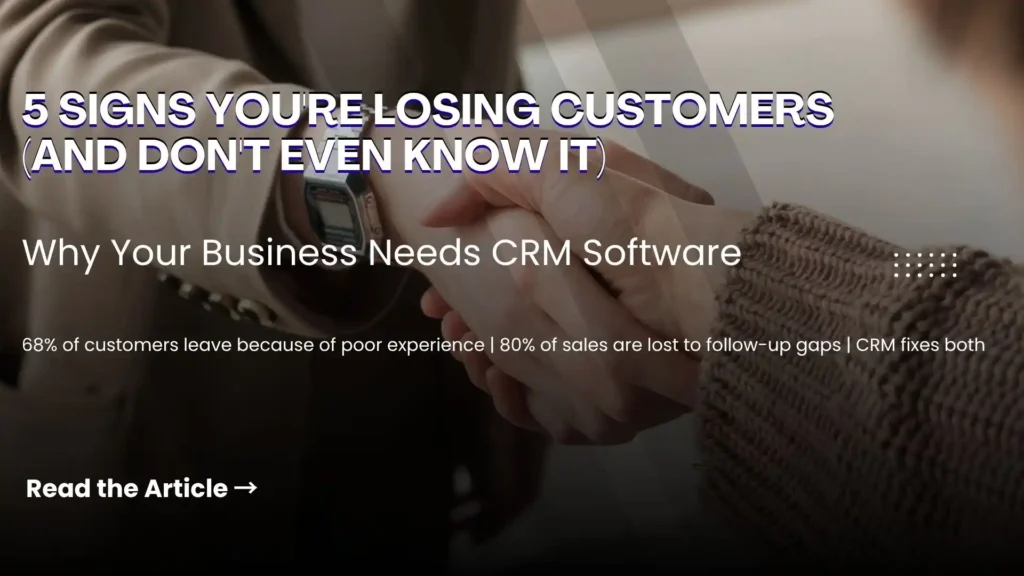
Business team using CRM software to manage sales, customer data, and communication workflows.

5 Clear Signs Your Business Needs CRM Software in 2026

Here is a question most business owners ask too late: at what point does managing customer relationships in spreadsheets, email inboxes, and memory become a liability rather than a system? The honest answer is — sooner than you think. Customer Relationship Management (CRM) software is not just for large enterprises with complex sales teams. It is for any business that wants to grow its customer base, retain the customers it already has, and make sure no opportunity falls through the cracks. The challenge is recognising when the moment has arrived. Here are five clear signs that your business needs CRM software — and why Microsoft Dynamics 365 is the platform most businesses choose. What Is CRM Software and Why Does It Matter? CRM software is a centralised system that manages every interaction between your business and your customers — from the first marketing touchpoint through the sales cycle, the initial purchase, ongoing service, and renewal. Done well, CRM gives every team member a complete, real-time picture of every customer relationship. Sales knows what marketing has sent. Customer service knows what sales has promised. Management knows exactly where every opportunity stands. Without CRM, this information lives in individual inboxes, personal spreadsheets, and people’s heads — and every time someone leaves the business, some of that knowledge leaves with them. 5 Signs Your Business Needs CRM Software Now Sign 1 — You Are Losing Leads Without Knowing Why Leads come in through your website, social media, phone calls, and referrals. But if you are managing them manually, some of those leads are simply not being followed up — because they were logged in the wrong place, assigned to the wrong person, or forgotten during a busy week. A CRM captures every lead automatically, assigns it to the right team member, sets follow-up reminders, and tracks every interaction. Nothing gets lost. Every opportunity gets the attention it deserves. If you have ever discovered a warm lead that was never followed up weeks after it arrived — your business needs CRM. Sign 2 — Your Marketing and Sales Teams Work in Silos Marketing generates leads. Sales closes deals. But when these two teams work from different systems and different data, the handoff between them is where opportunities die. Marketing does not know which leads converted. Sales does not know which campaigns generated their best prospects. Neither team can make decisions based on the complete picture — because that picture does not exist in any single place. CRM creates a shared view of every customer and every lead — so marketing can see which campaigns produce sales-ready prospects and sales can engage leads with full context on their marketing journey. The result is better targeting, higher conversion rates, and a measurable improvement in revenue. If your marketing and sales teams regularly blame each other for pipeline problems — your business needs CRM. Sign 3 — You Cannot Easily Create Quotes and Track Invoices For businesses that sell through a quotation process — professional services, manufacturing, technology, or any B2B operation — the ability to create, track, and follow up on quotes directly impacts how quickly deals close. A CRM with a built-in quoting and invoicing module connects the entire opportunity-to-cash process: If your team is manually creating quotes in Word documents and tracking them in a spreadsheet — your business needs CRM. Sign 4 — Customer Service Issues Are Falling Through the Gaps Customer service quality is directly tied to information quality. When a customer calls with a problem, the speed and accuracy of the resolution depends on whether your team can instantly see their complete history — what they bought, when, what issues they have had before, and what was promised. Without CRM, this information is scattered across email threads, support tickets, and different team members’ notes. The customer ends up repeating themselves. Issues take longer to resolve. Satisfaction drops. CRM centralises customer service management: If customers regularly complain about having to repeat their issue to multiple people — your business needs CRM. Sign 5 — You Cannot See How Your Business Is Really Performing Good management decisions are built on good data. But if your sales pipeline lives in a spreadsheet, your customer data is in email, and your service records are in a helpdesk tool — getting a clear, current picture of business performance requires manual compilation that takes hours and is outdated the moment it is finished. CRM provides real-time dashboards and reports that give every level of the organisation instant visibility: If your management team regularly makes decisions based on instinct because the data is too hard to access quickly — your business needs CRM. Why Microsoft Dynamics 365 CRM Microsoft Dynamics 365 is one of the world’s most widely adopted CRM platforms — and for good reason. It covers every scenario described above in a single, unified platform: lead management, marketing automation, sales pipeline, quoting and invoicing, customer service, and real-time analytics — all connected on the same data model. Key advantages over standalone CRM tools: Why Trident Is India’s Trusted Dynamics 365 CRM Partner As a certified Microsoft Dynamics 365 partner, Trident Information Systems has helped businesses across sales, marketing, manufacturing, retail, and professional services in India implement CRM solutions that close the gaps described in this article. Our CRM implementations are configured around your specific sales process and customer management requirements — not a generic template. Ready to find out how CRM software can transform your customer relationships? Book a free Dynamics 365 CRM assessment with Trident today. For more insightful content and industry updates, follow our LinkedIn page.

5 Clear Signs Your Business Needs CRM Software in 2026 Read More »

Why Microsoft Azure became Most Secured & Reliable Cloud Platform

[vc_row][vc_column][vc_column_text]In a recent survey, according to 28 percent of surveyed, Microsoft Azure was recognized as the most-used cloud platform, and the one most commonly to be bought or renewed— the largest percentage for any cloud computing provider. With results like this, it’s no surprise the number of businesses deeply invested in Azure keeps climbing. If you are searching for more details about Azure, including how your business could profit from it and make the best use of its services, you are in the correct place. This comprehensive guide covers the basics and beyond, from “What is Microsoft Azure?  How Microsoft Azure is different?? Whenever anyone questioned what Microsoft Azure is, the simplest explanation is this: Azure is a cloud computing system that can deliver everything that industry needs to digitally manage all or part of its computer processes — such as servers, storage, databases, networking, analytics and much more. The only available option to organizations has generally been to create and run the specific hardware required for computation, comprising servers, disk storage, and Ethernet switches. However now, businesses can use a public cloud computing platform like Azure that buys and manages all of the equipment in computation. This means businesses can “lease” hardware resources efficiently, as required. You can select and choose between Azure’s offerings to get the help you need to develop, deliver and manage software for your business processes. And since you’re leasing cloud infrastructure, you don’t have the expenses and shortfalls (like a dedicated IT department) involved with the actual infrastructure that goes with those operations. There are also many advantages above the cost and efficiency we will discuss further. Today, many businesses choose to use a mix of cloud services and on-premise data centres. Some even using different cloud services platforms, based on their needs and concerns. So, don’t worry if you’re interested in making a drastic change to your computer environment or think like you’re lifelong committing to a single business supplier. You’ll want to concentrate rather on deciding the feasibility of cloud technology in parallel to the requirements of your business. Often the simplest way to get the process started is to build a hybrid of the cloud with an established on-premises system.  Who makes use of Microsoft Azure adequately? Firms of all scales take interest in the use of the public cloud platform and many prefer Microsoft Azure. In practice, 85 percent of Fortune 500 businesses are using Azure. Azure appeals to several SMBs enterprises, too. One possible explanation behind this is that it enables SMBs to prevent the large expenditure of resources for facilities; it also eliminates the strain of improvements and maintenance, since they may not have readily available in-house experts to assist. And also because Azure makes it much easier to dynamically resize computing resources in moments, it gives greater versatility that enterprises simply would not have with a conventional on-premise cloud platform. Microsoft Azure Storage If you do cloud hosting, your information will not be processed on your servers anymore. Where exactly is it kept, then? Microsoft intends Azure users ‘ physical data backups, meaning it will be placed at one or more of Microsoft’s 100 + data centres across the world. You can generally determine the country you would like to deposit your information in. Generally speaking, it is suggested that your information be placed near where your customers are. The further away from your consumers, your information is stored, the more connectivity issues they will encounter. Azure will hold and run multiple duplicates of your information, using the process known replication, to ensure that your data is easily accessible. You can choose how to manage duplication — for instance, do you want two duplicates at the same area, or multiple versions processed across multiple locations? Security Standards of Microsoft Azure All major public cloud services, especially Microsoft Azure, have priority over security. With the latest expansion of its Azure Security Center, Microsoft has been particularly concentrated on this topic with a total focus. Azure Security Center is a monitoring tool that helps you to track security flaws and attacks to your Azure assets. This allows identify potentially malicious behavior throughout the hybrid cloud workloads using advanced analytics and suggests alternative remediation measures. Then you can assess those actions and take appropriate steps. Data Encryption at Rest is also provided by Azure, which is the cryptographic encoding of data when it persists. This uses an encryption algorithm for swift encryption and decryption of vast amounts of data. Now that Microsoft Azure has been implemented, we will shift on to the next phase — recognizing what Azure can do for you and your industry. There are various reasons, in my experience, why businesses end up making the move of having Microsoft Azure. Azure has so many functionalities that describing all of them in a single blog post will be practically impossible. Below are six functionalities most important to many enterprises. 1) Disaster Recovery  With Azure, your business gains a strong disaster recovery solution—one that also comes with a more affordable price tag than those associated with traditional computing environments. With Azure, you get access to: Various data storage data centers that enable you to distribute a cloud service to various places around the world. Azure Site Recovery, a service that helps guarantee that your critical business systems remain online by duplicating certain tasks from a host site to a secondary location during an interruption or disturbance. Azure Traffic Manager, which in case of an area-specific failure streamlines traffic routing to multiple locations (determined by the user) 3x Replication of information, ensuring all information you hold in Azure is replicated three stages, either to a single data center or to a second one. 2) Flexibility   The extra capacity to allow high volume tasks needs to be developed into the device. This is particularly true for an on-premise data center that involves purchasing and managing a lot of extra hardware year-round. You can instantly increase your industrial base with the cloud, and then reduce it easily when you’re finished. Besides, you

Why Microsoft Azure became Most Secured & Reliable Cloud Platform Read More »

Microsoft Dynamics 365 Connected Field Service dashboard monitoring predictive maintenance and service operations.

Microsoft Dynamics 365 Connected Field Service: How Industry Leaders Are Moving From Break-Fix to Predictive Service

What if your field technician could fix a problem before the customer even knew it existed? That is not a futuristic scenario. It is what Microsoft Dynamics 365 Connected Field Service — powered by IoT integration through Microsoft Azure — is delivering for industry leaders right now. And organizations that have made the switch are seeing return on investment in as little as four months. Field service has always been the moment of truth in customer relationships. The technician who arrives on time, with the right parts, with full knowledge of the customer’s history — or doesn’t — defines how that customer feels about your brand for years. But the traditional break-fix model of field service is no longer a viable competitive strategy. Customers today expect 100 percent uptime, hyper-speed service delivery, and proactive care that anticipates problems before they escalate. In an environment where competitive pressure is intensifying across every industry — from manufacturing and utilities to telecommunications and retail — field service has become a primary differentiator. The organizations winning are those that have moved from reactive to predictive, from disconnected to connected, and from legacy systems to intelligent, cloud-based field service platforms. This guide covers everything you need to know about Microsoft Dynamics 365 Connected Field Service — what it is, how it works, what real organizations have achieved with it, and how Trident Information Systems can implement it for your operation. The Field Service Revolution: Why the Old Model Is Failing From Break-Fix to Predictive: The New Standard for Field Service The break-fix model of field service — wait for something to fail, dispatch a technician, fix the problem, send the invoice — was the industry standard for decades. It worked adequately in a world where customers had limited alternatives and modest expectations. Neither of those conditions applies today. Modern customers expect continuous uptime, not reactive repairs. They expect service providers to know about potential failures before they occur — and to resolve them without disruption to operations. In industries like utilities, manufacturing, and facilities management, an unplanned outage or equipment failure is not just an inconvenience. It is a financial event, a safety risk, and a potential contract termination. The shift from break-fix to proactive and predictive service is not a trend — it is a market requirement. And it is only possible with the right connected technology infrastructure. Why Customer Experience Has Become the Frontline of Field Service Field service is no longer just an operational function. It is a customer experience function — and in many industries, it is the single most important touchpoint in the entire customer relationship. The field technician who arrives at a customer’s facility is representing your brand at its most direct and personal. What they know, what tools they have, how quickly they resolve the issue, and how well they communicate throughout the process determines whether that customer renews their contract, refers your company to others, or starts evaluating your competitors. This is why leading organizations across retail, telecommunications, manufacturing, utilities, and professional services are investing in connected field service — not just as an operational upgrade, but as a strategic investment in customer retention and competitive differentiation. What Is Microsoft Dynamics 365 Connected Field Service? Microsoft Dynamics 365 Connected Field Service is an intelligent, IoT-powered field service management solution that connects physical assets, field technicians, customer data, and service operations on a single platform — enabling organizations to shift from reactive maintenance to proactive, predictive service delivery. At its core, Connected Field Service integrates three technology layers that traditional field service solutions have always kept separate: When these three layers work together, something fundamental changes: your service operation stops reacting to failures and starts preventing them. IoT Integration: Knowing About Problems Before Customers Do The most powerful capability in Microsoft Dynamics 365 Connected Field Service is the integration with Microsoft Azure IoT Hub — which enables continuous monitoring of connected assets and automatic work order generation when sensor data indicates a potential failure. Here is what that means in practice: The result is not just faster service. It is service that prevents the problem from becoming a crisis — protecting the customer’s operations and your relationship simultaneously. Mobile-Connected Field Teams With a 360-Degree Customer View The value of IoT monitoring is only fully realized when the field technician who responds to it is properly equipped. Microsoft Dynamics 365 Connected Field Service gives every technician a complete, real-time view of the customer and asset before they arrive on site: When a technician arrives fully informed and properly equipped, first-time fix rates increase dramatically — and repeat visits, which are expensive for the service provider and frustrating for the customer, decrease proportionally. H3: Mixed Reality and the Future of Field Service Delivery Microsoft Dynamics 365 Connected Field Service also supports Mixed Reality technologies — including Microsoft HoloLens and Remote Assist — that are reshaping how complex field service challenges are resolved: Mixed Reality in field service is not yet universal — but for organizations managing complex, high-value assets in industries like aerospace, industrial manufacturing, and energy, it is rapidly becoming a standard capability. Real-World Proof: MacDonald Miller Facility Solutions Case Study Theory is valuable. Proof is better. The MacDonald Miller Facility Solutions case study is one of the most compelling demonstrations of what Microsoft Dynamics 365 Connected Field Service delivers in practice — and the speed at which it delivers it. The Challenge: Managing Complex, Interconnected Facility Systems MacDonald Miller Facility Solutions is a professional services company specializing in facilities management — a sector defined by complexity. Managing multiple interlocking, interdependent building systems across a large portfolio of client facilities, with the expectation of continuous uptime and proactive maintenance, requires a technology platform capable of integrating disparate data sources and coordinating rapid field response. Before adopting Connected Field Service, MacDonald Miller’s technicians were working without complete asset history when deployed to service calls. Work order creation and dispatch was reactive. The information needed to diagnose and resolve issues

Microsoft Dynamics 365 Connected Field Service: How Industry Leaders Are Moving From Break-Fix to Predictive Service Read More »

IoT device management dashboard monitoring software updates, device status, and security in real time.

IoT Device Software Management: Are You Doing It Right?

Every enterprise today runs on software – and nowhere is that pressure more intense than in IoT device software management. As connected devices multiply across factories, hospitals, logistics networks, and smart infrastructure, the stakes for getting software delivery right have never been higher. Yet most organizations are still managing IoT device software the way they managed desktop applications a decade ago – slow release cycles, siloed teams, reactive testing, and little visibility across the device lifecycle. That approach no longer works. Industry disruptors are not waiting. They are shipping faster, patching smarter, and scaling IoT fleets without proportional cost increases. Meanwhile, enterprises clinging to outdated development practices face a widening gap – in speed, in quality, and in customer satisfaction. The choice is now binary: modernize your IoT device software management strategy, or watch competitors who already have pull further ahead. Organizations that embrace lean, agile, and DevOps-driven approaches to IoT software delivery are not just keeping up – they are setting the new benchmark. What Is IoT Device Software Management? IoT device software management refers to the processes, tools, and strategies used to deploy, monitor, update, and maintain software across a fleet of connected devices – from sensors and edge nodes to industrial controllers. Unlike traditional software environments, IoT ecosystems introduce unique challenges: devices operate in remote locations, run on constrained hardware, and require Over-the-Air (OTA) update capabilities to stay secure and functional. Without a structured management approach, enterprises risk firmware drift, security vulnerabilities, and costly manual interventions at scale. As it pertains to the “new normal” DevOps standards, organizations now face many challenges such as cost overruns, software development projects that don’t scale in line with the enterprise growth, and increased market demands for speed. On top of that, the available outdated testing tools don’t offer visibility to ensure the right specifications get tested in the right time. How Lean and Agile Principles Transform IoT Software Delivery So, how can you make sure your organization is ready to manage unexpected changes, and deal with any dependencies that you already have under the hood? How do you ensure a strong balance between the existing business and the new development? Many of you may already be familiar with lean and agile principles and have probably even tried applying them in smaller teams. But what we’ve seen so far in the market is that many of you struggle to apply these principles across the entire organization. Lean and agile principles can help you reach your goals in today’s hyper-competitive world of digital product delivery. By becoming a lean and agile enterprise your organization will be able to adapt faster to the needs of the market by improving internal collaboration and communication. You will be able to learn in real-time from your clients to ensure that you are producing the prioritized set of features that drive economic value. By managing test labs, test planning, and ensuring the tight linkage between product demand and delivery, your organization will be able to reduce waste (time, effort, resources), while ensuring that your business strategy is aligned with the investment and development goals. The Numbers Don’t Lie: Agile IoT Transformation Results Let’s have a look at a few examples of what some of the industry leaders have achieved, using lean and agile processes. Nationwide achieved 50 percent improvement in code quality and 70 percent reduction in system downtime by applying lean principles to transform the software delivery lifecycle. Diagnostic Grifols, a world-leading healthcare enterprise headquartered in Barcelona Spain, increased the efficiency of development documentation by 30 percent-facilitating compliance, ensuring consistency of records across all product lines, and reducing operational costs. IoT Software Security: The Risk You Can’t Ignore A lean and agile development lifecycle isn’t just about speed – it’s about building security into every release cycle. According to industry research, over 57% of IoT devices are vulnerable to medium- or high-severity attacks due to unpatched firmware. Integrating automated security testing within your DevOps pipeline ensures vulnerabilities are caught before deployment, not after a breach. If your current IoT software management process doesn’t include continuous security validation, it’s time to close that gap. Start Managing IoT Software the Right Way — Here’s How It’s time to transform your organization into a lean and agile enterprise. It’s time to ensure that your firm can adjust to any market change, predict the unpredictable, keep costs low, deliver new features and offerings faster, and never lose a beat with your customers. If you would like to learn more, let’s get connected! Our IBM solution enables companies to improve visibility and transparency across the product delivery lifecycle by providing a single source of truth. It also enables enterprises to define a process custom to each organization, and it ensures quality and compliance. All using lean and agile processes.

IoT Device Software Management: Are You Doing It Right? Read More »