
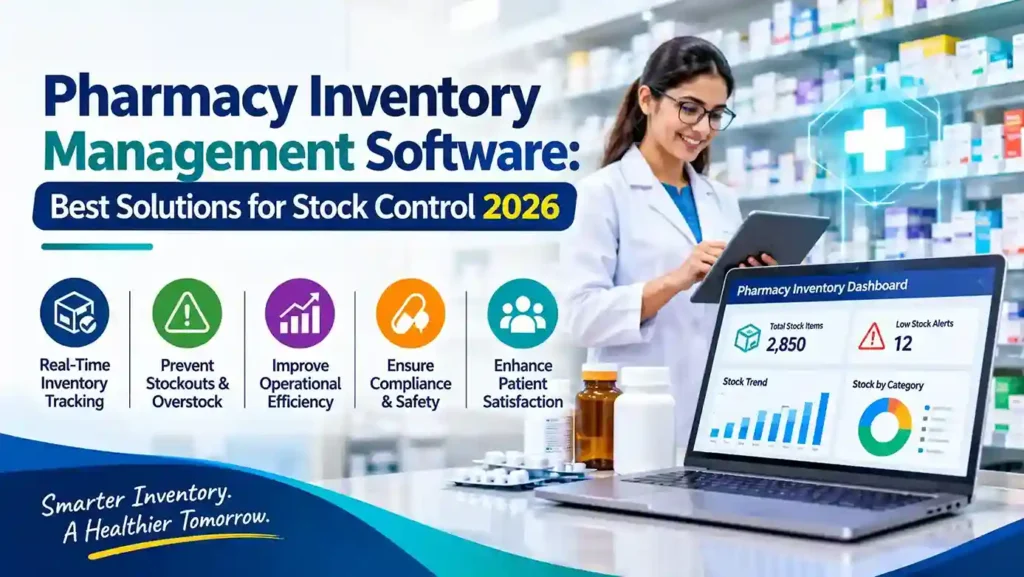
Pharmacy inventory management is not the same as retail stock control. Expiry dates dictate value, batch traceability is a regulatory requirement, and dispensing must coexist with front-of-store retail sales on a single platform. Choosing the wrong software creates compliance risk and operational friction that compounds daily.
For organizations already invested in the Microsoft ecosystem, the strongest options in 2026 build directly on Dynamics 365 Business Central—extending its core ERP with pharmacy-specific functionality rather than forcing a separate system alongside it.
Why Microsoft-Based Pharmacy Inventory Software Makes Sense
Running pharmacy operations on a Microsoft platform offers structural advantages that standalone pharmacy apps cannot match:
Unified financial and operational data. When dispensing, retail sales, inventory, and finance share one database, there is no reconciliation gap between what the pharmacy dispensed and what the accounts record.
Regulatory traceability built in. Batch and lot tracking, expiry monitoring, and recall management are native capabilities within the platform, not bolt-on modules that require separate validation.
Scalability across locations. Multi-store pharmacy chains need real-time stock visibility and centralized replenishment. Business Central handles multi-entity operations without architectural changes.
Long-term platform viability. Microsoft continues to invest in Business Central and the Power Platform. Pharmacy solutions built on this foundation inherit that roadmap rather than facing eventual obsolescence.
LS Central for Pharmacies: The Purpose-Built Option
The most established pharmacy solution on the Microsoft platform is LS Central for Pharmacies, built by LS Retail on top of Dynamics 365 Business Central.
LS Central powers over 110,000 pharmacies, drug stores, and health centers globally . Its pharmacy module extends Business Central with functionality designed specifically for dispensing operations:
- Prescription management covering paper prescriptions, e-prescriptions, and veterinary prescriptions on the same system used for retail sales
- Expiry and recall tracking with the ability to offer generic or parallel substitutes and generate reports quickly
- Unified dispensing and retail so pharmacies can sell medications, health and beauty products, and vaccination appointments through one platform
- Multi-location stock visibility with real-time levels across stores and automated replenishment
The key distinction is that LS Central does not require a separate pharmacy system running alongside the ERP. Dispensing operations and front-of-store retail share the same inventory and customer data, eliminating the manual copying that creates errors and delays .
ERP for Pharmacy: A Business Central Deployment Option
A second Microsoft-based option is ERP for Pharmacy, available through Microsoft AppSource. This solution provisions a Business Central tenant with pharmacy-specific templates covering Finance, Manufacturing, Warehouse, Procurement, and Sales from day one .
Its inventory-relevant features include:
- Batch and lot traceability managed through production orders with recipe control
- Expiration-date monitoring integrated with warehouse bin-level storage
- Automated replenishment triggered by expiry tracking and stock thresholds
- Power Automate flows for prescription order handling and expiry alerts, with handover guides for internal IT teams
This option suits pharmacies that want Business Central configured for pharmacy workflows without adopting the full LS Retail ecosystem. It is particularly relevant for organizations planning to extend the system with low-code automation through Power Platform.
NAV to Business Central: The Migration Path for Legacy Pharmacy Systems
Some pharmacy operations still run on Microsoft Dynamics NAV—or on custom systems built around NAV. The support reality makes migration a planning necessity rather than an option.
Denmark’s hospital pharmacy system, ApoVision, provides a documented example. Built on Dynamics NAV and used by all eight of the country’s hospital pharmacies, ApoVision is undergoing an upgrade to Business Central because the NAV platform exits support in January 2027 . The project establishes a shared regional core solution on Business Central rather than maintaining the aging NAV foundation .
For pharmacies running NAV, the migration path to Business Central follows the standard Microsoft route: upgrade to a supported Business Central on-premises version, then transition to the cloud. Customizations built in NAV’s C/AL language must be converted to AL extensions, which is why pharmacies with significant custom development should begin assessment early.
What to Prioritize in Pharmacy Inventory Software for 2026
Batch and Expiry Control
The system must track every batch through receipt, storage, dispensing, and sale. Expiry dates should drive FEFO (First Expired, First Out) picking automatically, not through manual checks. Recall capability must trace forward to patients and backward to suppliers in minutes, not days.
Prescription and Retail Convergence
Pharmacies increasingly sell health products, cosmetics, and services alongside medications. Software that treats dispensing as a separate workflow from retail creates duplicated stock records and reconciliation errors. Prioritize platforms where both share the same inventory database.
Regulatory Compliance by Jurisdiction
Pharmacy regulations vary significantly by country. In India, GST compliance and Drug & Cosmetics Act reporting are essential. In Saudi Arabia, ZATCA e-invoicing requirements apply. In Denmark, hospital pharmacy workflows have specific statutory requirements. Confirm the solution has localization capability for your operating jurisdiction, or that your partner can configure it.
Automated Replenishment
Stockouts of critical medications carry patient safety implications, while overstocking of short-dated products destroys margin. The software should calculate reorder points based on actual consumption velocity, lead times, and expiry risk—not static minimum levels.
Multi-Location Visibility
For pharmacy chains, real-time stock levels across all locations enable inter-store transfers, centralized purchasing, and accurate online inventory display. Business Central’s multi-entity architecture supports this natively.
Final Thoughts
The best pharmacy inventory management software in 2026 is not a standalone app—it is an ERP foundation configured for pharmacy operations. LS Central for Pharmacies offers the most mature purpose-built functionality on Business Central, with proven global deployment scale. ERP for Pharmacy provides a leaner Business Central starting point for organizations planning Power Platform automation. And for NAV users, the migration to Business Central is no longer optional planning—it is a deadline-driven project.
The common thread is Microsoft’s platform: one database, one compliance model, and one system supporting both the pharmacy counter and the back office.
Evaluating pharmacy inventory software? Start by documenting your dispensing volume, batch traceability requirements, multi-location structure, and regulatory obligations. Then assess whether a purpose-built LS Central deployment or a configured Business Central solution better fits your operational complexity.