Welcome to Trident Information Systems!
Write us to - info@tridentinfo.com
Let's Socialize

list of microsoft dynamics partners in uae

Maintain business continuity with Dynamics 365 Field Service

In today’s dynamic business climate, field service teams are still expected to maintain infrastructure and customer equipment, often with fewer onsite technicians and limited face-to-face interaction with customers. That means adjusting one’s field service model to continue providing proactive service—sending in the right people and tools at the right time—while being prepared with the processes and technology to do more with less from the field. Microsoft Dynamics 365 Field Service and Microsoft Dynamics 365 Remote Assist can help organizations provide proactive service at the speed, volume, and quality customers expect, while reducing latency and cost burdens of onsite service. To drive these key business outcomes, we’ve invested in the following areas for the 2020 release wave 1: Increasing technician success by enabling field service inspections, technician time tracking capabilities, and Dynamics 365 Remote Assist AI-infused insights to improve incident categorization and connected IoT capabilities Enhanced proactive service delivery with tighter integration between Field Service and Microsoft Power Automate, Microsoft Dynamics 365 Supply Chain Management, and Intune for Field Service Mobile Optimized resource scheduling with the new, next generation scheduling board Increasing technician success We know that for onsite visits, enabling technicians to achieve a first-time fix is the ultimate goal, while also leveraging the technician’s valuable onsite time to drive increased proactive customer service. To that end, we’ve added the following capabilities: Now in preview, the new Inspections feature allows technicians to analyze and capture essential data while performing Field Service inspections, which can better assure quality, safety, and end-customer visibility. Enhanced the technician’s ability to track their time in both automated and manual ways, directly within Field Service rather than in separate applications. In addition to the ability to track time, we’ve enhanced it with time capture precision to ensure the most granular data is available to derive the insights that can help to ensure better scheduling and utilization. We have updated Dynamics 365 Remote Assist with enhanced data capture and sharing. When technicians use a Microsoft HoloLens headset when performing inspections or fixing equipment, they can record and share the session with experts located elsewhere, enhancing real-time team collaboration with the ability to review onsite work, helping to improve quality of service and first-time fix rates. These new Field Service and Remote Assist features help ensure technician success and optimize resource utilization, creating confidence in an uncertain business landscape. AI-infused insights We’re enhancing Field Service with AI to help technicians properly categorize incidents, which leads to improved business metrics like parts inventory and availability, technician scheduling, and increased first-time fix rates—driving down the overall cost of service for customers. Device telemetry and service maintenance data helps to make intelligent decisions around dispatching technicians, however analyzing and prioritizing IoT alerts can be challenging. To address this, we’ve enhanced IoT alerting in several ways to increase proactive service delivery. Using AI-generated suggestions (preview) based on the past service history data, organizations can easily identify which IoT alerts are most important and can drive the biggest impact to increased proactive service delivery through connected field service. We’ve also added time series insights and a summary of the measures for the alert making it quick and easy to view and analyze the service history and take action. Enhancing proactive service delivery Improving proactive service with remote delivery helps to increase customer satisfaction and reduce overall service costs. We’re enhancing proactive service delivery with tighter integration between Field Service and several enabling Microsoft technologies, including: Integration with Power Automate (preview) to expand the automation workflow capabilities to the massive library of connectors and robust logic building user experience. Aligning asset management capabilities and integration with Dynamics 365 Supply Chain Management to complete the field service workflow scenarios, end to end, all in Microsoft Dynamics 365. Intune for Field Service Mobile to enable IT organizations to easily manage the Field Service Mobile app. Optimizing resource scheduling Resource Scheduling Optimization (RSO) automatically schedules jobs to the people, equipment, and facilities best equipped to complete them. Updates include: new, next generation schedule board (preview) and resource management features to help service teams more quickly and efficiently manage technicians at all stages of the service journey. The new schedule board has a modern user experience with greatly improved performance and a fluid drag and drop functionality. A simplified and improved experience for managing technician work hours and time off, including a Microsoft Power Apps control that lets customers modify technician time through even more simplified app experiences. In addition, we’ve added requirement dependencies to schedule work orders in sequence increasing first-time fix rates and technician and customer satisfaction. A new dashboard for managers and dispatchers to surface insights that can help them monitor utilization and identify optimizations for time utilization. Delivering more agile, simplified, and proactive field service Siemens Smart Infrastructure intelligently connects energy systems, buildings, and industries to adapt and evolve the way people live and work, helping companies make buildings safe, comfortable, energy-efficient, and economical. Siemens is deploying Dynamics 365 Field Service to support more than 12,000 employees—including 7,500 service technicians—with the tools, processes, and agility they need to quickly and proactively handle customer issues and ensure smooth communication. Now, by taking advantage of capabilities such as proactive service delivery, resource scheduling, AI-infused insights, and more, Siemens is empowered to be more nimble and able to react to disruptive changes while continuing to provide high quality service to their customers. To learn more about the Siemens journey, read the customer story. Like Siemens, Microsoft can help you and your service teams continue to meet ongoing demand for service despite new challenges. Explore the resources below to learn how Dynamics 365 Field Service and  Dynamics 365 Remote Assist help ensure your ongoing success so you and your team continue to flourish long after this crisis. You can contact Trident Information Systems for Demo of Dynamics 365 for Fields Services Blog Source : https://cloudblogs.microsoft.com/dynamics365/bdm/2020/04/28/maintain-business-continuity-with-dynamics-365-field-service/

Maintain business continuity with Dynamics 365 Field Service Read More »

7 tips to deliver better online grocery shopping

The boom of online grocery shopping has been a long time coming. In 2015, more than one third (37%) of shoppers in Asia-Pacific regularly shopped for food online, Nielsen reports. Although in the rest of the world online grocery shopping was less common, there was already a growing trend, which has only become more pronounced. According to projections by Deutsche Bank, online grocery shopping is expected to expand at a compound annual growth rate (CAGR) of 28.2%, which is significant if compared with a 2.5% CAGR for total grocery sales. Supermarkets have had time to prepare for the shift to online, but not all of them have stayed on top of trends. When, due to necessity, consumers worldwide moved massively towards online shopping, some supermarkets found themselves suddenly out of the race. Today, the businesses who didn’t believe and invest in omni-channel are facing the harsh consequences of their decisions. Online shopping has been gaining ground quickly among all ages and geographies, and there is no reason to believe this popularity will fade in the upcoming months. This means there is no better time than today to invest in improving your e-commerce capabilities. Here are seven tips to get you started. 1. Focus on speed and ease of use Simplicity and usability of the platform should be your top goals: Make it easy for people to register, find the products they need, add items to the cart, review and edit the order and pay. Enable filtering per sub-groups of items to speed up search. Your customers would rather not have scroll through a hundred-item long list of “bread and pastries” to find the apricot-filled croissants they are looking for. Make sure you include all relevant product information. Feature high-quality pictures, and clearly label brand names, price, ingredients with nutritional value and allergens, and pack size. Include expiry dates wherever possible. If a shopper knows that the Greek yogurt lasts three more weeks, they might buy three packs instead of one. Support returning shoppers. Give customers the possibility to recreate previous orders quickly and activate shopping lists where people can add staples and family favorites. Allow registered customers to see their buying history and to share the basket with other family members. Ensure short page load times. If your site is too slow to load, buyers may abandon their cart without completing the purchase. 2. State the important information up front How annoyed will your online shopper be when he finds out that his postcode is not eligible for delivery, after he spent a full hour adding products to the cart? For retailers, it pays off to be clear and provide all needed information from the start. Buyers should be aware of shipping prices and times, delivery restrictions, geographical areas included in the service and special conditions before they have added a single item to their cart. When it’s time to check out, make sure that all the steps are clearly labelled, and that shoppers know what’s coming up in the process. Consider adding lines that clarify where the customer is at, such as “You can still modify your order in the next step” or “By clicking here, you confirm your order and accept to pay. You won’t be able to modify your order afterwards”. Consider adding a progress bar that shows the various steps (“Customer details” -> “Shipping” -> “Payment information” -> “Review order” -> “Complete and pay”). Once the order has been placed, include an “order completed” page where all the key information is summarized: items purchased, delivery and payment information, time of order, and what the customer should expect (an email? A call? A link to track the shipment?). 3. Think of the different platforms Today, more consumers access websites from mobiles than from computers. According to data from marketing site The Drum, last year 63% of traffic and 53% of sales on retailers’ eCommerce sites happened via mobile. As the preference for mobile shopping is only going to get more common, you should ensure that your website performs well on mobile devices. Here are some questions you should ask yourself: Is my e-commerce site responsive? Are the buttons big and easy to tap? Are the text fields large and easy to type into? Are pictures clear? Can people easily zoom in to see extra details? Is it easy to move through different images? Is all information visible on small screens, or do some lines disappear or end up off screen? Can customers easily move between items and categories? Is the payment process simple and easy to follow? Many consumers start a transaction on a device and continue it on another one. If when they resume the transaction they lose all the items they had already added to the cart, they may not be bothered to start over again – and you’ll lose that transaction. Enable saving the cart for logged in customers, so they can easily pick up transactions on different devices, at their pace and convenience. 4. Make it easy to navigate On your e-commerce site you can easily display a larger product selection than in your physical locations. If you decide to go for the “endless aisles” style, make sure you organize the selection so that customers can easily find what they need. Offer top-level categories that can be accessed from the top menu. Enable customers to filter and sort items by price, brand, group, review scores, etc. Make sure information is easy to skim through. Use bullet points and organize information consistently (first ingredients, then package size, then weight, then expiry date…) so users can find what they need at a glance. Make sure the “buy” button is clearly visible. Add a checkmark or confirmation text to clarify when an item has been added to the basket. Include a search function with predictive suggestions and auto corrects (“Did you mean…?”). Your customer may call “cilantro” what you call “coriander” on your site; you wouldn’t want her to leave without it just because the search gave no results. 5. Offer flexible delivery Offer several delivery options and time slots, and be specific with your delivery times. The best practice is to offer precise delivery windows, and allow people pick the one that best fits their schedule. The more precise you are, the more likely you are customers will decide to shop with you. Nielsen’s “Global Connected Commerce Report” advises offering 30-minute interval windows – provided you can

7 tips to deliver better online grocery shopping Read More »

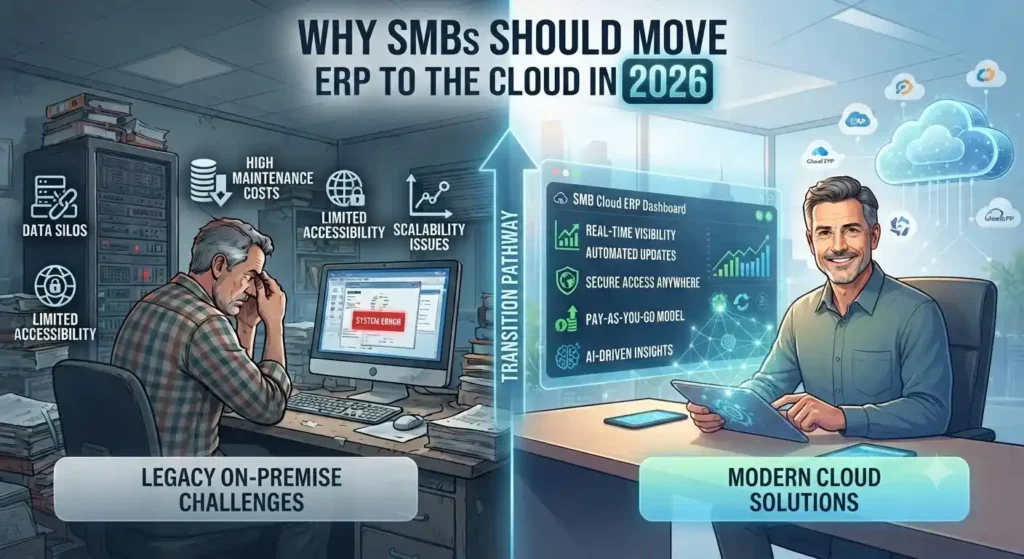
THE TOP 10 REASONS WHY SMBs SHOULD INVEST IN THE CLOUD

Small to medium-sized businesses (SMBs) are lagging behind their enterprise counterparts when it comes to cloud adoption. With the new year (and new decade) fast underway, a recent Microsoft study showed that more than 96% of enterprises are using the cloud, compared to only 78% for SMBs. And while the use of cloud-based productivity apps like Office 365 has steadily grown among these smaller companies, their continued reliance on legacy software in key business applications such as ERP or accounting is impeding them from competing effectively with today’s top players. Given this situation, moving to the cloud should be an obvious priority for SMBs, but many myths and misconceptions still exist regarding the benefits of cloud technology. Below are the ten most crucial and game-changing benefits that SMBs have reported after investing in cloud solutions. 1 –  Greater profit and ROI Simply put, companies that move to the cloud make more money. And not by a small percentage, either. SMBs that invest in the cloud report up to 25% growth in revenue and up to 2x the profits over those who don’t. Embracing the cloud is simply a better path to faster growth. Additionally, cloud deployments provide a greater return on investment (ROI) than traditional on-premises software projects, especially in ERP and CRM. For example, Nucleus Research determined that companies that use Microsoft Dynamics 365 see a return of $16.97 for every $1 spent. That’s well above the average for on-premise ERP and CRM applications. 2 – Lower costs and CapEx Cloud subscription models eliminate up-front capital expenditures (CapEx) like the high cost of hardware and software licenses for projects like ERP software implementations. They also eliminate server and infrastructure setup, update, and maintenance fees—not to mention the resources saved on software upgrades, energy costs, and underutilized computing resources 3 – Unparalleled business flexibility Cloud software allows small businesses to remain always-on regardless of location. In today’s mobile and cloud-first world, the ability to be productive on any phone, tablet, or laptop provides the flexibility required to quickly adapt to changing information and business needs. This means more agile operations and happier customers 4 – Faster IT innovation The hassle and cost of routine IT maintenance tasks can be effectively offloaded to the cloud, enabling IT resources to focus on more strategic tasks like addressing problems, improving user experiences, fostering user adoption and best practices, and getting more value out of systems and processes 5 – Seamless, automatic software updates With cloud computing, all software updates are handled automatically, so critical systems always have the latest functionality and security features. This effectively ensures that all the benefits of a vendor’s ongoing R&D nvestments are transferred to their customer’s business, without that business having to dedicate any time or additional resources 6 – Cost-effective scalability SMBs need increased flexibility to grow and scale without hassle. With the cloud, as an SMB adds users, generates more transactions, or adds more data, services dynamically scale to manage the workload. This eliminates the need to pay for more hardware or maintenance to support business growth. As a bonus, SMBs only use the energy they need for their cloud apps. Since servers aren’t running idle waiting to be utilized, operations become more energy efficient, reducing the carbon footprint of the business. 7 – Improved collaboration and productivity Digital, cloud-based workspaces offer the opportunity to collaborate more effectively and remove data silos to enable greater employee productivity. Additionally, cloud-based office productivity suites and all-in-one business management solutions possess integration capabilities that simply can’t be matched by on-premises software. Cloud computing also allows teams to be productive, regardless of their location. This enables businesses to offer flexible working arrangements that create a healthier work/life balance and happier employees without sacrificing productivity. 8 – Seamless software integration Cloud applications are typically compatible with Application Programming Interfaces (APIs) that simplify integration, while automation tools like Microsoft Flow facilitate stitching them together without any custom code. Data and systems can be connected like never before, resulting in new levels of speed and efficiency. 9 – Superior security and data protection Small businesses are the most common victims of security breaches. In a recent study by ComScore, over 40% of small businesses were worried about data security before moving to the cloud. After making the switch, 94% of businesses reported security benefits they had been unable to achieve with their previous on-premises resources. Furthermore, physical hardware protection has always been a challenge for SMBs. Laptops get lost or stolen all the time. In addition to the replacement costs, there is the even greater cost of losing important or sensitive data. When storing and backing up data in the cloud, however, data is available and protected regardless of what happens to personal devices. 10 – Increased competitiveness Moving to the cloud gives SMBs access to enterprise-class technologies that were previously only available to the industry’s top players. With the cloud, any business can run on the exact same systems used by the largest, most sophisticated companies in the world, enabling them to innovate and act faster than competitors that manage on-premises legacy systems. In conclusion, with cloud software now available that is purpose-built for SMBs to run their sales, marketing, service, accounting, operations, supply chain, and project management activities—all from a single, connected solution infused with AI and advanced analytics—there’s never been a better time for small and medium-sized businesses to make the move to the cloud. Connect with our cloud expert for any query or requirement at –  info@tridentinfo.com

THE TOP 10 REASONS WHY SMBs SHOULD INVEST IN THE CLOUD Read More »

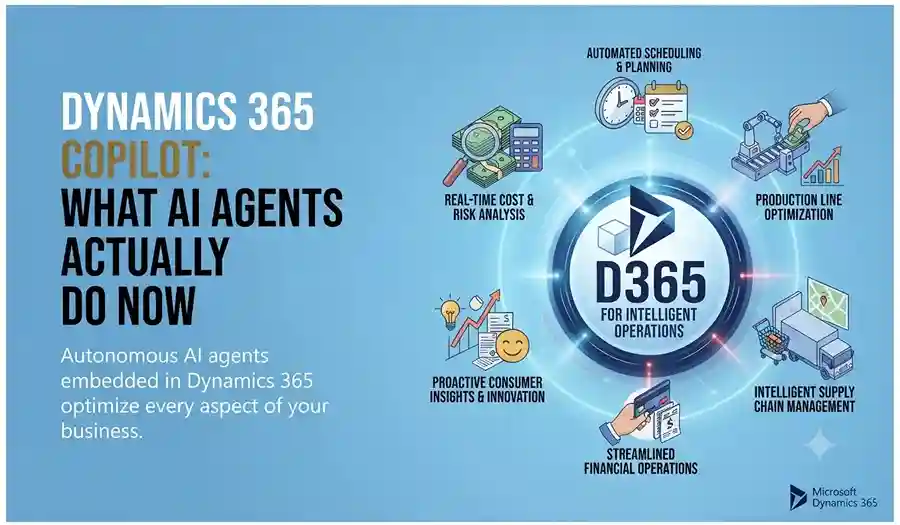
New AI features connect and extend insights across the organization

Today we’re unveiling new and enhanced artificial intelligence (AI) capabilities across Dynamics 365 applications, as well as a new solution to help project-centric services organizations transform their operations. Joining more than 400 new and updated features in the 2020 wave 1 release, these new capabilities expand a fast-growing set of applications powered by AI-driven insights, and further propel our vision to empower every organization to unify data across the business and use it to power personalized customer experiences and processes. Personalize customer experiences with unified data and unmatched time to insight Customers expect personalized and consistent experiences across every touchpoint. Many organizations, however, struggle to modernize the customer experience, often due to disconnected systems and data siloes that can’t deliver the full picture of the customer’s journey across websites, purchases, service calls, and mobile apps. Updates to Microsoft Dynamics 365 Customer Insights, Microsoft’s customer data platform (CDP), will help solve these issues. We’re introducing new first and third-party data connections to further enrich customer profiles that can be updated and activated in real-time, as well as enabling deeper insights with Microsoft Azure Synapse Analytics. Customer Insights will now uniquely enrich profiles with a combination of proprietary audience intelligence and 3rd party data sources such as demographics and interests, firmographics, market trends, and product and service usage data. Customers can also integrate Microsoft Forms Pro, the simple, powerful enterprise survey solution, to bring in the valuable voice of the customer across channels, allowing organizations to act on insights based on changing customer behavior and perception. All of this comes together to create a holistic, 360-degree view of a customer and to update those customer profiles and activities in real-time enabling organizations to know their customers and improve engagement. Customer Insights is built on a powerful and flexible platform that enables full extensibility. Organizations can derive deeper insights by using Azure Synapse Analytics, which combines customer data with enterprise and streaming data to improve data completeness, run high-speed analytical processing, and build custom machine learning models. This allows organizations to predict customer needs with insights and get guidance on the next best action to reduce churn and capitalize on revenue opportunities for the lifetime of a customer relationship. Organizations can act upon these insights in real-time across multiple destinations through prebuilt APIs to enable onsite clienteling, website personalization, dynamic marketing campaigns, and effective ad targeting. As part of the wave 1 release, we’re expanding the availability of Customer Insights to government cloud computing (GCC) environments helping to improve the citizen experiences essential to modern government. This means our government and public customers with higher compliance needs can now leverage Customer Insights to better understand and interact with citizens, empower employees, and transform cities at scale. Automate sales forecasting with predictive analytics In addition to expanded AI capabilities on our customer data platform, we’re extending the ability for sales professionals to forecast sales more accurately and introducing a new, unified engagement center for inside sales representatives. Available now for Dynamics 365 Sales and for Dynamics 365 Sales Insights, new manual and predictive forecasting capabilities empower sales organizations to have a better understanding of the pipeline, more accurately predict results, and gain visibility into future performance. The predictive forecasting capabilities enable the proactive decision-making needed to meet sales goals. Dynamics 365 does this by extracting patterns from customer relationship management (CRM) data, current and historical leads, won or lost opportunities, contacts, accounts, customer interactions such as emails and calls, and more data sources, and then projecting these patterns into the future. Best of all, anyone can access the insights, no data scientists or tech experts needed (a big change from some other forecasting systems). With a new engagement center designed to accelerate sales, we’re giving each inside seller a streamlined way to quickly triage, research, and engage new leads or opportunities. This provides them with their own prioritized work queue to take action on the highest priority leads and tasks based on built-in predictive scoring from Dynamics 365 Sales Insights and new, configurable sales cadences. The experience helps sellers stay in the context of Dynamics 365 and quickly move from one lead or opportunity to the next in an AI-prioritized work queue, without needing to switch views to take the next best action. Additional embedded AI capabilities offer sellers a path to a warm introduction, and guidance from the assistant. Transform the back office with AI-infused finance insights Not only are we expanding AI capabilities for customer and sales insights, we’re also bringing the power of AI to the finance department. Microsoft Dynamics 365 Finance Insights, coming to preview in May, accelerates your digital transformation by bringing the power of AI into your finance processes. As organizations look to make decisions rapidly, reduce risk, and focus on strategic initiatives, it’s critical to free finance from repetitive, time consuming and low value daily activities. Leveraging the power of AI, Finance Insights enables you to not only quickly understand and act on your company’s cash position, but also to take proactive action to improve it. Menial tasks are automated or removed, the barrier of developing or hiring AI-expertise is bypassed, and you’re left with insights to move your business forward. Our continued investment in expanding AI capabilities across Dynamics 365 helps your organization accelerate digital transformation initiatives while empowering employees with insights to drive better business outcomes every day. Optimize project success and profitability with the ability to drive operational excellence across service-centric organizations How people work today has changed, as has the way organizations run their business operations. Companies across all industries are innovating business models to support project-centric service offerings. And while business optimization has gotten easier with the rise of mobile and cloud technology, organizations continue to stitch together systems and struggle with managing data across disparate systems. These data silos within project-centric businesses and teams are negatively impacting business model transformation, customer acquisition, employee retention, project delivery, and business profitability. Today we’re announcing a new Dynamics 365 application that connects cross-functional project teams, providing the visibility, collaboration, and insight needed to drive the success of project-centric organizations. Microsoft Dynamics 365 Project Operations, which will be generally available on October 1,

New AI features connect and extend insights across the organization Read More »

Business team using CRM software to manage sales, customer data, and communication workflows.

5 Clear Signs Your Business Needs CRM Software in 2026

Here is a question most business owners ask too late: at what point does managing customer relationships in spreadsheets, email inboxes, and memory become a liability rather than a system? The honest answer is — sooner than you think. Customer Relationship Management (CRM) software is not just for large enterprises with complex sales teams. It is for any business that wants to grow its customer base, retain the customers it already has, and make sure no opportunity falls through the cracks. The challenge is recognising when the moment has arrived. Here are five clear signs that your business needs CRM software — and why Microsoft Dynamics 365 is the platform most businesses choose. What Is CRM Software and Why Does It Matter? CRM software is a centralised system that manages every interaction between your business and your customers — from the first marketing touchpoint through the sales cycle, the initial purchase, ongoing service, and renewal. Done well, CRM gives every team member a complete, real-time picture of every customer relationship. Sales knows what marketing has sent. Customer service knows what sales has promised. Management knows exactly where every opportunity stands. Without CRM, this information lives in individual inboxes, personal spreadsheets, and people’s heads — and every time someone leaves the business, some of that knowledge leaves with them. 5 Signs Your Business Needs CRM Software Now Sign 1 — You Are Losing Leads Without Knowing Why Leads come in through your website, social media, phone calls, and referrals. But if you are managing them manually, some of those leads are simply not being followed up — because they were logged in the wrong place, assigned to the wrong person, or forgotten during a busy week. A CRM captures every lead automatically, assigns it to the right team member, sets follow-up reminders, and tracks every interaction. Nothing gets lost. Every opportunity gets the attention it deserves. If you have ever discovered a warm lead that was never followed up weeks after it arrived — your business needs CRM. Sign 2 — Your Marketing and Sales Teams Work in Silos Marketing generates leads. Sales closes deals. But when these two teams work from different systems and different data, the handoff between them is where opportunities die. Marketing does not know which leads converted. Sales does not know which campaigns generated their best prospects. Neither team can make decisions based on the complete picture — because that picture does not exist in any single place. CRM creates a shared view of every customer and every lead — so marketing can see which campaigns produce sales-ready prospects and sales can engage leads with full context on their marketing journey. The result is better targeting, higher conversion rates, and a measurable improvement in revenue. If your marketing and sales teams regularly blame each other for pipeline problems — your business needs CRM. Sign 3 — You Cannot Easily Create Quotes and Track Invoices For businesses that sell through a quotation process — professional services, manufacturing, technology, or any B2B operation — the ability to create, track, and follow up on quotes directly impacts how quickly deals close. A CRM with a built-in quoting and invoicing module connects the entire opportunity-to-cash process: If your team is manually creating quotes in Word documents and tracking them in a spreadsheet — your business needs CRM. Sign 4 — Customer Service Issues Are Falling Through the Gaps Customer service quality is directly tied to information quality. When a customer calls with a problem, the speed and accuracy of the resolution depends on whether your team can instantly see their complete history — what they bought, when, what issues they have had before, and what was promised. Without CRM, this information is scattered across email threads, support tickets, and different team members’ notes. The customer ends up repeating themselves. Issues take longer to resolve. Satisfaction drops. CRM centralises customer service management: If customers regularly complain about having to repeat their issue to multiple people — your business needs CRM. Sign 5 — You Cannot See How Your Business Is Really Performing Good management decisions are built on good data. But if your sales pipeline lives in a spreadsheet, your customer data is in email, and your service records are in a helpdesk tool — getting a clear, current picture of business performance requires manual compilation that takes hours and is outdated the moment it is finished. CRM provides real-time dashboards and reports that give every level of the organisation instant visibility: If your management team regularly makes decisions based on instinct because the data is too hard to access quickly — your business needs CRM. Why Microsoft Dynamics 365 CRM Microsoft Dynamics 365 is one of the world’s most widely adopted CRM platforms — and for good reason. It covers every scenario described above in a single, unified platform: lead management, marketing automation, sales pipeline, quoting and invoicing, customer service, and real-time analytics — all connected on the same data model. Key advantages over standalone CRM tools: Why Trident Is India’s Trusted Dynamics 365 CRM Partner As a certified Microsoft Dynamics 365 partner, Trident Information Systems has helped businesses across sales, marketing, manufacturing, retail, and professional services in India implement CRM solutions that close the gaps described in this article. Our CRM implementations are configured around your specific sales process and customer management requirements — not a generic template. Ready to find out how CRM software can transform your customer relationships? Book a free Dynamics 365 CRM assessment with Trident today. For more insightful content and industry updates, follow our LinkedIn page.

5 Clear Signs Your Business Needs CRM Software in 2026 Read More »

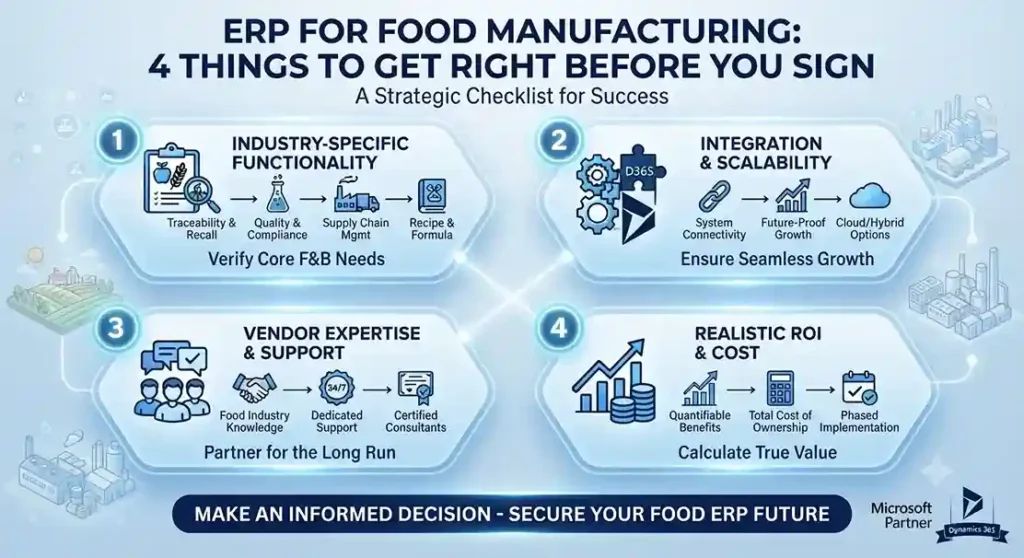
What Considerations Should be taken into Account when Implementing the New ERP for Food Manufacturing?

[vc_row][vc_column][vc_column_text]Usually, the decision-making process for ERP for Food Manufacturing is long and complex. From deciding which functionality is most vital to your business, to choosing a system that will make rapid and meaningful changes, it may seem daunting to decide on the appropriate ERP solution for your organization. But don’t worry, Microsoft gold partner Trident got you covered. As we have 20+ years’ experience and  implemented ERP food manufacturing various satisfied customers like Haldirams, Nik Bakers, etc. Through sharing tips on how to pick and incorporate the right food production ERP solution for your food company, we will make the decision-making process of implementing an appropriate ERP for food manufacturing a bit easier for your organization. 1) – Food Specific Approaches Tons of ERPs and business solutions are available to choose from. But as a food manufacturer or supplier, you should understand that it is complex to manage a food business effectively and comes with its own set of unique complexities. Many of the integrated software systems in the marketplace for small to medium-sized enterprises provide the functionality you would expect for sales, acquisitions, operations, accounting and inventory management only. But what about the extra features distinctive to food manufacturing? Once you settle on a standardized ERP solution, ask yourselves how much modification and flexibility a food-specific system will have to go into implementing the following characteristics: Food safety and compliance Manufacturing and quality Recipe development and management Food recall and trace-ability 2) – Functionality Recalling that not all food businesses run in the same manner is also relevant. A supermarket bakery operates much differently than a manufacturing frozen food, and a meat processor will have a completely different set of software specifications than a broad line dealer. So where are you going to start? Try to address the features and functions that your existing system currently lacks. Create a “wish list” of elements that would make operations run better if you had them in the spot. From there, you can filter a lot of ERP providers and can concentrate on only those solutions that are suitable for your organization. 3) –  Easy to Use Suppose: at your job you’re a warehouse worker or a machine technician. Now your management team has decided to introduce a new software platform throughout the organization, and you are responsible for learning it as soon as possible (and as precisely as possible). Too much load, right? Moving from manually managing stuff or from a legacy system to a fully integrated ERP solution can be terrifying for everyone in the company. The accounting department now needs to learn how to use a new system to enter figures and run calculations. The QA department now has a new way to set up quality controls and audits. If a new process is too complex, your staff might feel frustrated, disheartened, and underappreciated. Look for an ERP running on a system that is probably already familiar with most of your workforce (such as, for example, Microsoft Dynamics) 4) – Customer Support Working with a vendor of an ERP solution is so much more than just buying and using the product to run your business. The ERP solution is implemented, which usually takes five to nine months, and then continued support and facilities will proceed across your software’s life cycle. It is therefore essential to ensure that the ERP you choose is assisted by a team of people who are committed to ensuring that you are successful. This means for the food industry you need experts who are not only professionals in software but also food specialists. You wouldn’t recruit somebody to work in your warehouse that wasn’t a good choice, correct? Think the same way about the people who are working for your ERP provider. Because they are also responsible for your business ‘ success. It is easy to get confused as there are too many ERP for food manufacturing service providers, so remember to remain vigilant and consistent with what you want to get out of your solution. Selecting the right ERP means choosing software to help you enhance food security, simplify efficiency or productivity and handle the progress of the enterprise. If you still have any doubts left in your mind then you can contact to Trident’s ERP for food manufacturing providers on https://tridentinfo.com/contact/[/vc_column_text][/vc_column][/vc_row]

What Considerations Should be taken into Account when Implementing the New ERP for Food Manufacturing? Read More »

Enterprise ERP software dashboard managing retail, hospitality, and manufacturing operations.

Enterprise ERP Software for Retail, Hospitality & Manufacturing: 6 Benefits That Transform Your Business

Running a business in retail, hospitality, or manufacturing means managing a constant flow of moving parts — staff schedules, customer orders, inventory levels, supplier deliveries, and financial transactions — all happening simultaneously, every single day. When those moving parts are managed through disconnected systems — a spreadsheet here, a separate POS there, a standalone HR tool — the gaps between them create errors, delays, and blind spots that cost real money. Enterprise ERP software brings everything together. One platform. One source of truth. Every department — finance, operations, HR, sales, and customer service — working from the same real-time data. Here is how ERP transforms operations specifically in retail, hospitality, and manufacturing — and why Microsoft Dynamics 365 Business Central is the platform Trident recommends. Why Retail, Hospitality, and Manufacturing Need ERP Most These three industries share a common challenge: high operational complexity at every level. A retail chain manages hundreds of SKUs across multiple locations. A hotel or restaurant balances reservations, kitchen operations, staff rotas, and customer satisfaction simultaneously. A manufacturer coordinates raw material procurement, production scheduling, quality control, and order fulfilment — often across multiple sites. Without a unified system connecting all these functions, management is reactive. With the right ERP, it becomes proactive — with real-time visibility that enables better decisions at every level of the organisation. 6 Key Benefits of ERP for Retail, Hospitality and Manufacturing 1. Real-Time Data Across Every Department Business data changes constantly. Inventory levels shift with every sale. Staff schedules update daily. Customer orders flow in around the clock. Financial positions move with every transaction. Without real-time visibility, managers make decisions based on yesterday’s data — and the gaps between systems mean different departments often work from different numbers. ERP solves this fundamentally. Every transaction updates the central system instantly — so whether you are checking stock levels, reviewing sales performance, or approving a purchase order, you are always working from current, accurate information. No delays. No discrepancies. No guesswork. 2. Integrated Point of Sale In retail and hospitality, the POS system is the heartbeat of the operation. Every sale, every order, every payment flows through it — and what happens to that data after the transaction determines how well the rest of the business functions. A standalone POS that does not connect to inventory, finance, and customer management creates manual work and data silos. An ERP-integrated POS changes everything: For retail chains and multi-outlet hospitality businesses, this integration is particularly powerful — giving head office a live view of every location’s performance without waiting for manual reports. 3. Smarter Customer Management Your customers are your most valuable asset — and your ERP should help you treat them that way. An ERP system captures complete customer profiles: purchase history, preferences, communication records, loyalty points, and service interactions. This data enables: In hospitality especially, knowing your guest’s preferences before they arrive is a powerful differentiator. In retail, personalised offers based on real purchase data consistently outperform generic promotions. ERP makes both possible at scale. 4. Efficient Employee Management Managing staff across retail stores, restaurant shifts, or manufacturing shifts — potentially across multiple locations — is one of the most operationally demanding functions in any of these industries. ERP centralises employee management in one system: When employee data is connected to operational data, managers can make faster and fairer staffing decisions — and compliance documentation is always complete and current. 5. Streamlined Inventory Management Inventory management is the operational function where ERP delivers the most immediate and visible impact — particularly in retail and manufacturing. Without a connected inventory system, businesses either over-order (tying up cash in excess stock) or under-order (losing sales to stockouts). Neither is acceptable in competitive markets. ERP provides: For manufacturers, ERP takes this further — connecting inventory management directly to production planning and supplier procurement, ensuring materials are always available when production needs them. 6. Unified Financial Management Every operational decision has a financial consequence — and ERP connects the two in real time. Rather than waiting for month-end reports compiled manually from multiple systems, ERP gives finance teams live visibility into revenue, costs, margins, and cash flow across every business unit. Invoices are matched automatically. Budget variances are flagged immediately. Financial close processes that once took days are completed in hours. For multi-entity businesses — retail chains, hospitality groups, or multi-site manufacturers — ERP consolidates financial data across all locations into a single, accurate picture that leadership can act on immediately. Why Microsoft Dynamics 365 Business Central Microsoft Dynamics 365 Business Central is the modern, cloud-native evolution of Dynamics NAV — one of the most widely deployed ERP platforms in retail, hospitality, and manufacturing globally. It delivers all six benefits above in a single, integrated platform — with the added advantage of: Whether you are running a single restaurant, a retail chain, or a manufacturing facility, Business Central scales with your operation — without platform replacement as you grow. Why Trident Is India’s Trusted ERP Partner As a certified Microsoft Dynamics 365 Business Central partner, Trident Information Systems has helped businesses across retail, hospitality, and manufacturing in India implement ERP solutions that deliver measurable results — from initial assessment through go-live and ongoing optimisation. Ready to unify your business on one intelligent platform? Book a free ERP assessment with Trident today.

Enterprise ERP Software for Retail, Hospitality & Manufacturing: 6 Benefits That Transform Your Business Read More »