
Welcome to Trident Information Systems!
Write us to - info@tridentinfo.com
Let's Socialize

microsoft dynamics for inventory management

Retail store manager using retail management software dashboard to track inventory, sales, and store performance.

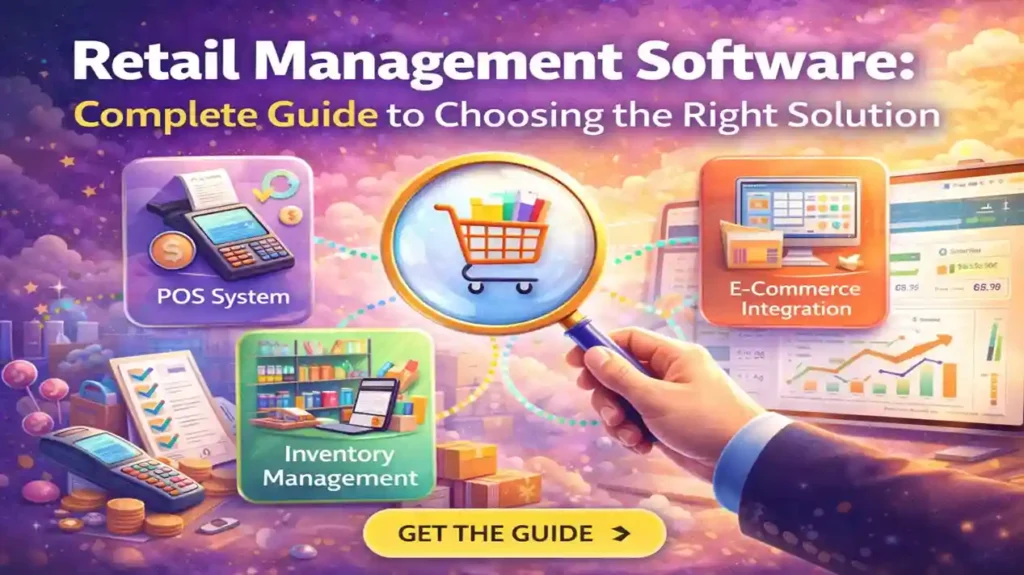
Retail Management Software: Complete Guide to Choosing the Right Solution

Everything you need to know about selecting retail management software in 2026 — from core features and pricing to Microsoft Dynamics 365 solutions, LS Central, and implementation best practices. Running a retail business in 2026 without modern software is like trying to compete in Formula 1 with a bicycle. Your competitors have real-time inventory visibility, omnichannel integration, AI-powered demand forecasting, and automated reordering. Meanwhile, you’re still counting stock manually, reconciling spreadsheets, and wondering why customers are buying online instead of in your store. The retail management software market is crowded with options: cloud-based platforms, legacy on-premise systems, industry-specific solutions, and everything in between. Pricing ranges from $50/month for basic POS systems to $500,000+ for enterprise implementations. Features vary wildly. And every vendor claims to be “the best.” This guide cuts through the noise. Whether you’re a single-store boutique, a multi-location chain, or a retail-manufacturing hybrid, you’ll learn exactly what to look for, which solutions dominate the market, and how Microsoft-powered retail solutions (Dynamics 365 Commerce and LS Central) stack up against the competition. 1. What Is Retail Management Software? (And What It Actually Does) Retail management software is a unified platform that connects all aspects of retail operations — from point of sale (POS) and inventory management to customer relationship management (CRM), e-commerce, and financial reporting — into a single system. Think of it as the operating system for your retail business. Instead of using separate tools for sales, stock tracking, customer data, accounting, and online orders, retail management software consolidates everything into one integrated solution. What Modern Retail Software Actually Does Point of Sale (POS) Process transactions, accept payments, manage discounts, print receipts, handle returns — all from in-store terminals, mobile devices, or web-based interfaces. Inventory Management Real-time stock tracking across all locations, automated reordering, transfer management, barcode scanning, lot/serial tracking, and stock level alerts. Customer Management (CRM) Customer profiles, purchase history, loyalty programs, personalized promotions, email marketing integration, and behavior analytics. Omnichannel Commerce Unify online and offline sales — buy online pick up in store (BOPIS), endless aisle, unified inventory, consistent pricing across all channels. Reporting & Analytics Sales dashboards, inventory reports, customer insights, profit margins, employee performance tracking, and predictive analytics. Financial Integration Automatic accounting sync, tax calculation, expense tracking, financial close automation, and compliance reporting. Why “Retail Management Software” vs. Just “POS”? A POS system handles transactions. Retail management software handles your entire business — sales, inventory, customers, employees, finances, and online/offline integration. If you’re running multiple stores or selling online, a basic POS won’t cut it. You need full retail management. 2. Why Your Retail Business Needs Modern Software in 2026 If you’re still using spreadsheets, legacy software from 2010, or disconnected point solutions for different parts of your business, you’re bleeding money and losing customers. Here’s why: 1. Customers Expect Omnichannel Experiences 72% of consumers shop across multiple channels before making a purchase (Google, 2024). They want to: Without integrated retail software, you can’t deliver this. You lose sales to competitors who can. 2. Manual Inventory Management Costs You 20-30% in Lost Sales Running out of popular items while overstocking slow-movers is expensive. Modern retail software uses AI-powered demand forecasting to predict what you’ll sell and when, automatically generating purchase orders before you run out. 3. Data-Driven Decisions Beat Gut Feel Every Time Which products are most profitable? Which promotions actually drive sales? Which employees convert best? Which store locations outperform? Modern software answers these questions with real-time dashboards and analytics — no more guessing. 4. Labor Costs Are Rising — Automation Is Essential Retail labor costs have increased 15-20% since 2020. Automating repetitive tasks (inventory counts, reordering, customer email campaigns, financial reporting) lets you do more with fewer staff hours. 5. Compliance & Security Requirements Are Stricter PCI-DSS for payment security, GDPR/data privacy regulations, tax compliance, and audit trails are mandatory. Modern retail software handles these automatically — legacy systems don’t. The Cost of Doing Nothing A mid-sized retailer (5-10 stores, $10M revenue) using outdated systems typically loses $150K-$300K annually in: stockouts and overstocking ($80K-$150K), manual labor inefficiency ($40K-$80K), customer churn from poor experience ($20K-$50K), and missed online sales opportunities ($10K-$20K). The software pays for itself in year one. 3. Core Features Every Retail Management System Must Have Not all retail software is created equal. Here are the non-negotiable features any modern solution must include: ✓ Essential Features Checklist Advanced Features (Nice to Have) 4. Cloud vs. On-Premise: Which Deployment Model Is Right for You? This is one of the first decisions you’ll face. Here’s the honest breakdown: Factor Cloud-Based On-Premise Upfront Cost Low ($0-$5K) High ($20K-$100K+) Monthly Cost $50-$500/month per location $0 (after purchase) Implementation Time 1-4 weeks 2-6 months Updates & Maintenance Automatic, free Manual, $5K-$20K/year Accessibility Anywhere with internet Only on-site or via VPN Scalability Add stores instantly Requires hardware/licenses Internet Dependency Required (offline mode limited) Works offline Data Control Vendor-hosted Full control on your servers Customization Limited to vendor options Unlimited (with developers) Our Recommendation For 95% of retailers, cloud-based is the right choice. Lower upfront cost, faster implementation, automatic updates, and no IT infrastructure to maintain. The only exceptions: 5. Microsoft Retail Solutions: Dynamics 365 Commerce & LS Central Microsoft offers two primary retail solutions built on the Dynamics 365 platform. Here’s how they differ and which one is right for you: Microsoft Dynamics 365 Commerce Best for: Mid-market to enterprise retailers with complex omnichannel operations, especially those already using other Dynamics 365 modules (Finance, Supply Chain, Customer Service). Key Capabilities: Ideal Customer Profile: Enterprise retailers (50+ stores or $100M+ revenue), omnichannel brands, B2C companies needing sophisticated digital commerce. Pricing: Custom enterprise pricing (typically $150K-$500K+ implementation, $5K-$20K/month ongoing licensing). LS Central (by LS Retail, built on Dynamics 365 Business Central) Best for: Small to mid-market retailers in specialized verticals (fashion, grocery, hospitality, fuel/convenience) who need industry-specific functionality out of the box. Key Capabilities: Ideal Customer Profile: Growing retailers (1-50 stores), fashion/apparel brands, grocery chains, specialty retail, hospitality businesses. Pricing: $50K-$150K implementation, $200-$500/user/month (typically 5-20 users). Which Microsoft Solution Should You Choose? Your Situation Recommended Solution 1-20 stores, fashion/apparel vertical LS Central Grocery,

Retail Management Software: Complete Guide to Choosing the Right Solution Read More »
The Power of Integration: Microsoft D365 F&O and Power Platform for Enhanced Business Efficiency and Agility

Integrating Microsoft D365 F&O and Power Platform can boost business efficiency and drive innovation. Benefits include streamlined data and processes, enhanced analytics, increased agility, and reduced costs. Follow these steps: define goals, choose approach, build custom apps, connect systems, and test and deploy. Optimize your business with Microsoft’s integrated solutions.

The Power of Integration: Microsoft D365 F&O and Power Platform for Enhanced Business Efficiency and Agility Read More »

Microsoft Dynamics CRM for Field Service Management: A Complete Guide

Looking for an efficient way to manage field services? Look no further than Microsoft Dynamics CRM. This complete guide covers everything you need to know about using Dynamics CRM for field service management. Introduction Field service management can be a challenging task, especially for businesses with multiple teams and locations. With the rise of mobile devices and remote work, it’s become even more important to have an efficient system in place to manage field services. That’s where Microsoft Dynamics CRM comes in. This powerful tool provides a comprehensive solution for managing field service operations, from scheduling and dispatching to tracking and analyzing data. In this guide, we’ll explore all the features and benefits of Microsoft Dynamics CRM for field service management. Whether you’re new to the tool or looking to optimize your existing processes, you’ll find everything you need to know right here. What is Microsoft Dynamics CRM for Field Service Management? Microsoft Dynamics CRM is a customer relationship management (CRM) software designed to help businesses manage customer interactions and relationships. However, it also includes a range of features specifically tailored to field service management. These features include: Scheduling and Dispatching With Dynamics CRM, you can easily schedule and dispatch technicians to different locations based on their availability and skillset. The tool also allows you to prioritize tasks based on urgency and customer preferences. Work Order Management Dynamics CRM provides a centralized platform for managing work orders, from creation and assignment to completion and follow-up. You can also track the status of each work order in real-time and receive alerts when tasks are completed or delayed. Asset Management The tool also allows you to track and manage customer assets, such as equipment or machinery, and schedule maintenance or repairs as needed. This helps to ensure that assets are properly maintained and minimize downtime. Resource Optimization Dynamics CRM provides real-time insights into technician availability and workload, allowing you to optimize your resources and improve efficiency. You can also use the tool to track key performance indicators (KPIs) and identify areas for improvement. Analytics and Reporting Dynamics CRM provides robust analytics and reporting capabilities, allowing you to track key metrics and identify trends over time. You can also use the tool to generate customized reports and dashboards, providing real-time visibility into your field service operations. Why Use Microsoft Dynamics CRM for Field Service Management? Increased efficiency: Dynamics CRM helps you optimize your field service operations by streamlining scheduling and dispatching, tracking work orders in real-time, and improving resource allocation. Improved customer satisfaction: With Dynamics CRM, you can provide real-time updates to customers and proactively communicate with them. This helps to build stronger relationships with your customers and improve overall satisfaction. Better insights and decision-making: Dynamics CRM provides robust analytics and reporting capabilities, allowing you to track key metrics and identify trends over time. This helps you make informed decisions and improve your field service operations. Customizable and flexible: Dynamics CRM is highly customizable, allowing you to tailor the tool to your specific business needs. It’s also flexible, with options for cloud-based or on-premises deployment

Microsoft Dynamics CRM for Field Service Management: A Complete Guide Read More »

Top 3 Reasons to Choose Microsoft Dynamics CRM for Real Estate Industry

The real estate industry is complex and constantly evolving, with multiple players involved in the buying, selling, and management of properties. To navigate this complexity and stay ahead of the competition, companies need to be agile, responsive, and customer-focused. That’s where Microsoft Dynamics CRM for Real Estate comes in. In this blog, we will explore how Trident Information Systems, a leading technology solutions provider, is leveraging this powerful software to transform the real estate industry. Microsoft Dynamics CRM for Real Estate: An Overview Microsoft Dynamics CRM is a customer relationship management software that allows businesses to manage their customer interactions, automate marketing, sales, and customer service processes, and gain insights into customer behavior. For real estate companies, the software provides an end-to-end solution that covers every stage of the customer journey, from lead generation to post-sale customer support. Microsoft Dynamics CRM for Real Estate comes equipped with a range of features that are specifically designed for the real estate industry. These include lead and opportunity management, property and listing management, contract and closing management, and customer service and support. The software also integrates with other Microsoft applications, such as Office 365, Power BI, and SharePoint, making it a comprehensive and scalable solution for real estate companies of all sizes. Benefits of Microsoft Dynamics CRM for Real Estate Real estate companies that adopt Microsoft Dynamics CRM software can benefit in several ways. Here are some of the key benefits: Streamlined Operations: Microsoft Dynamics CRM for Real Estate helps real estate companies streamline their operations by providing a single platform for managing all aspects of the customer journey. This includes lead generation, customer engagement, property and listing management, contract and closing management, and customer service and support. By consolidating these functions in one place, companies can improve efficiency, reduce errors, and save time. Improved Customer Engagement: With Microsoft Dynamics CRM for Real Estate, real estate companies can engage with customers in a more personalized and meaningful way. The software allows companies to track customer interactions, preferences, and behavior, and use this information to tailor their marketing and sales efforts. This can lead to higher conversion rates, better customer retention, and increased customer satisfaction. Increased Revenue: By improving operations and customer engagement, Microsoft Dynamics CRM for Real Estate can help real estate companies increase revenue. The software provides insights into customer behavior, market trends, and sales performance, enabling companies to make data-driven decisions that drive revenue growth. It also helps companies identify new opportunities and upsell to existing customers, further increasing revenue. In conclusion, Microsoft Dynamics CRM for Real Estate is a powerful software solution that can help real estate companies transform their operations and drive revenue growth. Trident Information Systems is a leading Microsoft Dynamics CRM vendor that specializes in implementing Trident Information Systems: A Leader in Microsoft Dynamics CRM for Real Estate Trident Information Systems is a leading Microsoft Dynamics CRM vendor that has been providing technology solutions to real estate companies for over 23 years. The company specializes in implementing and customizing Microsoft Dynamics CRM software for real estate companies, helping them streamline their operations, improve customer engagement, and drive revenue growth. Trident Information Systems‘ Microsoft Dynamics CRM software for real estate is designed to meet the unique needs of the industry. The software comes with a range of features and functionalities that are tailored to the real estate industry, such as lead and opportunity management, property and listing management, contract and closing management, and customer service and support. One of the key advantages of working with Trident Information Systems is their expertise in customizing Microsoft Dynamics CRM for real estate companies. The company works closely with clients to understand their specific business requirements and tailor the software to meet their needs. This ensures that clients get a software solution that is not only powerful but also fits seamlessly into their existing business processes.

Top 3 Reasons to Choose Microsoft Dynamics CRM for Real Estate Industry Read More »

How Business Central playing a key role in Business Growth

In the world of business, growth is the key to success. Business growth not only means expanding a company’s revenue and profits but also encompasses achieving greater efficiency, productivity, and competitiveness. Microsoft Business Central is one such solution that has emerged as a game-changer for businesses looking to achieve growth. The implementation of Business Central can enable organizations to streamline their operations, optimize resources, and make informed decisions. Business Central is a cloud-based ERP solution that provides businesses with a complete end-to-end view of their operations. It offers a range of features that help businesses manage their financials, supply chain, inventory, sales, and customer service in a single system. Moreover, Business Central is designed to integrate with other Microsoft applications, including Office 365, Power BI, and Dynamics 365, making it an ideal choice for businesses looking for a comprehensive solution. Business Central can play a key role in business growth by providing organizations with the tools and insights they need to make informed decisions. Let’s discuss how Business Central can help organizations grow. Streamlined Operations One of the primary ways Business Central can facilitate business growth is by streamlining operations. Business Central allows businesses to automate and streamline their processes, reducing the time and resources required to manage routine tasks. This can help organizations focus on more strategic initiatives, leading to increased productivity and efficiency. Moreover, Business Central provides real-time data insights that can help organizations make informed decisions. The system tracks and monitors key performance indicators, providing businesses with insights into their operations’ performance. This can help organizations identify areas where they can improve and make data-driven decisions to optimize their operations. Optimized Resources Another way Business Central can help organizations grow is by optimizing resources. Business Central provides businesses with a comprehensive view of their inventory, supply chain, and financials, allowing them to make more informed decisions about resource allocation. For example, Business Central can help businesses optimize their inventory by providing real-time data on inventory levels, lead times, and demand. This can help organizations manage their inventory more effectively, reducing waste and increasing efficiency. Moreover, the system can help businesses optimize their supply chain by providing insights into vendor performance, lead times, and costs. This can help organizations identify areas for improvement and negotiate better pricing and terms with their suppliers. Informed Decisions Business Central can help organizations make more informed decisions by providing real-time data insights. The system provides businesses with a comprehensive view of their operations, allowing them to make data-driven decisions. Moreover, Business Central provides customizable reports and dashboards that allow organizations to visualize their data in a way that makes sense for their specific needs. For example, Business Central can help businesses identify their most profitable products, customers, and sales channels. This can help organizations focus on the initiatives that are driving the most revenue and profitability. Additionally, Business Central can help businesses identify trends and patterns in their data, allowing them to make predictions about future performance. Scalability Finally, Business Central is scalable, which means it can grow with your organization. As your business expands and your needs change, Business Central can adapt to meet your evolving requirements. This can help organizations avoid the costly and time-consuming process of switching to a new system as they grow. Furthermore, the D365 Business Central Partner in India, UAE & Africa can provide additional services such as customization and development. This is essential for businesses that require specific functionality that is not available out-of-the-box. A reputable partner will work with you to understand your requirements and develop customizations to meet them. In conclusion, Business Central can play a key role in the growth of organizations. The system provides businesses with the tools and insights they need to streamline their operations, optimize resources, and make informed decisions. Working with a reputable Business Central implementation partner can ensure a successful implementation and ongoing support, enabling businesses to achieve their growth

How Business Central playing a key role in Business Growth Read More »

How LS Central Helps in reducing manual errors and improving accuracy for Retail Operations

In the fast-paced retail industry, accuracy and efficiency are paramount. Any errors, however small, can have a significant impact on a retailer’s bottom line. That’s where LS Central comes in – an integrated software solution designed to streamline and automate retail operations. In this blog, we will explore how LS Central helps in reducing manual errors and improving accuracy for retail operations, and how a trusted partner like Trident can assist with LS Central implementation and support. Automated Processes: One of the key features of LS Central is its ability to automate many retail processes. From inventory management to sales order processing, LS Central reduces the need for manual input and minimizes the chances of errors. For example, inventory levels can be automatically updated when a sale is made, which reduces the risk of overselling or underselling a product. Additionally, the automated processing of purchase orders and sales orders ensures that retailers can fulfill orders efficiently, without having to rely on manual processing. Centralized Data Management: LS Central provides a centralized database that stores all retail data, including sales, inventory, and customer information. With this centralized data management, retailers can access accurate, up-to-date information in real-time, which helps them make better business decisions and avoid errors. For instance, retailers can quickly see which products are selling well and which are not, and adjust their inventory levels accordingly. They can also use this data to gain insights into customer behavior, and tailor their marketing strategies to better meet their customers’ needs. Integrated Solution LS Central is an integrated software solution that allows retailers to manage all aspects of their operations in one place. This eliminates the need for multiple systems, which can lead to data discrepancies and errors. For example, retailers can use LS Central to manage their point-of-sale (POS) system, e-commerce platform, inventory management, and accounting all from one place. This not only reduces the risk of errors but also increases efficiency, as retailers no longer need to switch between multiple systems to manage their operations. Trident – The Best LS Central Implementation Partner As LS Retail Diamond & Implementation Partner, Trident is well-positioned to help retailers implement LS Central and ensure that they get the most out of the solution. With years of experience and a team of highly skilled professionals, Trident offers a range of LS Retail support, resources and implementation services to ensure a smooth and successful implementation. Trident offers a comprehensive LS Central implementation package that includes everything from project management to testing and training. Their implementation process is designed to minimize disruption to retailers’ operations and ensure that LS Central is up and running as quickly as possible. They also provide ongoing support to help retailers get the most out of LS Central and ensure that any issues are resolved quickly and efficiently. Conclusion In conclusion, LS Central is a powerful tool that can help retailers reduce manual errors and improve accuracy in their operations. Its automated processes, centralized data management, and integrated solution make it an ideal choice for retailers looking to streamline their operations and gain insights into their business. Partnering with a trusted implementation partner like Trident can help ensure that the implementation process is smooth and successful, and that retailers get the most out of LS Central. So, if you’re looking to improve the accuracy and efficiency of your retail operations, LS Central and Trident are the perfect partners to help you achieve your goals. For further information, you can Contact Us anytime. Our team will be happy to help you.

How LS Central Helps in reducing manual errors and improving accuracy for Retail Operations Read More »

How to Transform Your Business Data Into Actionable Insights: A Complete BI and Analytics Guide

Your business is generating more data than ever before. The question is — are you doing anything useful with it? Most organizations today are data-rich but insight-poor. They collect vast amounts of operational, financial, and customer data across multiple systems — and then struggle to turn any of it into decisions that actually move the business forward. Reports are produced. Dashboards are built. And yet, leadership teams still find themselves making critical decisions based on gut instinct rather than verified, real-time intelligence. That is the problem that business intelligence and data analytics solutions are designed to solve. By connecting your data sources, structuring your information architecture, and surfacing insights through intuitive visualizations and predictive models, the right BI platform transforms raw data from a liability into your most powerful strategic asset. Trident’s Data Analytics Solutions — built on Microsoft Dynamics 365, Power BI, and leading cloud platforms — give organizations of every size the ability to move from basic reporting to real-time monitoring, predictive forecasting, and data-driven decision-making at every level of the business. Whether you are just beginning your analytics journey or looking to mature a complex enterprise BI environment, Trident has the expertise, tools, and methodology to take you there. Why Most Businesses Are Sitting on Data They Cannot Use The Gap Between Data Collection and Data-Driven Decision Making Data collection has never been easier. Every transaction, every customer interaction, every operational process generates a trail of structured and unstructured data. But collecting data and extracting value from it are two entirely different capabilities — and most businesses have invested heavily in the former while neglecting the latter. The result is data silos: marketing data locked in one platform, financial data in another, operational data in a legacy ERP that barely talks to anything else. Without a unified analytics layer connecting these sources, the data your business generates every day remains invisible to the people who need it most. What Actionable Business Intelligence Actually Looks Like Actionable business intelligence is not a dashboard full of numbers. It is the right insight, delivered to the right person, at the right moment — with enough context to drive a confident decision. It is a sales manager who can see which accounts are at risk of churning before they receive a cancellation notice. It is an operations director who can forecast supply chain disruption three weeks before it happens. It is a CFO who can model the financial impact of a strategic decision in real time, without waiting for the finance team to build a spreadsheet. That is what Trident’s Power BI and analytics solutions are built to deliver. Advance Your Analytics Journey With Trident Data Insights From Reporting to Monitoring: Accelerating Your Power BI Maturity Most organizations start their analytics journey at the same place — basic reporting. Someone needs a number, someone builds a report, and that report gets emailed as a PDF once a week. It works, barely, until the business grows to the point where weekly reports are too slow, too static, and too disconnected from the operational reality on the ground. Trident’s Data Analytics Solutions are designed to rapidly accelerate your organization from passive reporting to active monitoring — giving your teams live visibility into the metrics that matter, with the ability to drill down, explore trends, and act on what they find without waiting for the next report cycle. Connecting Microsoft Dynamics 365 and Legacy Systems to One Analytics Layer One of the most common Power BI challenges enterprises face is fragmented data across modern and legacy platforms. Trident’s Data Insights platform connects directly to your existing deployed applications — including Microsoft Dynamics 365 for Operations and legacy Dynamics AX 2012 — creating a single, unified source of truth for all your analytical data. Historical trending — understand how your business has performed over time Drill-down reporting — move from high-level KPIs to granular transaction-level detail in seconds Operational and financial insights — unified visibility across every function of the business Single source of truth — eliminate conflicting data versions across departments Our Business Intelligence and Analytics Service Offerings Trident offers a comprehensive suite of Power BI and data analytics services — from initial strategy and maturity assessment through to full platform implementation, visualization development, and ongoing analytics optimization. Business Strategy and Enterprise Metrics Before building any analytics platform, the right strategy must be in place. Trident’s business strategy services include: Enterprise information management strategy and roadmap development Business information health assessments to identify gaps and opportunities Business case development to justify BI investment to stakeholders Platform and tool evaluations to ensure the right technology fit Architecture definition and enterprise metrics management H3BI Capabilities: Rationalization, Consolidation and Cloud Reporting Many organizations have accumulated multiple overlapping Power BI tools over time — each serving a different team, none talking to each other. Trident’s Power BI rationalization service consolidates your analytics environment into a coherent, scalable platform that serves the entire organization: BI rationalization and consolidation across siloed tools and platforms Data visualization and analytic application development BI Centre of Excellence establishment for long-term analytics governance Cloud reporting capabilities for anywhere, anytime access to business insights Analytic Applications and Web Analytics Beyond standard business reporting, Trident builds purpose-built analytic applications tailored to your industry and business model — including enterprise analytics services, industry-specific solutions, and web analytics integration that connects your digital performance data to your broader business intelligence environment. Information Infrastructure and Data Governance Insights are only as reliable as the data behind them. Trident’s information infrastructure services ensure your data foundation is solid before any visualization or analytics layer is built on top of it: Data modelling, architecture design, and integration Centre of Excellence Master data management and metadata management Data quality management and governance frameworks Data warehouse performance improvement, design, and development Quality assurance, auditing, and regulatory compliance support Data Visualization: Turning Raw Numbers Into Business Decisions KPIs, Dashboards and Real-Time Metrics for CXOs and Managers Data only becomes valuable when it can

How to Transform Your Business Data Into Actionable Insights: A Complete BI and Analytics Guide Read More »