Welcome to Trident Information Systems!
Any Query? Write us to - info@tridentinfo.com
Let's Socialize

Search Results for: Supply chain

Why Microsoft Dynamics AX for Mid-Size & Large Organisation

Microsoft Dynamics AX 2012 is an ERP system suitable for midsize to large enterprises. The solution has particular strengths in manufacturing and distribution but is also capable of serving buyers across multiple industry verticals. The solution can be installed on-premises or be hosted in the cloud for remote accessibility over the web. In addition to core accounting, Microsoft Dynamics AX offers functionalities for inventory control, warehouse management, transportation management, demand and supply chain planning, material requirements planning, production management, quality assurance, product lifecycle management, asset management, and business intelligence. Multi-language and multi-currency are the additional features which make MS Dynamics AX a suitable option for companies operating globally. The solution supports repetitive, make-to-order, make-to-stock, light assembly and engineer-to-order manufacturing process, among others. The industry-specific functionality meets the needs of discrete manufacturers in the high-tech, electronics, metals, industrial machinery, aerospace, consumer products, and medical devices industries.

Why Microsoft Dynamics AX for Mid-Size & Large Organisation Read More »

The Industry Solution for Hi-Tech and Electronics Manufacturing

Today’s global customers are demanding more configure-to-order, make-to-order, and assemble-to-order products. The modern, agile industrial manufacturer must be responsive and able to deliver with the highest quality and timeliness. The fluctuating demand leads to significant challenges in managing the internal supply chain, coordinating the extended vendor ecosystem, controlling costs, ensuring quality, tracking production, and optimizing inventory levels.   With today’s ever-changing financial and environmental regulations, shrinking product life cycles, and global sourcing challenges, Dynamics 365 for Operations helps you gain visibility across the entire value chain, empowering you to make more efficient and timely decisions. Trident’s implementation processes reduce time and risk so you can rapidly build an adaptive business network, seize new revenue streams, and respond to changing market conditions regardless of your company’s size. Trident’s high-tech industry solution is a set of software and services that automate and streamline the following business processes: • Materials management and demand planning • Purchasing & Inventory Management • Multi-Country, Multi Product, Multi-Level Manufacturing • Multinational Financial accounting • Supply chain planning and Logistics & Warehousing • Service management and customer support • CRM/sales • Engineering Change Management Materials Management and Demand Planning In Hi-Tech Industries, conditions in materials management and demand planning vary rapidly. New requirements need to be determined constantly; order processes and production planning have to be updated. Manufacturing operations need to respond quickly and without too much expense. The higher the product and BOM complexity, the more important a comprehensive, automatic MRP planning process becomes. Trident’s Hi-Tech Solution provides powerful MRP planning configurations, including ordering and order data, shopping and sales planning and stochastic processes. Purchasing & Inventory Management Trident’s Hi-Tech helps you in procurement planning considering minimum order quantities, lot sizes, purchase prices and current stock levels. Purchase planning based on planned and historical consumption levels Blanket orders, supplier inquiries & bonus management Purchasing agreements with suppliers on price, quantity and delivery time for optimum supplier selection Faulty parts management and backlog information with activity messages to avoid delivery delays Supplier connection via the Enterprise Portal or other common industry standards Multi Country, Multi Product, Multi-Level Manufacturing Trident’s Hi-Tech gives you an overview of delivery dates, component availability, production capacities and capacities of external manufacturers (make or buy) and be able to plan accordingly. Graphical view of production resources and production orders Integrated materials and capacity planning as well as production priorities for managing rush orders External production with the provision Extensive production papers with barcodes, label handling for batches and serial numbers Integration of time recording, production data acquisition and machine data logging Visualisation of QA and QM processes Various process variants can be configured such as Made to Order (MTO), Make to Stock (MTS), and more (BTO, ATP…) Variant and product configurator for building custom products (also via the Enterprise Portal on the Internet) Financial Accounting Financial management is the core of Microsoft Dynamics 365 Hi-Tech. Full integration in the other areas of the application allows the collection and analysis of financial data in real time. With extensive country- and region-specific features, the solution fulfils the local financial requirements for 36 countries. Financial accounting, financial planning and cash flow management on client company code, cost centre, cost object and up to seven other dimensions Automatic accrual for consignment stock, bonus agreements and goods. Automatic “work in process” (WIP) tracking for productions and projects Cost and performance accounting integrated into production, project, time recording and production/machine data acquisition Stock valuation Engineering Change Management Research and development (R&D) are the basis for the success of many medium-sized high-tech companies. Efficient quality, time and budget management for R&D processes often decide the future success of a company. Different types of projects and the integration of customers and suppliers into the processes require a flexible system for managing and controlling project activities. The product module allows you to manage and monitor internal as well as contract research projects.

The Industry Solution for Hi-Tech and Electronics Manufacturing Read More »

How Microsoft Dynamics 365 helps in Transportation & Logistics?

Tridents’ Logistics and Transportation solutions built on Microsoft Dynamics 365 helps organizations realize value from their technology investments and manage the escalating challenges of volatile markets. Logistics function as the impelling force of an economy. In 2010, the transportation industry alone moved 13 billion tons of goods worth $12 trillion, via railways, roadways and waterways. The manufacturer community spanning across globe looks up at 3PL companies to support their cross-docking, warehousing, freight and packaging needs. Under the current economic coercion, 3PL companies are rendering innovative solutions that abridge the operational costs while increasing the efficacy. Challenges and Opportunities Surging Expenses: Irrespective of how well-executed your business expenses are you are likely to suffer losses accounted for elevated warehousing costs, rising gas prices and product loss due to errors. Adding to these issues is the stagnant economy that lowers the profit margins of a business enterprise. Competition: Across national and international marketplaces a cut-throat competition prevails in the logistics and transportation industry. Manufacturers, suppliers and distributors are taking a note of choicest solutions to transport their goods into the markets. Regulations: Complying with the environmental laws as well as the regulations set by governments at local, national and international level can add to the business expenditure. Trident boasts of a decade-long experience in developing software solutions that streamline the functioning of your logistics business. We can create a fleet of technological tools that compliment your business requisites and assist you in managing business operations such as scheduling, capturing analytics, error management, and integration, capacity planning and streamlining workflow. Our solutions foster the growth of your business model. Trident’s Logistics Suite is modular in nature & includes Yard Management, Rail Operation, Transportation Management, Warehouse Management, Fleet Management,  & Billing solutions. In addition, our suite is tightly integrated with our globally recognized HCM and Finance modules. This integrates all functional aspects of your organization and provides seamless workflow to create one unified processing & analysis interface. A snapshot of our solution offering is given above Yard and Terminal Put productivity on the fast track. Streamline workflow and speed up operations by eliminating manual processes that slow down progress. With Zebra’s electronic asset tracking, you will gain the visibility needed to minimise wait times, increase throughput, and reinforce regulations for a safe, secure, efficient and productive yard. Rail Operations Rail Transload terminals are vital link Rail transportation is usually the most efficient and safest mode for moving large quantities of bulk commodities long distances. However, not all shippers and receivers have direct rail service Warehouse Enabling the smart warehouse.  Integrate your supply chain, experience dynamic fulfilment and realise transformational gains with best-in-class hardware and software tailored to your needs. From receiving to picking, staging, and loading – you are agile, optimised, compliant, and connected to make impactful decisions based on real-time actionable intelligence. Fleet and Delivery Nonstop optimisation for any operation. Keep drivers on the road and assets moving around the clock to ensure your operations are running smoothly. Trident’s dedicated Fleet and Delivery solutions address the specific needs of your business – constant connectivity, proactive management, regulatory compliance, and peerless customer service – so you can deliver on time, every time.  

How Microsoft Dynamics 365 helps in Transportation & Logistics? Read More »

Industry-Leading Software and Solutions for the Hospitality Industry

Food & Hospitality Service Industry as a whole has many challenges from planning to operations. We provide Software to Restaurants (Quick Service to Fine Dine-in), Cafe, Bars, etc., to reduce Operational Cost and Increase Revenue Increased Revenue with Targeted Marketing: Capture data so you can create effective offers and rewards. Generate more revenue through Loyalty & gift card programme Gain Customer Loyalty and Repeat Business : Give your customers exceptional, multi-channel customer service and gain their loyalty Promotions, campaigns, offers and meal deals E-commerce and mobile loyalty Fast and precise delivery service Faster Table Turns: Monitor table availability and match party size to table size. More table turns = more revenue Increased Reservations: Integrate your guest management software with our online booking services or use Open Table – take bookings 24/7, 365 days a year Better Waste Control: Manage items in stock efficiently and minimise shrinkage. Plan your meals in advance and rationalize your ingredients orders Reduce Labour Costs: Forecast labour needs and mitigate against Proactive Social Media Management: Track sites like Tripadvisor and get alerts if adverse reviews are posted Improve Fraud Detection and Prevention: Protect your bottom line. Eliminate staff theft Multi-Site Efficiency: Reports show your business end-to-end. Make menu changes across your estate in seconds Business Analytics: Check and analyse your performance in real time with our all-in-one system for front- and back-of-house operations. Award-winning Support From our 24/7 global helpdesk Digital Transformation Digital is no longer a purview of only Banking, Insurance, Healthcare or Retail. The Restaurant industry is having pressure from multiple directions. Today’s consumer expects fresh food, whether it is in season or not, with an exotic dining experience. Successful restaurants recognize that the easy path to their customers’ stomachs begins in their minds. They need to grab customer’s attention and entice them with a memorable experience in order to trigger repeat visits. Here are some of the applications of Digital disruption in the restaurants & food service industry: Digital Signage to deliver eye-catching graphics to engage customers the moment they walk through the door Online reservations using mobile app & flexibility of customization of menu as per customer taste. Loyalty programs based on Big data and analytics, the businesses in the hospitality sector are not only able to create laser targeted marketing campaigns but are also able to measure success. Digital supply chains to accurate demand forecasting, inventory optimization, and cost reduction. Chatbots: Restaurants are using virtual assistants to respond to customer inquiries and to process and customize customer orders. Taco Bell, Pizza hut have adopted chatbots to automate ordering process from a social media platform. Robots – Restaurants are using AI-driven robots to increase capacity and speed of food preparation and delivery. Developers are designing applications which use AI to help consumers choose meals & suggest foods based on their eating preferences. Kiosks – Restaurants are integrating AI-driven self-service Kiosks to reduce customer waiting time and enhance the customer ordering experience. Pay by phone and flexible paying options Payment Integration Give your customers the choice to pay online. Trident provides integrations with multiple leading online payment service providers. Accept online payments from the popular digital wallets without any hassles. Online Ordering It is always advisable to have a presence on multiple food ordering services so as to not miss out on potential customers. Trident allows you to automatically accept orders from various platforms and saves you the hassle of adding them manually into the POS at the end of each day. The entire customer data and order details are automatically added to the POS software. Trident  smart CRM module fetches this data instantly and sorts the customers into buckets according to their behavior  

Industry-Leading Software and Solutions for the Hospitality Industry Read More »

CFO reviewing financial dashboards while planning migration from Dynamics AX to D365 Finance and Operations to protect cash flow.

The CFO’s Guide: Moving from Dynamics AX to D365 F&O Without Disrupting Cash Flow

A financial executive’s roadmap to migrating from legacy Dynamics AX to D365 Finance & Operations — managing costs, timelines, and operational continuity without risking your quarter. Why CFOs Can’t Delay the AX to D365 Migration Let’s address the question every CFO asks: “Can we push this migration to 2027 or 2028?” Technically, yes. Microsoft extended support for Dynamics AX 2012 runs through October 2027. But waiting until the deadline is a financial mistake for three reasons: 1. Implementation Partners Are Already Booked Solid The best Dynamics 365 implementation partners are scheduling projects 9-12 months out. If you wait until 2026, you’ll be competing with hundreds of other companies for limited partner capacity. The result? Higher costs, longer wait times, and settling for second-tier partners. 2. Your Competitors Are Gaining Operational Advantages Now Companies that migrated to D365 F&O in 2023-2024 are already seeing benefits: faster financial close (30-40% reduction), automated cash flow forecasting, real-time reporting, and AI-powered insights. Every quarter you delay is a quarter they’re pulling ahead operationally. 3. Running Unsupported Software Is a Compliance and Security Risk After October 2027, Microsoft will no longer provide security patches or compliance updates for AX 2012. For publicly traded companies or those in regulated industries (finance, healthcare, government contracting), running unsupported ERP software creates audit failures, regulatory violations, and cybersecurity exposure that can’t be insured away. Real Cost of Waiting A mid-market manufacturer delayed their AX migration until 2026. By the time they started procurement, their preferred implementation partner was fully booked. They settled for a less experienced firm, the project ran 4 months over schedule, and the budget overrun was 42%. The CFO later admitted: “We saved nothing by waiting. We just made it more expensive and more painful.” The Window Is Closing If you start planning now (Q1-Q2 2025), you can execute a controlled migration in 2025-2026 with your choice of partners, negotiated pricing, and phased implementation that protects cash flow. If you wait until 2026, you’re at the mercy of whoever has capacity and whatever they charge. The Financial Risks of Poor Migration Planning ERP migrations fail not because of technology, but because of poor financial planning and unrealistic expectations. Here are the hidden costs that blindside CFOs who treat this as an IT project instead of a business transformation: 35% Average budget overrun on poorly planned ERP migrations 4-6 Months of reduced productivity during cutover (if poorly managed) $250K+ Hidden costs (training, data cleanup, process redesign) Where Migrations Blow Up Financially 1. Underestimating Data Migration Complexity Your AX database has 10-15 years of transactional data, custom fields, and integrations that won’t migrate cleanly. Data cleanup, mapping, and validation typically accounts for 25-35% of total project cost — but most initial budgets allocate only 10-15%. 2. Ignoring Change Management & Training Your finance team has muscle memory built around AX 2012. D365 F&O workflows are different — not just an upgrade, but a new way of working. Without proper training, you’ll see: data entry errors, missed closing deadlines, and team frustration that leads to turnover. Budget 15-20% of total project cost for training and change management. 3. Customizations That Don’t Transfer Every custom report, workflow, or integration in AX needs to be rebuilt or replaced in D365. Some can be replaced with out-of-the-box D365 features (good). Others require custom development (expensive). A thorough customization audit before migration prevents budget surprises. 4. Not Planning for Dual-System Operations During migration, you’ll run AX and D365 in parallel for 1-3 months. This means: double data entry, reconciliation between systems, and extra staff hours. Factor this into both budget and resource planning. CFO Pro Tip Add a 20-25% contingency to your initial migration budget. This isn’t pessimism — it’s reality. The projects that come in on budget are the ones that planned for the unexpected from day one. The ones that blow up are the ones where the CFO insisted on an “aggressive” budget to impress the board. Real-World Migration Costs: What You’ll Actually Pay Every CFO wants a number. Here it is — with the caveat that your actual costs depend on company size, complexity, and how much custom work you’ve done in AX. Migration Cost Breakdown (Mid-Market Company, $50M-$500M Revenue) Total Migration Budget D365 F&O Licensing (annual) $100K – $300K Implementation Services $250K – $750K Data Migration & Cleanup $75K – $150K Customizations & Integrations $100K – $300K Training & Change Management $50K – $100K Project Management (Internal) $75K – $125K Contingency (20%) $130K – $345K Total First-Year Cost $780K – $2.07M Cost Variables That Move the Needle Benchmark Reality Check According to Panorama Consulting’s 2024 ERP Report, the average mid-market D365 F&O implementation costs $850K and takes 10 months. Companies that budget below $500K or plan for under 6 months are setting themselves up for failure. Price competitively, but don’t chase the lowest bid — it always costs more in the end. Protecting Cash Flow: Phasing & Payment Structures The worst financial mistake CFOs make is treating ERP migration as a single, massive capital expenditure. Instead, structure it as a phased investment that aligns payments with deliverables and minimizes cash flow impact. Payment Structure Strategy Option 1: Milestone-Based Payments (Recommended) Tie payments to project milestones, not calendar dates. This protects you if the project runs late and aligns vendor incentives with your success. Milestone Payment % When Contract Signing 10-15% Upfront deposit Design Approval 20-25% After solution design sign-off UAT Completion 25-30% After user acceptance testing Go-Live 20-25% Day 1 of production use Post-Go-Live (30 days) 15-20% After stabilization period Option 2: Quarterly Phasing (For Budget Predictability) Spread payments across fiscal quarters to smooth cash flow impact. Negotiate fixed quarterly payments regardless of project progress — this shifts schedule risk to the vendor but requires careful SOW definition. Licensing: Annual vs. Monthly Payment Microsoft offers both annual and monthly D365 F&O licensing. CFOs often default to annual payments for the discount (typically 10-12%), but monthly payments provide flexibility during migration: This approach costs slightly more in Year 1 but provides optionality if

The CFO’s Guide: Moving from Dynamics AX to D365 F&O Without Disrupting Cash Flow Read More »

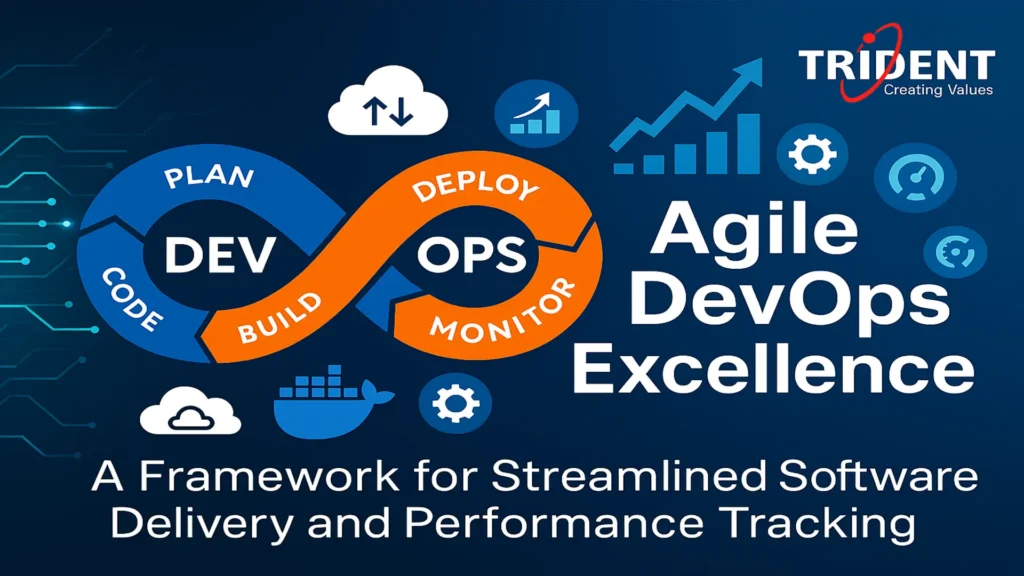
Agile DevOps workflow enabling faster releases and real-time performance tracking.

Agile DevOps Excellence: A Framework for Streamlined Software Delivery and Performance Tracking

Introduction Agile DevOps is the modern approach that unifies Agile development and DevOps practices to deliver software faster, smarter, and with greater reliability. It transforms software delivery into a continuous, automated workflow where collaboration, rapid feedback, and shared ownership drive performance. By aligning development sprints with deployment cycles, Agile DevOps enables teams to release high-quality software consistently. This model empowers organizations to scale innovation while maintaining operational stability and measurable results. Building a High-Performance DevOps Model for Modern Teams DevOps Is a Culture, Not a Job Title DevOps general practices have evolved far beyond a technical function. In modern organizations, DevOps represents a shared mindset that unifies development, operations, quality assurance, and security into a single delivery ecosystem. We no longer treat DevOps as a standalone team or a set of tools; instead, it becomes the cultural backbone of how software is built, released, and improved. This cultural shift emphasizes collaboration, transparency, accountability, and continuous learning across all roles involved in software delivery. A high-performance DevOps model breaks down silos that traditionally slowed innovation. Developers understand production realities, operations teams participate early in design decisions, and quality becomes everyone’s responsibility. This alignment reduces friction and creates faster feedback loops. Agile DevOps strengthens this culture by introducing short iterations, rapid validation, and constant reprioritization based on real-world feedback. Together, Agile and DevOps create an environment where speed and stability coexist. Organizations that embrace DevOps culture see measurable improvements in delivery reliability, employee engagement, and customer satisfaction. Instead of reacting to failures, teams proactively design systems for resilience. This cultural maturity is what differentiates elite DevOps organizations from those merely adopting DevOps tools. The Intersection of Agile and DevOps Agile DevOps is the natural convergence of iterative development and continuous delivery. Agile focuses on how teams plan and build software, while DevOps extends those principles into deployment, monitoring, and operations. When combined, they form a DevOps framework that supports rapid experimentation without sacrificing control. Agile ceremonies such as sprint planning and retrospectives feed directly into DevOps workflows. Each sprint becomes an opportunity to release, measure, and learn. This tight integration ensures that development velocity translates into real customer value rather than accumulating unfinished work. Understanding the DevOps Workflow – From Code to Customer The Continuous DevOps Workflow Explained The DevOps workflow is a continuous loop that connects every stage of software delivery into a single, automated pipeline. Unlike traditional linear models, this workflow emphasizes constant feedback and incremental improvement. The core stages include plan, build, test, release, deploy, operate, and monitor. Planning aligns business objectives with technical execution. Backlogs are refined continuously, ensuring that teams focus on high-impact work. During the build phase, standardized build tools in DevOps environments compile code and generate deployable artifacts with consistency and speed. Testing is embedded directly into the pipeline using DevOps testing tools. Automated tests validate functionality, performance, and security early and often. This reduces risk and increases confidence in every release. Release, Deploy, and Monitor Deployment tools in DevOps enable frequent, low-risk releases through automation and version control. Continuous delivery pipelines ensure that code can move to production at any time. Once deployed, monitoring tools in DevOps collect metrics, logs, and traces to provide real-time visibility into system health and user experience. This closed-loop DevOps workflow ensures that insights from production feed directly back into planning, creating a self-improving delivery system. Agile DevOps – Syncing Development Sprints with Deployment Cycles Aligning Sprints with Continuous Delivery Agile DevOps eliminates the gap between development completion and production deployment. Each sprint is structured so that completed work is potentially releasable. This requires small batch sizes, strong automation, and disciplined backlog management. DevOps automation tools play a critical role in synchronizing sprints with deployment cycles. Automated builds, tests, and deployments reduce manual effort and human error. As a result, teams can deploy multiple times per day without increasing operational risk. Shared Ownership and Accountability When sprints and deployments are aligned, teams take full ownership of their work throughout the lifecycle. DevOps engineer tools such as CI/CD platforms, infrastructure-as-code solutions, and artifact repositories support this ownership by making environments reproducible and transparent. The Modern DevOps Toolchain and Technologies DevOps Tools List Across the Lifecycle A robust DevOps toolchain integrates multiple categories of tools, each serving a specific purpose. Typical components include source control systems, build tools in DevOps, DevOps testing tools, configuration management tools in DevOps, deployment tools, and monitoring platforms. The best DevOps tools are those that integrate seamlessly and support automation at scale. Tool selection should prioritize reliability, extensibility, and ease of integration rather than individual features. Configuration Management and Automation DevOps configuration management ensures consistency across environments by treating infrastructure and configuration as code. This approach reduces configuration drift and simplifies scaling. Power platform build tools and cloud-native automation further enhance efficiency by abstracting infrastructure complexity. DevOps Testing, Security, and Reliability DevOps Testing Tools and Continuous Quality DevOps testing transforms quality assurance into a continuous activity. Automated tests run at every stage of the pipeline, validating code changes immediately. This proactive approach reduces defect rates and accelerates delivery. DevOps Security Tools and Shift-Left Security DevOps security tools integrate security checks directly into development and deployment pipelines. Vulnerability scanning, dependency analysis, and compliance checks run automatically, ensuring security without slowing delivery. This shift-left approach embeds security into daily workflows. Monitoring Tools in DevOps and Observability From Monitoring to Observability Monitoring tools in DevOps provide visibility into system performance, availability, and reliability. Modern observability platforms go further by correlating logs, metrics, and traces to uncover root causes quickly. This performance intelligence enables teams to respond proactively, reduce downtime, and continuously optimize user experience. Key DevOps KPIs for Performance Tracking Core DevOps KPIs Explained DevOps KPI tracking provides objective insights into delivery performance. Deployment Frequency measures how often value reaches customers. Lead Time for Changes reflects how quickly ideas are delivered. Mean Time to Recovery evaluates resilience, while Change Failure Rate balances speed with stability. Tracking these KPIs aligns teams around outcomes and supports data-driven decision-making. Choosing the

Agile DevOps Excellence: A Framework for Streamlined Software Delivery and Performance Tracking Read More »

Dynamics AX to F&O migration guide for CFOs focusing on no-surprise budgeting.

Dynamics AX to F&O Migration: The “No-Surprise” Budgeting Guide for CFOs

Introduction The shift from Microsoft Dynamics AX to Dynamics 365 Finance & Operations (F&O) is more than just an upgrade—it’s a business transformation that impacts financial planning, operational workflows, compliance readiness, data architecture, and long-term growth strategies. For CFOs, budgeting for a Dynamics AX to F&O Migration can feel like navigating a maze filled with hidden costs, unclear timelines, and complex decision points. The goal is simple: migrate without financial surprises. But achieving that requires a clear roadmap, accurate cost forecasting, strong governance, and an understanding of the true scope behind this cloud-driven move. This guide breaks down the financial blueprint needed to ensure your migration is predictable, transparent, and fully aligned with organizational goals. Understanding the True Scope of AX to F&O Migration What Makes AX to F&O Different? Migrating from Dynamics AX to Dynamics 365 Finance & Operations ( AX to F&O Migration ) is not just a technical upgrade—it’s a full digital transformation. The platform moves from on-premise architecture to a cloud-native system, completely changing licensing models, database handling, integrations, and customization frameworks. This shift means the migration process touches nearly every department, workflow, and financial model within the organization. Why CFOs Need a No-Surprise Budgeting Approach CFOs face increasing pressure to allocate budgets precisely, with minimal tolerance for overruns. AX to F&O migrations often exceed budgets due to overlooked complexities, hidden customizations, or underestimated data issues. A no-surprise budgeting approach ensures financial visibility from day one and prevents unexpected spikes during execution. Key Financial Risks Hidden in Migration Projects Migration projects often hide financial risks such as underestimated data cleanup costs, redevelopment of custom functionalities, integration rework, and performance testing challenges. These may not surface until the mid-project stage, leading to sudden budget shocks. Identifying them upfront is key to maintaining financial control. Core Budget Influencers Every CFO Must Know Several elements shape the true migration cost—data volume, number of integrations, industry-specific processes, compliance requirements, user adoption levels, and partner capabilities. Each of these should be evaluated early, as they determine 70–80% of overall expenses. Pre-Migration Assessment: The Foundation of a Predictable Budget Existing System Audit and Data Complexity A thorough system audit identifies how many AX modules are actively used, how much historical data must be moved, and what level of cleansing is required. Without this assessment, CFOs risk approving budgets that are thousands of dollars off target. Customizations, ISVs, and Integrations Audit AX environments often carry years of custom code and third-party ISVs. Not all of these carry forward to F&O. A detailed technical analysis helps determine which components need redevelopment, replacement, or retirement—directly influencing cost structures. Infrastructure Readiness and Cloud Requirements Shifting to cloud means rethinking security layers, compliance requirements, and performance scaling. CFOs must account for Azure subscription costs, sandbox environments, disaster recovery configurations, and multi-region deployments. GAP Analysis and Budget Alignment After reviewing the current AX environment, a GAP analysis highlights what is missing compared to F&O’s standard features. This helps CFOs decide where to invest—custom rebuilds, standard adoption, or process redesign—ensuring the budget reflects real needs. Cost Breakdown: What Really Drives Migration Expenses Licensing and Subscription Costs The subscription model for D365 F&O varies based on modules, user types, and organizational size. CFOs should plan multi-year licensing budgets and forecast future cost increments. Dynamics 365 pricing shifts frequently, making forward-planning essential. Data Migration and Cleanup Costs Data migration is often the single most underestimated cost area. Companies with large AX databases or poor data hygiene face more hours of cleansing, validation, and transformation. Customization Rebuild Costs Customizations built in X++ on AX may need redevelopment due to F&O’s extension-based model. Each customization must be reviewed, rewritten, and tested—adding to overall costs. Integration Redevelopment Costs Legacy integrations using direct SQL calls no longer work in F&O. Rebuilding them using the new OData, DMF, or custom API structures requires development effort, impacting budgets significantly. User Training, Testing, and Change Management Costs A modern ERP requires behavior shifts from employees. Training sessions, user acceptance testing, and process documentation cost both time and money but are essential for a smooth transition. Partner Costs and Project Governance Costs A significant portion of the cost comes from consulting fees, project oversight, and functional + technical resources. Transparent partner costing prevents future disputes and surprise charges. Building a No-Surprise Budgeting Framework Fixed vs Variable Cost Planning Separating fixed and variable cost blocks helps CFOs create forecasting models. Fixed components include licensing, cloud subscription, and some partner fees, while variable costs cover customizations, data challenges, and integration scope. Cost Buffers and Contingencies Every migration contains uncertainties. Adding a contingency buffer—typically 10–20%—ensures financial safety without affecting the project timeline. Timeline-Based Budgeting Mapping costs along the project timeline gives CFOs better visibility into when peak financial activity will occur. This helps with cash flow planning and approvals. Prioritization Model for CFOs A prioritization matrix allows CFOs to categorize items into must-have, good-to-have, and optional features. Budget-responsible decision-making depends on controlling customization sprawl. Strategies to Prevent Scope Creep and Overruns Strong Project Governance A governance board ensures that decisions are controlled, risks are reviewed, and budgets remain intact. Without this, every stakeholder may add requests, spiraling cost and time. Change Request Management CFOs must insist on a structured change request process where every new requirement demands justification, cost estimation, and approval. Stakeholder Alignment and Communication Clear communication prevents misunderstanding and scope misalignment. Regular updates also allow CFOs to catch issues early. Avoiding Customization Inflation The biggest source of budget overrun is unnecessary custom development. Adopting standard F&O processes where possible saves significant money. Selecting the Right Migration Partner What CFOs Should Look for in a Partner The right partner understands industry specifics, brings proven templates, and maintains transparent costing models. Their role directly determines the accuracy of your budget. Red Flags to Avoid Beware of partners who offer vague cost sheets, unrealistic timelines, or underpriced proposals. These are early signs of future budget surprises. Ensuring Transparent Cost Reporting Weekly or monthly financial dashboards help the CFO track burn rates and

Dynamics AX to F&O Migration: The “No-Surprise” Budgeting Guide for CFOs Read More »

ERP solution for the sweet industry unifying billing, recipes, inventory, and accounting in one system.

Unify Billing, Recipes, Inventory & Accounting—All in One ERP for Sweet Industry

Introduction The sweet industry is a delightful blend of tradition, culture, and modern business. Behind every delicious sweet lies a complex process involving recipes, inventory management, billing, and accounting. For many businesses, managing these aspects separately creates confusion, inefficiency, and high costs. ERP software provides a unified solution, ensuring that every part of the business runs seamlessly. In today’s competitive world, adopting ERP is no longer an option—it’s a necessity for growth and customer satisfaction. The Challenges in the Sweet Industry Complex Recipe Management Sweets rely on precision—every gram of sugar, milk, or flour matters. Without proper management, recipes can vary, leading to inconsistent quality. This not only affects customer trust but also creates wastage of costly raw materials. ERP ensures recipes are standardized across all outlets, maintaining both taste and profitability. Seasonal Demand and Inventory Issues Demand for sweets skyrockets during festivals, weddings, and holidays. Shops often face stock shortages or excess wastage of unsold items. Managing this balance manually is stressful and prone to error. With ERP, businesses can forecast demand trends, ensuring they are always ready without overspending on stock. Billing and Pricing Complications Sweet businesses often deal with retail, wholesale, and bulk festive orders, each requiring different pricing structures. Manual billing systems struggle with discounts, custom packaging, or wholesale pricing. ERP automates billing, making transactions faster, accurate, and hassle-free. Accounting Errors and Compliance Challenges From GST to local food safety regulations, compliance is a huge responsibility. Manual bookkeeping increases the chances of errors and penalties. ERP automates accounting, integrates tax compliance, and provides real-time financial data—helping businesses stay compliant with zero stress. What is an ERP for the Sweet Industry? Understanding ERP Systems ERP stands for Enterprise Resource Planning. It is a centralized software that connects all business operations under one digital roof. Instead of handling billing, recipes, and inventory separately, ERP ensures that every department communicates seamlessly, reducing errors and boosting efficiency. Tailored ERP Solutions for Sweets and Confectionery Unlike generic ERP systems, sweet industry ERP is designed specifically for confectionery needs. From shelf-life tracking to recipe management and seasonal demand planning, it covers the unique requirements of sweet businesses. This makes it a perfect fit for both small sweet shops and large chains. Benefits of ERP for Sweet Industry Unifying Billing Processes ERP makes billing smooth and error-free, whether it’s a small purchase at the counter or a large wholesale order. It supports multi-channel sales, including retail, online, and wholesale, providing accurate receipts and real-time updates for accounting. Centralized Recipe Management Standardization is the backbone of customer loyalty. ERP ensures recipes remain consistent across outlets, reducing human error. With built-in costing, owners can track how much each sweet costs to produce, ensuring better pricing decisions. Smarter Inventory Control ERP tracks raw materials in real time, alerts owners about low stock, and monitors expiry dates. This minimizes wastage and ensures that ingredients are always fresh. The system also adjusts inventory automatically after every sale or production cycle. Simplified Accounting and Finance ERP eliminates manual entries by directly integrating billing and expenses into accounting. Businesses get instant profit-loss reports, cash flow statements, and tax summaries. This helps owners make smarter financial decisions while avoiding compliance risks. Enhanced Compliance and Quality Control ERP ensures full traceability of ingredients and batches, which is vital for food safety. From hygiene standards to regulatory compliance, ERP makes it easy to stay within legal requirements while building customer trust. Deep Dive into ERP Features Real-Time Billing Automation ERP connects billing counters, online platforms, and wholesale orders into one system. This ensures faster checkout, eliminates pricing errors, and supports digital payments, making customer experiences smoother. Recipe Standardization Tools Recipes are stored digitally, making them accessible to all chefs across outlets. Adjustments can be made based on serving sizes, ingredient costs, or customer preferences. This ensures quality control while keeping expenses in check. Inventory Forecasting and Tracking By analyzing sales patterns, ERP predicts how much stock will be required during festivals or peak demand seasons. This prevents over-purchasing and under-stocking, helping businesses balance supply and demand perfectly. Integrated Financial Reporting ERP provides powerful dashboards with insights into revenue, expenses, and profitability. These reports help owners identify which products generate the most profit and which areas need cost control. Multi-Branch and Franchise Management For businesses with multiple outlets, ERP provides centralized control. Owners can monitor sales, stock, and recipes across branches in real time, ensuring consistency and efficiency. How ERP Solves Sweet Industry Problems Reducing Waste and Costs One of the biggest problems in sweets is wastage due to spoilage or mismanagement. ERP monitors expiry dates, optimizes ingredient usage, and prevents unnecessary stock purchases, cutting down costs significantly. Handling Peak Seasons Smoothly Festivals often overwhelm shops with unplanned demand. ERP forecasts requirements, ensures stock availability, and manages bulk billing quickly, helping businesses serve customers efficiently during peak times. Improving Profit Margins with Data Insights ERP analytics reveal which products are in demand and which ones generate the highest profits. This allows businesses to focus on bestsellers while trimming down unprofitable items, boosting margins. Customer Satisfaction through Transparency Quick billing, consistent taste, and readily available stock create happy customers. ERP helps maintain this reliability, leading to long-term customer loyalty and repeat business. Choosing the Right ERP for Sweet Businesses Cloud-Based vs On-Premises ERP Cloud ERP provides flexibility, allowing owners to manage their business remotely, while on-premises ERP gives full control over data. The choice depends on budget, data security needs, and business goals. Must-Have Features for Sweet Industry ERP Recipe management, shelf-life tracking, GST compliance, real-time billing, and multi-channel support are essential features that every sweet business ERP must include. Without these, businesses risk inefficiencies. Scalability and Future Growth A good ERP grows with your business. Whether you’re running a single shop today or planning multiple branches tomorrow, ERP ensures smooth expansion without needing a new system. Future of ERP in Sweet Industry AI and Automation in ERP With AI integration, ERP will automatically generate purchase orders, predict customer preferences, and optimize production planning.

Unify Billing, Recipes, Inventory & Accounting—All in One ERP for Sweet Industry Read More »

A business team discussing DevOps tools and strategies for efficiency and growth

Why Choosing the Right DevOps Tools Can Make or Break Your Business

Introduction In today’s fast-paced digital world, businesses must adapt quickly to remain competitive. DevOps has emerged as a game-changer, enabling seamless collaboration between development and operations teams. But here’s the catch—choosing the right DevOps tools can make or break your business. The right tools streamline workflows, reduce errors, and improve efficiency. The wrong ones? They can slow you down, drain resources, and introduce security risks. Understanding DevOps Tools What Are DevOps Tools? DevOps tools are software solutions designed to automate, manage, and enhance various stages of software development and deployment. They help teams integrate, test, deploy, and monitor applications efficiently. These tools facilitate continuous delivery and operational efficiency, allowing businesses to scale their IT processes effectively. Key Functions of DevOps Tools DevOps tools serve various functions, including automating repetitive tasks, improving collaboration, and ensuring security compliance. They streamline software development by enabling version control, continuous integration, and infrastructure management. These tools also help monitor system performance, ensuring that applications run smoothly and efficiently. The Impact of the Right DevOps Tools on Business Success Increased Efficiency and Automation The right DevOps tools eliminate manual processes, allowing teams to focus on innovation rather than repetitive tasks. Automation reduces human errors, speeds up development cycles, and enhances overall productivity. Businesses can optimize their resources, reducing operational costs while maintaining high performance. Faster Software Delivery and Deployment With CI/CD pipelines, businesses can release updates quickly, ensuring a competitive edge. Faster deployments mean businesses can respond to market changes promptly and improve customer satisfaction. Automated testing ensures that software releases are stable and reliable, reducing downtime and security risks. Improved Collaboration Between Teams DevOps tools break down silos, fostering better communication and teamwork between developers and IT operations. These tools provide a unified platform where teams can track progress, manage workflows, and resolve issues in real-time. This collaboration leads to more efficient problem-solving and a culture of shared responsibility. Consequences of Choosing the Wrong DevOps Tools Poor Performance and Slow Development Cycles If tools are not well-integrated, teams face delays, leading to slower time-to-market. Poorly chosen tools can create bottlenecks, increasing development times and frustrating both developers and end-users. This inefficiency can lead to lost revenue and missed business opportunities. Increased Costs and Wasted Resources Wrong tools can lead to inefficiencies, increasing operational costs. Companies may end up spending more on maintenance, troubleshooting, and additional tools to compensate for the deficiencies. Investing in the wrong tools also leads to wasted manpower, as employees struggle to work around limitations. Security Vulnerabilities Using the wrong security tools can expose systems to cyber threats and compliance risks. Inadequate security measures can result in data breaches, loss of customer trust, and regulatory penalties. A well-chosen security tool ensures continuous monitoring, threat detection, and proactive risk mitigation. Key Factors to Consider When Choosing DevOps Tools Compatibility with Existing Infrastructure Ensure the tools integrate seamlessly with your current systems. Compatibility issues can lead to inefficiencies and additional costs for integration. A well-integrated toolset enhances workflow consistency and reduces migration challenges. Scalability and Flexibility Select tools that grow with your business needs. Scalable tools adapt to changing workloads, preventing performance degradation as your company expands. Flexibility ensures that tools can be customized to fit specific operational requirements. Security Features Opt for tools with robust security and compliance measures. Look for features such as access control, encryption, and automated compliance checks. Security-focused DevOps tools help protect sensitive data and ensure adherence to industry regulations. Ease of Use and Integration User-friendly tools minimize the learning curve and boost productivity. A well-designed interface and intuitive controls allow teams to maximize efficiency. Integration with existing tools ensures a smooth transition and minimizes disruptions in operations. Types of DevOps Tools and Their Roles Version Control Tools CI/CD Tools Configuration Management Tools Monitoring and Logging Tools Containerization and Orchestration Tools Security and Compliance Tools How to Successfully Implement DevOps Tools Real-World Examples of Businesses Benefiting from DevOps Tools Companies like Netflix and Amazon leverage DevOps tools to achieve faster deployments, enhanced security, and seamless user experiences. Their success demonstrates the power of the right tools in driving innovation and operational efficiency. Conclusion Choosing the right DevOps tools is a critical decision that can determine business success or failure. The right tools enhance efficiency, security, and collaboration, while the wrong ones can cause delays and security risks. Invest wisely to drive innovation and growth. Lastly, if you’re seeking a trusted partner in the realm of DevOps & IoT solutions, look no further than Trident Information Systems. As a distinguished Gold Microsoft Partner, LS Central Diamond Partner, and an IBM Gold Partner, we have a proven track record of successfully serving diverse and thriving businesses. Our commitment extends to the seamless integration of DevOps practices, ensuring the highest efficiency in your software development lifecycle. Feel free to reach out to us with any inquiries! Stay abreast of the latest trends and advancements in IoT and DevOps Tools by following our LinkedIn page. FAQs 1. What is the most important DevOps tool for beginners? Git and Jenkins are great starting points as they cover version control and CI/CD. 2. How do DevOps tools improve security? They automate compliance checks, detect vulnerabilities, and enforce security best practices. 3. Can small businesses benefit from DevOps tools? Absolutely! Many tools offer scalable solutions suitable for startups and small businesses. 4. What are the biggest challenges in choosing DevOps tools? Compatibility, cost, and ease of integration are common challenges. 5. How often should DevOps tools be updated? Regular updates are essential to ensure security, efficiency, and compatibility.

Why Choosing the Right DevOps Tools Can Make or Break Your Business Read More »

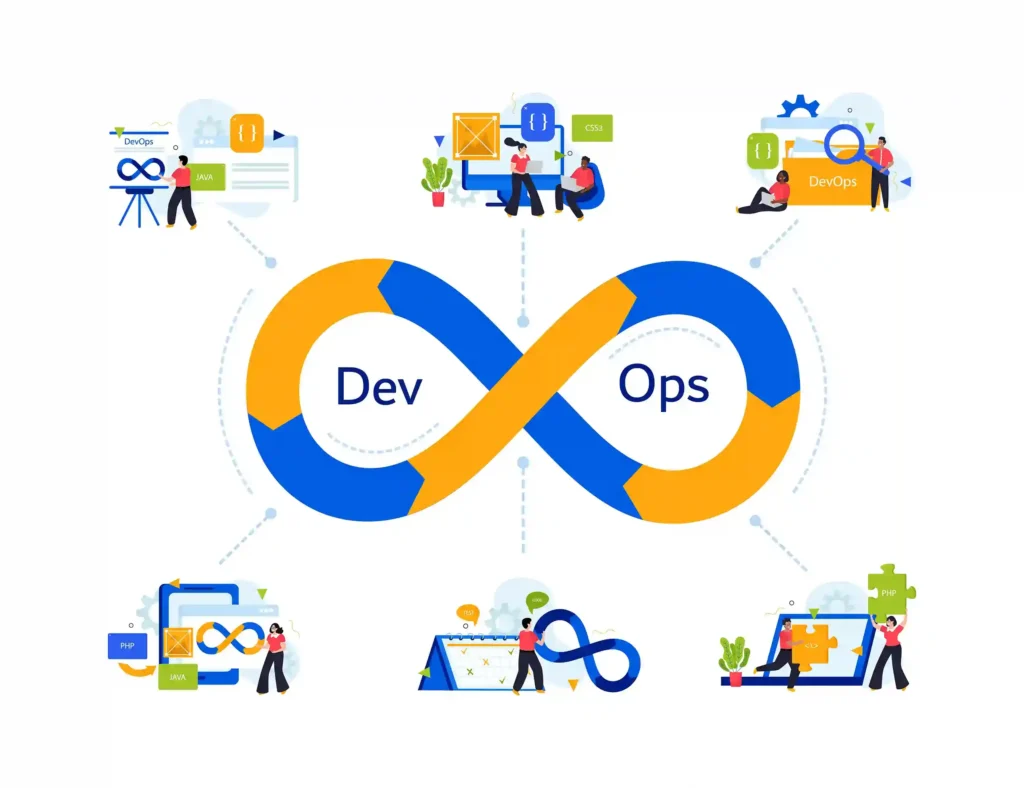
Top DevOps Tools for DevOps Lifecycle

Top DevOps Tools for Each Phase of the DevOps Lifecycle

Introduction to the DevOps Lifecycle In the fast-paced world of software development, speed, quality, and collaboration are essential. DevOps Tools provides a structured approach to achieving these goals, enabling seamless integration of development and operations. With the right tools, like those offered by IBM, teams can optimize every phase of the DevOps lifecycle to deliver high-quality software faster and more efficiently. Let’s explore the Top DevOps Tools that can optimize every phase of the lifecycle, with a focus on IBM’s cutting-edge solutions. What is DevOps? DevOps is a methodology that merges development (Dev) and operations (Ops) into a unified process. It fosters a culture of collaboration, continuous improvement, and automation. By breaking down traditional silos, DevOps ensures that teams can deliver software updates and new features faster, with fewer errors. The Evolution of DevOps DevOps emerged as a response to the inefficiencies of traditional software development models. Today, it has become the cornerstone of modern software delivery, with organizations adopting it to remain competitive in the digital age. The Role of Automation in DevOps Automation is the heart of DevOps. It eliminates repetitive manual tasks, accelerates workflows, and ensures consistency across processes, enabling teams to focus on innovation. Why Tools Are Essential in DevOps Without the right tools, achieving the goals of DevOps is almost impossible. Tools enable automation, foster communication, and ensure that every phase of the lifecycle is optimized for success. Ensuring Consistency Across Teams DevOps tools ensure that all team members—whether in development, testing, or operations—work with the same data, reducing discrepancies and enhancing collaboration. Reducing Time-to-Market By automating tasks such as testing and deployment, DevOps tools significantly shorten the time required to deliver new features or updates. Detailed Overview of the DevOps Lifecycle The DevOps lifecycle isn’t a linear process; it’s a continuous loop of phases that work together to ensure the success of software projects. Planning Phase In this phase, teams gather requirements, outline objectives, and map out a strategy for development and deployment. Tools that facilitate agile planning are critical for setting the foundation of a successful project. Development Phase The development phase focuses on coding and creating the actual product. Teams use collaborative coding tools to ensure clean, reusable, and efficient code. Build Phase During the build phase, source code is compiled into executable files. Continuous integration tools are essential here to identify and fix issues early in the process. Testing Phase Quality assurance ensures that the software is functional, secure, and meets performance benchmarks. Automated testing tools save time and catch bugs that might slip through manual processes. Release Phase The release phase is all about getting the software ready for deployment. Tools that coordinate multi-application releases make this phase more efficient and less error-prone. Deployment Phase Deployment involves delivering the product to live environments. Automated deployment tools minimize downtime and ensure a smooth user experience. Operation Phase Post-deployment, the operations team ensures the software runs efficiently. This includes managing resources, handling user feedback, and addressing operational challenges. Monitoring Phase Continuous monitoring provides real-time insights into system performance, enabling proactive issue resolution and continuous improvement. IBM DevOps Tools for Every Phase IBM’s suite of tools is designed to address the unique challenges of each phase in the DevOps lifecycle. IBM Engineering Workflow Management for Planning This tool supports agile planning, task management, and requirement tracking. Teams can streamline workflows and ensure everyone is aligned on project goals. IBM UrbanCode Deploy for Development With this tool, developers can automate the integration and deployment of code across multiple environments. It reduces manual errors and accelerates delivery. IBM Cloud Continuous Delivery for Building This tool automates build processes and integrates seamlessly with coding platforms. It’s ideal for teams looking to enhance efficiency and maintain consistency. IBM Rational Test Workbench for Testing Comprehensive testing, including functional and performance testing, is simplified with this tool. It’s an excellent choice for ensuring software quality before deployment. IBM UrbanCode Release for Releasing This tool automates release planning and coordination, reducing errors and ensuring timely rollouts. IBM Instana for Operations Instana provides real-time monitoring and insights, helping teams proactively address issues and maintain performance. IBM Cloud Monitoring for Monitoring This tool offers detailed analytics, tracks performance metrics, and generates alerts, keeping applications running smoothly. Advanced IBM Tools for Specialized Needs IBM also offers tools that address specific challenges, providing additional layers of efficiency and security. IBM Watson AI for Predictive Analytics Using AI, Watson can predict bottlenecks and recommend solutions, enhancing decision-making across teams. IBM CodeRisk Analyzer for Security This tool identifies potential vulnerabilities in the code, ensuring compliance with security standards and protecting sensitive data. IBM Z DevOps for Legacy Systems IBM Z DevOps solutions modernize mainframe applications, ensuring they align with contemporary DevOps practices. Benefits of Using IBM DevOps Tools IBM’s tools are designed to maximize the benefits of DevOps practices while minimizing common challenges. Increased Productivity Automation and streamlined workflows allow teams to focus on high-value tasks rather than repetitive manual work. Enhanced Collaboration Shared dashboards and integrated Devops tools ensure seamless communication across teams, reducing silos and improving overall efficiency. Scalability and Flexibility IBM tools are adaptable to various environments, whether on-premises, cloud-based, or hybrid setups, making them suitable for businesses of all sizes. Comprehensive Monitoring With real-time insights and advanced analytics, IBM tools help teams identify and resolve issues quickly, ensuring reliable performance. Conclusion Mastering the DevOps lifecycle requires more than just adopting a methodology—it requires the right set of tools. IBM’s robust suite of DevOps solutions provides everything needed to streamline workflows, enhance collaboration, and deliver high-quality software. By integrating these tools into your DevOps practices, your team can achieve unmatched efficiency and reliability. Lastly, if you’re seeking a trusted partner in the realm of DevOps & IoT solutions, look no further than Trident Information Systems. As a distinguished Gold Microsoft Partner, LS Central Diamond Partner, and an IBM Gold Partner, we have a proven track record of successfully serving diverse and thriving businesses. Our commitment extends to the seamless integration of DevOps practices, ensuring the highest efficiency in your

Top DevOps Tools for Each Phase of the DevOps Lifecycle Read More »