Every enterprise runs on more applications than it can easily count. A CRM here. An ERP there. A website that does not talk to either. A mobile app that syncs to a database once a night. A marketing platform that receives a weekly export. A finance system that requires manual reconciliation with the sales data that should be feeding it automatically.
This is not a technology problem. It is a strategy problem — and it compounds with every new system your business adds.
Microsoft Dynamics 365 integration services solve this at the architectural level. By connecting your Dynamics 365 environment — and every other application, data source, and process in your business ecosystem — through Microsoft Azure, Power Automate, and Microsoft Dataverse, Trident enables your organization to operate with the speed, accuracy, and agility that modern business demands.
Whether you are implementing Dynamics 365 for the first time, upgrading from a legacy ERP, or trying to rationalize a complex multi-system environment that has grown organically over years — Trident’s integration consultants will architect a solution that ensures your data flows where it needs to, when it needs to, without manual intervention, without data loss, and without the security risks that come from poorly designed integration architectures.
This is not about connecting systems. It is about connecting your business.
Why Seamless Integration Is Now a Business Imperative
The Hidden Cost of Disconnected Systems and Data Silos
Most businesses underestimate the cost of their disconnected systems — because the cost is distributed across dozens of daily processes that have been manual for so long, nobody questions them anymore.
The sales team copies data from the CRM into a spreadsheet to send to operations. The finance team waits for the month-end export from the sales system to reconcile revenue. The warehouse team checks inventory in one system and updates orders in another. The marketing team sends campaigns to a list that was last synchronized three days ago.
Each of these manual steps is a cost: time spent, errors introduced, decisions delayed, and opportunities missed. At enterprise scale, the aggregate cost of data silos is enormous — and entirely preventable with the right integration architecture.
What True Integration Looks Like in a Modern Business
True integration is not connecting two systems with a point-to-point API that breaks every time either system updates. It is a resilient, scalable integration architecture that:
- Moves data between systems automatically and in real time — or on a defined schedule when batch processing is appropriate
- Applies business logic to data as it moves — transforming, validating, and enriching it to meet the requirements of each receiving system
- Handles errors gracefully — logging failures, triggering alerts, and retrying operations without manual intervention
- Scales with your business — adding new systems, new data flows, and new integration scenarios without rebuilding the foundation
- Maintains security throughout — ensuring sensitive data is protected in transit and that access controls are enforced at every integration point
This is the integration architecture that Trident designs, builds, and maintains for organizations running Microsoft Dynamics 365 across India.
Trident’s Microsoft Dynamics 365 Integration Approach
Right Data, Right Place, Right Time — Every Time
The success of any ERP or CRM implementation depends fundamentally on data quality and data availability. A Dynamics 365 deployment that does not receive accurate, timely data from every connected system is a Dynamics 365 deployment that is not delivering its full value.
Trident’s integration philosophy is built around a simple principle: the right data, in the right place, at the right time. Our integration consultants work with your team to understand every data flow your business depends on — and architect an integration solution that makes those flows automatic, reliable, and auditable.
Our most common integration scenarios include:
- Microsoft Dynamics 365 Sales ↔ Dynamics 365 Finance and Operations — ensuring that customer, order, and financial data flows seamlessly between the front-office and back-office systems
- Dynamics 365 ↔ third-party applications — connecting your ERP and CRM to the specialized applications your business uses — HR systems, e-commerce platforms, logistics tools, payment gateways, and more
- Dynamics 365 ↔ legacy ERP systems — managing the integration layer during migration from legacy platforms, ensuring business continuity throughout the transition
- Dynamics 365 ↔ websites and mobile applications — ensuring that customer-facing digital channels are always working with current data
On-Premises, Cloud, and Hybrid Integration Capabilities
Not every business is ready to move everything to the cloud simultaneously — and not every system can be. Trident’s integration capabilities cover the full deployment spectrum:
- Cloud-to-cloud integration — connecting cloud-based Dynamics 365 with other SaaS applications through Azure API Management and Power Automate
- On-premises to cloud integration — connecting legacy on-premises systems to cloud-based Dynamics 365 through secure data gateways without exposing on-premises infrastructure
- On-premises to on-premises integration — for organizations managing complex on-premises environments during cloud migration transitions
- Hybrid integration — combining on-premises and cloud components in a single integration architecture — maximizing the value of existing infrastructure investments while progressively moving to the cloud
Microsoft Azure: The Integration Foundation
Azure Integration Services: Power, Security, and Global Scale
Microsoft Azure is the cloud platform that powers Trident’s integration solutions — providing the security, scalability, and global infrastructure that enterprise integration requires. Azure’s integration services give organizations access to:
- Azure API Management — create, manage, and secure APIs that connect every application in your ecosystem — with rate limiting, authentication, monitoring, and developer portal capabilities
- Azure Logic Apps — enterprise-grade workflow automation for complex integration scenarios — handling data transformation, conditional logic, error management, and retry policies across hundreds of connector types
- Azure Service Bus — reliable, asynchronous message queuing for high-volume, mission-critical data flows — ensuring messages are delivered even when receiving systems are temporarily unavailable
- Azure Event Grid — event-driven integration that triggers workflows automatically when specified events occur in connected systems
- Azure Data Factory — data pipeline orchestration for large-scale data movement, transformation, and loading between systems — the foundation of enterprise data integration and analytics workflows
- Azure Functions — serverless compute for custom integration logic that scales automatically with demand
Hybrid Cloud Connectivity: Maximize Value From Existing Investments
One of the most compelling capabilities of Azure’s integration platform is its hybrid connectivity — allowing organizations to connect on-premises systems to cloud services without replacing existing infrastructure.
The Azure On-Premises Data Gateway enables secure, encrypted connectivity between cloud-based Power Automate workflows and on-premises data sources — including databases, file systems, and legacy applications — without opening inbound firewall ports or compromising on-premises security posture.
For organizations managing a mixed environment of legacy on-premises systems and modern cloud applications during a digital transformation journey, this hybrid connectivity is the bridge that makes a phased approach viable.
Microsoft Power Automate: Automate Workflows Without Code
Microsoft Power Automate (formerly Microsoft Flow) is the workflow automation layer that connects everyday business applications and automates repetitive processes — without requiring any code. For business users who need to automate a specific process and for IT teams building enterprise integration workflows, Power Automate provides a no-code interface for creating automated workflows between hundreds of supported applications and services.
Multi-Step Workflows and Conditional Logic
Power Automate’s workflow engine goes far beyond simple “if this then that” automation. Enterprise-grade workflows can include:
- Multi-step sequences — chains of actions that execute in order, with each step potentially transforming or enriching the data before passing it to the next
- Conditional branching — different paths through the workflow based on the data values or conditions at each decision point
- Parallel processing — multiple actions executing simultaneously when operations do not depend on each other’s output
- Error handling — defined responses when individual steps fail — retry logic, alternative paths, and notification triggers
- Approval workflows — human-in-the-loop steps where a person must review and approve before the workflow continues
Practical examples of Power Automate integration for Dynamics 365:
- Capture leads from LinkedIn Lead Gen Forms and create records in Dynamics 365 Sales automatically — with enrichment from company data sources
- Sync customer records between Dynamics 365 and your e-commerce platform in real time when orders are placed
- Automatically create service tickets in Dynamics 365 Customer Service when negative reviews are posted on Google or TripAdvisor
- Trigger purchase order approval workflows in Dynamics 365 Finance when requisitions exceed defined thresholds
- Sync inventory levels from your warehouse management system to Dynamics 365 every 15 minutes — keeping sales and operations aligned without manual updates
Secure Data Management and Loss Prevention
Data security is not an afterthought in Power Automate — it is built into the architecture:
- Data Loss Prevention (DLP) policies — prevent sensitive data from flowing to unauthorized applications or external services through configurable connector governance rules
- Inherited application security — Power Automate inherits the security model of connected applications — including Dynamics 365’s role-based access control — ensuring that automated workflows respect the same data access boundaries as human users
- Audit logging — every workflow execution is logged, providing a complete audit trail of automated data movements for compliance and governance purposes
- Encrypted connections — all data in transit through Power Automate is encrypted — protecting sensitive business data whether it is moving between cloud services or connecting to on-premises systems
On-Premises Data Gateway: Connect Legacy Systems to the Cloud
The On-Premises Data Gateway for Power Automate enables secure connectivity to on-premises data sources — including SQL Server, Oracle, SharePoint on-premises, and file system sources — without exposing those systems directly to the internet.
This capability is critical for organizations in the middle of a digital transformation journey — where some systems have moved to the cloud but others remain on-premises for operational, compliance, or cost reasons. The gateway acts as a secure bridge — enabling cloud-based workflows to access on-premises data as if it were a cloud service.
Microsoft Dataverse: The Single Source of Truth for Your Business Data
Microsoft Dataverse (formerly Common Data Service) is the unified data platform at the heart of the Microsoft Dynamics 365 and Power Platform ecosystem — providing a standardized, secure, and governed data layer that every connected application can use as a shared source of truth.
A Unified Data Layer Across Every Business Application
Rather than each application maintaining its own separate database — with all the synchronization complexity and data inconsistency that creates — Dataverse provides a common data foundation that multiple applications share simultaneously:
- Standardized data schema — over 200 predefined business entity types (accounts, contacts, opportunities, orders, products, and more) that map directly to common business concepts — reducing the integration effort required to connect new applications
- Single source of truth — when every connected application reads from and writes to the same Dataverse environment, data is always consistent — no reconciliation, no conflicts, no stale records
- Role-based access control — fine-grained security that controls which users and applications can access which data — applied consistently across every application using the Dataverse layer
- Audit history — complete change tracking for every record — who changed what, when, and from which application
- API access — standard REST APIs give any application — including custom-built solutions, third-party tools, and partner applications — the ability to read and write Dataverse data
Dataverse Integration Use Cases
| Use Case | How Dataverse Enables It |
|---|---|
| Unified customer profile | Customer data from CRM, e-commerce, support, and loyalty systems unified in one Dataverse record |
| Cross-application analytics | Power BI connects to Dataverse for analytics that span every business application simultaneously |
| Mobile app data | Power Apps mobile applications read and write customer and operational data through Dataverse |
| Website integration | Customer portal and website forms create and update Dataverse records in real time |
| Partner and supplier portals | External stakeholders access relevant Dataverse data through governed portals without direct system access |
| AI model integration | Microsoft Copilot and custom AI models access Dataverse as the authoritative business data source |
Common Dynamics 365 Integration Scenarios Trident Delivers
Dynamics 365 Sales and Finance & Operations Integration
The most common integration requirement for organizations running Microsoft Dynamics 365 is connecting the front-office (Sales, Customer Service) with the back-office (Finance and Operations, Supply Chain). Without this integration, orders placed in the CRM must be manually re-entered in the ERP — a process that introduces errors, delays fulfillment, and prevents the sales team from having accurate inventory and delivery information when committing to customers.
Trident architects bidirectional integration between Dynamics 365 Sales and Finance & Operations that synchronizes:
- Customer and account records — created once, available in both systems
- Quotes and orders — created in Sales, fulfilled in Finance & Operations, status visible in Sales
- Product catalog and pricing — maintained in Finance & Operations, accessible in Sales
- Inventory availability — real-time stock levels visible to the sales team at the point of quoting
- Invoice and payment status — financial data visible in the CRM for account management
Dynamics 365 and Third-Party Application Integration
Most organizations running Dynamics 365 also run a range of specialized third-party applications — and the value of Dynamics 365 is maximized when those applications are properly integrated rather than operating in separate silos. Trident delivers integrations between Dynamics 365 and:
- E-commerce platforms — Shopify, WooCommerce, Magento — synchronizing orders, customers, and inventory
- HR and payroll systems — ensuring employee data is consistent across Dynamics 365 and HR platforms
- Payment gateways — PayPal, Razorpay, Stripe — connecting payment transactions to CRM and financial records
- Logistics and shipping platforms — FedEx, DHL, India Post — connecting shipment tracking to Dynamics 365 order management
- Marketing automation platforms — HubSpot, Mailchimp, Marketo — synchronizing contact data and campaign responses
- Business intelligence tools — connecting third-party BI platforms to Dynamics 365 data
Website and Mobile Application Integration
Customer-facing digital channels — websites, mobile apps, and customer portals — generate data that is only valuable if it flows into your CRM and ERP in real time. Trident delivers:
- Lead capture integration — web forms and landing pages that create leads directly in Dynamics 365 Sales without manual import
- Customer portal integration — self-service portals that read from and write to Dynamics 365 in real time — giving customers live access to their orders, service tickets, and account information
- Mobile application integration — iOS and Android apps connected to Dynamics 365 through Azure API Management — providing field teams, delivery drivers, and service technicians with real-time data access
Legacy ERP to Dynamics 365 Migration and Integration
For organizations migrating from legacy ERP systems — including older Dynamics AX versions, SAP, Oracle, or custom-built platforms — to Dynamics 365, the integration layer during transition is critical to maintaining business continuity.
Trident designs migration integration architectures that:
- Maintain parallel operation of legacy and new systems during the transition period
- Synchronize data between systems in real time or on a defined schedule — ensuring both platforms are operating with current data
- Provide a controlled cutover process — with validation checkpoints that confirm data integrity before the legacy system is decommissioned
- Preserve historical data — migrating the transaction history and master data from the legacy system into Dynamics 365 with full audit trail
Microsoft Power Platform: Extend and Connect Your Business Applications
Power Apps: Custom Applications Connected to Your Data
Microsoft Power Apps enables organizations to build custom business applications — connected directly to Dynamics 365 and Dataverse — without traditional software development. For integration scenarios that require a custom user interface for specific business processes, Power Apps provides:
- Canvas apps for highly customized interfaces tailored to specific workflows
- Model-driven apps that leverage Dataverse’s standard entity structure for rapid development
- Mobile-optimized apps for field teams, technicians, and remote workers
- Portal apps for external stakeholder access — customers, suppliers, and partners
Power BI: Unified Analytics Across Every Integrated System
When your systems are properly integrated through Dataverse and Azure, Power BI can deliver analytics that span your entire business ecosystem — not just individual system silos. Trident builds Power BI solutions that connect to:
- Dynamics 365 for CRM, sales, and customer service analytics
- Finance and Operations for financial and supply chain reporting
- Third-party applications integrated through Dataverse or Azure
- On-premises data sources through the On-Premises Data Gateway
- External data sources including market data, industry benchmarks, and competitor intelligence
The result is a unified business intelligence environment where every decision-maker has access to the complete, current, and accurate data they need — regardless of which system it originated in.
Integration Methods: How Trident Architects Your Solution
API-Based Integration
API integration connects systems through published application programming interfaces — enabling real-time, bidirectional data exchange between applications. Trident uses API integration when:
- Real-time data synchronization is required — for example, inventory availability visible to the sales team at the moment of quoting
- The integration needs to be triggered by a specific event — a new order, a status change, or a customer record update
- The connected systems have well-documented, stable APIs that support reliable integration
Event-Driven Integration
Event-driven integration uses Azure Event Grid or Service Bus to trigger integration workflows when specific business events occur — rather than polling systems on a schedule. This approach delivers:
- Near-real-time integration without the overhead of continuous polling
- Reliable message delivery even when receiving systems are temporarily unavailable
- Scalability — event-driven architectures handle volume spikes without degradation
- Loose coupling between systems — reducing the impact of changes in one system on others
Batch and Scheduled Integration
For data flows where real-time synchronization is not required — or where the volume of records makes event-driven processing impractical — batch integration processes data on a defined schedule using Azure Data Factory:
- Nightly synchronization of large data volumes — product catalogs, customer master data, historical transactions
- Periodic reconciliation of financial data between operational and reporting systems
- Scheduled report generation and distribution using current integrated data
Why Integration Projects Fail — and How Trident Prevents It
Integration projects are among the highest-risk technology initiatives an organization can undertake — and they fail more often than they succeed when approached without the right methodology. The most common failure causes are:
| Failure Cause | Trident’s Prevention Approach |
|---|---|
| Unclear data ownership | Define authoritative source systems for every data entity before design begins |
| Insufficient error handling | Design failure scenarios and recovery processes before building happy-path flows |
| Point-to-point integration debt | Architect for scale from the start — not just the immediate integration requirement |
| No testing methodology | Structured integration testing covering volume, error, and edge cases before go-live |
| Undocumented integration layer | Full technical documentation of every integration point, data mapping, and business rule |
| No monitoring and alerting | Azure Monitor and custom alerting ensure issues are detected and resolved proactively |
| Scope creep during build | Detailed integration specification agreed and signed off before development begins |
Organizations working with Trident for Microsoft Dynamics 365 integration consistently achieve measurable outcomes:
- Elimination of manual data re-entry between sales, operations, and finance systems — saving hours of staff time per day
- Reduction in data errors through automated validation and transformation replacing manual processes
- Faster order-to-fulfillment cycles through real-time integration between CRM and ERP
- Improved customer-facing data accuracy — inventory, pricing, and delivery commitments based on live system data
- Accelerated digital transformation timelines through reusable integration components built on Azure and Power Platform
Why Trident Is India’s Trusted Microsoft Integration Partner
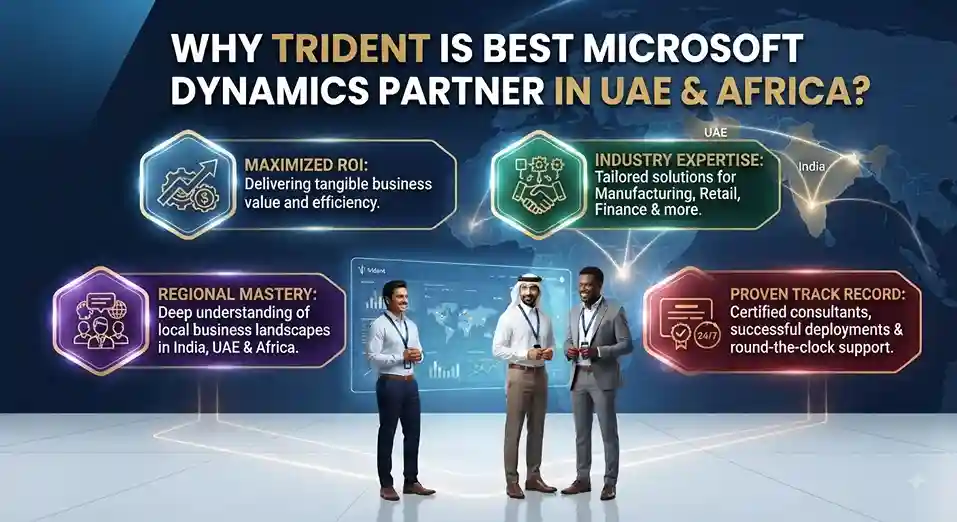
Trident Information Systems is a trusted consulting and technology services partner with deep expertise in driving digital transformation across Manufacturing, Retail, Hospitality, Logistics, Services, and more. With a strong presence in India, the U.S., UK, UAE, Africa, and a rapidly expanding footprint in Southeast Asia, Trident has successfully delivered over 250+ customer engagements. These include smart manufacturing with intelligent shop floor automation, retail digitalization spanning 3,000+ stores, and IoT-driven asset management covering 400+ assets across 150+ locations.
Beyond infrastructure and operations, Trident excels in business applications (Microsoft Dynamics 365 ERP, CRM, O365, Azure, Power BI, Power Platform, Salesforce) and Data & AI services in collaboration with Microsoft and IBM. What truly sets them apart is their exclusive Managed Talent Services unit, designed to help organizations jumpstart digital transformation engagements quickly and effectively—bridging the gap between strategy and execution with the right skills at the right time.
As a certified Microsoft Azure and Dynamics 365 partner, Trident Information Systems brings over a decade of integration architecture experience — delivering enterprise integration solutions across manufacturing, retail, financial services, logistics, and professional services organizations in India.
Our integration consultants combine deep Microsoft platform expertise with genuine business process knowledge — ensuring that every integration solution we architect not only connects the right systems, but connects them in a way that reflects how your business actually operates.
Ready to connect your business ecosystem? Book a free integration assessment with Trident today — and discover exactly how quickly your organization can eliminate the data silos that are limiting your operational performance. For more insightful content and industry updates, follow our LinkedIn page.
FAQs
Q: What Microsoft Dynamics 365 integration services does Trident provide?
Trident provides end-to-end Microsoft Dynamics 365 integration services — connecting Dynamics 365 with third-party applications, legacy ERP systems, websites, mobile applications, and other Dynamics 365 modules through Microsoft Azure, Power Automate, and Microsoft Dataverse. Our integration consultants design, build, and maintain integration architectures for both cloud-to-cloud and hybrid on-premises-to-cloud scenarios.
Q: What is Microsoft Dataverse and how does it support business integration?
Microsoft Dataverse (formerly Common Data Service) is the unified data platform at the heart of Microsoft Dynamics 365 and Power Platform. It provides a standardized, secure data layer — with over 200 predefined business entity types — that multiple applications can share simultaneously, eliminating data silos and ensuring every connected system works from a single, consistent source of truth.
Q: How does Microsoft Power Automate differ from traditional integration tools?
Microsoft Power Automate (formerly Microsoft Flow) provides no-code and low-code workflow automation — allowing business users and IT teams to create automated workflows between hundreds of applications without traditional programming. Unlike point-to-point custom integrations, Power Automate workflows are built on Azure infrastructure with built-in security, error handling, monitoring, and scalability.
Q: Can Trident integrate Dynamics 365 with legacy on-premises systems?
Yes. Trident delivers hybrid integration solutions that connect cloud-based Dynamics 365 with on-premises legacy systems through Microsoft Azure’s On-Premises Data Gateway and Azure Integration Services. This approach maintains on-premises security while enabling cloud-based automation — making it suitable for organizations managing a phased digital transformation.
Q: What are the most common Dynamics 365 integration scenarios?
The most common Dynamics 365 integration scenarios include connecting Dynamics 365 Sales with Finance and Operations for order-to-cash automation, integrating e-commerce platforms with Dynamics 365 for real-time inventory and order management, connecting HR and payroll systems to Dynamics 365, and integrating customer-facing websites and mobile apps with Dynamics 365 CRM data.