
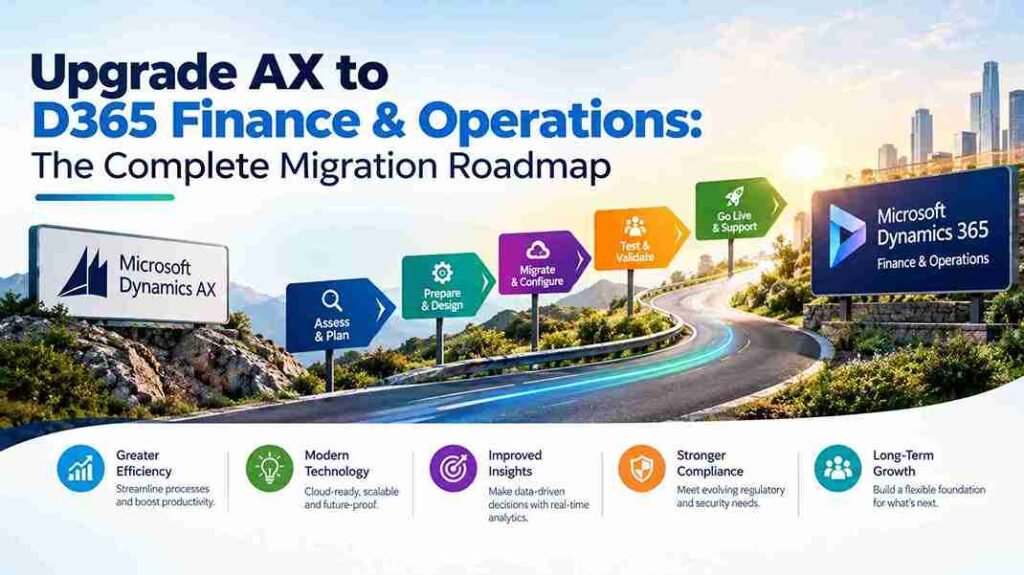
Microsoft Dynamics AX has served enterprises well for over a decade, but the platform’s future is firmly in the cloud. Dynamics 365 Finance & Operations is the direct successor to AX, and for organizations still running AX 2012 or AX 2009, the migration question has moved from “if” to “when.”
This roadmap explains the upgrade paths available, the decisions that determine success, and how to plan an AX to D365 Finance & Operations migration that protects your investment and minimizes disruption.
Why Upgrade AX to D365 Finance & Operations Now
AX is not receiving new feature investment. Microsoft’s ERP development is concentrated entirely on Dynamics 365. The practical consequences compound annually:
Support windows are closing. AX 2012 extended support ends in 2026. AX 2009 support has already ended. After these dates, no security patches, tax updates, or compliance fixes are provided.
Talent is migrating. Experienced AX developers and consultants are reskilling to D365. Finding AX expertise becomes harder and more expensive every year.
Integration is degrading. AX cannot natively connect to Power Platform, Azure AI, Microsoft 365, or modern analytics tools. Every integration requires custom work that D365 handles out of the box.
Total cost is rising. Maintaining aging infrastructure, custom code, and scarce specialists costs more each year while delivering zero innovation.
Understanding Your AX Upgrade Path
The path depends on which AX version you run—and the difference is significant.
AX 2012 to D365 Finance & Operations
AX 2012 has a defined migration path through AX 2012 R3. If you run an earlier AX 2012 version (RTM, Feature Pack, R2), you must first upgrade to R3 before migrating to D365.
Microsoft provides tooling for this path, but it is a data migration and reimplementation—not a technical upgrade. Your data moves; your customizations largely do not.
AX 2009 to D365 Finance & Operations
AX 2009 has no direct upgrade path to D365. Unlike AX 2012, there is no automated migration tool. Organizations running AX 2009 face a full reimplementation: data extraction, cleansing, and reload; process redesign; and complete customization rebuild.
This makes AX 2009 projects longer and more expensive—but no less necessary.
The Complete AX to D365 Migration Roadmap
Phase 1: Assessment and Business Case
Document your AX environment comprehensively:
- Which AX version you run (2012 RTM, FP, R2, R3, or 2009)
- Modules in use (Finance, Supply Chain, Manufacturing, Retail, Projects)
- Customizations and their business purpose
- Integrations with banking, tax, CRM, EDI, and third-party systems
- Data volume—master records, open transactions, historical data
- User count and role distribution
Build a business case comparing migration cost against continued AX maintenance. Include license savings, infrastructure reduction, productivity gains, and risk cost of running unsupported software.
Phase 2: Decide Your Migration Approach
Three approaches exist, each with distinct trade-offs:
Full migration. Migrate all data and convert all customizations to D365 extensions. Preserves history and custom functionality. Highest effort and cost.
Data-only migration. Migrate master data, open transactions, and required history. Adopt D365 standard processes. Rebuild only essential customizations. Balanced approach for most organizations.
Phased migration. Go live with core finance first, then add supply chain, manufacturing, or other modules in subsequent phases. Reduces risk and spreads cost.
Most mid-market organizations choose data-only migration or a phased approach.
Phase 3: Customization Triage
This is where AX migrations succeed or fail. D365 Finance & Operations supports extensions instead of over-layering—a fundamental architectural change from AX.
For each AX customization, ask:
- Does D365 standard functionality already cover this?
- Can configuration replace the customization?
- Can a Power Platform app or AppSource solution handle this?
- Is the customization still delivering business value?
Typically, 50–70% of AX customizations can be eliminated rather than rebuilt. This reduces cost, simplifies future updates, and improves system performance.
Phase 4: Solution Design
Map your AX processes to D365 Finance & Operations capabilities. Key design decisions include:
- Chart of accounts and financial dimensions—critical for reporting and consolidation
- Number sequences and posting profiles
- Tax configuration for each jurisdiction
- Integration architecture using Dataverse, dual-write, and Azure services
- Security roles and segregation of duties
A certified partner experienced in AX to D365 Finance & Operations migration accelerates this phase significantly.
Phase 5: Data Migration
Use Microsoft’s Data Management Framework (DMF) and Data Entities to extract AX data, cleanse it, and load into D365.
Critical decisions:
- Which historical data to migrate versus archive
- How to handle data quality issues discovered during extraction
- How to validate migrated data before go-live
Test migration repeatedly in a sandbox environment. Migrating dirty data simply transfers old problems to a new system.
Phase 6: Testing and Validation
Conduct structured testing across all phases:
- Unit testing of configured modules
- Integration testing with connected systems
- User acceptance testing with actual business users performing real tasks
- Performance testing with production-scale data volumes
Document and resolve every issue before go-live. Rushed testing produces painful hypercare.
Phase 7: Training and Change Management
D365 Finance & Operations differs substantially from AX in interface, workflows, and navigation. Role-based training is essential.
Effective change management includes:
- Super-user identification and early training
- Role-specific training materials
- Hands-on practice in a test environment
- Communication about what is changing and why
Phase 8: Cutover and Go-Live
Plan a detailed cutover covering:
- Data freeze period
- Final migration execution
- Validation checkpoints
- Contingency plans for issues
- Support availability during go-live week
Schedule go-live during a low-activity business period—avoiding month-end, year-end, and peak seasons.
Phase 9: Hypercare and Optimization
Provide 4–12 weeks of intensive post-go-live support. Monitor system performance, resolve issues rapidly, and gather user feedback. Conduct optimization reviews as users mature.
Realistic Timeline Expectations
| Company Size | Typical Timeline |
|---|---|
| Small (1 entity, core finance) | 6–9 months |
| Mid-market (multi-module) | 9–15 months |
| Enterprise (multi-entity, global) | 15–24 months |
AX 2009 projects typically run longer than AX 2012 projects due to the full reimplementation requirement.
Timeline depends on module scope, customization complexity, data volume, and integration requirements.
Choosing the Right AX to D365 Partner
Your partner determines whether migration finishes on time and on budget. Verify:
Proven AX migration experience. How many AX 2012 or AX 2009 migrations have you completed? Request references from projects with similar customizations.
Current Microsoft designations. Verify Solutions Partner status in Microsoft’s directory—not just legacy Gold Partner claims.
Customization conversion expertise. How do you approach C/AL or X++ code conversion to D365 extensions? What percentage of customizations do you typically eliminate?
Data migration methodology. What tools and validation checkpoints do you use?
Post-go-live support model. What does hypercare include, and what are the ongoing support terms?
Common AX Migration Mistakes
Treating it as a technical upgrade. AX to D365 is a business transformation. Plan change management from day one.
Migrating every customization. Challenge each one. Many existed only because AX lacked features D365 already provides.
Underestimating data quality. Budget significant time for cleansing. Poor data undermines user confidence immediately after go-live.
Skipping user acceptance testing. Users who discover problems after go-live lose trust in the system and the project.
Delaying the decision. Every year of delay increases cost, reduces partner availability, and shrinks your options.
Final Thoughts
Upgrading AX to D365 Finance & Operations is a significant undertaking, but it is also one of the highest-value technology decisions available to legacy Microsoft ERP users. With proper assessment, disciplined customization triage, and an experienced migration partner, the transition delivers modern capabilities, lower long-term costs, and a platform built for the future.
The AX support window is closing. The organizations that plan now will migrate calmly; those that wait will migrate under pressure.
Ready to plan your AX to D365 migration? Contact a certified Microsoft partner for an assessment and roadmap.

