Welcome to Trident Information Systems!
Any Query? Write us to - info@tridentinfo.com
Let's Socialize

Business ERP ERP Software ERP and CRM Software

How LS Central Helps in reducing manual errors and improving accuracy for Retail Operations

In the fast-paced retail industry, accuracy and efficiency are paramount. Any errors, however small, can have a significant impact on a retailer’s bottom line. That’s where LS Central comes in – an integrated software solution designed to streamline and automate retail operations. In this blog, we will explore how LS Central helps in reducing manual errors and improving accuracy for retail operations, and how a trusted partner like Trident can assist with LS Central implementation and support. Automated Processes: One of the key features of LS Central is its ability to automate many retail processes. From inventory management to sales order processing, LS Central reduces the need for manual input and minimizes the chances of errors. For example, inventory levels can be automatically updated when a sale is made, which reduces the risk of overselling or underselling a product. Additionally, the automated processing of purchase orders and sales orders ensures that retailers can fulfill orders efficiently, without having to rely on manual processing. Centralized Data Management: LS Central provides a centralized database that stores all retail data, including sales, inventory, and customer information. With this centralized data management, retailers can access accurate, up-to-date information in real-time, which helps them make better business decisions and avoid errors. For instance, retailers can quickly see which products are selling well and which are not, and adjust their inventory levels accordingly. They can also use this data to gain insights into customer behavior, and tailor their marketing strategies to better meet their customers’ needs. Integrated Solution LS Central is an integrated software solution that allows retailers to manage all aspects of their operations in one place. This eliminates the need for multiple systems, which can lead to data discrepancies and errors. For example, retailers can use LS Central to manage their point-of-sale (POS) system, e-commerce platform, inventory management, and accounting all from one place. This not only reduces the risk of errors but also increases efficiency, as retailers no longer need to switch between multiple systems to manage their operations. Trident – The Best LS Central Implementation Partner As LS Retail Diamond & Implementation Partner, Trident is well-positioned to help retailers implement LS Central and ensure that they get the most out of the solution. With years of experience and a team of highly skilled professionals, Trident offers a range of LS Retail support, resources and implementation services to ensure a smooth and successful implementation. Trident offers a comprehensive LS Central implementation package that includes everything from project management to testing and training. Their implementation process is designed to minimize disruption to retailers’ operations and ensure that LS Central is up and running as quickly as possible. They also provide ongoing support to help retailers get the most out of LS Central and ensure that any issues are resolved quickly and efficiently. Conclusion In conclusion, LS Central is a powerful tool that can help retailers reduce manual errors and improve accuracy in their operations. Its automated processes, centralized data management, and integrated solution make it an ideal choice for retailers looking to streamline their operations and gain insights into their business. Partnering with a trusted implementation partner like Trident can help ensure that the implementation process is smooth and successful, and that retailers get the most out of LS Central. So, if you’re looking to improve the accuracy and efficiency of your retail operations, LS Central and Trident are the perfect partners to help you achieve your goals. For further information, you can Contact Us anytime. Our team will be happy to help you.

How LS Central Helps in reducing manual errors and improving accuracy for Retail Operations Read More »

ERP for Retail

How Does ERP for Retail Help You Cut down Retail Queues?

Did you know that long queues can make customers not want to come back to your store? About 70% of customers in a poll even said that they will not want to return to a particular store where they had to stand in long queues. LS Retail is a cloud-based ERP for Retail that helps retailers to manage their stores efficiently. It provides an end-to-end solution for managing all aspects of retail operations, including inventory, sales channels, and Customer Relationship Management.   LS Retail ERP helps retailers to connect with their customers efficiently using a real-time interface. The product has been designed in such a way that it can easily be integrated into existing ERP systems or any other applications that you might have deployed on your business premises.  In this blog, we will further discuss how LS Retail helps cut down queues in your retail store.   How Can You Reduce Queues in Retail Stores?  Customer service is one of the most important aspects of the retail business. It is a crucial part of your business and can help you to achieve success in it. Given below are some tips to help you eliminate queues and make customers happy:  Install More Mobile POS  Without having to construct additional checkout lines or pay for additional software features, wouldn’t it be convenient to have more POS machines available during peak hours? This is now possible because sophisticated point-of-sale (POS) software can run on tablets and smartphones, allowing you the ability to add mobile point-of-sale (mPOS) devices as needed and then store them away when business is slow. With mobile POS, your workers can scan things and take card payments right away, reducing wait times at the register. Anywhere on the shop floor, mobile POS can be used to give services, such as checking an item’s availability or description.  Set up a Different Space for Complex Transitions  Simple transactions such as buying and paying for the same usually flow smoothly. However, they are not the only transaction types that can be seen in retail stores. Some customers would want to exchange an item, redeem their loyalty points, sign up for a subscription, and so on. For such transactions, it is always smarter to set up a dedicated counter for the customers. An ERP for Retail can help you manage everything on the same platform. It becomes easier to manage everything when you have the same database.   Choose an Intuitive POS   Expect irritated personnel, unhappy customers, and long queues in your store if your checkout system is difficult to understand and difficult to operate. Because the (sometimes very young) employees have to use a booklet with codes to register things without a barcode, there is a supermarket chain They avoid on the weekends. Processing a cartload of various veggies can take a while at the register since the cashier must first try to identify the item in the plastic bag before looking up the relevant code in the booklet. And guess what if he’s wrong? Oh, he must call for a manager.  You may speed up processes at the register and reduce training periods by selecting an ERP for Retail with an intuitive Point of Sale system with a simple-to-use interface and quick learning curve (a great plus, especially if staff turnover is high in your store). Learn what qualities to look for in a retail point of sale and choose software that can help your company.  A single line has several benefits: first, no server is idle while there are still customers waiting; second, the waiting time is the same for everyone, even if one register gets stuck for any reason; and finally, a single line feels “fairer” to those waiting because they know they will be served in the order of arrival.  Get an ERP for Retail   When choosing new software, search for platforms that have a reputation for being dependable and quick to process transactions. You don’t want to end up in long lines or lose clients because of technical difficulties or because “the computer is stuck again!” One of our customers told us a horrifying tale about their old point-of-sale system failing in the middle of the Christmas Eve rush. The systems in their main store went down due to one of our cash registers locking up. They had to manually handle each transaction by writing it down, which resulted in long lineups outside the store. That day, they easily lost $20,000, and who knows how it will affect repeat business in the future. They concluded that reliability is the most crucial factor to consider while selecting a system. The business is now content to use LS Central  ERP for Retail.  Summing Up  Long lines could be a wonderful problem to have since they indicate how well-liked your store is. However, this translates to delayed service, boredom, and stressed-out staff members for your customers. Customers wait eagerly for establishments without cashiers and lines, but you may move things forward by cutting down on wait times by following the tips above and getting an ERP for Retail. Please get in touch with us if you need assistance identifying the appropriate technology to enhance the shopping experience in your establishments. Trident Information Systems is a D365 Gold Partner and LS Central Diamond Partner.

How Does ERP for Retail Help You Cut down Retail Queues? Read More »

Business Central Upgrade

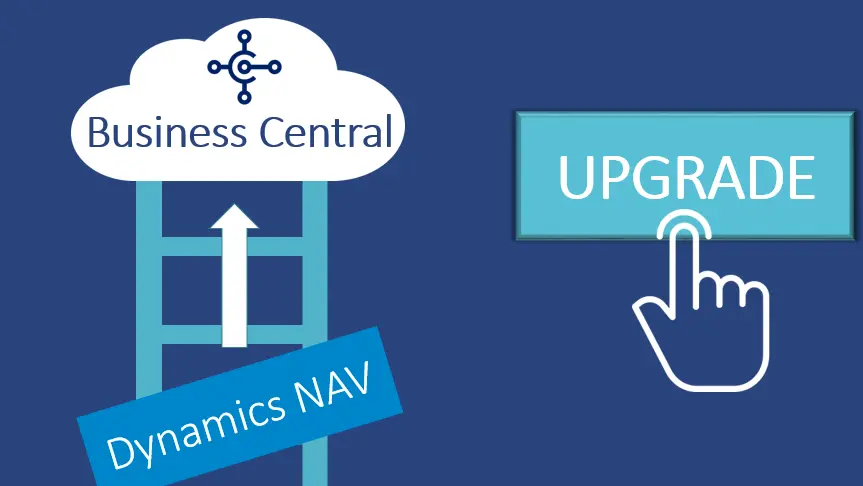
6 Reasons Why You Should Choose Business Central Upgrade

 Dynamics NAV (Navision) is one of the most widely used ERP solutions globally. It has established a reputation for its ubiquity and adaptability to suit a variety of enterprises and industries. However, do you think it’s time to replace your obsolete Microsoft Dynamics NAV system with a Business Central Upgrade? You would have relied on your Dynamics NAV system for years. However, you may now notice foundational fractures and rising maintenance expenditures. Therefore, you need a system that can handle more and speed up processing as your firm expands.  Why Do You Need a Business Central Upgrade?  Upgrade NAV to BC as It’s an agile and durable solution that expands your business. Therefore, It incorporates Dynamics NAV capabilities as well. Furthermore, Microsoft has invested millions of dollars in developing this technology. Moreover, they have emphasized assisting businesses in operating the way their business owners want. Evidently, this technology has developed into much more than simply an ordinary ERP platform.   Hence, with automatic updates, highly tailored software systems, and individualized add-ons the software matches the business’s every unique need.  Microsoft aspires to assist businesses via their digital changes through Business Central Upgrade. Thus, If you’re looking to Upgrade Dynamics NAV Solution, these are the top 6 reasons why Business Central is a wise, strategic choice:  #1 Business Central Is Simple to Pick Up and Use  Even with its sleek new web-based interface, Business Central still has the familiar Microsoft Office look and feel. Furthermore, it offers integration capabilities with the entire suite of Microsoft products. Therefore, Upgrading to Business Central doesn’t require a steep learning curve. Users appreciate how their personalized information presents more clearly, notably through improved dashboards and the use of graphs.  #2 It Is Easily Adaptable for Expansion  Business Central now has access to all the features of the most widely used mid-market ERP system in the world. Further, the Business Central Upgrade is smooth, and the system scales with your company. Therefore, you can put as much of it into practice right away as you’d like. Besides, you will never require another system implementation or update after this one.  #3 Automatic Upgrades Twice a Year While Your Customization Stays Intact  Dynamics 365 Business Central addresses the time and upgrading issues. Business Central  ensures the partners and customers can add third-party business apps or other customizations. Therefore, not changing the core system and not influencing the upgrade path. However, with NAV upgrades, the changes to the fundamental code must be undone before an upgrade. Thus, depending on how complicated the environment is, this could take months to finish.  #4 A Variety of Customizable Deployment Options  From private to public cloud deployment choices, Business Central offers a variety of alternatives. They are designed to integrate easily with other Microsoft apps. Therefore, users no longer need to worry about on-premises solutions’ expensive hardware, operating systems, and maintenance costs. All thanks to Microsoft’s proactive move to a cloud-based ERP system. Nevertheless, you may still install Business Central locally if you like. However, doing so may prevent you from taking advantage of premium integration with state-of-the-art Dynamics and Azure services.  #5 Business Central Incorporates Every Dynamics NAV Capability   Some people might hesitate to get a Business Central Upgrade and assume that Business Central is a very different solution. Since, it is a brand-new development platform, they perceive it to be different from NAV. For the people who create software, this might be true. Nonetheless, most of the comprehensive business code architecture and processing algorithms of NAV are still included in the Business Central Base Application. Furthermore, these features have only recently been improved, tested, and further developed over a long period.  #6 Business Central Scales with Your Business  Visual Studio, a cross-platform, open-source development environment, is the basis for Business Central’s multi-language development environment. Furthermore, with the.AL Extension for Visual Studio, developers can extend Business Central by creating specialized apps for a specific customer. For instance, AppSource, Microsoft’s ever-expanding app marketplace, allows developers to publish these apps for sale.   You must get a Business Central Upgrade, or you may lag in the competition. If you are looking for Microsoft Business Central Implementation Partner, you can Contact Trident Information Systems. We are Gold D365 Implementation Partner and LS Retail Diamond Partner. Every business is different and have different needs. Nevertheless, Trident has always satisfied customers with their excellence.

6 Reasons Why You Should Choose Business Central Upgrade Read More »

AX to D365 Finance and Operation Migration

5 Reasons to Upgrade Your Dynamics AX if You Haven’t Already

Keeping up with rapidly changing technologies is a crucial duty for businesses seeking success. It is critical to stay on the latest technology to thrive in the market. Therefore, AX to D365 Finance and Operation Migration is also extremely critical. There are plenty of reasons behind it: Dynamics AX 2012’s mainstream support from Microsoft ceased in October 2021, hence AX to D365 Finance and Supply Chain Management Upgrade is in demand.  Finance, SCM, or Dynamics 365 commerce are in demand these days. Nevertheless, there is another reason you should get rid of D365 AX. That is, Microsoft hasn’t upgraded Dynamics AX in a while, thus it’s gradually losing much of its usefulness.  Furthermore, on-premises infrastructure will only push you back when most enterprises are moving to the cloud. In brief, implementing AX to D365 Finance and Operation Migration will eventually help you survive in this fiercely competitive market.  This blog will further discuss the advantages of D365 Migration for your company.  What Will You Get After AX to D365 Finance and Operation Migration?  Given below are the top 5 advantages of AX to D365 Finance and Operation Migration, and how it will let your business become more productive.   Cloud-based Solution   The architecture is the primary factor in choosing D365 F&O over Dynamics AX. Because Dynamics AX is an on-premises platform, users are required to host the application on local servers. Whereas, Microsoft Cloud Azure service hosts and powers Dynamics 365, a cloud-based software.  The fact, that the entire ecosystem is managed by the service provider, is the greatest convenience of using cloud-based services. Besides, Dynamics 365 allows access whenever you want on any OS or browser.  Regular Updates   The constant improvement is just another convincing argument to Upgrade AX to D365 Finance and Operation Module. When you select D365 F&O, you can get frequent software upgrades increasing the functionalities of your program. Three updates in a row can also be paused thanks to technology.  You can decide the features to enable or deactivate, and it’s not necessary to download all the updates. And gaining access to the latest technology will help you increase your firm’s productivity, profitability, and sustainability. Further, the routine system upgrades absolve your IT staff of the duty of managing or upgrading the software.  Robust and Innovative Features   After AX to D365 Finance and Operation Migration, you can get a creative and expansive set of D365 features. In fact, according to reports, D365 has about 3700 features and specialized solutions designed for particular businesses.  These characteristics are linked to several horizontal tasks. Product technology, sales management, manufacturing management, inventory management, financial accounting, and human resources management are what you can expect here.  D365 F&O is the all-in-one ERP System every firm needs because of how these features and functions interact. In addition, these components work together to greatly improve corporate performance. Thus, providing productivity and customer satisfaction.  Intuitive Interface  The user interface is one of the most obvious differences between Dynamics AX 2012 and D365 F&O. Users have to use Dynamics AX from the desktop, and it has a standard ERP user interface. In contrast, Dynamics 365’s user interface is cutting-edge and approachable. It is accessible via web and mobile browsers, unlike Dynamics AX, allowing users to utilize it whenever they choose. An internet connection and a gadget are all you need to get started.  Moreover, the Workspaces component of the Dynamics 365 F&O interface allows users to create unique queues and links to assist them with daily chores. Overall, the user-centric design of Dynamics 365 eases user access to services more quickly while improving innovative and team experiences.  Scalable   Being a Cloud-based ERP Solution, Dynamics 365 enables services to be scaled as and when necessary. Therefore, with AX to D365 Finance and Operation Migration, you can extend your services as your business expands. Besides, this suggests that you won’t need to put down a sizable deposit. Furthermore, as your business expands, you can start with the bare minimum package of services and progressively add more resources.  Again, you can alter the level of service provided based on the size of your team, your budget, and the modules and apps your team needs. As a Result, making D365 F&O a more affordable option thanks to its subscription-based approach. Due to no resource waste, you just pay for the services you use rather than a whole bundle. Microsoft D365 is well renowned among enterprises for a reason after all. It is neither messy, nor out-of-your budget. Summing up, by utilizing the possibilities of Microsoft Dynamics 365, Power Platform, Azure Cloud Platform, and our distinctive, sector-specific services, Trident Information Systems, a Microsoft Gold Certified Partner, helps companies create the optimal digital transformation strategy. If AX to D365 Finance and Operation Migration is of interest to you. Please Contact Us Here Now.

5 Reasons to Upgrade Your Dynamics AX if You Haven’t Already Read More »

Restaurant Application

Boost Restaurant Sales Performance in 7 Steps

With the rapid evolution in the hospitality industry, one can either match the pace or fall behind in the competition. Many implement a Restaurant Application, and many employ a couple of them. The global health crisis has dealt hospitality one of the greatest challenges of all time. Unfortunately, some restaurants might never reopen, and the survivors find themselves in a different market environment. Dividing tables and plexiglass screens, mandatory masks, and gloves. Sanitizer stations and temperature checks have become commonalities among all restaurants now.   Reopening restaurants is a baby step toward getting back to normal. The customers are also trying to adapt to this antipodal dining experience. New laws abiding is mounting pressure on restaurants to comply with sanitary requirements and provide the best dining experience at the same time.   Through this blog’s medium, we are sharing the top 7 steps to increase sales performance. For instance, having effective and visible hygiene routines, proactively protecting staff and customers, helping to enforce social distancing, and so on. If you feel hooked so far, read it further.   #1 Off-Premises Dining Using a Restaurant Application  Nothing is better than enjoying food from your home’s comfort. This trend has driven the recent years. In 2018, according to some researchers, home deliveries contributed 59% of restaurant sales. However, the stakes have changed since this pandemic has accelerated the trend.   Restaurants that branched out to home delivery services are the ones that could successfully survive the pandemic. It made sense to keep the home delivery services running, even after reopening all the restaurants. There could be some customers who might feel uneasy when it comes to dining in. Provide off-premises dining operations and manage them with Restaurant Application.  #2 Enforce Social Distancing   Screens, Booths, table dividers, private rooms, taped-off tables and seats, and clear floor markings have become the new yardsticks. Restaurants establish efforts in enforcing social distancing. A Vision Quality Analysis can also help you monitor social distancing implementation.   Some restaurants have even adopted crazy hacks such as placing mannequins on alternate seats and encouraging customers to wear big hats. Although these attempts might lighten up the environment, social distancing is something you cannot take casually. While makeshift booths and plexiglass might affect your restaurant ambiance, customers are getting accustomed to the changes at least for the short to medium term. You can employ Restaurant POS Software that promotes contactless ordering and payment. LS Retail is one of the latest Restaurant Application which provides distance-friendly features to the customer.  #3 Introduce New Menus   Restaurants are being smarter by introducing new menus and pop-ups to their customers. Rescheduling their tactics and opening up to more viable options to reach as many customers as possible will generate sales as well as retain jobs. Dine-in is not something customers require these days.   Using a Restaurant Application can do the market analysis on your behalf. It is better to understand market situations as well as customers to make strategies easily.  #4 Enforce Contactless Ordering and Payment   Consistent restaurant reforms in payment methods drive contactless payments. The widespread adoption of PIN, chip, and contactless payment terminals has made transaction recording easier for restaurants. Apart from this, they obtain convenience, safety, and speed. Restaurant Management Software can make this easier.  For instance, in McDonald’s, contactless payment terminals are established in all their chains, combined with protective panels on counters and drive-through services. Kiosks remain limited, with table tents, screens, and keypads being sanitized after each use.   Restaurants are holding on to this opportunity and moving to Restaurant POS Solution to support contactless payments, invisible payments, and digital wallets. Those leading the way, pick a comprehensive payment and management Restaurant Application that keeps them going with ongoing market dynamics with ease.         #5 Loyalty Programs   Nothing draws customers more than loyalty programs. Read your customers through their transactional history and preferences. Carefully designed offers meals and discounts for individuals or a classified set of customers. Encouraging deliveries is the best way to comply with the social distancing rules. Boost sales on certain days or for certain hours through happy hours using Business Intelligence and effective strategies. Allow coupons and points that they could redeem whenever they make their next purchase from your restaurant.    Loyalty programs specifically designed for an individual or a group make them feel special and valued. Taking care of their preference and addressing them as their special customers reflects warmth and positivity that drives them back to your business.   #6 Automate Kitchen Operations   While restaurants are taking enough measures to protect their customers, it becomes a greater challenge to safeguard their kitchen staff. Restaurants are coping with this challenge by trailing smaller staff teams and staggered shifts. Regular health monitoring before entering the kitchen, constant kitchen sanitization, and social distance monitoring is doing the job. Some technical solutions are equally contributing with a tool called Kitchen Display Systems (KDS).   A KDS displays orders from the Restaurant POS straight to the kitchen screen, this helps enhance communication while ensuring minimum contact between the front office and the back-office staff. This Restaurant Application also helps to streamline kitchen operations by displaying the accurate preparation order automatically.   #7 Ensure Visible and Effective hygiene Routines  Hygiene has already been the topmost priority in the Hospitality Industry, and this pandemic has accelerated the requirement threefold. Most businesses already comply with strict hygiene regulations such as reminding staff to wash their hands regularly, sanitizing maximum tough areas, and allowing a day off to weaker or ill staff. No matter how strict your hygiene process is, this is high time to communicate your hygiene policies with the customers.   If you want your diners to show up once again, you may transpire your hygiene policies straight and assure your seriousness towards their safety. Some restaurants are even stepping up and disinfecting cutlery right before their meals in front of them.   Revolutionization in the restaurant industry has imposed the need for a Unified Restaurant Application, LS Retail is at the top of the list. Trident Information System is

Boost Restaurant Sales Performance in 7 Steps Read More »

ERP Software for Retailers.

Is your Retail staff unhappy? Here is How to Fix it.  

One of the most critical factors that businesses consider when it comes to customer service is the quality of their employees and the technology they use. Many big retail brands prefer ERP Software for Retailers. However, a poorly-staffed retail store can lead to a customer dropping out of their shopping list. According to a study conducted by PricewaterhouseCoopers, 32% of consumers will stop buying from a brand they love after one bad experience.  After a customer has left a negative review on social media, their friends and family might also follow suit. This could lead to a few more people dropping out of the shopping list.  As an employer, you can also take various steps to improve the quality of your employees’ work lives such as implementing a Retail Management System Software. These include implementing policies and procedures that will help improve their engagement and job satisfaction.  Some of the common problems that can affect the performance of your employees are poor communication, absenteeism, and poor performance. To avoid these, there are a lot of things you can do. But let’s discuss some problems and their best possible solution.   #1 Problem: You Lack a Proper Set of Rules  Have you set stable rules for your employees? Do you have certain rules to train your new staff? Does your new set of staff know what is expected of them? You must disclose what they are expected to do and how they must behave. How they can resolve common customer queries and escalate issues wherever required, and how they must use your Store Management Software  . They must have easy access to the rules of conduct to remind themselves how to react.   Training your staff about the rules of conduct may feel tiring but it is essential. Your staff feels confident if they know what is expected of them and how they must behave in a certain situation. Moreover, it also supports consistent customer service.   Solution: Retail brands are creating simple sets of rules and many of them are even using ERP Software for Retailers which helps them set and manage their rules of conduct. One such software is LS Retail Software Solution.    #2 Problem: Your Employees Feel Left Out  One of the most common factors hampering your staff’s efficiency is not feeling a part of the group. Some research reveals that staff who have a best friend at their workplace tend to work seven times more efficiently. People in a team have a strong sense of shared purpose, rely on each other, and share responsibilities and achievements. The secret is to create a connection that exceeds your work time.    Solution: Build team spirit among staff. Engage them in activities requiring teamwork such as drumming, sports, yoga, etc. Anything that needs collaboration will work. For those working remotely, you can create spaces for collaboration, followed by some informal moments where your staff could chat and share common interests.   #3 Problem: Lack of Official Channel of Communication   How many times did you have to call your employees frantically to find out about the last-minute update? Have you witnessed employee(s) gathering in front of your cabin to find out if their time-off requests have been accepted, or probably you have lost them? There will be many instances where communication plays a massive role. Inefficient communication will only lead to chaos. Hence you need to implement a technology that supports a strong communication medium.   Solution: The best ERP Software for Retailers includes tools that support effective communication. A space where employees could connect and share information in real-time is a must-have these days. One such Software for Retail Shop is LS Central. This Retail Software is Microsoft-driven and provides tools such as Teams and outlook where employees can communicate with one another via quick chats and emails.   #4: Inability to Optimize Your Workforce  Your employees have to fulfil a task even if they feel bored. At some point, all employees are guilty of not being able to optimize their staff efficiency. For instance: Linda is good with kids, maybe she should manage the kid’s section. And John is very organized, he must be assigned the responsibility to arrange the items received. Another issue can be time: you may need more than two staff at a POS station. You can save your efforts and resources with the right ERP Software for Retailers.    Moreover, your staff can do a lot more with the right technology in hand. For instance, empowering your employees with a Retail POS enhances their customer service twofold. Further, you can take some time to understand your staff’s skills to assign the perfect task to them. You can store your staff detailers in your ERP Software for Retailers and use them for the best situation.   One of the key solutions is to implement ERP Software for Retailers which helps you optimize your staff, provides tools for adequate communication, and sets and manages rules for consistent conduct of workflow.   LS Retail is a unified Store Management Software. Driven by Microsoft, it provides all the tools necessary to run a smooth retail business followed by Azure security. If you are looking for LS Retail Implementation, you can contact Trident Information Systems. We are a Gold Microsoft Dynamics 365 Implementation Partner and LS Retail Diamond Partner. Many famous retail businesses have leveraged our ERP Software for Retailers and thrived in the industry. Contact us for further information.  

Is your Retail staff unhappy? Here is How to Fix it.   Read More »

How does a Vision Intelligence System Outraces Manual Defect Detection While Manufacturing? 

Quality and Productivity are the two key aspects of a manufacturing company. However, bringing them both into equilibrium has become a daunting challenge. Manufacturers desperately need a Vision Intelligence System to restore balance. A Vision Inspection System Manufacturers assist with meeting dynamic customer demands and keeping up with the quality requirements.   Manual Defect Detection in Manufacturing, on the other hand, is insufficient to deal with current market dynamics. It becomes next to impossible to get productivity and quality complementing each other. It is prone to setbacks such as:   The inefficiency of human eyes to detect minute defects.   Inability to identify differences in similar spectrums of colors.   Too much workforce is needed to detect defects manually.   A rather costly approach.   Crowded floor space may cause staff to bump into each other.   Delayed reporting can lead to defective pieces passing through the conveyor.  A Vision Intelligence System is capable of abolishing each of these hindrances and providing a seamless quality inspection. Trident Information Systems has designed a technology called Vision Intelligence System. It is specifically for manufacturers. It digitally detects defects of manufactured items right on the conveyor, demanding low or no human interference.   How Does Trident’s Visual Quality Inspection Work?  Trident’s Machine Vision Inspection is a solution that digitally does everything a human inspection does, but more efficiently.   Identifies Minute Defects  This Visual Defect Detection System catches even minute defects such as small dents, scratches, breaks, burrs, chips, and so on. Human eyes may get tired, and miss these faults sometimes, or due to lack of focus, the outcome could be similar. It is faster and more efficient than a human, hence delivering results with more accuracy.  Presence/ Absence of Components   It can also identify the absence or presence of a component while manufacturing. For Instance, during FMCG production, it can identify small animals, dust, stone, and any other component that is not supposed to be there. In addition, it can also detect missing items. E.g., it can easily identify missing bolts, nuts, screws, etc.   Color Monitoring  Human eyes can sometimes miss judging certain colors, but this Vision Intelligence System does not. It can precisely monitor colors and only lets those pieces pass which has an acceptable color range than what is standardized. Color monitoring ensures uniformity among items produced.   Dimension Quality   Vision Intelligence System also ensures a dimensional uniformity among all the items. In human inspection, the chances for faulty dimension quality are higher. A Visual Quality Inspection, however, precisely monitors the dimensional quality of a product. It checks if all the bottles are properly capped and sealed. It detects any thorns in the packaging too.   Printing Accuracy   Apart from color monitoring, it also identifies if printing is accurate, the colors match the standards, and the logo is professionally printed. It also inspects if the labels are mentioned within the assisted dimensions.  How Does it Work in the Favor of Your Business?  Trident’s Vision Quality Inspection, also known as Vision Intelligence System, outweighs common manual inspection challenges and provides a better, faster, smoother, and optimized defect detection.   Accurate and Faster Defect Detection   With machine handling your defect detection, you can expect a more accurate defect detection. Even little scratches, dents, burns, etc. which are generally missed by human eyes, this Machine Vision System catches them right away. In addition to being accurate, it is also faster than your traditional inspection. It quickly catches the defect and commands to discard it, hence leading only pieces to pass through.   Prompt Reporting   In inspection by man, reporting can be delayed, and surplus time is given for defective pieces to blend with the accurate items. A Machine Vision System flashes it on the associated monitor as soon as a defect is identified.  Boosted Productivity   Faster and more accurate detection with low to no human interference leads to boosted productivity. You will not have to hire new staff as you can use your current staff on other productive tasks which they would get the time for earlier. For instance, assigning packaging work to more staff if you do not have automatic packaging technology.   Empty Floor Space  No human interference leaves floor space empty. With plenty of free space, the chances of staff bumping into one another and getting into clashes diminish.   Trident’s Vision Intelligence System is crafted specifically for manufacturers. We serve glass, steel, laminate, FMCG, automotive, and pharmaceutical manufacturing industries. Contact us for further information. 

How does a Vision Intelligence System Outraces Manual Defect Detection While Manufacturing?  Read More »