Welcome to Trident Information Systems!
Write us to - info@tridentinfo.com
Let's Socialize

LS retail software solutions

Streamline ordering and communication with a connected Kitchen Display System (KDS)

Since LS One 2020 was released in July, the LS One team has been developing extra functionality to enhance the system. They have put special focus on extending the capabilities for restaurants and food service businesses. Trident is LS Retail Central Platinum Partner, offering ERP for Retail & Hospitality. The Kitchen Display System (KDS) is a digital order viewer that replaces paper tickets and printers in a restaurant kitchen. A KDS has become an essential component in a modern kitchen, as it helps organize and streamline work: No more stained, hard-to-read paper tickets: all orders are displayed on screens, clear and tidy. No need for servers to waste time running from the front to the kitchen and back: all communication between kitchen and front (orders, items, their preparation status) goes through your POS system. Items and orders are automatically routed and displayed at the proper food preparation stations. Items are shown on the screens by production order, so kitchen staff can start and complete preparation timely. Kitchen staff can bump dishes to different stations, or mark orders and items as ready. The Kitchen Display System and the POS are connected via a two-way communication system. Front-of-house staff can see the status of orders at the POS, and make sure all dishes are delivered to the guests at the right time. You can add screens and set up specific automations to follow your kitchen’s flow. In the past, to connect a KDS to LS One you needed to do your own integration. From this version of LS One onwards, you can use your LS One POS system with the LS Retail Kitchen Display System. The systems are connected out of the box, no extra work needed. Picture this: Your server takes the order at the POS. When they send the order to the kitchen, the items are automatically routed to the KDS in the correct kitchen station (for example, the grill station versus the sauté or dessert station), and displayed in the right order of production. When a guest asks “When is my dish coming?” front-of-house staff can check at the POS the status of the order, and update the table. Easy, quick, and professional. Sell groups of items easily with assembly items It’s now easier than ever before to sell multiple items at once – for example, as a gift basket. In LS One you can now create “assembly items” by combining different items into one. The options are endless: Set up deals (or meal deals, if you run a restaurant or café) Create hampers and gift baskets Make bills of materials Set up recipes, managing the ingredients as separate items Assemble supply kits Do you run a chain, and want to differentiate your offering across locations? You can vary the list of component items between locations, and easily substitute products or ingredients as needed. For example, your holiday hamper can include Gouda cheese, instead of brie, in some of your store locations. You can set a special price for the final item, or add up the prices of the items that compose it – your choice. If you want, you can also display the list of components on the POS receipt, on the printed receipt, and on kitchen orders – or you can hide it. The integration to SAP Business One ERP just keeps on getting better Since we introduced the out-of-the-box integration between LS One and ERP SAP Business One, more and more businesses have moved from other POS solutions to LS One. Using their valuable feedback, we have been working on the integration to make it even more immediate and seamless. You can now add a U.S. tax setup when you create a customer on the POS The login service layer is more intuitive and quicker We have added tax synchronization for specific localizations You can now easily connect to different versions of SAP Business One HANA More enhancements to come as the LS One team keeps on ironing out the wrinkles. Endlessly enhancing LS One We are continuously working on improving LS One in terms of functionality, speed and simplicity. Some highlights from this release: You can now add the company’s country information Discount calculations are way faster than before We have redesigned the “send to station” and “menu type selection” dialogs (restaurant-specific functionality) The kitchen printing/send to station functionality is now fast and seamless (restaurant-specific). You can find more enhancements and fixes in the release notes. And as usual, more improvements are ahead as the team keeps on working to make LS One the best POS in the industry. If you have any comments, suggestions, or any query for us, get in touch! or write at info@tridentinfo.com

Streamline ordering and communication with a connected Kitchen Display System (KDS) Read More »
How to reduce queues in your retail store and keep customers safe

Consumers hate standing in line at the store. This is nothing new. Nine out of ten UK shoppers interviewed by Box Technologies and Intel revealed they avoided stores with long queues. When Amazon opened its cashier-less, checkout-less store Amazon Go, many hailed it as a much-needed revolution exactly because it eliminated the need to queue to check out. Since Covid-19 hit, long lines have gone from being simply a nuisance and a waste of time to a potential hazard. As a retailer, how can you reduce the risk of lines forming without going the Amazon Go route? Here are six ideas. 1. Bring the register to the customer with mobile POS Today, the most advanced retail software solutions enable you to run the Point of Sale (POS) on mobile devices like tablet computers or smartphones. Your staff can look up information, scan items, close transactions, accept payments and print receipts anywhere the customers are, both inside and outside the store premises. No need for customers to line up at the register and wait for their turn. Another advantage of mobile POS is that you can easily add more devices when needed, without having to devote space to extra registers. [Download our whitepaper “No more strings” to find out more benefits of adding mobile Point of Sale to your in-store experience] 2. Add special stations for complex processes Simple sales are usually fast to handle, so a line of customers simply buying items usually flows rapidly. On the other hand, more complex processes like returns, custom orders or loyalty program signups can take longer, and slow down the line significantly. Since simple sales usually outnumber complex ones, you can reduce the average waiting time having a special service station for shoppers who need extra help, for example those needing refunds, exchanges, special orders and more. 3. Experiment with virtual queues With a virtual queue machine, customers can take a number and secure a place in a queue without actually having to stand in line, close to each other. Although these kind of machines are common in service centers like post offices and banks, they are not as widespread in retail stores, especially at the register. My local electronics store, for example, uses virtual queuing for customers looking for assistance, but relies on traditional lines at the register. Are they missing an opportunity? An added reason to try out virtual queues is that they give customers the time to wander around the store while waiting – a great opportunity for them to see   extra items they might want to add to their cart. 4. Set up one-to-one appointments Not all retail store visits need to be unplanned walk-ins. If a consultation or special attention is required, more retailers are encouraging people to book a time beforehand, so they can be given the time and attention they need. Jewelry chains Watches of Switzerland and Goldsmiths, Mappin & Webb started booking one-to-one appointments with customers as soon as they reopened their stores after the temporary pandemic closures. Craig Bolton, executive director of The Watches of Switzerland Group, says that his company set up 13,000 one-to-one virtual and in-store appointments in the last two weeks of July alone. Although this format may not fit retailers in all industries, reservations can help organize the flux of incoming visitors and ensure that you have the time and space you need for your customers. 5. Add “scan and go” tech The latest revolution in Point of Sale technology sees the POS move into the consumer’s hands. Scan and go mobile apps allow consumers to self-serve in the shop, using either their personal mobile device or a provided handset to scan items and pay. The process is different from traditional mobile POS, not just because customers take care of the scanning themselves but also because items are scanned as they are added to the cart. Although for now Scan and Go technology is most common in grocery stores, there is no reason why retailers in other sectors shouldn’t take advantage of it. In a fashion, health, electronics or DIY store, customers would benefit from the ability to add items to the basket at their convenience while limiting human-to-human contact. Scan and go apps have other benefits, too. When they scan aa barcode , customers can see all the product details, including information like nutrition, components or ingredients and care instructions– a great way for shoppers to get all the extra information they need to make a buying decision without having to touch the product. 6. Empower your staff with intuitive, reliable tech Is outdated, slow technology one of the causes of long lines in your store? One of our customers told us a horror story of their old POS breaking down during the Christmas Eve rush. “It was a nightmare: one of our cash registers locked up, causing all of the systems in our main store to go down. Lines wrapped around the store because we had to process all transactions manually by writing everything down. We easily lost $20,000 that day, and who knows the long term effects it had on repeat business.” His conclusion? “The most important criterion when choosing a system is reliability.” Take a hard look at your technology: is it still serving your customers adequately? When selecting new software, look for systems that ensure short transaction times. Long queues used to be a luxury problem for a retailer; not anymore. Do you need help finding the right technology to give customers a safe, pleasant experience in your stores? Do not hesitate to contact us.

How to reduce queues in your retail store and keep customers safe Read More »

8 tips to build a successful restaurant experience in times of crisis and beyond

Digital transformation is no longer a choice. That’s the key message from the experts who spoke at “How to build a successful restaurant experience in Covid times,” an online event organized by LS Retail and Microsoft. The panel included industry experts from Microsoft and LS Retail as well as Leon DeWet, a CIO with decades of experiences in the F&B industry. The group discussed how restaurants can build competences and resilience to maintain customer loyalty and thrive, now and through the next crisis. This blog is mainly for Restaurant management software & tips for Successful restaurant  experience Restaurant Management Software Here are 8 tips from the experts to help you approach this digital transformation, so that you can ride the next wave of change instead of being crushed by it. 1. Rethink every step of the journey Yesterday, you had to deliver convenience and hospitality; today, you must also guarantee customer and employee safety. Many restaurants have added quick fixes, such as covering payment devices in plastic, so they can easily be sanitized. “How often does the reader on the contactless device not work, now that it’s covered in plastic?,” Minicola asked attendees, adding “And how often do restaurants ask me to touch the screen anyway to provide a tip?” The boom of contactless payments, home delivery, drive-thru and curbside is not temporary. Restaurants must step back, rethink the whole journey, and implement solutions that are effective and designed to last long-term. Two examples that were mentioned of additions that will bring a benefit now and tomorrow: Menus that can be accessed via a QR code are useful now – paper menus are hard to sanitize – and will provide a value later on, as they enable restaurants to make quick menu changes without wasting time or printing costs. Software to manage tables and seating plans can help you easily redesign your floor plan, with safely distanced tables and clear tracking of who is seating where and when for contact tracing purposes. In the future, table management software can help you optimize seating space, track the status of each table (who is waiting to order, who has been served) and easily accommodate last-minute guests, all the while keeping your service flawless. 2. Focus on mobility Mobility should be a priority in any digitization project. Running your Point of Sale on mobile devices helps you manage the flow of guests and staff inside the restaurant premises. Your server can take an order from a group sitting on the terrace, and then go to another table, take their card payment and see them out. Service is faster and more convenient for your guests, who can stay seated throughout. At the same time, you reduce the risk of contagion by reducing needless walking around and queuing at the till, and by letting servers using a personal device instead of sharing a standard till. And if your POS offers a two-way connection to the display systems in the kitchen, you get a whole set of extra benefits. “With our restaurant software, when you punch in an order at the POS, the order is sent automatically to a digital display at the correct kitchen station. Your front-of-house staff is spared all the needless back and forth from the table to the kitchen and to the register. The result is less risk of contact, and less time wasted,” said Eric Miller, Regional Director at LS Retail. But this is just scratching the surface. Mobile POS, especially when part of an interconnected technology platform, also enables more precise communication between front of house and kitchen, reduces the risk of production mistakes, and helps speed up table turns. Michael Mento, Surface specialist at Microsoft, described how eagerly restaurants have adopted the Surface tablet devices, which also come with accessories specifically designed for use on the restaurant floor. 3. Build your experiences on a strong technology platform Customers demand consistent experiences, and these can only be achieved through a unified approach to technology. Unified software solutions are increasingly replacing traditional fragmented IT setups. The benefits are well known: Managers geta 360-degree view of the organisation, with all business and customer data accessible in one place. Decision making is faster, as managers can get actionable reports, accounts and statistics exactly when they need them. Implementation and management costs are lower, as you don’t need to integrate separate systems and to maintain these integrations. You can transmit information quickly across the company, from the dishes on today’s menu to recipes, prices and nutritional content. So everyone can always perform at the top of their abilities. And if you run your unified software in the cloud, you can grab opportunities as they arise. As the pandemic hit, companies that run their software in the cloud, and who were not burdened by traditional on-prem infrastructure, investments and timelines, have been able to add innovative technology and transform their business models faster. “For many restaurants, the ability to add systems for pickup, delivery, and curbside made the difference between success and closing up doors,” Miller pointed out. Leon DeWet, former CIO at F&B enterprises Cracker Barrel and O’Charley’s, reminded business to consider how well the selected software and hardware work together. “If one works, but the other one doesn’t deliver, the project fails,” he noted. “Look for a solution that is proven for software and hardware working together.” Mento, from the Microsoft Surface team, echoed DeWet’s words. 4. Track changes in customer behavior With people working from home and stuck in lockdowns, restaurants have seen tremendous changes. They have lost old customers, gained new ones, and seen regulars approach them at different times, with new needs. These are changes businesses must pay attention to. “You need to capture this data, or you have no way to build your strategy on driving loyalty now and into the future,” said Minicola. “You cannot establish and foster loyalty without data,” she added. Access to data that is both reliable and timely is necessary for action. You need to clearly see what is happening to react, and prevent issues and waste. “During the pandemic, many restaurants have had problems sourcing specific ingredients,” said Miller. “With our software, you can do predictive cost analysis, and experiment varying prices, menus and recipes. The system helps you find the sweet spot with optimum benefits. You can then use this knowledge to

8 tips to build a successful restaurant experience in times of crisis and beyond Read More »

Why it makes sense to move your retail management software to the cloud

As a successful retailer, chances are you are already running some of your IT functions in the cloud. That’s smart. The next logical step is to move your entire retail management system to the cloud, and go from the on-premises version to its software as a service (SaaS) one. But even if you know that the cloud is experiencing exponential growth, and that you will, one day, take the leap, you may be hesitant to do it now. Perhaps you are afraid you’re not ready for the change. Perhaps you have security concerns. Maybe you can’t clearly identify which practical, day-to-day benefits you’d get from moving to the cloud. Whichever your reasons, you want the best for your business, and you care about staying competitive. You want to make the right decision, and employ technology that will propel you forward today and tomorrow. While you are debating whether the cloud is for you, here are 8 good reasons why you should consider migrating your system. 1. Stay up to date, automatically With traditional on-premises software, businesses are responsible of keeping their hardware and software up to date. In order to stay current (and safe), they’d need to purchase new hardware every few years, and to update their software every few months. But in reality, retailers usually have more pressing concerns than keeping track of the latest software patch or upgrade. And if the company is using multiple software solutions and there are integrations in place, a system upgrade can become a costly and lengthy project. As a result, many companies end up with outdated IT environments that work, but don’t really support the business, and may even hinder it. In the worst cases, this old tech might reduce the company’s ability to grow and take on new projects, or stay on top of consumer demands. When you are using SaaS in the cloud, all these concerns belong to the past. You don’t need to worry about periodic maintenance, or to budget for expensive and complicated software upgrades. Instead, your supplier takes care of updating your software regularly. And if you have configured your add-ons correctly, you can maintain all your extensions, and even your configurations. SaaS software guarantees that you are always, automatically, on the latest version, and can use all the new functionality that comes with it. 2. Enhance productivity with intelligence One of the biggest advantages of the cloud is the advanced computational power it offers. Tasks that until yesterday were too complex for even the most powerful computer, for example predicting future sales patterns, are now within reach of any retailer. Businesses can run their data into Artificial Intelligence (AI) and machine learning (ML) powered tools available in the cloud, and without having to pay for extra servers or data scientists, they can get the answers they need, with minimal effort, very rapidly, and at a fraction of the cost than comparable on-prem technology. There is a wide variety of AI tools available in the cloud, giving businesses infinite possibilities to improve their effectiveness and productivity. AI can also help make smarter decisions, and deliver more personalized, to the point customer service. Would you like to send personalized promotions and special deals to your customers based on their shopping history and specific tastes? Are you thinking about adding a chatbot or virtual agent as a first-line customer support? Or perhaps you’d like to offer intelligent search on your e-commerce site? When you run your software in the cloud, all these initiatives are accessible to you, and can be started within a very short timeframe. But AI can do much more than help deliver bespoke customer experiences. You can use optimize your inventory with advanced forecasting that can factor seasonality, promotions, trends, and product substitutes and complements into your forecasts. You can refine your hiring practices with intelligent talent acquisition solutions. You can simplify searches across your catalog for both staff and customers using AI-powered accurate product tagging applied to images. When you infuse your business with intelligence, you also make it more proactive, agile, and profitable. 3. Guarantee business continuity with a reliable infrastructure With traditional in-house IT setups, businesses are at constant risk of downtimes and failures. On-site servers can’t usually guarantee a consistent performance, and if a key piece of your hardware breaks down, you may be left unable to serve customers or close sales – and could even risk losing your business data. As regards reliability, a traditional infrastructure usually necessitates a disaster recovery plan, requiring you to build redundancy, carefully monitor conditions, having dual firewalls and more – in short, you need to budget for time-consuming, expensive, complex monitoring. Switch to SaaS software, and you can step away from all of these problems. Even if you experience a hardware failure – say your computers or servers break down – you won’t lose your data, as it is safely stored in the cloud and can be accessed when and as you need to. The cloud also guarantees higher reliability. Large cloud services like Microsoft Azure, with expansive resources and entire dedicated teams, have already built in redundancy, from failover hardware to datacenters located across the world. As a result, Azure, the service where the cloud-based version of LS Central resides, can guarantee 99,995% uptime, and top security features. 4. Respond quickly to changing market conditions You know how important speed of action is in the retail industry. Yet, traditional IT environments are all but agile: even a project as simple as adding new servers or applications can be very time consuming. First, your IT staff needs time to procure the hardware or software that will fit within the current infrastructure. Then they have to set it up and test it, and finally, they’ll have to go through implementing it. In the past, this process was the only way to implement change. Today, this is an outdated and ineffective way of operating – especially when the businesses you are competing against are agile and unburdened by traditional infrastructure, such as e-commerce players. To stay

Why it makes sense to move your retail management software to the cloud Read More »

Why organizational change projects fail and how to prevent implementation disaster

New IT installations often fail. At least that’s the widespread belief surrounding organizational change initiatives today. One frequently cited study from the 1993 book Reengineering the Corporation goes as far as saying that as many as 70% of the organizations that undertake a reengineering effort do not achieve the dramatic results they intended. A more recent McKinsey survey of more than 1,500 executives who had undertaken a significant change effort in the past five years found that only 38% of respondents said “the transformation was ‘completely’ or ‘mostly’ successful at improving performance. After two decades of hearing about high failure rates related to change, it’s unsurprising that business leaders are wary of organizational change projects. Organizational psychologist Nick Tasler explained that these negative biases can create a toxic self-fulfilling prophecy. “When a change project falls a day behind schedule, if leaders and employees believe that successful change is an unlikely outcome, they will regard this momentary setback as the dead canary in the coalmine of their change initiative. (Never mind the fact that three other initiatives are still on time or ahead of schedule),” he wrote in an article for Harvard Business Review. “Suddenly, employees disengage en masse and then the change engine begins to sputter in both perception and reality.” Yes, change is hard, and complex IT implementation projects, particularly ERP installations, can be particularly challenging. But it doesn’t mean they are doomed to failure. So where do you start? How can you choose the right technology for your retail business, and ensure that the implementation project runs as smoothly as possible and you get the most from your investment? Here are some of the main causes for failure in any organizational change initiative, and how can you prevent them from happening: Mistake #1: Failure to plan Issue: An outdated legacy system is impacting business performance, and it needs replacing quickly. In their rush to get the project going, business management jump straight into the implementation without taking the time to develop a well thought-out organizational change management plan. Solution: Don’t be tempted to cut corners in your planning. Analyze your business, decide what should be prioritized, and understand all the different ways the project will impact your routines at every stage of the process. “Companies should start by analyzing their current and future requirements and processes,” says Gunnar Ingimundarson, Chief Consulting Officer at LS Retail. “How many software solutions are they currently using, and what are they used for? Map out the disparate solutions in the stack, alongside their dependencies and interconnections. The next step is to figure out where they can draw the biggest – or quickest – benefits. Is your POS system not generating the information you need on stock levels and product visibility? Or, are there integrations that repeatedly cause problems or break down? Do you experience missing data? Identify the area(s) where a new system would bring immediate value in terms of savings or returns. That’s where you should start, and that should determine your priorities.” Once the priorities are set, break the project down into manageable chunks, from pilot phase to initial implementation to company-wide rollout. Consider when it’s most appropriate to start each phase of the installation so you won’t place unnecessary strain on your business during busy times. Mistake #2: Key stakeholders aren’t onboard, or have unrealistic expectations Issue: Management want the new technology in place quickly and only focus on the end goals. They get frustrated by how long the project is taking and threaten to pull the plug. Or they wonder why the new software isn’t being adopted widely and successfully when they failed to communicate the changes to everybody in the business and get company-wide buy in. Solution: All stakeholders need to be committed to the project’s success right from the beginning, and to clearly understand the project’s scope and goals. “Internal resistance can kill even the best implementation project,” says Eric Miller, Regional Director for the Americas at LS Retail, building on his 13 years of experience in software implementations. “Get the buy-in from all stakeholders from the start, and make sure that the goals, objectives and expected end results of the project are clear and communicated from you to the stakeholders, and from the stakeholders to all the customer parties involved. It never pays off to sell a dream you can’t deliver on.” Bring together personnel from different departments to understand their requirements and what outcomes they hope to achieve from the implementation. Similarly, they need to understand how much time should be devoted to a project like this and ensure project teams are given sufficient time to carry out the work. Set realistic timeframes from the start, and ensure everyone knows exactly what’s required of them. Mistake #3: Unforeseen changes throw the project off track Issue: Even the best prepared projects encounter hurdles along the way, but if unforeseen issues arise and major milestones are missed, it can be tempting to throw in the towel and deem the entire project a failure. Solution: Know that when you’re dealing with a large-scale IT implementation, it’s hard to plan for every eventuality. Be willing to adapt and take a different approach if it ultimately means the project will be a success. “What was deemed to be the best approach initially may need to change – this might even happen after the pilot is completed. I have seen companies that went through multiple pilots before finding the right balance. It’s a learning process, and it’s never over,” says Miller. It’s worth learning everything you can from the pilot implementation. Instead of rushing on to roll out store #2, take a moment to see how the system is working and to identify any issues that you couldn’t have planned for in your testing environment. Success comes to those who take a considered approach. Mistake #4: Picking the wrong technology partner Issue: It may be tempting to go for the cheapest technology provider, but cheapest upfront may not necessarily deliver the long-term business value you hoped for. You quickly realize they can’t help you achieve your outcomes, because they lack drive,

Why organizational change projects fail and how to prevent implementation disaster Read More »

7 tips to deliver better online grocery shopping

The boom of online grocery shopping has been a long time coming. In 2015, more than one third (37%) of shoppers in Asia-Pacific regularly shopped for food online, Nielsen reports. Although in the rest of the world online grocery shopping was less common, there was already a growing trend, which has only become more pronounced. According to projections by Deutsche Bank, online grocery shopping is expected to expand at a compound annual growth rate (CAGR) of 28.2%, which is significant if compared with a 2.5% CAGR for total grocery sales. Supermarkets have had time to prepare for the shift to online, but not all of them have stayed on top of trends. When, due to necessity, consumers worldwide moved massively towards online shopping, some supermarkets found themselves suddenly out of the race. Today, the businesses who didn’t believe and invest in omni-channel are facing the harsh consequences of their decisions. Online shopping has been gaining ground quickly among all ages and geographies, and there is no reason to believe this popularity will fade in the upcoming months. This means there is no better time than today to invest in improving your e-commerce capabilities. Here are seven tips to get you started. 1. Focus on speed and ease of use Simplicity and usability of the platform should be your top goals: Make it easy for people to register, find the products they need, add items to the cart, review and edit the order and pay. Enable filtering per sub-groups of items to speed up search. Your customers would rather not have scroll through a hundred-item long list of “bread and pastries” to find the apricot-filled croissants they are looking for. Make sure you include all relevant product information. Feature high-quality pictures, and clearly label brand names, price, ingredients with nutritional value and allergens, and pack size. Include expiry dates wherever possible. If a shopper knows that the Greek yogurt lasts three more weeks, they might buy three packs instead of one. Support returning shoppers. Give customers the possibility to recreate previous orders quickly and activate shopping lists where people can add staples and family favorites. Allow registered customers to see their buying history and to share the basket with other family members. Ensure short page load times. If your site is too slow to load, buyers may abandon their cart without completing the purchase. 2. State the important information up front How annoyed will your online shopper be when he finds out that his postcode is not eligible for delivery, after he spent a full hour adding products to the cart? For retailers, it pays off to be clear and provide all needed information from the start. Buyers should be aware of shipping prices and times, delivery restrictions, geographical areas included in the service and special conditions before they have added a single item to their cart. When it’s time to check out, make sure that all the steps are clearly labelled, and that shoppers know what’s coming up in the process. Consider adding lines that clarify where the customer is at, such as “You can still modify your order in the next step” or “By clicking here, you confirm your order and accept to pay. You won’t be able to modify your order afterwards”. Consider adding a progress bar that shows the various steps (“Customer details” -> “Shipping” -> “Payment information” -> “Review order” -> “Complete and pay”). Once the order has been placed, include an “order completed” page where all the key information is summarized: items purchased, delivery and payment information, time of order, and what the customer should expect (an email? A call? A link to track the shipment?). 3. Think of the different platforms Today, more consumers access websites from mobiles than from computers. According to data from marketing site The Drum, last year 63% of traffic and 53% of sales on retailers’ eCommerce sites happened via mobile. As the preference for mobile shopping is only going to get more common, you should ensure that your website performs well on mobile devices. Here are some questions you should ask yourself: Is my e-commerce site responsive? Are the buttons big and easy to tap? Are the text fields large and easy to type into? Are pictures clear? Can people easily zoom in to see extra details? Is it easy to move through different images? Is all information visible on small screens, or do some lines disappear or end up off screen? Can customers easily move between items and categories? Is the payment process simple and easy to follow? Many consumers start a transaction on a device and continue it on another one. If when they resume the transaction they lose all the items they had already added to the cart, they may not be bothered to start over again – and you’ll lose that transaction. Enable saving the cart for logged in customers, so they can easily pick up transactions on different devices, at their pace and convenience. 4. Make it easy to navigate On your e-commerce site you can easily display a larger product selection than in your physical locations. If you decide to go for the “endless aisles” style, make sure you organize the selection so that customers can easily find what they need. Offer top-level categories that can be accessed from the top menu. Enable customers to filter and sort items by price, brand, group, review scores, etc. Make sure information is easy to skim through. Use bullet points and organize information consistently (first ingredients, then package size, then weight, then expiry date…) so users can find what they need at a glance. Make sure the “buy” button is clearly visible. Add a checkmark or confirmation text to clarify when an item has been added to the basket. Include a search function with predictive suggestions and auto corrects (“Did you mean…?”). Your customer may call “cilantro” what you call “coriander” on your site; you wouldn’t want her to leave without it just because the search gave no results. 5. Offer flexible delivery Offer several delivery options and time slots, and be specific with your delivery times. The best practice is to offer precise delivery windows, and allow people pick the one that best fits their schedule. The more precise you are, the more likely you are customers will decide to shop with you. Nielsen’s “Global Connected Commerce Report” advises offering 30-minute interval windows – provided you can

7 tips to deliver better online grocery shopping Read More »

Business team using CRM software to manage sales, customer data, and communication workflows.

5 Clear Signs Your Business Needs CRM Software in 2026

Here is a question most business owners ask too late: at what point does managing customer relationships in spreadsheets, email inboxes, and memory become a liability rather than a system? The honest answer is — sooner than you think. Customer Relationship Management (CRM) software is not just for large enterprises with complex sales teams. It is for any business that wants to grow its customer base, retain the customers it already has, and make sure no opportunity falls through the cracks. The challenge is recognising when the moment has arrived. Here are five clear signs that your business needs CRM software — and why Microsoft Dynamics 365 is the platform most businesses choose. What Is CRM Software and Why Does It Matter? CRM software is a centralised system that manages every interaction between your business and your customers — from the first marketing touchpoint through the sales cycle, the initial purchase, ongoing service, and renewal. Done well, CRM gives every team member a complete, real-time picture of every customer relationship. Sales knows what marketing has sent. Customer service knows what sales has promised. Management knows exactly where every opportunity stands. Without CRM, this information lives in individual inboxes, personal spreadsheets, and people’s heads — and every time someone leaves the business, some of that knowledge leaves with them. 5 Signs Your Business Needs CRM Software Now Sign 1 — You Are Losing Leads Without Knowing Why Leads come in through your website, social media, phone calls, and referrals. But if you are managing them manually, some of those leads are simply not being followed up — because they were logged in the wrong place, assigned to the wrong person, or forgotten during a busy week. A CRM captures every lead automatically, assigns it to the right team member, sets follow-up reminders, and tracks every interaction. Nothing gets lost. Every opportunity gets the attention it deserves. If you have ever discovered a warm lead that was never followed up weeks after it arrived — your business needs CRM. Sign 2 — Your Marketing and Sales Teams Work in Silos Marketing generates leads. Sales closes deals. But when these two teams work from different systems and different data, the handoff between them is where opportunities die. Marketing does not know which leads converted. Sales does not know which campaigns generated their best prospects. Neither team can make decisions based on the complete picture — because that picture does not exist in any single place. CRM creates a shared view of every customer and every lead — so marketing can see which campaigns produce sales-ready prospects and sales can engage leads with full context on their marketing journey. The result is better targeting, higher conversion rates, and a measurable improvement in revenue. If your marketing and sales teams regularly blame each other for pipeline problems — your business needs CRM. Sign 3 — You Cannot Easily Create Quotes and Track Invoices For businesses that sell through a quotation process — professional services, manufacturing, technology, or any B2B operation — the ability to create, track, and follow up on quotes directly impacts how quickly deals close. A CRM with a built-in quoting and invoicing module connects the entire opportunity-to-cash process: If your team is manually creating quotes in Word documents and tracking them in a spreadsheet — your business needs CRM. Sign 4 — Customer Service Issues Are Falling Through the Gaps Customer service quality is directly tied to information quality. When a customer calls with a problem, the speed and accuracy of the resolution depends on whether your team can instantly see their complete history — what they bought, when, what issues they have had before, and what was promised. Without CRM, this information is scattered across email threads, support tickets, and different team members’ notes. The customer ends up repeating themselves. Issues take longer to resolve. Satisfaction drops. CRM centralises customer service management: If customers regularly complain about having to repeat their issue to multiple people — your business needs CRM. Sign 5 — You Cannot See How Your Business Is Really Performing Good management decisions are built on good data. But if your sales pipeline lives in a spreadsheet, your customer data is in email, and your service records are in a helpdesk tool — getting a clear, current picture of business performance requires manual compilation that takes hours and is outdated the moment it is finished. CRM provides real-time dashboards and reports that give every level of the organisation instant visibility: If your management team regularly makes decisions based on instinct because the data is too hard to access quickly — your business needs CRM. Why Microsoft Dynamics 365 CRM Microsoft Dynamics 365 is one of the world’s most widely adopted CRM platforms — and for good reason. It covers every scenario described above in a single, unified platform: lead management, marketing automation, sales pipeline, quoting and invoicing, customer service, and real-time analytics — all connected on the same data model. Key advantages over standalone CRM tools: Why Trident Is India’s Trusted Dynamics 365 CRM Partner As a certified Microsoft Dynamics 365 partner, Trident Information Systems has helped businesses across sales, marketing, manufacturing, retail, and professional services in India implement CRM solutions that close the gaps described in this article. Our CRM implementations are configured around your specific sales process and customer management requirements — not a generic template. Ready to find out how CRM software can transform your customer relationships? Book a free Dynamics 365 CRM assessment with Trident today. For more insightful content and industry updates, follow our LinkedIn page.

5 Clear Signs Your Business Needs CRM Software in 2026 Read More »

Retail ERP and e-commerce integration dashboard managing inventory, orders, and online sales.

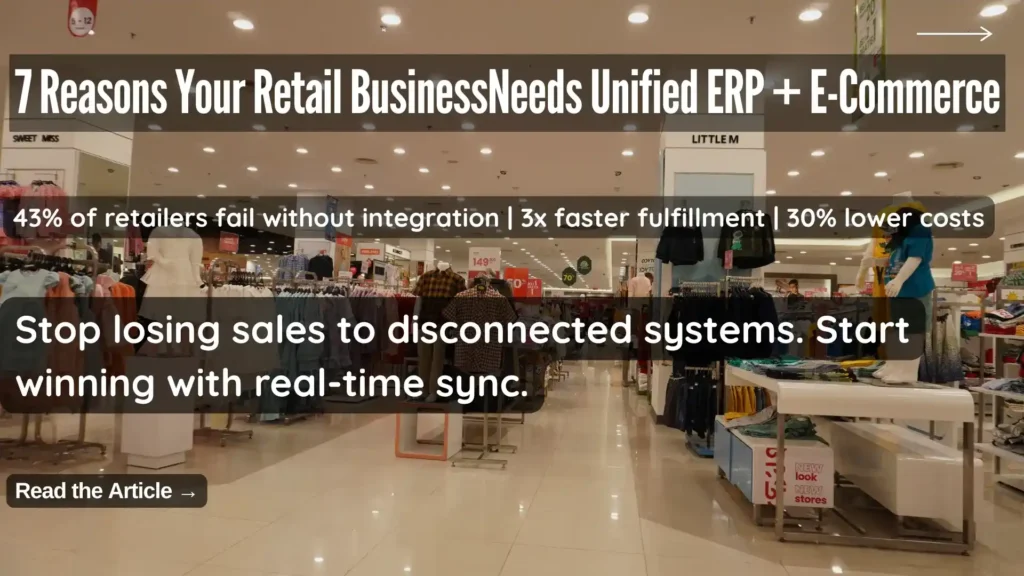
7 Reasons Your Retail Business Needs a Unified ERP and E-Commerce Integration Solution

Here is a scenario that will feel familiar to most retail operators: a customer visits your website, sees a product marked as available, drives to your store to buy it, and finds out the shelf is empty. Your website still shows it in stock. Nobody knows why. Or this one: a loyal customer who buys from you in-store every week places their first online order — and receives a “welcome, new customer” email. No recognition of their purchase history. No loyalty points applied. No sense that the business they have been giving you for two years means anything in the digital channel. These are not technology failures. They are integration failures — and they happen every day in retail businesses running separate, loosely connected systems for their physical stores and online channels. The solution is retail ERP and e-commerce integration — specifically, a retail-oriented integration solution designed from the ground up for the way retail businesses actually operate, rather than a generic middleware tool that treats your retail operation like any other business. This article covers the seven concrete reasons why retail-specific ERP and e-commerce integration delivers outcomes that generic solutions simply cannot match — and what to look for when evaluating your options. Why Separate Retail Systems Are Now a Competitive Liability Brick-and-mortar retail is not dead — but purely physical retail without a connected online presence is becoming increasingly rare. Today’s retail customer moves fluidly between channels. They discover products on social media, research them on your website, check availability through your app, visit your store to see them in person, and expect to complete the purchase on whichever channel is most convenient at that moment. Research consistently shows that 81% of consumers use mobile devices as part of their shopping research — and the majority of purchasing journeys now involve at least two channels before a transaction is completed. For retail businesses, every additional sales channel represents a potential revenue stream. But it also represents a new source of operational complexity — unless every channel shares the same data, the same inventory, the same customer records, and the same pricing. When they do not, the experience falls apart. And in a market where customers have endless alternatives, an experience that falls apart drives them to a competitor without a second thought. The Real Cost of Running Disconnected ERP and E-Commerce The cost of disconnected retail systems is distributed across every channel, every function, and every customer interaction — making it easy to underestimate until you try to measure it: Why Generic Integration Tools Fall Short for Retail Many businesses attempt to solve the integration challenge with general-purpose middleware tools — platforms designed to connect any two applications regardless of industry. Generic integration tools can technically connect a retail ERP with an e-commerce platform. The problem is that retail has specific operational requirements — BOPIS fulfilment logic, zip-code-based inventory routing, loyalty program data synchronization, multi-currency retail pricing rules — that generic tools are not built to handle natively. The result is months of expensive custom development to configure a generic tool for retail-specific scenarios, followed by ongoing maintenance overhead every time either connected system updates. A retail-specific integration solution — or better, a unified retail platform — delivers all of this functionality out of the box. 7 Reasons to Choose a Retail-Specific ERP and E-Commerce Integration Reason 1: Consistent Products and Pricing Across Every Sales Channel The most fundamental requirement of a unified retail operation is consistency — every channel showing the same products, the same prices, and the same promotions at the same time. When your product catalog, pricing structure, and promotional mechanics live in your ERP and distribute automatically to every connected channel, consistency is structural — it happens automatically rather than requiring manual synchronization. A retail-specific integration solution enables: For retailers managing hundreds or thousands of SKUs across multiple channels, centralized product management is not just a convenience — it is a necessity. Reason 2: True Omnichannel Fulfilment — Buy Anywhere, Deliver Anywhere The modern retail customer expects to complete their shopping journey on their own terms — and that means the fulfilment model needs to be as flexible as they are. Buy Online, Pick Up In-Store (BOPIS) is now a baseline expectation for omnichannel retailers — customers order online and collect from their preferred store, combining the convenience of online shopping with the immediacy of in-store collection. But executing BOPIS reliably requires real-time integration between your e-commerce platform, your ERP, and your in-store systems. A retail-specific integration solution enables the full range of omnichannel fulfilment scenarios: Each of these scenarios requires real-time data sharing between the e-commerce platform, the ERP, and store-level inventory — which only a retail-specific integration solution delivers reliably. Reason 3: Real-Time Inventory Visibility Across Every Location Inventory accuracy is the operational foundation on which everything else in omnichannel retail depends. Without accurate, real-time inventory data across every location, BOPIS fails, online availability is unreliable, and customer trust erodes. A retail-specific integration solution delivers inventory visibility that generic tools cannot: The business impact of real-time inventory accuracy extends beyond customer experience. Buyers make better purchasing decisions. Markdowns are more targeted. Overstock and out-of-stock situations are identified earlier and resolved faster. Reason 4: Unified Customer Data Across Digital and Physical Channels A customer who has shopped with you for five years should feel known — regardless of which channel they use. Their purchase history, preferences, loyalty status, and contact information should follow them seamlessly across every interaction with your brand. This only happens when your ERP and every connected channel share a single customer database — updated in real time by every transaction, regardless of where it occurs. A retail-specific integration solution delivers: Reason 5: A Single Loyalty Program That Works Everywhere Loyalty programs are one of the most powerful customer retention tools available to retailers — but only when they work seamlessly across every channel a customer uses. A loyalty program that earns points in-store but cannot redeem them online,

7 Reasons Your Retail Business Needs a Unified ERP and E-Commerce Integration Solution Read More »

Turn prospects into engaged customers with intelligent sales and marketing

[vc_row][vc_column][vc_column_text] The selling landscape is undergoing fundamental changes, many of them driven by the effects of B2B customers’ experience as everyday consumers. Many retailers have created personalized, nearly immersive, online experiences for each customer. Consumers shopping for goods and services continually experience fresh and delightful interactions, from highly customized offers and recommendations to frictionless channels to 24/7 interactions. Using Microsoft Dynamics 365 for Marketing and Microsoft Dynamics 365 for Sales organisations are improving  their profit margins. The impact of B2C on B2B Today’s B2B buyers have high expectations, and those expectations will not be met if B2B buyers are accustomed to sophisticated consumer interactions in their personal lives. Executive B2B buyers are not impressed by marketing driven by large, relatively impersonal data analysis that leads to inconsistent and conflicting interactions or sales outreach that doesn’t cater specifically to their needs at the right time. The source of the problem may be largely invisible to the companies perpetuating this issue. Many organizations believe themselves to be customer-centric, while their buyers may not agree. That’s a significant disconnect. Clearly, B2B has much to learn from B2C companies. Customer experience – the rewards for getting it right Many B2C organizations have strategically embraced modern technologies like customer data platforms (CDP) and artificial intelligence (AI) to gain a 360-degree view of their customers and follow through on those insights to optimize customer engagement. The rewards for getting this engagement right are substantial. Many buyers are willing to pay more for a better customer experience. In terms of the potential benefits a great experience can have on sales success, a McKinsey study reported that organizations can expect: 10-15 percent lower customer churn 20-40 percent increase in the win rate of offers Up to 50 percent lower service costs Take a new approach B2B companies must move away from their legacy approaches based on large, relatively impersonal data analysis and move to solutions that unify relationship data across the full customer lifecycle. That way, they can gain insights that help build credibility and trust with buyers. They can run multi-channel campaigns to increase sales-ready leads, create personal experiences, and use guided process and AI to anticipate and respond faster to customer needs. They can build the ongoing, high-quality relationships that are necessary for long-term success. Four principal goals Turning prospects into engaged customers is a process. In order to achieve these goals, organizations must focus on 4 key priorities: Nurture more demand Personalize buyer experiences Build relationships at scale Make insight-driven decisions Each of these drives results by using deep reservoirs of data in making technology feel more human. Nurture more demand Relying only on conventional, basic email marketing as the primary source of leads is simply not effective enough. In fact, the more focused and demanding the customer universe is, the more essential it is to gain deep insights into what those customers expect. Northrop & Johnson,  a leading global yacht brokerage, competes for multi-million dollar customers using technology its industry has been slow to adopt. Using Microsoft Dynamics 365 for Marketing has created a decided competitive advantage: Vital insights into their customer base have helped to drive a 70 percent increase in charter sales. In any industry, companies need to generate leads across multiple channels, nurture large numbers of leads while prioritizing each one, and use data-driven insights to deliver leads that are sales-ready. Nurturing more demand is critical to growth. Personalize buyer experiences It’s time to end friction, inconsistencies, and the “do you know who I am?” part of the customer experience. Companies can acquire a holistic view of buyers, predict buyer intent, and orchestrate a connected, personalized journey for customers. In an era where guests have more choices than ever for leisure and entertainment, Tivoli delights its guests by using Dynamics 365 Customer Insights to stay one step ahead of expectations and transform the guest experience. With its deeper understanding of guests, it can add new chapters to its long tradition of imagination and innovation. Build relationships at scale Mutually beneficial relationships don’t simply happen with more data. Companies need to build credibility to establish and grow relationships with customers. Together, Dynamics 365 and LinkedIn enable the company to have increased information about, and impact on the sales relationships that are added to its sales pipeline, even as that pipeline experiences exponential growth month over month. Make insight-driven decisions Here’s where sales and marketing can truly align: utilizing data to uncover insights that lead to better-informed decisions throughout the sales process. This can improve performance, empower employees, and enable the company to gain increasingly effective strategic insights. With more than 1,500 pubs serving guests throughout the UK, Marston’s launched a business transition by bringing together guest data that was scattered across multiple systems into Dynamics 365. With their locations’ guest data now unified, Marston’s will gain a complete view of guests, which can be harnessed to generate customer satisfaction and strategic insights. This approach helps drive improved performance throughout the company, including the opportunity to empower employees – an often-overlooked aspect of a company’s success. Aligning sales and marketing: The intelligent way to succeed It’s possible to create exceptional experiences, drive more qualified leads, and increase revenue if an organization has the vision, process, and technology to harness all the data available. This requires high-level technology with well-defined business goals and sales and marketing applications fueled by keen intelligence. We have a compelling offering to accomplish just that with Microsoft Dynamics 365. Get in touch with our representative to request a demo for Microsoft Dynamics 365 for Sales & Microsoft Dynamics 365 for Marketing Blog Reference : https://cloudblogs.microsoft.com/dynamics365/bdm/2019/09/19/turn-prospects-into-engaged-customers-with-intelligent-sales-and-marketing/[/vc_column_text][/vc_column][/vc_row]

Turn prospects into engaged customers with intelligent sales and marketing Read More »

Slash costs in your restaurant with the right software system

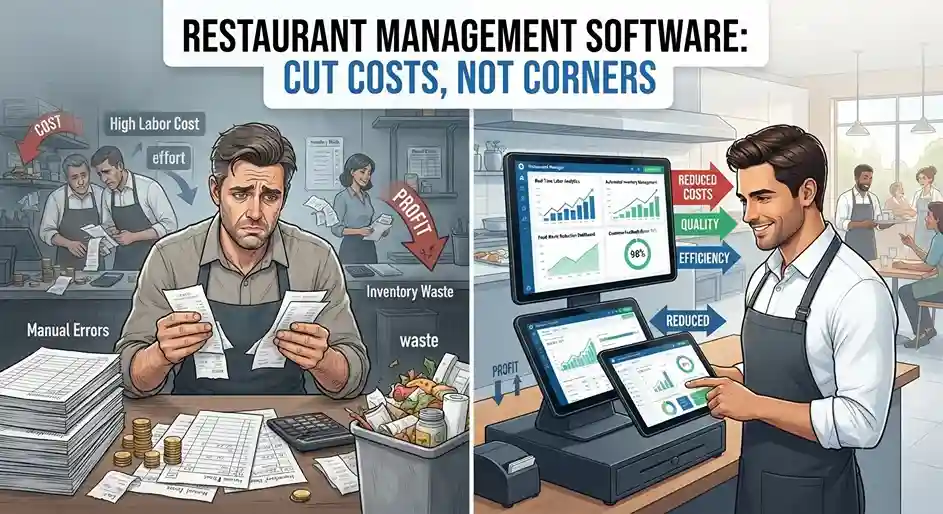
[vc_row][vc_column][vc_column_text]How do you manage costs in your restaurant business? Are you operating as efficiently as you could be? We know how difficult it can be to maintain optimal efficiency and make money in a time of razor-thin margins and intense competition. By their very nature, restaurants are characterized by predictable, seasonal factors as well as by unpredictable ones, including changing customer preferences and fluctuating running costs. But there are ways to get a better handle of your business, helping you to plan ahead more effectively, become leaner and reduce costs in the process. For many restaurant owners, the answer lies in choosing a modern unified technology platform that provides a complete overview of your business operations from Point of Sale (POS) to back office. Indeed, research by the National Restaurant Association in the US found that over 80% of restaurants are turning to technology like online ordering and reservations and restaurant analytics to help them run their business successfully and efficiently. The same report found that four in five restaurant operators agreed that: Technology helps increase sales Technology makes their restaurant more productive Technology provides a competitive advantage. If you’re in two minds as to whether a restaurant management system could help your business grow, rather than simply cost you money, here are some specific areas in your business where the right technology can make a real difference: Optimize staff management If your staff schedules are currently handled manually, in spreadsheets or even on paper forms, you could be missing out on a trick. Staff management software has the capabilities you need to ensure rosters correspond with table bookings and helps you plan for the right amount of labor you need. The result is optimized schedules, which means you don’t have too many employees at work during quiet periods, and yet you have enough on hand to see you through the busy times. If you select a unified system for your restaurant, the staff management functionality can be part of the same platform used to manage the rest of your business. This allows you to make truly informed decisions using historic sales data and drilling down by location, day of the week and time to see patterns emerging and better determine when you will be busy or quiet. Another factor to consider is how you can use the software to keep track of your budgets and make sure you’re not paying out more than you should be. We know how difficult it can be to check and confirm the hours worked by each of your employees, especially when you are likely dealing with so many. But a staff management system can automate this for you, confirming actual hours worked are the same as those planned and highlighting any discrepancies for you to follow up on, minimizing errors and costs. With the functionality to analyze how much you are spending by employee, work code, shift and role, you can compare actual costs and performance against your business plan, and minimize unnecessary extra expenses, such as overtime. Simplify staff training In this industry, we know that workers tend to be transient – maybe you have lots of students or temporary workers on your payroll. High staff turnover can be a real pain point and loss maker for your business, especially as recruiting and training staff is both time consuming and costly. But there are ways technology can help you control this better, and reduce the costs and pain of getting new staff on board. If the systems you use are intuitive and easy for all employees to understand, you won’t have to spend as long training them on how to use them in the first place. Some retail management systems allow you to set up your POS so it mirrors your menu, making it far simpler for staff to find their way around while also helping to reduce mistakes. To simplify training even further, it could pay off to choose a system that uses a logic your staff is already familiar with. The LS Retail restaurant solutions, LS First and LS Central, are built on well-known Microsoft technology. This means new employees can be up and running quickly, as any experience with Microsoft software such as Office or Windows means they already know where to find menus and information in the system. Having one enterprise-wide platform, rather than multiple software solutions strung together, also means you only need to train your staff up once. This not only saves time and cost but gives you greater flexibility too. If you need to move staff from the bar to the restaurant floor, you can do so with ease. No extra training required to use a separate system; no time wasted. Increase table turnover and order value Is your restaurant floor running as smoothly as it could? There are some steps you can put in place to subtly speed up the process, allowing you to serve more customers without making your diners feel rushed. Mobile POS devices are a great way of doing this. As they connect your servers directly to the kitchen, kitchen staff can act on orders as soon as they are taken at the table, speeding up food preparation. Your waiters can get an alert on their POS devices when orders are ready, and they can also take payments on the device as soon as diners are ready to leave – no waiting for card readers or an available cash register. If you select the right mobile POS, your staff can also handle conversational ordering, where they take orders in the same way that customers reel them off – extra cheese on their burger and no mayo, with large chips, for example. Everything can be quickly inputted into the POS, speeding up service time and reducing errors. At the same time, because staff have all menu information right in front of them, they can improve their upselling potential by suggesting upsell items and upgrades as they take orders. Streamline kitchen operations A unified platform complete with a kitchen management system could help your restaurant serve up food more quickly and efficiently than ever. In the kitchen, having Kitchen Display System (KDS) screens connected to the

Slash costs in your restaurant with the right software system Read More »