Welcome to Trident Information Systems!
Write us to - info@tridentinfo.com
Let's Socialize

Microsoft Dynamics Nav Partners

Dynamics 365 Supply Chain Management dashboard connecting IoT, analytics, inventory, logistics, and real-time supply chain data.

Dynamics 365 Supply Chain Management: What You Can’t See Is Costing You Money

INTRO Manufacturers don’t lose money on supply chain problems they can see. They lose it on the ones buried in siloed systems and manual processes — a part sourced from the same supplier out of habit rather than cost, a shipment that could’ve been consolidated but wasn’t flagged in time. Dynamics 365 supply chain management exists to surface exactly those blind spots, connecting sales, supplier, fulfillment, and product data into one system instead of five disconnected ones. IoT Is Where Supply Chain Visibility Starts Real-time visibility into how equipment and parts actually perform begins with connecting them — a single IoT-enabled platform bridging back-office and front-office processes rather than treating shop-floor data as separate from planning data. Digital twin modeling takes this further, letting manufacturers track wear on parts in real time and catch simple inefficiencies that are easy to miss otherwise: sourcing from a familiar supplier by default, for instance, when a comparable part is available elsewhere at lower cost. Analytics Turns Visibility Into Action Visibility alone doesn’t fix anything — it has to feed decisions. Built-in analytics and machine learning let a supply chain system dynamically adjust production and distribution using data most planning tools ignore, like public weather data feeding more accurate delivery forecasts. The same analytics can flag shipment consolidation or expediting opportunities automatically, catching savings a manual review would likely miss — savings that pass through directly to fulfillment cost. Real-Time, Mobile Access Closes the Loop Consolidated data still isn’t useful if the people who need it can’t see it where they’re standing. Decision-makers need the same real-time information whether they’re on the factory floor or at headquarters, with the ability to collaborate across locations without switching systems. This is less about a dashboard and more about removing the extra step of hunting for information before a problem can even be diagnosed. Why Dynamics 365 Specifically Dynamics 365 removes the traditional divide between ERP and CRM, letting employees move between supply chain and customer-facing work without switching systems entirely. Deployment flexibility — cloud, or hybrid combining on-prem and cloud — means a manufacturer can extend existing infrastructure investments rather than replacing them wholesale, which is often the difference between a deployment measured in days versus months. The practical result for a manufacturer: rich analytics, embedded intelligence, and partner-built applications running on one system, rather than reconciling ERP and CRM as two separate sources of truth. Want to see where visibility gaps might be costing your supply chain? Talk to Trident about a Dynamics 365 supply chain assessment.

Dynamics 365 Supply Chain Management: What You Can’t See Is Costing You Money Read More »

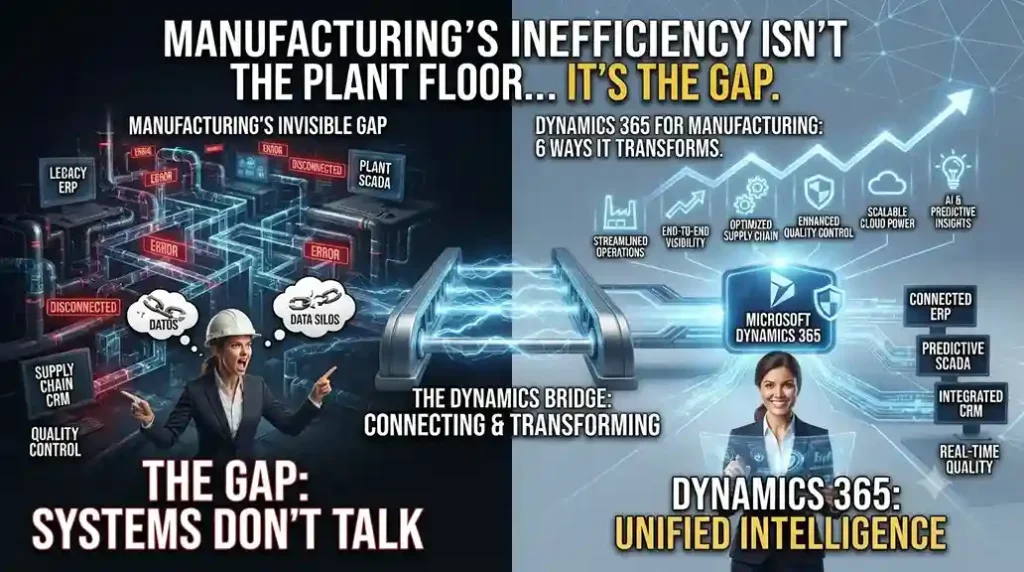
Microsoft Dynamics 365 for Manufacturing dashboard displaying production planning, inventory, supply chain management, and quality control.

Manufacturing’s Biggest Inefficiency Isn’t the Plant Floor — It’s the Gap Between Systems

INTRO A machine on the shop floor and a service technician in the field often work off completely different data — one sees production output, the other sees a support ticket, and neither sees the customer’s purchase history. Dynamics 365 for manufacturing exists to close exactly that gap, by ending the divide between CRM and ERP instead of running them as separate systems that happen to sit on the same network. Here are the six shifts that gap-closing actually produces on the ground. 1. Supply Chain Visibility That Goes Beyond a Dashboard Collecting and visualizing supply chain data across every location does more than create a nicer report — it changes how fast a disruption gets caught. Manufacturers using remote monitoring across distributed installations have shortened time-to-market by catching supply issues before they cascade into production delays, rather than discovering them after a shipment is already late. 2. Asset and Production Management, Consolidated Into One View When production oversight and real-time equipment monitoring sit in one system instead of three, manufacturers stop reacting to breakdowns and start resolving issues remotely before they cause downtime. This is the operational basis for near-continuous uptime models in equipment-heavy manufacturing — and it also opens a second revenue line: monitoring and proactive support sold as an ongoing service, not a one-time sale. 3. Customer Engagement Built on Usage Data, Not Guesswork Personalized service at scale requires predictive analytics and self-service options that are actually relevant to what a specific customer does with the product — not a generic contact form. Manufacturers with a connected sales-through-service platform can flag potential equipment issues before a customer notices a problem, while also tailoring offers based on that customer’s real purchasing and usage pattern. 4. Service Centers as a Profit Center, Not a Cost Center Falling costs for IoT sensors and mobile devices have made remote monitoring and proactive maintenance commercially viable additions to standard break/fix support — not just a premium add-on for enterprise accounts. Combining customer records, technician availability, and inventory into a single mobile-accessible system is what lets a service team actually deliver on that model instead of just theorizing it. The Data Advantage: Better Products, Not Just Better Service IoT-connected parts and equipment feed usage data back to engineering — which components fail early, which are over-built, how products actually get used in the field. That feedback loop is what shortens the cycle between a design flaw and a fix, rather than waiting for failure reports to pile up. 5. Technicians Who See the Full Job, Not Just the Ticket A 360-degree view of a customer’s asset and service history changes what a technician can do on-site — they’re working from context, not just a work order. Paired with machine learning that surfaces similar past cases, this turns troubleshooting into pattern-matching against real precedent instead of starting from zero on every call. 6. One System Connecting the Floor to the Front Office Manufacturers that unify production and project management data with CRM stop treating customer service and customer engagement as separate departments working from separate records. The practical result is service and recommendations grounded in what a customer has actually bought and experienced — not assumptions. Why Dynamics 365 Specifically Dynamics 365 for manufacturing removes the artificial line between CRM and ERP, running both on one system with embedded analytics rather than bolting a reporting layer on top of disconnected tools. For a mid-size manufacturer, this matters less as a technology upgrade and more as an operating model change — supply chain, service, and sales working from the same data instead of reconciling three versions of it. Curious what a unified CRM-ERP model would look like on your production floor? Talk to Trident about a Dynamics 365 manufacturing assessment.
Manufacturing’s Biggest Inefficiency Isn’t the Plant Floor — It’s the Gap Between Systems Read More »

Whitepaper: The business owner’s guide for replacing accounting software

Replacing your accounting software is easier and more affordable than you may think. Use this guide to learn about the benefits of a modern technology platform, better understand the advantages of a cloud-based solution, and know what questions to ask when evaluating your options.

Whitepaper: The business owner’s guide for replacing accounting software Read More »

Whitepaper : Four technology trends helping businesses thrive in a digital world

4 ways technology can help businesses thrive in a digital world. The good news is that the tools that help businesses capitalize on this digital transformation are more accessible than ever before. The cloud is removing barriers like high up-front costs, ongoing maintenance, and IT dependency.

Whitepaper : Four technology trends helping businesses thrive in a digital world Read More »

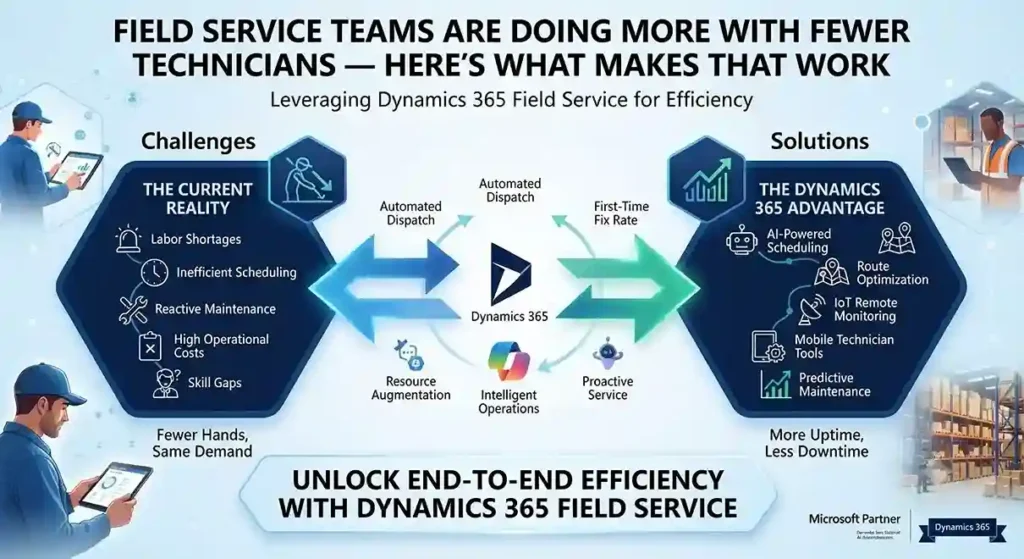
Dynamics 365 Field Service dashboard using AI scheduling and IoT alerts to optimize technicians and reduce onsite service visits.

Field Service Teams Are Doing More With Fewer Technicians — Here’s What Makes That Work

INTRO Fewer onsite technicians. Less face-to-face customer contact. The same expectation of fast, reliable service. That’s the operating reality most field service teams are managing now, and it’s forcing a shift from reactive dispatch to genuinely proactive service — sending the right person, with the right parts, before a customer even calls. Dynamics 365 Field Service is built around that shift, with AI-driven scheduling, remote collaboration tools, and IoT-based alerting doing the work that used to require more people on the road. First-Time Fix Rate Is the Metric That Actually Matters A technician’s onsite time is expensive — every callback for a missed fix compounds that cost. Field Service’s Inspections feature lets technicians capture structured data during a visit, improving quality and safety documentation without extra paperwork afterward. Built-in time tracking — automated where possible, manual where needed — feeds precise data back into scheduling, so utilization decisions are based on what visits actually take, not estimates. Remote Expertise, Without the Travel Dynamics 365 Remote Assist lets a technician using a HoloLens headset record and share a live session with an expert elsewhere — someone who can guide a fix in real time instead of the technician calling it in and waiting for a callback. That’s a direct lever on first-time fix rates: the technician gets specialist input on-site, in the moment, instead of after a second visit gets scheduled. AI Alerting Turns IoT Data Into Action, Not Noise Connected equipment generates a constant stream of telemetry — the hard part has never been collecting it, it’s knowing which alerts actually predict a failure worth dispatching for. Field Service uses AI-generated suggestions based on historical service data to surface the IoT alerts most likely to matter, paired with time-series views that let a dispatcher see an asset’s alert history at a glance rather than piecing it together manually. The practical effect: better incident categorization feeds directly into parts inventory planning and technician scheduling, which is where a lot of avoidable service cost actually lives. One System, Not Five Disconnected Tools Field Service now integrates more tightly with the rest of the Microsoft stack: Scheduling Is Where Efficiency Either Happens or Doesn’t Resource Scheduling Optimization automatically matches jobs to the technicians, equipment, and facilities actually equipped to handle them. The current scheduling board adds drag-and-drop functionality and materially better performance over the previous version — which matters more than it sounds, since a slow scheduling tool pushes dispatchers toward manual overrides that undo the optimization in the first place. Manager and dispatcher dashboards surface utilization data directly, so schedule adjustments come from visible patterns instead of guesswork. What This Looks Like at Scale Siemens Smart Infrastructure — which connects energy systems and building infrastructure across industries — runs Dynamics 365 Field Service to support over 12,000 employees, including 7,500 service technicians. Proactive service delivery, AI-driven scheduling, and real-time coordination are what let an organization at that scale stay responsive to disruption instead of falling back on manual dispatch when volume spikes. Want to see Dynamics 365 Field Service against your current dispatch process? Contact Trident Information Systems for a demo. FAQ What is Dynamics 365 Field Service used for?It’s Microsoft’s platform for managing onsite and remote service operations — scheduling technicians, tracking work orders, and using AI and IoT data to shift from reactive to proactive service delivery. Does Dynamics 365 Field Service work with IoT devices?Yes — it uses AI to analyze IoT alerts from connected equipment and prioritize which ones are most likely to require a technician dispatch, based on historical service data. Can Dynamics 365 Field Service integrate with Business Central?Yes — Field Service integrates with Business Central and Supply Chain Management to connect asset management and inventory data directly into the field service workflow.

Field Service Teams Are Doing More With Fewer Technicians — Here’s What Makes That Work Read More »

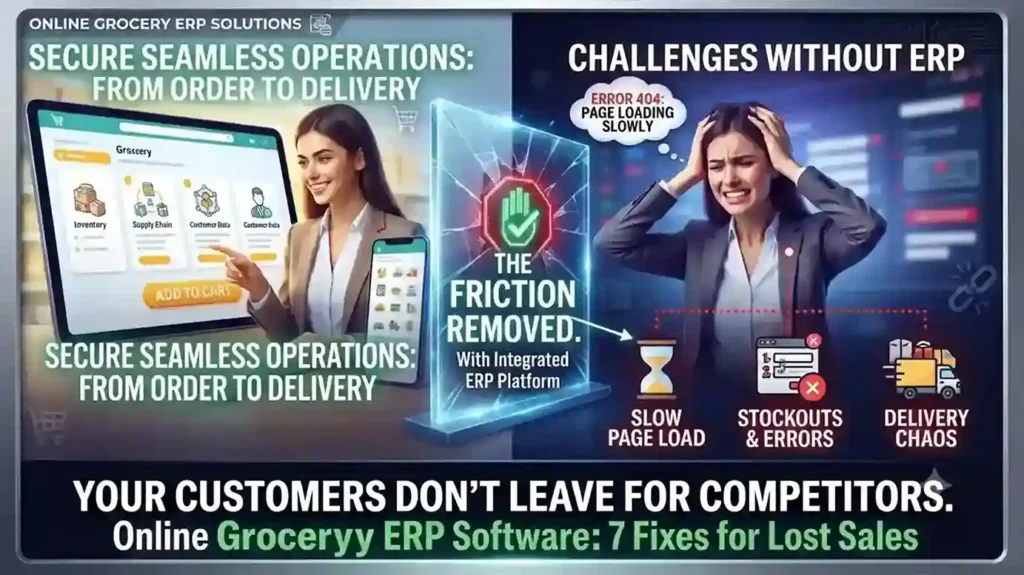
Your Online Grocery Store Isn’t Losing Customers to Competitors — It’s Losing Them to Friction

INTRO Online grocery sales are growing at roughly 28% a year — more than ten times the rate of total grocery sales. That growth is also exposing which retailers built their online grocery ERP software around real shopping behavior, and which bolted e-commerce onto a system that was never designed for it. The seven gaps below are the ones costing retailers carts, not competitors. Each one is a system problem before it’s a customer-experience problem. Slow Search Costs You the Sale Before Checkout A shopper hunting through a hundred-item bread category for one product doesn’t file a complaint — they just leave. Category filtering, predictive search (“did you mean coriander?”), and complete product data — pack size, allergens, expiry — aren’t UX polish. They’re inventory data problems, and they trace back to whether your ERP actually feeds structured product data to your storefront or leaves your web team entering it by hand. Hidden Delivery Restrictions Kill Orders After the Cart Is Full Nothing costs a sale faster than a shopper spending 20 minutes filling a cart, then discovering their postcode isn’t serviceable. Delivery zones, pricing, and timing need to be visible before checkout starts — which means your delivery logic needs to be connected to your commerce platform in real time, not a static page someone forgot to update last quarter. Fix This With a Clear Checkout FlowLabel every step (Details → Shipping → Payment → Review), show a progress bar, and confirm the order with a summary — items, delivery window, and what happens next. Ambiguity at checkout is where carts get abandoned. Mobile Is Already Majority Traffic — Is Your Platform Built for It? Mobile drives the majority of e-commerce traffic and sales for most retailers now. If your site isn’t fully responsive — large tap targets, zoomable product images, a cart that persists across devices — you’re optimizing for the smaller slice of your audience. Cart persistence in particular matters: a shopper who starts on their phone and finishes on a laptop shouldn’t have to rebuild their order. “Endless Aisle” Only Works With Real Navigation Online stores can carry far more SKUs than a physical location — but only if customers can actually find them. Top-level categories, sort-and-filter by price or brand, and a visibly confirmed “add to cart” action are baseline. Without them, a bigger catalog just means a worse search experience. Delivery Precision Drives Conversion More Than Delivery Speed Nielsen’s Global Connected Commerce research points to 30-minute delivery windows as the benchmark shoppers respond to — not same-day delivery in the abstract, but a specific window they can plan around. Whether you deliver direct, via locker pickup, curbside, or through a partner like Instacart depends on your infrastructure. What matters is picking one you can reliably hit. Freshness Anxiety Is a Solvable Data Problem Spoilage risk is one of the top reasons shoppers hesitate to buy fresh groceries online. Freshness labels showing remaining shelf life after delivery, visible customer reviews per product, and a clear return or refund policy for produce that doesn’t meet expectations all directly address that hesitation — but only if your system tracks expiry data at the SKU level to begin with. One Broken Link in the Chain Becomes the Whole Brand’s Problem A late delivery, a wrong product description, or a broken cold-storage locker doesn’t read to the customer as “a vendor issue” — it reads as your failure. This is why online grocery ERP software has to unify inventory, POS, delivery logistics, and product data on one system. Disconnected point solutions are where these failures start. Running your online grocery operation on disconnected systems? Talk to Trident about an ERP assessment built for grocery retail. FAQ What ERP features matter most for online grocery retailers?Real-time inventory sync, SKU-level expiry tracking, and integration between POS, e-commerce, and delivery logistics matter most — these directly address the stockout, freshness, and delivery-accuracy issues that cause cart abandonment. Why do online grocery shoppers abandon their carts?The most common causes are hidden delivery restrictions discovered late in checkout, slow or unclear search, and lack of trust in product freshness — all of which trace back to system-level data gaps, not just website design. What delivery window works best for online grocery?Research from Nielsen points to 30-minute delivery windows as the standard shoppers respond to best, provided the retailer can consistently meet that window.

Your Online Grocery Store Isn’t Losing Customers to Competitors — It’s Losing Them to Friction Read More »

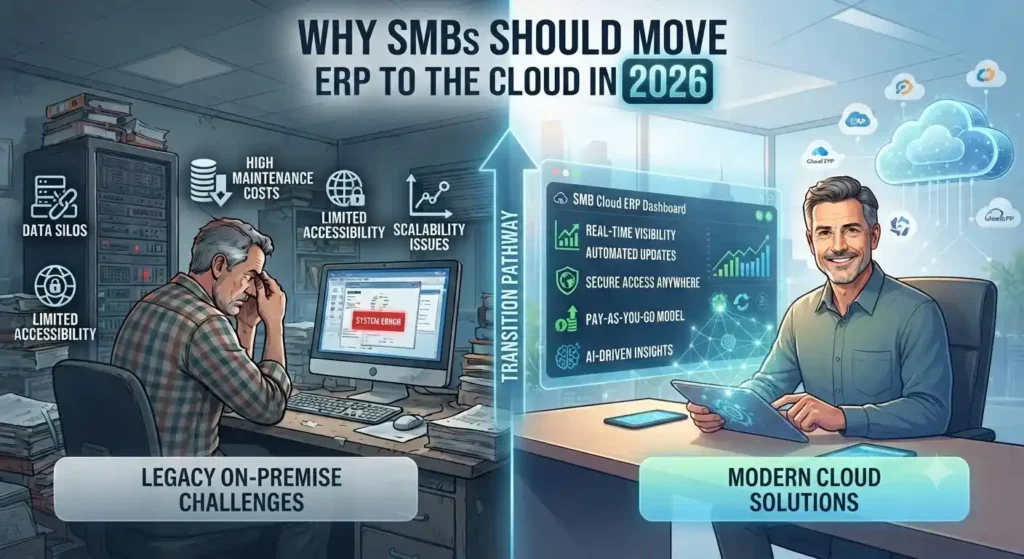
Cloud ERP dashboard helping SMBs manage finance, inventory, operations, and business performance.

Why SMBs Should Move ERP to the Cloud in 2026

Why SMBs Should Move ERP to the Cloud in 2026 Roughly 44% of small businesses now run meaningful cloud infrastructure, and that number keeps climbing. But most of that adoption is email and productivity tools — not the ERP system running finance, inventory, and operations. That gap is where SMBs quietly lose money every year. The Real Cost of Staying on Legacy ERP Companies spent 40% of their IT budgets in 2025 just keeping legacy systems running — patching, maintaining, and working around software that was outdated the day it was installed. That’s not investment; it’s maintenance debt with no return. Every year an SMB delays ERP migration, that wasted spend tends to grow, not shrink, because the gap between legacy capability and modern cloud ERP keeps widening. Global public cloud spending is projected to hit $723.4 billion in 2025, up from $595.7 billion the year before — a jump driven largely by core workloads shifting into the cloud, not just email. ERP is where legacy costs compound fastest, which is exactly why it’s driving so much of that growth. Predictable Costs Instead of Capital Surprises The CapEx-to-OpEx shift is the change SMBs feel first. Instead of a large upfront hardware and licensing spend followed by unpredictable maintenance bills, cloud ERP runs on subscription pricing tied to actual usage. For Microsoft-centric SMBs, this gets stronger. Azure Hybrid Benefit lets businesses that already own Windows Server or SQL Server licenses apply them toward cloud costs, cutting Azure VM costs by up to 40-55% compared to standard pay-as-you-go pricing. If your SMB already runs Microsoft 365 or Windows Server, that discount alone changes the ROI math on a Dynamics 365 migration. Security Concerns Are Backwards Now The instinct to keep ERP on-premises for “control” doesn’t hold up anymore. Modern cloud platforms often deliver stronger security, better uptime, and greater scalability than most SMBs can achieve running their own infrastructure. Built-in compliance frameworks and dedicated provider security teams cover ground most SMB IT teams can’t staff for — a real constraint for a five-person IT department juggling help desk tickets and server patching at the same time. Scalability Without the Hardware Gamble Legacy ERP forces a bet: buy enough server capacity for growth you haven’t hit yet, or underprovision and hit a wall mid-quarter. Cloud ERP removes that bet. Resources scale with actual transaction volume, seasonal demand, or headcount growth, with no hardware refresh cycle every three to five years. What This Means for a Dynamics 365 Decision For SMBs already in the Microsoft ecosystem, this isn’t a “should we move to the cloud” question anymore — it’s a “why are we still running Dynamics NAV or an on-prem F&O instance in 2026” question. The path to Dynamics 365 Business Central or Finance & Operations keeps the interface logic staff already know, while shifting cost structure, security posture, and scalability all at once. Still running ERP on-premises or on an older Dynamics NAV instance? Talk to Trident’s Dynamics 365 team about what a cloud migration looks like for your cost structure and timeline. FAQ Q: Is cloud ERP more secure than on-premises ERP for SMBs?A: Often yes — cloud providers invest in dedicated security teams and compliance frameworks most SMB IT departments can’t match in-house. Q: How much can SMBs save moving ERP to Azure?A: Businesses with existing Windows Server or SQL Server licenses can save 40-55% on Azure costs through Azure Hybrid Benefit. Q: What’s the cost of staying on legacy ERP systems?A: Organizations spent roughly 40% of their 2025 IT budgets just maintaining legacy systems — spend that delivers no new capability, only upkeep.

Why SMBs Should Move ERP to the Cloud in 2026 Read More »

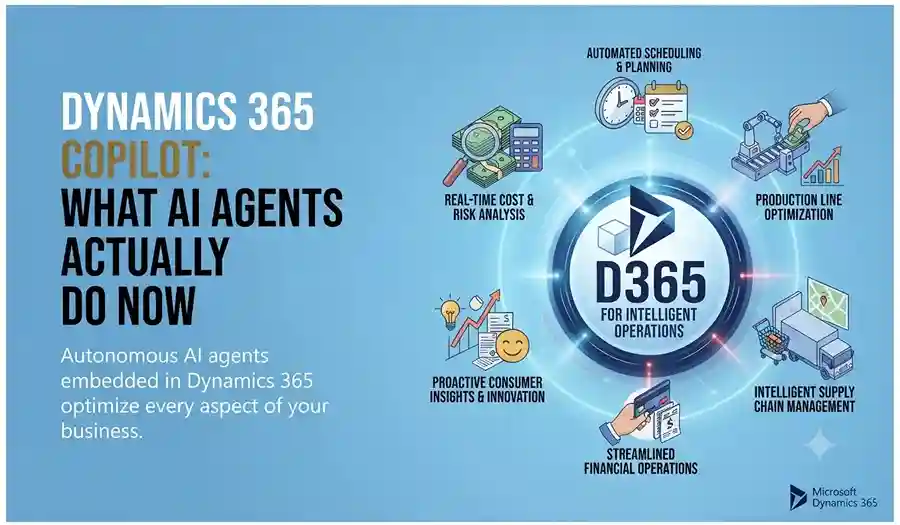
Dynamics 365 Copilot AI agents automating business tasks, analyzing data, and assisting sales, service, finance, and operations teams.

Dynamics 365 Copilot: What AI Agents Actually Do Now

INTRO An AI agent that can see a lead record but not that person’s purchase history, loyalty status, or churn risk isn’t actually helping anyone — it’s guessing with half the picture. That’s the gap Dynamics 365’s 2026 release wave is closing: Copilot and autonomous agents now connect directly to Customer Insights data through Microsoft’s Model Context Protocol, giving every AI interaction the full customer context instead of a fragment of it. Customer Insights Agents Now See the Whole Customer Dynamics 365 Customer Insights has moved past static dashboards into agentic AI that helps teams build and optimize engagement journeys with far less manual work. Copilot can draft entire email campaigns — copy and creative — based on customer signals and segmentation, and recommend the next best message or offer per customer automatically. The bigger structural change is a Customer Insights MCP server that lets Copilot Studio agents pull unified profile data — purchase history, segment membership, loyalty status, predictive churn scores — directly into chat and workflow interactions, rather than requiring custom integrations to expose that data to every agent. Sales Copilot Connects CRM Data With Microsoft 365 Signals Sales forecasting hasn’t disappeared — it’s been absorbed into a broader Copilot experience that spans CRM data and Microsoft Graph signals like email and meeting recaps. Sellers get consistent, actionable insights whether they’re working inside Dynamics 365 or elsewhere in Microsoft 365, with proactive alerts when a deal needs attention rather than waiting for a manual pipeline review to catch it. Service and Contact Center Are Fully Agentic Dynamics 365 Customer Service now runs agentic capabilities across case management, email handling, and intent recognition, with AI-infused admin and supervisor tools built for transparency into what the agents are actually doing. Dynamics 365 Contact Center extends this further with deeper automation and higher containment rates across every channel — the goal being faster resolution without a human touching every ticket. What This Means If You’re Still Running Pre-Copilot Dynamics 365 If your organization’s Dynamics 365 environment predates this shift, the practical question isn’t whether to adopt Copilot — it’s how much of your customer, sales, and service data is actually structured well enough for an agent to use it. Grounding an agent in messy or siloed data produces the same problem the 2026 release is designed to solve, just with an AI layer on top of it. Not sure how ready your Dynamics 365 environment is for Copilot and agentic AI? Talk to Trident about a readiness assessment.

Dynamics 365 Copilot: What AI Agents Actually Do Now Read More »

Business team using CRM software to manage sales, customer data, and communication workflows.

5 Clear Signs Your Business Needs CRM Software in 2026

Here is a question most business owners ask too late: at what point does managing customer relationships in spreadsheets, email inboxes, and memory become a liability rather than a system? The honest answer is — sooner than you think. Customer Relationship Management (CRM) software is not just for large enterprises with complex sales teams. It is for any business that wants to grow its customer base, retain the customers it already has, and make sure no opportunity falls through the cracks. The challenge is recognising when the moment has arrived. Here are five clear signs that your business needs CRM software — and why Microsoft Dynamics 365 is the platform most businesses choose. What Is CRM Software and Why Does It Matter? CRM software is a centralised system that manages every interaction between your business and your customers — from the first marketing touchpoint through the sales cycle, the initial purchase, ongoing service, and renewal. Done well, CRM gives every team member a complete, real-time picture of every customer relationship. Sales knows what marketing has sent. Customer service knows what sales has promised. Management knows exactly where every opportunity stands. Without CRM, this information lives in individual inboxes, personal spreadsheets, and people’s heads — and every time someone leaves the business, some of that knowledge leaves with them. 5 Signs Your Business Needs CRM Software Now Sign 1 — You Are Losing Leads Without Knowing Why Leads come in through your website, social media, phone calls, and referrals. But if you are managing them manually, some of those leads are simply not being followed up — because they were logged in the wrong place, assigned to the wrong person, or forgotten during a busy week. A CRM captures every lead automatically, assigns it to the right team member, sets follow-up reminders, and tracks every interaction. Nothing gets lost. Every opportunity gets the attention it deserves. If you have ever discovered a warm lead that was never followed up weeks after it arrived — your business needs CRM. Sign 2 — Your Marketing and Sales Teams Work in Silos Marketing generates leads. Sales closes deals. But when these two teams work from different systems and different data, the handoff between them is where opportunities die. Marketing does not know which leads converted. Sales does not know which campaigns generated their best prospects. Neither team can make decisions based on the complete picture — because that picture does not exist in any single place. CRM creates a shared view of every customer and every lead — so marketing can see which campaigns produce sales-ready prospects and sales can engage leads with full context on their marketing journey. The result is better targeting, higher conversion rates, and a measurable improvement in revenue. If your marketing and sales teams regularly blame each other for pipeline problems — your business needs CRM. Sign 3 — You Cannot Easily Create Quotes and Track Invoices For businesses that sell through a quotation process — professional services, manufacturing, technology, or any B2B operation — the ability to create, track, and follow up on quotes directly impacts how quickly deals close. A CRM with a built-in quoting and invoicing module connects the entire opportunity-to-cash process: If your team is manually creating quotes in Word documents and tracking them in a spreadsheet — your business needs CRM. Sign 4 — Customer Service Issues Are Falling Through the Gaps Customer service quality is directly tied to information quality. When a customer calls with a problem, the speed and accuracy of the resolution depends on whether your team can instantly see their complete history — what they bought, when, what issues they have had before, and what was promised. Without CRM, this information is scattered across email threads, support tickets, and different team members’ notes. The customer ends up repeating themselves. Issues take longer to resolve. Satisfaction drops. CRM centralises customer service management: If customers regularly complain about having to repeat their issue to multiple people — your business needs CRM. Sign 5 — You Cannot See How Your Business Is Really Performing Good management decisions are built on good data. But if your sales pipeline lives in a spreadsheet, your customer data is in email, and your service records are in a helpdesk tool — getting a clear, current picture of business performance requires manual compilation that takes hours and is outdated the moment it is finished. CRM provides real-time dashboards and reports that give every level of the organisation instant visibility: If your management team regularly makes decisions based on instinct because the data is too hard to access quickly — your business needs CRM. Why Microsoft Dynamics 365 CRM Microsoft Dynamics 365 is one of the world’s most widely adopted CRM platforms — and for good reason. It covers every scenario described above in a single, unified platform: lead management, marketing automation, sales pipeline, quoting and invoicing, customer service, and real-time analytics — all connected on the same data model. Key advantages over standalone CRM tools: Why Trident Is India’s Trusted Dynamics 365 CRM Partner As a certified Microsoft Dynamics 365 partner, Trident Information Systems has helped businesses across sales, marketing, manufacturing, retail, and professional services in India implement CRM solutions that close the gaps described in this article. Our CRM implementations are configured around your specific sales process and customer management requirements — not a generic template. Ready to find out how CRM software can transform your customer relationships? Book a free Dynamics 365 CRM assessment with Trident today. For more insightful content and industry updates, follow our LinkedIn page.

5 Clear Signs Your Business Needs CRM Software in 2026 Read More »

Retail ERP and e-commerce integration dashboard managing inventory, orders, and online sales.

7 Reasons Your Retail Business Needs a Unified ERP and E-Commerce Integration Solution

Here is a scenario that will feel familiar to most retail operators: a customer visits your website, sees a product marked as available, drives to your store to buy it, and finds out the shelf is empty. Your website still shows it in stock. Nobody knows why. Or this one: a loyal customer who buys from you in-store every week places their first online order — and receives a “welcome, new customer” email. No recognition of their purchase history. No loyalty points applied. No sense that the business they have been giving you for two years means anything in the digital channel. These are not technology failures. They are integration failures — and they happen every day in retail businesses running separate, loosely connected systems for their physical stores and online channels. The solution is retail ERP and e-commerce integration — specifically, a retail-oriented integration solution designed from the ground up for the way retail businesses actually operate, rather than a generic middleware tool that treats your retail operation like any other business. This article covers the seven concrete reasons why retail-specific ERP and e-commerce integration delivers outcomes that generic solutions simply cannot match — and what to look for when evaluating your options. Why Separate Retail Systems Are Now a Competitive Liability Brick-and-mortar retail is not dead — but purely physical retail without a connected online presence is becoming increasingly rare. Today’s retail customer moves fluidly between channels. They discover products on social media, research them on your website, check availability through your app, visit your store to see them in person, and expect to complete the purchase on whichever channel is most convenient at that moment. Research consistently shows that 81% of consumers use mobile devices as part of their shopping research — and the majority of purchasing journeys now involve at least two channels before a transaction is completed. For retail businesses, every additional sales channel represents a potential revenue stream. But it also represents a new source of operational complexity — unless every channel shares the same data, the same inventory, the same customer records, and the same pricing. When they do not, the experience falls apart. And in a market where customers have endless alternatives, an experience that falls apart drives them to a competitor without a second thought. The Real Cost of Running Disconnected ERP and E-Commerce The cost of disconnected retail systems is distributed across every channel, every function, and every customer interaction — making it easy to underestimate until you try to measure it: Why Generic Integration Tools Fall Short for Retail Many businesses attempt to solve the integration challenge with general-purpose middleware tools — platforms designed to connect any two applications regardless of industry. Generic integration tools can technically connect a retail ERP with an e-commerce platform. The problem is that retail has specific operational requirements — BOPIS fulfilment logic, zip-code-based inventory routing, loyalty program data synchronization, multi-currency retail pricing rules — that generic tools are not built to handle natively. The result is months of expensive custom development to configure a generic tool for retail-specific scenarios, followed by ongoing maintenance overhead every time either connected system updates. A retail-specific integration solution — or better, a unified retail platform — delivers all of this functionality out of the box. 7 Reasons to Choose a Retail-Specific ERP and E-Commerce Integration Reason 1: Consistent Products and Pricing Across Every Sales Channel The most fundamental requirement of a unified retail operation is consistency — every channel showing the same products, the same prices, and the same promotions at the same time. When your product catalog, pricing structure, and promotional mechanics live in your ERP and distribute automatically to every connected channel, consistency is structural — it happens automatically rather than requiring manual synchronization. A retail-specific integration solution enables: For retailers managing hundreds or thousands of SKUs across multiple channels, centralized product management is not just a convenience — it is a necessity. Reason 2: True Omnichannel Fulfilment — Buy Anywhere, Deliver Anywhere The modern retail customer expects to complete their shopping journey on their own terms — and that means the fulfilment model needs to be as flexible as they are. Buy Online, Pick Up In-Store (BOPIS) is now a baseline expectation for omnichannel retailers — customers order online and collect from their preferred store, combining the convenience of online shopping with the immediacy of in-store collection. But executing BOPIS reliably requires real-time integration between your e-commerce platform, your ERP, and your in-store systems. A retail-specific integration solution enables the full range of omnichannel fulfilment scenarios: Each of these scenarios requires real-time data sharing between the e-commerce platform, the ERP, and store-level inventory — which only a retail-specific integration solution delivers reliably. Reason 3: Real-Time Inventory Visibility Across Every Location Inventory accuracy is the operational foundation on which everything else in omnichannel retail depends. Without accurate, real-time inventory data across every location, BOPIS fails, online availability is unreliable, and customer trust erodes. A retail-specific integration solution delivers inventory visibility that generic tools cannot: The business impact of real-time inventory accuracy extends beyond customer experience. Buyers make better purchasing decisions. Markdowns are more targeted. Overstock and out-of-stock situations are identified earlier and resolved faster. Reason 4: Unified Customer Data Across Digital and Physical Channels A customer who has shopped with you for five years should feel known — regardless of which channel they use. Their purchase history, preferences, loyalty status, and contact information should follow them seamlessly across every interaction with your brand. This only happens when your ERP and every connected channel share a single customer database — updated in real time by every transaction, regardless of where it occurs. A retail-specific integration solution delivers: Reason 5: A Single Loyalty Program That Works Everywhere Loyalty programs are one of the most powerful customer retention tools available to retailers — but only when they work seamlessly across every channel a customer uses. A loyalty program that earns points in-store but cannot redeem them online,

7 Reasons Your Retail Business Needs a Unified ERP and E-Commerce Integration Solution Read More »