Welcome to Trident Information Systems!
Write us to - info@tridentinfo.com
Let's Socialize

Navision Partners

How Modern POS Can Help You to Boost Productivity of Your Restaurant

[vc_row][vc_column][vc_column_text]Nearly a quarter of dining owners and managers who have not updated their core restaurant POS software over the previous year intend to do so over the coming 12 months, based on new research. If you are in this class, how can you ensure that you select the appropriate technology and make the most of your investment? Your POS device is your business’s pulse, and it’s a big and risky thing to replace it. That’s why so many restaurants are stuck to outdated cash registers and obsolete POS systems. Even after considering the limitations of your existing system, you don’t want to experience the trouble of a total overhaul of software and you’re hesitant to make a huge investment without knowing what the return on investment is. However, odds are, your old tech is diminishing your business and keep you behind worse than you know. But where are you going to begin? You need a new POS that is designed to meet your unique business needs. The correct solution could fully change the way your employees work, providing productivity returns – and even an employee’s job satisfaction. If you model your POS system correctly, the productivity of your dining floor could be improved by at least 20 percent. Now the main question is how? We’ll tell you in the following context. 1-) POS which simulates your menu Arrange and display every food product from your stock including modifiers, in your POS, based on how consumers view it on the menu and make life a lot easier for your employees. They will be able to handle communicative instructions, where they can take orders in the same way that customers reel them off. No mayo and extra sweet onion sauce? No issue. You can set up your system to allow your employees to spend more time conversing with your consumers instead of modifying orders and browsing a user interface to discover customized alternatives. We have collaborated with a large restaurant chain that saw efficiencies on the restaurant floor improve by as much as 40% because their workers use a POS system that matches the menu. After its deployment, they can manage requests for orders quicker. Customers are happy because they get great service, as well as being faster in and out of their seats. 2) Color-coded sections  So you’ve arranged your POS just like your menu. You will make the system much simpler for your employees by having a colour code for each course. Orange starters, Pink paws, and Yellow desserts. And you could even break this down by getting color-coded parts in your courses. With such colour signs (which can be set as grayscale for all those who are visually impaired), employees will be able to flit between courses in less time and see all the different options for every menu item simply. Having your POS menu in this clean and descriptive manner will enable your employees to focus on delivering good customer service and enable them to work more effectively as well.  3) Flexibility in seating and payment  A group of guests enters your restaurant. They reserved seats online beforehand. The workers will easily review their booking information on the POS, which includes details of food allergies and dietary requirements criteria and make them seated quickly. Nearby, they recognize their colleagues at different tables putting their orders. They request if they can eat together with their food served at the same time. No issue, Due to the way the table management operates, your employees can effectively use the built-in seating application to shift diners around and feed information into the kitchen in real-time to ensure that their food order is in the right queue and that all meals come together. Now they want to pay, and in various ways, they want to split the bill. Some choose to pay for their shared bottle of champagne and others need to pay for their beverages. Once again, the employees can meet their needs using the intuitively built POS, conveniently dividing the expense of the bill appropriately, enabling for gratuity and taking taxes into account directly. No errors, no trouble.  4) Centralized POS System Role-adjusted, permission-controlled user interfaces that all tap into the same central system ensures that your employees can effectively communicate with just some taps of the monitor and access the information they require. If everyone works from a single source of truth, you can enable them to work more efficiently and enable them to concentrate on the task in hand. If the POS is part of a centralized system, supervisors can obtain the important information which they need to get the overall idea of business and recognize organizational weaknesses and strengths to take an initiative, quickly. Contact us to find out how we can help you redesign your POS and your business to be more successful. We will be delighted to demonstrate you what our complete solution Dynamic 365 for restaurant management,  could do for you.[/vc_column_text][/vc_column][/vc_row]

How Modern POS Can Help You to Boost Productivity of Your Restaurant Read More »

Enterprise’s secret flavor to success- Microsoft Dynamics 365

As Fourth Industrialization spreads throughout the world, it ultimately reshapes the way enterprises operate and their staff work and food manufacturing is a key example. Digitization at the root of this revolution — supported and driven by cloud computing and likewise technologies such as artificial intelligence (AI), the Internet of Things, and machine learning — is enabling food manufacturers to always use information-driven intelligence to change their business operations and expand their business offerings by integrating innovative products with value-added services. Trustworthy Microsoft’s cloud offerings as Microsoft Dynamics 365—provide manufacturers new and better ways of growing, innovating, and boosting operational efficiencies. For Food & Beverage, Microsoft Dynamics 365 has all the spices you need to handle your complex tasks, financial and compliance needs. Industry-rich features are provided in the cloud & on-premise, which makes an enterprise more agile. Food safety provisions, traceability of ingredients, shelf-life monitoring, recipe management and seasonal demand predicting are some of the challenges faced daily by food and beverage manufacturers. With the industry-specific Microsoft Dynamics 365, whether you are dealing in foods, drinks, frozen entrees or canned goods, food manufacturers are acquiring the resources required for success and prosper. Microsoft Dynamics 365 provides a complete solution, ensuring that every part of your enterprise is fully connected, from human resources and financial management to warehouse operations and quality control. Add in industry-specific food and beverage manufacturing apps, then add a touch of advanced digital and shop floor technologies, and Microsoft Dynamics 365 will provide you with a formula for success. The benefits of Microsoft Dynamics 365 for food manufacturing industry include: The flexibility of recipes with batch processing technologies and industry-specific BOMs to help reformulation Supports multiple Units of measure (volume, weight, pounds, cases, etc.) Seasonal demand forecast for individual and multi-plant Precise and clear consumer inventory management, including batch, lot and serial number traceability to automate turns and monitor expiry or best-in-time dates The functionality of private labelling Strong scheduling engine for planning volumes, advanced sequencing, waiting times and other dynamic scheduling criteria. Conquering of the laws of the food and beverage industries Two-way lot monitoring (from fields to grocery stores and back) for a clear and precise supply chain, including the purchase of raw materials and rapid identification of recall Expiry, cross-contamination and shelf-life monitoring, first-OUT (FEFO) logic to reduce waste and streamline your stock Strong labelling options to avoid unnecessary error labelling and regulatory fines Microsoft Dynamics 365 provides some clear business advantages for the food industry, whether you need to boost your teamwork skills, improve productivity or protect your data, it will be there for you. Now the question is out of too many Microsoft Dynamics 365 service providers, which service providers to opt for?? For that, you can blindly trust dynamics 365 partner Trident Information Pvt Ltd. It is one of the renowned names in the market. For more information, you can go to https://tridentinfo.com/contact/[/vc_column_text][/vc_column][/vc_row]

Enterprise’s secret flavor to success- Microsoft Dynamics 365 Read More »

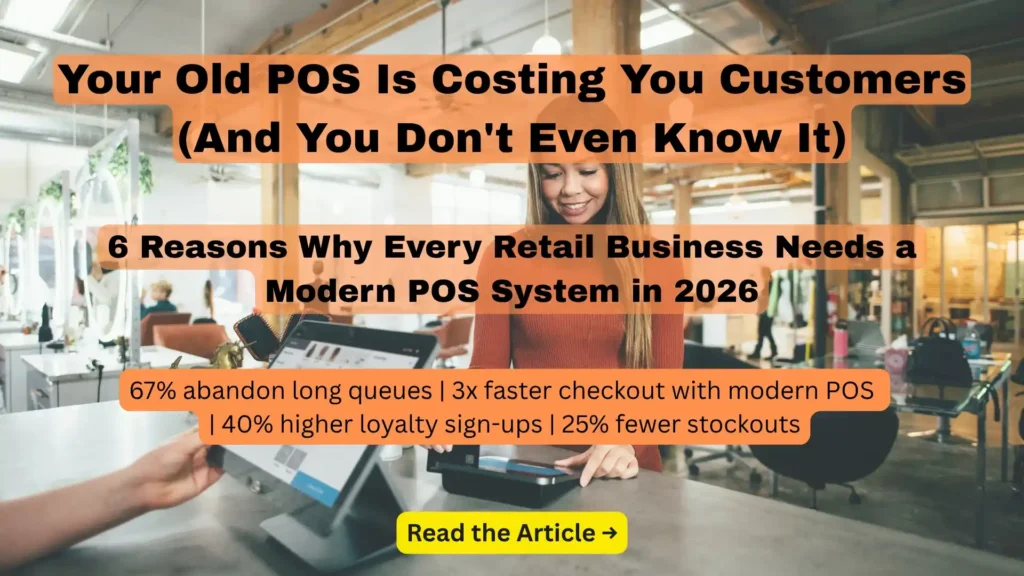
Why Modern POS is your Business’s Necessity

[vc_row][vc_column][vc_column_text]Technology moves the organization forward. If you are a retailer who refuses to update your methods for point of sale, you may be left back in a realm of calculators, handwritten receipts and stock reviews late at night. POS systems provide retailers with a user-friendly way to enter the 21st century. Here are the 6 main reasons why retailers must invest in a POS system. 1) Reports on Sales A POS system gives you the best analysis of your enterprise and automatically keeps track of its revenue. It is effortless to obtain information about a product range. Another advantage of the POS system is its capability to maintain your financial status, stock status, and sales status data. Based on this data, you can forecast the earnings for the month, the next two months or the coming week, which would be predicted statistically. 2) Adaptation to the Demands of the Customer You can quickly identify which product categories are the most beneficial and the least beneficial from detailed studies. Understanding of which divisions and products do not fit well can provide you with the opportunity to build a marketing plan. Therefore, depending on your industry, you can tailor your products in the store or your menu and so forth. Also, the system automatically conducts an in-depth analysis of the purchasing actions of customers. This advantage of the POS system would allow the organization to adapt to the needs of the team without using expensive research work hours. 3) Saves Quality Time Another benefit of the POS system is to keep a record of the shipment and all items leaving your store. The program constantly shows you how much a particular item has sold and lets you know how much you’ve got in stock. This enables the POS system to place orders on its own when the stock is almost empty to the vendors. Therefore there is no need for an employee to spend quality time doing the same. Also, if a customer wants to know about a product’s availability or details, the seller can quickly check it in the system. The service will be improved by reducing the waiting time for the client. Besides, a POS system can help you determine margin and measure taxes automatically. 4) Minimize Errors The cost for a service can be modified and it will be adjusted automatically throughout the entire system, so prices will always look the same throughout the whole process. The organization, therefore, ensures that rates always suit the specified cost of the product and prevent dissatisfied customers. 5) Execute the Loyalty Program A POS system can store all your customer information. It allows you to find out what each of your customers ‘ favourite products is. This advantage of POS systems can be very useful when adjusting to each of your customers the brand deals and promotions. They are going to feel special and well treated and it can generate an intention to buy. 6) Management of Employees A POS program can be used to validate that employee’s additional sales. It can, however, also be used as a management tool and as a criterion for compensation. By doing so, workers will become more empowered and more flourishing. This will increase sales and enhance customer service. On the other side, the worker can monitor their own sales stats which can help the employee become more aware of their long term goals. To sum up, we could conclude that a POS system makes the company more budget-focused, provides you with more transparency into sales, saves a lot of time, strengthens relationships with clients, and uses data previously recorded to set economic targets. You can contact the Microsoft gold partner Trident Information System or add a request to our website if you want to have a POS system in your company. Trident provides the best POS Software in India.[/vc_column_text][/vc_column][/vc_row]

Why Modern POS is your Business’s Necessity Read More »

Business team evaluating CRM software dashboards and customer management features.

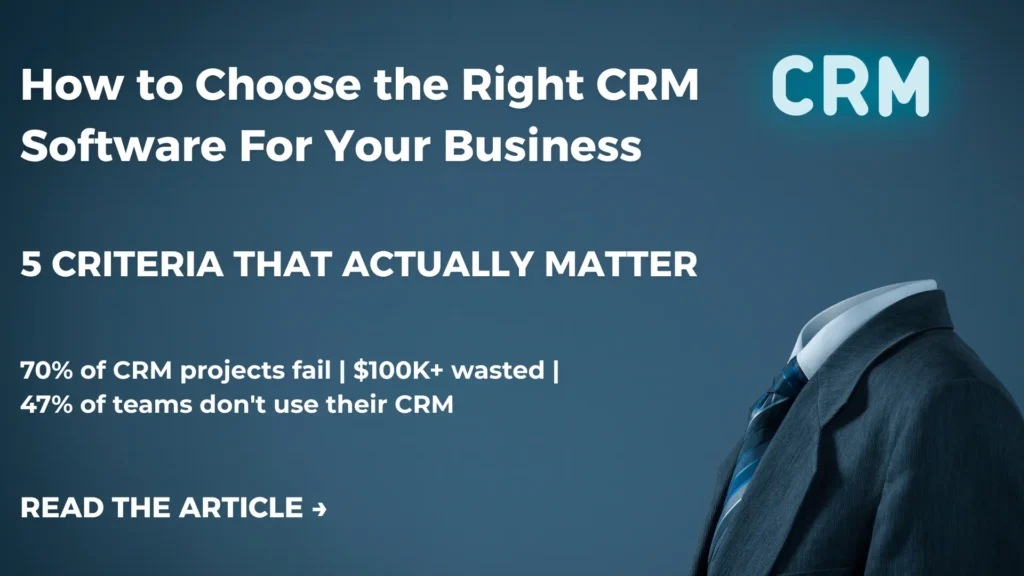
How to Choose the Right CRM Software for Your Business: 5 Criteria That Actually Matter

Choosing a CRM is one of the most important technology decisions your business will make — and one of the easiest to get wrong. Not because CRM software is complicated. But because there are hundreds of options, every vendor claims to be the best, and the criteria that matter most for your business are rarely the ones that feature prominently in a product brochure. The wrong CRM creates problems that compound over time: sales teams who do not use it because it does not fit their workflow, data that is siloed rather than shared, reports that take hours to generate manually because the system cannot produce them automatically, and a growing maintenance burden every time your business needs to do something slightly different from what the CRM was configured to handle. The right CRM, on the other hand, becomes the operational backbone of your business. It gives your sales team the context they need to close deals. It gives your marketing team the data they need to run campaigns that actually convert. It gives your service team the customer history they need to resolve issues on the first contact. And it gives leadership the real-time visibility they need to make confident strategic decisions. So how do you tell the difference before you commit? This guide covers five practical criteria for evaluating any CRM — the questions to ask, the red flags to watch for, and what great actually looks like at each stage of the decision. Why Choosing the Wrong CRM Is More Expensive Than You Think The Real Cost of a Poor CRM Decision Most businesses focus on the upfront cost when evaluating CRM software. That is understandable — it is the most visible number. But it is rarely the most significant one. The real cost of a poor CRM decision shows up over 12 to 36 months: Research by Gartner consistently shows that CRM failure rates remain high — not because of the technology, but because of poor selection and implementation decisions. Getting the selection right is the most important part of a successful CRM project. What a Great CRM Actually Does for Your Business Before evaluating specific platforms, it is worth being clear about what you are actually buying. A CRM is not just a contact database. At its best, it is a system that: With that benchmark in mind, here are the five criteria that determine whether a CRM actually delivers on these promises for your business. 5 Criteria to Evaluate Before Investing in Any CRM Criterion 1: Accessibility and Scalability — Can It Grow With You? Why this matters: A CRM that is difficult to access or that creates barriers to daily use will not be used consistently. And a CRM that cannot scale as your team grows will need to be replaced — at significant cost and disruption — at exactly the moment your business is growing fastest. What to evaluate: Cloud vs on-premises Cloud-based CRM software is the clear choice for most businesses in 2026. It eliminates the hardware investment and maintenance overhead of on-premises deployment, provides automatic updates and security patches, and enables access from any device with an internet connection. On-premises deployment may still be appropriate for organizations with specific data residency or compliance requirements — but for most businesses, the flexibility, lower upfront cost, and reliability of cloud CRM significantly outweighs any on-premises advantage. Multi-device access Your sales team works from wherever their customers are — offices, client sites, airports, coffee shops. Your CRM needs to work in all of these environments — on desktop, laptop, tablet, and mobile — with a consistent, properly optimized experience on each device. A CRM that only works well on a desktop computer is not a field sales tool. It is an office administration tool. The two are very different. Scalability — adding users without headaches As your team grows, adding new users to your CRM should be straightforward and cost-effective. Evaluate: Microsoft Dynamics 365 advantage: Dynamics 365 is a cloud-native platform with native iOS, Android, and Windows apps — providing consistent, full-featured access across every device. Licensing scales from small teams to enterprise organizations, with role-based access configuration that ensures every user sees exactly what they need. Criterion 2: Beyond Sales — Does It Cover Your Whole Business? Why this matters: Many CRM systems were originally built as sales tools — and they remain primarily sales tools, with bolt-on modules for marketing and customer service that feel like afterthoughts. When your CRM only handles part of the customer relationship, the data gaps between functions create the inconsistent experiences that frustrate customers and reduce team effectiveness. What to evaluate: End-to-end customer journey coverage The best CRM platforms follow the customer through the entire relationship — from the first marketing touchpoint through the sales cycle, the initial purchase, ongoing service interactions, and renewal or upsell opportunities. Ask each vendor: can a customer service agent see the complete sales history for a customer they are supporting? Can a salesperson see the support tickets a customer has raised before they call? Can marketing see which customer segments have the highest lifetime value, based on sales and service data? If the answer requires custom integration work, that is a yellow flag. Marketing automation integration Modern CRM platforms include — or natively integrate with — marketing automation tools that capture leads, run nurture campaigns, score prospects based on engagement, and hand qualified leads to sales with full context on their journey. Evaluate the depth of this integration: is marketing data visible to sales in real time, or does it sync on a schedule? Can marketers segment audiences based on sales stage and customer service history, or only on marketing engagement data? Customer service and support coverage If your business provides ongoing support to customers, evaluate whether the CRM includes case management, SLA tracking, knowledge base management, and multi-channel service capabilities — or whether these require a separate system. Microsoft Dynamics 365 advantage: Dynamics 365 is a full customer

How to Choose the Right CRM Software for Your Business: 5 Criteria That Actually Matter Read More »

Business intelligence dashboard displaying real-time analytics, KPIs, and organizational insights.

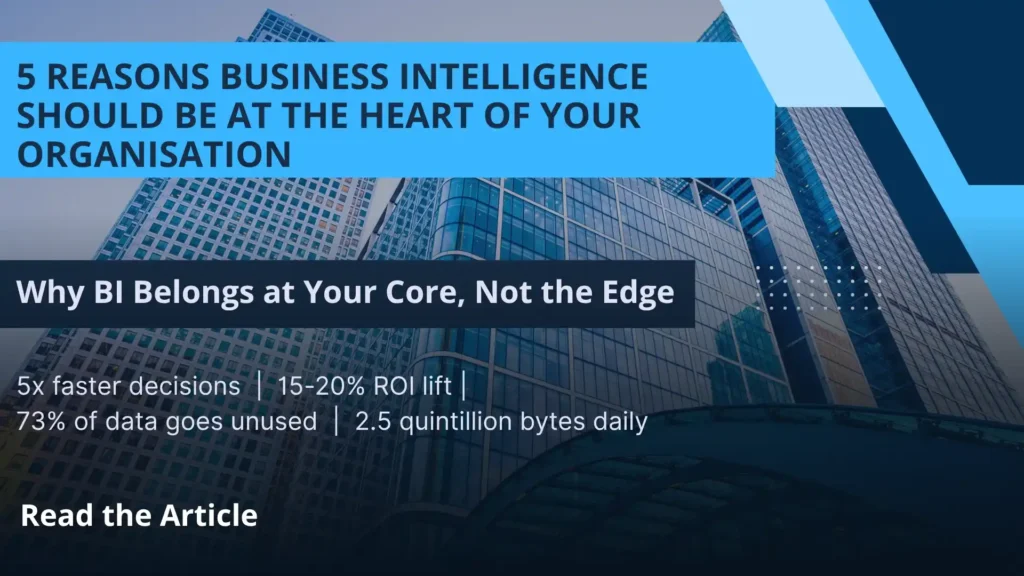
5 Reasons Business Intelligence Should Be at the Heart of Your Organisation

Here is a question worth sitting with: how many decisions does your business make every week based on gut instinct rather than real data? For most organisations, the honest answer is — more than it should. Not because the data does not exist. It does. It sits in spreadsheets, CRM systems, ERP platforms, and finance tools across your organisation. The problem is that it is scattered, siloed, and impossible to see clearly as a whole picture. Business intelligence (BI) is what changes that. It connects your data, organises it into meaningful insights, and puts the right information in front of the right person at exactly the right moment. Here are five compelling reasons why BI should be at the heart of every modern organisation — and why 2025 is the year to make it a strategic priority. What Is Business Intelligence and Why Does It Matter Now? Business intelligence is the technology, processes, and tools that transform raw organisational data into clear, actionable insights. It covers everything from interactive dashboards and real-time reports to advanced analytics and predictive modelling. In today’s digital-first environment, business leaders face a paradox — they have more data than ever before, yet feel less certain about the decisions they are making. BI resolves that paradox. It turns data overload into decision-making clarity. 5 Reasons Every Organisation Needs a BI Strategy 1. Make Smarter, Faster Business Decisions Data is not the same as intelligence. A business manager can be surrounded by reports and spreadsheets and still have no clear picture of what is actually happening — because the data is fragmented, delayed, and inconsistent across systems. BI changes this fundamentally. It creates a single, unified source of truth — pulling data from every corner of your organisation into one place and presenting it clearly through real-time dashboards. Instead of waiting for someone to compile a weekly report, you see exactly where your business stands right now. The result is better decisions, made faster, with genuine confidence behind them. 2. Supercharge Sales and Marketing Performance Sales and marketing teams are most effective when they work from the same data — and when that data tells them exactly where the opportunities are. For sales teams, BI identifies trends in customer behaviour, highlights the accounts most likely to convert, surfaces upsell and cross-sell opportunities, and quantifies pipeline performance in real time. No more guesswork about where to focus time and effort. For marketing, BI makes campaign performance immediately visible — showing which channels, messages, and audiences are delivering results, and which are wasting budget. Teams can adjust campaigns mid-flight based on real evidence rather than waiting for a post-campaign review. When both teams work from the same BI platform, the alignment between sales and marketing improves dramatically — and so do the revenue results. 3. Eliminate Inefficiencies and Boost Productivity Every organisation has processes that consume more time and resources than they should. The challenge is that inefficiencies are often invisible — buried in the day-to-day routine and never questioned because “that is how we have always done it.” BI makes inefficiencies visible. It identifies bottlenecks in production workflows, reveals where time is being lost in sales cycles, highlights which processes are underperforming against targets, and automates the routine reporting tasks that consume hours of management time every week. The productivity gains from a well-implemented BI strategy are felt across every department — from customer service and operations to finance and product development. 4. Improve Data Quality and Accuracy Across the Business When data lives in separate systems — a CRM here, an ERP there, a spreadsheet somewhere else — inconsistencies multiply silently. The same customer appears in three systems with three different records. Sales figures differ between the finance report and the sales report. Nobody is sure which number to trust. This is not just an inconvenience. Poor data quality leads to wasted marketing spend, missed sales opportunities, flawed forecasts, and brand damage from miscommunication with customers. BI addresses this at the root. By centralising data and creating a single validated source of truth, it surfaces inconsistencies and gaps that would otherwise remain hidden — improving the accuracy and reliability of every business decision that depends on data. 5. Deliver a Measurable, Business-Wide ROI Every investment decision your organisation makes should have a measurable return — and BI investment is no different. The good news is that the ROI from a well-implemented BI strategy tends to be both significant and multi-dimensional. Better decisions lead to more revenue. Eliminated inefficiencies reduce costs. Improved data quality reduces waste. Smarter sales and marketing generates higher conversion rates. Together, these improvements compound — creating a measurable uplift in business performance that justifies the investment many times over. Organisations that treat BI as a strategic priority consistently outperform those that do not — not because they have access to different data, but because they use their data more intelligently. What Business Intelligence Looks Like in Practice The best BI implementations are not complex IT projects. They are practical, accessible tools that become part of how people work every day. A sales director starts each morning with a dashboard showing pipeline health, conversion rates, and this week’s revenue forecast — updated overnight from live system data. A marketing manager checks campaign ROI in real time — adjusting spend toward channels that are converting and pulling back from those that are not. A CEO reviews a single consolidated view of company-wide performance — financial, operational, and customer — in one place, in minutes rather than hours. This is what BI enables. And with modern cloud-based platforms, this level of insight is accessible to organisations of every size. How Microsoft Power BI Delivers All 5 Benefits Microsoft Power BI is one of the world’s most widely adopted business intelligence platforms — and for good reason. It connects natively to Microsoft Dynamics 365, Azure, Excel, SQL databases, and hundreds of third-party data sources — bringing all your organisational data into one unified analytics environment. Interactive dashboards

5 Reasons Business Intelligence Should Be at the Heart of Your Organisation Read More »

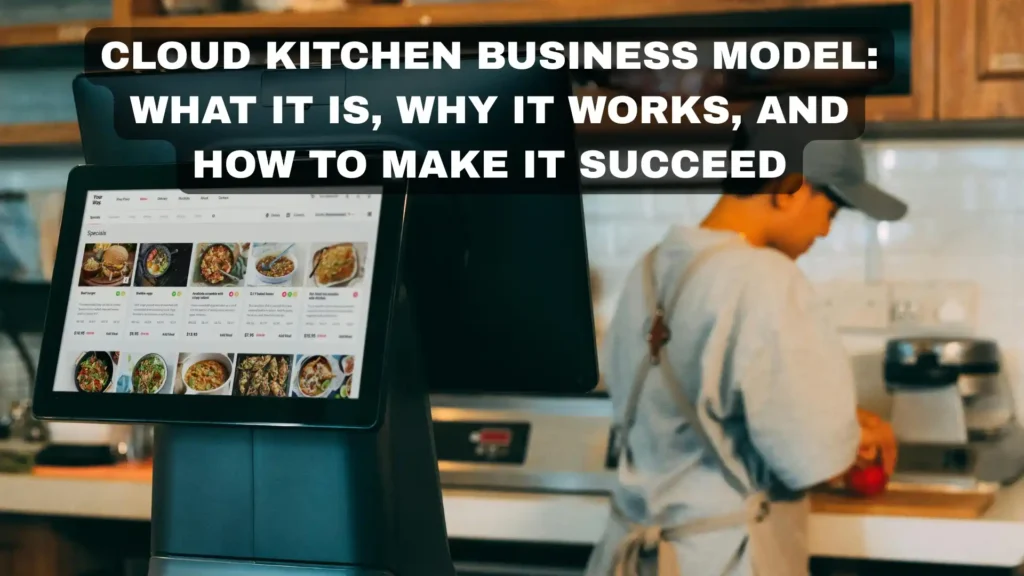
Cloud Kitchen Business Model: What It Is, Why It Works, and How to Make It Succeed

Imagine running a restaurant without paying for expensive interiors, premium high-street locations, or a large front-of-house team. No waiters. No dine-in tables. No investment in fancy décor. Just a kitchen focused entirely on preparing food while orders arrive through online delivery apps. That is the power of the cloud kitchen business model. Also known as ghost kitchens, dark kitchens, or delivery-only restaurants, cloud kitchens have transformed the food and beverage industry over the last few years. What started as a niche concept has now become one of the fastest-growing business models in the restaurant industry. In India alone, thousands of entrepreneurs, restaurant chains, and food startups are operating cloud kitchens successfully across major cities and smaller towns. The reason is simple — customer behavior has changed. People now prefer convenience, fast delivery, digital ordering, and variety over traditional dine-in experiences. Apps like Swiggy and Zomato have made food delivery a daily habit, creating the perfect environment for cloud kitchens to thrive. But while the model sounds attractive, success is not automatic. Many cloud kitchens fail because they underestimate operational complexity, delivery dependency, food consistency challenges, and technology requirements. To build a profitable cloud kitchen, businesses need the right strategy, systems, and execution. This guide explains exactly what a cloud kitchen is, why the model works, the challenges involved, and how to make it successful. What Is a Cloud Kitchen? A cloud kitchen is a food business that operates without a dine-in facility. Customers place orders online through food delivery apps, websites, or mobile apps, and the food is prepared in a centralized kitchen purely for delivery or takeaway. Unlike traditional restaurants, cloud kitchens focus entirely on food production and order fulfillment. Since they do not require expensive dining spaces or prime commercial real estate, operational costs are significantly lower. A single cloud kitchen can operate: For example, one kitchen may simultaneously run: All from the same infrastructure and kitchen staff. This flexibility makes cloud kitchens highly scalable and cost-efficient compared to traditional restaurants. Why the Cloud Kitchen Model Works Lower Startup Costs Traditional restaurants require huge upfront investments in interiors, furniture, signage, and prime locations. Cloud kitchens eliminate most of these expenses. Businesses can start operations from smaller commercial kitchens or even shared kitchen spaces, reducing setup costs dramatically. Faster Expansion Opening a traditional restaurant in multiple cities requires heavy investment and long timelines. Cloud kitchens can expand much faster because they only need kitchen infrastructure and delivery coverage. Brands can test new markets quickly with lower financial risk. Higher Focus on Operations Traditional restaurants divide attention between dining experience and kitchen efficiency. Cloud kitchens focus entirely on: This operational focus often improves efficiency and profitability. Rising Online Food Delivery Demand Food delivery is no longer a trend — it has become a permanent customer habit. Busy lifestyles, smartphone usage, and delivery platforms have created massive demand for online food ordering. Cloud kitchens are built specifically for this digital-first market. Different Types of Cloud Kitchen Models Independent KDS A single food brand operates from one kitchen and handles online orders directly through delivery apps or its own website. Best for: Multi-Brand KDS One kitchen operates multiple virtual brands targeting different customer segments and cuisines. For example: This increases revenue potential without additional infrastructure investment. Aggregator-Owned KDS Platforms like Swiggy or Zomato may provide ready-to-use kitchen infrastructure that brands can rent and operate from. This reduces setup complexity for new businesses. Shared Kitchen Model Multiple food businesses share one commercial kitchen facility while operating independently. This model lowers operational costs and is ideal for startups testing the market. Challenges of Running a Cloud Kitchen While KDS offer huge advantages, they also come with challenges that many businesses underestimate. Heavy Dependence on Delivery Apps Most cloud kitchens rely heavily on Swiggy, Zomato, or other aggregators for customer acquisition. These platforms charge high commissions, which can impact profitability. Businesses must eventually build direct customer relationships through loyalty programs and their own ordering channels. Intense Competition Customers browsing delivery apps compare dozens of restaurants instantly. Cloud kitchens compete not only on food quality but also on: Standing out requires strong branding and operational consistency. Food Quality During Delivery A dish that tastes amazing inside the kitchen may not arrive in the same condition after 30 minutes of delivery. Packaging becomes extremely important for maintaining: Operational Complexity Managing multiple brands, online orders, inventory, kitchen staff, and delivery coordination can quickly become chaotic without proper systems in place. This is why technology plays a critical role in cloud kitchen success. Technology Needed for a Successful Cloud Kitchen Cloud kitchens run on technology. Without the right systems, businesses struggle with delays, inventory issues, and inconsistent operations. POS & Order Management System A centralized POS system helps manage: Solutions like Microsoft Dynamics 365 Business Central and LS Central help cloud kitchens automate operations while improving visibility across multiple brands and locations. Inventory Management Food costs can destroy profitability if inventory is not tracked properly. Inventory systems help businesses: Kitchen Display System (KDS) Digital kitchen display systems replace paper tickets and improve order accuracy and kitchen efficiency. Analytics & Reporting Cloud kitchens depend heavily on data-driven decisions. Reporting tools help identify: How to Make a Cloud Kitchen Successful Choose the Right Location Even though customers never visit the kitchen, location still matters. Kitchens should be close to high-demand delivery zones to ensure faster delivery times. Focus on a Strong Menu KDS menus should be optimized for: Complicated dishes with long prep times often reduce operational efficiency. Build a Recognizable Brand Branding matters even in delivery-only businesses. Strong logos, packaging, social media presence, and customer experience help cloud kitchens stand out from competitors. Prioritize Customer Reviews Online ratings directly impact visibility on delivery apps. Consistent food quality and reliable service are critical for maintaining positive reviews. Use Data to Improve Operations Successful KDS constantly analyze sales, customer preferences, delivery times, and food costs to improve performance and profitability. Final Thoughts The cloud kitchens business model is reshaping the restaurant

Cloud Kitchen Business Model: What It Is, Why It Works, and How to Make It Succeed Read More »

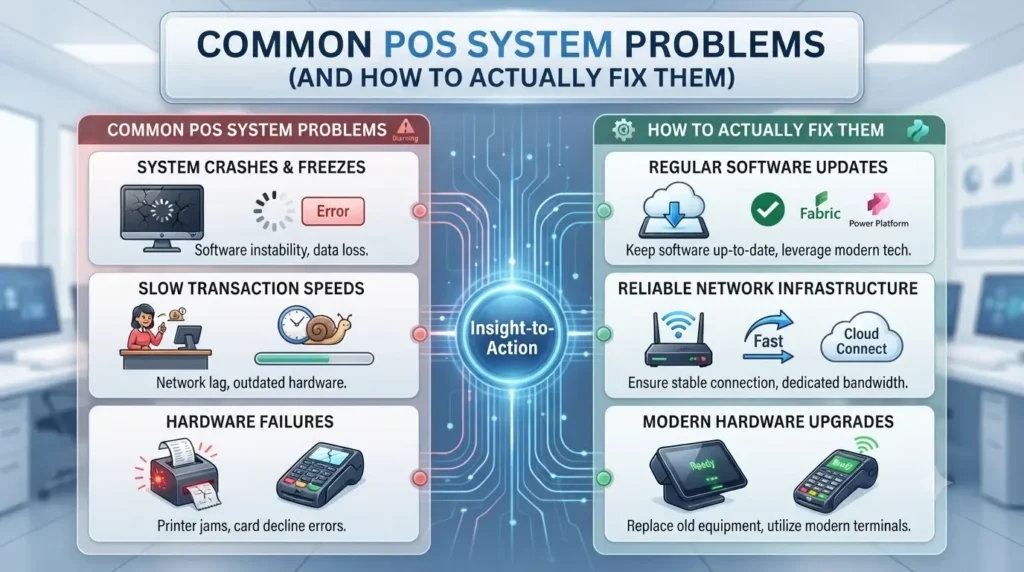
Problems Faced by POS System and Trident’s Solutions

[vc_row][vc_column][vc_column_text]The modern point of sale systems is an easy and efficient way for merchants to trade their goods and services. It can help any business to get more sales, in business management, and also help in leveraging ecommerce features. Though, POS problems could face some problems which fortunately are avoidable if you choose the right pos system and implement it properly. So in the below context, we will discuss the problems while implementing a POS system and their solutions.[/vc_column_text][/vc_column][/vc_row][vc_row][vc_column width=”1/2″][vc_column_text] 1) Security Issues Even one breach to the customer’s confidential data is enough to ruin your reputation and trust that you have built over the years with your customer. To counteract this costly mistake and to safeguard your business, it’s crucial to invest in the good POS system that includes a hacker detection. You also have to keep in mind the following tasks: Protection and encryption of your Wi-Fi A strong password for your POS Different Wi-Fi network from customers [/vc_column_text][/vc_column][vc_column width=”1/2″][vc_single_image image=”7284″ img_size=”600×230″][/vc_column][vc_column][vc_row_inner][vc_column_inner][vc_column_text] 2) Adopting the Wrong POS System One of the key feature of the POS system is the breadth of reporting analytics that is made available for retailers. But if you skimp on implementing the POS system then that could lead to inaccurate reporting. So you don’t have to skimp on implementing it as it is a one-time investment with great ROI. 3) No Backup  Suppose you have selected a good POS system but what if the internet is down? How could you do a transaction? You need to ask these questions to yourself after implementing a POS solution. This is especially important if you choose a web-based system that can’t process payments without a Wi-Fi signal. So it is suggested you have a backup “hotspot” connection. Depending on your business’s requirements, you might also think to have a complete backup POS system. For example, some businesses keep a free POS system or mobile payment app handy for when they have problems with their primary POS. 4) Not Using POS Optimally Sometimes even if the merchants have a great POS system they don’t know how to use its advanced features like Sales reports, Email marketing, E-commerce, Employee management, etc. This means that they are wasting their money on the features they are not even using. 5) Proper Training of Employees Employees face troubles when the new POS system is installed in your business. So employees have to be trained thoroughly which will enable them to run different operations on the POS system smoothly and efficiently.[/vc_column_text][/vc_column_inner][/vc_row_inner][vc_row_inner][vc_column_inner width=”1/2″][vc_single_image image=”7292″ img_size=”500×300″][/vc_column_inner][vc_column_inner width=”1/2″][vc_column_text]Picking a POS system is the beginning of a long-term relationship, and you want to make sure that the company you choose will be there through thick and thin. You’re faced with a lot of options, and you want to make sure to partner with a strong company dedicated to the retail industry, therefore, we would likely suggest you go for the Trident Information Pvt Ltd which is the Microsoft Ls nav partner and can provide you an end-to-end retail POS solution for stores or chain of retails, which is powered by Microsoft Dynamics NAV. This integrated solution delivers completed and innovative functionalities to the busiest retailer without the need to build, manage and maintain multiple applications and interfaces. Its unique use of single application covers your whole retail business from the Point of Sale (POS) terminals to headquarter. The powerful functions including store management, inventory, merchandising, demand planning and all the back-office functions that you would expect to find at head office are available in LS Retail.[/vc_column_text][/vc_column_inner][/vc_row_inner][/vc_column][/vc_row]

Problems Faced by POS System and Trident’s Solutions Read More »

Microsoft Dynamics 365 Supply Chain Management dashboard tracking inventory, logistics, and operations.

Microsoft Dynamics 365 Supply Chain Management: How to Connect, Optimize, and Future-Proof Your Entire Supply Chain

Think about how your supply chain works today. Raw materials arrive — hopefully on time, hopefully in the right quantities. Production is planned — hopefully matching actual demand. Finished goods move to warehouses — hopefully with accurate inventory records. Orders are fulfilled and delivered — hopefully within the window your customers expect. The problem with a supply chain built on “hopefully” is that it becomes visible in the worst possible moments: the stockout that loses you a major order, the warehouse error that sends the wrong product to the wrong customer, the demand spike that catches you under-prepared, or the supplier failure that creates a production shutdown nobody saw coming. Microsoft Dynamics 365 Supply Chain Management replaces “hopefully” with certainty — connecting every function in your supply chain on a single intelligent platform, powered by real-time data, AI-driven forecasting, and automated processes that respond to change faster than any manual system can. From inventory management and demand forecasting through warehouse operations, transportation, procurement, and quality control — Dynamics 365 Supply Chain Management gives organizations the unified visibility and operational control to run a supply chain that is not just efficient today, but resilient and adaptable for whatever tomorrow brings. This guide covers the full scope of what Dynamics 365 Supply Chain Management delivers — the core capabilities, the business benefits, and how Trident Information Systems implements it for organizations across India. What Is Supply Chain Management and Why Does It Need Modernizing? Supply chain management encompasses every process involved in getting a product from raw material to customer — procurement, production planning, inventory management, warehousing, transportation, and order fulfilment. When these processes work together seamlessly, organizations can deliver products faster, at lower cost, with higher quality and greater customer satisfaction. When they do not — when each function operates on its own system, its own data, and its own timeline — the gaps between functions become the primary source of supply chain cost, delay, and risk. The Real Cost of an Outdated Supply Chain in 2026 Supply chain inefficiency is not abstract. It shows up in measurable, bottom-line costs that compound over time: Post-pandemic supply chain disruption has made these vulnerabilities more visible and more costly than ever before. Organizations that invested in supply chain technology before the disruptions were significantly better positioned to adapt — and those that did not are catching up under pressure. What a Modern, Connected Supply Chain Actually Looks Like A modern supply chain does not just move goods from A to B more efficiently. It anticipates, adapts, and learns. It uses AI to predict demand before it becomes obvious. It uses IoT to monitor assets and inventory in real time. It uses automation to execute routine decisions instantly, freeing human judgment for the decisions that actually require it. Microsoft Dynamics 365 Supply Chain Management is the platform that makes this possible — connecting every supply chain function on a single system, with real-time data and embedded intelligence that transforms reactive operations into proactive, resilient ones. How Microsoft Dynamics 365 Supply Chain Management Works A Single Platform Connecting Every Supply Chain Function The foundational design principle of Dynamics 365 Supply Chain Management is unification. Rather than operating inventory management, warehouse management, transportation, and procurement on separate systems that exchange data through scheduled integrations — Dynamics 365 connects all of these functions on a single platform and a single data model. This means: When every function operates from the same data, the decisions made in each function are automatically informed by the context of every other function. That alignment — which manual systems and siloed applications can never reliably achieve — is the foundation of supply chain competitive advantage. Built on Microsoft Azure: Cloud-Native Supply Chain Intelligence Microsoft Dynamics 365 Supply Chain Management is built on Microsoft Azure — providing the cloud infrastructure, data processing, and AI capabilities that modern supply chain intelligence requires: Core Capabilities of Microsoft Dynamics 365 Supply Chain Management 1. Intelligent Inventory Management Inventory management is the function where supply chain technology delivers some of its most immediate and visible business impact — because inventory is both a major cost driver and a direct enabler of customer satisfaction. Microsoft Dynamics 365 Supply Chain Management transforms inventory management from a reactive, manual process into an intelligent, automated one: The business impact of intelligent inventory management is direct and measurable: lower safety stock requirements, fewer stockouts, reduced carrying costs, and better cash flow — all without sacrificing service levels. 2. Advanced Warehouse Management Your warehouse is the operational heartbeat of your supply chain — and how efficiently it operates directly determines your ability to fulfil orders accurately, quickly, and cost-effectively. Microsoft Dynamics 365 Supply Chain Management includes a comprehensive advanced warehouse management system (WMS) that gives operations teams the tools to optimize every movement of goods through the facility: 3. End-to-End Tracking and Traceability In industries where product quality, safety, and regulatory compliance are critical — pharmaceuticals, food and beverage, medical devices, chemicals, electronics — the ability to trace every product through every stage of the supply chain is not a nice-to-have. It is a legal and commercial requirement. Microsoft Dynamics 365 Supply Chain Management provides comprehensive end-to-end tracking and traceability: 4. AI-Powered Demand Forecasting The most expensive supply chain decisions are made in response to demand — how much to produce, how much to stock, what to order from suppliers. When those decisions are based on accurate demand forecasts, costs are minimized and service levels are maximized. When they are based on inaccurate forecasts or gut instinct, the result is either costly overstock or damaging stockouts. Microsoft Dynamics 365 Supply Chain Management integrates with Azure Machine Learning to deliver AI-powered demand forecasting that goes far beyond traditional historical averaging: The business impact of accurate demand forecasting compounds across the supply chain: lower safety stock requirements, better supplier order timing, more efficient production scheduling, and higher service levels — all simultaneously. 5. Warehouse and Material Handling Automation As warehouse operations scale, the efficiency

Microsoft Dynamics 365 Supply Chain Management: How to Connect, Optimize, and Future-Proof Your Entire Supply Chain Read More »

Microsoft Azure security dashboard monitoring cyber threats, cloud protection, and data backup.

Microsoft Azure Enterprise Security: How to Protect Your Business Data Against Cyber Threats, Outages, and Data Loss

Here is a question that should make every IT leader uncomfortable: if your organization suffered a significant cyberattack at 9am tomorrow morning, how confident are you — genuinely confident — in your ability to recover? Not hopeful. Not fairly confident. Genuinely, documentably confident — because you have tested your recovery plan, you know your Recovery Time Objective, and you know that your backup data is clean, current, and accessible even if your primary environment is completely compromised. If that confidence is not there, you are not alone. And the stakes have never been higher. Ransomware attacks on enterprise systems are increasing in frequency, sophistication, and financial impact. Data breaches are exposing sensitive customer and commercial information at a scale that would have seemed extraordinary just five years ago. And regulatory consequences — financial penalties, reputational damage, and operational disruption — are following those incidents with increasing severity. Microsoft Azure enterprise security is the answer to this challenge — providing an integrated, multi-layered security, backup, and disaster recovery architecture that gives organizations the genuine confidence that their data is protected, their systems can recover, and their business can keep running through whatever the threat landscape throws at them. Azure is not simply a cloud platform with security features added. It is a platform that was engineered with security as a foundational design principle — built on customized hardware with security controls embedded at every layer, defended by 8,500 dedicated security professionals globally, and continuously updated by AI systems analyzing trillions of security signals every single day. This guide covers every dimension of Microsoft Azure’s enterprise security capability — backup, disaster recovery, threat protection, identity management, compliance, and the AI-powered intelligence that makes Azure one of the most secure enterprise cloud environments available in 2025. Why Enterprise Data Security Has Never Been More Critical The Evolving Cyber Threat Landscape in 2026 The cybersecurity threat environment that enterprise IT teams face in 2026 is qualitatively different from what it was even three years ago. The combination of increasingly sophisticated threat actors, AI-powered attack tools, and an expanding attack surface — created by hybrid work, IoT proliferation, and multi-cloud environments — means that traditional perimeter-based security is no longer sufficient. The numbers make the challenge concrete: For Indian enterprises specifically, the implementation of the Digital Personal Data Protection (DPDP) Act 2023 adds a regulatory dimension to data security — with penalties for inadequate data protection that create financial risk alongside the operational risk of a breach. The Three Questions Every IT Leader Must Be Able to Answer In a security incident, there are three questions that separate organizations that recover quickly from those that do not: 1. “Is our data safe and intact?” This requires confidence in your backup strategy — that every critical system is backed up, that backups are tested and restorable, and that backup data is isolated from the primary environment so that an attack cannot encrypt both simultaneously. 2. “How long will it take to recover?” This requires a defined, tested Recovery Time Objective (RTO) — the maximum acceptable time between an incident and the restoration of normal operations. Organizations without a tested DR plan frequently discover that their actual recovery time is orders of magnitude longer than their assumed one. 3. “What did we lose?” This requires a defined Recovery Point Objective (RPO) — the maximum acceptable amount of data loss measured in time. An RPO of four hours means you can afford to lose up to four hours of transaction data. An RPO of zero means you need real-time replication to a secondary environment. Microsoft Azure provides the infrastructure, services, and tools to answer all three questions confidently — with documented SLAs backing every commitment. Microsoft Azure: The Enterprise Cloud Security Platform Microsoft Azure is the world’s second-largest cloud platform — serving hundreds of thousands of enterprise organizations globally, including many of the world’s most security-sensitive institutions: government agencies, financial services organizations, healthcare systems, and defense contractors. This trust has been earned through a security architecture that is genuinely different from what most organizations can build independently. How Azure’s Security Architecture Is Different Azure’s security architecture is built on a principle that Microsoft calls assume breach — designing every system on the assumption that a breach may occur, and engineering to minimize the impact, detect it quickly, and recover rapidly. This principle drives every layer of Azure’s security design: Azure’s Global Security Infrastructure: Scale and Expertise The security investment Microsoft makes in Azure is simply not replicable by most organizations building their own security capability: Azure Backup: Never Lose Critical Business Data Again Data loss is one of the most devastating events an organization can experience — and in 2025, it is also one of the most preventable. Azure Backup provides enterprise-grade data protection for on-premises workloads, cloud-based applications, and Azure virtual machines — with the automation, scalability, and reliability that enterprise backup requires. What Azure Backup Protects Azure Backup provides comprehensive protection for virtually every workload in your enterprise environment: Key Azure Backup Capabilities Offload on-premises backup infrastructure Azure Backup eliminates the need for on-premises backup hardware, software, and the ongoing management overhead that comes with it. Your backups go directly to Azure’s cloud storage — with Microsoft managing the infrastructure, the replication, and the retention — while you retain full control over backup policies and recovery operations. For organizations still running tape-based or legacy backup solutions, Azure Backup represents a fundamental simplification — lower cost, lower management overhead, and dramatically better reliability. Automated backup management Configure backup policies once — frequency, retention period, consistency requirements — and Azure Backup executes them automatically. No backup job monitoring, no failed job alerts going to an already-overloaded IT team. Backups happen on schedule, and exceptions are flagged automatically. Pay-as-you-use storage model Azure Backup uses a consumption-based pricing model — you pay for the backup storage you actually consume, not a fixed capacity you have to provision upfront. As your data volumes grow, backup storage scales automatically — with

Microsoft Azure Enterprise Security: How to Protect Your Business Data Against Cyber Threats, Outages, and Data Loss Read More »

Microsoft Dynamics 365 dashboard managing manufacturing operations, production, and supply chain performance.

Microsoft Dynamics 365 for Manufacturing: How It Transforms Operations and Drives Profitability

Every manufacturer faces the same pressure: produce more, faster, at lower cost — without compromising quality. Meeting that demand with disconnected systems, manual processes, and limited supply chain visibility is not just difficult. It is becoming impossible. The manufacturers pulling ahead in 2025 are those who have replaced fragmented tools with a single, intelligent ERP platform that connects every function of their operation. Microsoft Dynamics 365 for manufacturing is that platform. Built for the complexity of modern manufacturing — from production planning and supply chain management to asset monitoring, quality control, and financial reporting — Dynamics 365 gives manufacturers the real-time visibility, automation depth, and data-driven intelligence to operate at their best. Here are five ways it makes that happen. Why Manufacturing Businesses Need a Modern ERP in 2026 The Real Cost of Outdated Manufacturing Systems Running a manufacturing business on legacy ERP systems — or worse, on spreadsheets and disconnected tools — creates hidden costs that compound over time. Production schedules that do not reflect real material availability. Supply chain decisions made without current data. Asset failures that were not predicted. Quality issues caught too late. Financial reports that take days to compile. Each of these is a cost. Together, they represent the difference between a manufacturing operation that competes effectively and one that is perpetually behind. Microsoft Dynamics 365 addresses all of them — in a single, cloud-native platform that connects every function of the manufacturing business from one unified data model. 5 Ways Microsoft Dynamics 365 Transforms Manufacturing 1. Smarter Supply Chain Operations Supply chain complexity is the defining operational challenge for most manufacturers. Sales data, supplier performance, order fulfilment status, product quality metrics, and logistics information all need to be visible simultaneously — and acted on in real time. Dynamics 365 brings all of this together on one platform. By connecting your business data, supply chain data, and external inputs like demand signals and logistics tracking through built-in artificial intelligence and machine learning, it enables manufacturers to: The result is a supply chain that is proactive rather than reactive — and that is a fundamental competitive shift. 2. Intelligent Asset Management Unplanned equipment downtime is one of the most expensive events in any manufacturing operation. When a critical machine fails without warning, the cost is not just the repair — it is the lost production, the missed delivery commitments, and the knock-on disruption to every downstream process. Dynamics 365 enables manufacturers to move from reactive maintenance to predictive maintenance. By combining the ERP with IoT-connected sensors on production equipment, you can: The business impact is direct: more uptime, lower maintenance costs, and longer asset lifespans. 3. Faster Innovation and Shorter Time to Market In manufacturing, speed to market is a competitive weapon. The faster you can develop a new product, refine a production process, or respond to changing customer requirements — the more market share you can capture before competitors catch up. Dynamics 365 gives product development and operations teams the real-time data visibility they need to innovate faster: Shorter development cycles. Faster process refinement. Quicker response to market changes. These are tangible competitive advantages — and they are built on data visibility that Dynamics 365 makes possible. 4. Turn Business Data Into Competitive Advantage Modern manufacturing generates enormous volumes of data — from production equipment, quality systems, supply chain transactions, and customer interactions. Most of this data is either underused or completely ignored. Dynamics 365 changes that. Its built-in AI and analytics capabilities — powered by Azure Machine Learning and Microsoft Power BI — transform operational data into actionable business intelligence: Manufacturers who use their data effectively make better decisions, faster. Dynamics 365 is the platform that makes this possible — without requiring a dedicated data science team. 5. Increase Profitability Across the Operation Every improvement above contributes to the same outcome: higher profitability. Less downtime means more productive hours. Better supply chain management means lower procurement costs. Faster time to market means more revenue captured. Better quality control means fewer returns and less rework. Smarter use of data means fewer costly mistakes. Dynamics 365 equips manufacturers with the tools to eliminate waste, reduce errors, serve customers better, and operate more efficiently — all of which flow directly to the bottom line. Key Features of Dynamics 365 for Manufacturing Feature What It Delivers MRP and production planning Align materials, capacity, and schedules in real time IoT asset monitoring Predictive maintenance and real-time equipment visibility Quality management In-process checks, batch traceability, compliance documentation Warehouse management Optimised storage, directed picking, real-time inventory Demand forecasting AI-powered planning that anticipates market changes Financial management Real-time cost visibility across every production process Power BI dashboards Live KPI reporting for every level of the organisation Real Results: What Manufacturers Achieve With Dynamics 365 Manufacturers implementing Microsoft Dynamics 365 through Trident consistently report measurable improvements: Why Trident Is India’s Trusted Dynamics 365 Manufacturing Partner As a certified Microsoft Dynamics 365 implementation partner, Trident Information Systems has helped manufacturers across India — spanning discrete manufacturing, process manufacturing, and mixed-mode operations — implement ERP solutions that deliver real, measurable outcomes. Our manufacturing implementations cover everything from production planning and supply chain integration to IoT asset management, quality control, and Power BI analytics — configured for the specific requirements of your operation, not a generic template. Ready to transform your manufacturing operation with Microsoft Dynamics 365? Book a free manufacturing ERP assessment with Trident today — and discover exactly where connected intelligence can deliver the most immediate value for your business. For more insightful content and industry updates, follow our LinkedIn page.

Microsoft Dynamics 365 for Manufacturing: How It Transforms Operations and Drives Profitability Read More »