Welcome to Trident Information Systems!
Write us to - info@tridentinfo.com
Let's Socialize

restaurant pos systems

Deliver faster, better service with self-checkout technology

Self-checkout technology may be nothing new – but it’s hot news in retail. The global retail self-checkout market is expected to grow 10.3% year over year until 2024, Loss Prevention Media recently reported. The ideal technology for busy consumers This predicted growth isn’t surprising, if you consider some of the biggest consumer trends. 1. DIY Do-it-yourself has become the norm for today’s consumers. From self-scanning one’s bags at the airport, to booking massages, treatments and medical appointments online, to self-management of personal finances on phone apps, the tendency to DIY has spread to most facets of life. Across ages, genders and geographies, there seems to be a shared preference for figuring things out on one’s own. Not only: many would rather interact with machines than with people. A recent consumer survey by SOTI found that as many as 66% of shoppers prefer using self-service technology over having to ask a salesperson. McDonald’s recently decided to implement self-serve kiosks, machines where people can order their meal using a screen, in all its 14,000 U.S. locations. The QSR giant tested these machines in selected restaurants, and noticed that sales were consistently higher at the machines than at the manned tills. The reason? Apparently, people are more likely to supersize their portions when a (non-judgmental) machine, rather than a staff member, is taking the order. 2. Rushed lives Today’s consumers lead busy lives, and have no time to waste. They are used to getting what they want (from information to communications to products) instantly, with a click. And when they shop in-store, they expect to do it at their own pace. They may wish to take their time picking out items – but once they are done, they want to speed through checkout, and be on their way. According to a survey by Box Technologies and Intel in the UK, 90% of shoppers actively avoid stores with long queues. 70% even said they might not go back to a store with long lines! As self-checkout terminals tend to be more compact than traditional tills, shifting to this technology means retailers can replace one manned till with multiple self-checkouts. It’s a smart way to reduce lines without having to increase the retail space. “Even if shoppers can take longer to scan products than staff members, the retailers who have implemented this technology by LS Retail have been experiencing shorter lines, and seeing more transactions per hour per square meter,” says Hilmar Vilhjalmsson, Product Owner for the self-checkout systems at LS Retail. 3. Smaller hypermarket baskets Remember the days of the big Saturday shopping trip with the family? Forget them. They are gone. Across the globe, consumers drop by at the supermarket multiple times per week, and buy just a few items at a time. According to global research done by Dunnhumby, today more than 60% of hypermarket baskets contain six or fewer items. The tendency is visible across the globe: small basket visits in hypermarkets are predicted to increase 3% year over year in Asia, 7.5% in Europe, and 11% in Latin America. Smaller baskets are ideal for self-checkout machines, as these have been shown to deliver the highest time savings when baskets of 10 items or less. 4. Increasing cost of labor According to Wells Fargo, the three industries that are most affected by rising labor costs are healthcare, finance, and retail. To maintain a healthy revenue without increasing prices – which is not advisable in the era of Amazon – alternative solutions are needed. That’s where self-checkout machines come in. In a traditional setup, you need one employee per till, but with self-serve machines, one staff member can monitor several tills at once. That’s not all. With manned checkouts, one staff member must be at or by the till even if there are no customers – waiting, in case someone shows up. With self-checkouts in place, there’s no need to waste your employees’ time. He or she can use the off-peak hours to receive products, restock the shelves, or advise customers. And if anyone needs to check out quickly, the machine is always active. Overcoming misconceptions If self-serve machines fit so well with today’s consumer and market trends, why has their uptake been so slow? In the past few years, many retailers have expressed misgivings on self-service technology. Some of the most common concerns include: High cost of hardware. High cost and low usability of software. Shrinkage control. Different factors, from scanning the wrong product, to missing an item, to intentional theft, can lead to lost inventory. It has been argued (although inconclusively) that shrinkage is more frequent in self-checkout lanes. Concerns over user acceptance. Some retailers worry that their customers won’t want to use machines, because they are too complicated, or simply because they’d rather have an employee serve them and take care of their needs. Although these have, indeed, been challenges in the past, those times are now behind us. 1. Slashed hardware costs Until a few years ago, self-checkout required special hardware, which meant a high upfront investment. Today, this cost can easily be minimized. For example, one of the most expensive pieces of the hardware is the cash-handling part. The question is, do you need to implement self-checkout machines that also accept cash? Ten years ago, six out of ten transactions were cash. Today it’s three in ten, and the number is still decreasing, Forbes reports. A self-checkout till that only accepts card payments, paired with manned tills that take all sorts of payments, can be a cost-effective solution.If you don’t sell grocery, and therefore don’t need scales at the till, you have even more options for saving on hardware. For example, some IKEA stores in the Nordic and Baltic countries set up effective, low-cost self-checkout registers using a standard computer screen, a barcode scanner and a receipt printer, and IKEA furniture. That’s all! No special hardware – and actually, no special software, which takes us to our next point. 2. No extra software expenses (if you select the right system) The checkout system used in these IKEA stores doesn’t have a specific interface. As a matter of fact, it is not designed for self-service. The customers check out using

Deliver faster, better service with self-checkout technology Read More »

3 ways to lower food costs using your restaurant management system

In the low-margin restaurant industry, it is essential to consistently monitor food costs. As restaurants struggle with rising price of ingredients, bottlenecks in the food supply, and limited seating availability, it’s more important than ever for businesses to optimize ingredient buying and usage, and minimize waste. A good restaurant management system will help you keep track of raw ingredients, menu prices, and spillage and food waste, enabling you to determine where you can make improvements without decreasing quality. Here are three steps you can take. 1. Automate inventory monitoring In the food and beverage industry, food costs represent on average almost one third of total business expenses. A unified restaurant management system that connects sales, kitchen and inventory in real time within a single  platform will give you total visibility over usage of ingredients. And if it’s a truly unified platform like LS Central for restaurants, it will also enable you to link your purchasing to recipe management and to actual sales. Stock can then be automatically added to as new inventory is received from distributors, while preset amounts for each ingredient are automatically subtracted from the inventory count when dishes are prepared. Some software systems also enable you to adjust inventory on the fly, using mobile devices to remove from stock the jars that fell on the floor and broke, or the spoiled meat. All this data can then be organized and analyzed in your back office tools, giving you valuable insight into what might be affecting your bottom line and allowing you to take action. 2. Identify waste patterns and adjust The US restaurant industry alone wastes over $25 billion worth of food annually, according to a report by waste reduction group ReFED. This is a staggering amount of money being thrown into the garbage. The first step to managing food waste is to keep track of what you’re throwing away, in what quantities, and why. Use your restaurant management system to keep a regularly updated food waste log. Locate problem dishes, and establish achievable wastage goals for your staff. Your employees deal with food waste in both the dining room and the kitchen, so it is important that both kitchen and front-of-house staff are trained to minimize common mistakes and correctly report wastage. Implementing a culture of waste monitoring with your employees will encourage staff members to report more detailed waste data. It will also discourage employee theft by clarifying that all inventory, both raw and prepared, is regularly being accounted for. Once you track your food waste, it’s time to start looking for trends. Perhaps you’ve noticed a dish that consistently returns to the kitchen partially uneaten. Whether it’s the half-eaten pancake or the piles of untouched fries which you end up throwing out, your customers are telling you something about portion size. With a good restaurant management solution, you can easily adjust your recipes and optimize ingredients and quantities. If your dessert portions are too generous, you could consider getting twelve slices instead of ten from each cake, reducing the amount of whipped cream, or making your cupcakes slightly smaller. The difference might seem tiny at first, but by the end of the month those ounces will add up to savings. By keeping an eye on your waste and adjusting portions accordingly, you’ll produce profit-making dishes, and will have satisfied customers cleaning their plates.   3. Engineer your menu to perfection Menu engineering is the process of finding the perfect balance of popular low- and high-cost food items. It’s an ongoing practice that uses key performance indicators (KPIs) to help you make data-driven decisions that ensure meals are popular and profit-making. If you are using a restaurant management system that gives you real-time business information, you can keep track of your KPIs and see how well your business is performing relative to established targets at all times. Use the system to break down the data and see how many times a dish has been ordered, what it costs to produce, and what kind of profit it brings in. By tracking KPIs such as average contribution margins and food cost percentages, you can see how a dish compares to the average profit margin of similar menu items. Once you have this information, you need to decide which dishes should be kept in your menu, and which ones you should rather replace or discard. Do you have a menu item that is significantly below the average margin and sells poorly? That should probably go. Is there a popular dish that is slightly below the average margin? Check if it will stay popular even with slightly higher prices. Do you have a low-selling but high-profit dish? Promote it by giving it top center placement on the menu, and remind your servers to suggest it to guests when applicable. As you calibrate your menu for maximum profitability and customer satisfaction, you will also be adjusting your inventory. Why order bags of live clams when they require careful handling, have a short shelf life, and aren’t frequently ordered? Save yourself both time and money: remove them from your menu and your inventory.  Controlling food costs while providing consistently great meals is essential to your restaurant’s long-term profitability. While it used to require a time-consuming process of manual reporting and calculating, today technology can help you refine your processes and cut costs. Do you need more information on how a modern restaurant management solution can help you transform your business? Contact us

3 ways to lower food costs using your restaurant management system Read More »

The future of the Point of Sale: why retail is going mobile, contactless and more personalized

Despite the undeniable rise of online, physical retail and the experience that goes with it – going into a store and discovering new products, seeing, touching and testing them in person, trying them on, and asking a store associate for advice – remains critically important.   Over the past decade, POS systems have evolved from a static cash register at the checkout point to a collection of valuable touchpoints that sit at the heart of the entire retail experience. Moving on, POS technology will move from a transactional role to one of consumer empowerment, bringing the shopping experience to wherever the customer wants it, however they want it.   “What we’re seeing retailers deploy now is typically applications which run a little bit in the cloud, a little bit on a mobile device, perhaps on the associate’s device, perhaps on a fixed device, perhaps even on the consumer’s own device,” said George Lawrie, vice president and principal analyst at global research firm Forrester. “The technology is now in place to do that. But also to mine a terrific amount of information and to give people some contextual content depending on where they are, what time of day it is, what day it is – that’s making a terrific difference.” Here are some ways in which the POS is evolving and how it is helping transform the customer experience for the better. 1. Moving the POS to the consumer’s device Running a POS on a mobile device like a smartphone or tablet is already commonplace in the industry. And while retailers are still exploring the opportunities that this approach offers, they also recognize that more customers expect to be able to interact in the retail environment with their own mobile devices too. UK retailer Marks & Spencer launched its Mobile Pay Go consumer app to beat long queues in its busy city stores and provide customers with a checkout-free payment option. Using the app, customers can purchase their lunch in under 40 seconds.  “Making it as easy as possible for customers to come in, purchase our products and be on their way is hugely important to us,” said M&S Clapham Junction store manager Joe Erskine.  Other retailers are taking a similar tact, introducing mobile POS in stores but also adding scan, pay and go functionality to consumer apps, putting the power of the transaction in their customers’ hands. Spar and Eurospar convenience stores in Northern Ireland introduced this type of mobile app so that customers can check whether items are in stock before they leave their homes, and build shopping lists ahead of planned store visits. But the convenience extends well beyond planning ahead. Using the app, they can be guided around the premises using aisle satnav, scan goods as they shop and check allergen, dietary and even sustainability information, such as the recyclability of each item’s packaging. 2. Cloud-based technology Retail employees need to be able to access store transactions or sales data quickly from their devices wherever they are. Cloud technology is now widely adopted across the retail industry, also because it enables retailers to integrate customer, transaction and inventory data with omnichannel orders, and make all the data available in real time for store associates. This wealth of information also empowers retailers to deliver personalized brand experiences, offer endless aisle shopping, create offers that resonate with customers and optimize store fulfilment and inventory management.  UK grocery retailer Waitrose is giving some of this functionality back to its customers: they can now build a basket in the cloud which can be accessed and added to on any device. It means the customer can begin the shopping journey on the mobile, adding the basics they know they need, then add more stuff on their laptop at home. Once they’re in store, they can scan more items in before they pay. At the same time, they know they’re getting the items for the best possible price as the same promotion engine runs across all channels.  With consumer habits changing quickly, it’s important to have technology that keeps you ahead of the competition. A big advantage of cloud-based POS solution are the automated updates and upgrades. New features and functions are automatically added to the entire network as soon as they’re made available by the technology provider, enabling retailers to keep pace with change. 3. Personalizing the experience A recent Epsilon survey of 1,000 US adults found that eight in ten want personalized offers and experiences from retailers. In another survey by Accenture, 91% of consumers said they tend to shop with businesses who know them and give offers and suggestions that are relevant to them. Today, POS software can help you tailor the experience to the needs of each customer. For example, a POS with clienteling functionality allows you to identify customers who have a profile with you, enabling store associates to deliver highly personalized and relevant product advice. Using machine learning (ML) you can take this a step further, and identify the products a customer will want to buy again in the future based on their past interactions. At the POS, then, an ML-powered recommendation engine can automatically generate a list of suggested products, which the store associate can use to make personalized recommendations. Intelligent retail will probably extend to more touchpoints in the future. Every time a customer shops in an Amazon Go store, for example, Amazon learns so much from their shopping behaviors to the point where it’s highly feasible in the not-too-distant future that they will be prompted to buy staples that they haven’t picked up recently or have recipes suggested to them based on items already in their shopping cart. Hyper-personalized, dynamic promotions will likely become the norm. So when a customer scans a product, they could automatically be pointed to another item they usually buy which is on offer on the same aisle. Or if they input their dietary requirements and health goals, they could have alerts and guidance pop up on their device as they shop.  4. Contactless tech The Covid-19 crisis has accelerated adoption and development of contactless technology. Contactless payments have come of age: a recent survey by Rapyd found

The future of the Point of Sale: why retail is going mobile, contactless and more personalized Read More »

Streamline ordering and communication with a connected Kitchen Display System (KDS)

Since LS One 2020 was released in July, the LS One team has been developing extra functionality to enhance the system. They have put special focus on extending the capabilities for restaurants and food service businesses. Trident is LS Retail Central Platinum Partner, offering ERP for Retail & Hospitality. The Kitchen Display System (KDS) is a digital order viewer that replaces paper tickets and printers in a restaurant kitchen. A KDS has become an essential component in a modern kitchen, as it helps organize and streamline work: No more stained, hard-to-read paper tickets: all orders are displayed on screens, clear and tidy. No need for servers to waste time running from the front to the kitchen and back: all communication between kitchen and front (orders, items, their preparation status) goes through your POS system. Items and orders are automatically routed and displayed at the proper food preparation stations. Items are shown on the screens by production order, so kitchen staff can start and complete preparation timely. Kitchen staff can bump dishes to different stations, or mark orders and items as ready. The Kitchen Display System and the POS are connected via a two-way communication system. Front-of-house staff can see the status of orders at the POS, and make sure all dishes are delivered to the guests at the right time. You can add screens and set up specific automations to follow your kitchen’s flow. In the past, to connect a KDS to LS One you needed to do your own integration. From this version of LS One onwards, you can use your LS One POS system with the LS Retail Kitchen Display System. The systems are connected out of the box, no extra work needed. Picture this: Your server takes the order at the POS. When they send the order to the kitchen, the items are automatically routed to the KDS in the correct kitchen station (for example, the grill station versus the sauté or dessert station), and displayed in the right order of production. When a guest asks “When is my dish coming?” front-of-house staff can check at the POS the status of the order, and update the table. Easy, quick, and professional. Sell groups of items easily with assembly items It’s now easier than ever before to sell multiple items at once – for example, as a gift basket. In LS One you can now create “assembly items” by combining different items into one. The options are endless: Set up deals (or meal deals, if you run a restaurant or café) Create hampers and gift baskets Make bills of materials Set up recipes, managing the ingredients as separate items Assemble supply kits Do you run a chain, and want to differentiate your offering across locations? You can vary the list of component items between locations, and easily substitute products or ingredients as needed. For example, your holiday hamper can include Gouda cheese, instead of brie, in some of your store locations. You can set a special price for the final item, or add up the prices of the items that compose it – your choice. If you want, you can also display the list of components on the POS receipt, on the printed receipt, and on kitchen orders – or you can hide it. The integration to SAP Business One ERP just keeps on getting better Since we introduced the out-of-the-box integration between LS One and ERP SAP Business One, more and more businesses have moved from other POS solutions to LS One. Using their valuable feedback, we have been working on the integration to make it even more immediate and seamless. You can now add a U.S. tax setup when you create a customer on the POS The login service layer is more intuitive and quicker We have added tax synchronization for specific localizations You can now easily connect to different versions of SAP Business One HANA More enhancements to come as the LS One team keeps on ironing out the wrinkles. Endlessly enhancing LS One We are continuously working on improving LS One in terms of functionality, speed and simplicity. Some highlights from this release: You can now add the company’s country information Discount calculations are way faster than before We have redesigned the “send to station” and “menu type selection” dialogs (restaurant-specific functionality) The kitchen printing/send to station functionality is now fast and seamless (restaurant-specific). You can find more enhancements and fixes in the release notes. And as usual, more improvements are ahead as the team keeps on working to make LS One the best POS in the industry. If you have any comments, suggestions, or any query for us, get in touch! or write at info@tridentinfo.com

Streamline ordering and communication with a connected Kitchen Display System (KDS) Read More »

Retail store using mobile POS and digital checkout solutions to reduce customer queues and improve checkout speed.

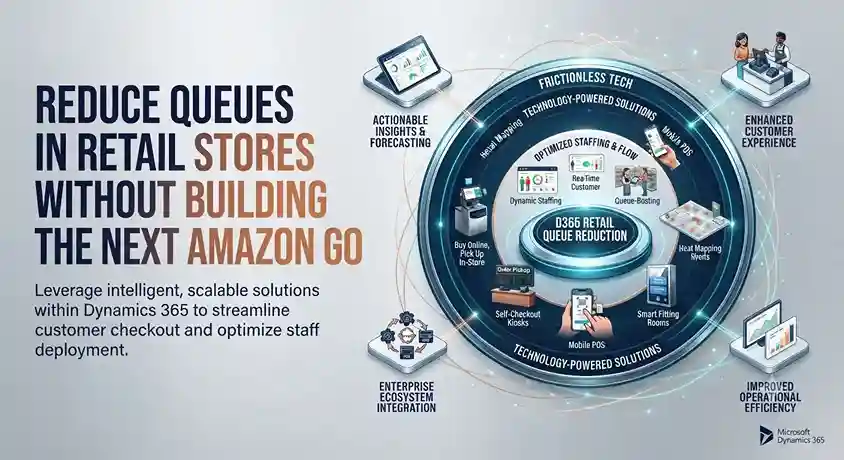
Reduce Queues in Retail Stores Without Building the Next Amazon Go

INTRODUCTION Nine out of ten shoppers in the UK say they will completely avoid a store with a long line; this means that every minute spent waiting to pay represents a real risk of losing the sale, not just a minor inconvenience. Amazon Go made headlines by eliminating checkout lines entirely, but a complete overhaul to remove checkouts is not feasible for most retailers. These six approaches can significantly reduce wait times without going to such extremes. 1. Bring the checkout to the customer with mobile POS systems Using a tablet or smartphone-based point-of-sale (POS) system allows staff to look up items, process payments, and print receipts wherever the customer is—whether inside or outside the store—instead of funneling all transactions through a fixed checkout counter. Furthermore, this solution facilitates scalability during peak periods: adding more mobile devices does not require allocating physical space for additional checkout stations, as traditional registers do. 2. Designate a specific line for complex transactions Simple purchases are quick, whereas returns, custom orders, and loyalty program sign-ups take longer. Mixing the two types in the same line means that every complex transaction slows down the progress of those waiting behind. Since straightforward sales usually far outnumber complex ones, routing complicated processes to a dedicated service point allows the main line to move at the pace most customers actually need. 3. Try virtual queuing Virtual queuing systems—common in banks and post offices but still rare in most retail stores—allow customers to get a number and reserve their spot without having to physically stand in line. Beyond convenience, this creates a genuine opportunity for upselling: a customer browsing the store while waiting for their turn might notice an item they hadn’t originally planned to buy. 4. Offer appointments for visits requiring personalized attention Not every store visit needs to be spontaneous. For specialized consultations or services, scheduled appointments allow retailers to manage visitor flow and devote proper attention to each customer, rather than rushing to serve them as quickly as possible. Watches of Switzerland took significant steps in this direction after reopening, organizing 13,000 one-on-one appointments (combining virtual and in-person formats) in just two weeks. While this model doesn’t suit every retail category, for purchases requiring more customer deliberation, it transforms queue management into an enhanced service experience rather than a compromise on the quality of care. 5. Implement self-scanning technology (Scan-and-Go) Self-scanning apps put the scanning process in the customer’s hands: items are scanned and added to a running total as they are placed in the cart, rather than all being scanned at once during checkout. Although this method is more established in the grocery sector, there is no structural reason preventing its application in sectors such as fashion, electronics, health, or home improvement. It offers an advantage beyond speed: scanning a barcode allows product details—such as ingredients, materials, or care instructions—to be displayed directly to the shopper, eliminating the need to consult staff or handle the packaging. 6. Ensure technology works correctly before it becomes a problem Unreliable point-of-sale (POS) technology not only slows down transactions but can bring them to a complete standstill. A Trident client recounted how their old system crashed during the Christmas Eve rush: every checkout in the store stopped working, transactions had to be processed manually, lines wrapped around the building, and the business estimated losses of $20,000 that day alone—not to mention the likely long-term impact on customer loyalty. Their conclusion, in their own words, was that reliability must be the primary criterion when evaluating payment technology, taking precedence over features or price. Before implementing new strategies to reduce queues, it is essential to ensure that the current system itself does not become the actual bottleneck. Are you looking for payment technology capable of handling demand spikes without failure? Contact Trident to discuss the best solution for your store.

Reduce Queues in Retail Stores Without Building the Next Amazon Go Read More »

Restaurant management software dashboard showing sales, inventory, food costs, staffing, orders, and real-time restaurant performance.

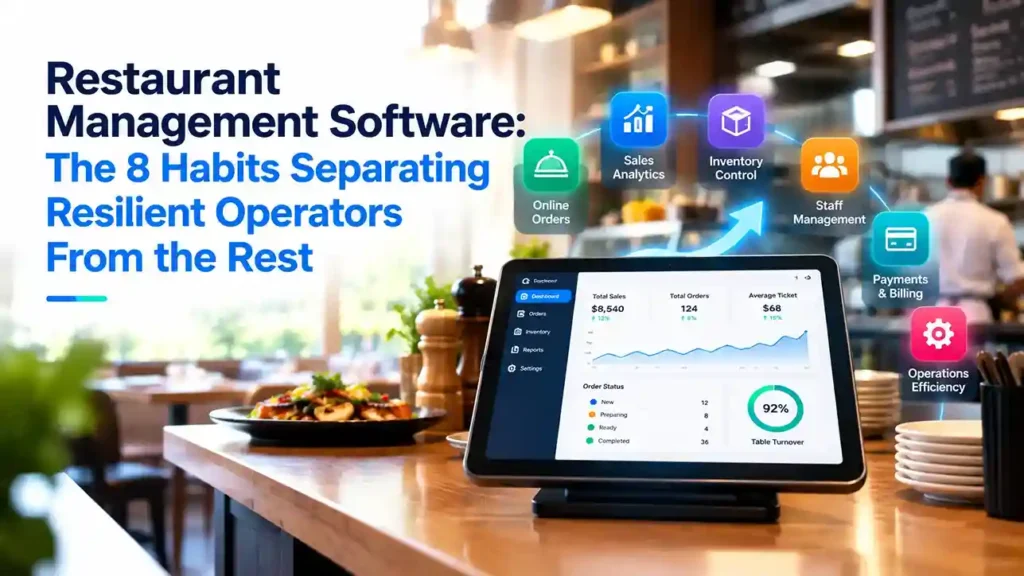
Restaurant Management Software: The 8 Habits Separating Resilient Operators From the Rest

INTRODUCTION Contactless payments, curbside pickup, QR code menus—none of these options were commonplace in restaurants just a few years ago. Today, they are standard expectations. The restaurants that adapted most successfully weren’t necessarily the ones that adopted the most technology, but rather those that managed it through a single, integrated platform instead of a disjointed array of tools. This distinction separates operators who achieved lasting resilience from those who implemented stopgap solutions that didn’t stand the test of time. Design the entire experience, not just a stopgap solution A payment terminal wrapped in plastic is a patch, not a solution; in fact, it often negates the very contactless functionality it was meant to protect. The shift toward contactless payments, delivery, drive-thru service, and curbside pickup is here to stay; therefore, it pays to build a robust infrastructure around these practices rather than relying on makeshift fixes. QR code menus are a prime example: they are useful right now for hygiene reasons, but they offer long-term value by allowing restaurants to instantly update prices or menu items without incurring reprinting costs. Table management software follows the same logic: it is useful today for maintaining social distancing and facilitating contact tracing, and it will remain valuable indefinitely for optimizing occupancy and speeding up table turnover. Take your POS system mobile When a server relies on a fixed terminal, customers are kept waiting, staff waste time walking back and forth, and lines form at the register. A mobile POS system allows servers to take orders, process payments, and close out checks without leaving the dining area; this results in faster service, less unnecessary movement, and the elimination of shared terminals among staff. The greatest advantage arises when the mobile POS connects directly to kitchen display systems: an order taken at the table is automatically sent to the appropriate kitchen station, eliminating the back-and-forth between the dining area and the kitchen that slows down service and leads to order errors. Opt for a single platform rather than multiple disconnected solutions Fragmented systems—standalone tools for point-of-sale (POS), inventory management, and reporting—entail higher integration and maintenance costs while offering managers only a partial view of the business. A unified platform provides a comprehensive, real-time view of operations and customer data, enables faster access to actionable reports, and lowers total costs by eliminating the need for ongoing integration work. Cloud-based implementation proved crucial during times of rapid change: restaurants without legacy on-premise infrastructure could quickly roll out delivery, pickup, and curbside services, whereas those reliant on local systems moved much more slowly. Furthermore, software-hardware compatibility is just as important as the individual components themselves; a system that looks good on paper but fails to integrate properly with existing hardware will fail in practice, regardless of its features. Analyze how customer behavior is actually changing Consumption patterns shift—new customers arrive, and regulars visit at different times or with different needs—and a restaurant that fails to collect this data lacks a solid foundation for designing a loyalty strategy. Reliable, up-to-date data enables actionable decisions, such as creating predictive cost models to set menu prices when ingredient sourcing becomes difficult, or redistributing inventory among locations based on foot traffic. Rethink which metrics truly matter A metric like table turnover rate is meaningless if there aren’t enough customers to fill the tables. Traditional key performance indicators (KPIs) should be reviewed periodically—not just once—since current customer behavior cannot reliably predict what the situation will look like a few months down the line. The goal is not to discard metrics, but to ensure that the ones being monitored continue to reflect the reality of the business. Use predictive analytics, not just historical reports Most restaurant analytics still look to the past: what happened and why. The real value lies in predictive analytics—finding correlations across large, disparate datasets that reveal where the business is heading before it gets there. Combining internal data with external context—local events, weather patterns, general market trends—refines that insight; even a small process adjustment based on this type of information can yield disproportionately large results. Technology is no substitute for the human touch Social distancing and digital ordering changed the dining-out experience, but customers still seek warm, personal service—and it is empowered staff with decision-making authority who truly deliver that. Genuine loyalty stems from a real connection, not just a points program: knowing a customer well enough to offer something relevant is what keeps them coming back, and that starts with how the restaurant treats its own staff. View technology as infrastructure, not a reaction Curbside delivery wasn’t the industry norm until, suddenly, it was. Investing in restaurant management technology requires the same long-term vision as investing in essential kitchen equipment: it is infrastructure that should be implemented before demand forces action, not after. A feature that doesn’t offer an immediate return on investment (ROI) can still be valuable simply because it prepares the business to respond quickly when conditions shift again—and conditions will keep changing. Are you ready to move beyond fragmented systems and adopt a unified platform? Contact Trident to discuss what this transition would look like for your restaurant.

Restaurant Management Software: The 8 Habits Separating Resilient Operators From the Rest Read More »

Why organizational change projects fail and how to prevent implementation disaster

New IT installations often fail. At least that’s the widespread belief surrounding organizational change initiatives today. One frequently cited study from the 1993 book Reengineering the Corporation goes as far as saying that as many as 70% of the organizations that undertake a reengineering effort do not achieve the dramatic results they intended. A more recent McKinsey survey of more than 1,500 executives who had undertaken a significant change effort in the past five years found that only 38% of respondents said “the transformation was ‘completely’ or ‘mostly’ successful at improving performance. After two decades of hearing about high failure rates related to change, it’s unsurprising that business leaders are wary of organizational change projects. Organizational psychologist Nick Tasler explained that these negative biases can create a toxic self-fulfilling prophecy. “When a change project falls a day behind schedule, if leaders and employees believe that successful change is an unlikely outcome, they will regard this momentary setback as the dead canary in the coalmine of their change initiative. (Never mind the fact that three other initiatives are still on time or ahead of schedule),” he wrote in an article for Harvard Business Review. “Suddenly, employees disengage en masse and then the change engine begins to sputter in both perception and reality.” Yes, change is hard, and complex IT implementation projects, particularly ERP installations, can be particularly challenging. But it doesn’t mean they are doomed to failure. So where do you start? How can you choose the right technology for your retail business, and ensure that the implementation project runs as smoothly as possible and you get the most from your investment? Here are some of the main causes for failure in any organizational change initiative, and how can you prevent them from happening: Mistake #1: Failure to plan Issue: An outdated legacy system is impacting business performance, and it needs replacing quickly. In their rush to get the project going, business management jump straight into the implementation without taking the time to develop a well thought-out organizational change management plan. Solution: Don’t be tempted to cut corners in your planning. Analyze your business, decide what should be prioritized, and understand all the different ways the project will impact your routines at every stage of the process. “Companies should start by analyzing their current and future requirements and processes,” says Gunnar Ingimundarson, Chief Consulting Officer at LS Retail. “How many software solutions are they currently using, and what are they used for? Map out the disparate solutions in the stack, alongside their dependencies and interconnections. The next step is to figure out where they can draw the biggest – or quickest – benefits. Is your POS system not generating the information you need on stock levels and product visibility? Or, are there integrations that repeatedly cause problems or break down? Do you experience missing data? Identify the area(s) where a new system would bring immediate value in terms of savings or returns. That’s where you should start, and that should determine your priorities.” Once the priorities are set, break the project down into manageable chunks, from pilot phase to initial implementation to company-wide rollout. Consider when it’s most appropriate to start each phase of the installation so you won’t place unnecessary strain on your business during busy times. Mistake #2: Key stakeholders aren’t onboard, or have unrealistic expectations Issue: Management want the new technology in place quickly and only focus on the end goals. They get frustrated by how long the project is taking and threaten to pull the plug. Or they wonder why the new software isn’t being adopted widely and successfully when they failed to communicate the changes to everybody in the business and get company-wide buy in. Solution: All stakeholders need to be committed to the project’s success right from the beginning, and to clearly understand the project’s scope and goals. “Internal resistance can kill even the best implementation project,” says Eric Miller, Regional Director for the Americas at LS Retail, building on his 13 years of experience in software implementations. “Get the buy-in from all stakeholders from the start, and make sure that the goals, objectives and expected end results of the project are clear and communicated from you to the stakeholders, and from the stakeholders to all the customer parties involved. It never pays off to sell a dream you can’t deliver on.” Bring together personnel from different departments to understand their requirements and what outcomes they hope to achieve from the implementation. Similarly, they need to understand how much time should be devoted to a project like this and ensure project teams are given sufficient time to carry out the work. Set realistic timeframes from the start, and ensure everyone knows exactly what’s required of them. Mistake #3: Unforeseen changes throw the project off track Issue: Even the best prepared projects encounter hurdles along the way, but if unforeseen issues arise and major milestones are missed, it can be tempting to throw in the towel and deem the entire project a failure. Solution: Know that when you’re dealing with a large-scale IT implementation, it’s hard to plan for every eventuality. Be willing to adapt and take a different approach if it ultimately means the project will be a success. “What was deemed to be the best approach initially may need to change – this might even happen after the pilot is completed. I have seen companies that went through multiple pilots before finding the right balance. It’s a learning process, and it’s never over,” says Miller. It’s worth learning everything you can from the pilot implementation. Instead of rushing on to roll out store #2, take a moment to see how the system is working and to identify any issues that you couldn’t have planned for in your testing environment. Success comes to those who take a considered approach. Mistake #4: Picking the wrong technology partner Issue: It may be tempting to go for the cheapest technology provider, but cheapest upfront may not necessarily deliver the long-term business value you hoped for. You quickly realize they can’t help you achieve your outcomes, because they lack drive,

Why organizational change projects fail and how to prevent implementation disaster Read More »

Self-service kiosks for restaurants helping customers place orders faster and reduce queues during busy periods.

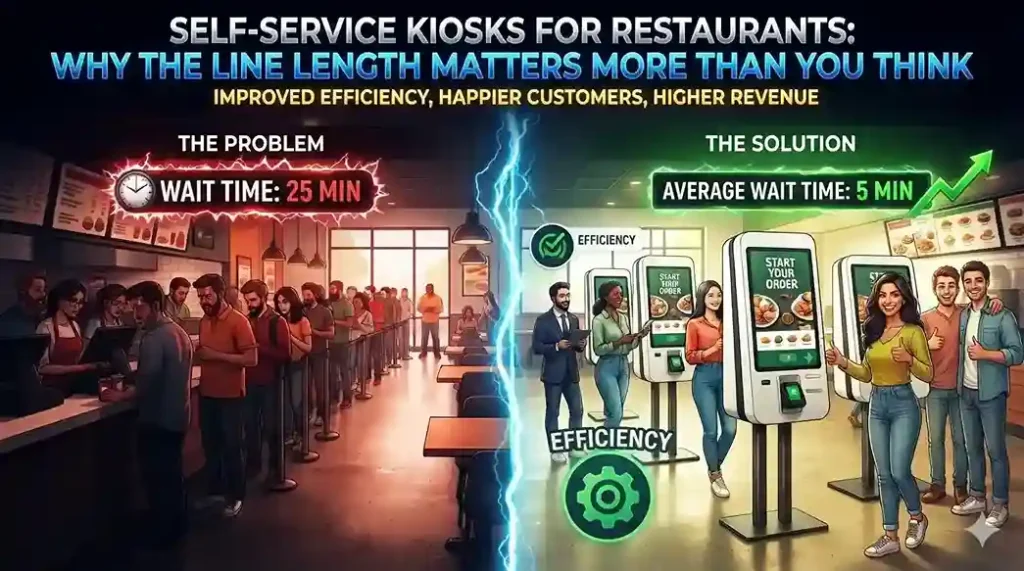
Self-Service Kiosks for Restaurants: Why the Line Length Matters More Than You Think

INTRODUCTION Almost three out of four customers at quick-service establishments say they would leave the line if seven people were waiting ahead of them; that figure rises to more than nine out of ten when the queue reaches ten people. This is not merely a minor loss of conversions, but actual revenue vanishing before an order is even placed. Restaurant self-service kiosks exist precisely to eliminate this friction point, and adoption data confirms their effectiveness: McDonald’s rolled out kiosks across its 14,000 U.S. locations and has recorded measurable sales increases directly linked to their use. Kiosks do more than reduce wait times—they also change order size The most interesting effect of self-service ordering isn’t speed. What really matters is that customers order differently when they don’t have someone standing behind them or a cashier waiting for them to make a decision. Concession stands at Dodger Stadium saw a 20% increase in average order size after introducing self-service kiosks; meanwhile, Subway has reported that customers using kiosks are more likely to add extras and spend more per visit than those ordering at the counter. The key lies in removing social pressure from the ordering process: customers can explore options at their own pace, notice add-on items, try new combinations, and avoid rushing to choose their usual or “safe” order simply to avoid holding up the line. The integration choice that determines whether the system truly works Many restaurants add kiosks as a standalone system running its own software, linked to their existing point-of-sale (POS) system. This approach entails managing two systems that require constant integration, updates, and maintenance: every menu change, price update, and new promotion must be implemented twice. A unified restaurant management platform, such as LS Central, avoids this issue by running kiosks on the same POS system already used by cashiers. This is crucial, as most restaurant management systems are too complex to implement on a self-service kiosk without specific staff training—which would defeat the very purpose of self-service. Menu customization becomes a sales tool, not just a display option Since kiosk menus operate on the same system as the POS, changes are applied instantly across all locations, eliminating the need to configure each kiosk individually. This opens up real tactical possibilities: A/B testing menu item presentations to see what actually drives upselling, highlighting high-margin items at the top of the screen, or simplifying options during peak hours to speed up ordering when time is of the essence. It also solves a practical inventory issue. If stock for a specific product runs low, the kiosk menu can update in real time to promote what is actually available—prioritizing chicken over beef or offering milkshakes when the smoothie machine goes down—instead of having to manually cross out items on a physical menu board. The kitchen benefits just as much as the front counter Orders placed at kiosks are automatically sent to a kitchen display system and organized by preparation station, ensuring that items from the same order are ready simultaneously rather than arriving piecemeal. The system can alert staff to orders that have been pending for too long, and front-of-house staff can view order status in real time; this allows customers to know exactly when they will receive their food, so they don’t have to linger near the counter. Is it a passing fad or a permanent shift? Self-service kiosks in quick-service restaurants are not a new idea; For over a decade, the industry has questioned the slow pace of its adoption. What has changed is that the technology has matured enough for major brands to commit to it on a large scale, and customer expectations have evolved accordingly: diners increasingly expect self-service as a standard option, and a significant number clearly prefer it over ordering with a cashier. Are you considering installing self-service kiosks in your restaurant? Talk to Trident about implementing LS Central at your locations.

Self-Service Kiosks for Restaurants: Why the Line Length Matters More Than You Think Read More »

AI and AR retail technology helping customers visualize products and make confident purchasing decisions.

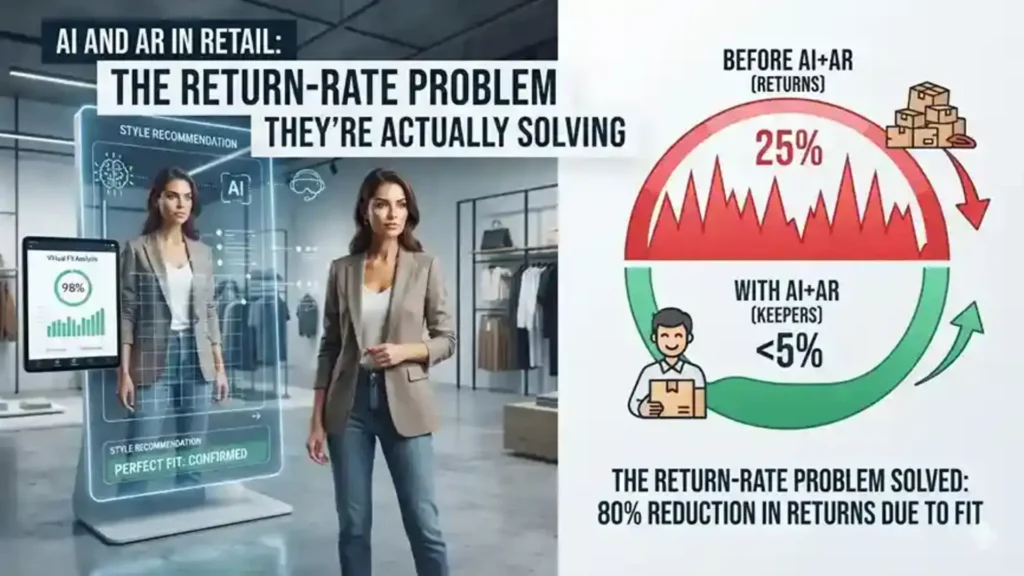
AI and AR in Retail: The Return-Rate Problem They’re Actually Solving

INTRODUCTION Each returned item represents a double cost for the retailer: once when shipping it and once when processing its return. AI and augmented reality (AR) in retail largely exist to avoid that round trip in the first place, helping the shopper choose the right product the first time. Virtual try-on technology alone has been shown to significantly increase conversion rates in e-commerce and reduce returns by over 8%; figures that explain why beauty, fashion and home goods retailers were the first to adopt it. Take the fitting room to the client’s living room Opticians were pioneers in this area for an obvious reason: glasses are a product that people do not buy without seeing how they look on their own face. The virtual try-on solved this problem entirely online, and some retailers have gone further by using AI to recommend frame shapes suitable for the customer’s face, rather than forcing them to guess which one will fit them. The same logic applies to any situation where excess options are the true barrier to purchase. A beauty catalog with hundreds of thousands of products is impossible for a human being to explore; However, an AI-based recommendation service can reduce that number to a few relevant options based on the user’s search and purchase history, transforming an overwhelming catalog into a short, personalized selection. Make the “infinite hallway” truly navigable A larger online catalog is only useful if customers can find what fits their tastes. Wayfair’s approach is a clear example: its search algorithm interprets style preferences from a customer’s search history to show furniture that is likely to fit their tastes; Additionally, a visual search feature allows the shopper to photograph an item they like and find matches among millions of products in inventory. Augmented reality expands this concept: it goes from “will I like it?” to “Will it fit in my space?” It allows the buyer to view a digitally recreated piece of furniture in their own room before purchasing it, which goes a long way to explaining why this category has seen measurable improvements in conversion and a reduction in returns. In the fashion sector, the question of sizes works in a similar way. Levi’s uses an AI chatbot that asks for fit, rise and stretch preferences—in addition to the size the customer wears in other brands—to recommend the right size, addressing the leading cause of fashion returns: a garment not fitting as expected. H2: 3. Turn purchasing behavior into better forecasts Turn Shopping Behavior Into Better Forecasts Every interaction with an AI-powered shopping tool—a search, a virtual product try-on, or a completed purchase—generates data that retailers didn’t previously have. Used correctly, this data refines inventory and demand forecasts far beyond what historical sales data alone allows, and facilitates truly relevant follow-up marketing: A shopper who has just purchased kitten supplies is an ideal candidate for a cat food subscription offer, not a mass generic newsletter. This same data allows retailers to target their promotions more precisely, tailoring the discount type and channel to what a specific customer actually responds to based on their history, rather than launching a one-size-fits-all promotion. Keep shelves stocked before customers notice they are empty AI-based forecasting is increasingly used to anticipate not only typical demand, but also disruptions to it; This involves recalculating replenishment quantities and adjusting supply in response to real changes, and not simply historical averages. Some retailers have piloted robots that scan shelves to automatically detect out-of-stocks; Likewise, real-time replenishment signaling systems in selected stores seek to solve a basic but persistent problem: the customer who comes expecting to find an item and finds an empty shelf. What does this mean for retailers who don’t have Wayfair’s budget? None of this requires developing AI and computer vision capabilities internally. ERP platforms for the retail sector increasingly integrate AI-based demand forecasting and customer data unification as standard functionality; This is what really puts personalization and smarter inventory management within reach of a mid-sized retailer, not a multimillion-dollar in-house AI team. Curious what AI-powered forecasting and personalization would look like on your retail platform? Contact Trident to request a demo of your retail ERP.

AI and AR in Retail: The Return-Rate Problem They’re Actually Solving Read More »

Business team using CRM software to manage sales, customer data, and communication workflows.

5 Clear Signs Your Business Needs CRM Software in 2026

Here is a question most business owners ask too late: at what point does managing customer relationships in spreadsheets, email inboxes, and memory become a liability rather than a system? The honest answer is — sooner than you think. Customer Relationship Management (CRM) software is not just for large enterprises with complex sales teams. It is for any business that wants to grow its customer base, retain the customers it already has, and make sure no opportunity falls through the cracks. The challenge is recognising when the moment has arrived. Here are five clear signs that your business needs CRM software — and why Microsoft Dynamics 365 is the platform most businesses choose. What Is CRM Software and Why Does It Matter? CRM software is a centralised system that manages every interaction between your business and your customers — from the first marketing touchpoint through the sales cycle, the initial purchase, ongoing service, and renewal. Done well, CRM gives every team member a complete, real-time picture of every customer relationship. Sales knows what marketing has sent. Customer service knows what sales has promised. Management knows exactly where every opportunity stands. Without CRM, this information lives in individual inboxes, personal spreadsheets, and people’s heads — and every time someone leaves the business, some of that knowledge leaves with them. 5 Signs Your Business Needs CRM Software Now Sign 1 — You Are Losing Leads Without Knowing Why Leads come in through your website, social media, phone calls, and referrals. But if you are managing them manually, some of those leads are simply not being followed up — because they were logged in the wrong place, assigned to the wrong person, or forgotten during a busy week. A CRM captures every lead automatically, assigns it to the right team member, sets follow-up reminders, and tracks every interaction. Nothing gets lost. Every opportunity gets the attention it deserves. If you have ever discovered a warm lead that was never followed up weeks after it arrived — your business needs CRM. Sign 2 — Your Marketing and Sales Teams Work in Silos Marketing generates leads. Sales closes deals. But when these two teams work from different systems and different data, the handoff between them is where opportunities die. Marketing does not know which leads converted. Sales does not know which campaigns generated their best prospects. Neither team can make decisions based on the complete picture — because that picture does not exist in any single place. CRM creates a shared view of every customer and every lead — so marketing can see which campaigns produce sales-ready prospects and sales can engage leads with full context on their marketing journey. The result is better targeting, higher conversion rates, and a measurable improvement in revenue. If your marketing and sales teams regularly blame each other for pipeline problems — your business needs CRM. Sign 3 — You Cannot Easily Create Quotes and Track Invoices For businesses that sell through a quotation process — professional services, manufacturing, technology, or any B2B operation — the ability to create, track, and follow up on quotes directly impacts how quickly deals close. A CRM with a built-in quoting and invoicing module connects the entire opportunity-to-cash process: If your team is manually creating quotes in Word documents and tracking them in a spreadsheet — your business needs CRM. Sign 4 — Customer Service Issues Are Falling Through the Gaps Customer service quality is directly tied to information quality. When a customer calls with a problem, the speed and accuracy of the resolution depends on whether your team can instantly see their complete history — what they bought, when, what issues they have had before, and what was promised. Without CRM, this information is scattered across email threads, support tickets, and different team members’ notes. The customer ends up repeating themselves. Issues take longer to resolve. Satisfaction drops. CRM centralises customer service management: If customers regularly complain about having to repeat their issue to multiple people — your business needs CRM. Sign 5 — You Cannot See How Your Business Is Really Performing Good management decisions are built on good data. But if your sales pipeline lives in a spreadsheet, your customer data is in email, and your service records are in a helpdesk tool — getting a clear, current picture of business performance requires manual compilation that takes hours and is outdated the moment it is finished. CRM provides real-time dashboards and reports that give every level of the organisation instant visibility: If your management team regularly makes decisions based on instinct because the data is too hard to access quickly — your business needs CRM. Why Microsoft Dynamics 365 CRM Microsoft Dynamics 365 is one of the world’s most widely adopted CRM platforms — and for good reason. It covers every scenario described above in a single, unified platform: lead management, marketing automation, sales pipeline, quoting and invoicing, customer service, and real-time analytics — all connected on the same data model. Key advantages over standalone CRM tools: Why Trident Is India’s Trusted Dynamics 365 CRM Partner As a certified Microsoft Dynamics 365 partner, Trident Information Systems has helped businesses across sales, marketing, manufacturing, retail, and professional services in India implement CRM solutions that close the gaps described in this article. Our CRM implementations are configured around your specific sales process and customer management requirements — not a generic template. Ready to find out how CRM software can transform your customer relationships? Book a free Dynamics 365 CRM assessment with Trident today. For more insightful content and industry updates, follow our LinkedIn page.

5 Clear Signs Your Business Needs CRM Software in 2026 Read More »