Welcome to Trident Information Systems!
Write us to - info@tridentinfo.com
Let's Socialize

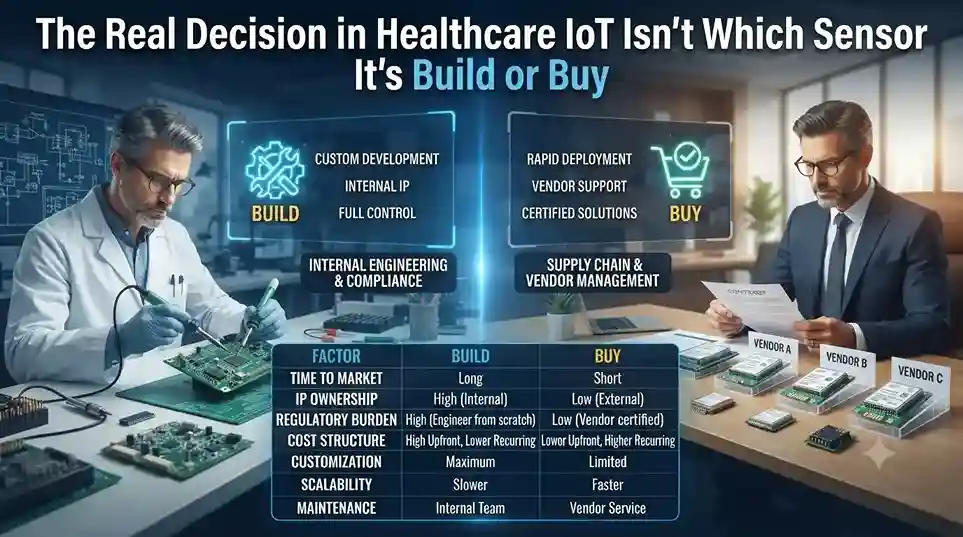
The Real Decision in Healthcare IoT Isn’t Which Sensor — It’s Build or Buy

INTRO A hospital piloting a patient-monitoring device rarely fails on the hardware. It fails when the pilot tries to scale — and the team discovers they’ve quietly taken on a cloud security, compliance, and DevOps project they never budgeted for. That’s the real fork in the road for Azure IoT healthcare solutions: build the infrastructure from scratch, or buy a managed platform built for exactly this. Healthcare organizations are moving fast toward IoT regardless of which path they pick — the vast majority now consider it critical to their operations, with most planning to increase investment further. Why IoT Matters Differently Across the Healthcare Ecosystem IoT doesn’t solve one problem in healthcare — it solves a different problem for each part of the chain: The Build Option — Full Control, Full Complexity Building from Azure IoT Hub gives a solution builder maximum flexibility to design, customize, and own every layer of the architecture, including device-to-cloud security through Azure Sphere. The tradeoff shows up later, not at the pilot stage: scaling a working pilot into a globally deployable solution demands deep expertise in cloud security, device security, DevOps, and healthcare compliance simultaneously — expertise most healthcare organizations don’t have in-house and don’t want to hire for a single project. The Buy Option — Azure IoT Central for Healthcare Azure IoT Central is Microsoft’s managed IoT platform, built specifically to remove the infrastructure questions — data ingestion, disaster recovery, ongoing security patching — that consume most of a build-from-scratch timeline. For healthcare specifically, it includes healthcare application templates, predictable pricing, and white-labeling, letting a solution builder focus on what the device data actually reveals about patient outcomes rather than on keeping the underlying platform running. Interoperability: The IoMT FHIR Connector Healthcare data interoperability remains one of the hardest problems in the industry — most systems still don’t speak the same format. The IoMT FHIR Connector for Azure addresses this directly, ingesting IoT-generated protected health information and converting it into FHIR-compatible format automatically, which is what makes device data usable across otherwise siloed clinical systems. How This Plays Out in Practice Two examples from Microsoft’s healthcare IoT ecosystem illustrate the difference between the two approaches: Schneider Electric partnered with operations-management specialist ThoughtWire to unify facilities management and clinical operations data — systems that are traditionally run by entirely separate teams — into Azure’s IoT platform. The result connects how patients and clinical staff interact with hospital infrastructure to facility performance, an integration point that’s historically been invisible to hospital operations teams. Sensoria Health took the buy path, building its Motus Smart diabetic foot ulcer monitoring solution on the Azure IoT Central Continuous Patient Monitoring template. Diabetic foot ulcers carry a treatment failure rate over 75%, and remote compliance tracking — knowing whether a patient is actually wearing their offloading device as prescribed — is central to improving that number. Using a managed platform let Sensoria launch an enterprise-grade, HIPAA-compliant application for both clinicians and patients in a fraction of the time a from-scratch build would have required. What This Means for Your IoT Roadmap The build-versus-buy decision isn’t really about technical capability — most healthcare organizations could build from scratch given enough time and budget. It’s about where that time and budget are best spent: on infrastructure plumbing, or on the clinical insight the data is supposed to generate in the first place. Weighing build vs. buy for a healthcare IoT initiative? Talk to Trident about your Azure IoT options. FAQ Should a healthcare organization build or buy an IoT solution?It depends on scale and in-house expertise: building offers full customization but requires deep cloud security and DevOps capability to scale; buying via a managed platform like Azure IoT Central trades some flexibility for faster deployment and built-in compliance. What is the IoMT FHIR Connector for Azure?It’s a connector that ingests IoT-generated patient health data and converts it into FHIR-compatible format, solving a major interoperability barrier between IoT devices and clinical systems. Is Azure IoT Central HIPAA-compliant?Azure IoT Central is built with healthcare compliance requirements in mind, including secure, compliant storage and sharing of patient data — organizations should confirm specific compliance requirements for their use case during implementation.

The Real Decision in Healthcare IoT Isn’t Which Sensor — It’s Build or Buy Read More »

Business team using CRM software to manage sales, customer data, and communication workflows.

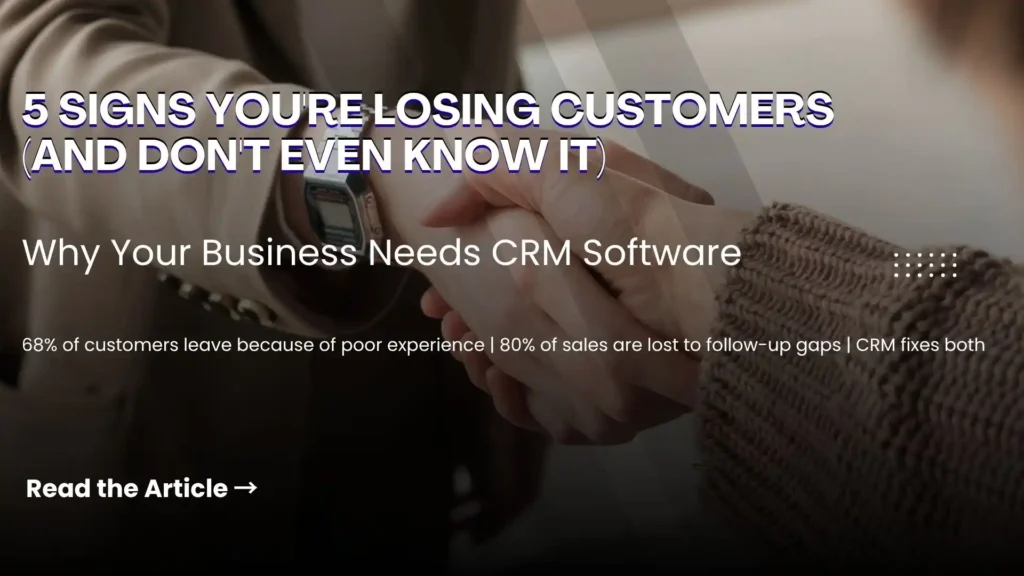
5 Clear Signs Your Business Needs CRM Software in 2026

Here is a question most business owners ask too late: at what point does managing customer relationships in spreadsheets, email inboxes, and memory become a liability rather than a system? The honest answer is — sooner than you think. Customer Relationship Management (CRM) software is not just for large enterprises with complex sales teams. It is for any business that wants to grow its customer base, retain the customers it already has, and make sure no opportunity falls through the cracks. The challenge is recognising when the moment has arrived. Here are five clear signs that your business needs CRM software — and why Microsoft Dynamics 365 is the platform most businesses choose. What Is CRM Software and Why Does It Matter? CRM software is a centralised system that manages every interaction between your business and your customers — from the first marketing touchpoint through the sales cycle, the initial purchase, ongoing service, and renewal. Done well, CRM gives every team member a complete, real-time picture of every customer relationship. Sales knows what marketing has sent. Customer service knows what sales has promised. Management knows exactly where every opportunity stands. Without CRM, this information lives in individual inboxes, personal spreadsheets, and people’s heads — and every time someone leaves the business, some of that knowledge leaves with them. 5 Signs Your Business Needs CRM Software Now Sign 1 — You Are Losing Leads Without Knowing Why Leads come in through your website, social media, phone calls, and referrals. But if you are managing them manually, some of those leads are simply not being followed up — because they were logged in the wrong place, assigned to the wrong person, or forgotten during a busy week. A CRM captures every lead automatically, assigns it to the right team member, sets follow-up reminders, and tracks every interaction. Nothing gets lost. Every opportunity gets the attention it deserves. If you have ever discovered a warm lead that was never followed up weeks after it arrived — your business needs CRM. Sign 2 — Your Marketing and Sales Teams Work in Silos Marketing generates leads. Sales closes deals. But when these two teams work from different systems and different data, the handoff between them is where opportunities die. Marketing does not know which leads converted. Sales does not know which campaigns generated their best prospects. Neither team can make decisions based on the complete picture — because that picture does not exist in any single place. CRM creates a shared view of every customer and every lead — so marketing can see which campaigns produce sales-ready prospects and sales can engage leads with full context on their marketing journey. The result is better targeting, higher conversion rates, and a measurable improvement in revenue. If your marketing and sales teams regularly blame each other for pipeline problems — your business needs CRM. Sign 3 — You Cannot Easily Create Quotes and Track Invoices For businesses that sell through a quotation process — professional services, manufacturing, technology, or any B2B operation — the ability to create, track, and follow up on quotes directly impacts how quickly deals close. A CRM with a built-in quoting and invoicing module connects the entire opportunity-to-cash process: If your team is manually creating quotes in Word documents and tracking them in a spreadsheet — your business needs CRM. Sign 4 — Customer Service Issues Are Falling Through the Gaps Customer service quality is directly tied to information quality. When a customer calls with a problem, the speed and accuracy of the resolution depends on whether your team can instantly see their complete history — what they bought, when, what issues they have had before, and what was promised. Without CRM, this information is scattered across email threads, support tickets, and different team members’ notes. The customer ends up repeating themselves. Issues take longer to resolve. Satisfaction drops. CRM centralises customer service management: If customers regularly complain about having to repeat their issue to multiple people — your business needs CRM. Sign 5 — You Cannot See How Your Business Is Really Performing Good management decisions are built on good data. But if your sales pipeline lives in a spreadsheet, your customer data is in email, and your service records are in a helpdesk tool — getting a clear, current picture of business performance requires manual compilation that takes hours and is outdated the moment it is finished. CRM provides real-time dashboards and reports that give every level of the organisation instant visibility: If your management team regularly makes decisions based on instinct because the data is too hard to access quickly — your business needs CRM. Why Microsoft Dynamics 365 CRM Microsoft Dynamics 365 is one of the world’s most widely adopted CRM platforms — and for good reason. It covers every scenario described above in a single, unified platform: lead management, marketing automation, sales pipeline, quoting and invoicing, customer service, and real-time analytics — all connected on the same data model. Key advantages over standalone CRM tools: Why Trident Is India’s Trusted Dynamics 365 CRM Partner As a certified Microsoft Dynamics 365 partner, Trident Information Systems has helped businesses across sales, marketing, manufacturing, retail, and professional services in India implement CRM solutions that close the gaps described in this article. Our CRM implementations are configured around your specific sales process and customer management requirements — not a generic template. Ready to find out how CRM software can transform your customer relationships? Book a free Dynamics 365 CRM assessment with Trident today. For more insightful content and industry updates, follow our LinkedIn page.

5 Clear Signs Your Business Needs CRM Software in 2026 Read More »

Retail ERP and e-commerce integration dashboard managing inventory, orders, and online sales.

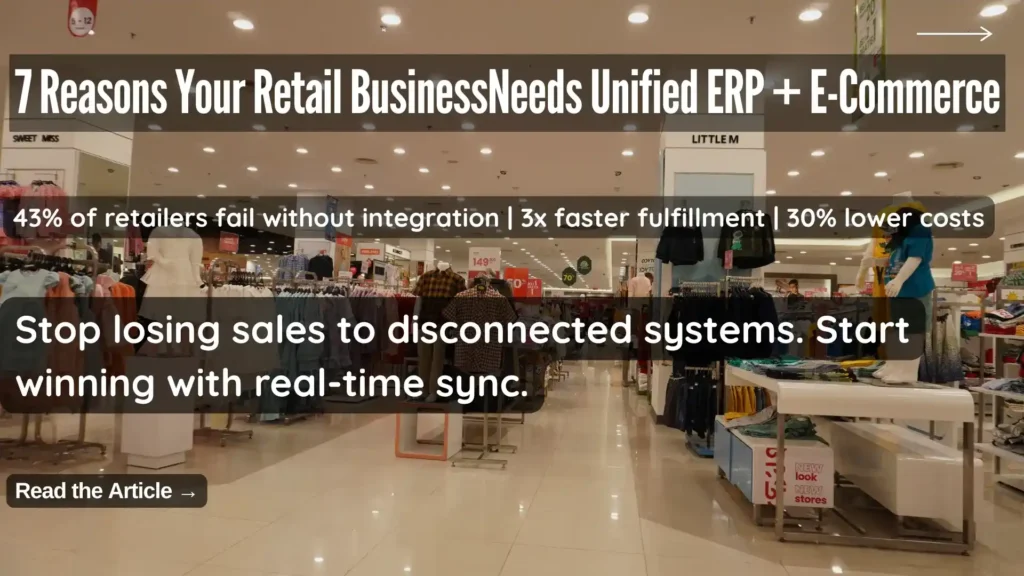
7 Reasons Your Retail Business Needs a Unified ERP and E-Commerce Integration Solution

Here is a scenario that will feel familiar to most retail operators: a customer visits your website, sees a product marked as available, drives to your store to buy it, and finds out the shelf is empty. Your website still shows it in stock. Nobody knows why. Or this one: a loyal customer who buys from you in-store every week places their first online order — and receives a “welcome, new customer” email. No recognition of their purchase history. No loyalty points applied. No sense that the business they have been giving you for two years means anything in the digital channel. These are not technology failures. They are integration failures — and they happen every day in retail businesses running separate, loosely connected systems for their physical stores and online channels. The solution is retail ERP and e-commerce integration — specifically, a retail-oriented integration solution designed from the ground up for the way retail businesses actually operate, rather than a generic middleware tool that treats your retail operation like any other business. This article covers the seven concrete reasons why retail-specific ERP and e-commerce integration delivers outcomes that generic solutions simply cannot match — and what to look for when evaluating your options. Why Separate Retail Systems Are Now a Competitive Liability Brick-and-mortar retail is not dead — but purely physical retail without a connected online presence is becoming increasingly rare. Today’s retail customer moves fluidly between channels. They discover products on social media, research them on your website, check availability through your app, visit your store to see them in person, and expect to complete the purchase on whichever channel is most convenient at that moment. Research consistently shows that 81% of consumers use mobile devices as part of their shopping research — and the majority of purchasing journeys now involve at least two channels before a transaction is completed. For retail businesses, every additional sales channel represents a potential revenue stream. But it also represents a new source of operational complexity — unless every channel shares the same data, the same inventory, the same customer records, and the same pricing. When they do not, the experience falls apart. And in a market where customers have endless alternatives, an experience that falls apart drives them to a competitor without a second thought. The Real Cost of Running Disconnected ERP and E-Commerce The cost of disconnected retail systems is distributed across every channel, every function, and every customer interaction — making it easy to underestimate until you try to measure it: Why Generic Integration Tools Fall Short for Retail Many businesses attempt to solve the integration challenge with general-purpose middleware tools — platforms designed to connect any two applications regardless of industry. Generic integration tools can technically connect a retail ERP with an e-commerce platform. The problem is that retail has specific operational requirements — BOPIS fulfilment logic, zip-code-based inventory routing, loyalty program data synchronization, multi-currency retail pricing rules — that generic tools are not built to handle natively. The result is months of expensive custom development to configure a generic tool for retail-specific scenarios, followed by ongoing maintenance overhead every time either connected system updates. A retail-specific integration solution — or better, a unified retail platform — delivers all of this functionality out of the box. 7 Reasons to Choose a Retail-Specific ERP and E-Commerce Integration Reason 1: Consistent Products and Pricing Across Every Sales Channel The most fundamental requirement of a unified retail operation is consistency — every channel showing the same products, the same prices, and the same promotions at the same time. When your product catalog, pricing structure, and promotional mechanics live in your ERP and distribute automatically to every connected channel, consistency is structural — it happens automatically rather than requiring manual synchronization. A retail-specific integration solution enables: For retailers managing hundreds or thousands of SKUs across multiple channels, centralized product management is not just a convenience — it is a necessity. Reason 2: True Omnichannel Fulfilment — Buy Anywhere, Deliver Anywhere The modern retail customer expects to complete their shopping journey on their own terms — and that means the fulfilment model needs to be as flexible as they are. Buy Online, Pick Up In-Store (BOPIS) is now a baseline expectation for omnichannel retailers — customers order online and collect from their preferred store, combining the convenience of online shopping with the immediacy of in-store collection. But executing BOPIS reliably requires real-time integration between your e-commerce platform, your ERP, and your in-store systems. A retail-specific integration solution enables the full range of omnichannel fulfilment scenarios: Each of these scenarios requires real-time data sharing between the e-commerce platform, the ERP, and store-level inventory — which only a retail-specific integration solution delivers reliably. Reason 3: Real-Time Inventory Visibility Across Every Location Inventory accuracy is the operational foundation on which everything else in omnichannel retail depends. Without accurate, real-time inventory data across every location, BOPIS fails, online availability is unreliable, and customer trust erodes. A retail-specific integration solution delivers inventory visibility that generic tools cannot: The business impact of real-time inventory accuracy extends beyond customer experience. Buyers make better purchasing decisions. Markdowns are more targeted. Overstock and out-of-stock situations are identified earlier and resolved faster. Reason 4: Unified Customer Data Across Digital and Physical Channels A customer who has shopped with you for five years should feel known — regardless of which channel they use. Their purchase history, preferences, loyalty status, and contact information should follow them seamlessly across every interaction with your brand. This only happens when your ERP and every connected channel share a single customer database — updated in real time by every transaction, regardless of where it occurs. A retail-specific integration solution delivers: Reason 5: A Single Loyalty Program That Works Everywhere Loyalty programs are one of the most powerful customer retention tools available to retailers — but only when they work seamlessly across every channel a customer uses. A loyalty program that earns points in-store but cannot redeem them online,

7 Reasons Your Retail Business Needs a Unified ERP and E-Commerce Integration Solution Read More »

Microsoft Azure Cloud Security: The Real Reason Fortune 500 Firms Don't Switch

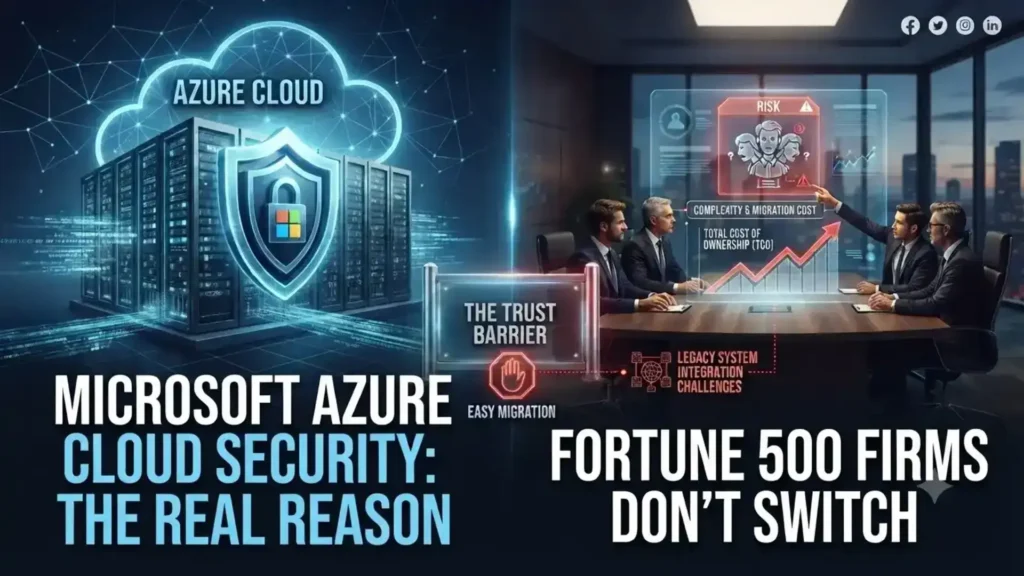
Microsoft Azure Cloud Security: The Real Reason Fortune 500 Firms Don’t Switch

Cost gets the headlines. Security is why 85% of Fortune 500 companies actually stay on Azure once they’ve moved. For CFOs and IT heads evaluating cloud platforms, that distinction matters more than any feature list. Microsoft Azure cloud security isn’t a bolt-on. It’s built into how Azure stores, replicates, and monitors data — which is exactly what makes it a defensible choice for regulated industries, not just a cheaper one. Where Your Data Actually Lives Azure doesn’t store data on a single server somewhere abstract. It runs across 100+ Microsoft data centers globally, and you choose the region — a decision that affects both latency for your customers and, increasingly, data-residency compliance requirements in markets like the UAE and India. Azure also replicates data automatically, and you control how: multiple copies in one region, or copies spread across regions for disaster resilience. That choice is a security decision as much as a performance one. Microsoft Defender for Cloud Does the Watching You Can’t Staff For Most mid-size IT teams don’t have a 24/7 security operations center. Microsoft Defender for Cloud (formerly Azure Security Center) is effectively Microsoft’s answer to that gap — it continuously scans hybrid cloud workloads, flags anomalous behavior using built-in analytics, and recommends remediation steps before a flagged issue becomes a breach. Paired with encryption at rest — data is cryptographically encoded the moment it’s stored, not just in transit — this gives a business without a dedicated security team something close to enterprise-grade monitoring by default. Disaster Recovery Without the Traditional Price Tag Azure Site Recovery replicates critical workloads to a secondary location automatically, so an outage at one site doesn’t take down the business. Azure Traffic Manager then reroutes traffic around a regional failure without manual intervention. Combined with the default of triple data replication, this is disaster recovery infrastructure that used to require a second physical data center — now available as a configuration choice, not a capital expense. What This Means for a Mid-Size IT Budget The financial case is straightforward: no upfront hardware spend, no hardware refresh cycle every two to three years, no warranty renewals or emergency service calls. You provision compute as needed and scale down when you don’t — Azure’s usage tracking tools make it visible exactly where that flexibility is saving money, rather than a vague promise of “efficiency.” For development teams specifically, Azure removes the cost barrier to testing at scale. Azure DevOps (including Visual Studio Team Services, free for up to five users) plus native integration with tools like Jenkins, Terraform, and Ansible means teams test in realistic conditions without provisioning permanent infrastructure for it. The Strategic Layer: AI and Automation Access Beyond infrastructure, Azure Machine Learning Services and the Azure AI Platform give mid-size firms access to the same automation and analytics capabilities that used to be exclusive to enterprises with dedicated data science teams. That’s less about cloud hosting and more about what a business can build once security and infrastructure stop being the constraint. Considering a move to Azure, or already on it and unsure if it’s configured for your risk profile? Talk to Trident about an Azure security and infrastructure assessment. FAQ Is Microsoft Azure secure enough for regulated industries?Yes — Azure combines encryption at rest, continuous threat monitoring through Microsoft Defender for Cloud, and regional data residency controls, which is why it’s widely adopted in finance, healthcare, and government sectors. What is Microsoft Defender for Cloud?It’s Azure’s built-in security monitoring service (formerly Azure Security Center) that scans hybrid cloud workloads for suspicious activity and recommends remediation steps automatically. How does Azure handle disaster recovery?Azure replicates data across multiple data centers by default, and services like Azure Site Recovery and Traffic Manager automatically fail over to a secondary location if one region goes down.

Microsoft Azure Cloud Security: The Real Reason Fortune 500 Firms Don’t Switch Read More »

Turn prospects into engaged customers with intelligent sales and marketing

[vc_row][vc_column][vc_column_text] The selling landscape is undergoing fundamental changes, many of them driven by the effects of B2B customers’ experience as everyday consumers. Many retailers have created personalized, nearly immersive, online experiences for each customer. Consumers shopping for goods and services continually experience fresh and delightful interactions, from highly customized offers and recommendations to frictionless channels to 24/7 interactions. Using Microsoft Dynamics 365 for Marketing and Microsoft Dynamics 365 for Sales organisations are improving  their profit margins. The impact of B2C on B2B Today’s B2B buyers have high expectations, and those expectations will not be met if B2B buyers are accustomed to sophisticated consumer interactions in their personal lives. Executive B2B buyers are not impressed by marketing driven by large, relatively impersonal data analysis that leads to inconsistent and conflicting interactions or sales outreach that doesn’t cater specifically to their needs at the right time. The source of the problem may be largely invisible to the companies perpetuating this issue. Many organizations believe themselves to be customer-centric, while their buyers may not agree. That’s a significant disconnect. Clearly, B2B has much to learn from B2C companies. Customer experience – the rewards for getting it right Many B2C organizations have strategically embraced modern technologies like customer data platforms (CDP) and artificial intelligence (AI) to gain a 360-degree view of their customers and follow through on those insights to optimize customer engagement. The rewards for getting this engagement right are substantial. Many buyers are willing to pay more for a better customer experience. In terms of the potential benefits a great experience can have on sales success, a McKinsey study reported that organizations can expect: 10-15 percent lower customer churn 20-40 percent increase in the win rate of offers Up to 50 percent lower service costs Take a new approach B2B companies must move away from their legacy approaches based on large, relatively impersonal data analysis and move to solutions that unify relationship data across the full customer lifecycle. That way, they can gain insights that help build credibility and trust with buyers. They can run multi-channel campaigns to increase sales-ready leads, create personal experiences, and use guided process and AI to anticipate and respond faster to customer needs. They can build the ongoing, high-quality relationships that are necessary for long-term success. Four principal goals Turning prospects into engaged customers is a process. In order to achieve these goals, organizations must focus on 4 key priorities: Nurture more demand Personalize buyer experiences Build relationships at scale Make insight-driven decisions Each of these drives results by using deep reservoirs of data in making technology feel more human. Nurture more demand Relying only on conventional, basic email marketing as the primary source of leads is simply not effective enough. In fact, the more focused and demanding the customer universe is, the more essential it is to gain deep insights into what those customers expect. Northrop & Johnson,  a leading global yacht brokerage, competes for multi-million dollar customers using technology its industry has been slow to adopt. Using Microsoft Dynamics 365 for Marketing has created a decided competitive advantage: Vital insights into their customer base have helped to drive a 70 percent increase in charter sales. In any industry, companies need to generate leads across multiple channels, nurture large numbers of leads while prioritizing each one, and use data-driven insights to deliver leads that are sales-ready. Nurturing more demand is critical to growth. Personalize buyer experiences It’s time to end friction, inconsistencies, and the “do you know who I am?” part of the customer experience. Companies can acquire a holistic view of buyers, predict buyer intent, and orchestrate a connected, personalized journey for customers. In an era where guests have more choices than ever for leisure and entertainment, Tivoli delights its guests by using Dynamics 365 Customer Insights to stay one step ahead of expectations and transform the guest experience. With its deeper understanding of guests, it can add new chapters to its long tradition of imagination and innovation. Build relationships at scale Mutually beneficial relationships don’t simply happen with more data. Companies need to build credibility to establish and grow relationships with customers. Together, Dynamics 365 and LinkedIn enable the company to have increased information about, and impact on the sales relationships that are added to its sales pipeline, even as that pipeline experiences exponential growth month over month. Make insight-driven decisions Here’s where sales and marketing can truly align: utilizing data to uncover insights that lead to better-informed decisions throughout the sales process. This can improve performance, empower employees, and enable the company to gain increasingly effective strategic insights. With more than 1,500 pubs serving guests throughout the UK, Marston’s launched a business transition by bringing together guest data that was scattered across multiple systems into Dynamics 365. With their locations’ guest data now unified, Marston’s will gain a complete view of guests, which can be harnessed to generate customer satisfaction and strategic insights. This approach helps drive improved performance throughout the company, including the opportunity to empower employees – an often-overlooked aspect of a company’s success. Aligning sales and marketing: The intelligent way to succeed It’s possible to create exceptional experiences, drive more qualified leads, and increase revenue if an organization has the vision, process, and technology to harness all the data available. This requires high-level technology with well-defined business goals and sales and marketing applications fueled by keen intelligence. We have a compelling offering to accomplish just that with Microsoft Dynamics 365. Get in touch with our representative to request a demo for Microsoft Dynamics 365 for Sales & Microsoft Dynamics 365 for Marketing Blog Reference : https://cloudblogs.microsoft.com/dynamics365/bdm/2019/09/19/turn-prospects-into-engaged-customers-with-intelligent-sales-and-marketing/[/vc_column_text][/vc_column][/vc_row]

Turn prospects into engaged customers with intelligent sales and marketing Read More »

Retail store and eCommerce website displaying mismatched inventory and customer data, highlighting the need for unified commerce.

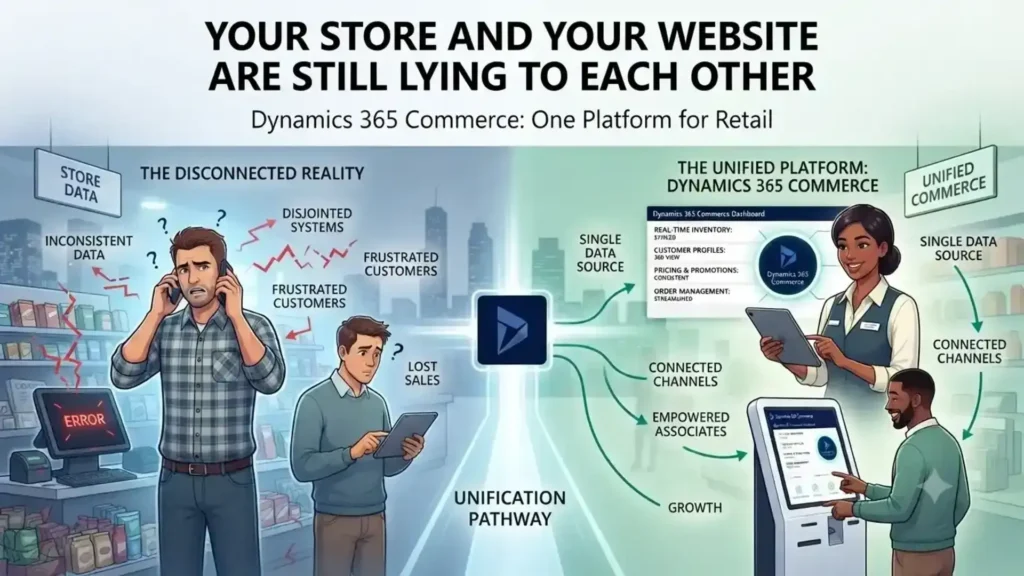
Your Store and Your Website Are Still Lying to Each Other

A customer checks stock online, drives to the store, and finds the shelf empty — because the website and the POS were never talking to each other. Dynamics 365 Commerce closes that gap, running e-commerce, POS, and inventory on one shared data model instead of three disconnected systems. The result: what the customer sees online is what’s actually on the shelf. A customer checks stock online, drives to the store, and finds the shelf empty. The website said 12 in stock. The POS system never told it otherwise. This is the gap that kills conversion — not a lack of channels, but channels that don’t talk to each other. Physical retail isn’t dying. US retail storefronts have kept expanding even as e-commerce grows in double digits, and most large online retailers still run physical stores alongside their digital ones. The real shift isn’t online-versus-offline. It’s whether a retailer’s systems present one version of the truth across both. Why Omnichannel Keeps Failing on the Back End Most retailers don’t lack an omnichannel strategy. They lack an omnichannel database. Inventory sits in one system, POS transactions in another, e-commerce orders in a third — and “click and collect” becomes a manual reconciliation problem instead of a feature. Dynamics 365 Commerce solves this by running POS, e-commerce, call center, and back-office inventory on a single data model. A sale on the shop floor and an order placed on the app update the same stock ledger in real time. There’s no overnight batch sync, no separate inventory feed that drifts out of date by midafternoon. What Changes for the Store Team Store associates stop being the last to know. With real-time inventory visibility built into the POS, an associate can check stock at another location and place a transfer or a customer order without calling around. Paired with Dynamics 365 Customer Insights, they can also pull up a shopper’s purchase history and preferences mid-conversation — turning a routine sale into something closer to how a regular customer at a neighborhood store gets treated, at chain scale. Personalization Is a Retention Lever, Not a Nice-to-Have Younger shoppers in particular respond to retailers that recognize repeat behavior instead of treating every visit as anonymous. [Verify with a current source — this stat should reflect the latest data, not be carried over from the original piece.] Recommendation logic built on unified purchase data — not guesswork — is what makes that personalization operationally possible instead of aspirational. Where This Matters Most: Mid-Size Chains Enterprise retailers can afford to bolt together five vendors and a systems-integration team to keep it running. Mid-size retail chains usually can’t. That’s where a single-platform approach pays off fastest — fewer integration points to maintain, one vendor accountable for uptime across channels, and IT teams that aren’t stitching together POS, ERP, and e-commerce patches every quarter. The Real Competitive Line Isn’t Online vs. In-Store E-commerce alone won’t differentiate a retailer for much longer — most competitors have it. What separates retailers now is whether a customer gets the same accurate stock count, price, and service history whether they’re on the app, on the phone with support, or standing at the register. That consistency is an infrastructure decision, not a marketing one. Ready to see it on your own store’s data? Talk to Trident about a Dynamics 365 Commerce assessment for your retail environment. FAQ What is Dynamics 365 Commerce used for?It’s Microsoft’s unified retail platform that runs POS, e-commerce, call center, and inventory management on one data model, so stock and order data stay consistent across every sales channel. Is Dynamics 365 Commerce the same as Dynamics 365 for Marketing?No — they’re different products. Commerce handles retail operations and omnichannel sales; Marketing handles campaign management. Retailers evaluating an ERP should look at Commerce. Can Dynamics 365 Commerce support click-and-collect?Yes. Because inventory updates in real time across channels, a “buy online, pick up in store” order reflects accurate stock without manual reconciliation between systems.

Your Store and Your Website Are Still Lying to Each Other Read More »

What Considerations Should be taken into Account when Implementing the New ERP for Food Manufacturing?

[vc_row][vc_column][vc_column_text]Usually, the decision-making process for ERP for Food Manufacturing is long and complex. From deciding which functionality is most vital to your business, to choosing a system that will make rapid and meaningful changes, it may seem daunting to decide on the appropriate ERP solution for your organization. But don’t worry, Microsoft gold partner Trident got you covered. As we have 20+ years’ experience and  implemented ERP food manufacturing various satisfied customers like Haldirams, Nik Bakers, etc. Through sharing tips on how to pick and incorporate the right food production ERP solution for your food company, we will make the decision-making process of implementing an appropriate ERP for food manufacturing a bit easier for your organization. 1) – Food Specific Approaches Tons of ERPs and business solutions are available to choose from. But as a food manufacturer or supplier, you should understand that it is complex to manage a food business effectively and comes with its own set of unique complexities. Many of the integrated software systems in the marketplace for small to medium-sized enterprises provide the functionality you would expect for sales, acquisitions, operations, accounting and inventory management only. But what about the extra features distinctive to food manufacturing? Once you settle on a standardized ERP solution, ask yourselves how much modification and flexibility a food-specific system will have to go into implementing the following characteristics: Food safety and compliance Manufacturing and quality Recipe development and management Food recall and trace-ability 2) – Functionality Recalling that not all food businesses run in the same manner is also relevant. A supermarket bakery operates much differently than a manufacturing frozen food, and a meat processor will have a completely different set of software specifications than a broad line dealer. So where are you going to start? Try to address the features and functions that your existing system currently lacks. Create a “wish list” of elements that would make operations run better if you had them in the spot. From there, you can filter a lot of ERP providers and can concentrate on only those solutions that are suitable for your organization. 3) –  Easy to Use Suppose: at your job you’re a warehouse worker or a machine technician. Now your management team has decided to introduce a new software platform throughout the organization, and you are responsible for learning it as soon as possible (and as precisely as possible). Too much load, right? Moving from manually managing stuff or from a legacy system to a fully integrated ERP solution can be terrifying for everyone in the company. The accounting department now needs to learn how to use a new system to enter figures and run calculations. The QA department now has a new way to set up quality controls and audits. If a new process is too complex, your staff might feel frustrated, disheartened, and underappreciated. Look for an ERP running on a system that is probably already familiar with most of your workforce (such as, for example, Microsoft Dynamics) 4) – Customer Support Working with a vendor of an ERP solution is so much more than just buying and using the product to run your business. The ERP solution is implemented, which usually takes five to nine months, and then continued support and facilities will proceed across your software’s life cycle. It is therefore essential to ensure that the ERP you choose is assisted by a team of people who are committed to ensuring that you are successful. This means for the food industry you need experts who are not only professionals in software but also food specialists. You wouldn’t recruit somebody to work in your warehouse that wasn’t a good choice, correct? Think the same way about the people who are working for your ERP provider. Because they are also responsible for your business ‘ success. It is easy to get confused as there are too many ERP for food manufacturing service providers, so remember to remain vigilant and consistent with what you want to get out of your solution. Selecting the right ERP means choosing software to help you enhance food security, simplify efficiency or productivity and handle the progress of the enterprise. If you still have any doubts left in your mind then you can contact to Trident’s ERP for food manufacturing providers on https://tridentinfo.com/contact/[/vc_column_text][/vc_column][/vc_row]

What Considerations Should be taken into Account when Implementing the New ERP for Food Manufacturing? Read More »

Restaurant management software dashboard displaying POS, inventory, sales, kitchen operations, and business analytics.

Restaurant Management Software: Cut Costs, Not Corners

Restaurant Management Software That Cuts Real Costs A Delhi-NCR QSR chain running five outlets recently found it was losing nearly 8% of monthly food cost to over-portioning alone — not theft, just kitchen staff eyeballing quantities instead of following recipe cards. That’s the kind of leak most restaurant owners never see, because it’s buried across five different systems: one for POS, one for payroll, one for inventory, and a notebook for the kitchen. Margins in food service rarely exceed 6-9% even in a good year. GST compliance, rising delivery aggregator commissions (Zomato and Swiggy alone can take 18-30% per order), and unpredictable footfall make every rupee of operational waste expensive. The fix isn’t cutting staff or portions — it’s removing the blind spots between front-of-house, kitchen, and back office. Fix Staff Scheduling With Real Sales Data, Not Guesswork Most independent restaurants still build rosters in Excel, based on gut feel about which days are busy. A unified restaurant management system instead pulls historical POS data — by hour, day, and even weather pattern — so you schedule five servers on a rainy Tuesday instead of eight. It also closes the gap between planned and actual hours. Biometric or POS-linked clock-ins compare scheduled shifts against worked shifts automatically, flagging overtime before it hits payroll. For a 40-employee outlet, this alone typically recovers 3-5% of monthly labor cost that would otherwise disappear into unapproved overtime. Cut Onboarding Time in a High-Turnover Industry Restaurant staff attrition in India regularly exceeds 40-50% annually, especially among floor staff and delivery-adjacent roles. Every new hire on a clunky, unfamiliar POS costs you order errors and slow service in week one. LS Central, built on Microsoft Dynamics 365 Business Central, mirrors your actual menu layout on the POS screen and runs on the same interface logic as Microsoft Office — meaning staff already familiar with Windows-based tools adapt within a shift, not a week. One platform for POS, inventory, and back office also means training happens once, not three times across disconnected tools. Speed Up Table Turnover Without Rushing Diners Mobile POS devices that connect directly to the kitchen display system (KDS) let servers fire orders the moment they’re taken — no walking back to a terminal. Kitchen staff see tickets prioritized by prep time and urgency, not order sequence, and floor staff get a screen alert when food is ready instead of returning to check. The same device handles conversational ordering — “extra cheese, no mayo, large fries” — cutting mis-entered orders that generate to complaints and free replacements. Faster table turns during peak hours directly increase covers served per shift without adding headcount. Reduce Food Waste With Recipe-Level Tracking A unified platform tracks stock against actual recipes and portions, not just raw purchase-to-sale ratios. If the bin is full of half-used vegetables or over-fried portions, the system flags the pattern before it becomes a monthly loss line. For multi-outlet operators, this data rolls up centrally, so a head office team can spot which location is over-ordering perishables and correct it — instead of discovering it three months later in a P&L review. One Platform, One IT Bill Running separate systems for POS, payroll, inventory, and reporting means separate licenses, separate integrations, and separate support contracts — and none of them talk to each other cleanly. A single Microsoft-based platform like LS Central consolidates this into one system, one vendor relationship, and one implementation partner who understands both the restaurant floor and the Business Central backend. For multi-city chains across India and the UAE managing GST or VAT compliance across states and emirates, this consolidation also simplifies statutory reporting — instead of reconciling data from four disconnected tools every filing cycle. Ready to see what a unified restaurant management system saves in your operation? Talk to Trident’s Dynamics 365 team for an LS Central assessment specific to your outlet count and market. FAQ Q: What is restaurant management software?A: It’s a unified platform combining POS, inventory, staff scheduling, and kitchen operations into one system, replacing multiple disconnected tools. Q: How does restaurant management software reduce food costs?A: It tracks stock against actual recipes and portions in real time, flagging over-usage and waste patterns before they show up in monthly losses. Q: Is LS Central suitable for multi-outlet restaurant chains in India and UAE?A: Yes — it’s built on Microsoft Dynamics 365 Business Central, supporting centralized reporting across outlets alongside GST and VAT compliance requirements.

Restaurant Management Software: Cut Costs, Not Corners Read More »

How Trident’s Cloud Platform Can Manage Your Restaurant Effortlessly in 2026

Food costs are volatile, labor is expensive, and customer expectations keep rising — yet your margins stay razor-thin. Trident’s cloud restaurant management software, built on Microsoft Dynamics 365, gives you real-time inventory, AI-powered demand forecasting, and unified POS across dine-in, delivery, and takeaway — so you stop firefighting and start running profitably. Running a restaurant in 2026 is harder than ever — and easier than ever. It all depends on the technology you choose. Food costs are volatile. Labour is expensive and hard to retain. Customer expectations are higher. Delivery platforms, dine-in, takeaway, and QR ordering all need to work together seamlessly. And through it all, your margins remain razor-thin. The restaurants thriving in 2026 aren’t necessarily the ones with the best chefs or the biggest marketing budgets. They’re the ones running smarter back-of-house operations — powered by cloud-based restaurant management software. Trident Information Systems’ cloud-based restaurant management platform, built on Microsoft Dynamics 365, is designed specifically to solve this challenge. Here’s how it transforms the way restaurants operate — and why more restaurateurs are making the switch right now. The Restaurant Technology Reality in 2026 The numbers tell a clear story. <cite index=”18-1″>AI-driven forecasting tools have been adopted by 47% of large restaurant groups to improve demand planning accuracy and optimize staff scheduling efficiency.</cite> <cite index=”20-1″>81% of restaurant operators plan to expand AI usage in reservations and orders.</cite> And <cite index=”23-1″>cloud-based POS adoption has crossed a tipping point — legacy on-premise systems are increasingly becoming operational liabilities rather than assets.</cite> In short: the industry has moved. If your restaurant is still running on disconnected, on-premise systems, you’re not just behind — you’re losing money every day. What Trident’s Cloud Restaurant Management Platform Covers Trident’s solution is built to manage every facet of restaurant operations from a single, unified platform: All of it connected. All of it in the cloud. All of it accessible from anywhere. 7 Reasons Restaurants Are Moving to Trident’s Cloud Platform 1. Access Your Business From Anywhere Whether you’re on the restaurant floor, at home, or travelling between locations — Trident’s cloud platform gives you full visibility into your operations from any device with a browser or mobile app. No VPNs. No private networks. No dependency on being physically present. For multi-location operators especially, this is a game-changer. <cite index=”23-1″>Cloud POS platforms enable real-time access to sales, inventory, and performance data across locations, devices, and channels.</cite> Your numbers are always live, always accurate, always at your fingertips. 2. No Heavy Upfront Investment or Long Contracts Traditional on-premise restaurant systems require significant capital expenditure, long vendor contracts, dedicated hardware, and expensive IT maintenance. For a new or growing restaurant, that’s a risky bet. Trident’s cloud platform operates on a SaaS subscription model — meaning lower monthly costs, no surprise IT bills, and a clear ROI from day one. <cite index=”19-1″>The adoption of subscription-based software models is accelerating, allowing for continuous updates to features like digital menu management and marketing automation tools.</cite> You always have the latest version, the latest features, and the latest security — without paying extra for upgrades. 3. Flexible Payments That Suit Your Cash Flow Cash flow is one of the biggest challenges in the restaurant business. Trident’s SaaS model offers flexible payment terms — monthly or annual — so you’re not locked into arrangements that don’t suit your business cycle. More importantly, <cite index=”25-1″>POS systems, self-service kiosks, and chatbots are already reshaping the way the restaurant industry works</cite> — and Trident’s platform supports all modern payment methods, including UPI, digital wallets, contactless payments, and split billing, keeping your checkout experience fast and frictionless. 4. Scale Instantly as Your Business Grows Opening a new outlet? Adding a cloud kitchen? Launching a delivery-only brand? With Trident’s cloud platform, scaling is as simple as activating a new location within your existing subscription. No technician visits. No server installations. No lengthy implementation cycles. <cite index=”18-1″>Omnichannel order management adoption has reached 54% across the industry — platforms that can’t unify these channels leave money and data on the table.</cite> Trident ensures every new location is connected to your central system from day one, feeding the same live data across your entire operation. 5. Seamless POS and Third-Party Integration <cite index=”23-1″>POS systems have evolved into intelligent operating platforms. Cloud infrastructure, AI-driven analytics, advanced hardware, diversified payments, and automation are converging faster than many business owners realize.</cite> Trident’s platform integrates natively with your POS system and connects effortlessly with third-party delivery platforms, accounting software, CRM tools, and kitchen display systems via APIs. Every order — whether from dine-in, Zomato, Swiggy, or your own website — flows into one system, one set of reports, one source of truth. 6. Enterprise-Grade Security Without the Enterprise IT Team Storing your restaurant data on a local server is a serious risk. A hardware failure, a flood, a fire, or even a simple power surge can wipe out months of transaction data, customer records, and financial history. Trident’s cloud platform stores your data securely on Microsoft Azure — with built-in encryption, two-factor authentication, automatic backups, and disaster recovery built in. <cite index=”18-1″>AI-based analytics adoption has reached 49% and is accelerating as platforms embed machine learning directly into menu optimization, demand forecasting, and waste reduction workflows</cite> — all secured within the same enterprise-grade cloud environment. Your data is always safe. Always backed up. Always recoverable. 7. AI-Powered Insights That Drive Real Profitability This is where 2026 changes everything for restaurant operators. <cite index=”20-1″>Early adopters of AI report a 41% average ROI</cite> — and it’s not hard to see why. Trident’s platform, integrated with Microsoft’s AI and Power BI capabilities, gives restaurant managers and owners: <cite index=”24-1″>A casual dining restaurant can use AI-driven forecasting to prepare the right amount of ingredients for weekends, reducing spoilage while ensuring popular menu items never run out.</cite> These aren’t futuristic capabilities — they’re available today, built into Trident’s platform. Why Trident Is the Right Cloud Partner for Your Restaurant Trident Information Systems isn’t just a software provider — it’s a

How Trident’s Cloud Platform Can Manage Your Restaurant Effortlessly in 2026 Read More »

Busy retail store during holiday shopping season using modern retail software to manage sales and inventory.

Don’t Let Your Retail System Destroy Your Holiday Season in 2026

The holiday season can make or break your retail year — but if your systems are outdated, it will break you instead. LS Retail, built on Microsoft Dynamics 365, gives you the unified, cloud-native foundation to handle Black Friday surges, real-time inventory, and omnichannel chaos without missing a single sale. The holiday season is the most profitable time of the year for retailers — and the most dangerous. Black Friday, Cyber Monday, Christmas, and New Year together pack months of normal trading volume into just a few weeks. Your systems either handle it or they don’t. And in 2026, the cost of “they don’t” has never been higher. A recent New Relic report found that the median hourly cost of a critical retail outage is $1 million. Nearly one in three retailers experience critical outages every single week — not just during peak season. Add to that the fact that global e-commerce sales are projected to hit $8.1 trillion in 2026, and the stakes become very clear. The good news? Every problem below has a known solution. Here’s what to watch for — and how to fix it before the rush hits. Issue #1: Your Technology Buckles Under Peak Season Volume The Cause Legacy retail systems were built for a different era. They were never designed to handle today’s transaction volumes across physical stores, e-commerce, mobile apps, and social commerce — all simultaneously. When Black Friday traffic spikes 10x overnight, disconnected systems that limp along the rest of the year simply fall over. The New Relic report found that retailers take a median of 30 minutes to even detect an outage — and another 42 minutes to resolve it. During peak trading, that’s catastrophic. In 2026, the problem has a new dimension too. Many retailers racing to adopt AI-assisted tools have introduced new failure risks. Even Amazon suffered high-profile outages in early 2026 linked to AI-generated code changes — resulting in millions of lost orders and a 90-day code safety reset across 335 critical retail systems. Scale doesn’t guarantee safety. The Solution The answer isn’t more patches on aging systems — it’s replacing them. Unified commerce removes silos and enables real-time coordination across stores, warehouses, and digital channels, providing a single source of truth that improves accuracy, speed, and customer satisfaction. A modern unified retail platform like LS Retail, built on Microsoft Dynamics 365, is cloud-native, scalable, and built to absorb holiday volume spikes without breaking a sweat. One platform. One codebase. No Frankenstein patchwork. Issue #2: Something Breaks and You Can’t Find — or Fix — It Fast The Cause When your retail stack is made up of five or six disconnected tools, a failure in one doesn’t just hurt that tool — it silently corrupts everything connected to it. Stock figures go wrong. Transactions don’t post. Customer accounts stop updating. And your team spends hours figuring out which part of the chain snapped. This is exactly what happened to Gallo Clothing one Christmas Eve — its busiest day of the year. Cash registers stopped mid-trade. With no way to quickly identify where the disconnect happened, staff were forced to process every transaction manually. Queues grew, customers left, and some never came back. In 2026, this scenario is more likely, not less. 60% of retail engineers spend at least a fifth of their time managing outages — and 14% said engineers spend half their time or more on incident response. That’s an enormous drain on resources that should be serving customers. The Solution Gallo Clothing implemented LS Retail‘s unified commerce platform and hasn’t experienced a system failure since. Their president said it plainly: “We’ve seen more customers, sold more products, and had much shorter lines.” Modern unified systems give you full visibility across every component in real time. When something flags, you know immediately — where it is, what’s affected, and what to do. Resolution time drops from hours to minutes. Issue #3: You Run Out of Stock and Lose Sales to Competitors The Cause Out-of-stock situations are one of the biggest revenue drains in retail. Research by IHL Group found that retailers globally lose nearly $1 trillion annually due to out-of-stock items — with almost a third of shoppers immediately turning to a competitor when they can’t find what they need. In 2026, the bar for inventory accuracy has risen sharply. Customers expect accurate availability and delivery commitments — unified commerce is becoming a requirement, not a roadmap slide. Shoppers check stock online before visiting a store. If your website shows “in stock” but the shelf is empty, you don’t just lose a sale — you lose trust. The root cause is always the same: no real-time inventory visibility, unreliable data, and demand forecasting that relies on weekly reports rather than live signals. The Solution Retailers leveraging AI for inventory management report 95% accuracy in demand forecasting, a 40% drop in inventory carrying costs, and 60% fewer stockouts. A unified retail platform gives you live inventory visibility across every store, warehouse, and channel simultaneously. When one location runs low, you see it instantly and can act — whether that’s triggering a warehouse replenishment, transferring stock between stores, or updating your online availability in real time. Luxury retailer Club 21|Armani Exchange experienced this firsthand after implementing LS Retail. On the first Black Friday post-implementation, their team spotted a surge at one store at 10pm, called the warehouse, arranged an emergency delivery, and tripled sales at that location over the weekend — something simply impossible without real-time visibility. Issue #4: Returns and Omnichannel Journeys Are a Mess The Cause Most retailers in 2026 claim to be omnichannel. Very few actually are. True omnichannel means a customer can browse online, buy on mobile, pick up in-store, and return via any channel — with every interaction reflected instantly across your entire system. What most retailers actually have is multiple channels operating as separate businesses with occasional, unreliable data syncs between them. Over 55% of Gen Z’s total holiday spend now occurs

Don’t Let Your Retail System Destroy Your Holiday Season in 2026 Read More »