Welcome to Trident Information Systems!
Write us to - info@tridentinfo.com
Let's Socialize

crm implementation partner

Case Study : Abu Dhabi government builds one-of-a-kind integrated customer service platform using Microsoft Dynamics 365

Established to lead excellence in government services, Abu Dhabi Digital Authority (ADDA) strives to lead the digital future of Abu Dhabi. Taking advantage of Microsoft Dynamics 365, Power BI, and Azure solutions, TAMM integrates Abu Dhabi government services to provide communities and businesses with a seamless, proactive, and personalized customer experience, one that promises to change the way UAE citizens and residents interact with their government for the better. [/vc_column_text][vc_column_text][/vc_column_text][vc_column_text] Abu Dhabi as a digital innovation destination Abu Dhabi Digital Authority (ADDA) has a vision that offers a new way of interacting with the citizens and residents in Abu Dhabi and throughout the world. ADDA’s vision embraces technology that delivers value through innovation and service excellence. ADDA is building a digital hub that integrates Abu Dhabi’s 1,600 government and business services with over 55 entities into one central platform. This modernizing journey toward global competitiveness means citizens can look forward to a smarter, happier future with better quality of life—all thanks to the TAMM integrated services platform. Digital smart government, powered by Microsoft The TAMM integrated service platform is an intelligent customer support center. Taking advantage of Microsoft Dynamics 365, Power BI, and Azure solutions, TAMM unifies Abu Dhabi’s government and business services into 80 integrated journeys. This integration merges a 360-degree view of customers’ information and their interactions across the government into a seamless, proactive, and personalized customer experience. It promises to completely revolutionize the way citizens interact with the government. Dynamics 365 creates a seamless omni-channel experience. The portal provides United Arab Emirates (UAE) citizens, residents, and visitors with a range of government services through one access point. Operating with Azure and AI increases efficiency and improve customer experience through fast, agile responses to citizen information requests. It provides stakeholders and field workers with decision-making capabilities through in-depth business intelligence on customer behavior. “Through Power BI, we are now able to ensure that all government data is viewed, including our services that are unified and user-centric,” explains Fatima Al Obeidli, Director – Contact Center Business Management Department at ADDA. “This drives our commitment to superior customer service. The Power BI unified dashboard replaces the multiple reports of the past, ensuring one-of-a-kind customer service experience.” Microsoft’s customer-first approach has been proven by its profound understanding of ADDA’s vision. “The aim is to establish a unique service model for Abu Dhabi government. Microsoft is a trusted partner, providing us with tools and mechanisms that empower us to lead the digital future of Abu Dhabi,” explains H.E. Saeed Al Mulla, Director, Government Services at ADDA. Powered by innovation, inspired by society “By leading with a modern, reliable, and integrated digital system that serves all walks of life in society, ADDA supports the business environment, attracts more investments into Abu Dhabi, and enhances the Emirate’s global competitiveness,“ says Ali Nimer, Strategy Advisor to the Director General and Head of Digital Excellence Office at ADDA. Through Power BI, we are now able to ensure that all government data is viewed, including our services that are unified and user-centric. This drives our commitment to superior customer service. The Power BI unified dashboard replaces the multiple reports of the past, ensuring one of a kind customer service experience.                                                                –  Fatima Al Obeidli: Contact Center Business Management Department
Case Study : Abu Dhabi government builds one-of-a-kind integrated customer service platform using Microsoft Dynamics 365 Read More »

Why organizational change projects fail and how to prevent implementation disaster

New IT installations often fail. At least that’s the widespread belief surrounding organizational change initiatives today. One frequently cited study from the 1993 book Reengineering the Corporation goes as far as saying that as many as 70% of the organizations that undertake a reengineering effort do not achieve the dramatic results they intended. A more recent McKinsey survey of more than 1,500 executives who had undertaken a significant change effort in the past five years found that only 38% of respondents said “the transformation was ‘completely’ or ‘mostly’ successful at improving performance. After two decades of hearing about high failure rates related to change, it’s unsurprising that business leaders are wary of organizational change projects. Organizational psychologist Nick Tasler explained that these negative biases can create a toxic self-fulfilling prophecy. “When a change project falls a day behind schedule, if leaders and employees believe that successful change is an unlikely outcome, they will regard this momentary setback as the dead canary in the coalmine of their change initiative. (Never mind the fact that three other initiatives are still on time or ahead of schedule),” he wrote in an article for Harvard Business Review. “Suddenly, employees disengage en masse and then the change engine begins to sputter in both perception and reality.” Yes, change is hard, and complex IT implementation projects, particularly ERP installations, can be particularly challenging. But it doesn’t mean they are doomed to failure. So where do you start? How can you choose the right technology for your retail business, and ensure that the implementation project runs as smoothly as possible and you get the most from your investment? Here are some of the main causes for failure in any organizational change initiative, and how can you prevent them from happening: Mistake #1: Failure to plan Issue: An outdated legacy system is impacting business performance, and it needs replacing quickly. In their rush to get the project going, business management jump straight into the implementation without taking the time to develop a well thought-out organizational change management plan. Solution: Don’t be tempted to cut corners in your planning. Analyze your business, decide what should be prioritized, and understand all the different ways the project will impact your routines at every stage of the process. “Companies should start by analyzing their current and future requirements and processes,” says Gunnar Ingimundarson, Chief Consulting Officer at LS Retail. “How many software solutions are they currently using, and what are they used for? Map out the disparate solutions in the stack, alongside their dependencies and interconnections. The next step is to figure out where they can draw the biggest – or quickest – benefits. Is your POS system not generating the information you need on stock levels and product visibility? Or, are there integrations that repeatedly cause problems or break down? Do you experience missing data? Identify the area(s) where a new system would bring immediate value in terms of savings or returns. That’s where you should start, and that should determine your priorities.” Once the priorities are set, break the project down into manageable chunks, from pilot phase to initial implementation to company-wide rollout. Consider when it’s most appropriate to start each phase of the installation so you won’t place unnecessary strain on your business during busy times. Mistake #2: Key stakeholders aren’t onboard, or have unrealistic expectations Issue: Management want the new technology in place quickly and only focus on the end goals. They get frustrated by how long the project is taking and threaten to pull the plug. Or they wonder why the new software isn’t being adopted widely and successfully when they failed to communicate the changes to everybody in the business and get company-wide buy in. Solution: All stakeholders need to be committed to the project’s success right from the beginning, and to clearly understand the project’s scope and goals. “Internal resistance can kill even the best implementation project,” says Eric Miller, Regional Director for the Americas at LS Retail, building on his 13 years of experience in software implementations. “Get the buy-in from all stakeholders from the start, and make sure that the goals, objectives and expected end results of the project are clear and communicated from you to the stakeholders, and from the stakeholders to all the customer parties involved. It never pays off to sell a dream you can’t deliver on.” Bring together personnel from different departments to understand their requirements and what outcomes they hope to achieve from the implementation. Similarly, they need to understand how much time should be devoted to a project like this and ensure project teams are given sufficient time to carry out the work. Set realistic timeframes from the start, and ensure everyone knows exactly what’s required of them. Mistake #3: Unforeseen changes throw the project off track Issue: Even the best prepared projects encounter hurdles along the way, but if unforeseen issues arise and major milestones are missed, it can be tempting to throw in the towel and deem the entire project a failure. Solution: Know that when you’re dealing with a large-scale IT implementation, it’s hard to plan for every eventuality. Be willing to adapt and take a different approach if it ultimately means the project will be a success. “What was deemed to be the best approach initially may need to change – this might even happen after the pilot is completed. I have seen companies that went through multiple pilots before finding the right balance. It’s a learning process, and it’s never over,” says Miller. It’s worth learning everything you can from the pilot implementation. Instead of rushing on to roll out store #2, take a moment to see how the system is working and to identify any issues that you couldn’t have planned for in your testing environment. Success comes to those who take a considered approach. Mistake #4: Picking the wrong technology partner Issue: It may be tempting to go for the cheapest technology provider, but cheapest upfront may not necessarily deliver the long-term business value you hoped for. You quickly realize they can’t help you achieve your outcomes, because they lack drive,

Why organizational change projects fail and how to prevent implementation disaster Read More »

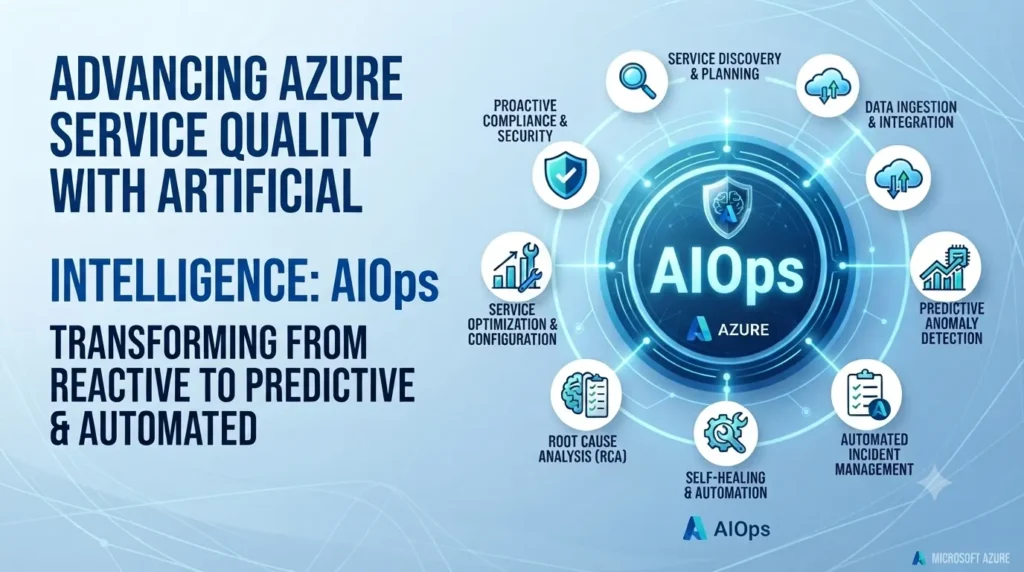
Microsoft Azure AIOps dashboard displaying AI-powered monitoring, predictive failure alerts, and real-time infrastructure health.

Advancing Azure service quality with artificial intelligence: AIOps

INTRO Somewhere on Azure’s infrastructure, a disk was predicted to fail — and your workload was migrated off it before that failure ever happened. That’s not a hypothetical. It’s Azure AIOps, Microsoft’s use of AI and machine learning to detect, predict, and fix infrastructure problems before they become customer-facing outages. For a business evaluating cloud reliability, this matters less as an engineering curiosity and more as a straight answer to a practical question: why does Azure keep improving its uptime numbers year over year? Failures Get Predicted, Not Just Detected Traditional infrastructure monitoring tells you something broke. Azure’s hardware failure prediction model tries to catch it before it does — flagging disks, memory, and networking hardware likely to fail, then automatically live-migrating affected virtual machines to healthy nodes. The customer impact of a hardware failure, in the cases this catches, is zero downtime rather than an outage ticket. Faster VM Provisioning, Powered by Prediction Azure’s pre-provisioning system uses historical deployment patterns to predict what VM configurations customers are likely to request — and creates a pool of them in advance. When a matching request comes in, it’s assigned from that pool instead of built from scratch. The practical effect for a business is faster deployment latency, without needing to know any of the prediction modeling happening behind it. Incidents Get Resolved Before They Escalate Azure tracks incident response against three metrics: time to detect, time to engage, and time to mitigate. AI-driven anomaly detection — built to catch not just obvious spikes but slow-building patterns like memory leaks — feeds directly into routing the right engineering team to an issue immediately, and in some cases triggers automated fixes with no human step at all. For a business running production workloads, that translates to shorter, less frequent disruptions. Safe Rollouts Prevent Widespread Impact Microsoft rolls out infrastructure changes constantly, which creates real risk of a bad change spreading before anyone notices. An internal system (code-named Gandalf) analyzes rollout patterns to catch issues that surface hours or days later, flagging suspicious changes before they propagate further. This is part of why platform-wide incidents from routine updates are rare rather than common. What This Actually Means for Your IT Roadmap None of this requires action on your end — it’s infrastructure Microsoft operates on your behalf. What it does mean is that Azure’s reliability improvements aren’t marketing claims; they’re the output of a systematic prediction-and-automation investment, which is a reasonable thing to weigh when comparing cloud providers on uptime and reliability, not just price. Want to know how Azure’s reliability engineering translates to SLAs for your specific workload? Talk to Trident about your cloud infrastructure options. FAQ What is Azure AIOps?Azure AIOps is Microsoft’s use of AI and machine learning to predict, detect, and resolve infrastructure issues on Azure automatically — including hardware failure prediction, faster VM provisioning, and automated incident response. Does Azure AIOps require any setup from customers?No — it operates at Microsoft’s infrastructure level. Customers benefit from improved reliability and uptime without configuring anything themselves. How does Azure predict hardware failures before they happen?Microsoft Research and Azure built models that analyze disk, memory, and networking behavior to flag components likely to fail, then automatically migrate affected virtual machines to healthy hardware.

Advancing Azure service quality with artificial intelligence: AIOps Read More »

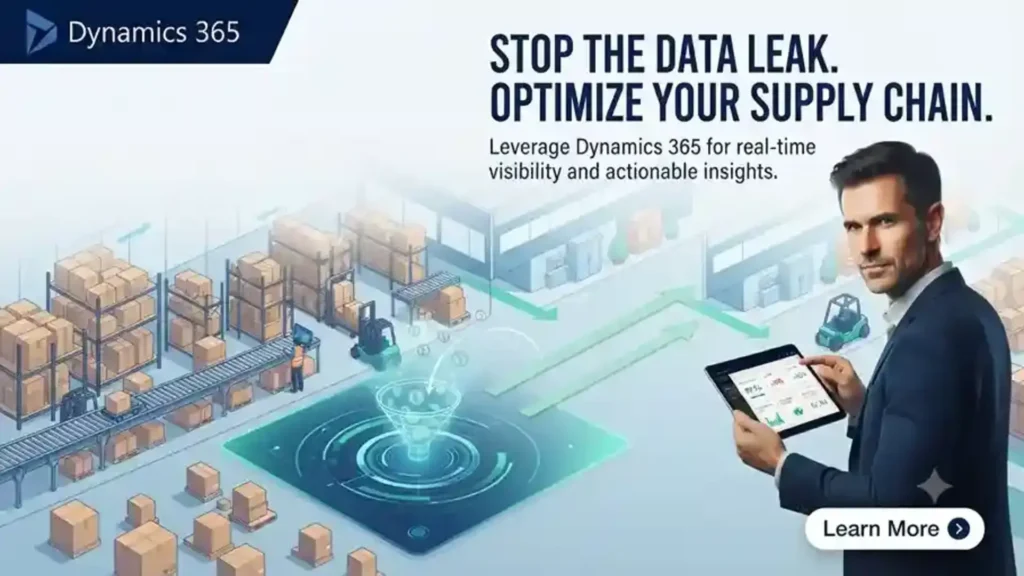
Is your business ready to take supply chain management to the next level?

When you lack deep visibility and insight into your supply chain, you leave money on the table It turns out what you don’t know as a manufacturer can and will hurt you. For too long, manufacturers have settled for siloed and inconsistent information, as well as manual processes, to understand and manage their supply chain. Why? Because for a long time, these systems were good enough to keep production going. But plenty of manufacturers don’t want to settle for good enough. IDC predicts that by 2019, 50% of manufacturing supply chains will have benefited from digital transformation, and the remainder will be held back by outdated business models or functional structures. Smart manufacturers understand that supply chain transformation is necessary. They are connecting assets across their factories, gaining visibility into their supply chain, and acting on insights from increased visibility to address inefficiency, as well as increase customer satisfaction and margins. Don’t accept operational inefficiencies as a limit on your business Supply chain management is complex, so doing it right requires a solution that simplifies and consolidates disparate information, while retaining flexibility. Data from the sales process, suppliers, order fulfillment, product performance, and customer service all matter for a full understanding of the supply chain. The core tools for accomplishing this fall into three categories: IoT-enabled visibility and services, powerful analytics, and cloud-delivered data visualizations. Like many aspects of manufacturing, IoT is the starting point. The best way to lower production costs is by using a single IoT-friendly platform to integrate back and front office processes. Using IoT-based modeling to create digital twins, manufacturers can understand in real-time the amount of wear and tear on parts and adjust designs in response. This insight can help identify simple inefficiencies like sourcing a part from the company that’s always supplied it, rather than buying a similarly-performing part at a lower cost from another supplier. Powerful analytics is the next step in transforming your supply chain. A truly intelligent system for supply chain management dynamically adjusts distribution, as well as production, to accelerate the speed of delivery. By using built-in analytics and machine learning, public data like weather conditions can be used to create richer, more accurate schedules and delivery forecasts. On top of that, opportunities to consolidate or expedite shipments can be automatically identified using artificial intelligence—passing lower shipping and order fulfillment costs on to customers. Finally, consolidating all this information won’t completely optimize your supply chain without the ability to easily visualize and manage it. That’s why a real-time and mobile-delivered view is so crucial. Understanding how to solve problems is hard enough; there’s no need to complicate it further by using different systems to identify where problems are occurring. Decision makers on the factory floor or in global headquarters need instant access to relevant information, and the collaborative power to communicate with or work alongside employees anywhere in the world. These investments in operations put manufacturers in position to embrace new technology and adjust to whatever business challenges they may be facing. Get the tools to transform with Microsoft Dynamics 365 The power of a supply chain management and operations platform that combines all these capabilities at cloud speed and scale is obvious. Companies positioned to digitally transform their supply chains will see accelerated time to market and reduced cost to enter new markets or scale new lines of business. Microsoft supports flexibility in deployment, enabling you to leverage existing investments while expanding with either a cloud or a hybrid model that includes both on-prem and cloud systems. That can shorten deployment from months to days and ensure security and analytics capabilities are consistent across every location and tuned appropriately for every team. Microsoft Dynamics 365 ends the artificial separation of ERP and CRM and makes it easy for employees to collaborate and even role-switch to engage customers or address supply chain issues. Only Dynamics 365 unites the front office and the back office with a single end-to-end system for managing every aspect of your business, all backed by industry-leading enterprise cloud. That means manufacturers can develop at the pace and scale that’s right for them, while taking advantage of current investments such as existing productivity and technology stacks. With Microsoft, consistent development practices and R&D investments combine to offer manufacturers rich analytics, embedded intelligence, partner-created applications, and the ability to collaborate worldwide.

Is your business ready to take supply chain management to the next level? Read More »

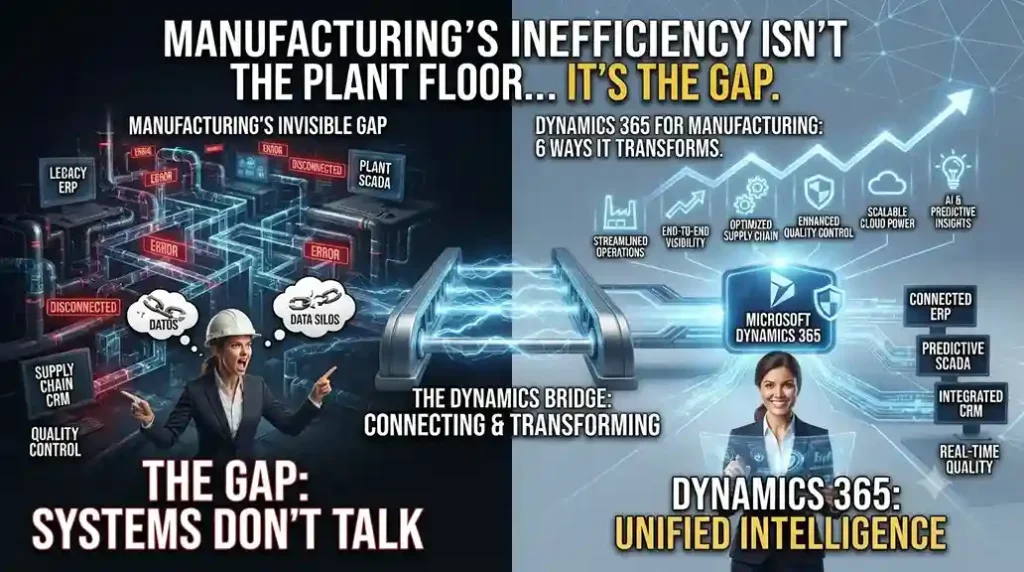
Microsoft Dynamics 365 for Manufacturing dashboard displaying production planning, inventory, supply chain management, and quality control.

Manufacturing’s Biggest Inefficiency Isn’t the Plant Floor — It’s the Gap Between Systems

INTRO A machine on the shop floor and a service technician in the field often work off completely different data — one sees production output, the other sees a support ticket, and neither sees the customer’s purchase history. Dynamics 365 for manufacturing exists to close exactly that gap, by ending the divide between CRM and ERP instead of running them as separate systems that happen to sit on the same network. Here are the six shifts that gap-closing actually produces on the ground. 1. Supply Chain Visibility That Goes Beyond a Dashboard Collecting and visualizing supply chain data across every location does more than create a nicer report — it changes how fast a disruption gets caught. Manufacturers using remote monitoring across distributed installations have shortened time-to-market by catching supply issues before they cascade into production delays, rather than discovering them after a shipment is already late. 2. Asset and Production Management, Consolidated Into One View When production oversight and real-time equipment monitoring sit in one system instead of three, manufacturers stop reacting to breakdowns and start resolving issues remotely before they cause downtime. This is the operational basis for near-continuous uptime models in equipment-heavy manufacturing — and it also opens a second revenue line: monitoring and proactive support sold as an ongoing service, not a one-time sale. 3. Customer Engagement Built on Usage Data, Not Guesswork Personalized service at scale requires predictive analytics and self-service options that are actually relevant to what a specific customer does with the product — not a generic contact form. Manufacturers with a connected sales-through-service platform can flag potential equipment issues before a customer notices a problem, while also tailoring offers based on that customer’s real purchasing and usage pattern. 4. Service Centers as a Profit Center, Not a Cost Center Falling costs for IoT sensors and mobile devices have made remote monitoring and proactive maintenance commercially viable additions to standard break/fix support — not just a premium add-on for enterprise accounts. Combining customer records, technician availability, and inventory into a single mobile-accessible system is what lets a service team actually deliver on that model instead of just theorizing it. The Data Advantage: Better Products, Not Just Better Service IoT-connected parts and equipment feed usage data back to engineering — which components fail early, which are over-built, how products actually get used in the field. That feedback loop is what shortens the cycle between a design flaw and a fix, rather than waiting for failure reports to pile up. 5. Technicians Who See the Full Job, Not Just the Ticket A 360-degree view of a customer’s asset and service history changes what a technician can do on-site — they’re working from context, not just a work order. Paired with machine learning that surfaces similar past cases, this turns troubleshooting into pattern-matching against real precedent instead of starting from zero on every call. 6. One System Connecting the Floor to the Front Office Manufacturers that unify production and project management data with CRM stop treating customer service and customer engagement as separate departments working from separate records. The practical result is service and recommendations grounded in what a customer has actually bought and experienced — not assumptions. Why Dynamics 365 Specifically Dynamics 365 for manufacturing removes the artificial line between CRM and ERP, running both on one system with embedded analytics rather than bolting a reporting layer on top of disconnected tools. For a mid-size manufacturer, this matters less as a technology upgrade and more as an operating model change — supply chain, service, and sales working from the same data instead of reconciling three versions of it. Curious what a unified CRM-ERP model would look like on your production floor? Talk to Trident about a Dynamics 365 manufacturing assessment.

Manufacturing’s Biggest Inefficiency Isn’t the Plant Floor — It’s the Gap Between Systems Read More »

Whitepaper: The business owner’s guide for replacing accounting software

Replacing your accounting software is easier and more affordable than you may think. Use this guide to learn about the benefits of a modern technology platform, better understand the advantages of a cloud-based solution, and know what questions to ask when evaluating your options.

Whitepaper: The business owner’s guide for replacing accounting software Read More »

Whitepaper : Four technology trends helping businesses thrive in a digital world

4 ways technology can help businesses thrive in a digital world. The good news is that the tools that help businesses capitalize on this digital transformation are more accessible than ever before. The cloud is removing barriers like high up-front costs, ongoing maintenance, and IT dependency.

Whitepaper : Four technology trends helping businesses thrive in a digital world Read More »

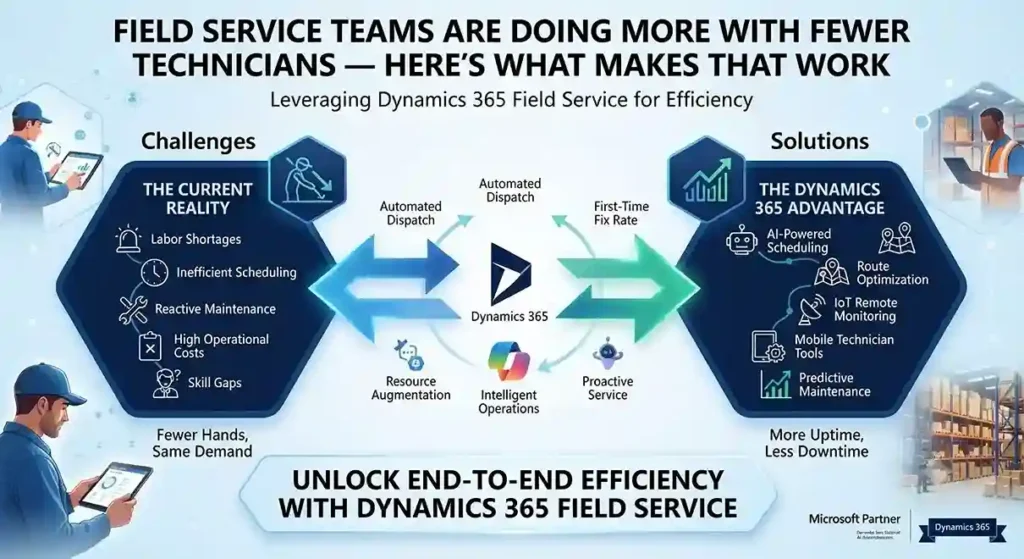
Dynamics 365 Field Service dashboard using AI scheduling and IoT alerts to optimize technicians and reduce onsite service visits.

Field Service Teams Are Doing More With Fewer Technicians — Here’s What Makes That Work

INTRO Fewer onsite technicians. Less face-to-face customer contact. The same expectation of fast, reliable service. That’s the operating reality most field service teams are managing now, and it’s forcing a shift from reactive dispatch to genuinely proactive service — sending the right person, with the right parts, before a customer even calls. Dynamics 365 Field Service is built around that shift, with AI-driven scheduling, remote collaboration tools, and IoT-based alerting doing the work that used to require more people on the road. First-Time Fix Rate Is the Metric That Actually Matters A technician’s onsite time is expensive — every callback for a missed fix compounds that cost. Field Service’s Inspections feature lets technicians capture structured data during a visit, improving quality and safety documentation without extra paperwork afterward. Built-in time tracking — automated where possible, manual where needed — feeds precise data back into scheduling, so utilization decisions are based on what visits actually take, not estimates. Remote Expertise, Without the Travel Dynamics 365 Remote Assist lets a technician using a HoloLens headset record and share a live session with an expert elsewhere — someone who can guide a fix in real time instead of the technician calling it in and waiting for a callback. That’s a direct lever on first-time fix rates: the technician gets specialist input on-site, in the moment, instead of after a second visit gets scheduled. AI Alerting Turns IoT Data Into Action, Not Noise Connected equipment generates a constant stream of telemetry — the hard part has never been collecting it, it’s knowing which alerts actually predict a failure worth dispatching for. Field Service uses AI-generated suggestions based on historical service data to surface the IoT alerts most likely to matter, paired with time-series views that let a dispatcher see an asset’s alert history at a glance rather than piecing it together manually. The practical effect: better incident categorization feeds directly into parts inventory planning and technician scheduling, which is where a lot of avoidable service cost actually lives. One System, Not Five Disconnected Tools Field Service now integrates more tightly with the rest of the Microsoft stack: Scheduling Is Where Efficiency Either Happens or Doesn’t Resource Scheduling Optimization automatically matches jobs to the technicians, equipment, and facilities actually equipped to handle them. The current scheduling board adds drag-and-drop functionality and materially better performance over the previous version — which matters more than it sounds, since a slow scheduling tool pushes dispatchers toward manual overrides that undo the optimization in the first place. Manager and dispatcher dashboards surface utilization data directly, so schedule adjustments come from visible patterns instead of guesswork. What This Looks Like at Scale Siemens Smart Infrastructure — which connects energy systems and building infrastructure across industries — runs Dynamics 365 Field Service to support over 12,000 employees, including 7,500 service technicians. Proactive service delivery, AI-driven scheduling, and real-time coordination are what let an organization at that scale stay responsive to disruption instead of falling back on manual dispatch when volume spikes. Want to see Dynamics 365 Field Service against your current dispatch process? Contact Trident Information Systems for a demo. FAQ What is Dynamics 365 Field Service used for?It’s Microsoft’s platform for managing onsite and remote service operations — scheduling technicians, tracking work orders, and using AI and IoT data to shift from reactive to proactive service delivery. Does Dynamics 365 Field Service work with IoT devices?Yes — it uses AI to analyze IoT alerts from connected equipment and prioritize which ones are most likely to require a technician dispatch, based on historical service data. Can Dynamics 365 Field Service integrate with Business Central?Yes — Field Service integrates with Business Central and Supply Chain Management to connect asset management and inventory data directly into the field service workflow.

Field Service Teams Are Doing More With Fewer Technicians — Here’s What Makes That Work Read More »

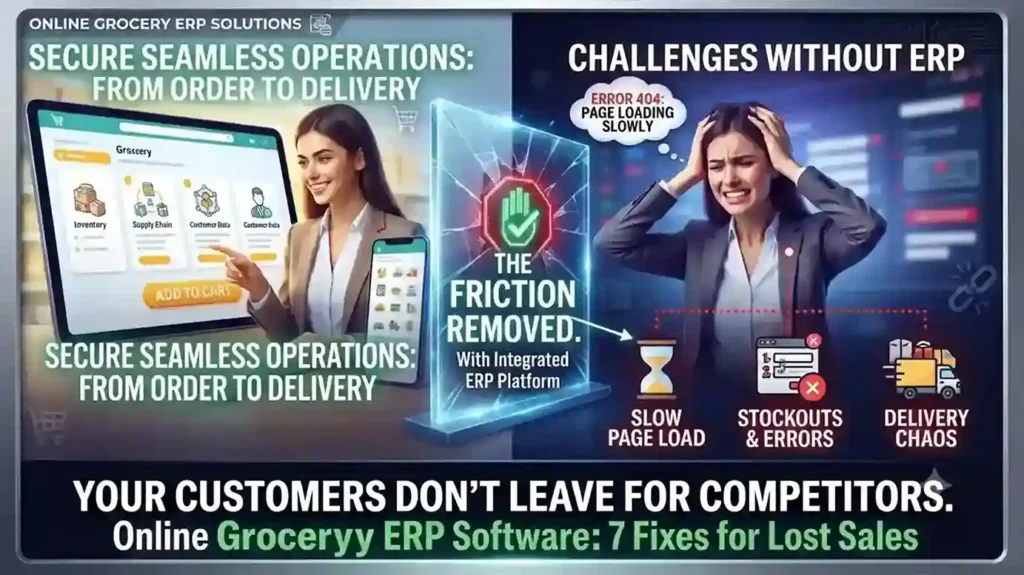
Your Online Grocery Store Isn’t Losing Customers to Competitors — It’s Losing Them to Friction

INTRO Online grocery sales are growing at roughly 28% a year — more than ten times the rate of total grocery sales. That growth is also exposing which retailers built their online grocery ERP software around real shopping behavior, and which bolted e-commerce onto a system that was never designed for it. The seven gaps below are the ones costing retailers carts, not competitors. Each one is a system problem before it’s a customer-experience problem. Slow Search Costs You the Sale Before Checkout A shopper hunting through a hundred-item bread category for one product doesn’t file a complaint — they just leave. Category filtering, predictive search (“did you mean coriander?”), and complete product data — pack size, allergens, expiry — aren’t UX polish. They’re inventory data problems, and they trace back to whether your ERP actually feeds structured product data to your storefront or leaves your web team entering it by hand. Hidden Delivery Restrictions Kill Orders After the Cart Is Full Nothing costs a sale faster than a shopper spending 20 minutes filling a cart, then discovering their postcode isn’t serviceable. Delivery zones, pricing, and timing need to be visible before checkout starts — which means your delivery logic needs to be connected to your commerce platform in real time, not a static page someone forgot to update last quarter. Fix This With a Clear Checkout FlowLabel every step (Details → Shipping → Payment → Review), show a progress bar, and confirm the order with a summary — items, delivery window, and what happens next. Ambiguity at checkout is where carts get abandoned. Mobile Is Already Majority Traffic — Is Your Platform Built for It? Mobile drives the majority of e-commerce traffic and sales for most retailers now. If your site isn’t fully responsive — large tap targets, zoomable product images, a cart that persists across devices — you’re optimizing for the smaller slice of your audience. Cart persistence in particular matters: a shopper who starts on their phone and finishes on a laptop shouldn’t have to rebuild their order. “Endless Aisle” Only Works With Real Navigation Online stores can carry far more SKUs than a physical location — but only if customers can actually find them. Top-level categories, sort-and-filter by price or brand, and a visibly confirmed “add to cart” action are baseline. Without them, a bigger catalog just means a worse search experience. Delivery Precision Drives Conversion More Than Delivery Speed Nielsen’s Global Connected Commerce research points to 30-minute delivery windows as the benchmark shoppers respond to — not same-day delivery in the abstract, but a specific window they can plan around. Whether you deliver direct, via locker pickup, curbside, or through a partner like Instacart depends on your infrastructure. What matters is picking one you can reliably hit. Freshness Anxiety Is a Solvable Data Problem Spoilage risk is one of the top reasons shoppers hesitate to buy fresh groceries online. Freshness labels showing remaining shelf life after delivery, visible customer reviews per product, and a clear return or refund policy for produce that doesn’t meet expectations all directly address that hesitation — but only if your system tracks expiry data at the SKU level to begin with. One Broken Link in the Chain Becomes the Whole Brand’s Problem A late delivery, a wrong product description, or a broken cold-storage locker doesn’t read to the customer as “a vendor issue” — it reads as your failure. This is why online grocery ERP software has to unify inventory, POS, delivery logistics, and product data on one system. Disconnected point solutions are where these failures start. Running your online grocery operation on disconnected systems? Talk to Trident about an ERP assessment built for grocery retail. FAQ What ERP features matter most for online grocery retailers?Real-time inventory sync, SKU-level expiry tracking, and integration between POS, e-commerce, and delivery logistics matter most — these directly address the stockout, freshness, and delivery-accuracy issues that cause cart abandonment. Why do online grocery shoppers abandon their carts?The most common causes are hidden delivery restrictions discovered late in checkout, slow or unclear search, and lack of trust in product freshness — all of which trace back to system-level data gaps, not just website design. What delivery window works best for online grocery?Research from Nielsen points to 30-minute delivery windows as the standard shoppers respond to best, provided the retailer can consistently meet that window.

Your Online Grocery Store Isn’t Losing Customers to Competitors — It’s Losing Them to Friction Read More »