Welcome to Trident Information Systems!
Write us to - info@tridentinfo.com
Let's Socialize

crm implementation partner

CRM Implementation Partner: How to Evaluate and Choose a Microsoft Dynamics 365 CRM Partner

A CRM implementation partner is the firm that turns a CRM licence into a system your sales, service and marketing teams rely on daily. Most CRM projects that disappoint do so for reasons unrelated to the software: unclear goals, messy data, too many customisations or users who were never shown what the system does for them. This page brings together our content on CRM implementation, Microsoft Dynamics CRM partners and how to evaluate them.

What a CRM Implementation Partner Does

The work usually starts with discovery: how leads are captured, how opportunities progress, how customer cases are handled and what management needs to see. From there the partner configures the system, migrates data from spreadsheets or older tools, integrates email, ERP and marketing platforms, trains users and supports go-live. Strong partners also help define adoption measures, since a CRM nobody updates is worse than none.

Microsoft Dynamics CRM and Dynamics 365

Microsoft Dynamics CRM is now part of Dynamics 365. The customer engagement applications include Sales, Customer Service, Marketing and Field Service, and they work alongside the Power Platform for automation and reporting. This is why searches for a Dynamics CRM partner, a Microsoft CRM partner or a Dynamics 365 customer engagement partner usually point to the same firms. A Dynamics 365 sales partner should be able to explain which applications you need and which you can leave out.

Finding and Verifying Partners

Microsoft’s partner directory is the most dependable place to start, and any Microsoft Dynamics CRM partners list is only a starting point. Check for a current Solutions Partner designation, then ask about certified consultants, similar projects and references. Businesses in the UAE can use the same approach, with extra attention to Arabic and English requirements and links to VAT-compliant invoicing in the finance system.

How to Compare Partners

Delivery experience in your industry and at your size
Depth in Dynamics 365 Sales, Customer Service and the Power Platform
Integration experience with ERP, email and marketing tools
Approach to user adoption, training and change management
Support after go-live, plus references you can contact directly

Planning CRM and ERP Together

Quotes, orders, pricing and customer records often need to move between CRM and finance. Partners who understand both can design that flow once and advise on whether to phase the projects, which reduces rework later.

How Trident Information Systems Fits In

Trident Information Systems is a Microsoft Solutions Partner and LS Retail partner, working across Dynamics 365 Finance and Supply Chain Management, Business Central, Commerce and LS Central. We support clients in India, the UAE, the UK, Nigeria and East Africa with ERP consulting, implementation, system integration and ongoing support. Where CRM must connect with ERP or retail systems, we plan that integration as part of the wider Microsoft business solution.

Final Thoughts

Choose a partner that questions your sales process early, plans for adoption and stays involved after go-live, and verify its claims through references.

FAQs

Q1: How do I choose a CRM implementation partner?
Confirm the firm’s credentials, then compare industry experience, certified consultants and client references. Ask how it handles discovery, data migration and user training, and request a phased plan with clear milestones. A partner that questions your sales process before proposing a solution is usually a better sign than one leading with a fixed package.

Q2: What is the difference between Dynamics 365 Sales and Customer Service?
Dynamics 365 Sales supports lead, opportunity and pipeline management for sales teams. Customer Service supports case handling, knowledge management and service workflows. Many businesses use both on a shared customer record. A good partner will recommend the combination that fits your processes rather than defaulting to the full set.

Q3: How do I avoid low user adoption after a CRM go-live?
Involve end users in design, keep data entry minimal, train by role and track a few meaningful usage measures after launch. Leadership should also use CRM reports in real meetings, so the system becomes the source of truth. Ask any prospective partner how they plan for adoption, not only configuration.

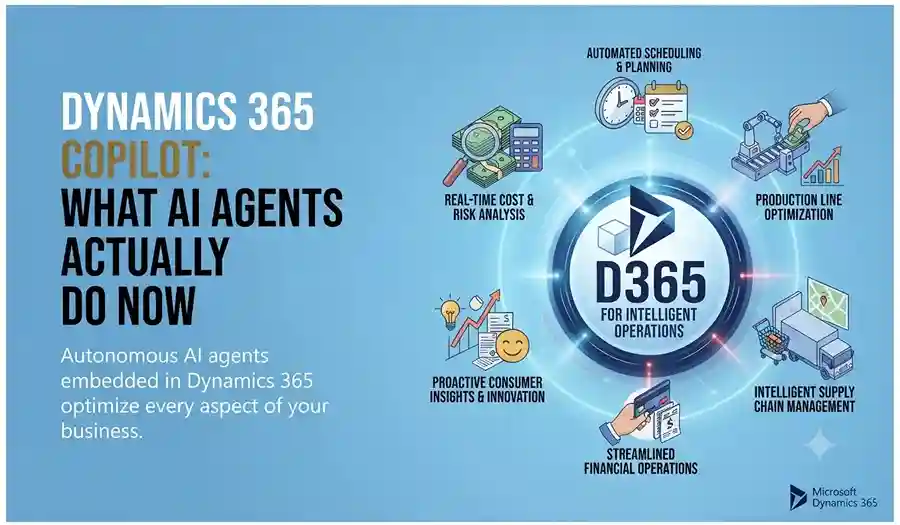
Dynamics 365 Copilot AI agents automating business tasks, analyzing data, and assisting sales, service, finance, and operations teams.

Dynamics 365 Copilot: What AI Agents Actually Do Now

INTRO An AI agent that can see a lead record but not that person’s purchase history, loyalty status, or churn risk isn’t actually helping anyone — it’s guessing with half the picture. That’s the gap Dynamics 365’s 2026 release wave is closing: Copilot and autonomous agents now connect directly to Customer Insights data through Microsoft’s Model Context Protocol, giving every AI interaction the full customer context instead of a fragment of it. Customer Insights Agents Now See the Whole Customer Dynamics 365 Customer Insights has moved past static dashboards into agentic AI that helps teams build and optimize engagement journeys with far less manual work. Copilot can draft entire email campaigns — copy and creative — based on customer signals and segmentation, and recommend the next best message or offer per customer automatically. The bigger structural change is a Customer Insights MCP server that lets Copilot Studio agents pull unified profile data — purchase history, segment membership, loyalty status, predictive churn scores — directly into chat and workflow interactions, rather than requiring custom integrations to expose that data to every agent. Sales Copilot Connects CRM Data With Microsoft 365 Signals Sales forecasting hasn’t disappeared — it’s been absorbed into a broader Copilot experience that spans CRM data and Microsoft Graph signals like email and meeting recaps. Sellers get consistent, actionable insights whether they’re working inside Dynamics 365 or elsewhere in Microsoft 365, with proactive alerts when a deal needs attention rather than waiting for a manual pipeline review to catch it. Service and Contact Center Are Fully Agentic Dynamics 365 Customer Service now runs agentic capabilities across case management, email handling, and intent recognition, with AI-infused admin and supervisor tools built for transparency into what the agents are actually doing. Dynamics 365 Contact Center extends this further with deeper automation and higher containment rates across every channel — the goal being faster resolution without a human touching every ticket. What This Means If You’re Still Running Pre-Copilot Dynamics 365 If your organization’s Dynamics 365 environment predates this shift, the practical question isn’t whether to adopt Copilot — it’s how much of your customer, sales, and service data is actually structured well enough for an agent to use it. Grounding an agent in messy or siloed data produces the same problem the 2026 release is designed to solve, just with an AI layer on top of it. Not sure how ready your Dynamics 365 environment is for Copilot and agentic AI? Talk to Trident about a readiness assessment.

Dynamics 365 Copilot: What AI Agents Actually Do Now Read More »
Business team using CRM software to manage sales, customer data, and communication workflows.

5 Clear Signs Your Business Needs CRM Software in 2026

Here is a question most business owners ask too late: at what point does managing customer relationships in spreadsheets, email inboxes, and memory become a liability rather than a system? The honest answer is — sooner than you think. Customer Relationship Management (CRM) software is not just for large enterprises with complex sales teams. It is for any business that wants to grow its customer base, retain the customers it already has, and make sure no opportunity falls through the cracks. The challenge is recognising when the moment has arrived. Here are five clear signs that your business needs CRM software — and why Microsoft Dynamics 365 is the platform most businesses choose. What Is CRM Software and Why Does It Matter? CRM software is a centralised system that manages every interaction between your business and your customers — from the first marketing touchpoint through the sales cycle, the initial purchase, ongoing service, and renewal. Done well, CRM gives every team member a complete, real-time picture of every customer relationship. Sales knows what marketing has sent. Customer service knows what sales has promised. Management knows exactly where every opportunity stands. Without CRM, this information lives in individual inboxes, personal spreadsheets, and people’s heads — and every time someone leaves the business, some of that knowledge leaves with them. 5 Signs Your Business Needs CRM Software Now Sign 1 — You Are Losing Leads Without Knowing Why Leads come in through your website, social media, phone calls, and referrals. But if you are managing them manually, some of those leads are simply not being followed up — because they were logged in the wrong place, assigned to the wrong person, or forgotten during a busy week. A CRM captures every lead automatically, assigns it to the right team member, sets follow-up reminders, and tracks every interaction. Nothing gets lost. Every opportunity gets the attention it deserves. If you have ever discovered a warm lead that was never followed up weeks after it arrived — your business needs CRM. Sign 2 — Your Marketing and Sales Teams Work in Silos Marketing generates leads. Sales closes deals. But when these two teams work from different systems and different data, the handoff between them is where opportunities die. Marketing does not know which leads converted. Sales does not know which campaigns generated their best prospects. Neither team can make decisions based on the complete picture — because that picture does not exist in any single place. CRM creates a shared view of every customer and every lead — so marketing can see which campaigns produce sales-ready prospects and sales can engage leads with full context on their marketing journey. The result is better targeting, higher conversion rates, and a measurable improvement in revenue. If your marketing and sales teams regularly blame each other for pipeline problems — your business needs CRM. Sign 3 — You Cannot Easily Create Quotes and Track Invoices For businesses that sell through a quotation process — professional services, manufacturing, technology, or any B2B operation — the ability to create, track, and follow up on quotes directly impacts how quickly deals close. A CRM with a built-in quoting and invoicing module connects the entire opportunity-to-cash process: If your team is manually creating quotes in Word documents and tracking them in a spreadsheet — your business needs CRM. Sign 4 — Customer Service Issues Are Falling Through the Gaps Customer service quality is directly tied to information quality. When a customer calls with a problem, the speed and accuracy of the resolution depends on whether your team can instantly see their complete history — what they bought, when, what issues they have had before, and what was promised. Without CRM, this information is scattered across email threads, support tickets, and different team members’ notes. The customer ends up repeating themselves. Issues take longer to resolve. Satisfaction drops. CRM centralises customer service management: If customers regularly complain about having to repeat their issue to multiple people — your business needs CRM. Sign 5 — You Cannot See How Your Business Is Really Performing Good management decisions are built on good data. But if your sales pipeline lives in a spreadsheet, your customer data is in email, and your service records are in a helpdesk tool — getting a clear, current picture of business performance requires manual compilation that takes hours and is outdated the moment it is finished. CRM provides real-time dashboards and reports that give every level of the organisation instant visibility: If your management team regularly makes decisions based on instinct because the data is too hard to access quickly — your business needs CRM. Why Microsoft Dynamics 365 CRM Microsoft Dynamics 365 is one of the world’s most widely adopted CRM platforms — and for good reason. It covers every scenario described above in a single, unified platform: lead management, marketing automation, sales pipeline, quoting and invoicing, customer service, and real-time analytics — all connected on the same data model. Key advantages over standalone CRM tools: Why Trident Is India’s Trusted Dynamics 365 CRM Partner As a certified Microsoft Dynamics 365 partner, Trident Information Systems has helped businesses across sales, marketing, manufacturing, retail, and professional services in India implement CRM solutions that close the gaps described in this article. Our CRM implementations are configured around your specific sales process and customer management requirements — not a generic template. Ready to find out how CRM software can transform your customer relationships? Book a free Dynamics 365 CRM assessment with Trident today. For more insightful content and industry updates, follow our LinkedIn page.

5 Clear Signs Your Business Needs CRM Software in 2026 Read More »

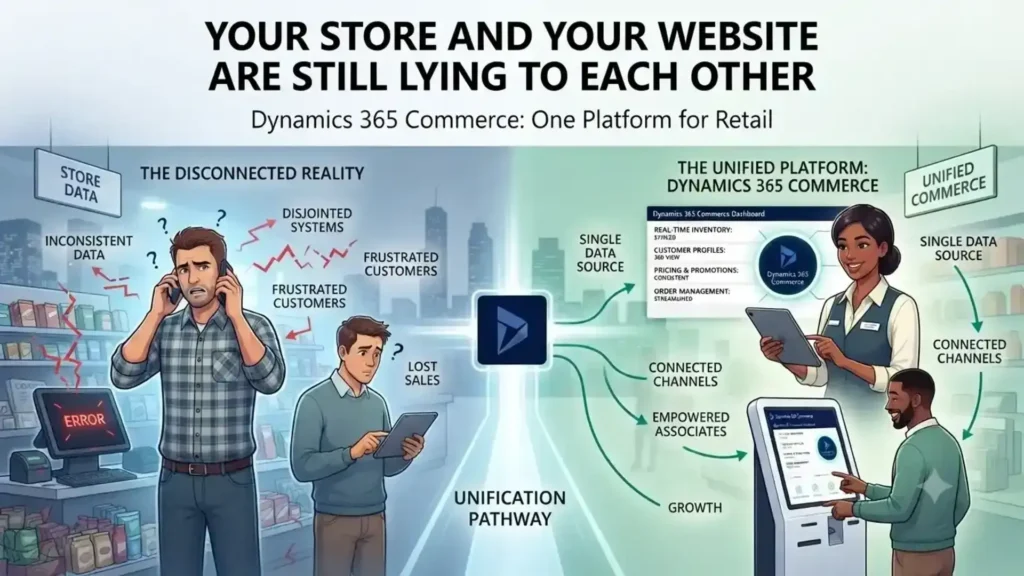
Retail store and eCommerce website displaying mismatched inventory and customer data, highlighting the need for unified commerce.

Your Store and Your Website Are Still Lying to Each Other

A customer checks stock online, drives to the store, and finds the shelf empty — because the website and the POS were never talking to each other. Dynamics 365 Commerce closes that gap, running e-commerce, POS, and inventory on one shared data model instead of three disconnected systems. The result: what the customer sees online is what’s actually on the shelf. A customer checks stock online, drives to the store, and finds the shelf empty. The website said 12 in stock. The POS system never told it otherwise. This is the gap that kills conversion — not a lack of channels, but channels that don’t talk to each other. Physical retail isn’t dying. US retail storefronts have kept expanding even as e-commerce grows in double digits, and most large online retailers still run physical stores alongside their digital ones. The real shift isn’t online-versus-offline. It’s whether a retailer’s systems present one version of the truth across both. Why Omnichannel Keeps Failing on the Back End Most retailers don’t lack an omnichannel strategy. They lack an omnichannel database. Inventory sits in one system, POS transactions in another, e-commerce orders in a third — and “click and collect” becomes a manual reconciliation problem instead of a feature. Dynamics 365 Commerce solves this by running POS, e-commerce, call center, and back-office inventory on a single data model. A sale on the shop floor and an order placed on the app update the same stock ledger in real time. There’s no overnight batch sync, no separate inventory feed that drifts out of date by midafternoon. What Changes for the Store Team Store associates stop being the last to know. With real-time inventory visibility built into the POS, an associate can check stock at another location and place a transfer or a customer order without calling around. Paired with Dynamics 365 Customer Insights, they can also pull up a shopper’s purchase history and preferences mid-conversation — turning a routine sale into something closer to how a regular customer at a neighborhood store gets treated, at chain scale. Personalization Is a Retention Lever, Not a Nice-to-Have Younger shoppers in particular respond to retailers that recognize repeat behavior instead of treating every visit as anonymous. [Verify with a current source — this stat should reflect the latest data, not be carried over from the original piece.] Recommendation logic built on unified purchase data — not guesswork — is what makes that personalization operationally possible instead of aspirational. Where This Matters Most: Mid-Size Chains Enterprise retailers can afford to bolt together five vendors and a systems-integration team to keep it running. Mid-size retail chains usually can’t. That’s where a single-platform approach pays off fastest — fewer integration points to maintain, one vendor accountable for uptime across channels, and IT teams that aren’t stitching together POS, ERP, and e-commerce patches every quarter. The Real Competitive Line Isn’t Online vs. In-Store E-commerce alone won’t differentiate a retailer for much longer — most competitors have it. What separates retailers now is whether a customer gets the same accurate stock count, price, and service history whether they’re on the app, on the phone with support, or standing at the register. That consistency is an infrastructure decision, not a marketing one. Ready to see it on your own store’s data? Talk to Trident about a Dynamics 365 Commerce assessment for your retail environment. FAQ What is Dynamics 365 Commerce used for?It’s Microsoft’s unified retail platform that runs POS, e-commerce, call center, and inventory management on one data model, so stock and order data stay consistent across every sales channel. Is Dynamics 365 Commerce the same as Dynamics 365 for Marketing?No — they’re different products. Commerce handles retail operations and omnichannel sales; Marketing handles campaign management. Retailers evaluating an ERP should look at Commerce. Can Dynamics 365 Commerce support click-and-collect?Yes. Because inventory updates in real time across channels, a “buy online, pick up in store” order reflects accurate stock without manual reconciliation between systems.

Your Store and Your Website Are Still Lying to Each Other Read More »

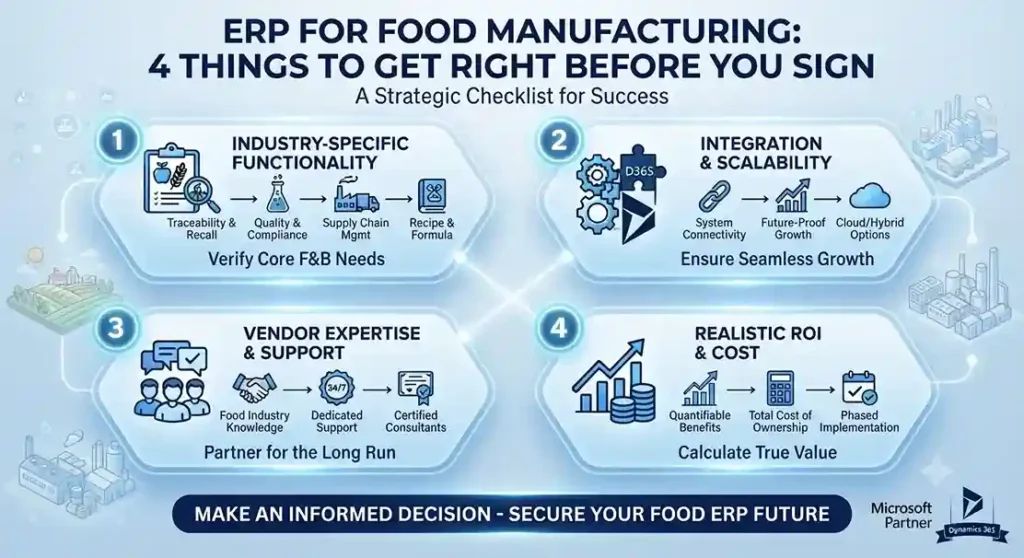
Food manufacturing ERP dashboard showing compliance, batch traceability, production planning, inventory, quality, and real-time analytics.

ERP for Food Manufacturing: 4 Things to Get Right Before You Sign

INTRO A generic ERP will run your sales, accounting, and inventory just fine. What it won’t do is catch a batch that needs recalling, track an allergen through your supply chain, or enforce a food safety hold before a bad ingredient reaches the line. ERP for food manufacturing has to be built for those problems specifically — not adapted to them after the fact. After 20+ years implementing food manufacturing ERP for clients including Haldiram’s and Nik Bakers, here’s what actually separates a system that fits from one that technically works. 1. Food-Specific Functionality Isn’t Optional Most mid-market ERPs cover sales, procurement, accounting, and basic inventory — the functions every business needs. Food manufacturing needs more than that as a baseline, not an add-on: Before evaluating vendors, it’s worth asking directly how much customization a “standard” ERP would need to deliver each of these — the honest answer is often a lot more than the sales pitch implies. 2. Your Business’s Functionality Gap Is Specific to You A bakery, a frozen food manufacturer, and a meat processor don’t run the same operation, and they don’t need the same system configuration. Instead of starting from a feature list, start from what’s actually broken today: build a working “wish list” of what your current process can’t do, then use that list to filter vendors — not the other way around. This narrows the field fast, and it keeps the evaluation grounded in your actual operation instead of a generic checklist. 3. Usability Determines Whether the ERP Actually Gets Used An ERP that’s technically powerful but unfamiliar to your workforce creates a second problem on top of the first: adoption. A warehouse worker or line technician forced to learn an unfamiliar system fast, on top of their existing job, is a recipe for workarounds and shadow spreadsheets — which defeats the purpose of implementing the system in the first place. Platforms built on tools your team may already know — Microsoft Dynamics 365, for instance, shares design language with Excel and Outlook — shorten that adoption curve meaningfully, because the interface isn’t a second thing to learn on top of the new processes. 4. Implementation Is Months, Support Is Years A food manufacturing ERP implementation typically runs five to nine months — but that’s the short part of the relationship. What happens after go-live matters more over the life of the system: patches, process changes, new regulatory requirements, and staff turnover all require an ongoing relationship with a partner who understands your operation, not just the software. That partner needs to understand food manufacturing specifically, not just ERP generically. The distinction matters the same way it would if you were hiring for your own production floor — general competence isn’t the same as domain expertise, and in food manufacturing, that gap shows up in exactly the moments (a recall, an audit, a compliance deadline) where it matters most. Evaluating ERP for a food manufacturing operation? Contact Trident’s food manufacturing ERP team to talk through your specific requirements.

ERP for Food Manufacturing: 4 Things to Get Right Before You Sign Read More »

How to Transform Your Business Data Into Actionable Insights: A Complete BI and Analytics Guide

Your business is generating more data than ever before. The question is — are you doing anything useful with it? Most organizations today are data-rich but insight-poor. They collect vast amounts of operational, financial, and customer data across multiple systems — and then struggle to turn any of it into decisions that actually move the business forward. Reports are produced. Dashboards are built. And yet, leadership teams still find themselves making critical decisions based on gut instinct rather than verified, real-time intelligence. That is the problem that business intelligence and data analytics solutions are designed to solve. By connecting your data sources, structuring your information architecture, and surfacing insights through intuitive visualizations and predictive models, the right BI platform transforms raw data from a liability into your most powerful strategic asset. Trident’s Data Analytics Solutions — built on Microsoft Dynamics 365, Power BI, and leading cloud platforms — give organizations of every size the ability to move from basic reporting to real-time monitoring, predictive forecasting, and data-driven decision-making at every level of the business. Whether you are just beginning your analytics journey or looking to mature a complex enterprise BI environment, Trident has the expertise, tools, and methodology to take you there. Why Most Businesses Are Sitting on Data They Cannot Use The Gap Between Data Collection and Data-Driven Decision Making Data collection has never been easier. Every transaction, every customer interaction, every operational process generates a trail of structured and unstructured data. But collecting data and extracting value from it are two entirely different capabilities — and most businesses have invested heavily in the former while neglecting the latter. The result is data silos: marketing data locked in one platform, financial data in another, operational data in a legacy ERP that barely talks to anything else. Without a unified analytics layer connecting these sources, the data your business generates every day remains invisible to the people who need it most. What Actionable Business Intelligence Actually Looks Like Actionable business intelligence is not a dashboard full of numbers. It is the right insight, delivered to the right person, at the right moment — with enough context to drive a confident decision. It is a sales manager who can see which accounts are at risk of churning before they receive a cancellation notice. It is an operations director who can forecast supply chain disruption three weeks before it happens. It is a CFO who can model the financial impact of a strategic decision in real time, without waiting for the finance team to build a spreadsheet. That is what Trident’s Power BI and analytics solutions are built to deliver. Advance Your Analytics Journey With Trident Data Insights From Reporting to Monitoring: Accelerating Your Power BI Maturity Most organizations start their analytics journey at the same place — basic reporting. Someone needs a number, someone builds a report, and that report gets emailed as a PDF once a week. It works, barely, until the business grows to the point where weekly reports are too slow, too static, and too disconnected from the operational reality on the ground. Trident’s Data Analytics Solutions are designed to rapidly accelerate your organization from passive reporting to active monitoring — giving your teams live visibility into the metrics that matter, with the ability to drill down, explore trends, and act on what they find without waiting for the next report cycle. Connecting Microsoft Dynamics 365 and Legacy Systems to One Analytics Layer One of the most common Power BI challenges enterprises face is fragmented data across modern and legacy platforms. Trident’s Data Insights platform connects directly to your existing deployed applications — including Microsoft Dynamics 365 for Operations and legacy Dynamics AX 2012 — creating a single, unified source of truth for all your analytical data. Historical trending — understand how your business has performed over time Drill-down reporting — move from high-level KPIs to granular transaction-level detail in seconds Operational and financial insights — unified visibility across every function of the business Single source of truth — eliminate conflicting data versions across departments Our Business Intelligence and Analytics Service Offerings Trident offers a comprehensive suite of Power BI and data analytics services — from initial strategy and maturity assessment through to full platform implementation, visualization development, and ongoing analytics optimization. Business Strategy and Enterprise Metrics Before building any analytics platform, the right strategy must be in place. Trident’s business strategy services include: Enterprise information management strategy and roadmap development Business information health assessments to identify gaps and opportunities Business case development to justify BI investment to stakeholders Platform and tool evaluations to ensure the right technology fit Architecture definition and enterprise metrics management H3BI Capabilities: Rationalization, Consolidation and Cloud Reporting Many organizations have accumulated multiple overlapping Power BI tools over time — each serving a different team, none talking to each other. Trident’s Power BI rationalization service consolidates your analytics environment into a coherent, scalable platform that serves the entire organization: BI rationalization and consolidation across siloed tools and platforms Data visualization and analytic application development BI Centre of Excellence establishment for long-term analytics governance Cloud reporting capabilities for anywhere, anytime access to business insights Analytic Applications and Web Analytics Beyond standard business reporting, Trident builds purpose-built analytic applications tailored to your industry and business model — including enterprise analytics services, industry-specific solutions, and web analytics integration that connects your digital performance data to your broader business intelligence environment. Information Infrastructure and Data Governance Insights are only as reliable as the data behind them. Trident’s information infrastructure services ensure your data foundation is solid before any visualization or analytics layer is built on top of it: Data modelling, architecture design, and integration Centre of Excellence Master data management and metadata management Data quality management and governance frameworks Data warehouse performance improvement, design, and development Quality assurance, auditing, and regulatory compliance support Data Visualization: Turning Raw Numbers Into Business Decisions KPIs, Dashboards and Real-Time Metrics for CXOs and Managers Data only becomes valuable when it can

How to Transform Your Business Data Into Actionable Insights: A Complete BI and Analytics Guide Read More »